




























#5/15 Tech Terms Explained | What is PWM Dimming? #TechTermsSimplified

Hey Questers!
Welcome to Day 5 of our #TechTermsSimplified series. Today we’re decoding a display feature that most users don’t even realize exists, but it could be affecting your eye comfort — it’s called PWM Dimming 👀💡
Let’s simplify it.
💡 What is PWM Dimming?
PWM stands for Pulse Width Modulation. It’s a technique used to dim the display brightness by turning the screen on and off rapidly at different intervals.
🧠 Think of it like a light flickering super fast — so fast you usually can’t see it. But your eyes still feel the strain, especially at low brightness levels.
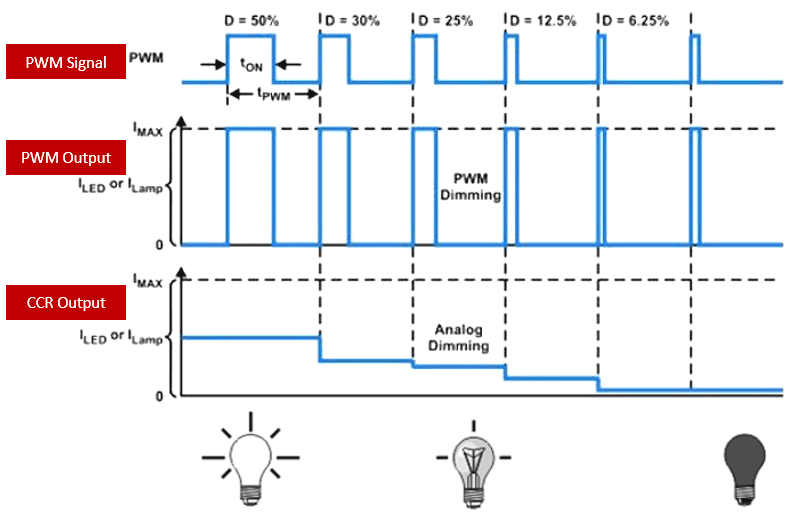
⚙️ How PWM Works:
- The display flashes ON and OFF very quickly
- The faster it flashes, the less visible the flicker
- The lower the brightness, the more noticeable (and stressful) the flicker can be
😵 Why is it Important?
Not everyone is sensitive to it — but many users report:
❌ Eye strain
❌ Headaches
❌ Fatigue
❌ Dry or watery eyes — especially during night-time use
This is more common in phones with AMOLED panels that use PWM to control brightness.
🔬 What’s a Good PWM Value?
- PWM flicker rate is measured in Hz
- The higher, the better for eye comfort
- 1920Hz is considered safe and flicker-free for most users
📌 Example: Some iQOO phones feature 2160Hz PWM dimming, providing safer low-brightness usage for sensitive eyes.
📱 DC Dimming vs PWM
DC Dimming = Adjusts voltage to reduce brightness (eye-friendly)
PWM Dimming = Flickers screen to simulate dimming (can strain eyes)
Some phones let you switch between both in developer settings or display settings.
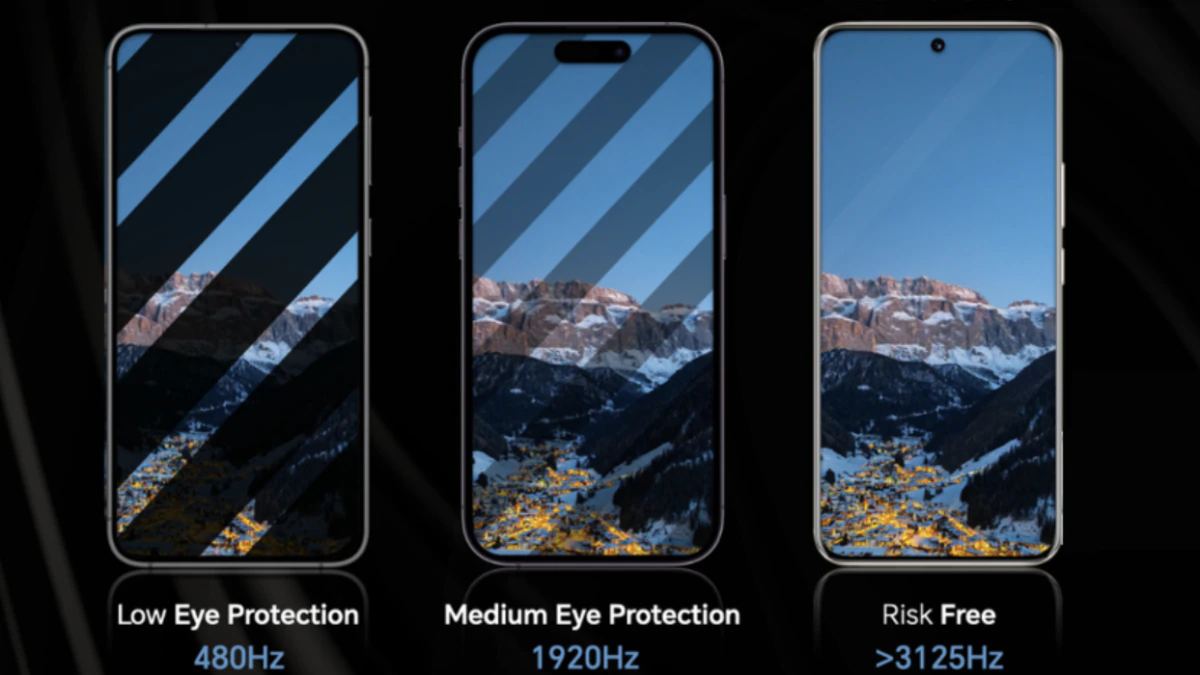
🔎 How to Check if Your Phone Has PWM Dimming?
- Search your phone’s spec sheet
- Use a slow-motion camera or flicker detection tool
- If your eyes feel tired quickly — PWM might be the reason
🧠 Quick Analogy:
Imagine a ceiling fan spinning very fast with light bulbs flashing on it — that’s what PWM flicker is like. You might not see the flicker, but your brain notices it.
So next time you’re buying a phone, especially if you're sensitive to screen strain, check for PWM flicker rate — it could make all the difference for long-term comfort!
📍 Up next in Day 6: We’ll explain Vapor Chamber Cooling — how phones keep their cool under pressure. 🔥❄️
Please sign in
Login and share