




























How to Update Your Mobile Number in Aadhaar – Step-by-Step Guide (2025)

Thread: How to Change Your Aadhaar Mobile Number (As of 22 July 2025)
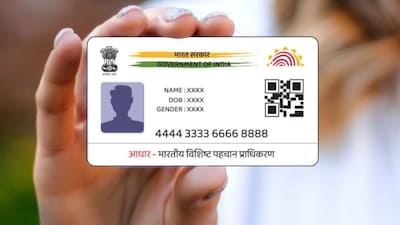
1/ Your Aadhaar‑linked mobile number cannot be changed online — biometric verification is mandatory at a physical centre.
2/ You must book an appointment online at UIDAI's official site (My Aadhaar → Get Aadhaar → Book Appointment). Select your city, enter OTP, Aadhaar details and pick “New Mobile Number.”
3/ On the appointment day, go to the selected Aadhaar Seva Kendra or enrolment centre with the appointment confirmation.
4/ At the centre:
Submit the update form (mentioning mobile number update)
Provide biometric authentication (fingerprint/iris)
Pay the ₹50 service fee You’ll receive an acknowledgment slip with a URN (Update Request Number) to track your request.
5/ Track your update status using the URN on UIDAI’s website: My Aadhaar → Get Aadhaar → Check Aadhaar Update Status. Select URN, enter captcha & see the status.
6/ Timeline: Typically, 90% of updates complete within 30 days.
7/ Why update your mobile number?
A registered mobile number is essential for OTP‑based services like banking, government subsidies, pensions, insurance, and telecom KYC.
8/ Fees: Offline biometric updates like mobile number changes cost ₹50. Certain updates—name, address, etc.—may cost more under Aadhaar Regulations.
9/ ❌ Online update of mobile number is not permitted, unlike addresses or documents. Even if you don’t remember your previously linked number, you can still update at a centre.
---
TL;DR:
📅 Book appointment online
🏢 Visit Aadhaar Seva Kendra
📝 Fill form, verify biometrics, pay ₹50
🧾 Get URN, track within ~30 days
🔄 Mobile number update is strictly in-person
---
Optional tips:
Many users report walk-ins at enrollment centres took just ~20 minutes — appointment not always required, depending on location.
To check the existing mobile number linked to your Aadhaar before updating, use UIDAI’s "Ve
rify Email/Mobile Number" tool on the official site.
Please sign in
Login and share