



























How to Enable GST in Tally ERP 9 / TallyPrime 🧾⚡

Hey Community! 👋
If you’re using Tally for accounting, you must enable GST to manage tax compliance. Here’s a quick step-by-step guide:
1️⃣ Go to Gateway of Tally
👉 From the main screen, press F11: Features.
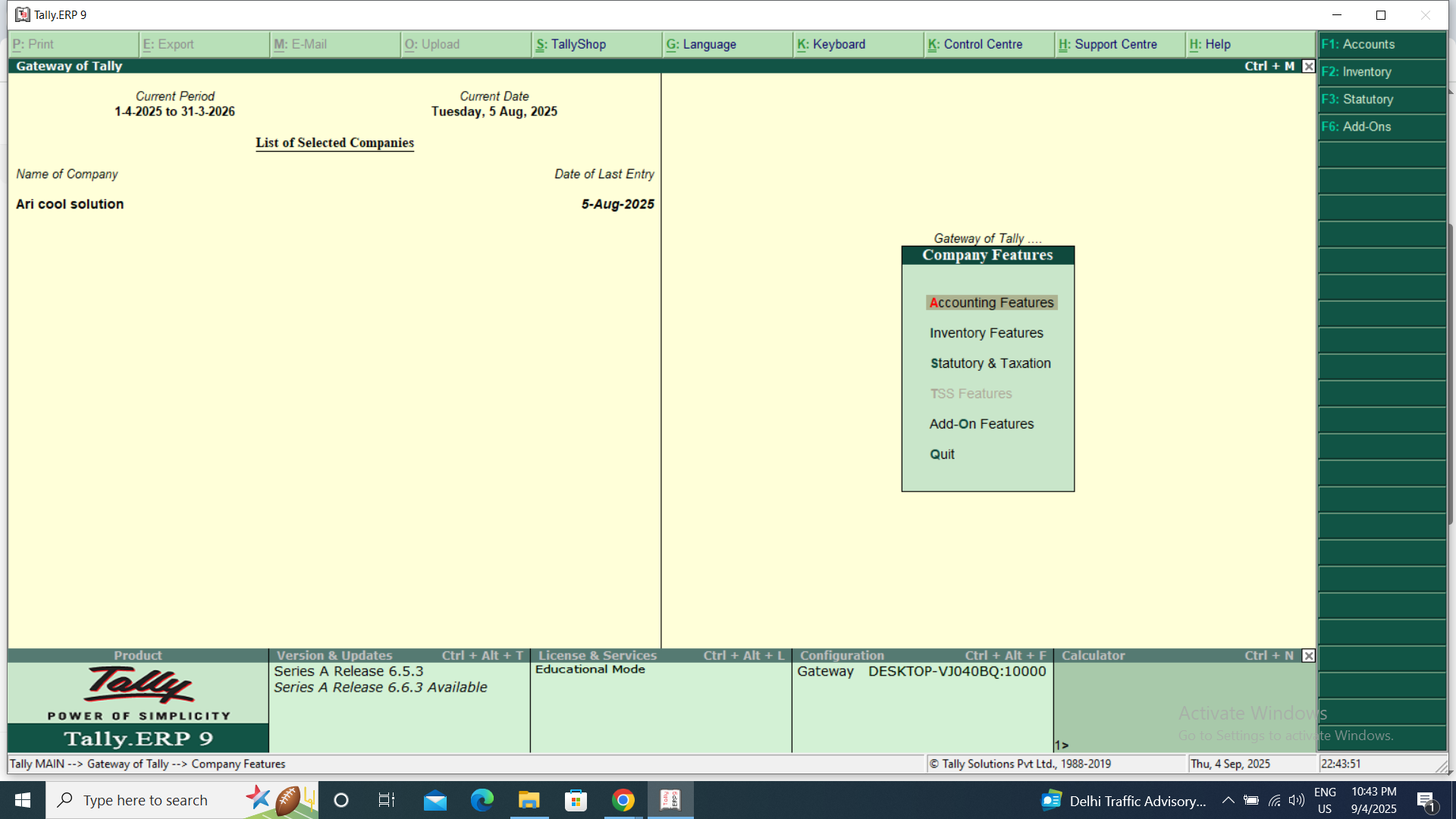
2️⃣ Select Statutory & Taxation
👉 In the menu, open Statutory & Taxation settings.
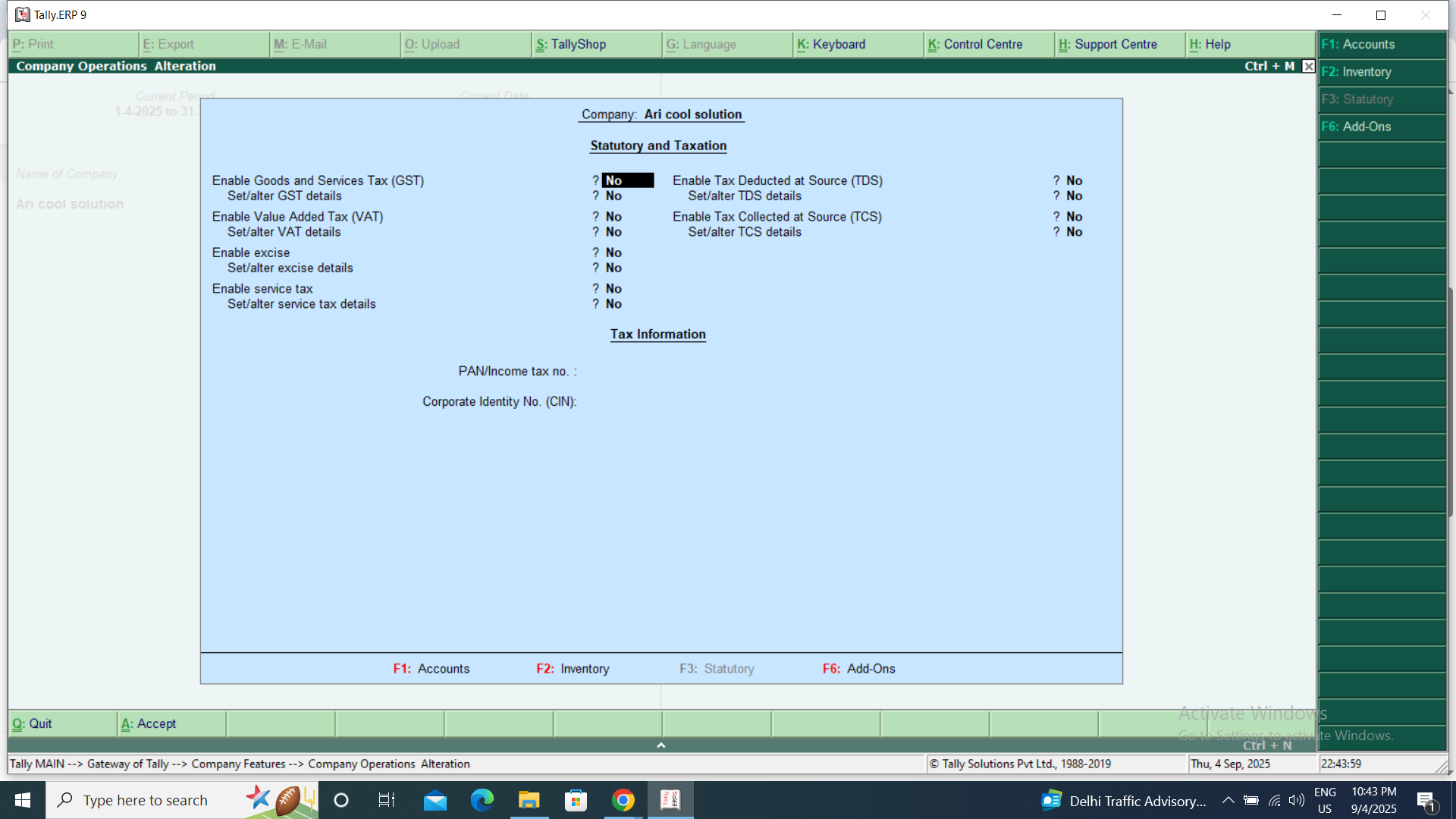
3️⃣ Enable GST
✔️ Set Enable Goods and Services Tax (GST) → Yes
✔️ Set Set/Alter GST Details → Yes
4️⃣ Enter GST Details
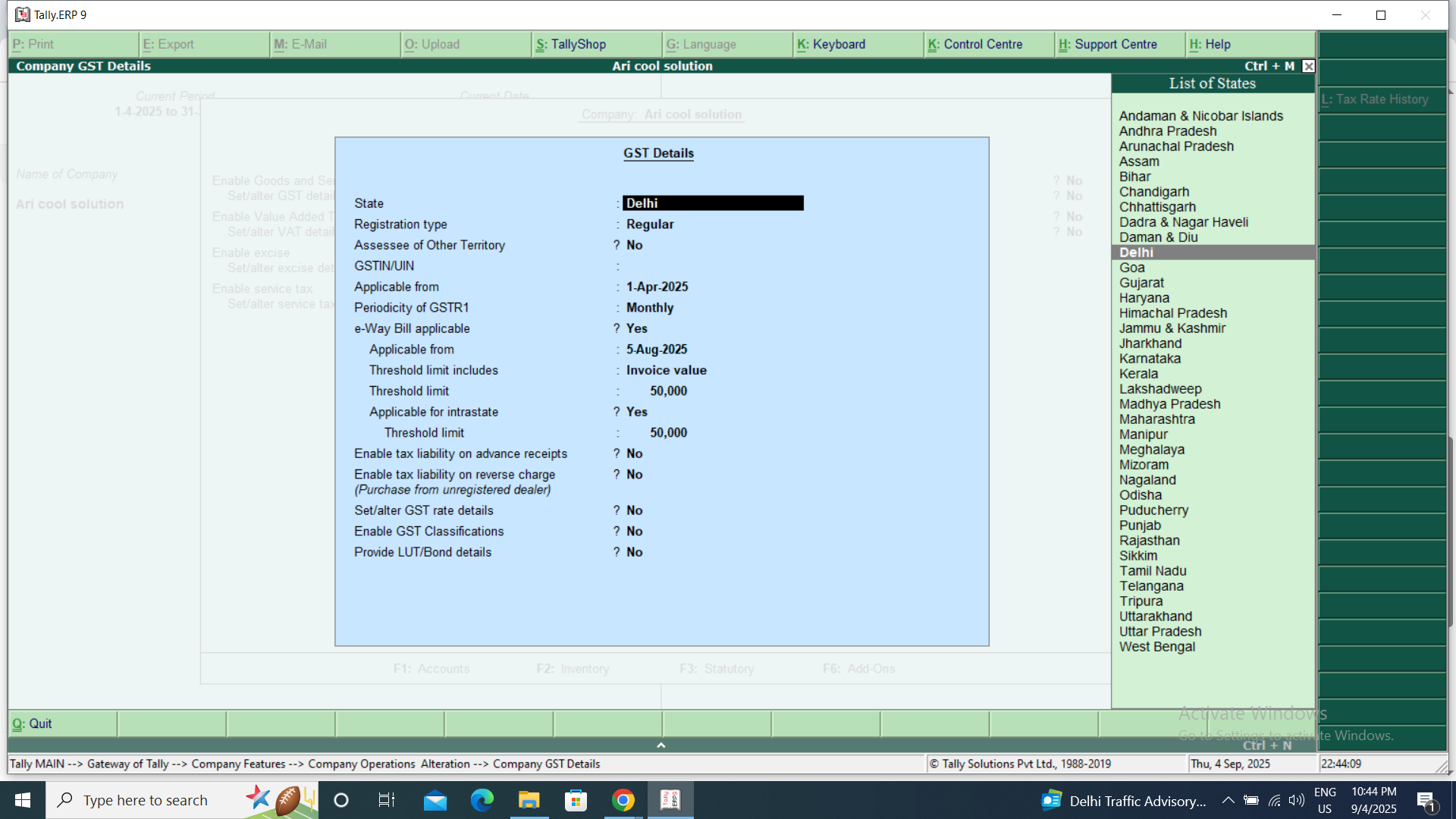
- GSTIN (your registration number) 🆔
- Applicable State 📍
- Periodicity of return filing (monthly/quarterly) 🗓️
- Tax types (Central/State/Integrated GST)
5️⃣ Save Settings
👉 Press Ctrl + A to save. ✅
📌 Now you can create GST-compliant invoices, apply tax rates on items, and generate GST reports directly from Tally.
💡 Pro Tip: Make sure GST is enabled both at Company Level and Ledger/Item Level for accurate billing.
Do you think GST in Tally has made compliance easier or still complex? 🤔
#iQOOCommunity #Tally #GST #Accounting
🙏💙 A Big Thank You to @iQOO Connect @Parakram Hazarika @Nipun Marya @Parth Nirmal @NITIN @TechSAM009 @Cv18 ✨
💫 Happy Questing, Fam 🚀🎉
— @Mrrajput_2212 (iQOO ID: 100459)
📸 Instagram: mrrajput_2212 💙🔥

Please sign in
Login and share