



























How to Print Preview Invoices in Tally ERP 9 / TallyPrime 🧾

1/ Introduction
Printing invoices is a critical step in accounting. But before hitting the printer, it’s always good to check the layout, GST details, and totals. That’s where Tally’s Print Preview comes in. 👀
2/ Step 1: Open the Invoice
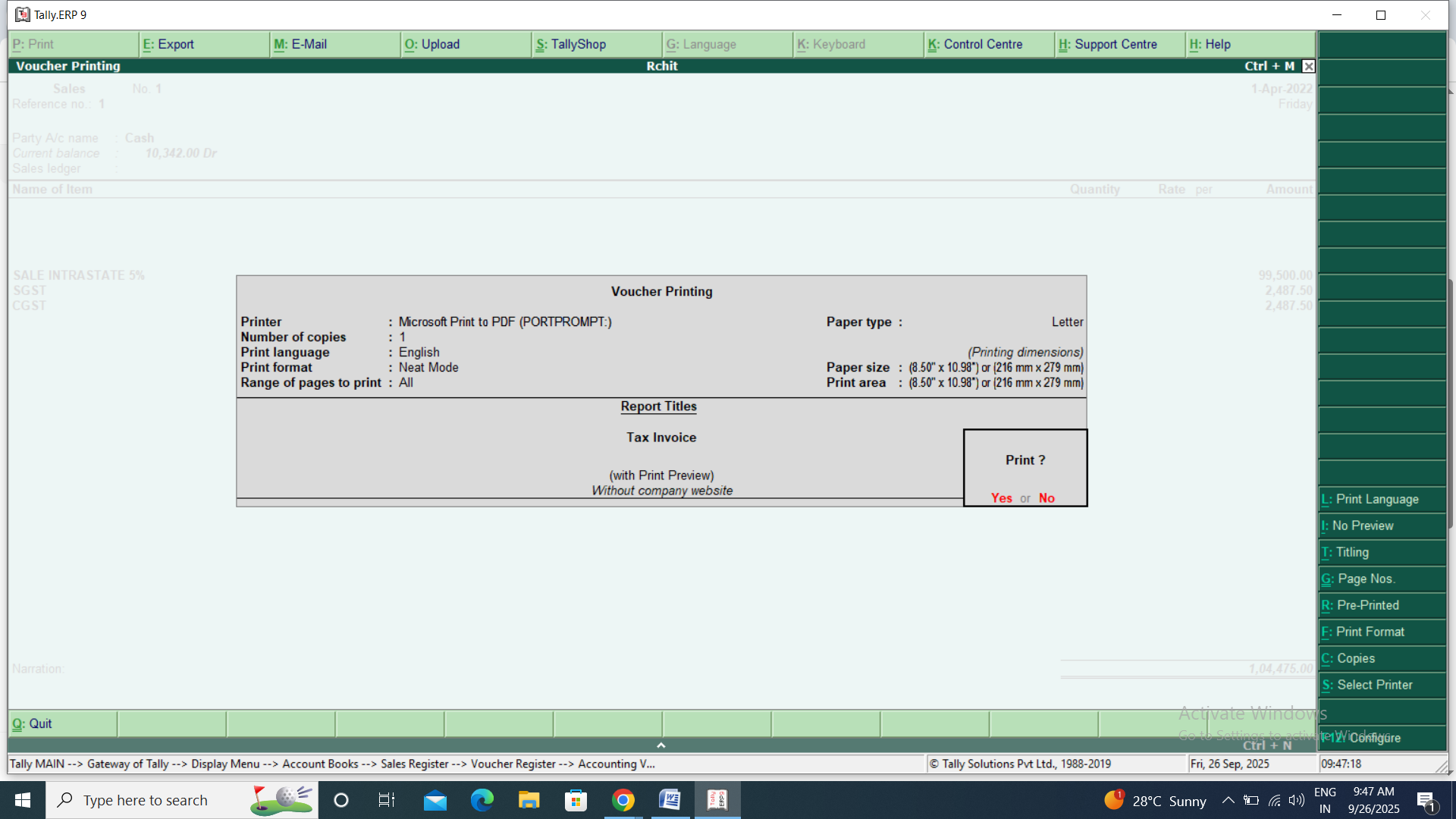
Figure 1, view larger image
- Go to Gateway of Tally → Display → Day Book (or the relevant voucher report).
- Select the invoice you want to preview. 📝
3/ Step 2: Open Print Menu
- Press Alt + P → This opens the Print Voucher/Invoice menu.
- You can choose the printer, number of copies, and page layout here. 🖨️
4/ Step 3: Print Preview
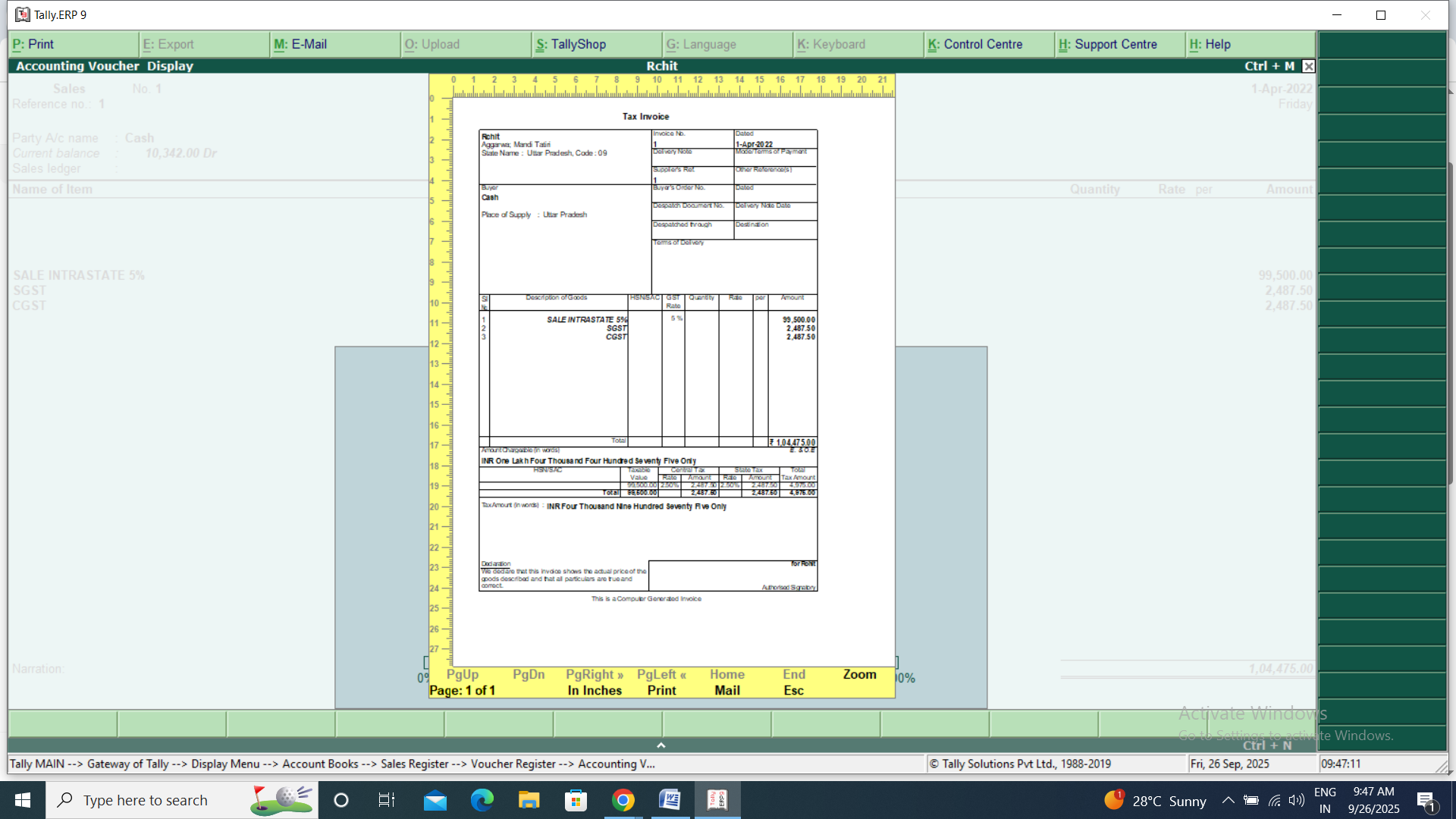
Figure 2, view larger image
- Press P → Preview
- Tally will display a preview of the invoice as it will appear on paper.
- Check alignment, logo, GST details, totals, and formatting. ✅
5/ Step 4: Print
- Once satisfied with the preview, press Enter → Print.
- Your invoice is now ready to send to the customer. 📄
6/ Quick Shortcuts
- Alt + P → Print menu
- P → Preview
- Enter → Print
7/ Tip:
- Always preview invoices to avoid mistakes, save paper, and maintain a professional appearance.
- You can also customize invoice layouts in Tally for a more polished look. ✨
💫 Happy Questing, Fam 🚀🎉
— @Mrrajput_2212 (iQOO ID: 100459)
📸 Instagram: mrrajput_2212 💙🔥

Figure 3, view larger image
Off-topic Lobby
92
2
Please sign in
Login and share
Sign in