



























How to consume less internet data in our Android device?

Hi iQOO fans,
Do you need to save your internet data and consume little to use? Here are some simple tips & tricks for you.
We will be downloading many photos, videos and audios in WhatsApp, which consumes a lot of our Internet Data. Here are some tricks to solve it.
👉Go to WhatsApp 👉 Settings 👉 Storage & Data 👉 On Media Auto-download, click "When using mobile data" option 👉 Deselect all options 👉 select OK.
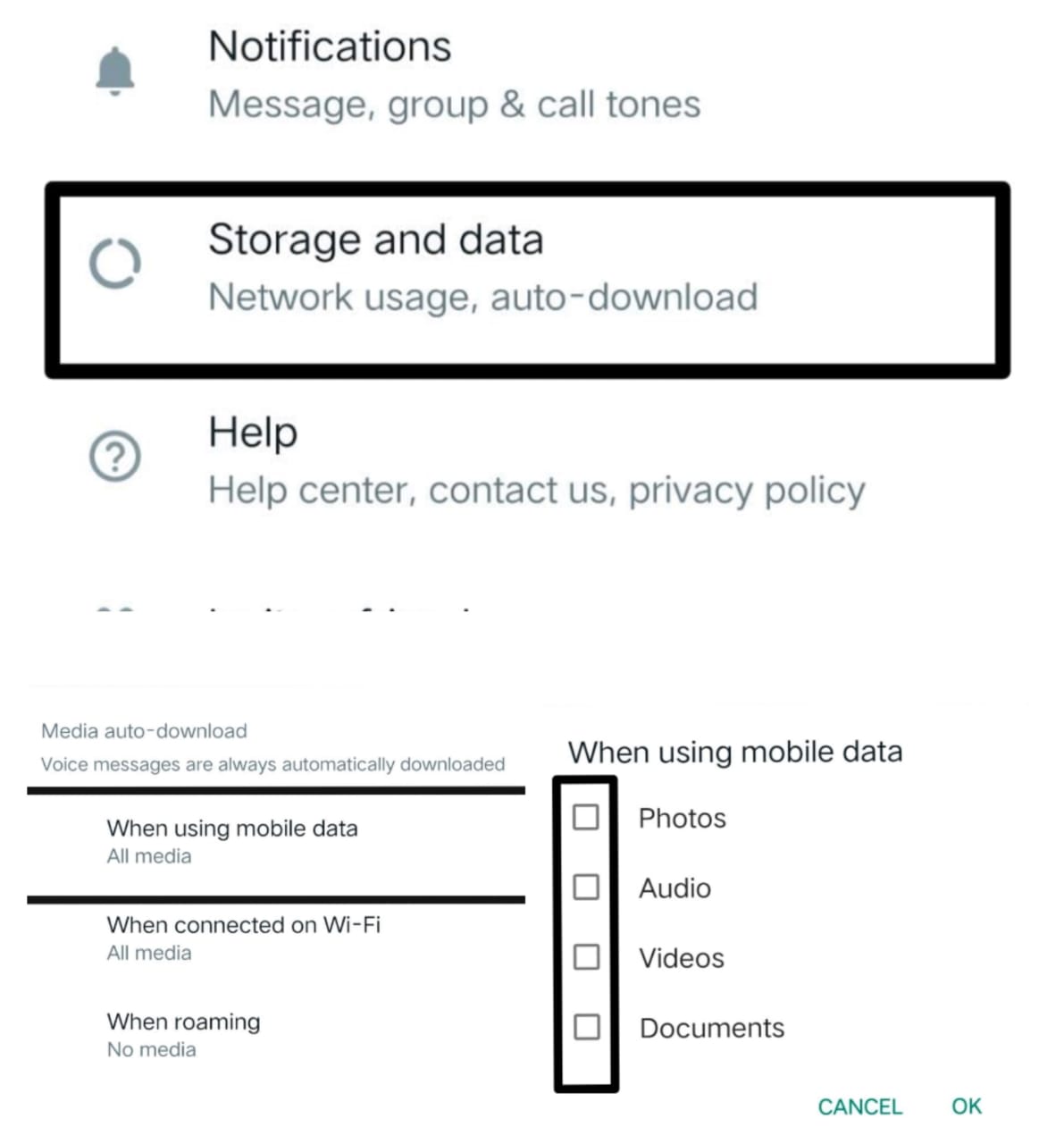
👉 Turn on Use less data for Calls.

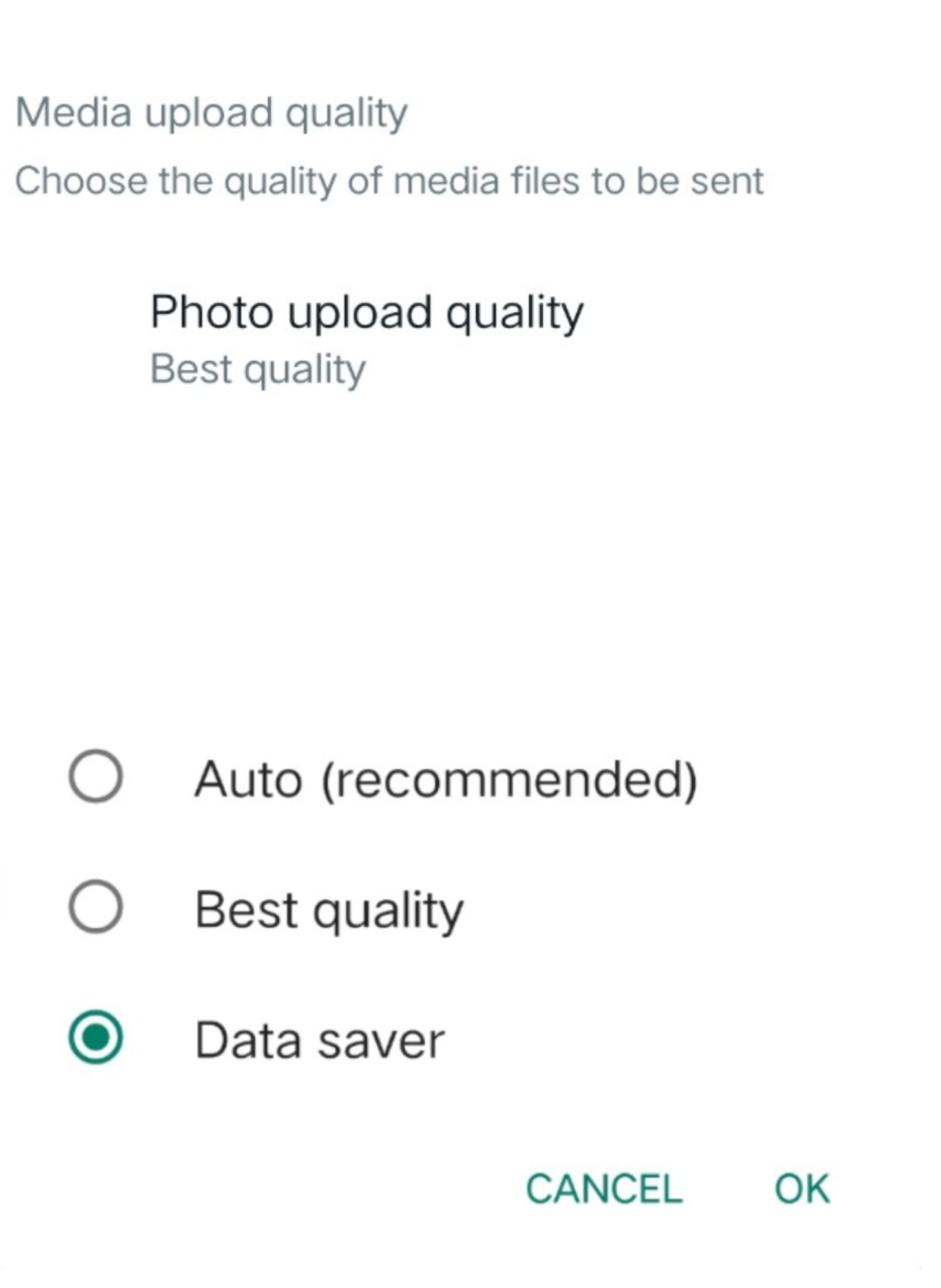
👉Go to WhatsApp 👉 Settings 👉 Storage & Data 👉 On Media upload quality, click "Photo upload quality" option 👉 Select data saver option from the list 👉 select OK.
Telegram
The same tricks can be applied given above to use less internet.
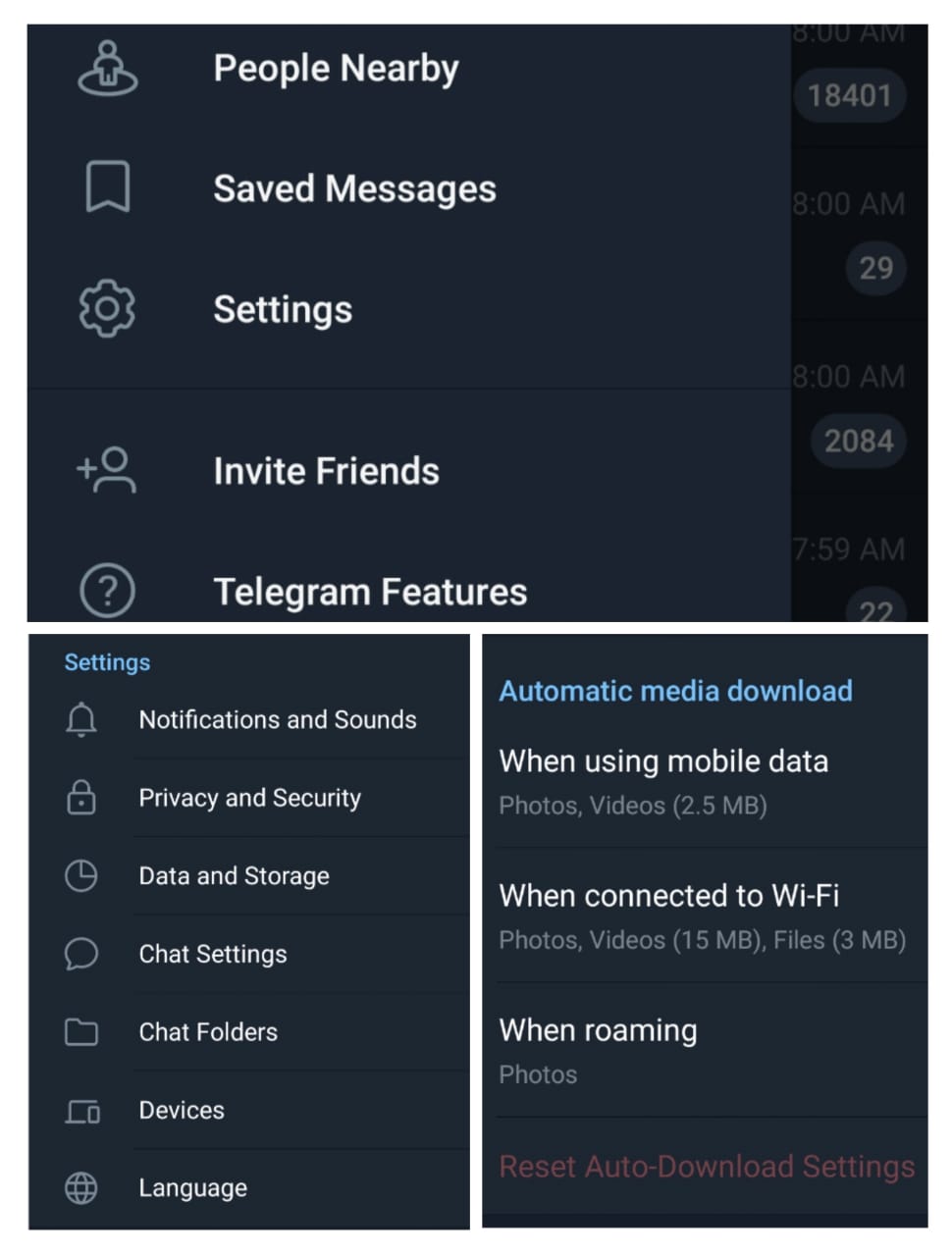
👉Go to Telegram 👉 Settings 👉 Data and Storage 👉 When using mobile data.
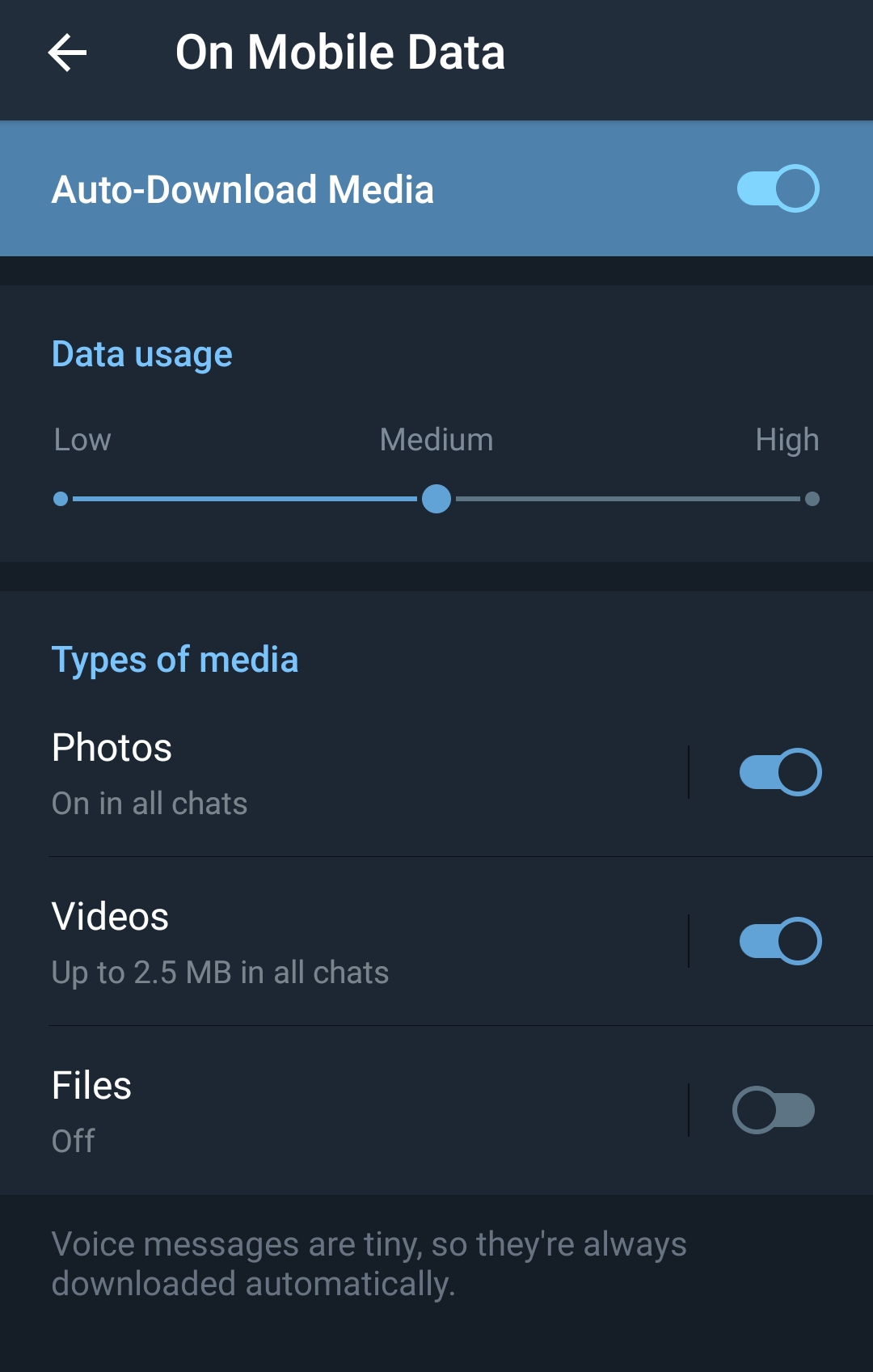
You can customise the data how much to automatically download for the types of media in Telegram, such as Photos, Videos & Files.
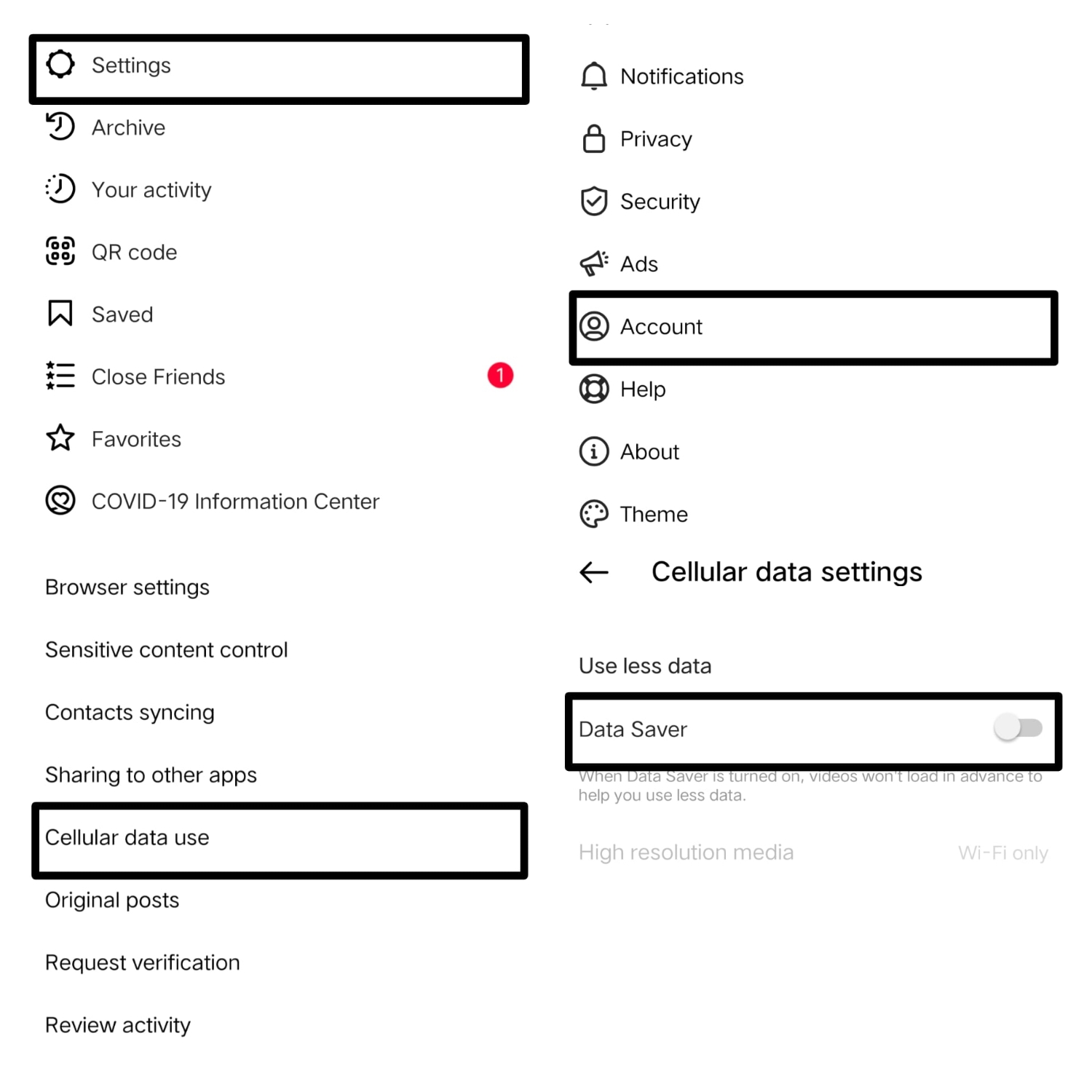
The main issue which we mostly face is from Instagram, which consumes more than we expect. There's a small simple trick to stop.
Go to Instagram 👉 Profile 👉 More 👉Settings 👉 Account 👉 Cellular data settings 👉 Turn on Data Saver.
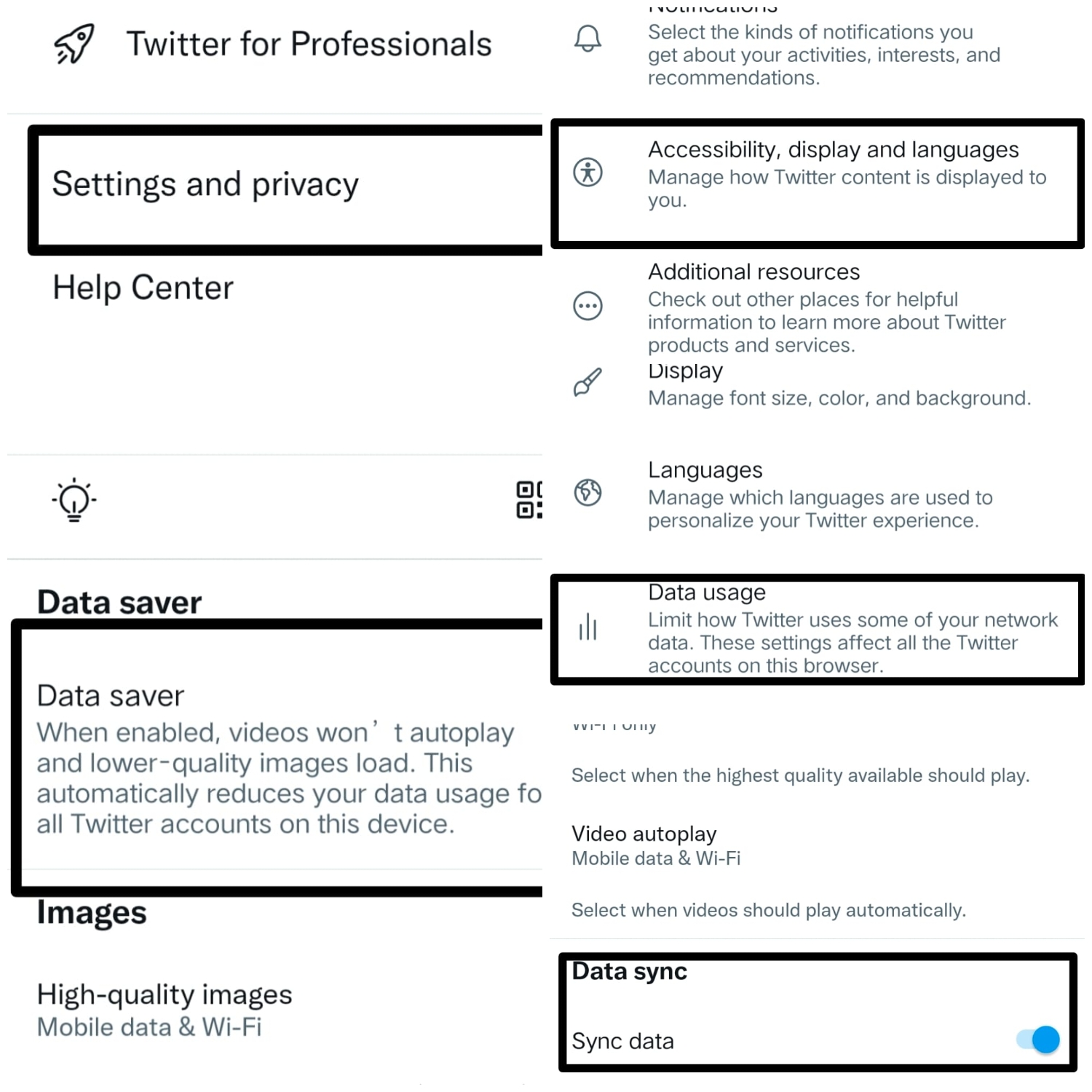
Twitter uses more data, which the uploaded images are having high quality images and videos, which consumes more data.
👉Go to Twitter 👉 Settings & Privacy 👉 Accessibility, display & languages 👉 Data usage 👉 Turn on Data Saver and scroll down and Turn off Sync data.
So that the data sync can be done by refreshing the tweets.
Chrome
The browser application which is mostly used in mobile phones is Google Chrome. We are always online on Chrome. The internet data when using Chrome can be reduced.
👉Go to Chrome 👉 More Options 👉 Settings 👉 Lite Mode 👉 Turn on.
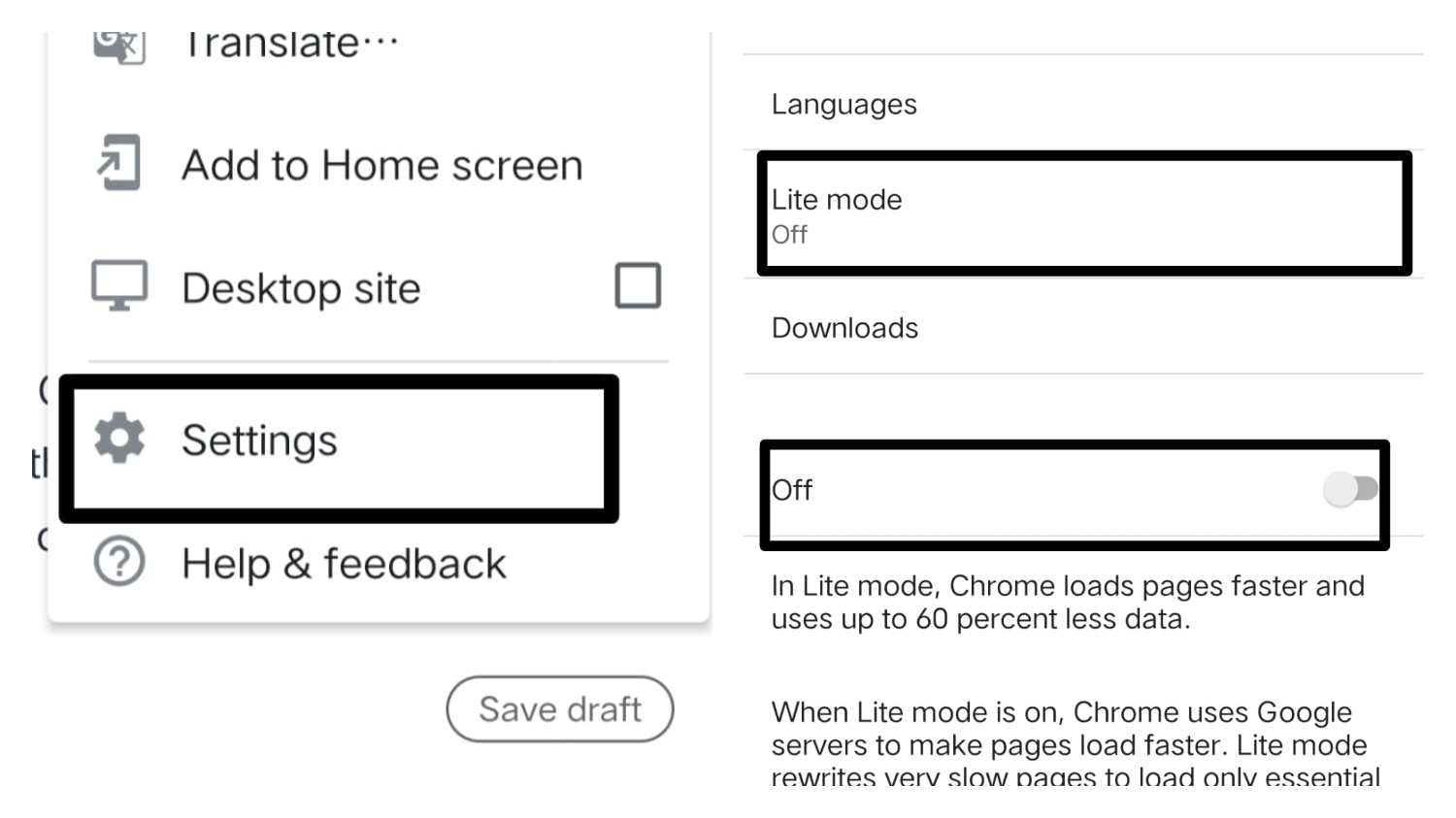
In Lite Mode, Chrome uses up to 60% of less data, to load the web pages faster. But it doesn't work on Incognito Tabs.
Do you need to save your storage too? Then we need to use the Lite version of the corresponding applications like Facebook Lite, Messenger Lite, Instagram Lite, Twitter Lite, etc… But if you need to use the apps but to consume less data, then you can try the given tips & tricks to solve.
Thank you
Please sign in
Login and share