




























🕒 My First Experience with OriginOS 6 on iQOO 13 – A Whole New Vibe!

Hey Questers! 👋
Welcome to Episode 2 of my OriginOS Diaries! 🚀
It's been 12; Hrs since I installed the OriginOS 6 Beta on my iQOO 13, and I can confidently say - this update has completely transformed the experience! ⚡
From the moment I unlocked the phone, everything felt new — smoother, cleaner, and more dynamic. The attention to design is on another level this time around. ✨
Here's a sneak peek at what stood out during my first day:
🌈 New Homescreen Layout – Fresh, minimal, and fluid with vibrant icon animations that feel alive.
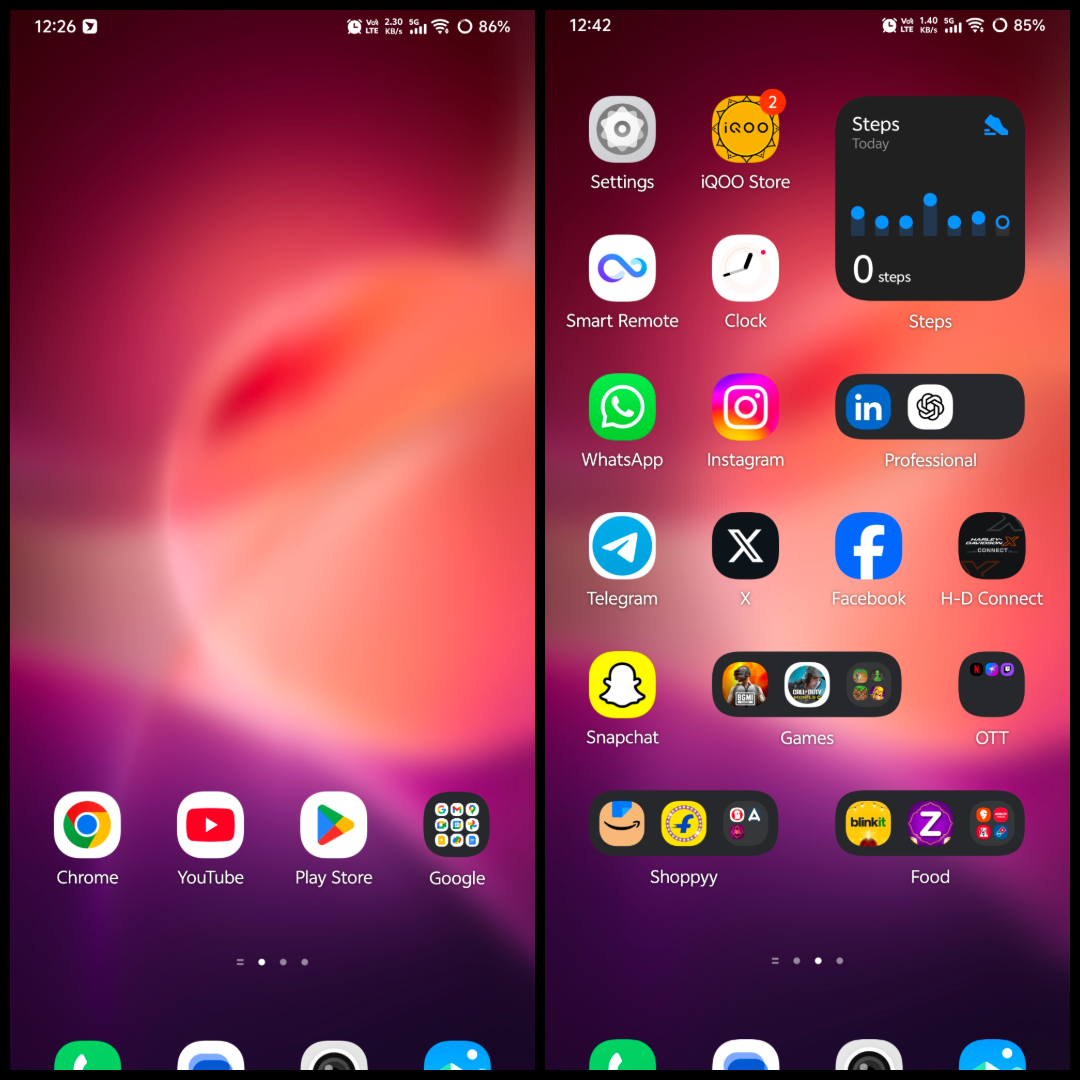
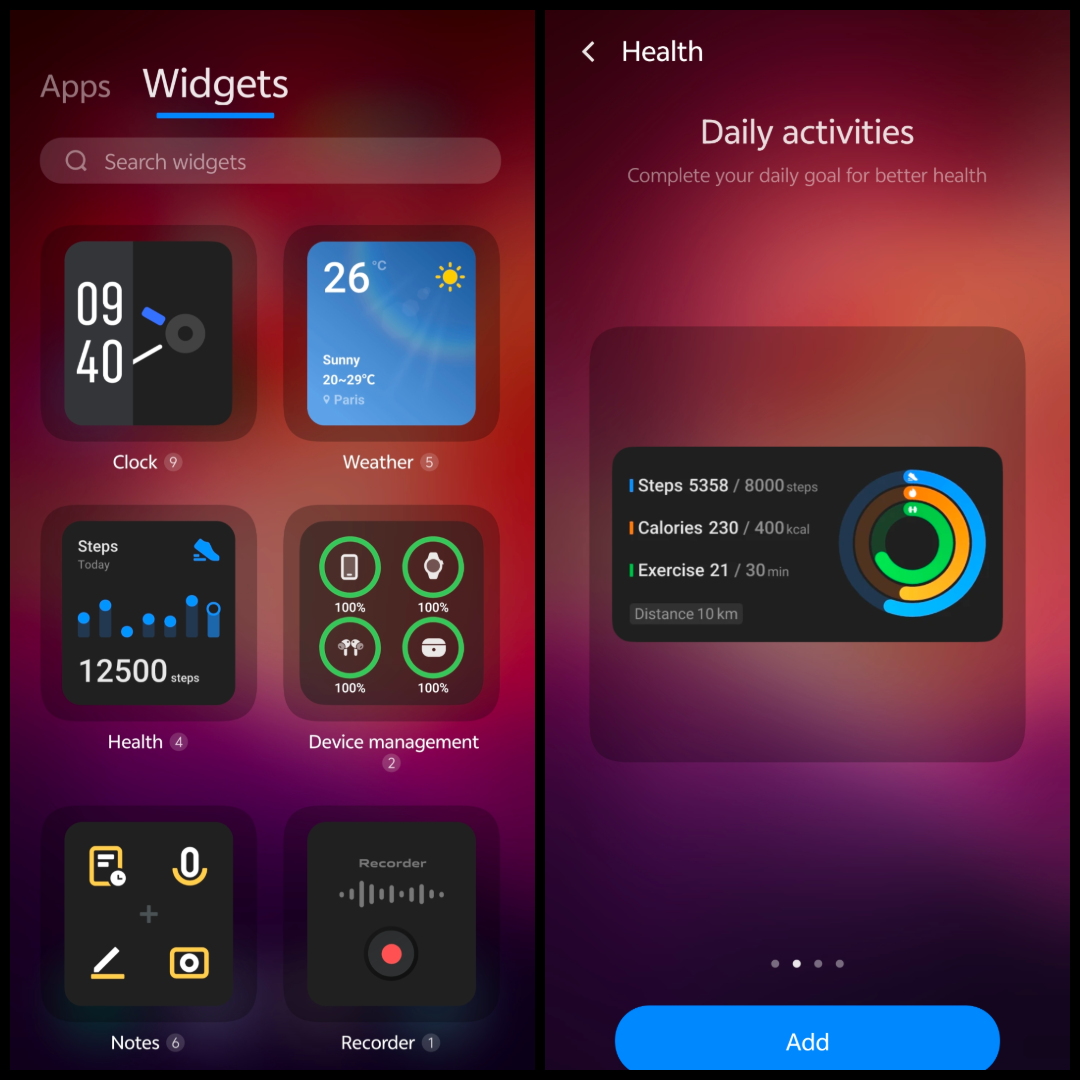
🧩 Revamped Widgets – More interactive and visually refined, adding both beauty and functionality to the home screen.
New Widgets Added - Health, Device Management, Notes and Recorder.
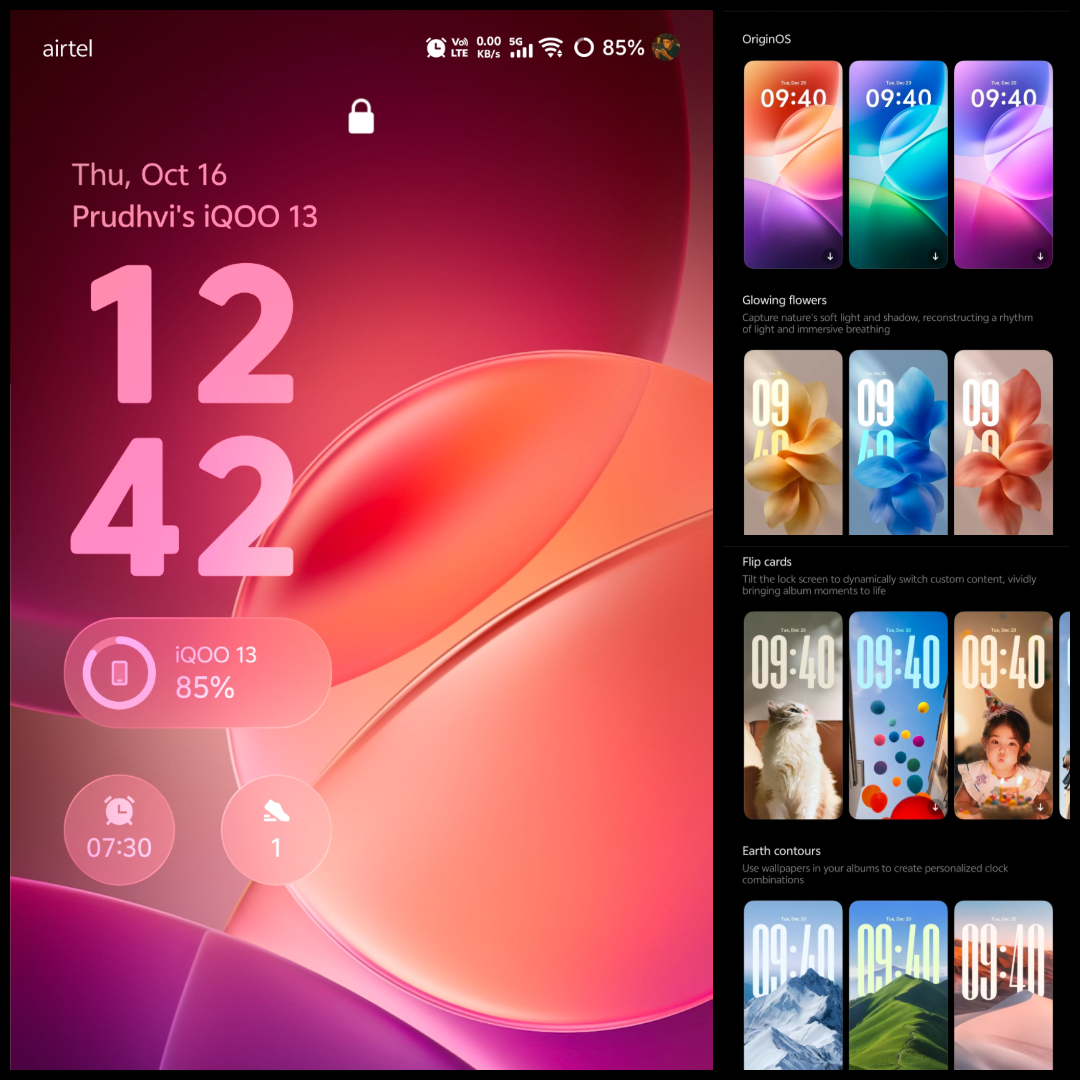
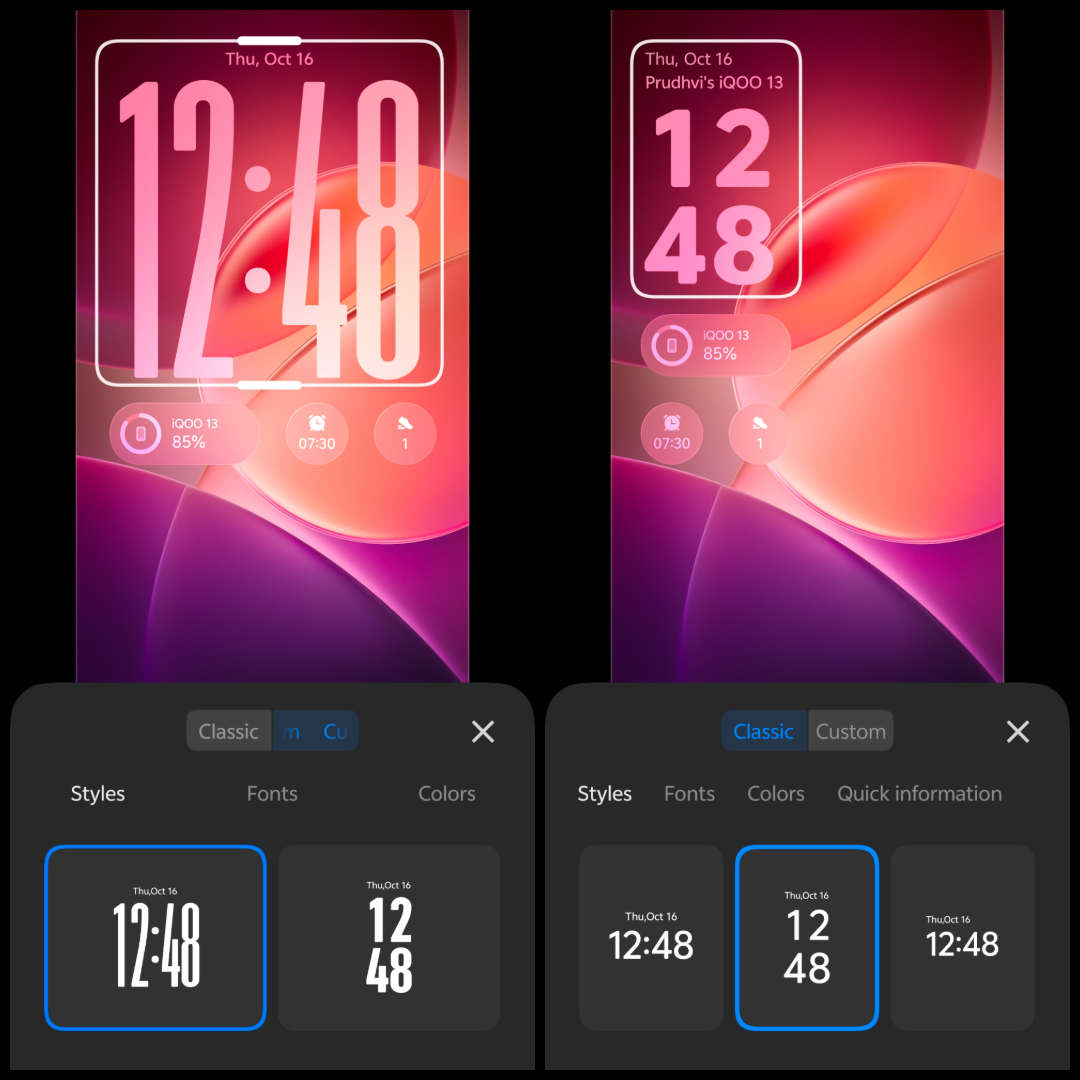
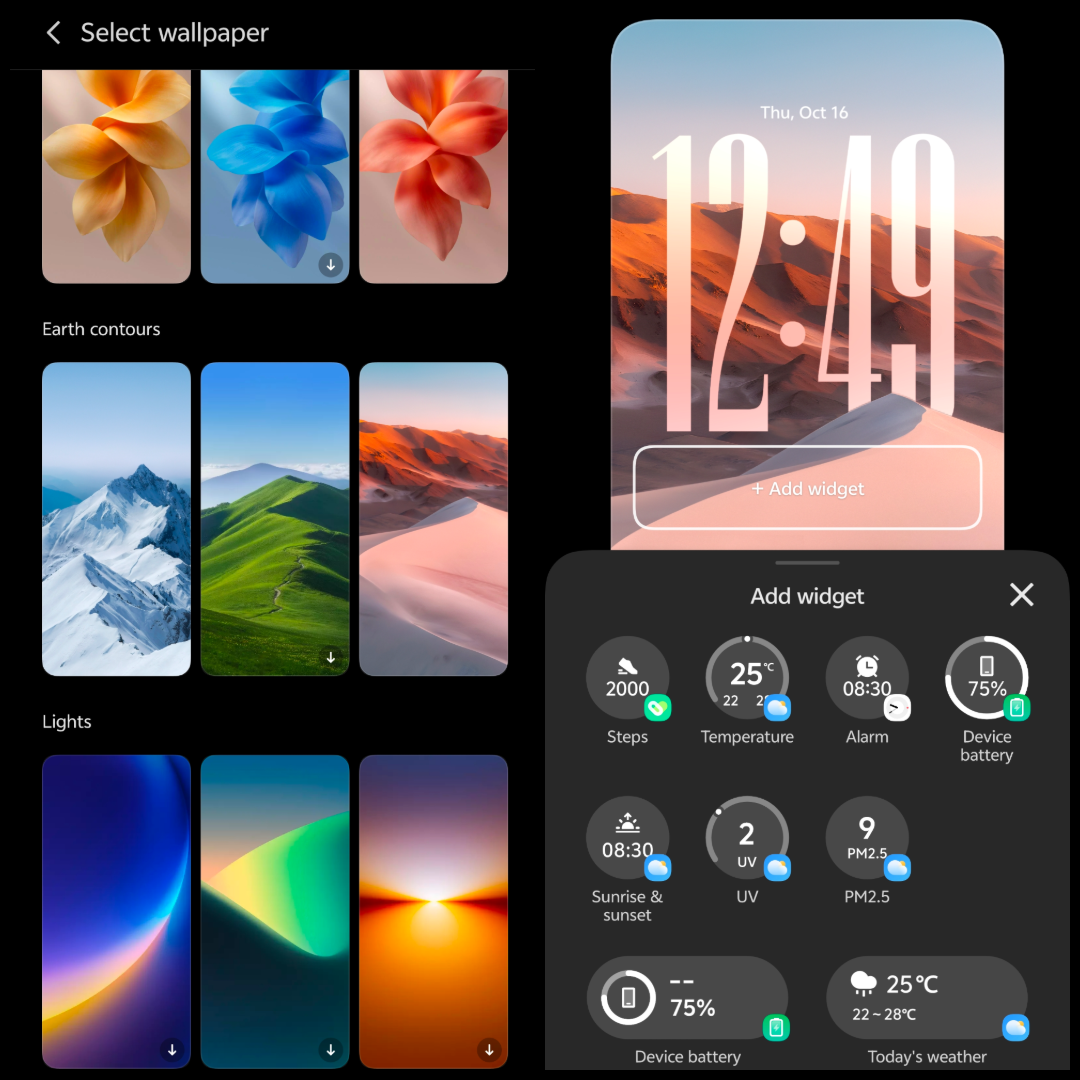
🔒 New Lockscreen Style – Sleek transitions, smoother unlock animations, and a more cohesive visual tone.
- Now, You can add Widgets on the lockscreen as shown in the below picture.
- and there are tons of lockscreen customisations that you can do.
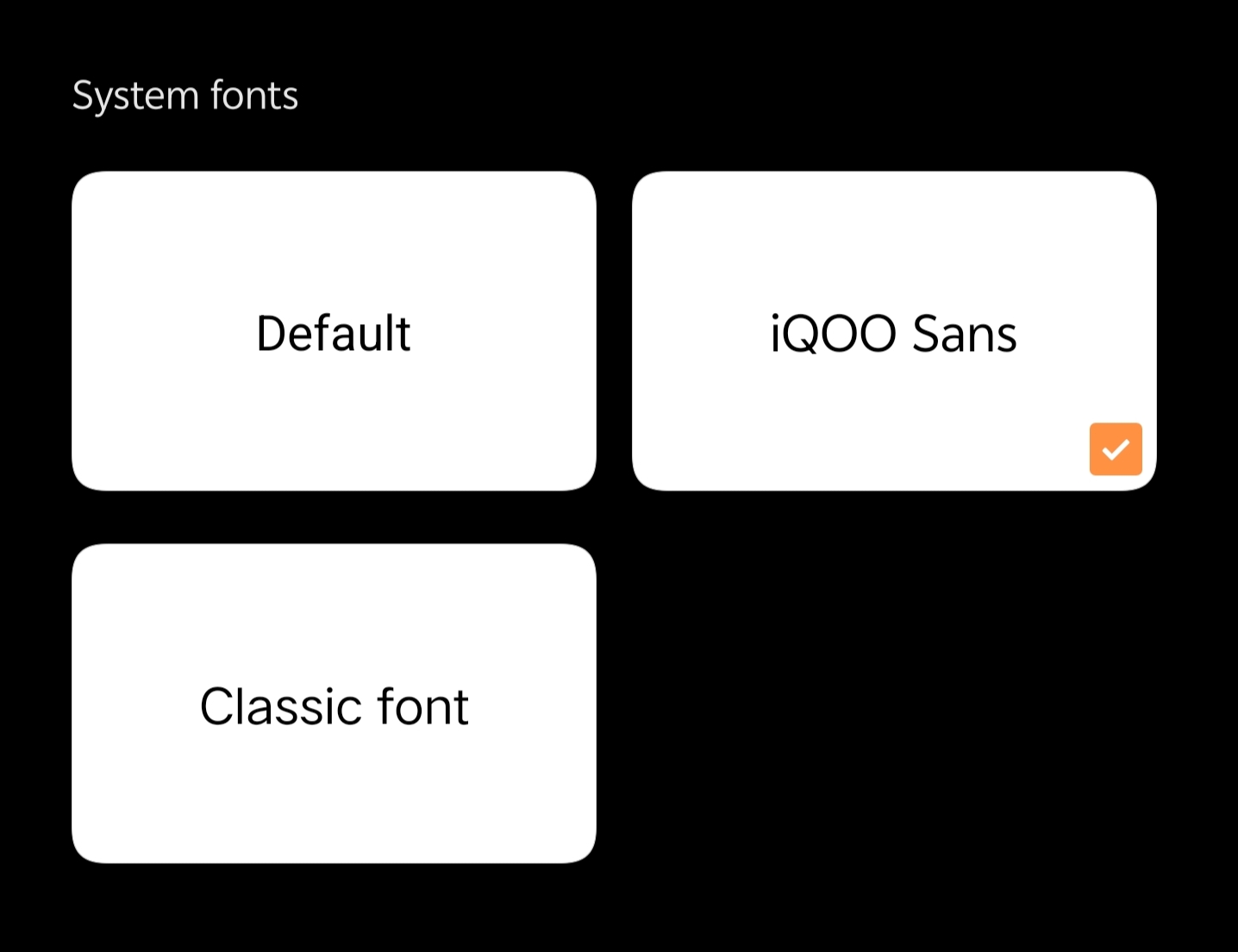
🔠 Updated System Font – Modern and crisp, enhancing readability across the UI which is iQOO Sans font available in Themes App for Free.
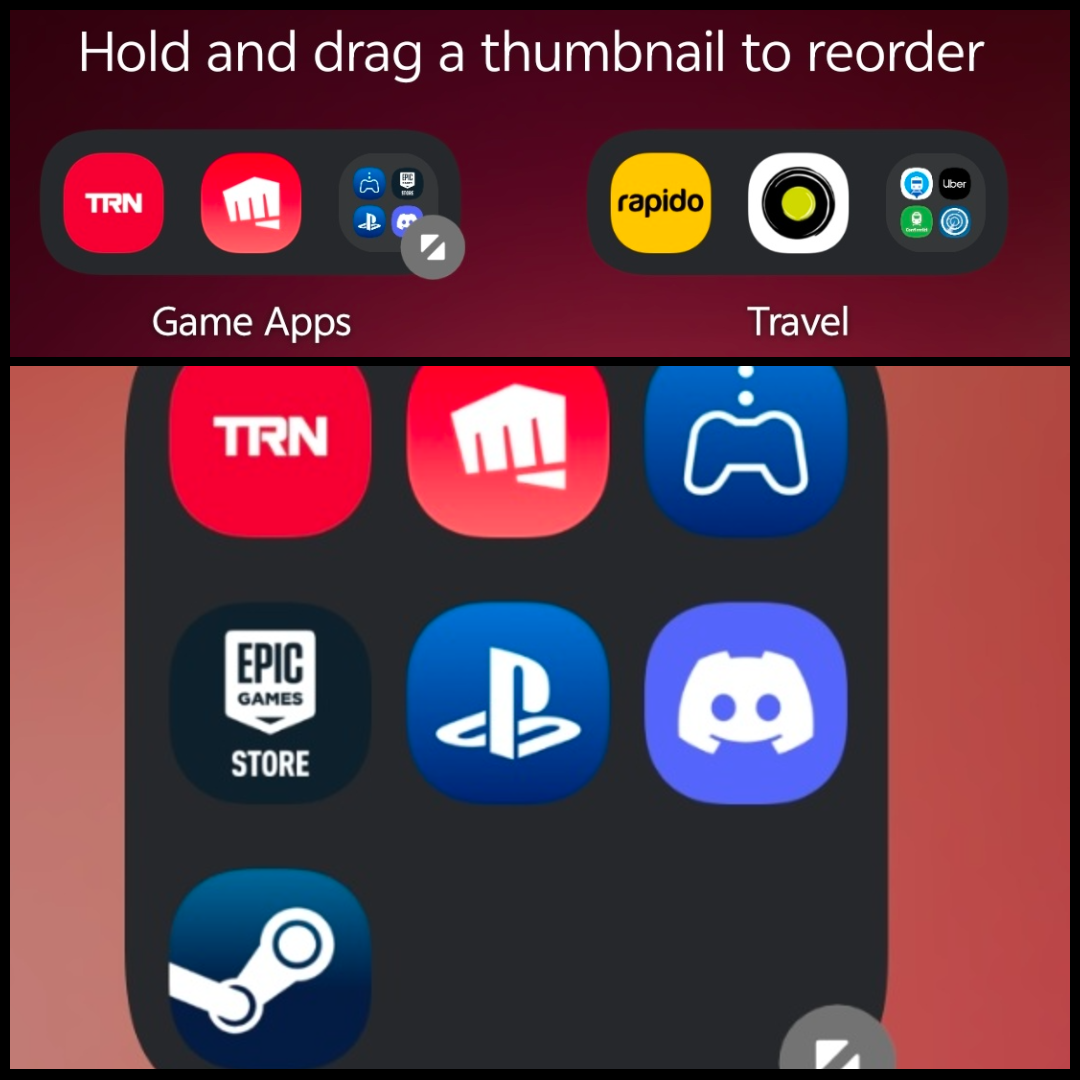
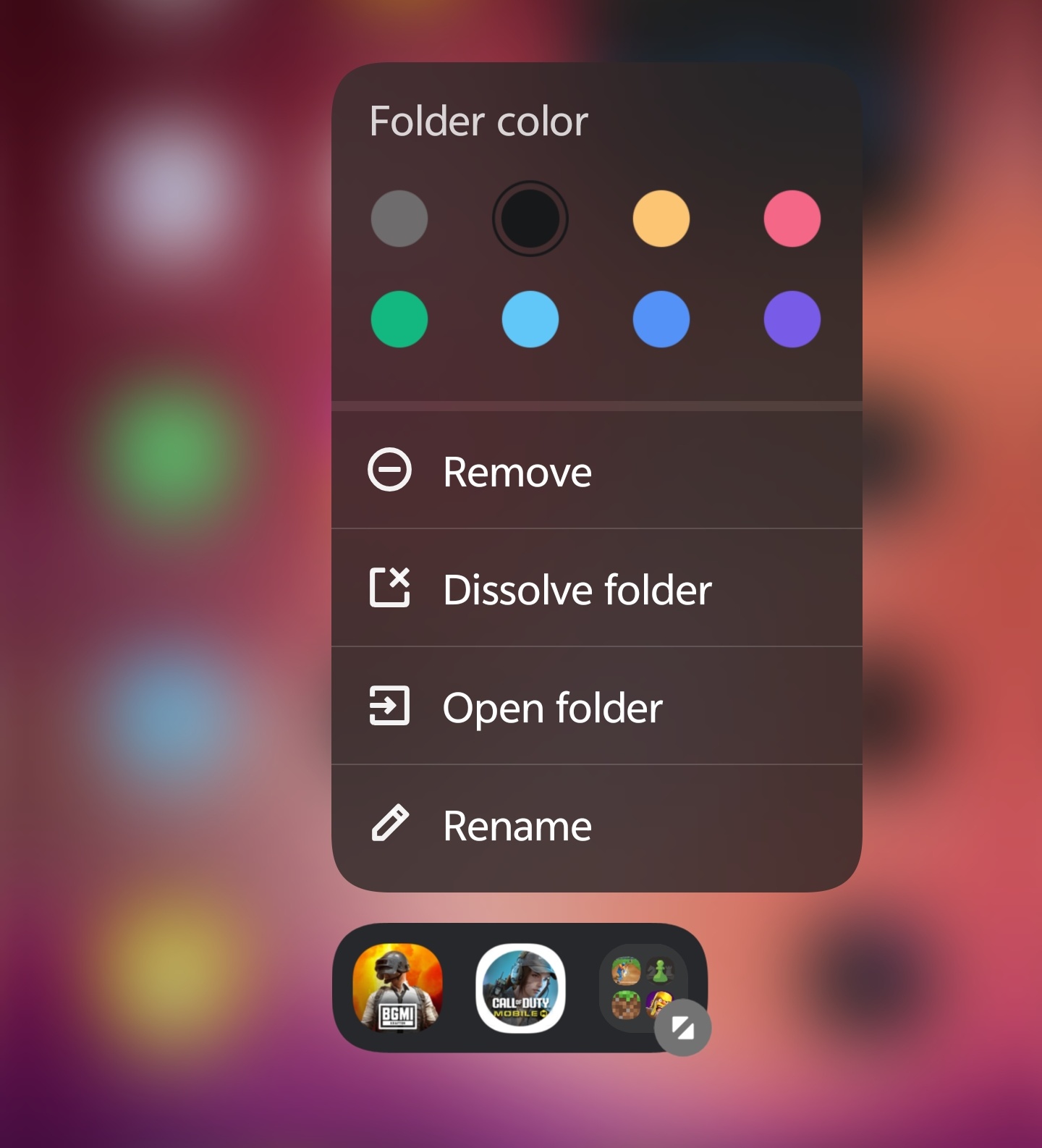
🗂️ Customizable Folder Sizes & Colours – Finally, folders can match your aesthetic - you can resize and recolor them to fit your setup perfectly.
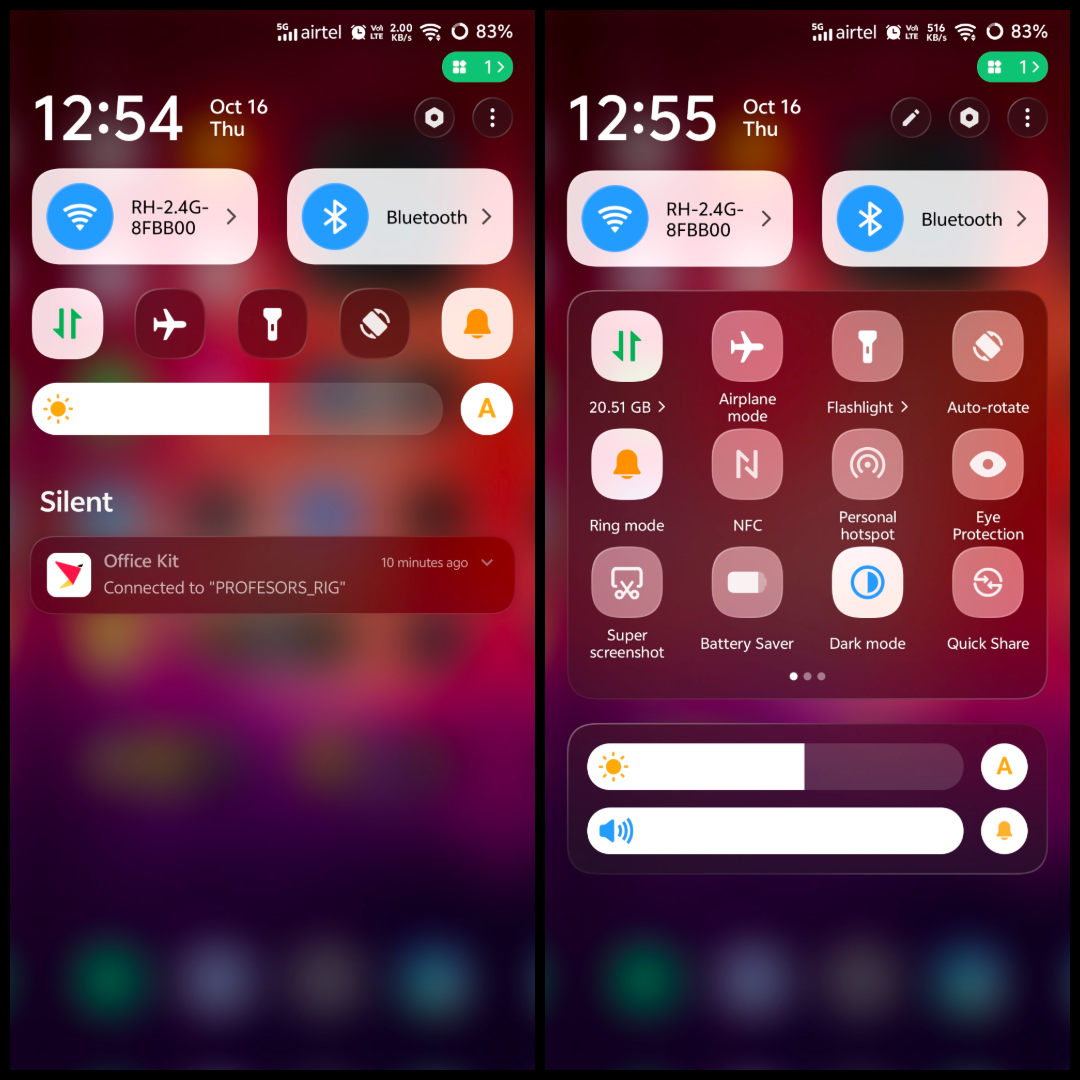
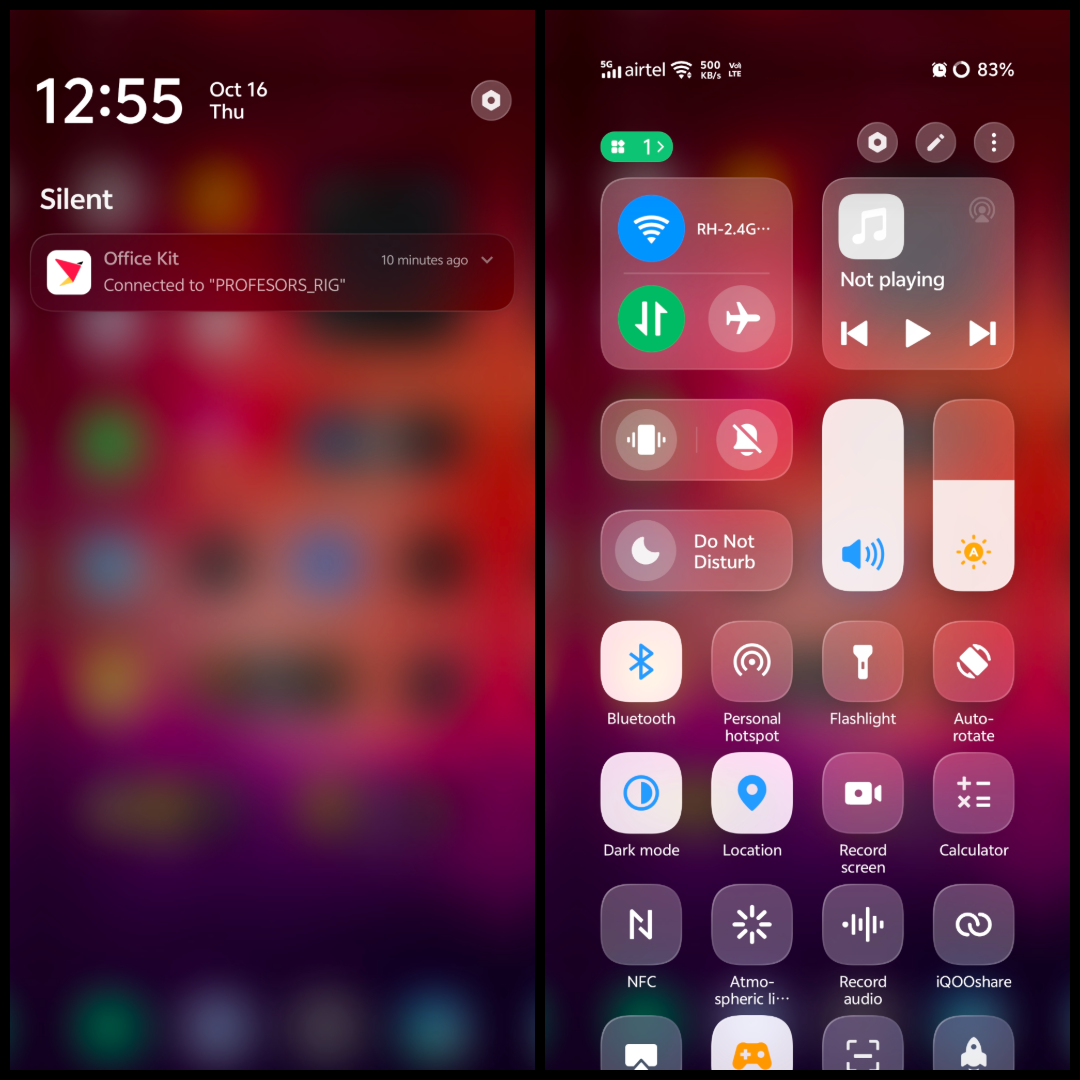
⚙️ The All-New Control Center – The biggest visual and functional change! It now feels futuristic with better organization, smoother toggles, and subtle animations that make interacting with it a delight.
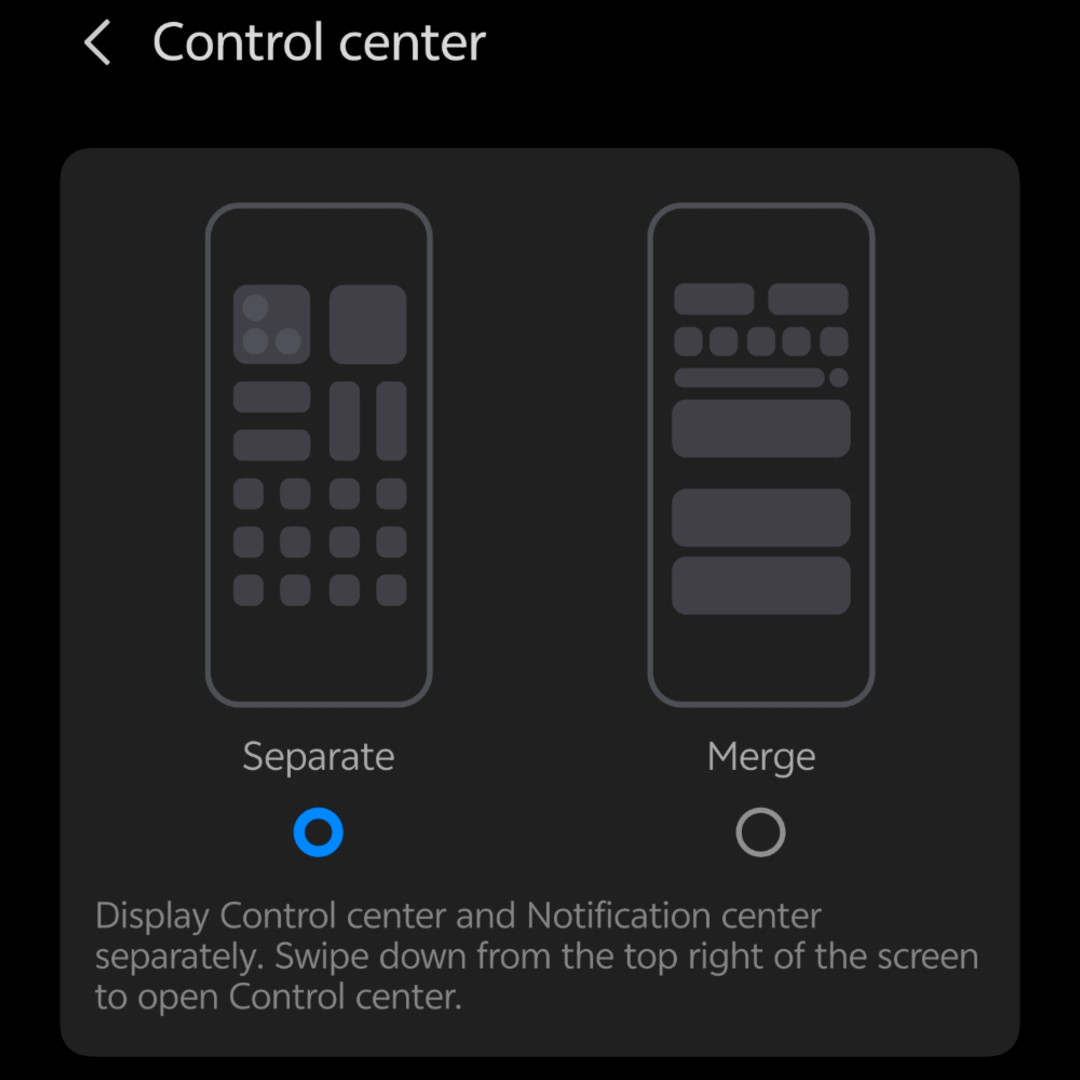
You can either combine both Notification Panel and Status Bar (or) Seperate and use them.
In short — OriginOS 6 brings personality and polish to every corner of the iQOO 13.
Performance, visuals, and user experience all feel harmoniously refined. 🎯
I'll be showcasing all these new design changes with visuals and deeper insights in upcoming episodes - including how they affect usability and daily flow.
Stay tuned for Episode 3, where I'll dive into customization and personalization in OriginOS 6! 💫
Thanks
Signing Off @RockyFTW
Moderator @iQOO Connect .
Please sign in
Login and share