




























🚀 Exploring OriginOS 6: Daily Feature Dive: Day 4–Origin Island

Hey Questers 👋!
Today's spotlight lands on the heart of OriginOS 6 the Origin Island - your all-in-one smart hub - a floating window that delivers real-time updates, intelligent suggestions, and system-wide status insights, helping you stay on top of everything effortlessly.
✅ What is Origin Island
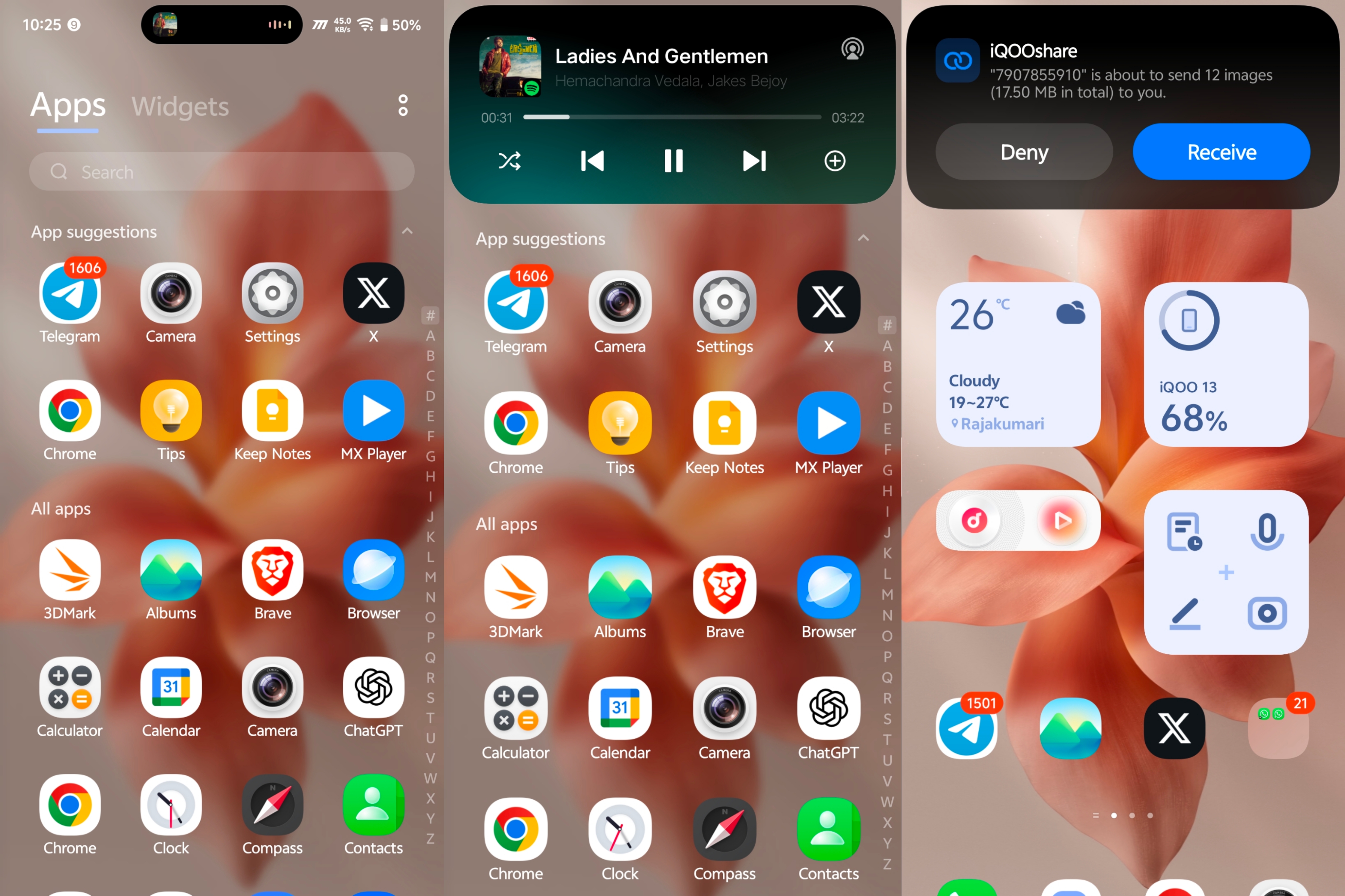
Origin Island is a new UI component in OriginOS 6 basically a pill-shaped floating window that appers on top on screen and provides real-time updates, smart suggestions and quick actions across the system.
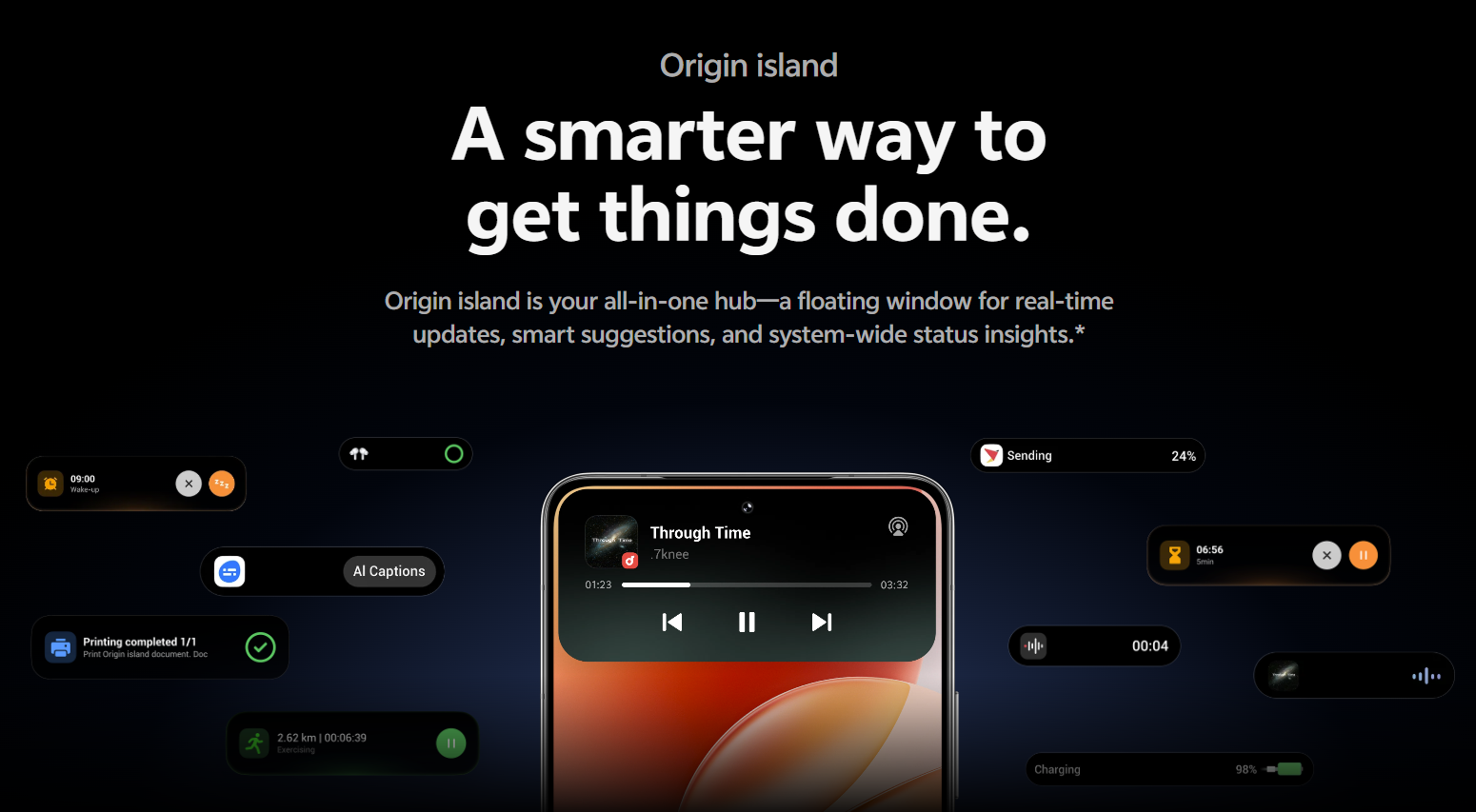
💡 Key Highlights:
👉 Displays real-time system status changes, progress, and notifications.
👉 Provides smart service recommendations for quicker actions.
👉 Instant access to Origin Player, Context Suggestions, and Drag & go.
✨ Smart Interactions:
🔹Real time status indicatons
Shows live activity information such as integration with office kit, media playback controls, ongoing timers or tasks, charging, voice recording, tws connections, notifications and other system events.
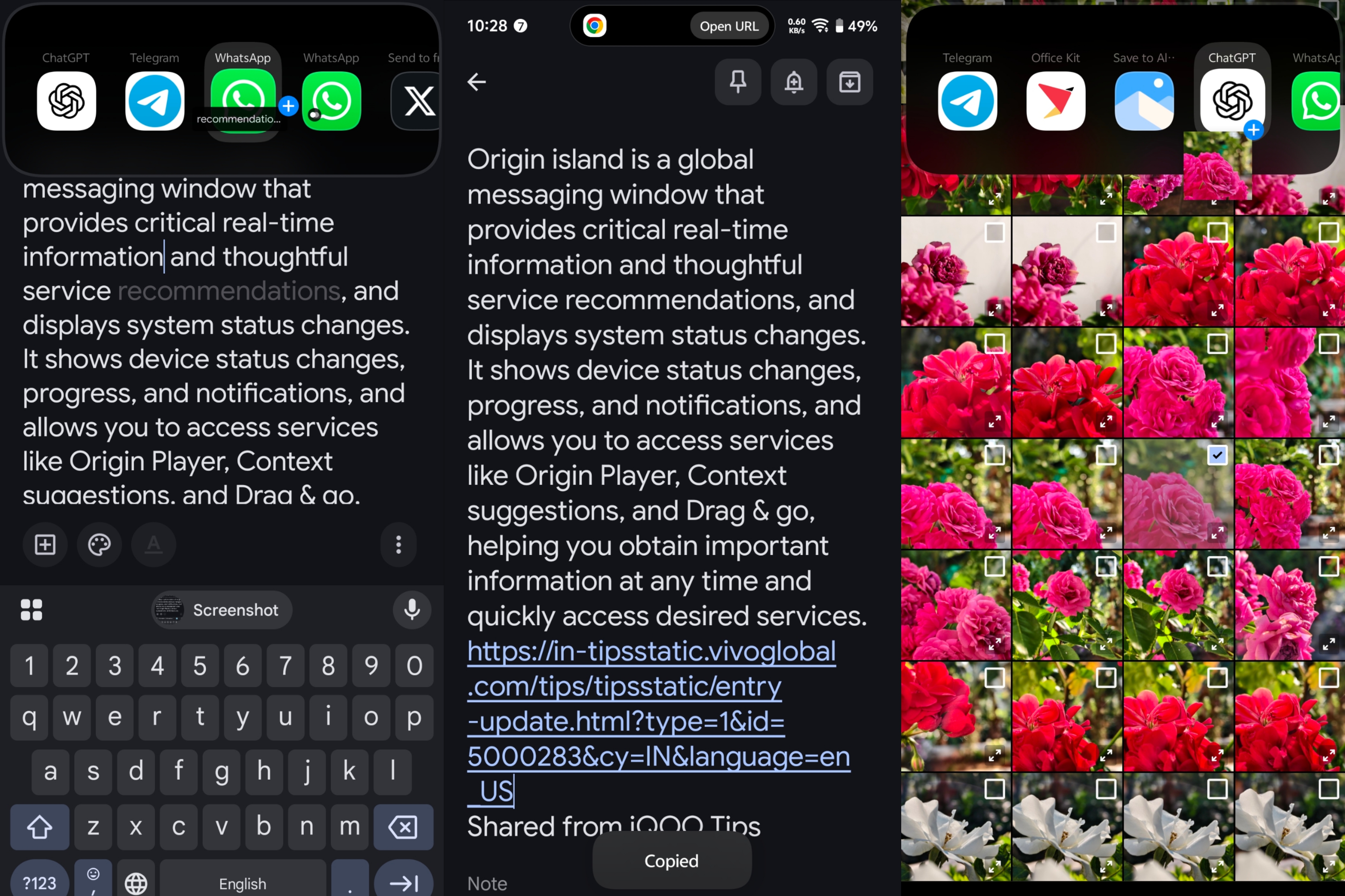
🔹Drag & Go - Drag it. Done.
Drag an image or text, and Origin Island instantly understands your content and suggests the best app. Share to social platforms or jump straight to the feature you need - everything flows naturally.
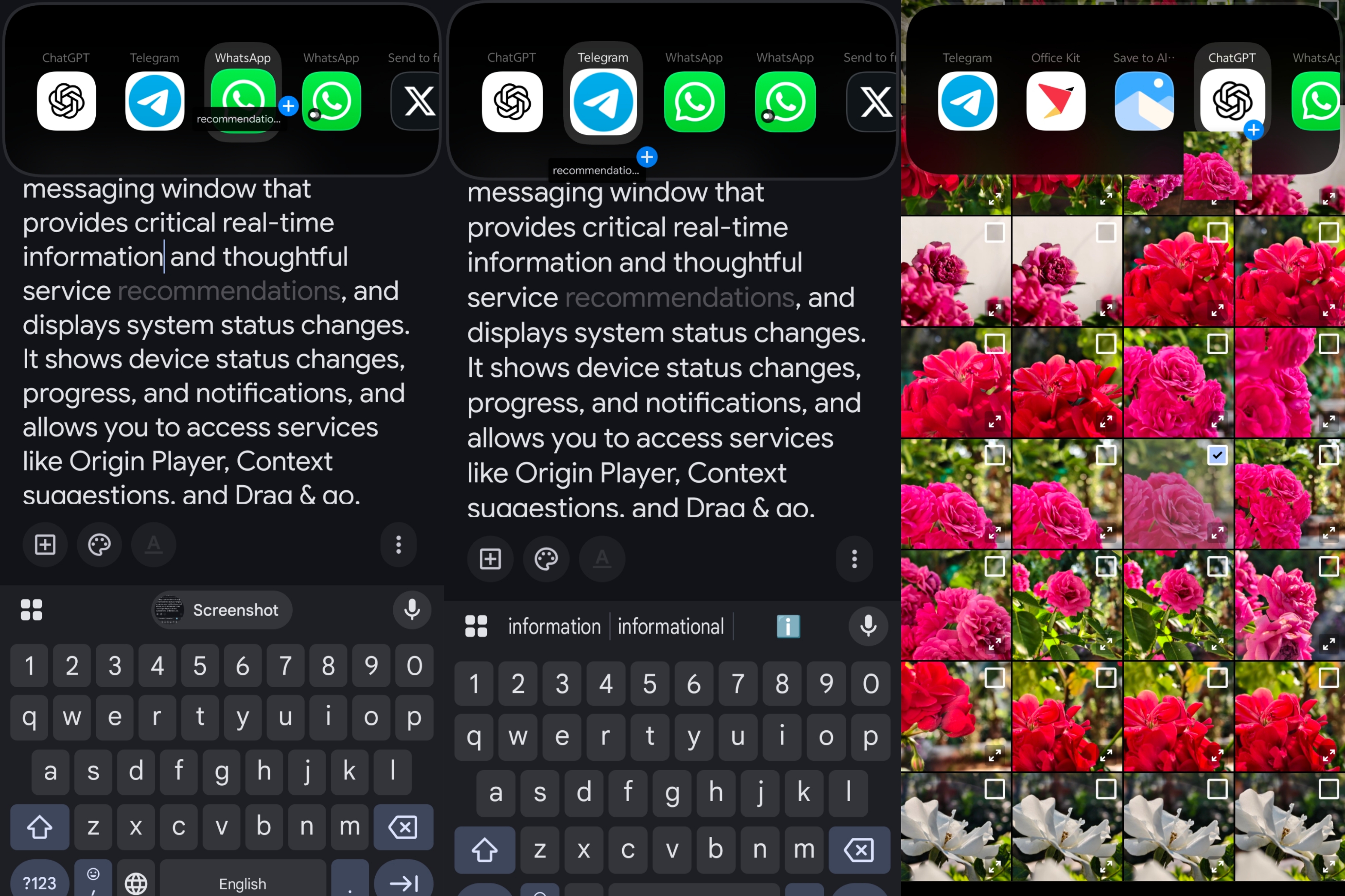
🔹Copy & Go - Copy and go in one flow.
Copy specific content, and Origin Island intelligently recommends the right app or feature, taking you straight where you need to be.
🔹Driving & Commuting Service - Smarter journeys, every day.
Get real-time travel suggestions, road condition reminders, and route insights powered by Google Maps - all based on your trip details and travel habits.
Stay informed before you even start your ride.
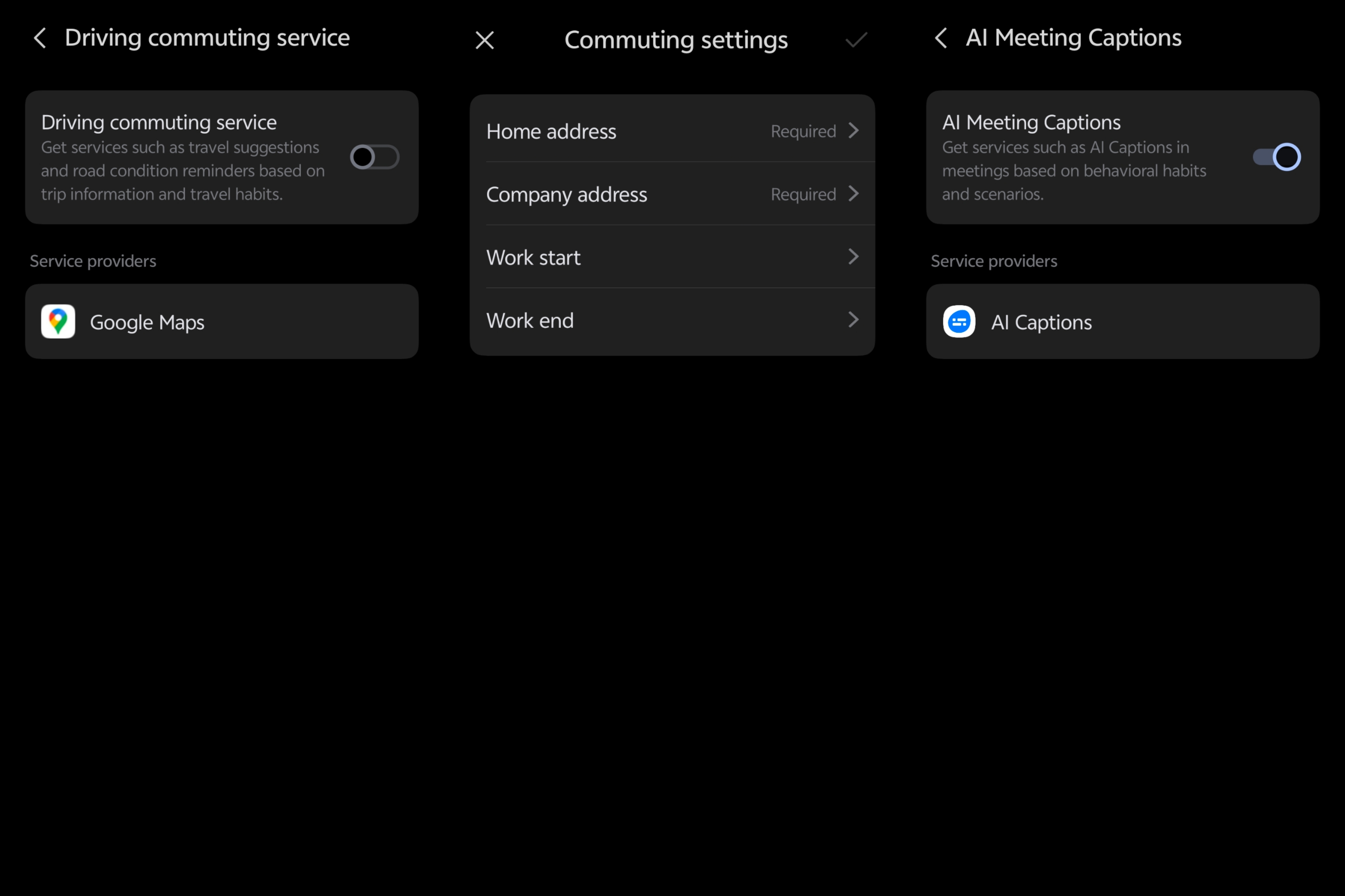
🔹AI Meeting Captions - Smarter communication.
Get intelligent AI Captions during meetings, automatically generated based on your habits and scenarios.
⚙️ How to Access & Customize:
👉 Trigger Origin Island by performing real-time actions (like connecting power, copying text, or dragging an image).
👉 Go to Settings > Notifications & Status bar > Origin Island to configure it.
👉 Adjust Drag & Go and Context Suggestions directly from the Origin Island settings.
👉 To dismiss it, swipe inward from both sides or upward from the bottom of the capsule.
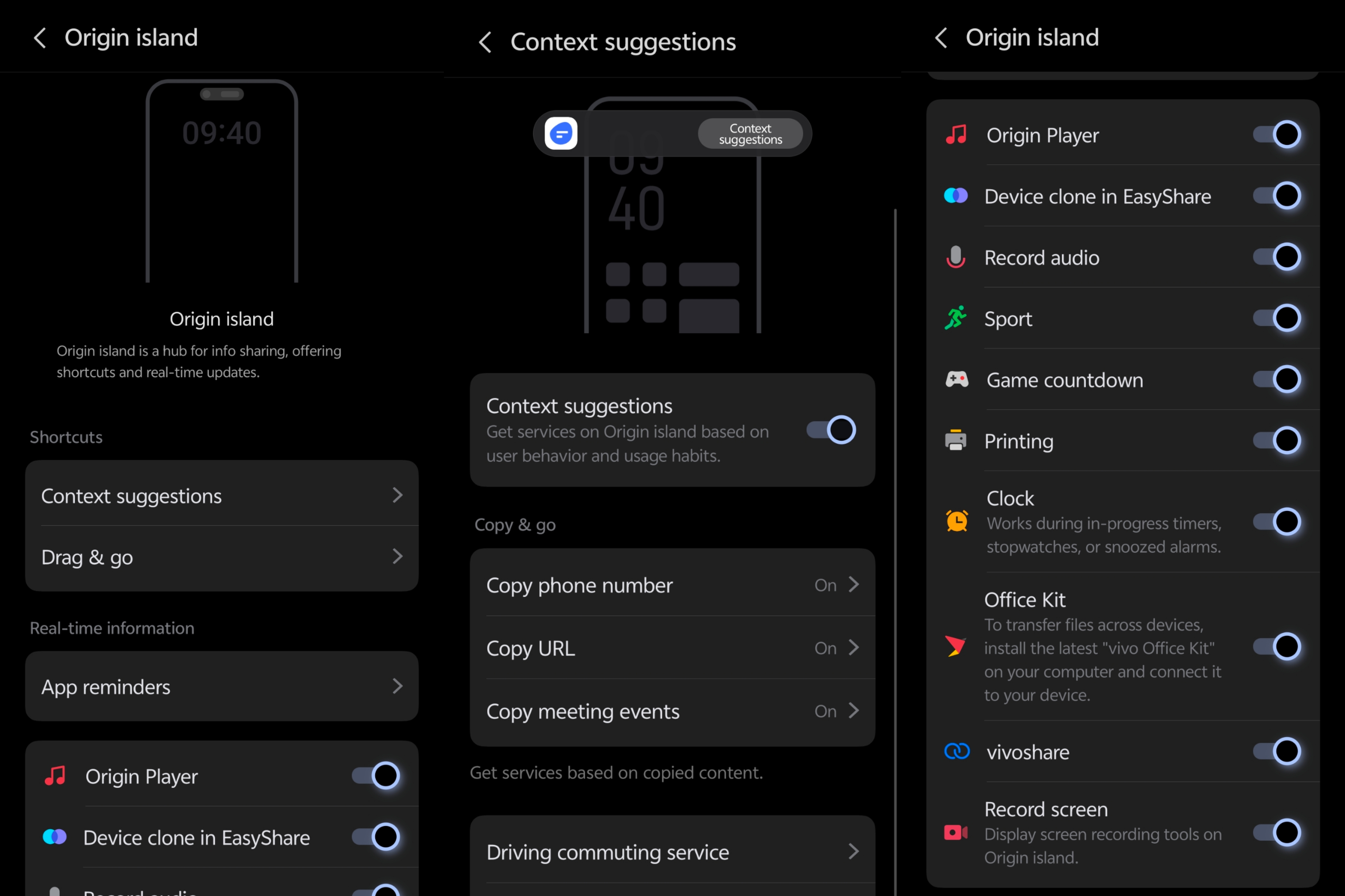
💭 OriginOS 6 Origin Island brings everything you need right at your fingertips – smarter, faster, and more intuitive than ever.
That's all for today's feature dive!
💬 Drop your comments, feedbacks below - would love to see them!
👋 See you tomorrow with another cool OriginOS 6 feature!
Happy Questing ✨
✒️ Sharon Anto
@iQOO Connect - Moderator
Please sign in
Login and share