



























Origin OS 6 Feature Series 1: Wi-Fi Details

Hey Questers,
Let's dive into the powerful Wi-Fi features in Origin OS 6 that make your connectivity smarter and more efficient! ⚡📶
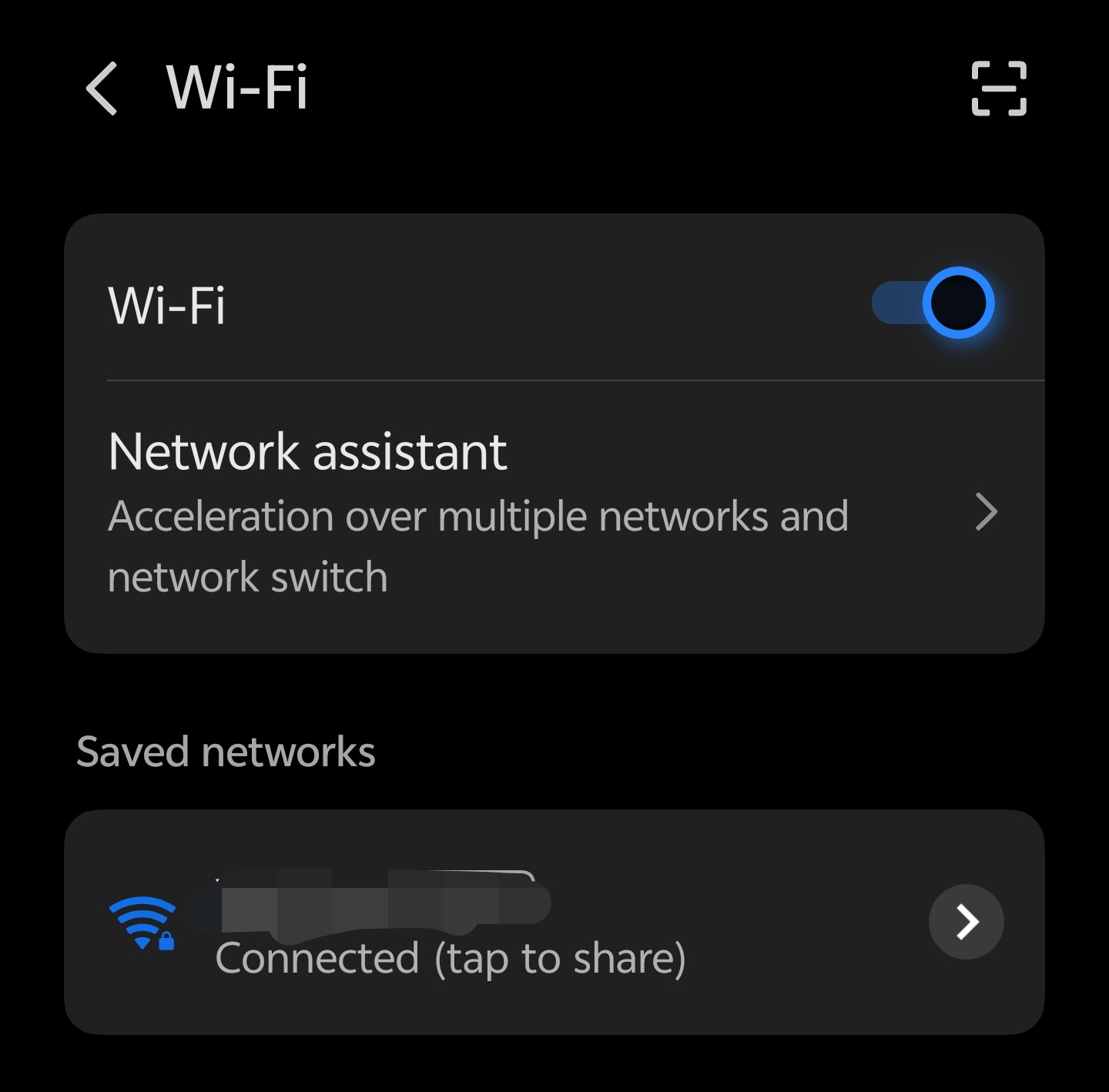
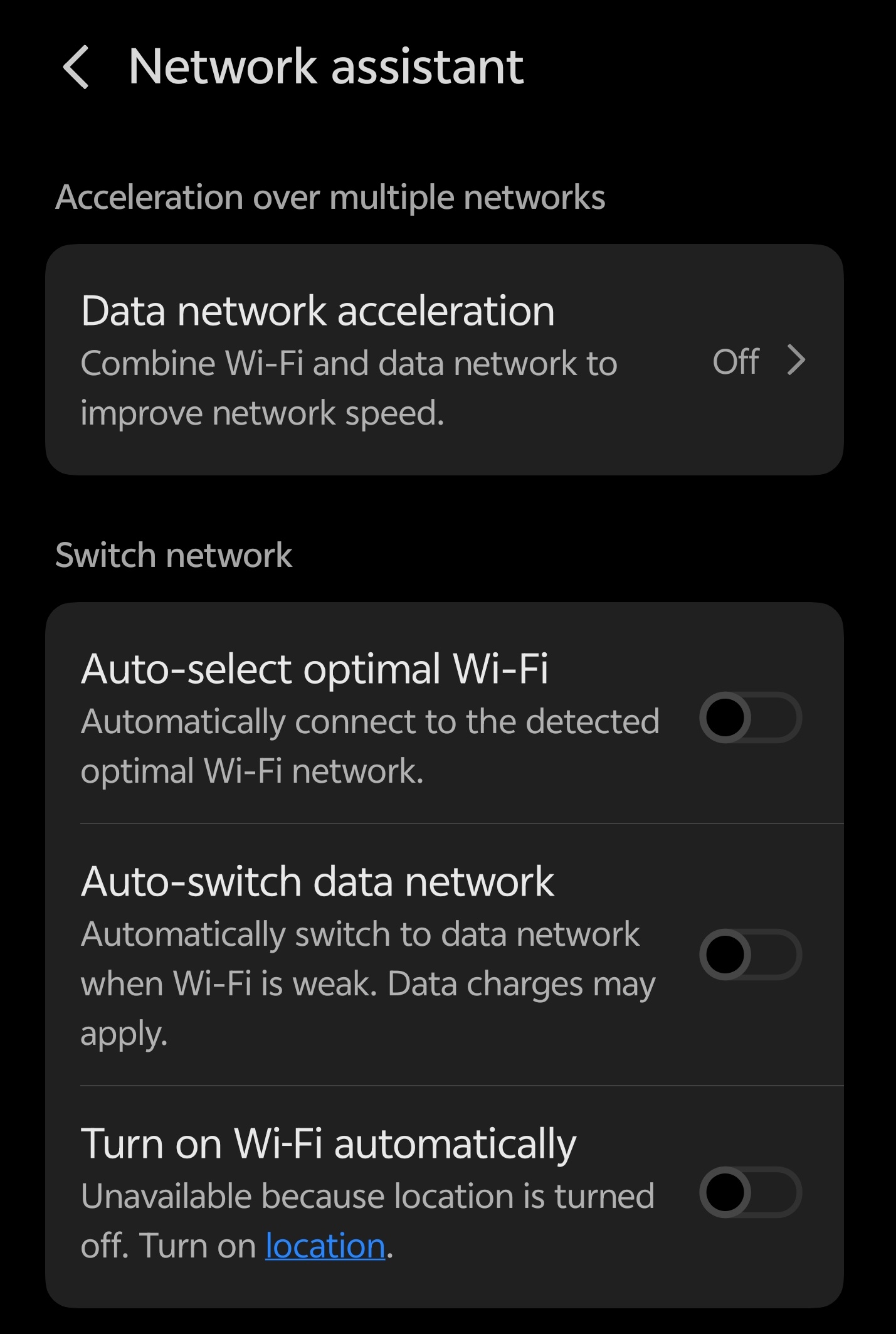
Network Assistant
This feature intelligently manages your network connections.
It automatically switches between Wi-Fi and mobile data to maintain a stable internet experience — so you never face interruptions during streaming, gaming, or video calls.
Wi-Fi Data
Curious which apps are eating up your Wi-Fi data? 📊
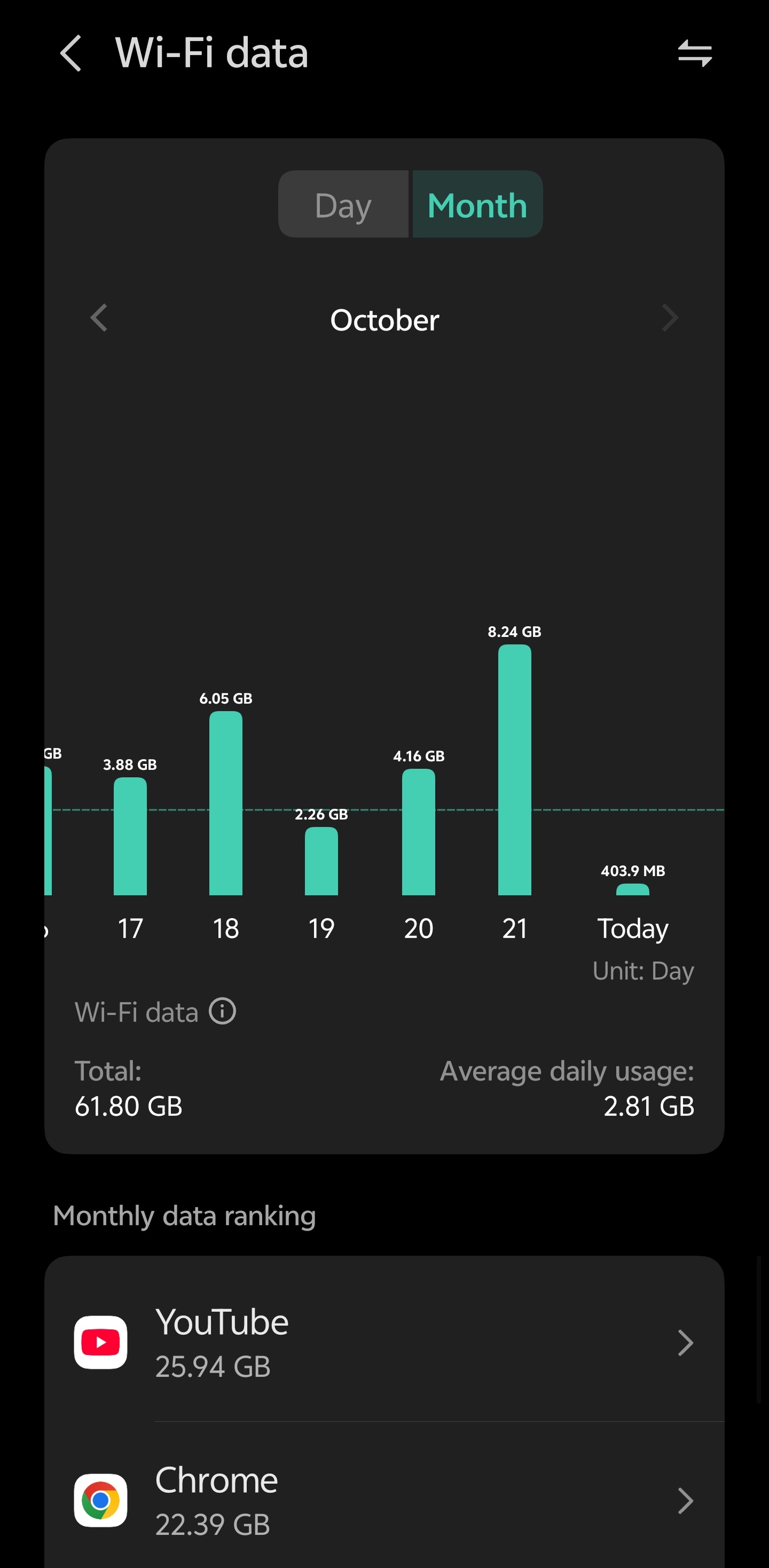
The Wi-Fi Data section lets you check per-app Wi-Fi usage, helping you identify data-hungry apps and manage your bandwidth effectively.
Advanced Settings
Take control of your connection with these pro options:
a) Wi-Fi Frequency Band Identification
See whether your device is connected to 2.4GHz or 5GHz (or even 6GHz on newer routers).This helps you optimize speed and stability depending on your surroundings.
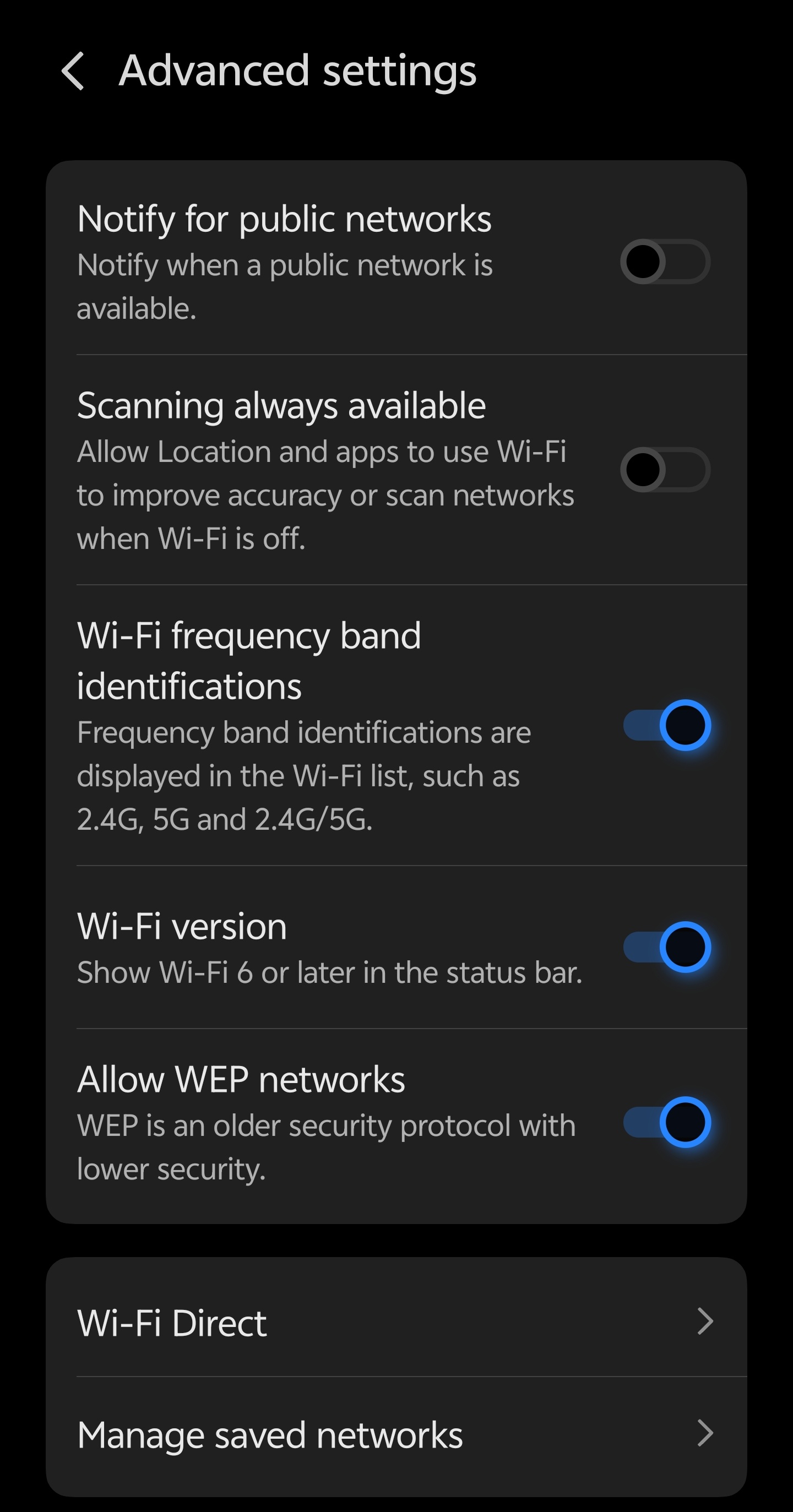
b) Wi-Fi Version
Origin OS 6 now shows your Wi-Fi version (like Wi-Fi 5, 6, or 6E).It's a great way to check if you're taking full advantage of the latest high-speed wireless technology.
Smart Tip: Combine Network Assistant + Wi-Fi Data insights for seamless, efficient internet performance every day.
That's all for Origin OS 6 Feature Series #1 – Wi-Fi Details!
Stay tuned as we explore more smart and hidden features that make your experience smoother than ever. 🚀
Thanks
Please sign in
Login and share