



























How to Find Your iQOO Community UID (Step-by-Step Guide) 👍

Hey Questers ❤️
Quick steps
1. Open Chrome and go to community.iqoo.com (or search iQOO Community and open the official site).
2. Sign in with the account you used to register (mobile number / email
3. On the community page, open Chrome’s menu (three dots ⋮) and tick “Desktop site”. The site will reload in desktop view — this makes the profile controls easier to find.
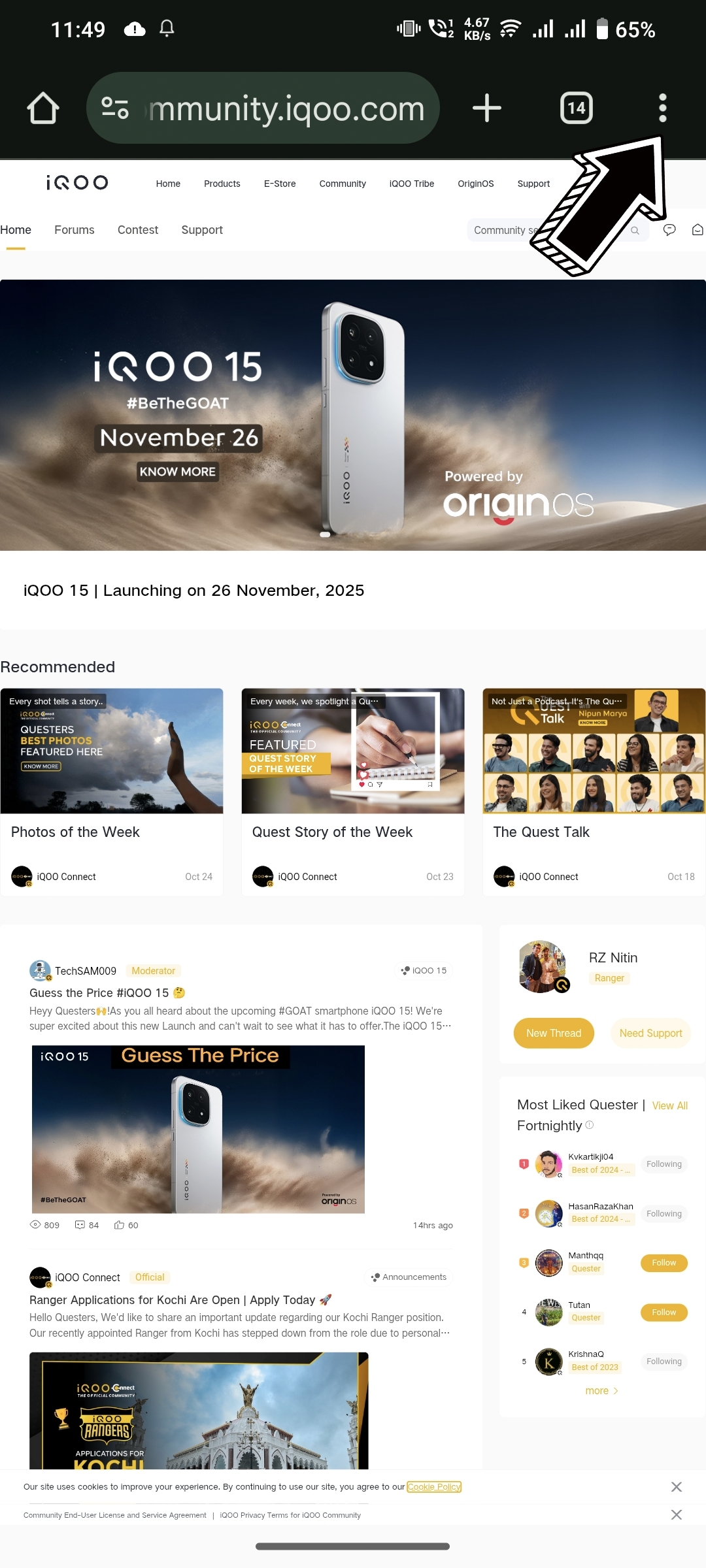
Figure 1, view larger image
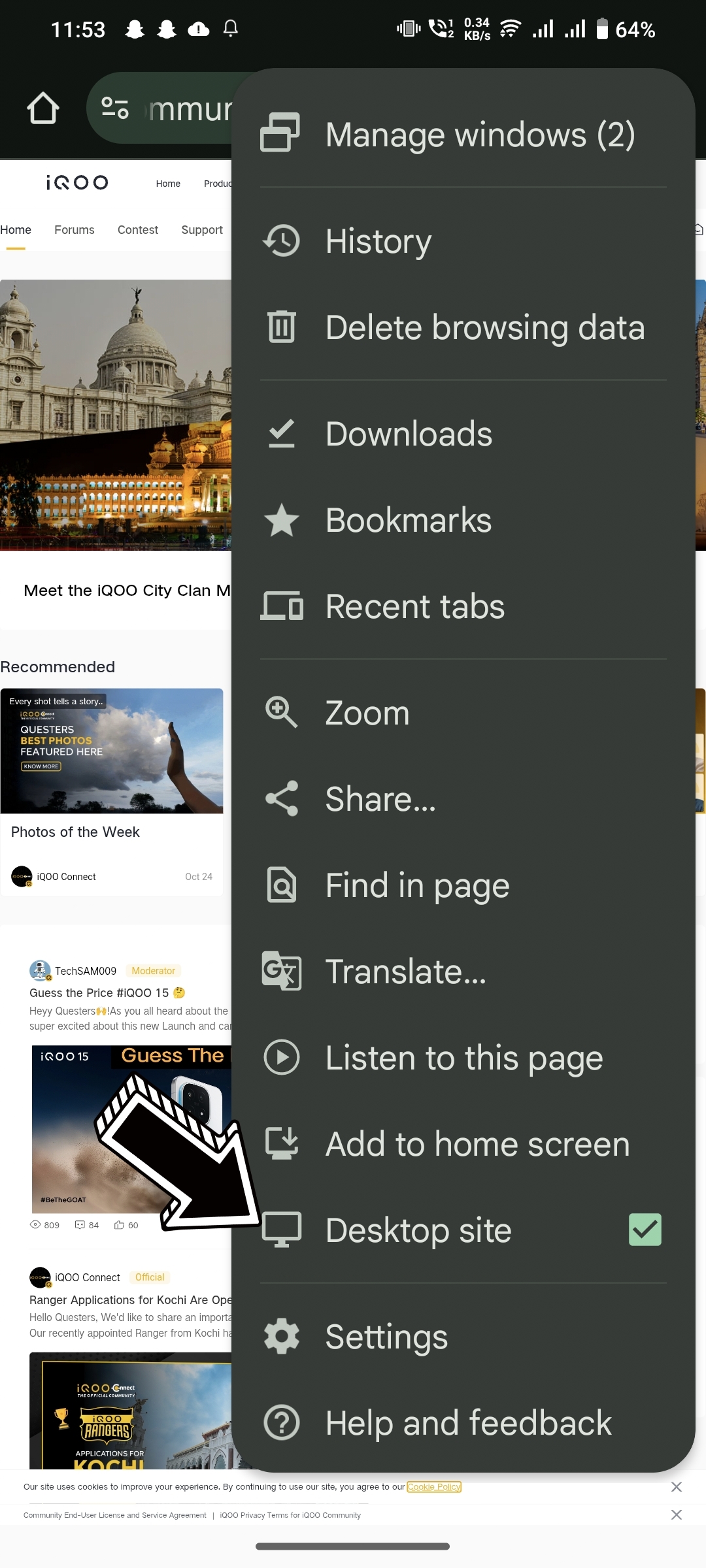
Figure 2, view larger image
4. Tap your profile picture / avatar at the top-right.
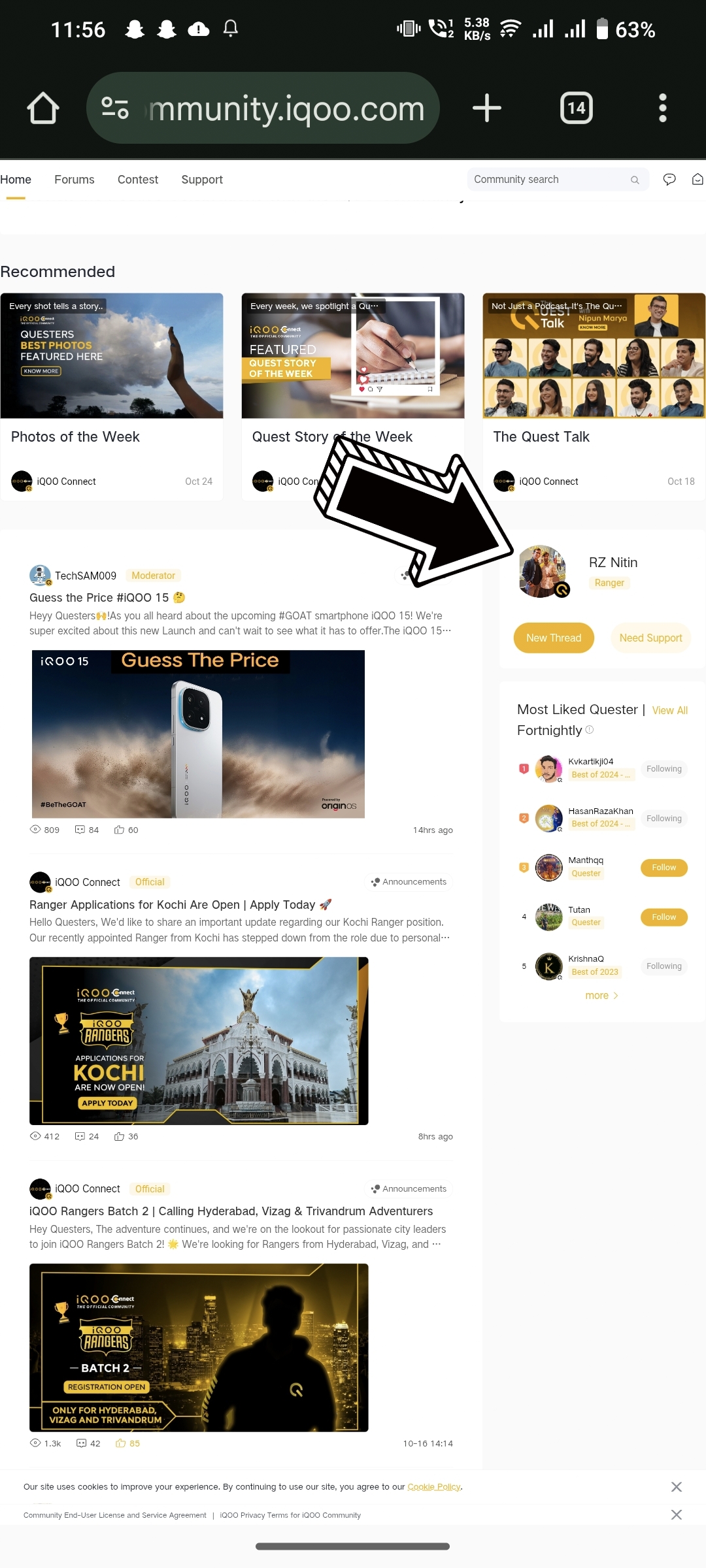
Figure 3, view larger image
5. On your profile page you’ll see your User ID (UID) displayed under your username. That number is the UID you’ll enter for events/contests.
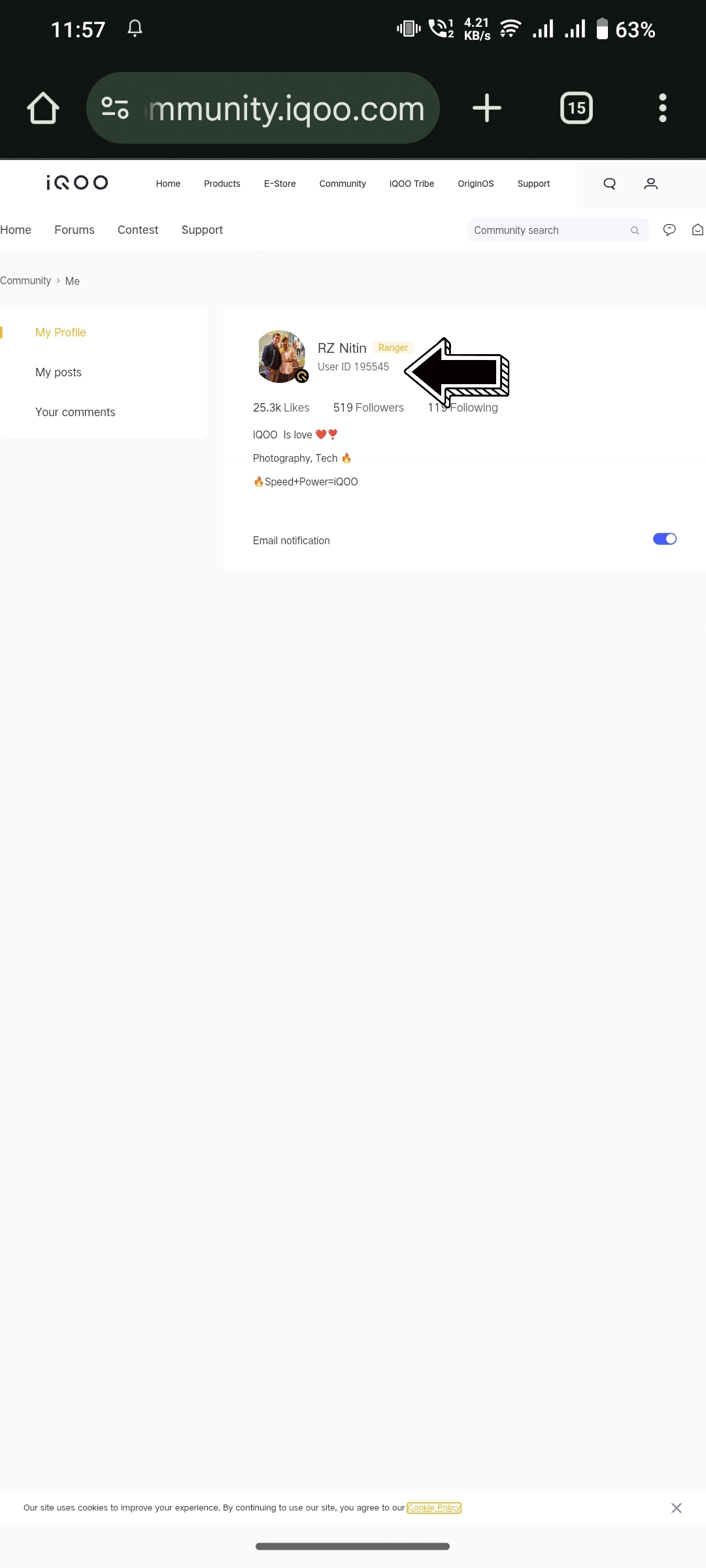
Figure 4, view larger image

Figure 5, view larger image
Thank you 😊
Your qool Quester , Ranger, : Nitin Mishra ❤️
@iQOO Connectcommunity 🫂🔥😍
@NipunMaryasir 🫡✨❤️
@parakram_hbhai 🫡💫🫂
@ParthNirmalbhai 🫶🥳🔥
@woahyashbhai ❤️😍🫂
Tips & Tricks
966
51
Please sign in
Login and share
Sign in