



























🚀 The 'Office Kit' for iQOO Users: Key Features at a Glance

The Office Kit is a core productivity feature of the new OriginOS 6 software for iQOO devices. It transforms iQOO's powerful hardware into a seamlessly connected professional workstation, directly addressing the needs of non-gaming power users.
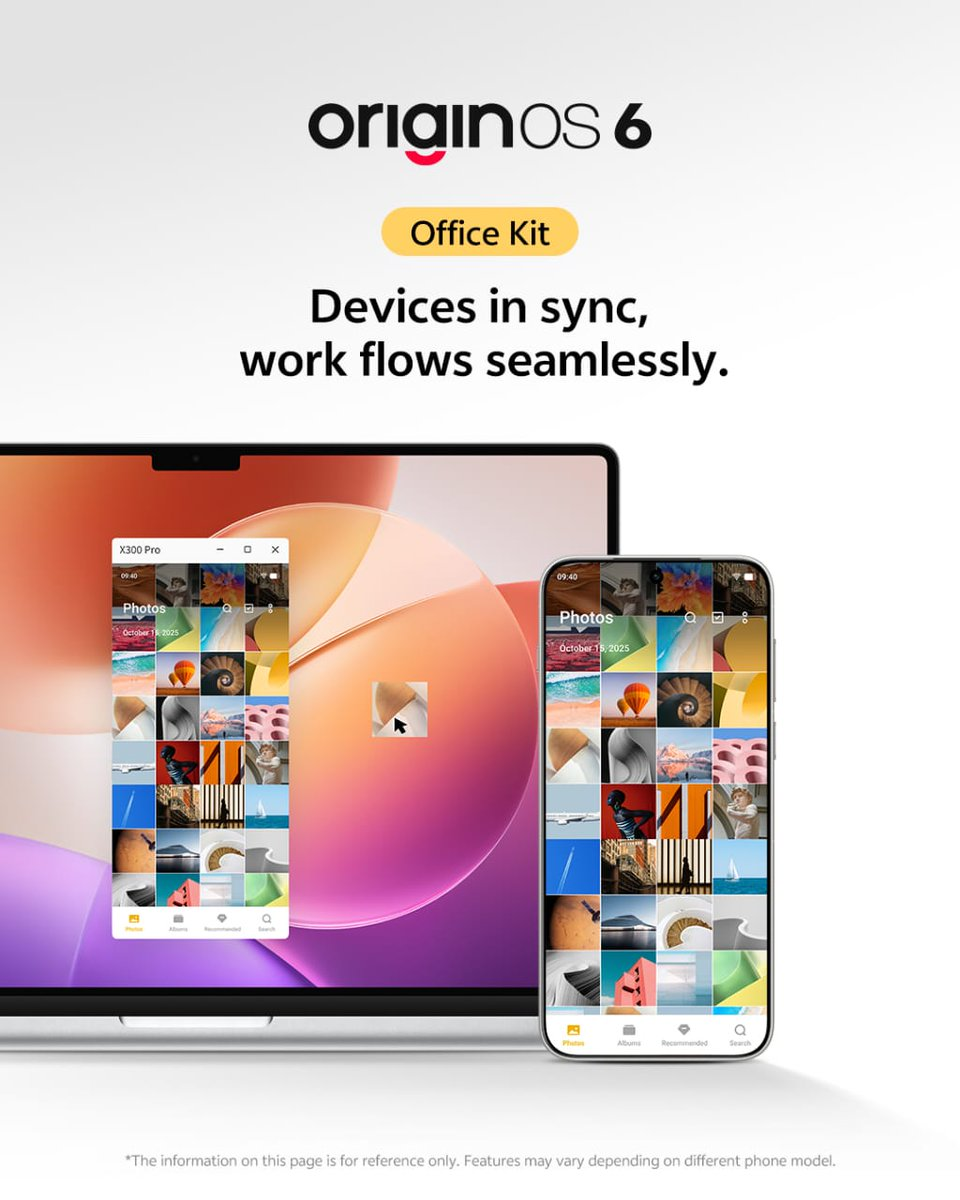
💻 Seamless Ecosystem: What the Office Kit Brings
The Office Kit is not a physical product but a key software feature integrated into the latest OriginOS 6 (based on Android 16), which is rolling out to modern iQOO devices like the flagship iQOO 15 series. It is designed to bridge the gap between your smartphone and other devices, creating a fluid, connected workflow that rivals the best in the industry.
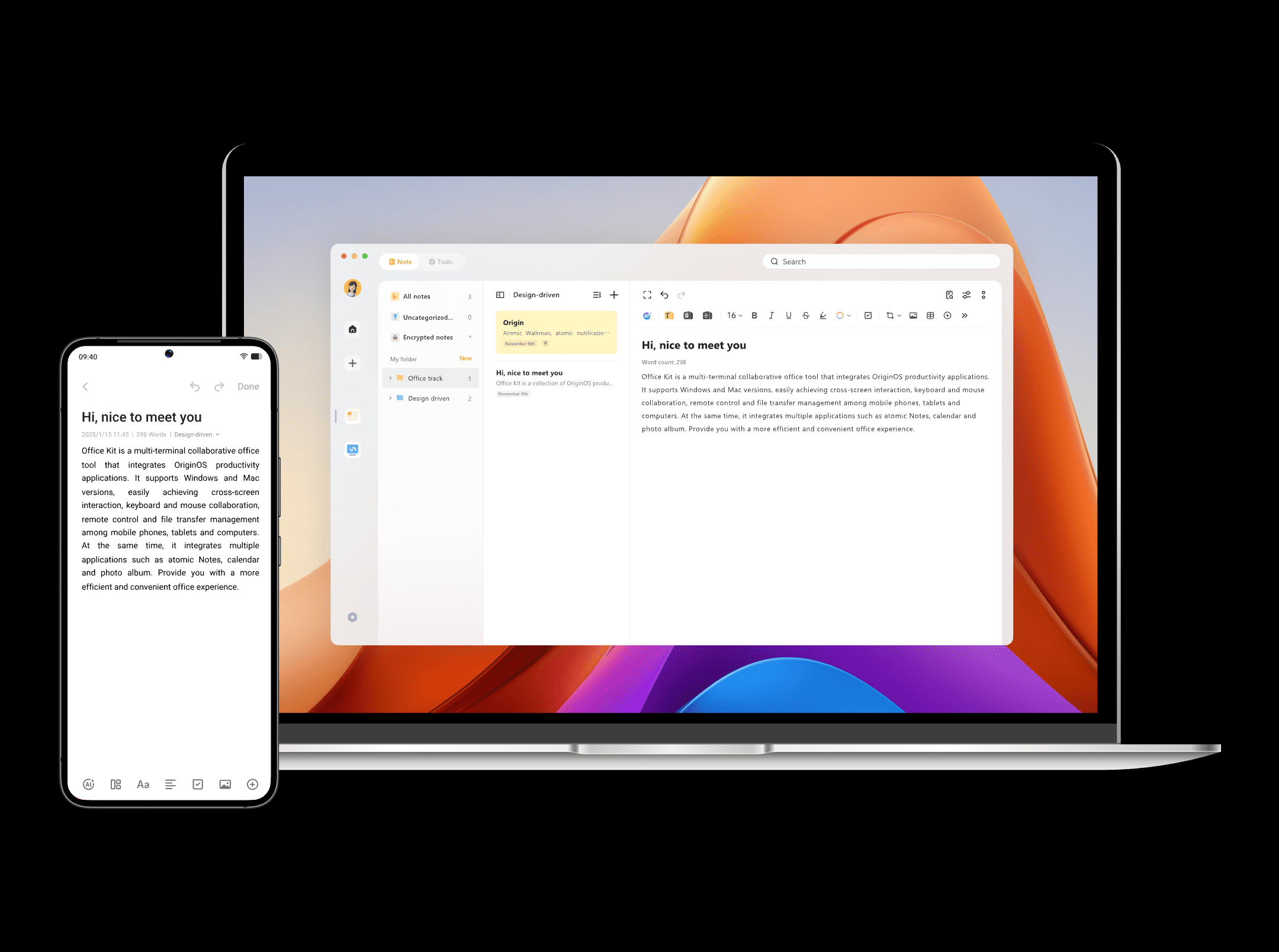
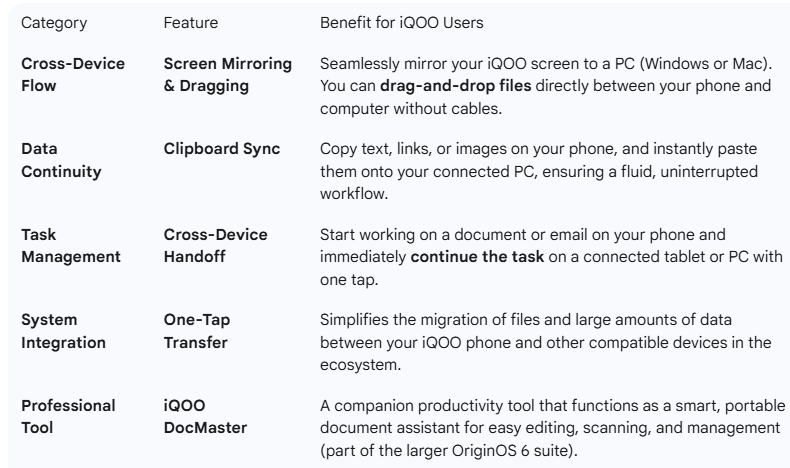
Key features highlighted for the Office Kit functionality include:
- Cross-Device Task Handoff: Start a task on your phone and seamlessly pick it up on another connected device (like a tablet or PC) without interruption.
- Screen Mirroring and File Dragging: Effortlessly mirror your iQOO screen onto a larger display, such as a Windows or Mac PC. Crucially, it allows for direct drag-and-drop file transfers between your phone and your computer, eliminating the need for cables or cloud services for quick sharing.
- Clipboard Sync: Copy text or an image on your iQOO phone, and it instantly becomes available to paste on your connected PC, and vice-versa.
- One-Tap Transfer: Simplifies the migration of data and content between your different devices.
Essentially, the Office Kit transforms the iQOO smartphone from a standalone device into the central hub of a personal ecosystem, making it significantly more appealing to professionals who spend their day juggling tasks across multiple screens.
How to use it — step by step
- Ensure your iQOO phone is updated to a version of OriginOS (ideally 6) that supports Office Kit.
- On your PC (Windows 10 or above, or macOS 10.14.6 or above) install the companion application (per vivo’s site). Office Kit
- Connect your phone and PC—likely via the app or via same-network connection.
- Enable file transfer: From phone to PC, drag/drop or share via the Office Kit interface.
- Mirror your phone screen if needed: You can see your phone UI on your PC, launch apps, annotate, etc.
- Use task hand-off: For example, start taking a note on your phone, then open or continue editing on PC.
- For document scanning or other productivity functions (if supported on your device), leverage phone capabilities and then continue work on PC.
Why it matters (for you as an iQOO user)
- If you regularly switch between your phone and a computer (for email, editing, scanning, file handling), this feature cuts down friction.
- It helps when you’re mobile but still doing serious work: scanning documents via phone, editing them on a larger screen, or using your phone as a side-device rather than solely your PC.
- In the ecosystem of modern productivity, removing cable-based or clunky transfer steps is a plus.
- Given that OriginOS 6’s rollout includes this feature for eligible iQOO models, it shows the brand is pushing toward cross-device synergy.
Verdict: Should you use it?
Yes — if you fall into this category:
- You use your phone and a PC in your workflow and frequently need to hop between them.
- Your iQOO device supports the feature (check model + software version).
- You have a decent network and PC setup (to make mirroring/file transfers smooth).
If you don’t use the PC + phone combo often, or your device is an older iQOO model with fewer features, then Office Kit may add little practical value beyond nice to have.
Please sign in
Login and share