



























✨ Conquering Distractions: Master the "Do Not Disturb" Mode on Your Device ✨

Hey Questers 👋,
We know that a powerful iQOO phone is built for speed, gaming, and focus. But in our always connected world, even the best flagship can be derailed by a constant barrage of notifications. Whether you're in the middle of a crucial battle, an intense work session, or just enjoying some much-needed downtime, interruptions can break your flow.
That's where the mighty "Do Not Disturb" (DND) mode comes in! It's your personal digital fortress, designed to silence distractions while still letting the most important alerts slip through. Think of it as your iQOO's 'Focus' switch ,totally customizable to your needs.
🛡️ What is Do Not Disturb Mode?
In essence, DND mode mutes all sounds, vibrations, and visual alerts for calls, messages, and app notifications. Unlike simply muting your phone, DND is smarter. It allows you to set exceptions so you don't miss anything truly critical.
🚀 How to Enable and Configure DND on Your Device
Turning DND on is simple, but the real power lies in the customization.
1. Turning it On (The Quick Way)
Quick Settings: Swipe down from the top of your screen to open the Quick Settings panel. Tap the "Do Not Disturb" icon (it usually looks like a circle with a dash/slash).
2. Customizing Your Peace (The Smart Way)
Go to Settings:
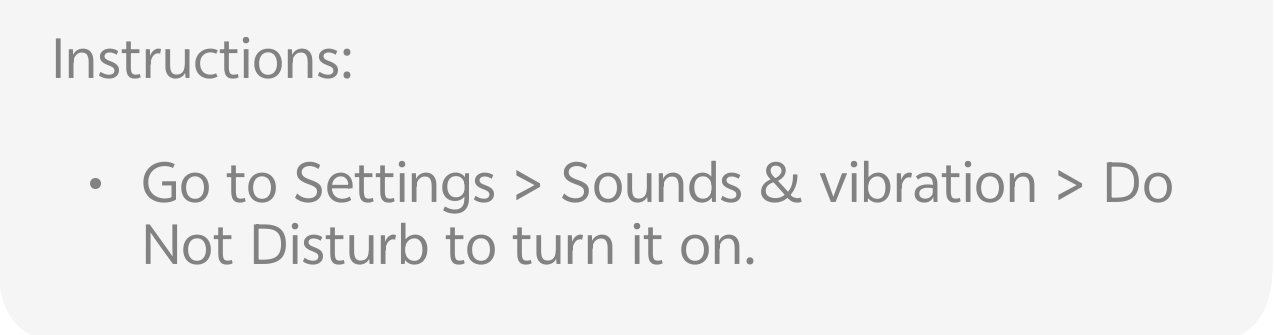
Tap on Settings \rightarrow Sound & vibration \rightarrow Do Not Disturb.
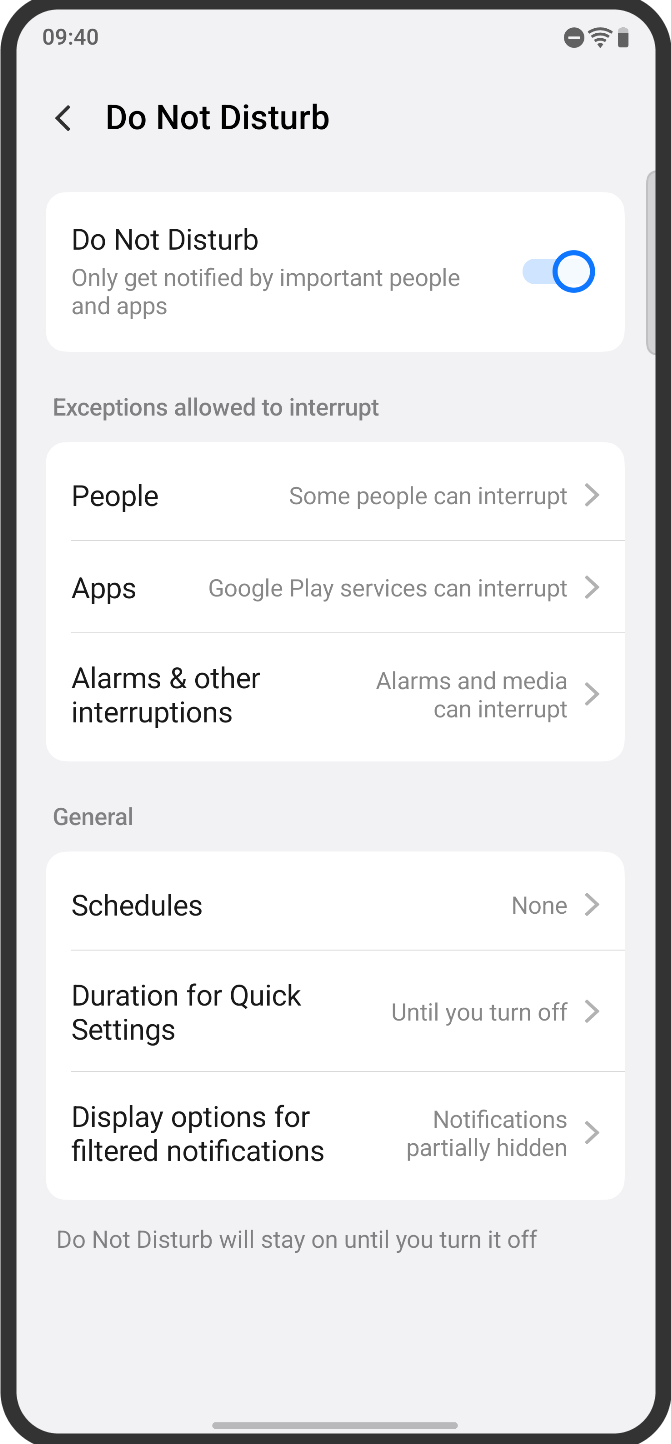
(Alternatively, you can often press and hold the DND icon in the Quick Settings to jump directly to the DND menu).
Customize Exceptions (Who can break through?): This is the most crucial step!
People: Choose to allow calls or messages from "Starred contacts only," "Contacts only," or "Anyone."
Repeat Callers: Turn this on! If the same number calls a second time within a short window (usually 15 minutes), the call will ring normally. This is a lifesaver for emergencies.
Apps: Select specific apps (like your work email or a monitoring tool) that are allowed to send notifications even in DND mode.
Alarms & Other Interruptions: Decide if you want alarms, media sounds, reminders, or calendar events to still make noise. Pro-Tip: Always keep alarms on!
Schedules: Set it and forget it!
Create a schedule for when DND should automatically turn on and off. Common examples are a "Sleeping" schedule (e.g., 11:00 PM to 7:00 AM) or a "Work/Study" schedule.
💡 Why You Should Be Using DND
1. Level-Up Your Gaming: Nothing is worse than a notification pop-up obscuring your view or breaking your concentration during an intense game. DND ensures a truly uninterrupted performance from your Device.
2. Boost Your Productivity: Studies show it takes over 20 minutes to fully regain focus after an interruption. Silence the noise and get into a state of flow!
3. Sleep Like a Champion: Schedule DND for your bedtime. Your phone will handle all the calls and texts silently, letting you get quality, undisrupted rest.
4. Be Present: Whether you're having dinner with family or watching a movie, DND helps you keep your attention on the moment, making you more mindful and connected to the real world.
Follow me ➡️@TechieGuyfor more such amazing content 🤘 🤠.
Please sign in
Login and share