



























Elevate Your Vibe: The New Upgraded AOD Experience in Origin OS 6

Hey Questers 👋,
One of the best things about owning an iQOO device is the ability to make it truly yours. Whether you’re a minimalist or someone who loves a splash of color, your screen should reflect your personality.
With the latest Origin OS6 update, iQOO has officially revamped the Always On Display (AOD) settings. This isn't just a minor tweak—it’s a visual overhaul designed to give you more "impact" every time you glance at your phone.
What’s New in the AOD Upgrade? 🎨
The AOD interface has been redesigned to be more intuitive and visually stunning. Here’s what you can look forward to:
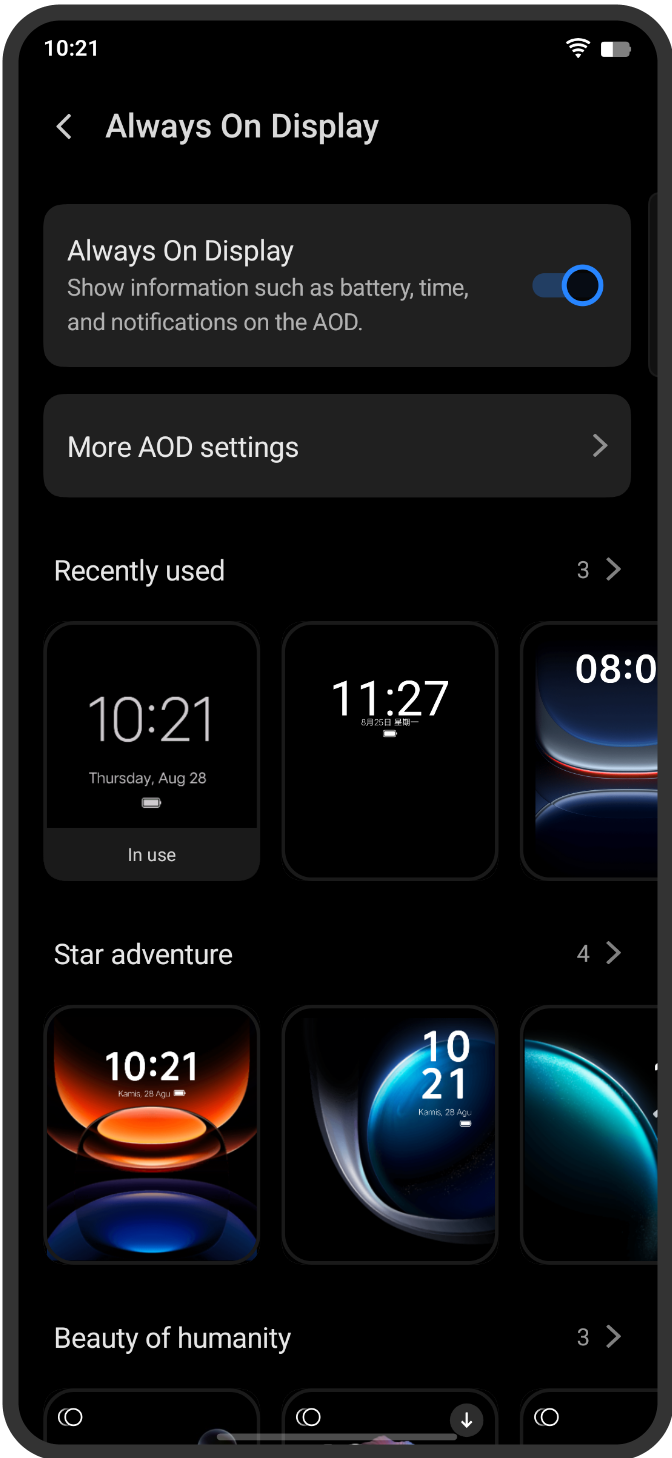
* Expanded Categories: From the elegant "Beauty of Humanity" series to the high-tech "Star Adventure" themes, there are now more categories to choose from.
* High-Impact Previews: No more guessing how a theme will look. The new settings menu features larger, clearer preview images that give you a "real-feel" of the AOD before you apply it.
* Deeper Personalization: You can now fine-tune details like clock styles, font weights, and color palettes to perfectly match your wallpaper or mood.
* Streamlined Navigation: The settings layout is cleaner, making it easier to toggle features and find "Recently Used" styles at a glance.
How to Customize Your AOD 🛠️
Ready to give your iQOO a fresh look? Follow these simple steps to explore the new visuals:
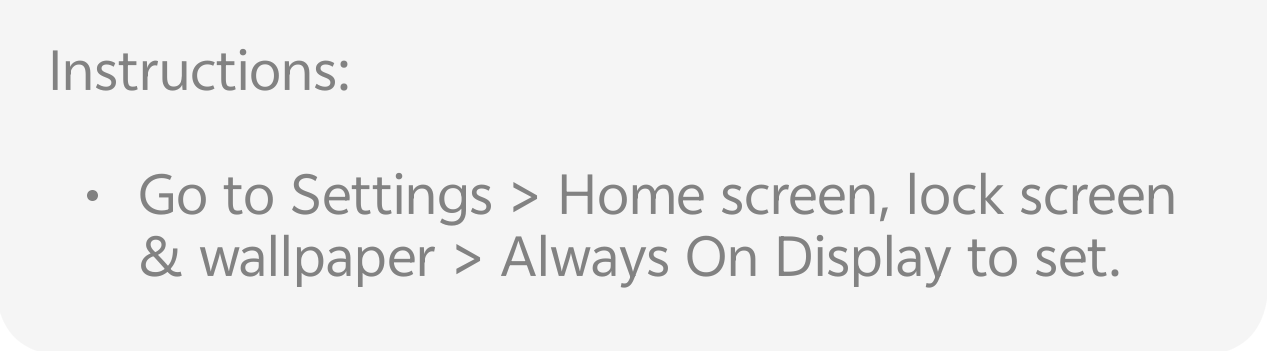
* Open Settings on your device.
* Navigate to Home screen, lock screen & wallpaper.
* Tap on Always On Display.
* Browse the new categories and select your favorite style!
> Pro Tip: Check out the "Beauty of Humanity" section for some of the most artistic and minimalist designs yet!
Follow me ➡️ @TechieGuyfor more such amazing content 🤘 🤩.
Please sign in
Login and share