



























Mastering the OriginOS 6 Control Centre

Hey Questers,
Just updated to OriginOS 6? The new "Light & Shadow" design language is gorgeous, but the real power lies in how you make it yours.
Here is your step-by-step guide to customizing the Control Centre on your iQOO device.
Choose Your Layout: Split vs. Merged
OriginOS 6 finally lets you decide how you want to access your controls.
Separate Mode (Classic iOS Style): Pull down from the right for Control Centre, left for Notifications.
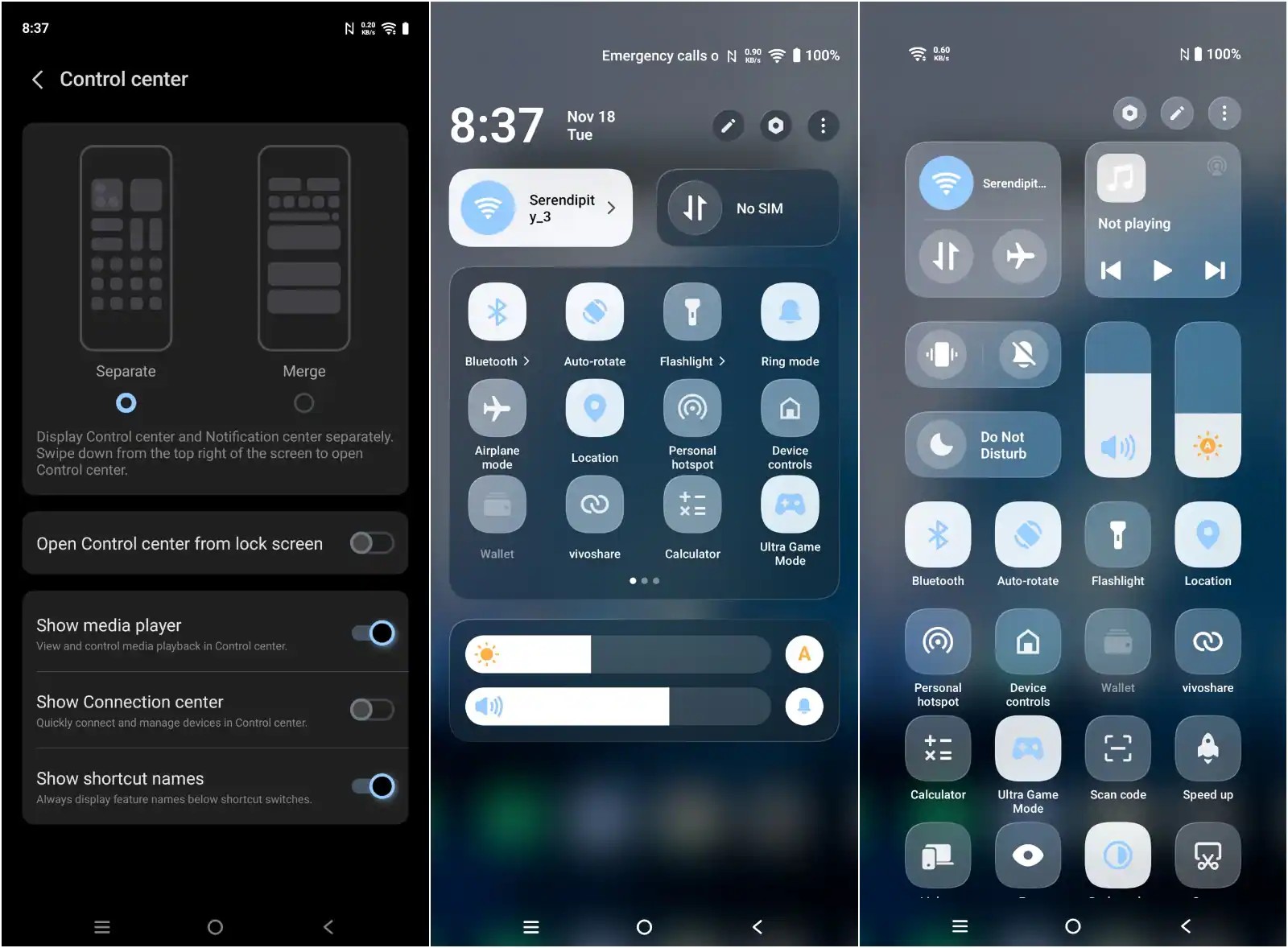
Merge Mode (Classic Android): Everything in one swipe.
How to change it:
- Settings > Notifications & Status Bar > Control Centre Style > Select Separate or Merge.
The "Atomic" Re-size
The hallmark of OriginOS is the "Atomic" architecture—you aren't stuck with standard icon sizes. You can make important toggles bigger for easier access.
How to do it:
- Pull down the Control Centre.
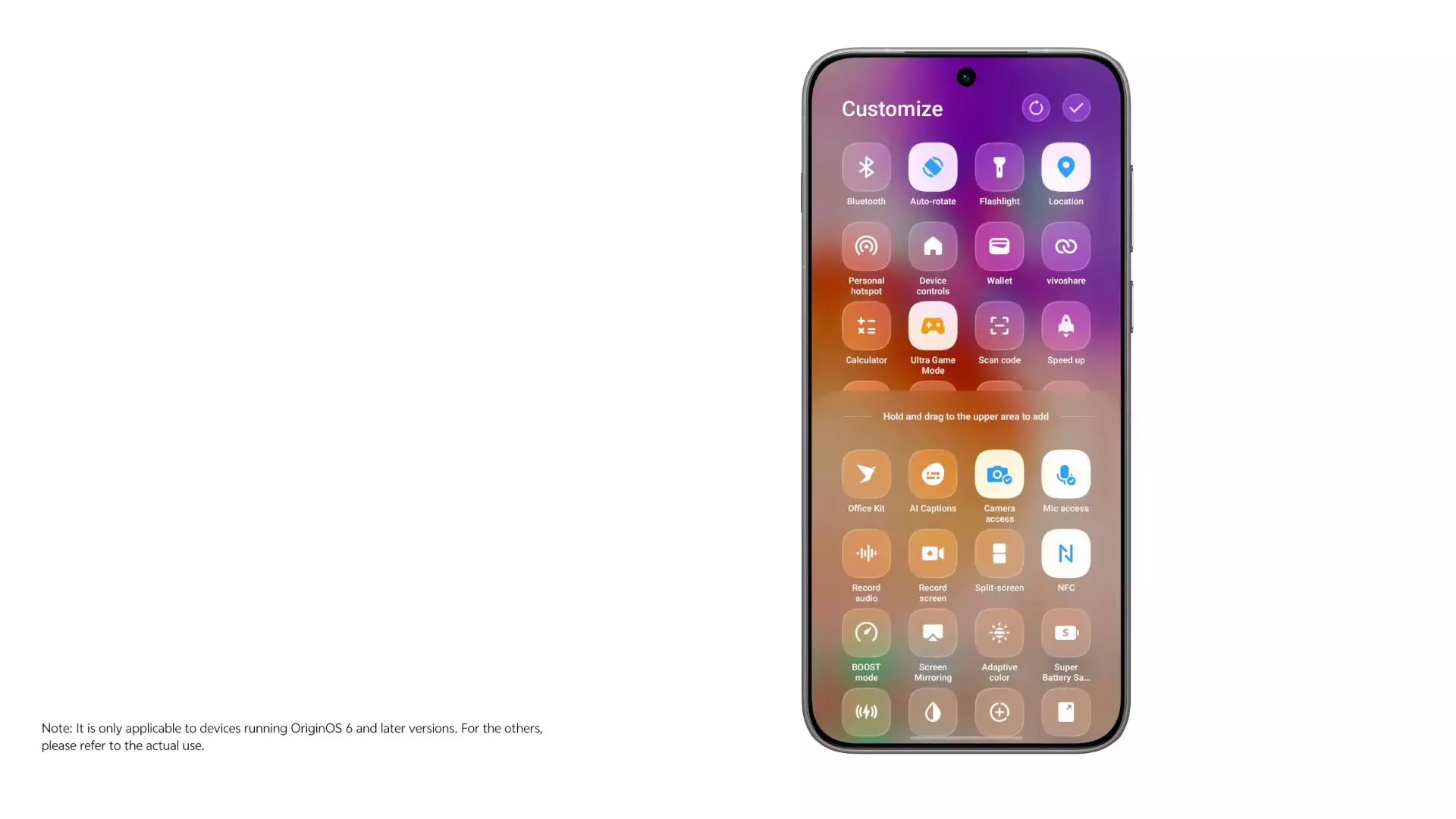
- Tap the Edit Icon (top right) or long-press a blank space.
- Long-press any toggle (like Wi-Fi or Bluetooth).
- Drag the corner to resize it from 1x1 to 2x1 (wide) or 2x2 (large square).
Customizing the "Light & Shadow" Aesthetics
OriginOS 6 introduces a glass-morphism look called "Light & Shadow Space." You can tweak how transparent or colorful the panel looks.
The Tweak:
- Settings > Personalization > Control Centre Colors.
- Monochrome: For a clean, minimal, matte look.
- Translucent: Enables the new "Gradient Blur" that adapts to your wallpaper colors behind the glass.
- Dynamic Glow: Turn this ON to make active toggles emit a soft light that follows your finger press.
Summary
- Decide: Split or Merged view in Settings.
- Resize: Long press toggles to make them 2x2 or 2x1.
- Style: Enable "Dynamic Glow" for that new OriginOS 6 feel.
- Flow: Use Smart Action toggles for mini-window multitasking.
Which layout are you rocking? The detailed Split View or the classic Merged? Do let me know in the comments section
Thanks
Please sign in
Login and share