



























Turning My Android Phone Into a Mini Nintendo Switch Just Got Easier

Recently, I came across an interesting update in the world of emulation that genuinely caught my attention. Emulating Nintendo Switch games has always been challenging, not just because of technical complexity but also due to constant legal pressure from Nintendo. Popular emulators like Yuzu and Ryujinx were shut down, making it seem like Switch emulation on phones and PCs might slowly disappear.
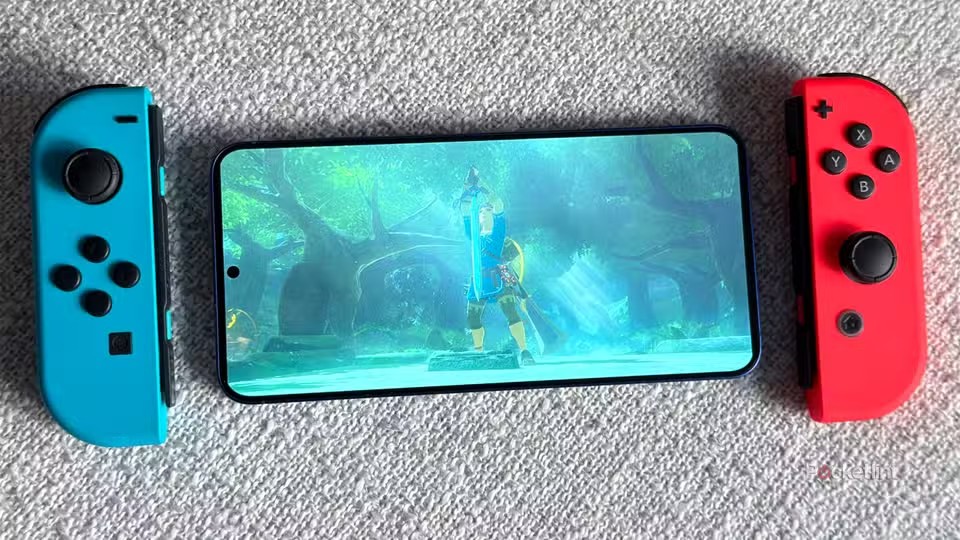
However, the Eden Emulator proves that the scene is still very much alive. Even though it has been removed from the Google Play Store, the developers continue to actively improve it. The latest update, Eden v0.0.4, focuses heavily on performance improvements across Android, Windows, macOS, and Linux, making Switch emulation smoother and more usable than before.
What stood out to me the most is how performance-focused this update is. Faster shader compilation, better GPU accuracy, and low-level optimizations result in smoother gameplay with fewer glitches. The addition of three graphics modes—Performance, Balanced, and Accurate—gives users more control depending on whether they want speed or visual stability.
Another impressive feature is the new experimental overlay menu. Just like on a real Nintendo Switch, holding the home button opens quick system settings, making the experience feel more console-like. On Android, the app is now lighter, easier to set up, and cleaner thanks to the removal of unnecessary options and a smaller APK size.
There are also noticeable game-specific fixes, especially for popular titles like Pokémon Scarlet, Violet, and Metroid Prime 4. While macOS support is still experimental, Eden already feels surprisingly mature on Android and Windows devices.
Overall, after seeing how much progress Eden has made, it’s refreshing to witness a Switch emulator moving forward despite all the setbacks in this space. If you enjoy emulation and want a console-like experience on your Android phone or PC, Eden is definitely worth keeping an eye on. Just remember—you’ll need your own legally obtained Switch BIOS and game files for it to work.
Happy Questing

Please sign in
Login and share