



























iQOO 15 | How to Enable 3D Spatial lockscreen Wallpaper (Step-by-Step Thread)

Hey Questers
The 3D Spatial lockscreen Wallpaper feature is now live on iQOO 15 with the latest December patch update (Beta), and it looks absolutely 🔥
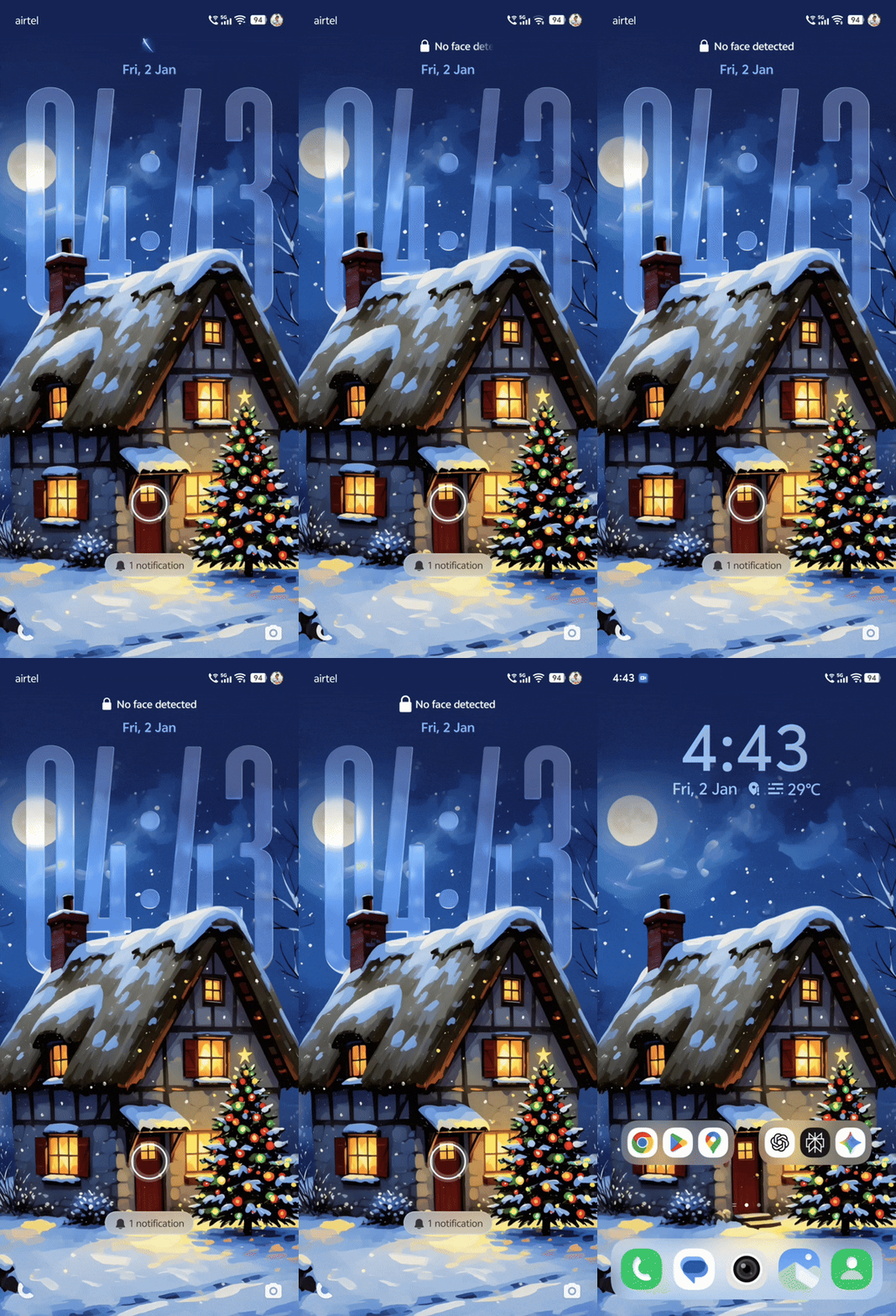
Here’s a simple step-by-step guide to help you enable it easily.
How to Set 3D Spatial lockscreen Wallpaper on iQOO 15
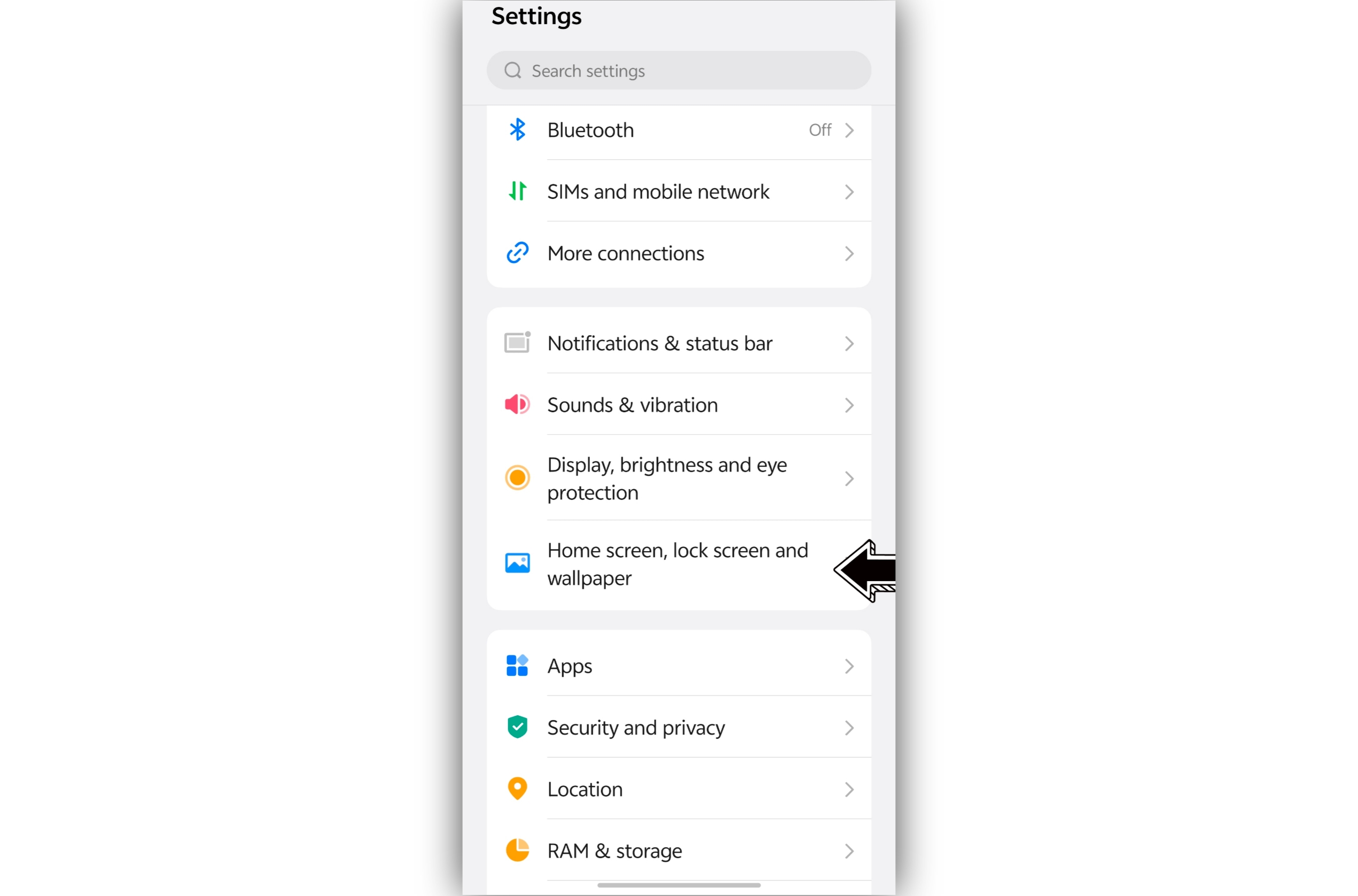
1️⃣ Go to Settings
2️⃣ Open Home Screen & Lock Screen
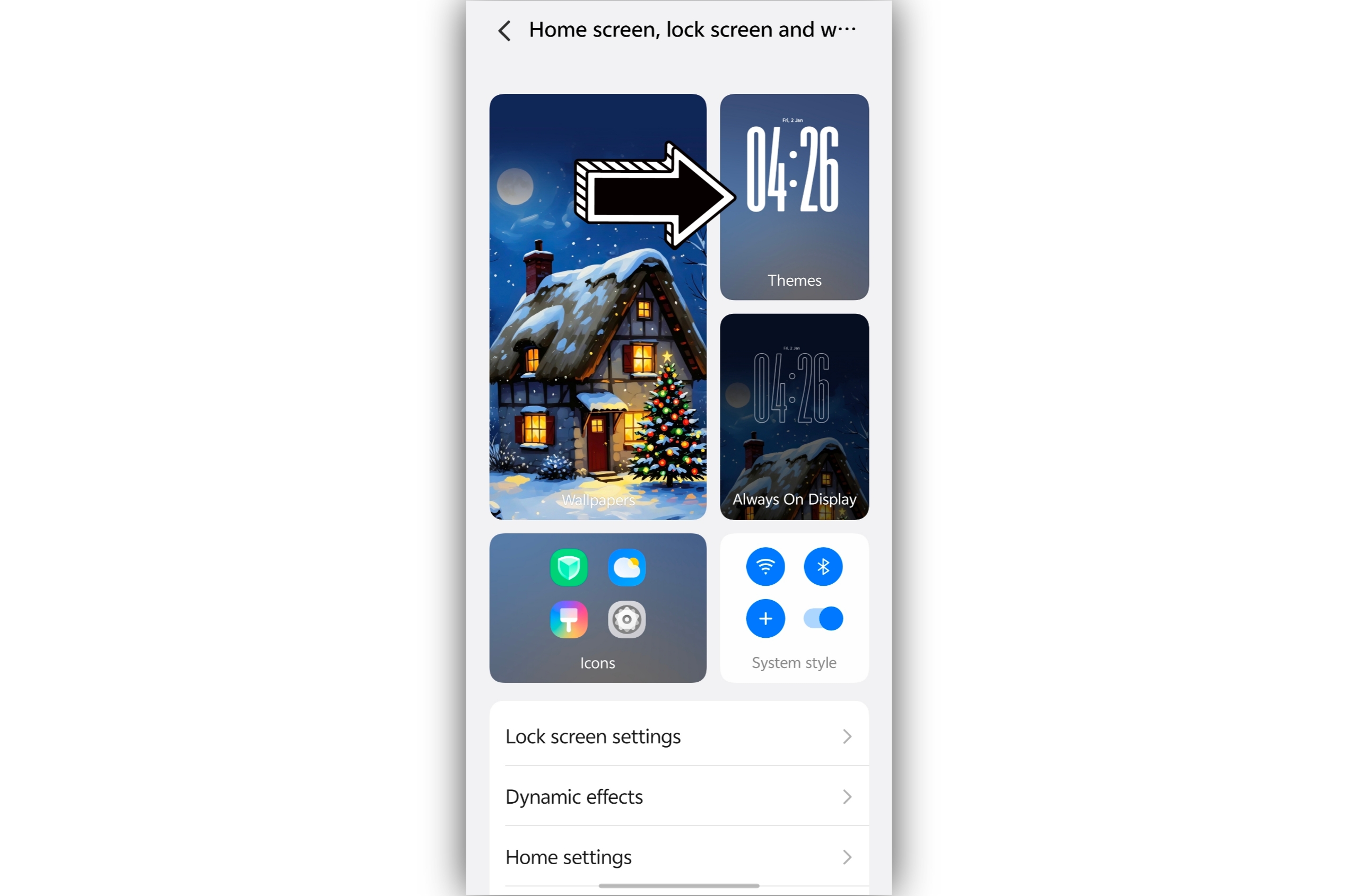
3️⃣ Tap on Themes
4️⃣ Select Themes → Lock Screen
5️⃣ Choose a Static lockscreen Wallpaper
⚠️ Currently works only with static wallpapers, not live wallpapers
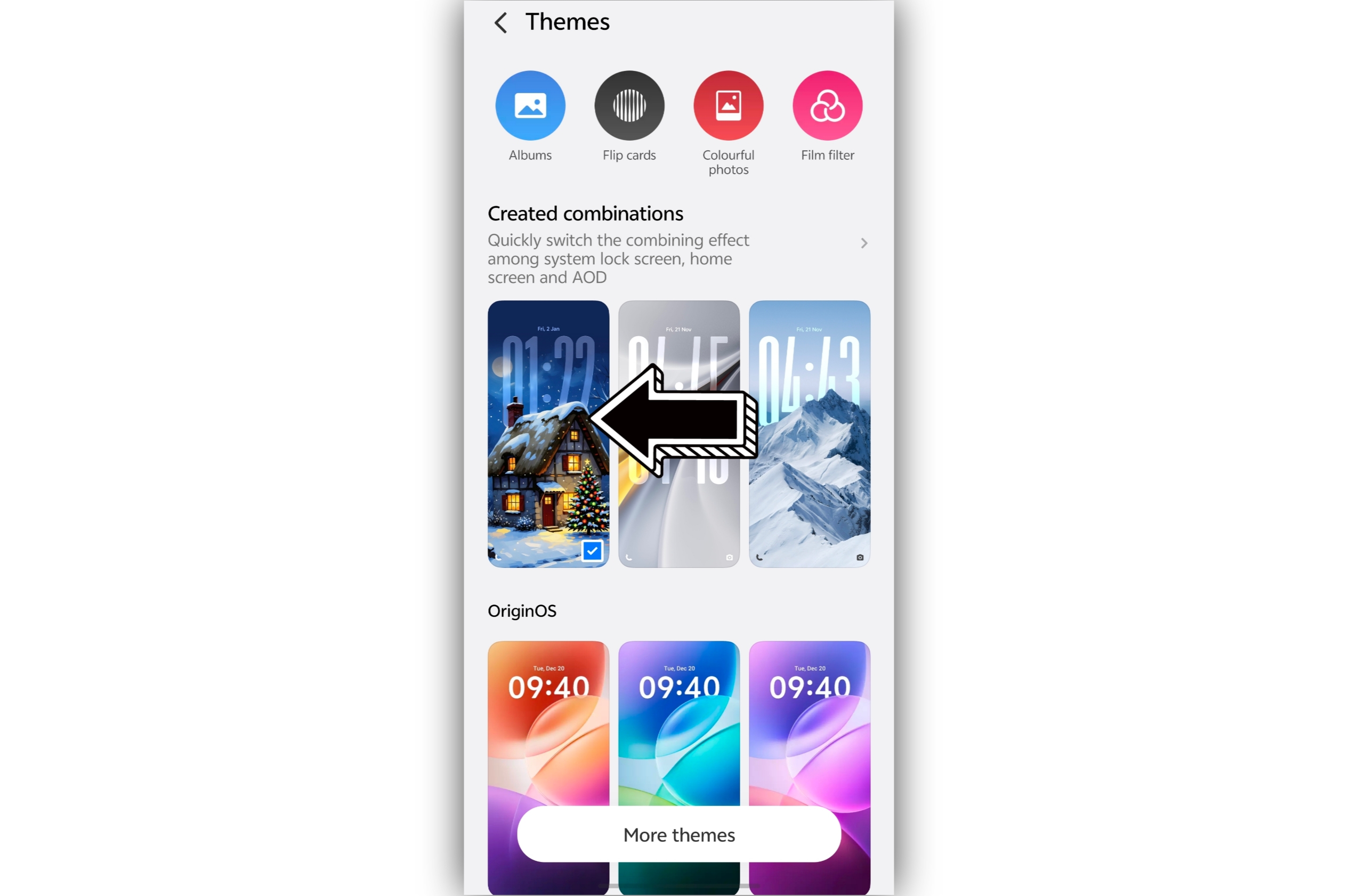
6️⃣ Upload or select a lockscreen wallpaper
Default system wallpaper
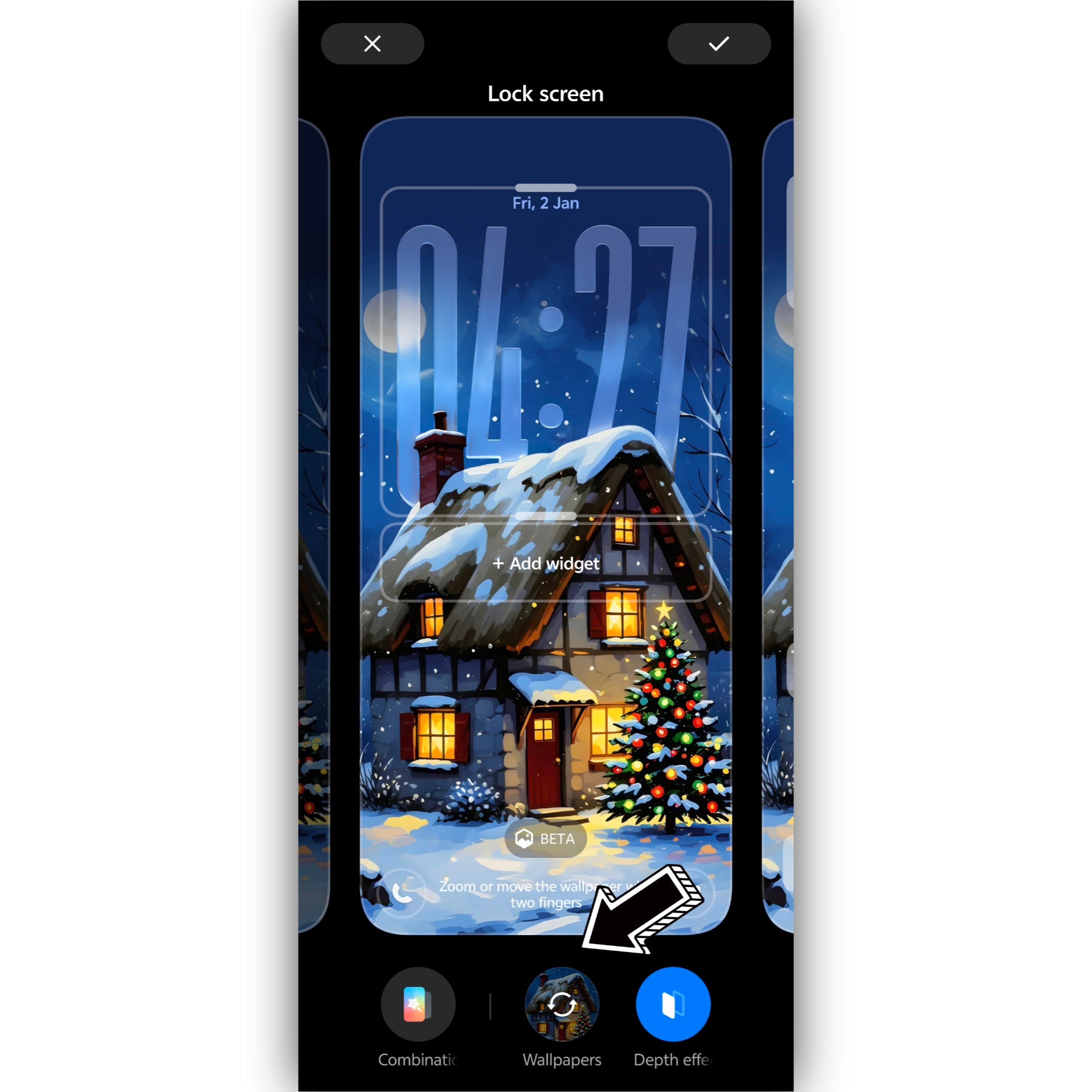
Or a wallpaper downloaded from the internet
7️⃣ You’ll see a Hexagon-shaped Beta icon
8️⃣ Tap on it — Done!
✨ Your wallpaper will automatically turn into a 3D Spatial Wallpaper
Just tilt your phone and enjoy the depth effect!
❌ Not Working? Here’s the Fix (Image Quality Issue)
Sometimes the feature won’t activate due to low image quality. Try this
🔹 Open the wallpaper in your browser
🔹 Tap Edit (default editor)
🔹 Choose AI UHD
🔹 Process & Save the image
🔹 Reapply the same image again
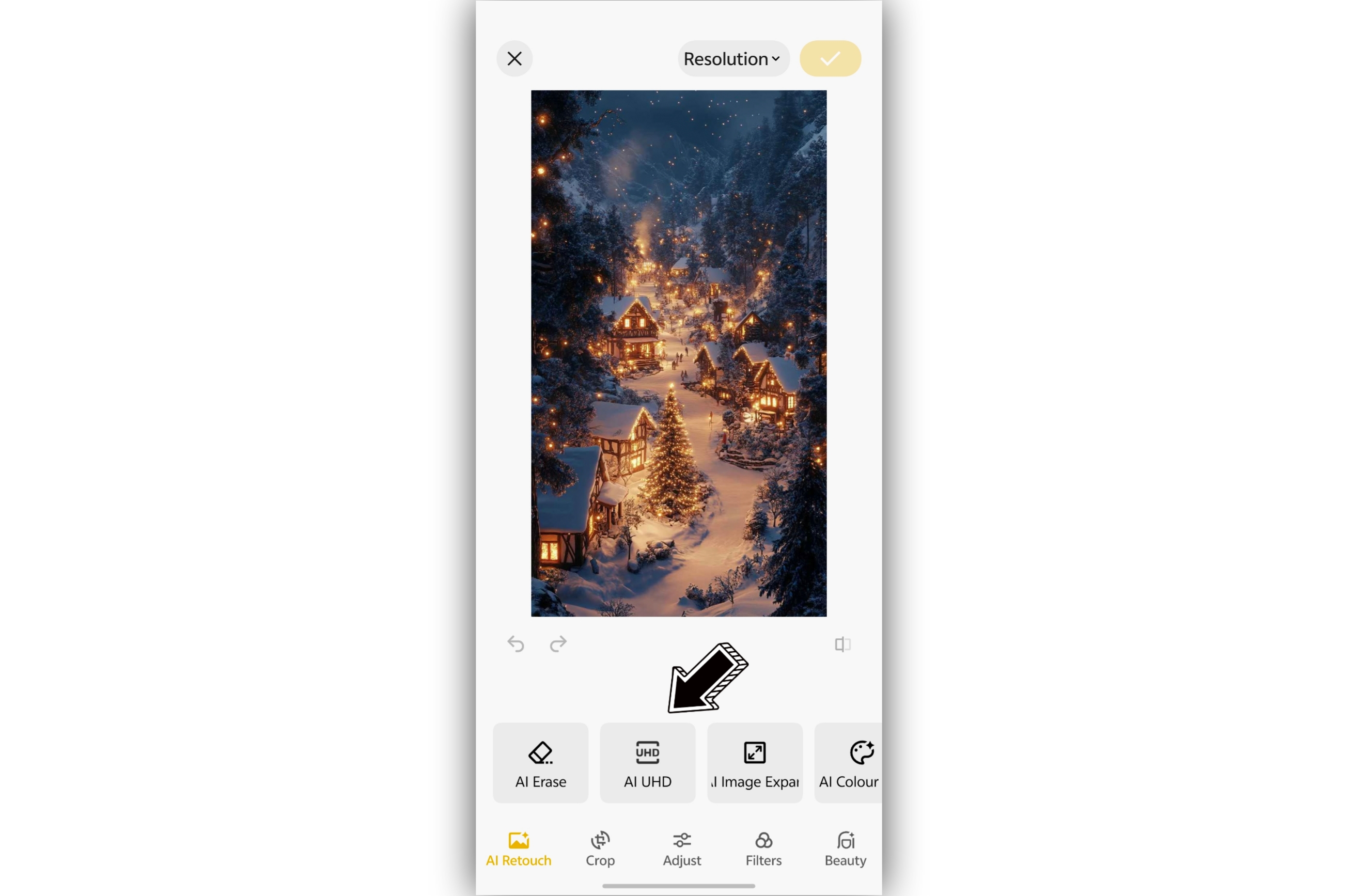
This works 99% of the time and makes the image compatible with 3D Spatial Wallpaper in OriginOS 6.

Final Thoughts
This feature is super immersive, smooth, and honestly addictive 🤩
I’m personally enjoying it a lot and have already shared photos & videos using this feature.
Try it out and drop your experience in the comments 👇
Hope this thread helps you explore one of the coolest features on iQOO 15.
Happy customizing! 🙌✨
For more tips and tricks do follow @JStreetS
Signing off
iQOO Ranger
Official Community
Please sign in
Login and share