



























Part 9: Master Your Audio with OriginOS 6 🎧🔊

Hi Questers,
Ever wanted to keep your Spotify loud while keeping your game sound low? 🎮🎸 With OriginOS 6, you can finally control the volume of each app independently! No more getting blasted by an auto-playing video when you switch apps.
Here is how to set it up: 👇
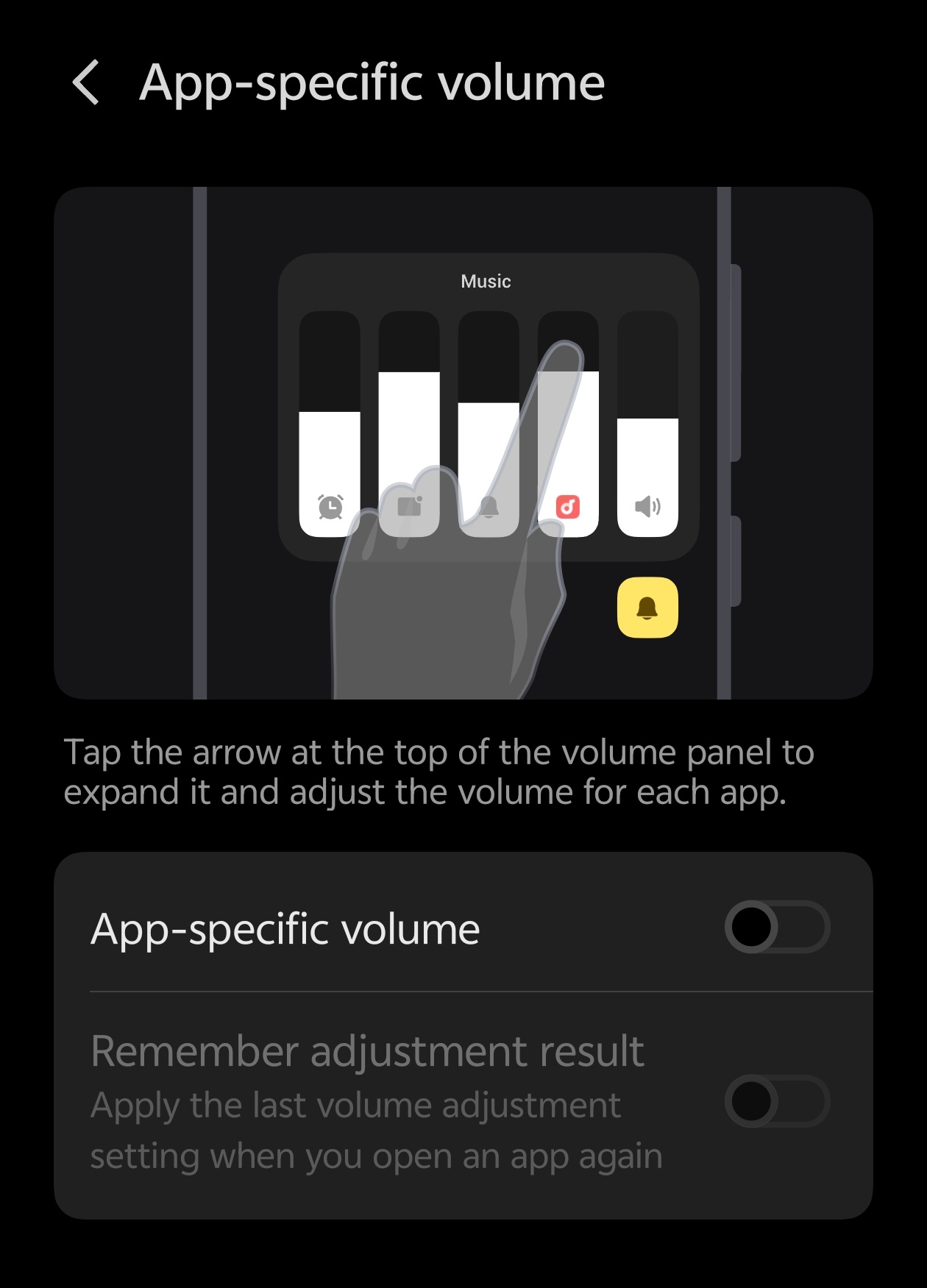
Step 1: The Setup ⚙️ Head into your device Settings and look for Sound & Vibration. Scroll down until you find "Volume adjustment per app" (or similar wording depending on your specific model). Toggle this switch to ON.
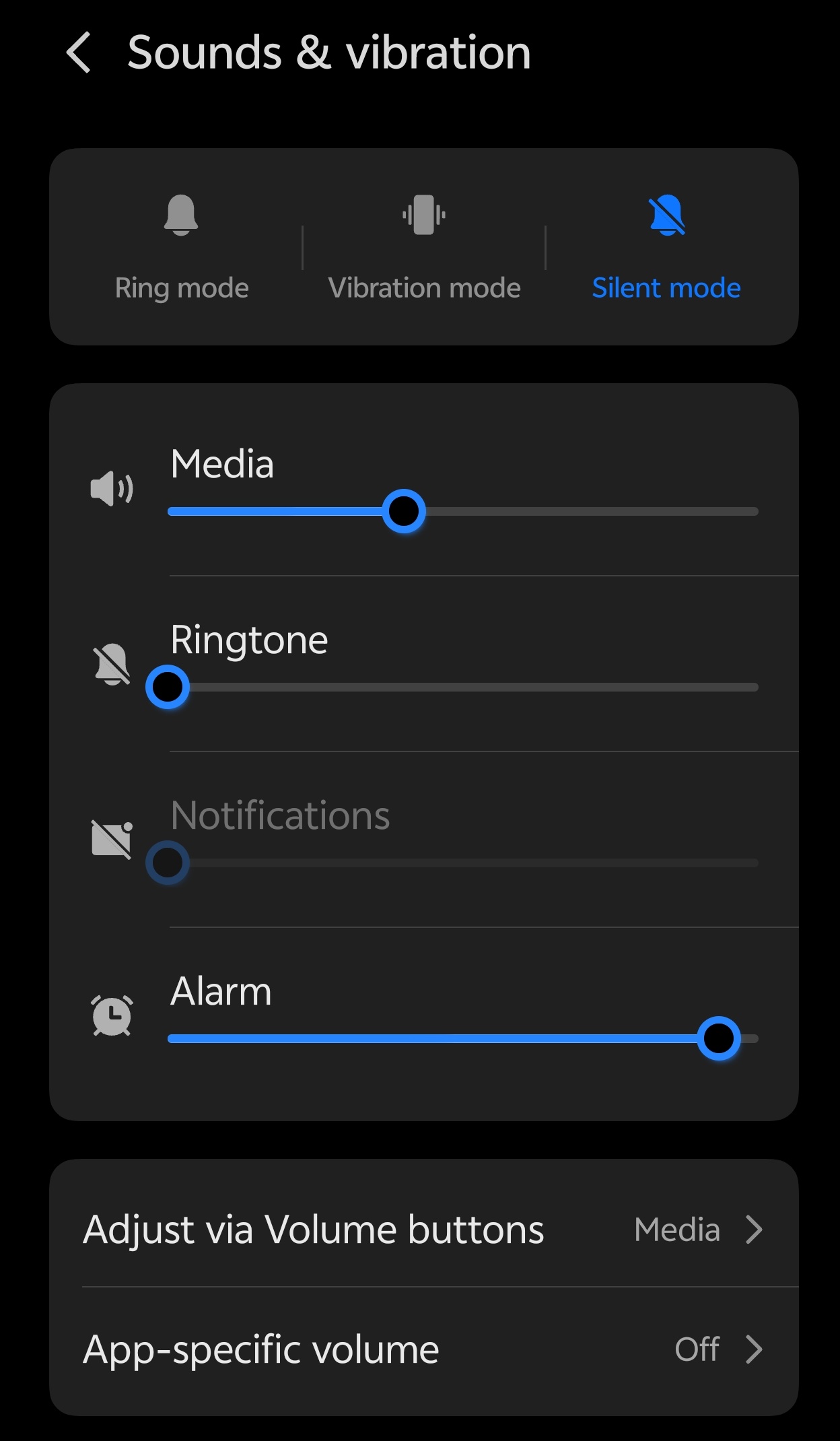
Step 2: How to Use It 🎚️ Once enabled, use your physical volume buttons as usual. You'll notice an expansion icon (usually three dots or a specific arrow) on the volume slider. Tap it, and you will see individual sliders for every active app currently playing audio!
The "Stepless" Advantage ✨ OriginOS 6 has upgraded the volume steps from 15 to 150 levels! This "stepless" control means you can find the perfect balance for your background music without it overpowering your voice calls or videos. Just slide your finger slowly on the bar for micro-adjustments. ⚖️
Pro Tip: This feature is a lifesaver for multitaskers. You can mute a noisy ad in one app while keeping your podcast crystal clear in another.
Have you tried the new 150-level volume control yet? Let us know your favorite OriginOS 6 feature below!
Thanks,
Please sign in
Login and share