



























Part 10: Mistouch Prevention on OriginOS 6


Hi Questers,
Enabling Mistouch Prevention on OriginOS 6 is essential if you find yourself accidentally triggering apps or the notification shade while your phone is in your pocket or when holding it by the curved edges.
Here is a step-by-step guide to locking down those accidental inputs.
The Pocket Mode (Proximity Sensor)
The most common "mistouch" happens in your pocket. OriginOS uses the proximity sensor to detect when the screen is covered and disables touch input automatically.
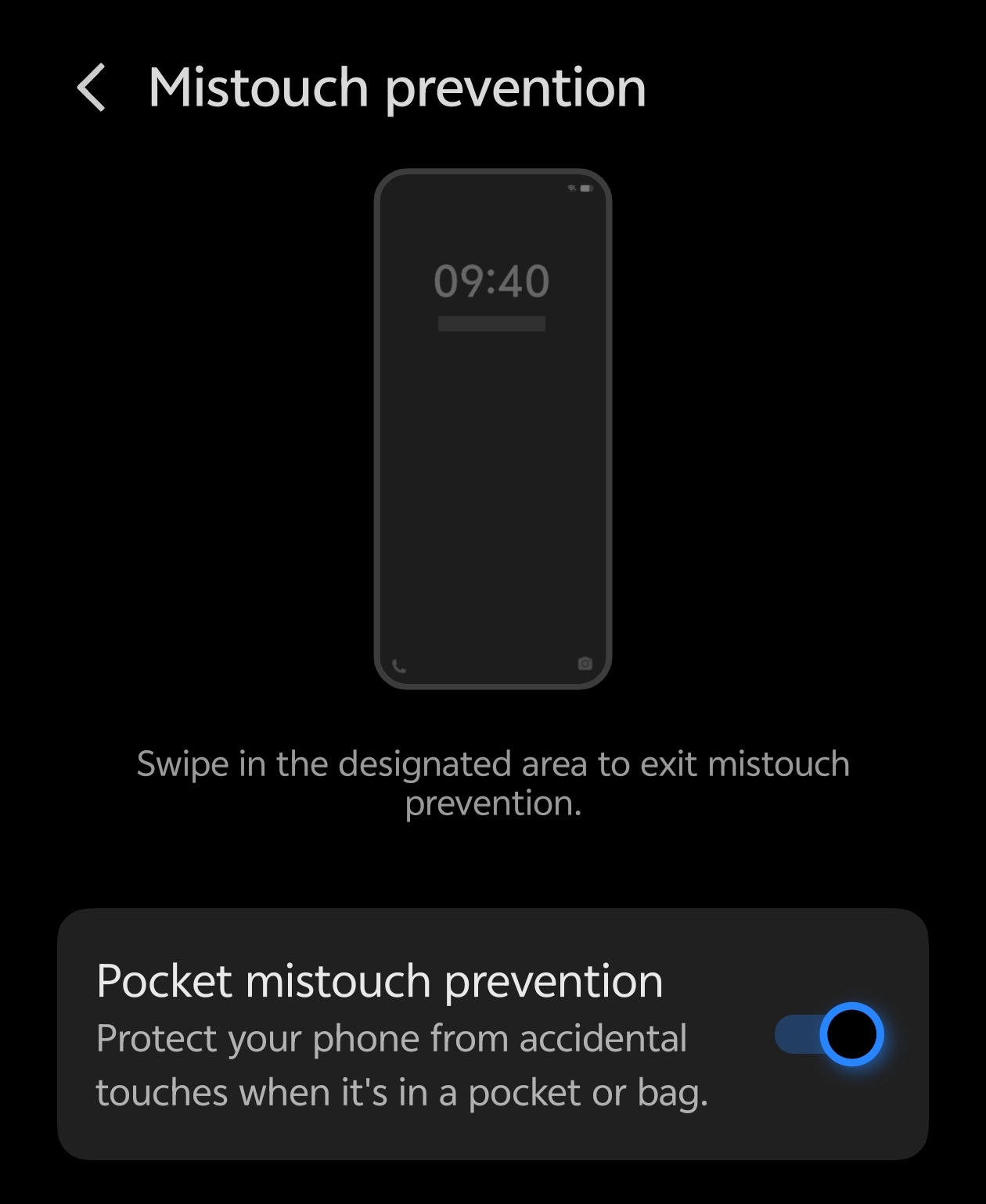
- Open Settings.
- Go to Shortcuts & accessibility.
- Tap on Mistouch prevention.
- Toggle Mistouch prevention to ON.
Accidental Touch in Games
Gamers often struggle with the notification bar dropping down mid-match. OriginOS handles this through the Ultra Game Mode.
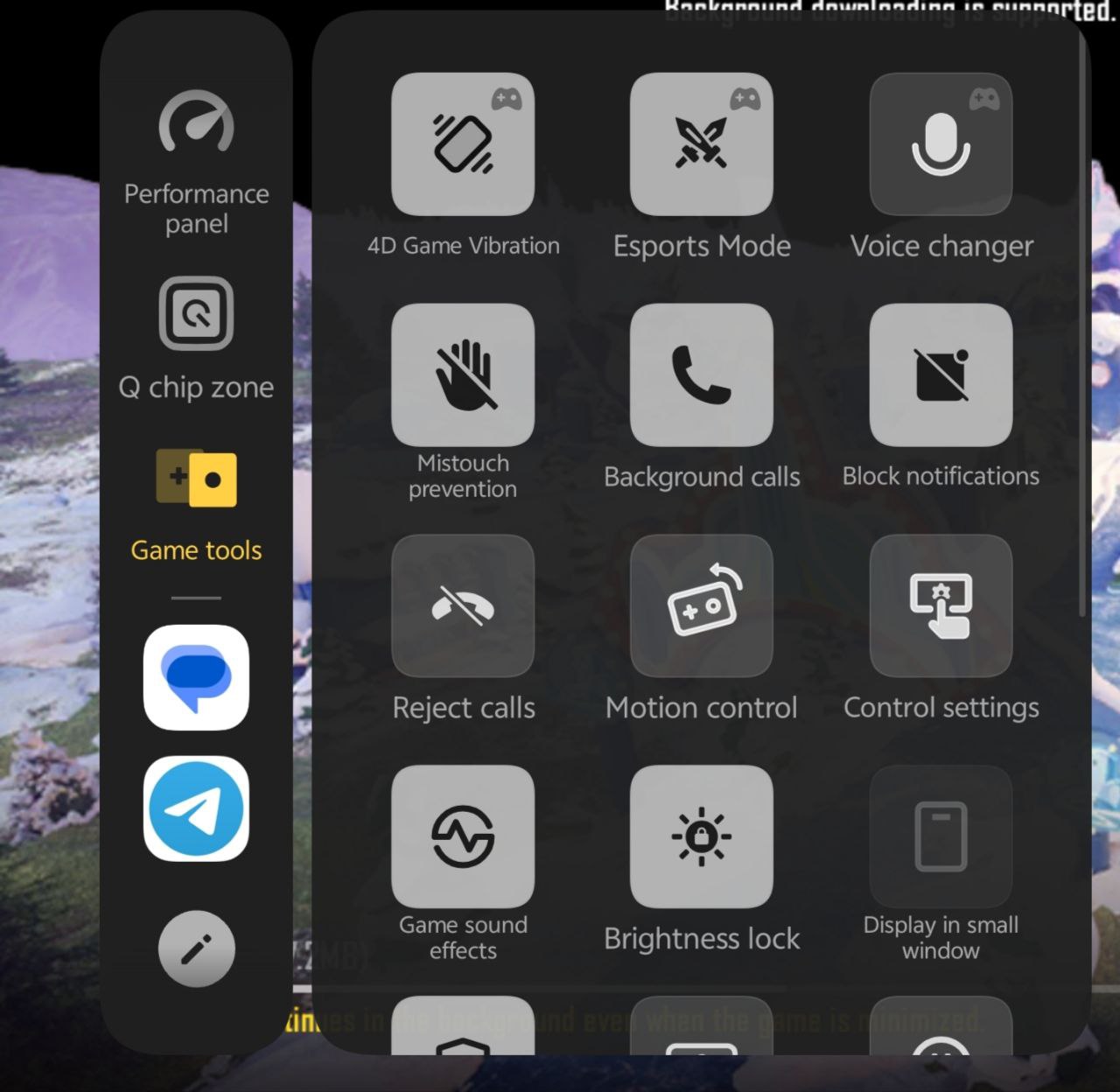
- Open the Game Space app (or swipe from the side during a game).
- Locate the Mistouch prevention icon in the sidebar.
- Enable Disable notification gestures and Disable accidental touches of the status bar. This prevents theNaveenye "swipe down" gesture from working unless you swipe twice.
Quick Tip for Curved Screens 💡
If you still experience issues despite these settings, check if your case is pressing against the screen edges. Some "slim" cases don't provide enough clearance, causing the digitizer to register the case's pressure as a finger touch.
Thanks
Please sign in
Login and share