



























Spotify Introduces Real-Time Listening Activity & Live Jam Requests

Spotify has started rolling out a new update that makes music listening more social and interactive. With this latest feature, users can now see what their friends are listening to in real time and even join them in a shared music session.
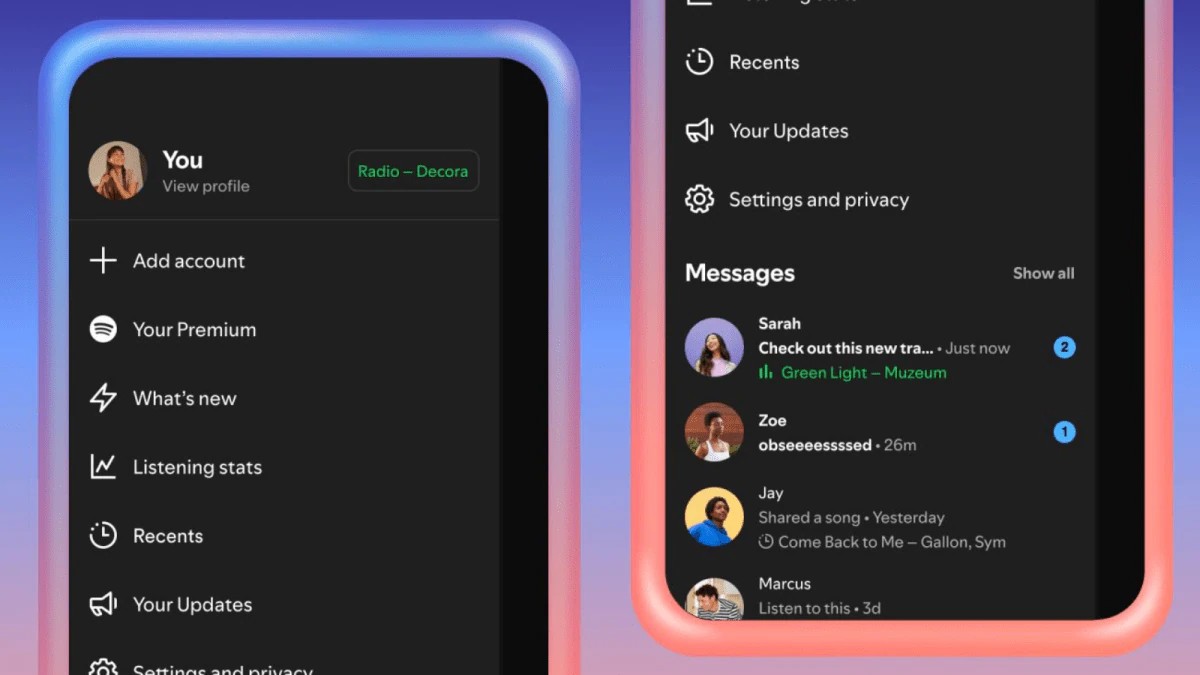
What’s New?
🔵 1. Real-Time Listening Activity
Spotify’s new Listening Activity feature lets you view the songs your friends or family are currently playing—right as they’re listening.
It works through Spotify Messages
It’s completely opt-in, so you can turn it ON or OFF
Friends can still see your activity if both sides have opted in, even if you hide your own status
Once enabled, their listening status appears:
In the side panel
At the top of the Messages chat window
Tapping on someone’s activity allows you to:
Add the same song to your library
Start playing it immediately
React with emojis
Open more options from a menu
🔵 2. Request to Jam (Premium Feature)
Spotify also added Request to Jam, which lets you invite someone to listen together—live and in sync.
How it works:
1. Open Messages and tap the Jam button
2. Send a request to a friend
3. When they accept, they become the host
4. Both of you can add tracks to a shared queue
In Jam mode, everyone can:
See each other’s display names
Listen at the same time
View song suggestions based on combined tastes
This makes remote music sessions feel more like being in the same room.
Where Is It Available?
Spotify says the new features are rolling out gradually to:
Android
iOS
In markets where the Messages feature is already available
So if you don’t see it yet, it should appear soon.
Why This Update Matters
These features make Spotify feel more like a social hangout, not just a music app.
You can now: ✔ Discover new songs through friends
✔ Watch someone’s music mood change in real time
✔ Start live Jams without being in the same place
✔ Easily react, share and explore together
It’s a simple update, but it adds a new level of fun and connection to everyday music listening.
Happy Questing

Please sign in
Login and share