


















OriginOS 6 on iQOO 15: Is It Really "Smooth at Origin"?

Hey iQOO Fam!
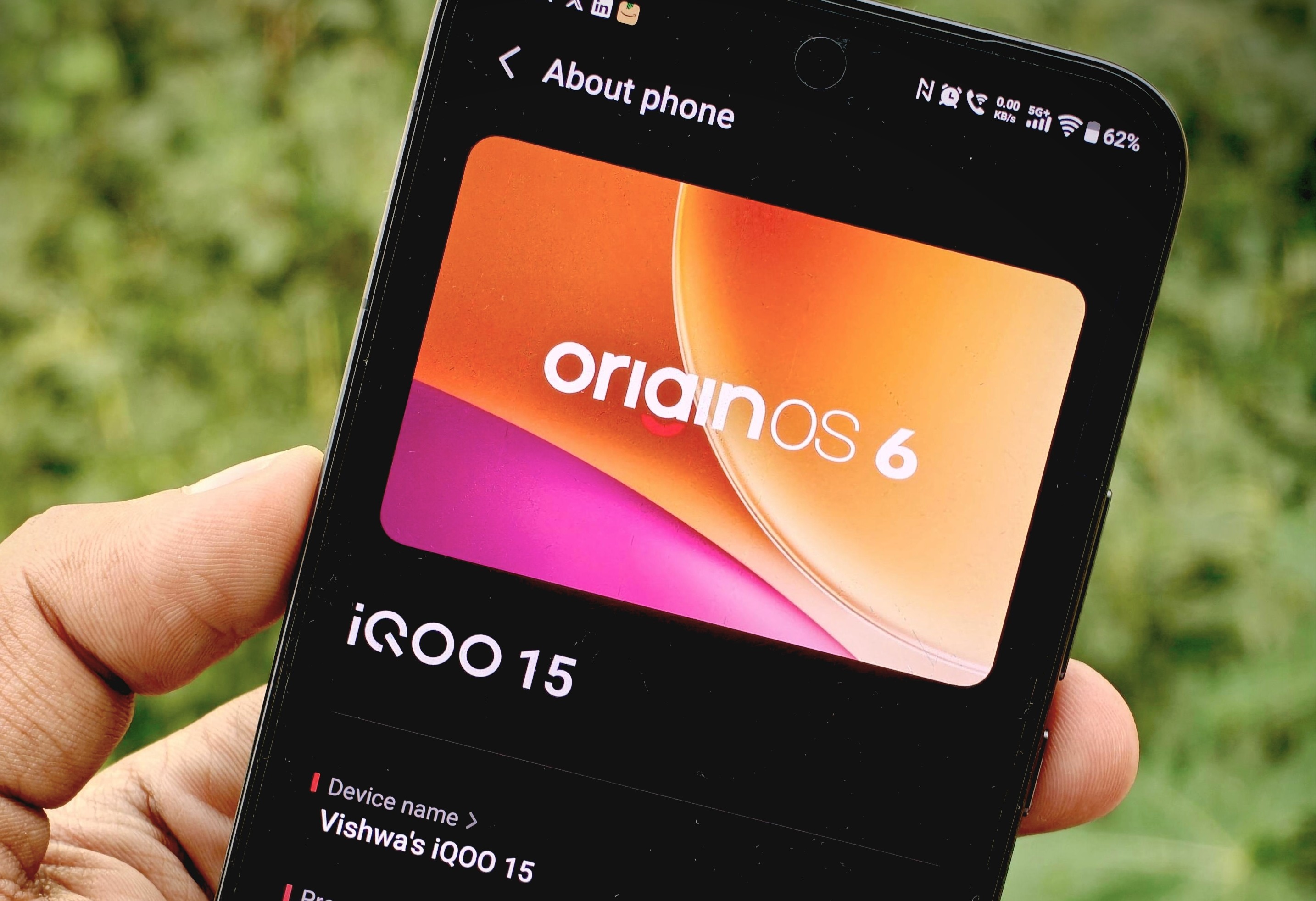
"Smooth at Origin" - that's the tagline iQOO keeps pushing for OriginOS 6. Bold claim, right? Especially when we've all been through enough software updates and marketing promises to know that "smooth" can mean a lot of different things.
Here's the thing - I'm not someone who just scrolls through settings menus and calls it a review. I'm a data analyst by profession, which means my phone is my lifeline. Teams calls, Slack threads, Excel sheets on the go, social media for content creation, and yes, some COD Mobile on weekends to unwind.
So when I got the iQOO 15 with OriginOS 6, my question wasn't "what's new?" - it was "Is it actually smooth at origin, or is this just another overhyped tagline?"
After weeks of treating it like the workhorse it needs to be, here's my honest take on whether OriginOS 6 truly delivers on that "Smooth at Origin" promise - or if it's all marketing.
The Real Test: Smooth Under Pressure?
Let me set the scene. My typical day involves jumping between work apps, dozens of browser tabs, media consumption during breaks, photography for community content, and occasional gaming. My phone doesn't get "light usage" - it gets hammered.
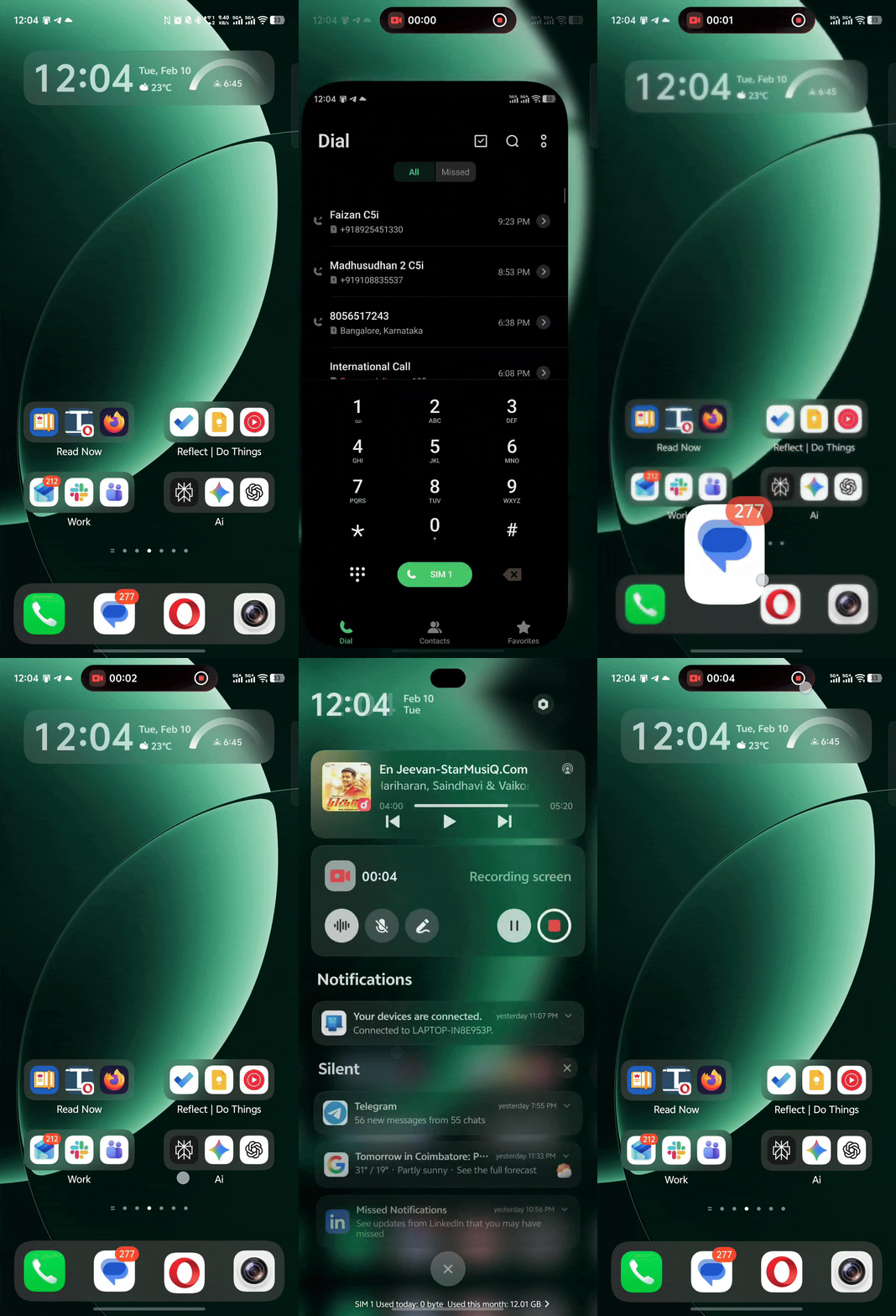
If OriginOS 6 is going to claim it's "smooth at origin," it needs to handle this chaos without breaking a sweat. And honestly? It does. App launches feel instant. Multitasking doesn't stutter. Switching from a Teams call to Slack to Instagram Stories to the camera app - it all happens without that dreaded half-second lag.
The Origin Smooth Engine working behind the scenes keeps everything responsive even after extended use. In real life? It means I'm not waiting on my phone - my phone is waiting on me. That's what "smooth at origin" should feel like.
Visual Language: Smooth to Look At, Too
I'll be honest - I'm someone who obsesses over animations and themes. I really love how the team implemented such smooth animations at a snappy pace, that dosne't feel slow.
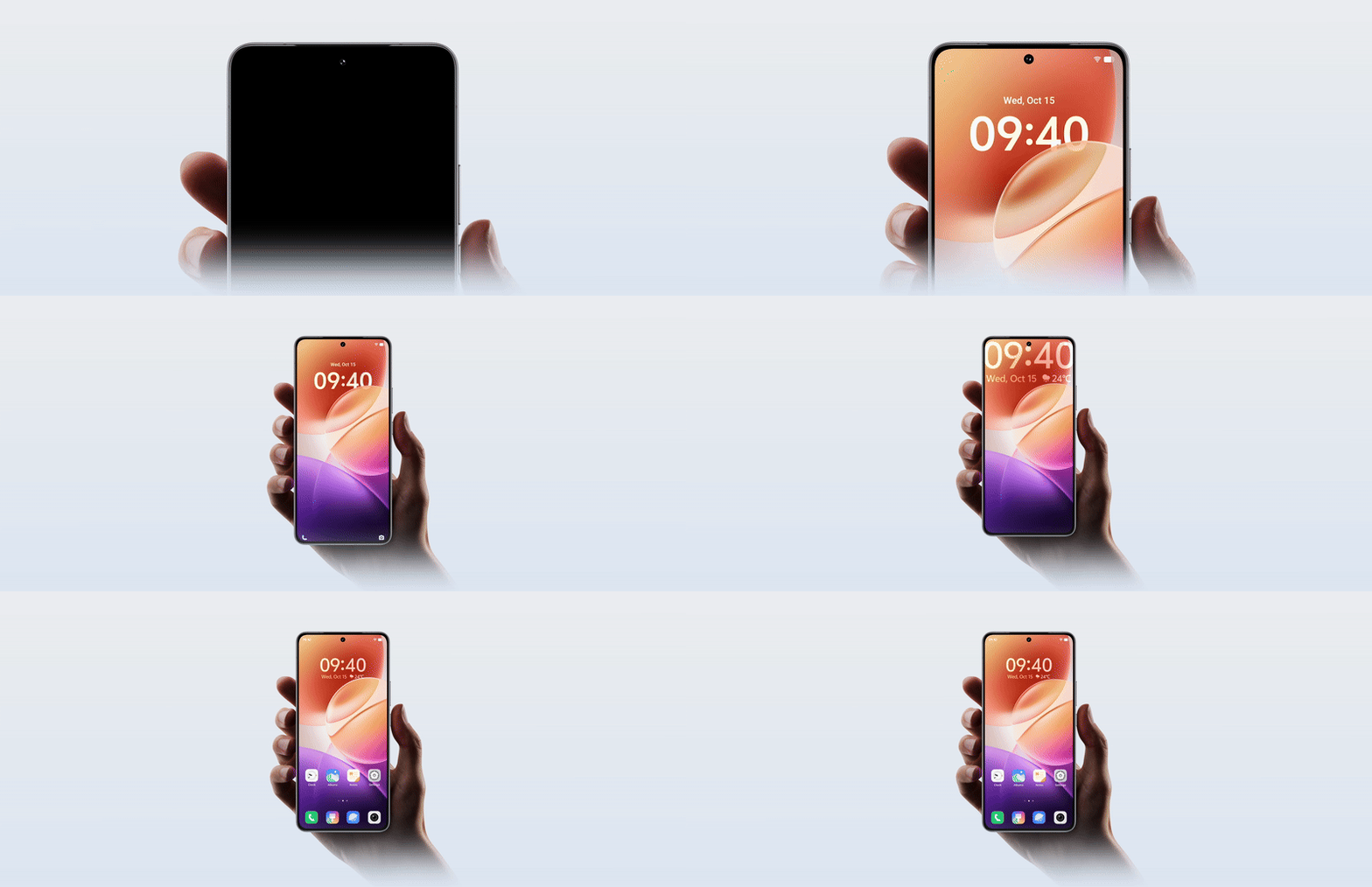
The Space System adds this layered, glass-like depth to the UI. When you unlock the phone, you notice these subtle light border effects around Quick Settings and the lock screen. Certain elements literally glow when you touch them. It's not plastered everywhere (icons and some widgets miss out), but where it exists - especially the media player and lock screen - it feels genuinely premium.
Animations are fast and interruptible. The system prioritizes your input over fancy transitions, which means even if you launch multiple apps rapidly, nothing lags.
The Blur Transition removes jarring cuts between screens, making navigation feel continuous and smooth. This is what "smooth" should look like - not just fast, but effortless.
Redesigned Quick Settings: Two Styles, Both Better
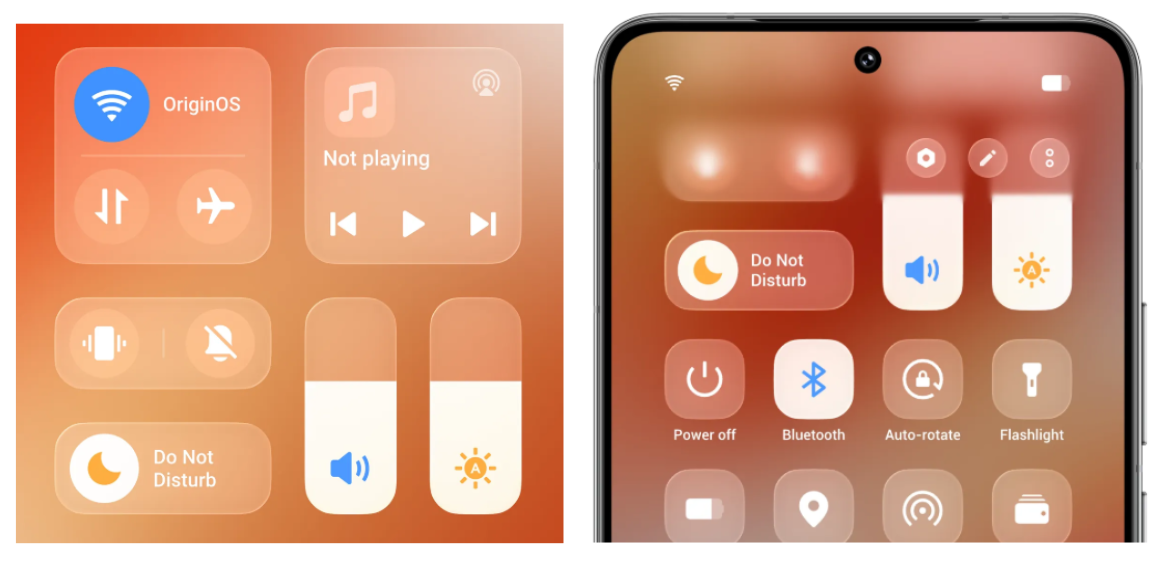
You get two Quick Settings layouts to choose from. One is the modern separated style - similar to what you'd see on iOS or OxygenOS. The second is the merged style, and honestly, it's a massive upgrade over the old FuntouchOS control center.

I personally rock the separated layout. The blur effects, spacing, rounded corners, and font choices all feel cohesive. You can hide quick setting text labels and show interconnectivity controls, though you can't fully reorder the top row of toggles just yet.
Lock Screen Customization: Built for Your Workflow
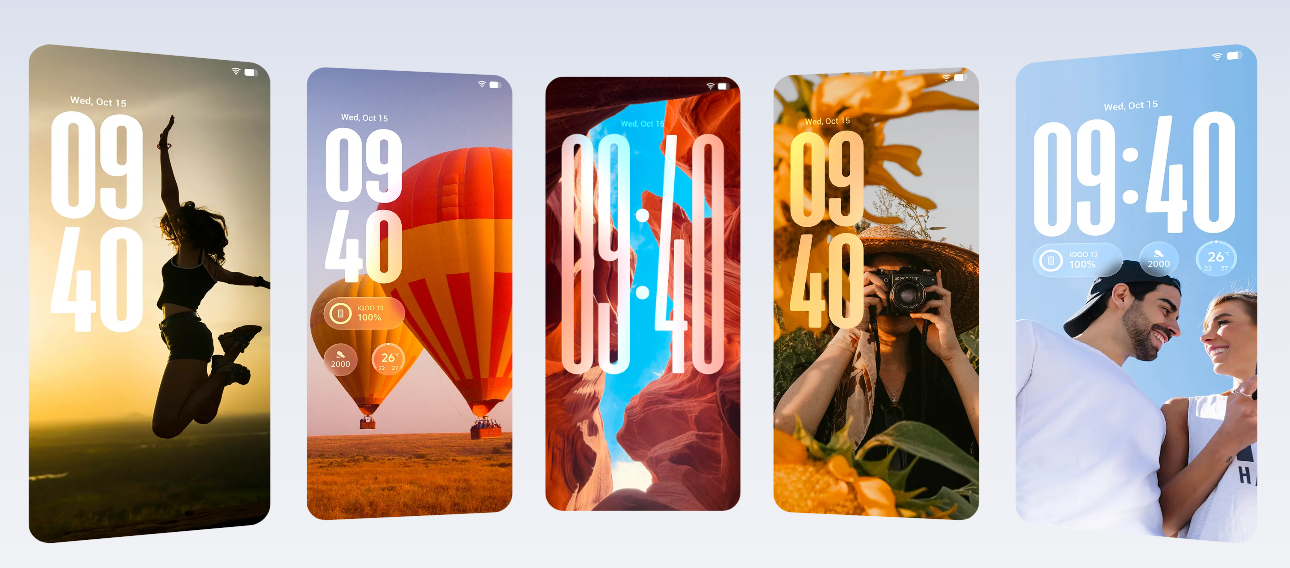
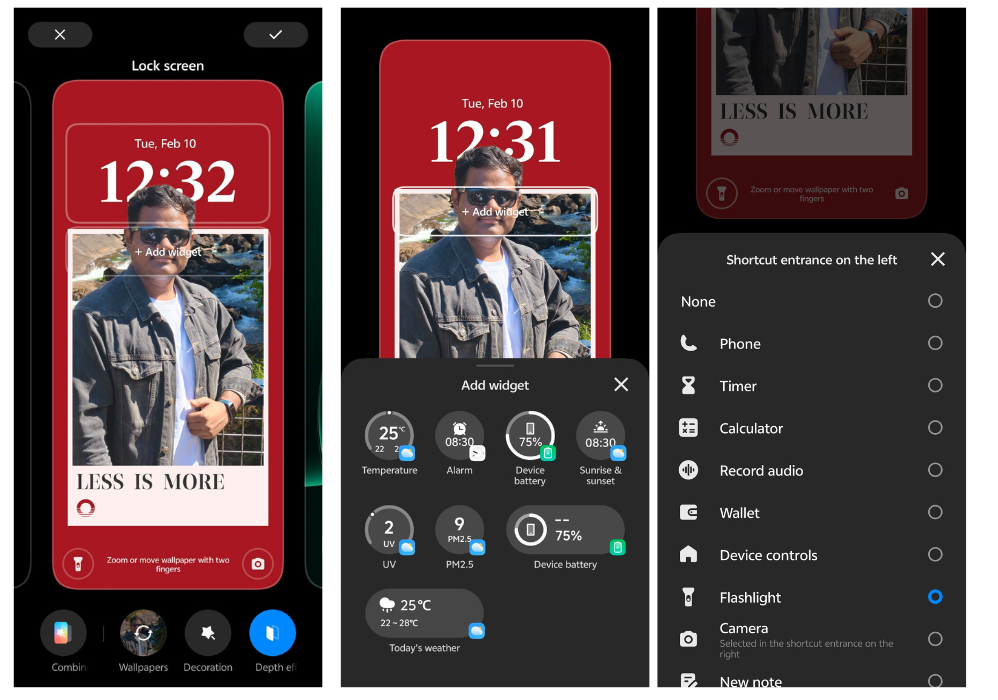
This is where OriginOS 6 absolutely shines. The lock screen experience is genuinely one of the best I've used. You can customize:
- Bottom quick toggles (I have Phone and Camera for instant access)
- Multiple widget placements
- Flip Cards that animate with your device motion
- Fonts, colors, and clock styles with tons of presets
- Lock Screen Grid (4×7) for blending photos and widgets
The partial AOD is clean and battery-efficient. For someone who glances at their phone constantly throughout the day, having customizable always-on information makes a real difference. The first-party wallpaper options are genuinely good, and the depth effect works beautifully.
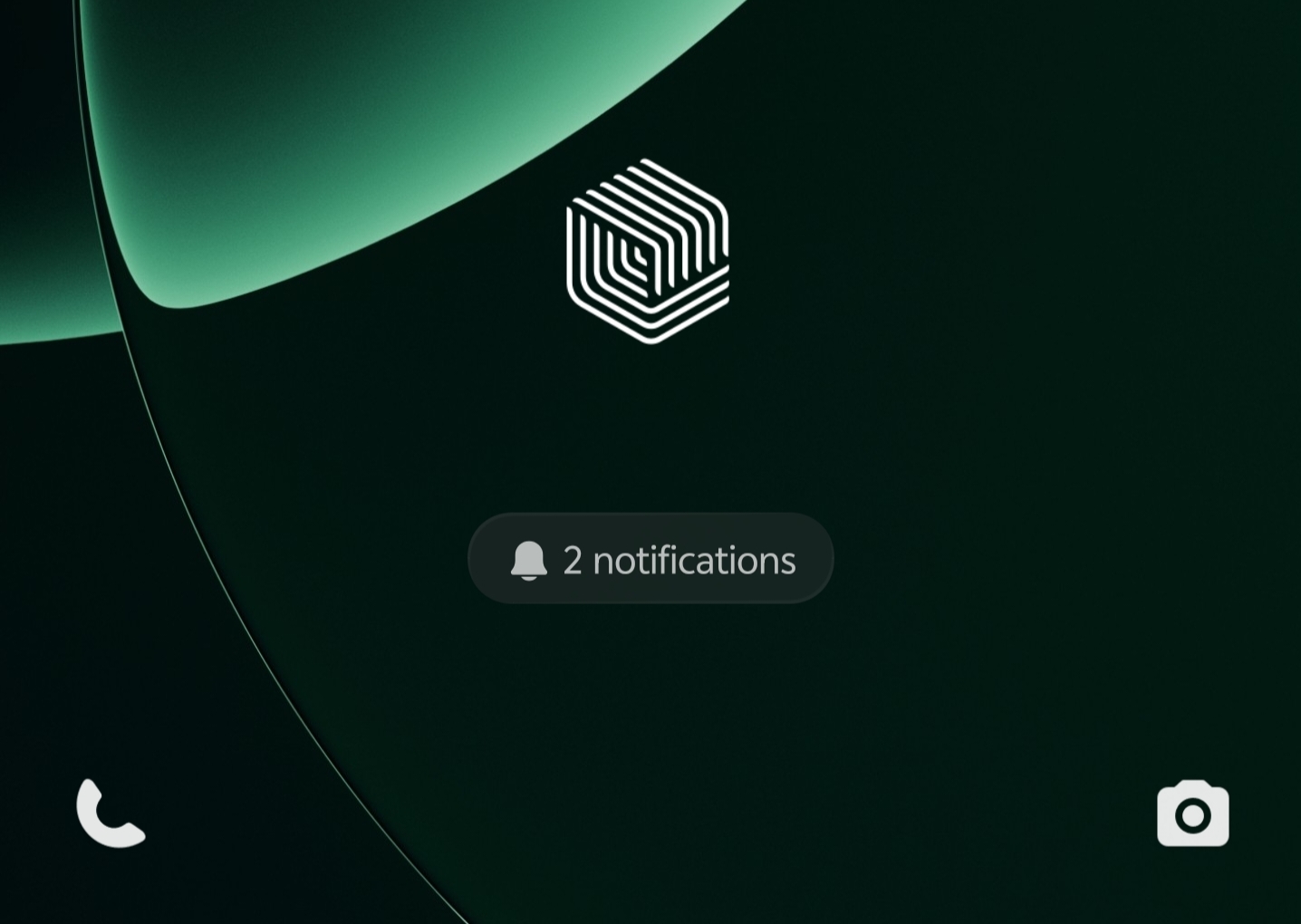
You can even set shortcut entrances on left and right edges of the lock screen - mine are Phone (left) and Camera (right) for instant access without unlocking.
Origin Island: Actually Useful, Not Just Pretty
I was skeptical about Origin Island at first - it felt like it could be just another gimmicky feature. But after using it daily, it's become genuinely useful.
When I'm navigating via Maps while on a call and music is playing in the background, Origin Island shows all three activities in a compact, interactive hub. I can control each without interrupting the others. Tap to expand, swipe to dismiss, or interact directly - it's responsive and actually improves workflow.
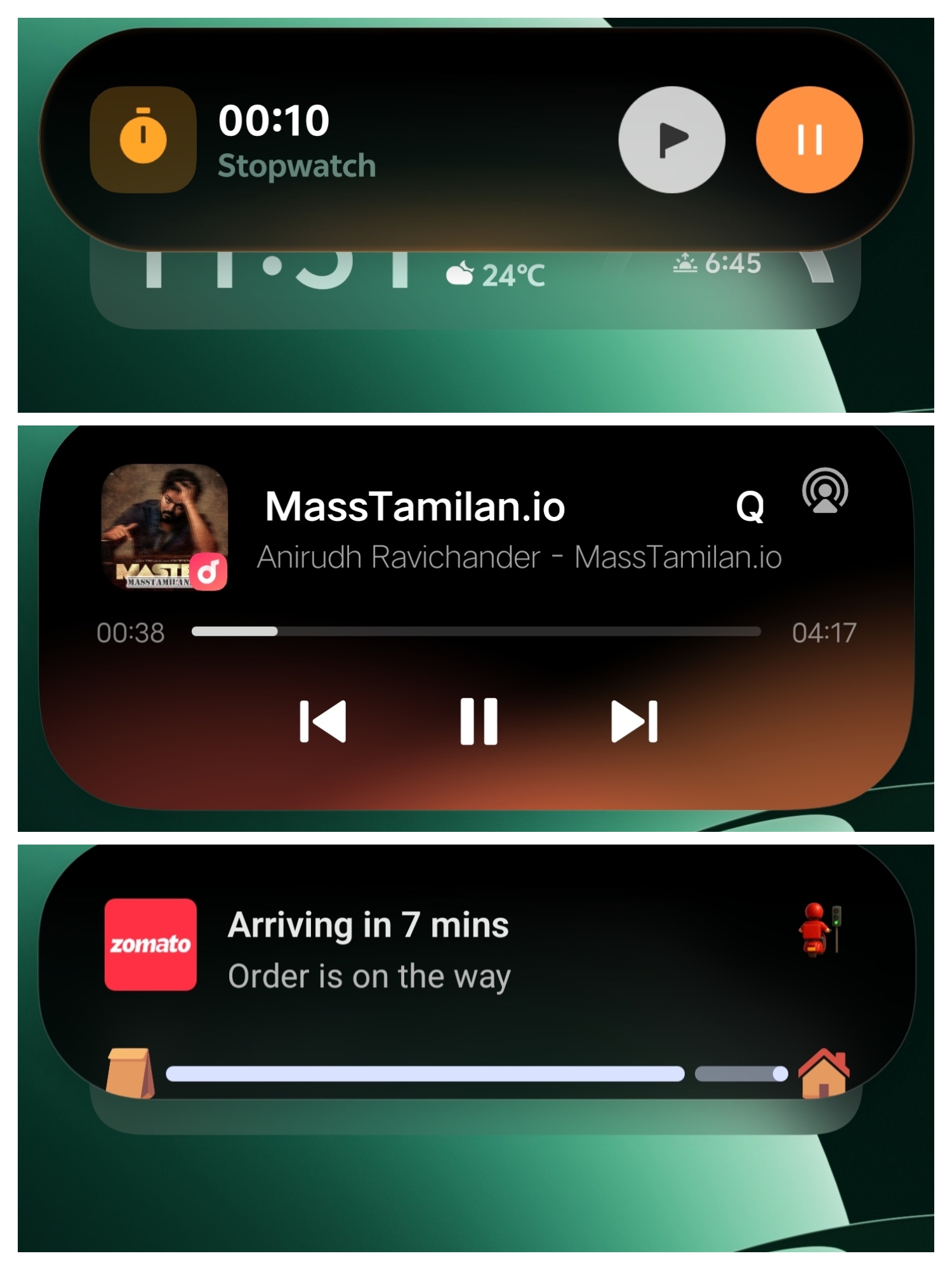
What makes it practical is how it works with system services and third-party apps. You can enable services like music controls, hotspot status, device cloning progress, sport tracking, and game countdown timers - all accessible through Origin Island. It even works seamlessly with apps like Zomato, showing real-time order updates without switching apps.
It's similar to Android 16's Live Updates but feels more polished and integrated into the system. This is "smooth" in action - multiple tasks running simultaneously without any friction.
Copy & Go and Drag & Go: Small Features, Big Impact
These might seem minor on a feature list, but they've genuinely changed how I use my phone.

Copy & Go lets you copy a phone number, URL, or meeting detail, and OriginOS instantly suggests actions - call, open, schedule - without switching apps. As of now, it supports phone numbers, URLs, and meeting/event details. It's the kind of thoughtful design that saves seconds dozens of times a day.
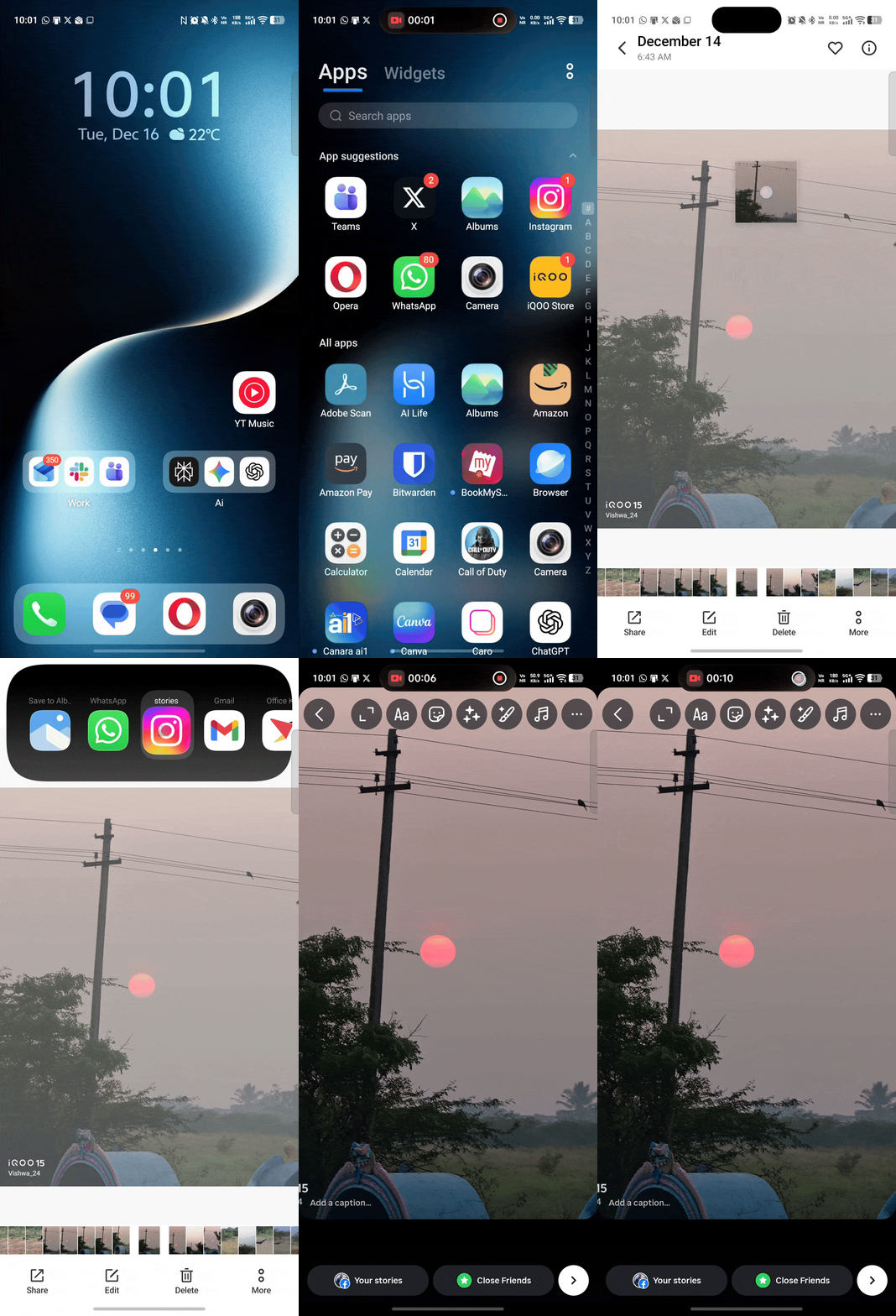
Drag & Go is even better. Tap and hold any text, image, or document, then drag it directly into Instagram Stories, Maps, Notes, or any supported app. No more screenshot-crop-share dance. It makes multitasking faster and feels intuitive once you get used to it.
These feel like features designed by people who actually use phones for productivity, not just demo videos. They embody what "smooth at origin" should mean - removing friction from everyday tasks.
Home Screen: Solid Customization Options
Home screen customization is solid. You finally get:
- App dock
- Two icon styles: Minimal and Exquisite (I use Exquisite )
- Adjustable icon shapes, sizes, and label visibility
- Multiple grid layouts up to 4×7
- Shake to arrange icons when editing the home screen
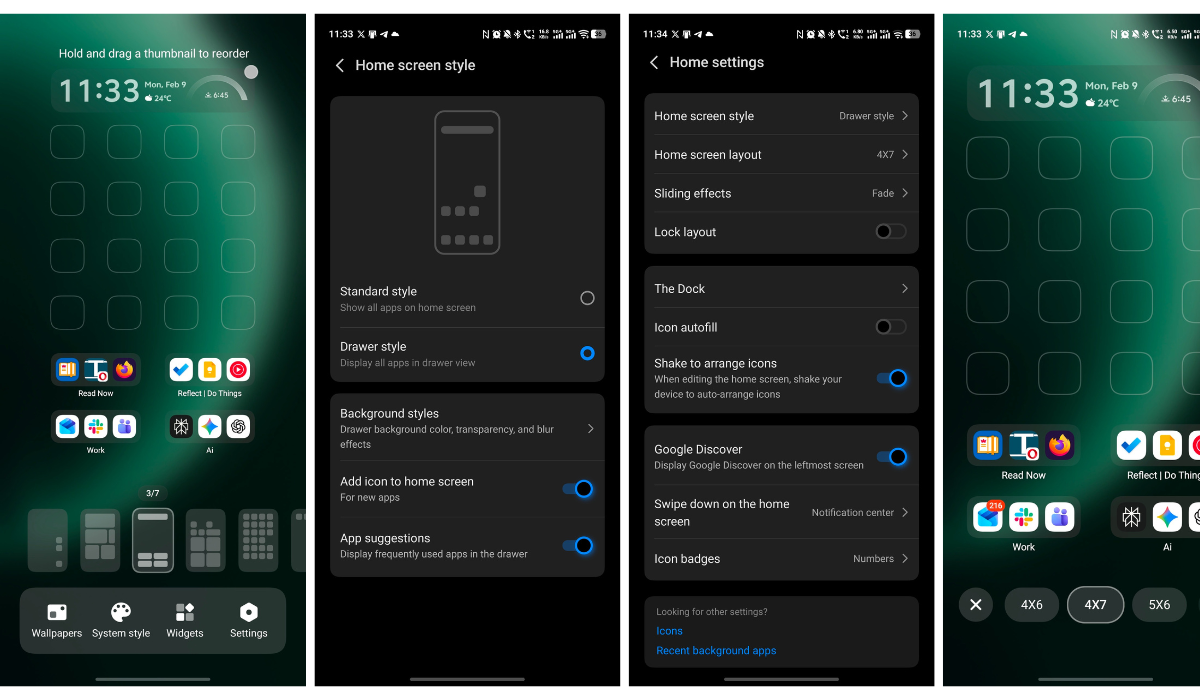
Font options are vast - I use iQOO Sans personally. You can download additional fonts from the theme store and even customize system and app UI colors using basic presets or a color picker. There's also an option to apply color to compatible app icons.
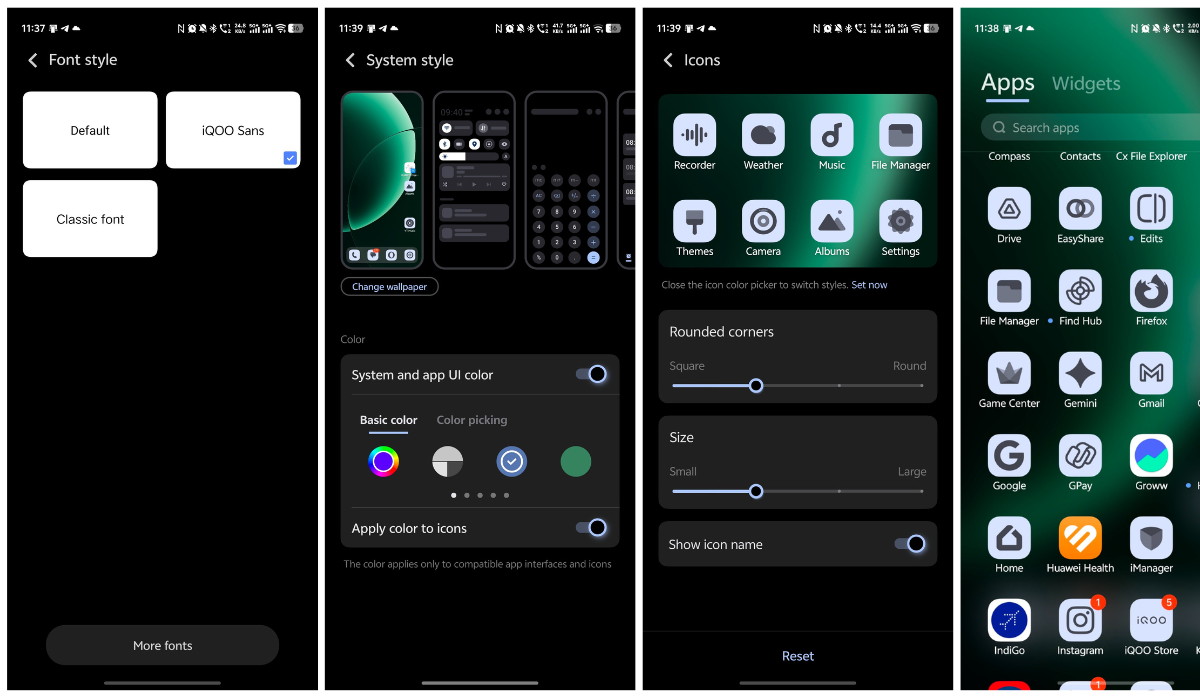
The one thing missing? Third-party icon pack support. Material You theming works well on first-party icons but doesn't extend to third-party apps yet. Also, some third-party widgets can have spacing issues - first-party widgets work flawlessly though. Hopefully these limitations get addressed in future updates.
Multitasking Features: Built for Power Users
Beyond Drag & Go, OriginOS 6 includes several multitasking improvements:
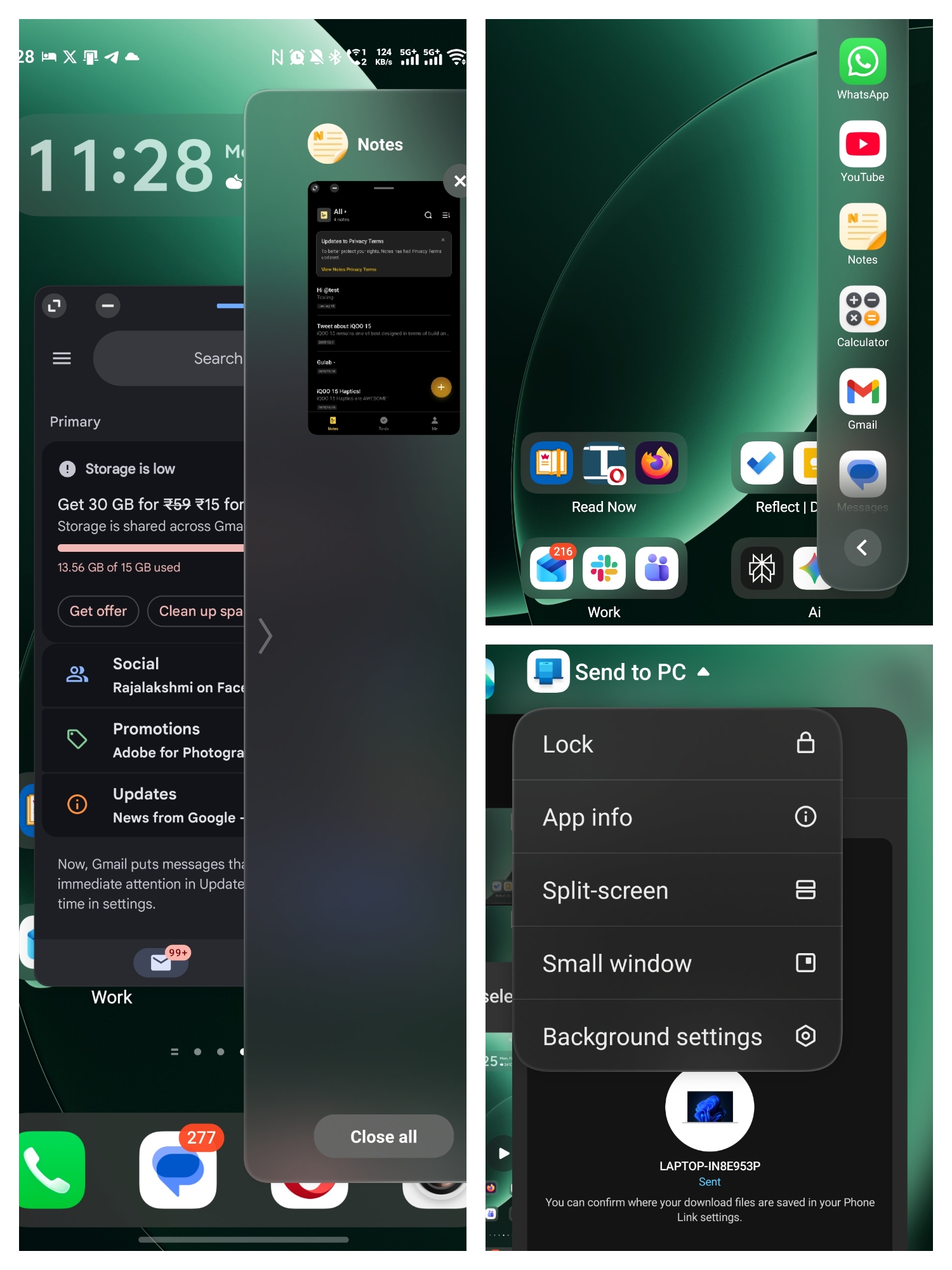
- Floating windows work smoothly
- Split-screen multitasking is responsive
- Device interconnectivity with other vivo/iQOO devices
- Stage Manager-like multitasking for managing multiple app windows
- All small window apps feature for quick access to mini app versions
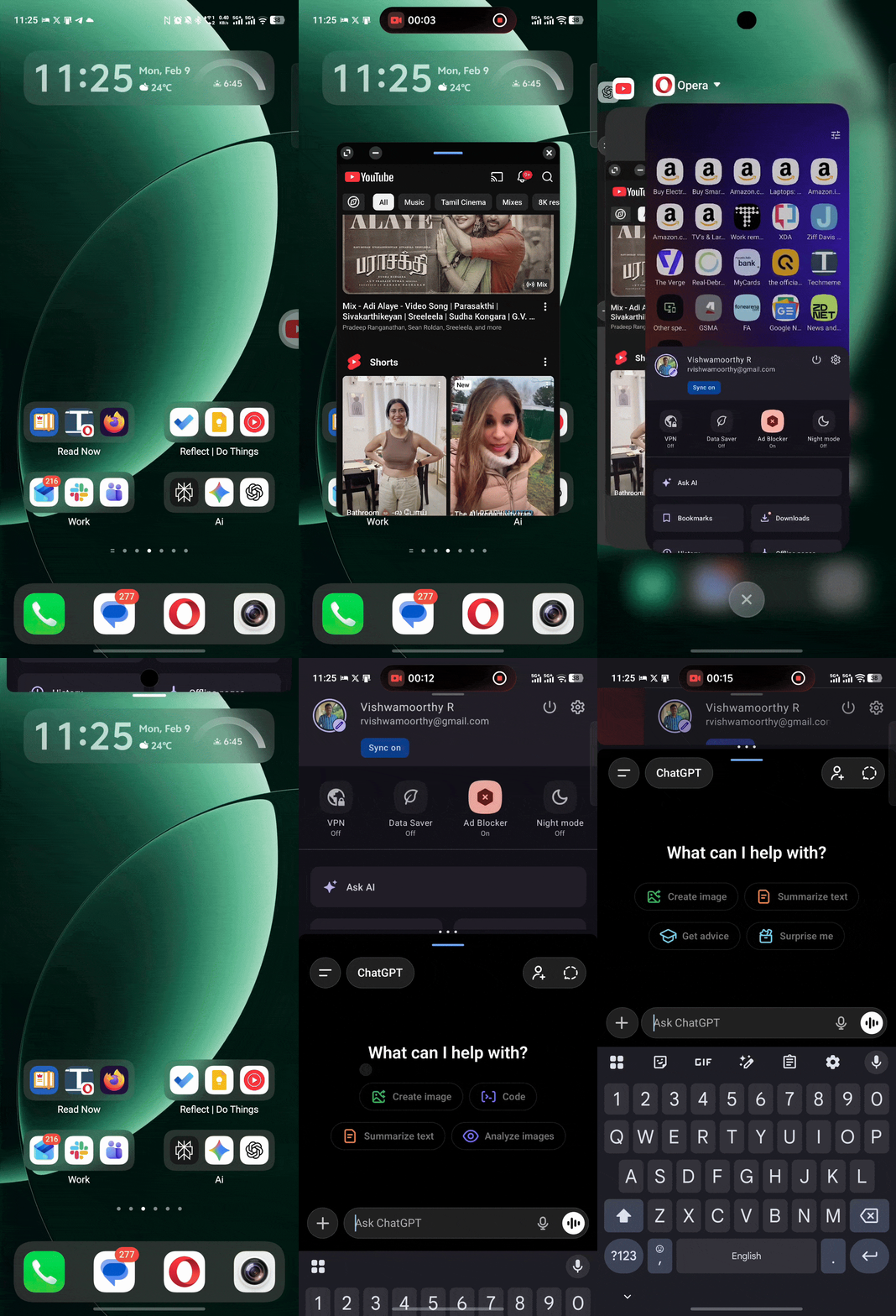
For someone juggling work and personal tasks constantly, these features genuinely improve productivity. They keep the experience smooth even when you're running multiple things at once.
Privacy That Actually Protects You
As someone handling work data on my personal device, privacy isn't optional. OriginOS 6 includes Blank Data Authorization - a feature most global skins still don't offer.
Here's how it works: when an app requests permission (say, contacts or location), you can grant it blank data instead of your real information. The app functions normally, but it's working with placeholders, not your actual details. That's genuinely smart privacy design.
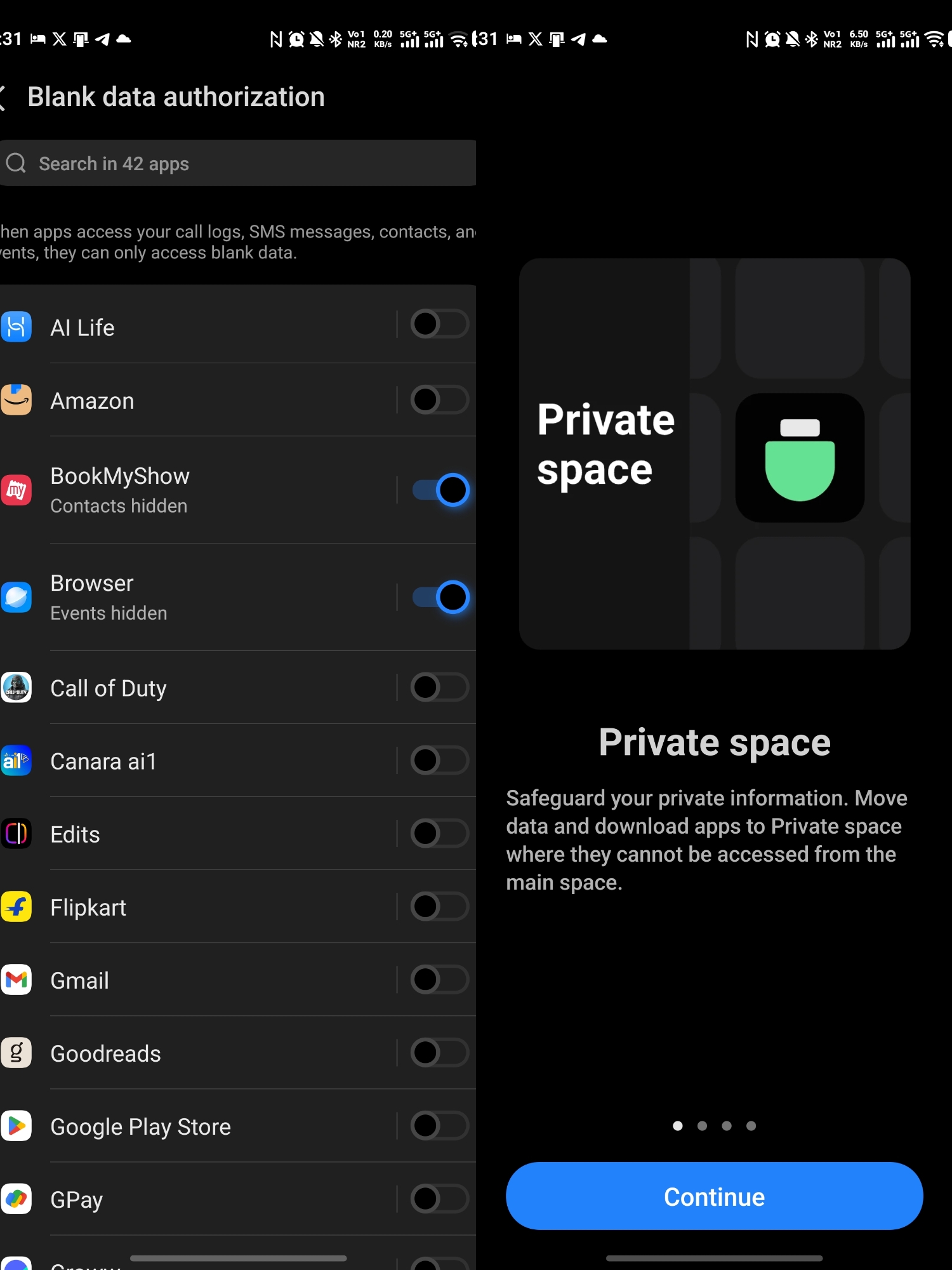
The Private Safe (Private Space) is massively upgraded. It's not just a hidden folder - it's a fully isolated, encrypted environment where you can run dual app instances, store sensitive files, and keep notifications silent or disguised. For anyone balancing personal and work life on one device, this is a lifesaver.
Camera UI: Clean and Practical
The camera interface in OriginOS 6 is well-designed - accessible without being cluttered.
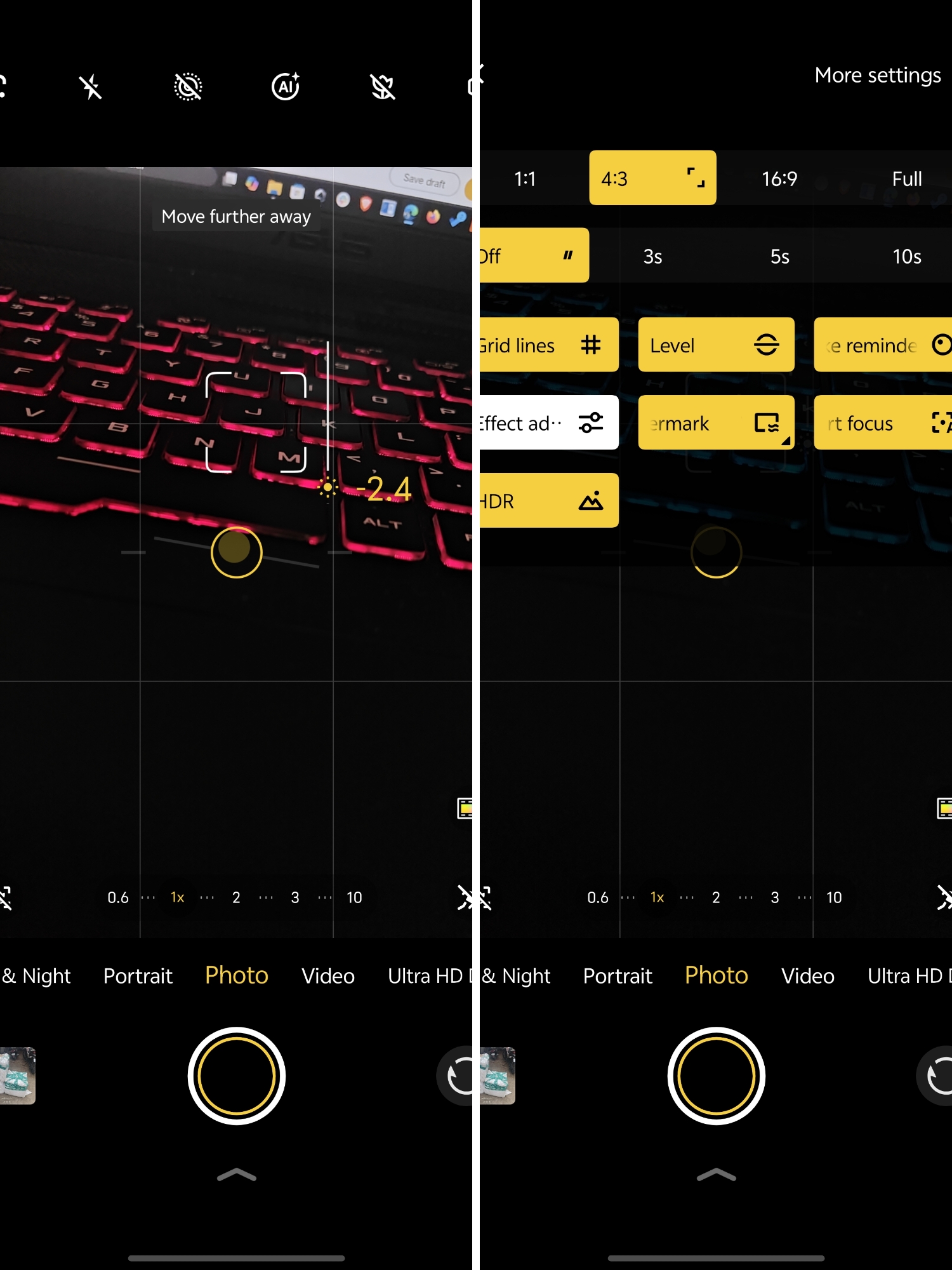
The main shooting screen keeps essentials easily reachable. You get multiple aspect ratios (1:1, 4:3, 16:9, Full), quick timer options, and toggles for grid lines, level indicator, and HDR. Settings are visible but never crowd the viewfinder.
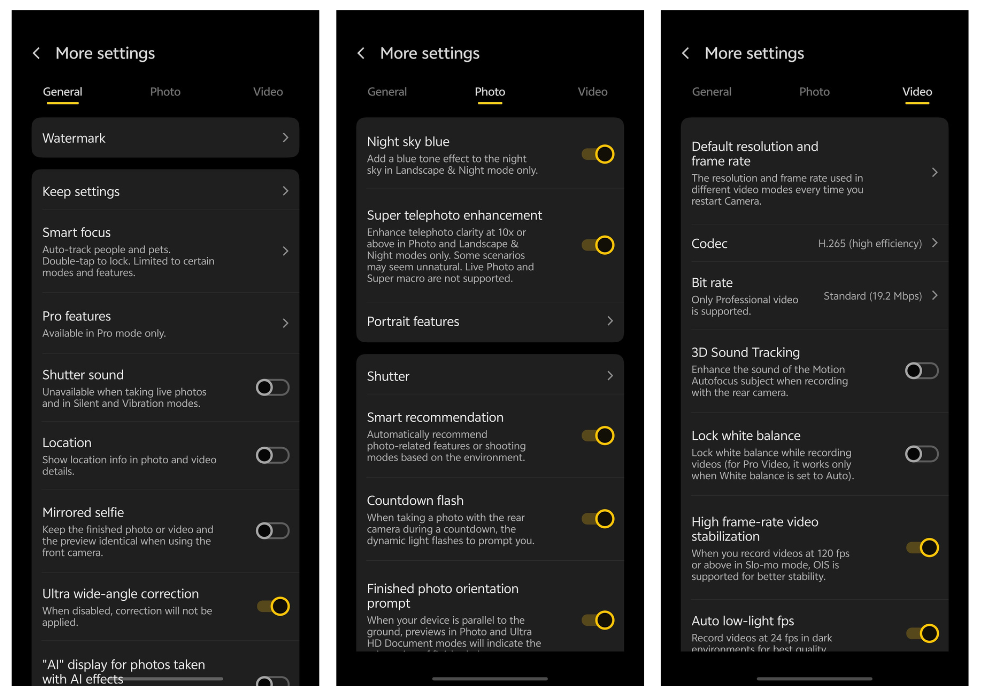
The More Settings menu is organized into General, Photo, and Video tabs with clear descriptions. Features like Night sky blue, Super telephoto enhancement, Portrait features, and Smart recommendation (suggests modes based on environment) are all logically placed.
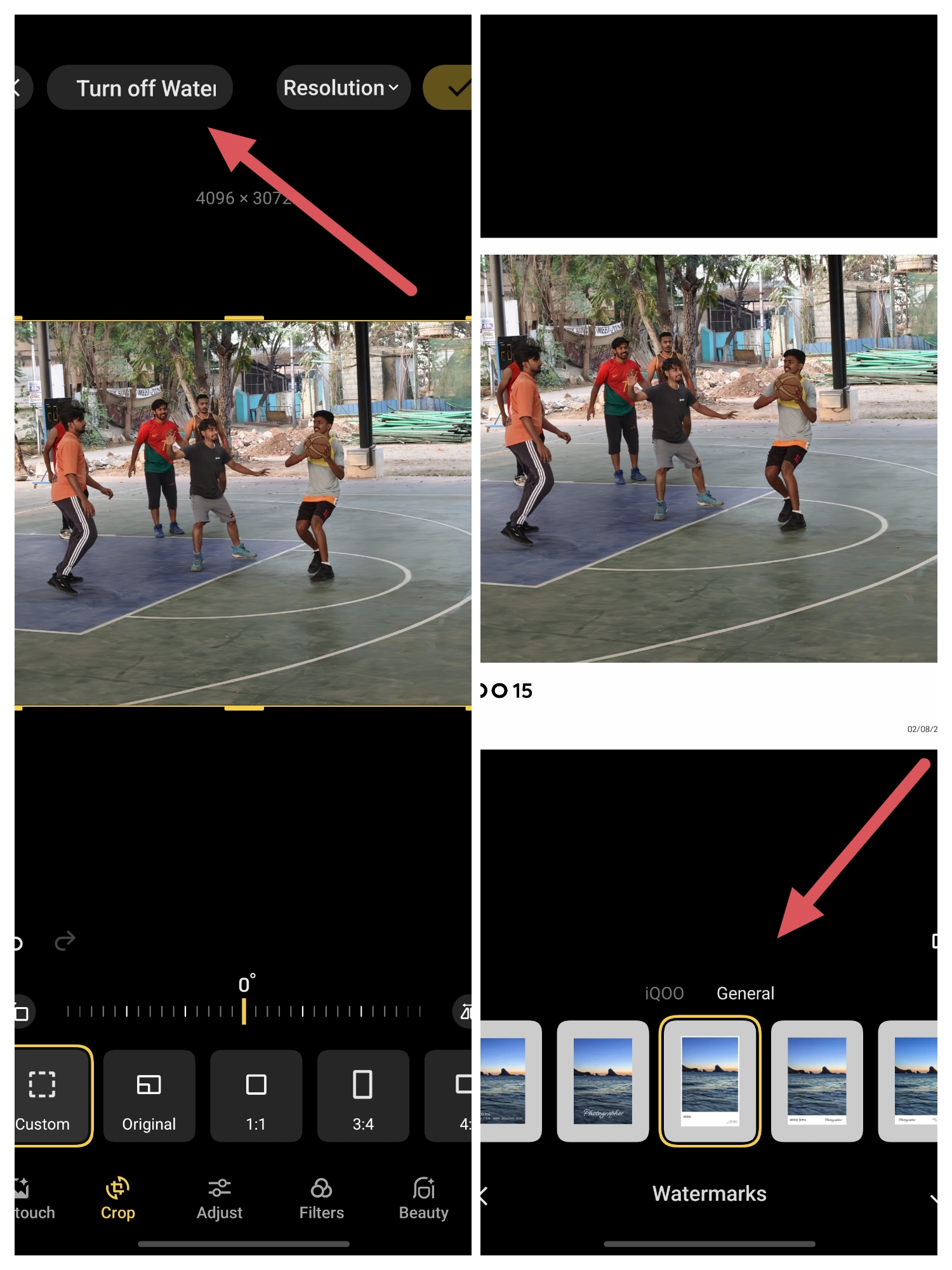
One feature I genuinely love - customizable watermarks after shooting. You can add, change, or remove watermarks from already-taken photos, with multiple styles and resolution options. For community content creation, this flexibility is huge.
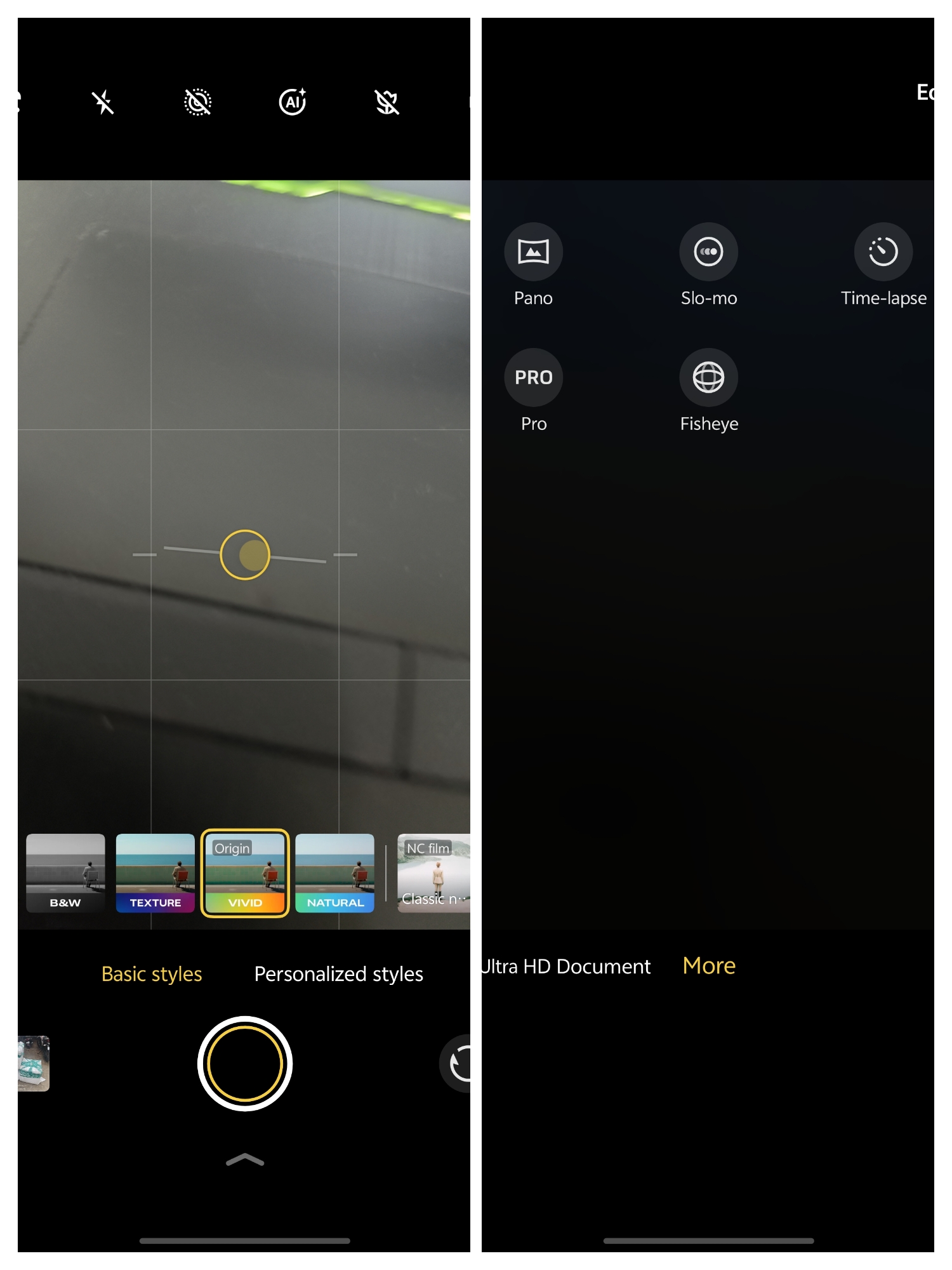
The editing tools are comprehensive - AI Retouch, Crop with multiple ratios, Adjust, Filters, Beauty, and Document modes - all one tap away. There's also a dedicated section for Pano, Slo-mo, Time-lapse, Pro mode, and Fisheye with clear icons.
Slider-based manual controls for exposure and zoom (0.6x to 10x) feel natural and responsive. The UI strikes the perfect balance - feature-rich without feeling overwhelming.
Battery Management: Transparent and User-Friendly
OriginOS 6's battery management interface is impressively detailed and gives you real control.
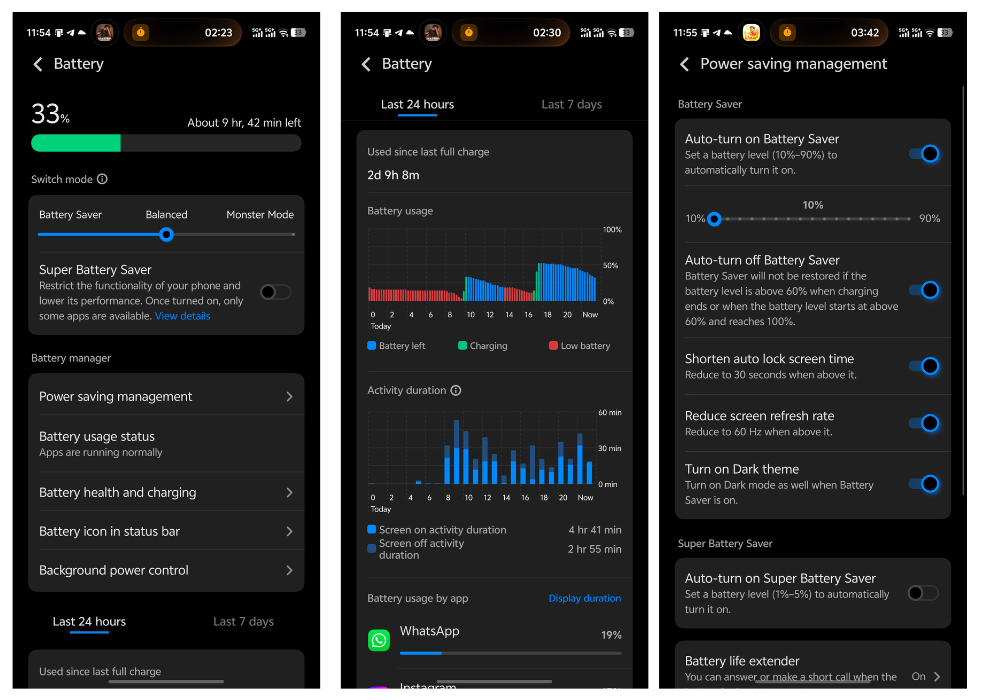
The main Battery screen shows clean visual graphs for Last 24 hours and Last 7 days usage, activity duration metrics, and battery usage by app. Everything is visual and easy to understand at a glance.
What I genuinely appreciate is the Battery health and charging section. You can see your maximum battery capacity status (mine shows 100% and "good") - transparency like this matters for long-term ownership.
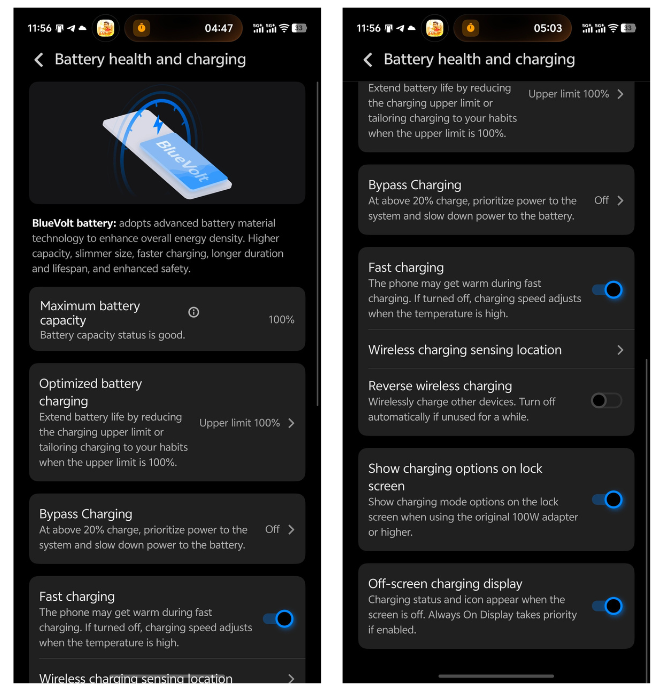
The control options are thoughtful. Optimized battery charging lets you set upper limits (80% or 100%) to extend lifespan. Bypass Charging powers the system directly during gaming above 20% charge, reducing heat. The fast charging toggle adjusts speed automatically when temperature is high.
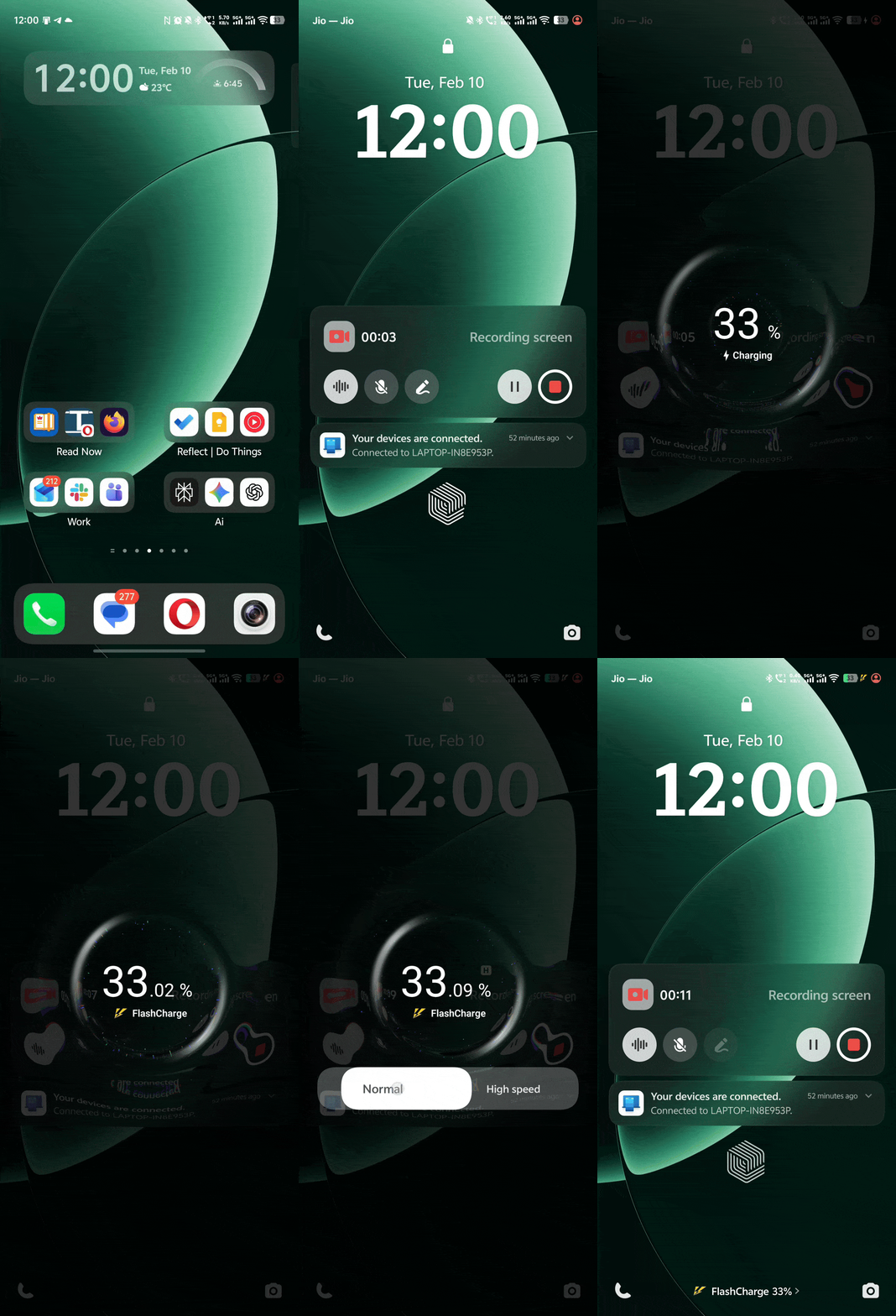
One feature I love - Show charging options on lock screen. With the 100W adapter connected, you can manually switch between charging modes right from the lock screen without diving into settings. For someone conscious about battery health, this quick access is perfect.
The interface also includes a Switch mode slider (Battery Saver - Balanced - Monster Mode), wireless charging options, and reverse charging. Everything is clearly labeled with descriptions.
Haptic Feedback
The iQOO 15 has an industry-first dual-axis (X and Y) vibration motor, which provides incredibly precise haptic feedback. The hardware is flagship-grade.
The software implementation is good but could be more consistent. You get haptics on unlock, volume buttons respond with satisfying feedback, and the overall experience is solid.
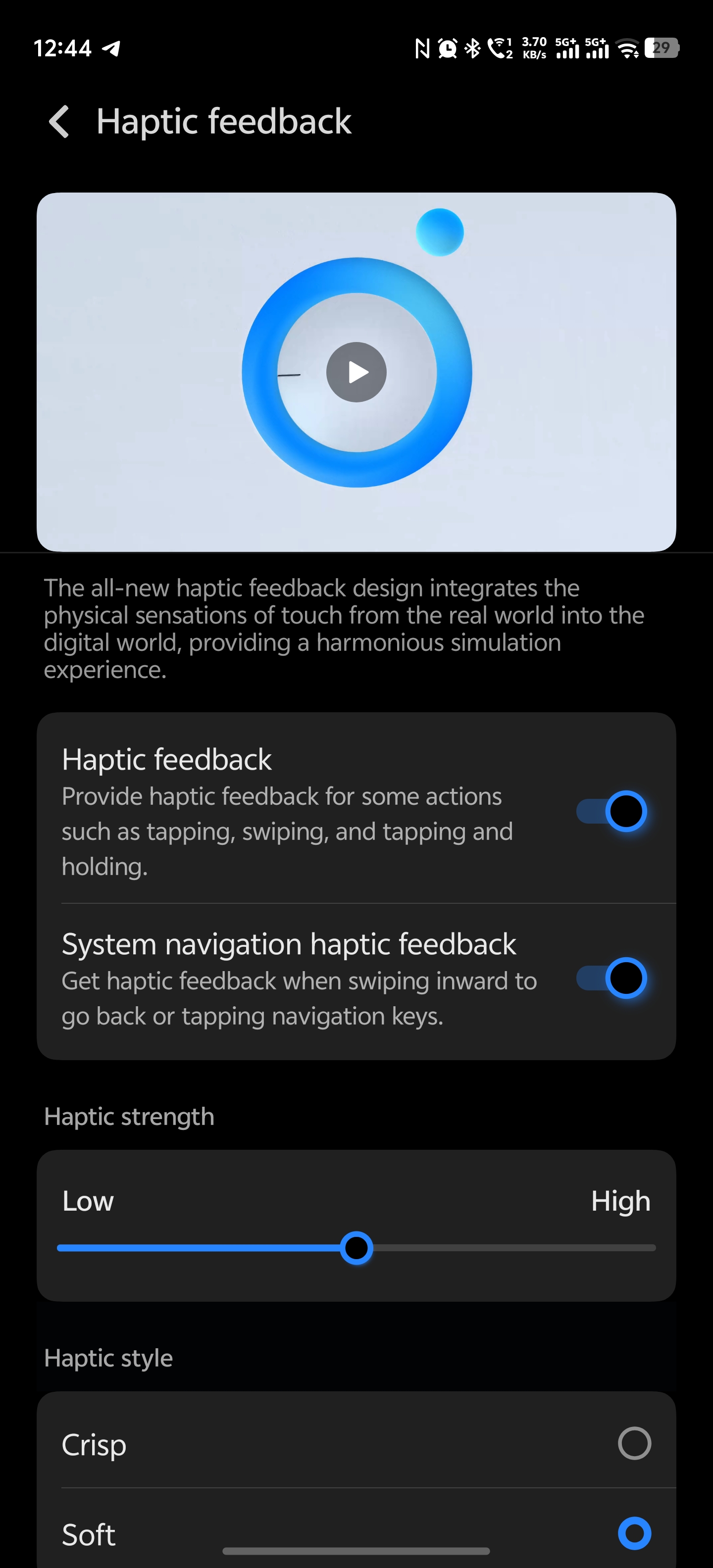
Some areas like the brightness slider and certain camera functions could benefit from expanded haptic integration in future updates. The foundation is excellent though.
Shortcuts & Accessibility: Thoughtful by Design
OriginOS 6 includes thoughtful shortcuts and accessibility features that go beyond checkbox implementations.
The Shortcuts & accessibility menu covers multitasking options (Split-screen, Small window, Smart sidebar) and shortcut actions like Super screenshot, Origin Player, Smart Motion, Power button gestures, Easy Touch, and One-handed mode.
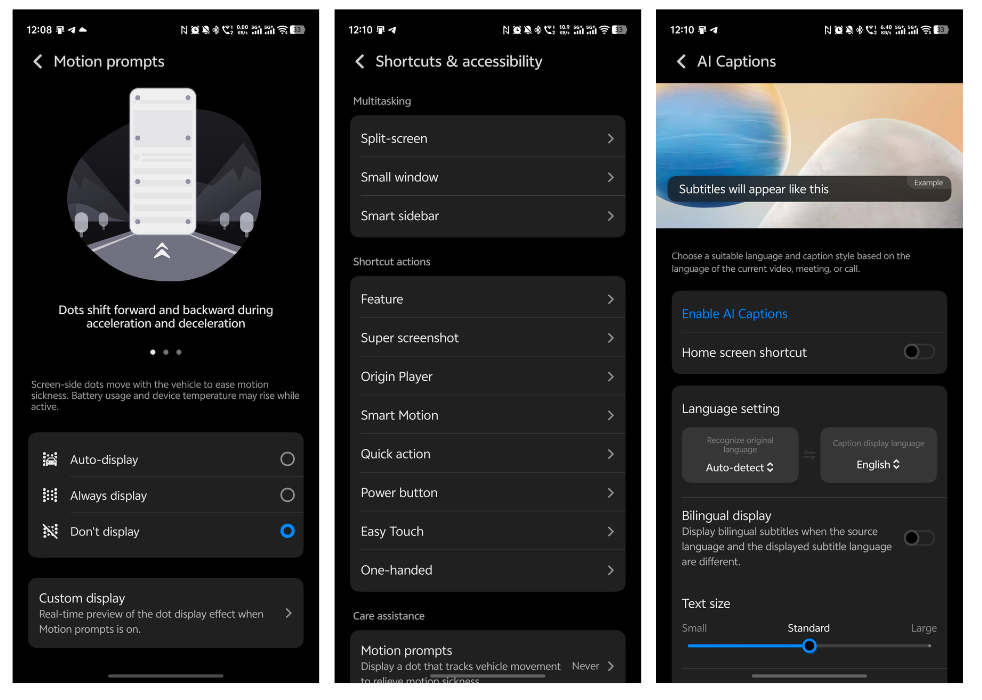
What genuinely impressed me is the Care assistance section. Motion prompts displays dots that track vehicle movement during acceleration and deceleration to help ease motion sickness while using your phone. It's a small feature, but it solves a real problem many people face.
The Accessibility options cover Vision features (TalkBack, Select to Speak, Magnification, Color adjustments) and Hearing aids (Sound Notifications, Mono audio, Audio balance). There's also AI Captions for real-time subtitles during videos, meetings, or calls with language auto-detection.
These aren't just features - they're thoughtfully implemented tools that make the phone genuinely more usable for everyone.
Ultra Game Mode
Ultra Game Mode is where OriginOS 6 shows its gaming DNA. It offers features like Super resolution, Super frame rate, Ray tracing, and Game visual enhancement.
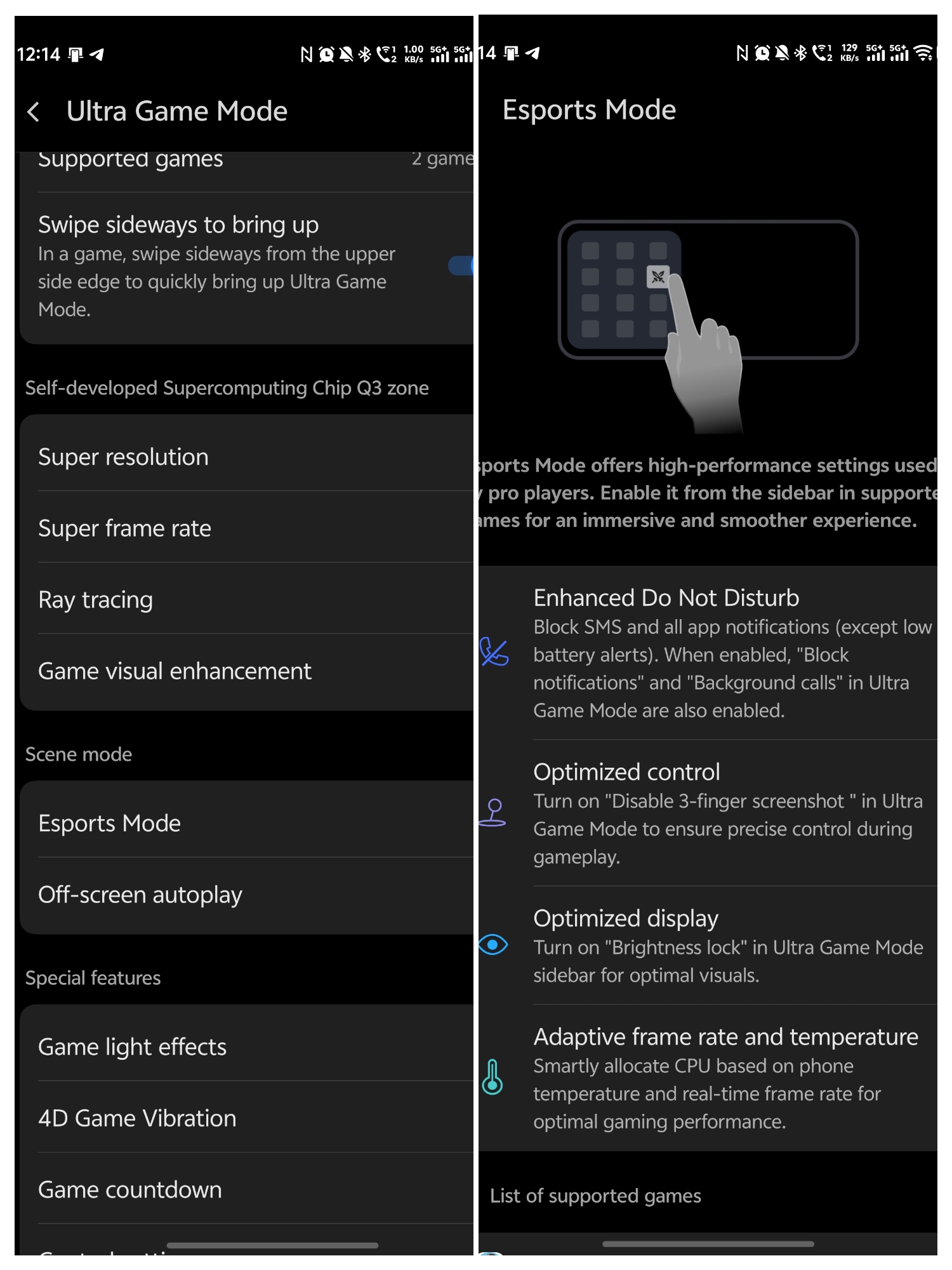
Esports Mode provides pro-player settings with Enhanced Do Not Disturb, Optimized control, and adaptive frame rate management. Special features include Game light effects, 4D Game Vibration with adjustable intensity, and Game countdown. It's comprehensive without being overwhelming.
Additional Features Worth Mentioning
OriginOS 6 packs several other thoughtful features:

- Stacked notifications for cleaner notification management
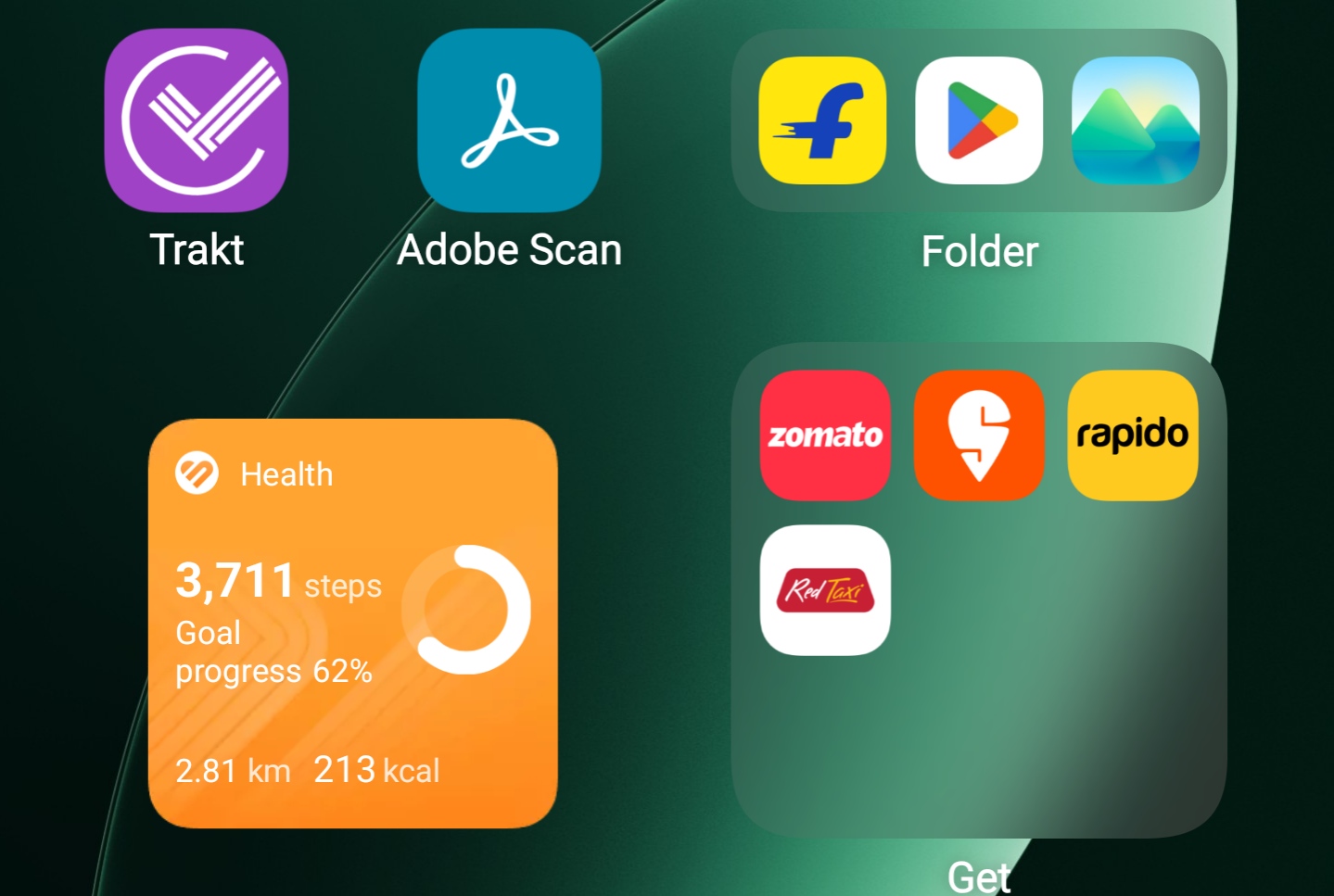
- Colored and resizable folders on the home screen
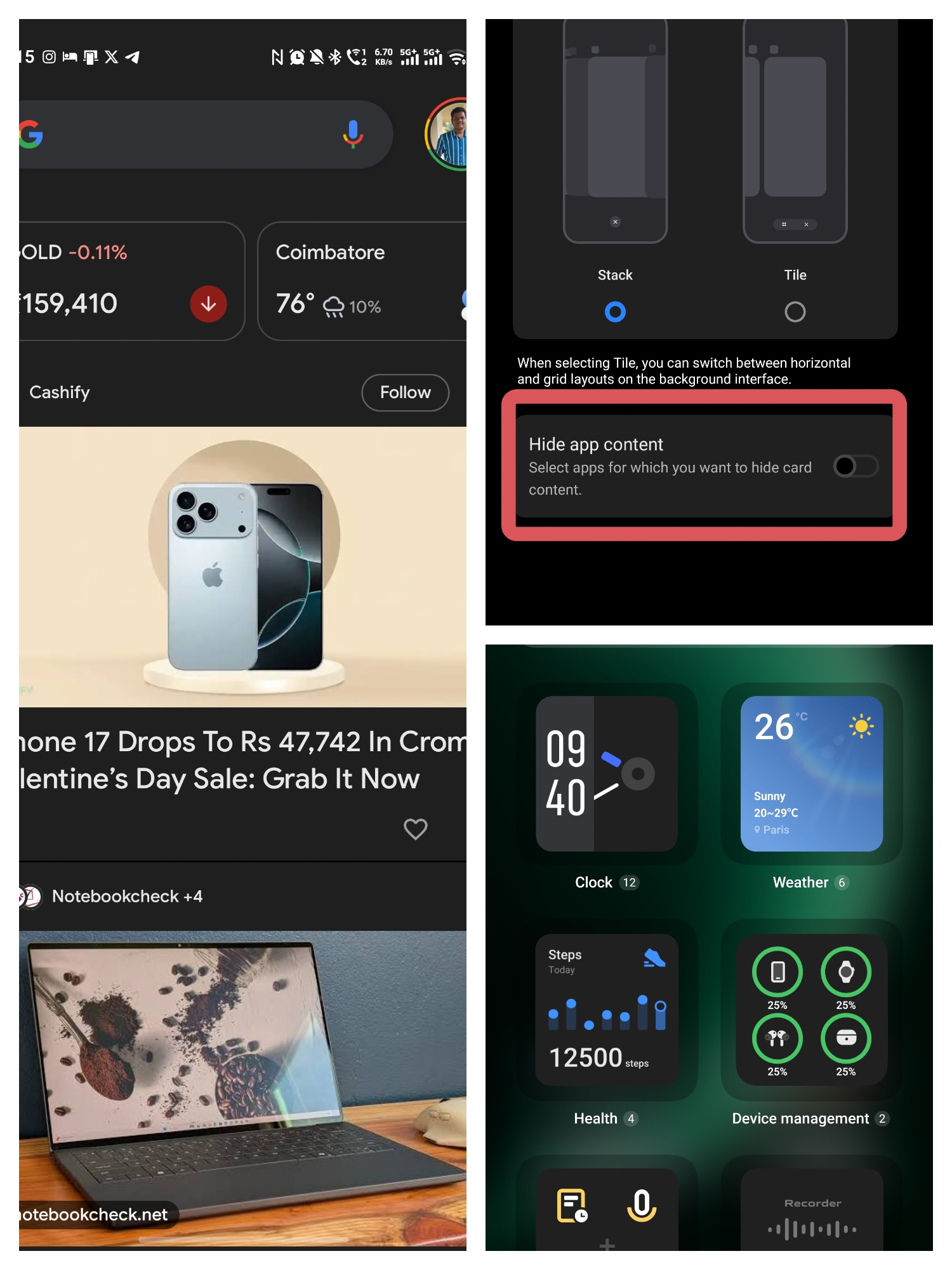
- Widget theming for visual consistency
- Status bar customization with proper controls
- Hide card content in recent apps for privacy
- Google Discover toggle on the leftmost home screen
So, Is It Really "Smooth at Origin"?
After months of daily use, here's my verdict: Yes, OriginOS 6 genuinely lives up to the tagline.

"Smooth at origin" isn't just about animations looking pretty - it's about the entire experience feeling effortless. It's about features like Origin Island, Copy & Go, and Drag & Go removing friction from your workflow. It's about multitasking without stutters, launching apps without lag, and navigating the UI without ever feeling like you're fighting the software.
Does it have room to grow? Sure. Third-party icon pack support and more haptic consistency would be welcome additions. But these are refinements, not deal-breakers.
For someone who needs a phone that keeps up with a busy, tech-heavy lifestyle - someone who values reliability and practical features as much as raw specs - OriginOS 6 on the iQOO 15 delivers on the promise. It finally feels like iQOO built software that matches the hardware they've always excelled at.
FuntouchOS felt like a placeholder. OriginOS 6 feels like the real foundation - smooth not just in theory, but in everyday reality. And that makes all the difference.
Are you using OriginOS 6? Does it feel "Smooth at Origin" to you? Drop your thoughts below - I'd love to hear your experience!
Signing off,
@iQOO Connect Ranger, Coimbatore.
Please sign in
Login and share