



























First Time in Z Series: iQOO Z11X with Origin OS 6

One of the most exciting things about the iQOO Z11X is that it brings OriginOS 6 to the Z Series for the first time.
Coming from my previous experience using the iQOO Z7, where I had never used OriginOS before, this was actually my first time exploring the OriginOS experience on a Z series device. After setting up the phone and spending some time with it, the UI immediately feels smooth, fresh, and quite different from what I was used to earlier.
⚡ Smooth and Refined Experience
The first thing I noticed while navigating through the phone is how smooth the interface feels. Animations are fluid, transitions feel responsive, and moving between apps or menus feels very natural.
Combined with the 120Hz display, the overall interaction with the phone feels polished and enjoyable during everyday use.
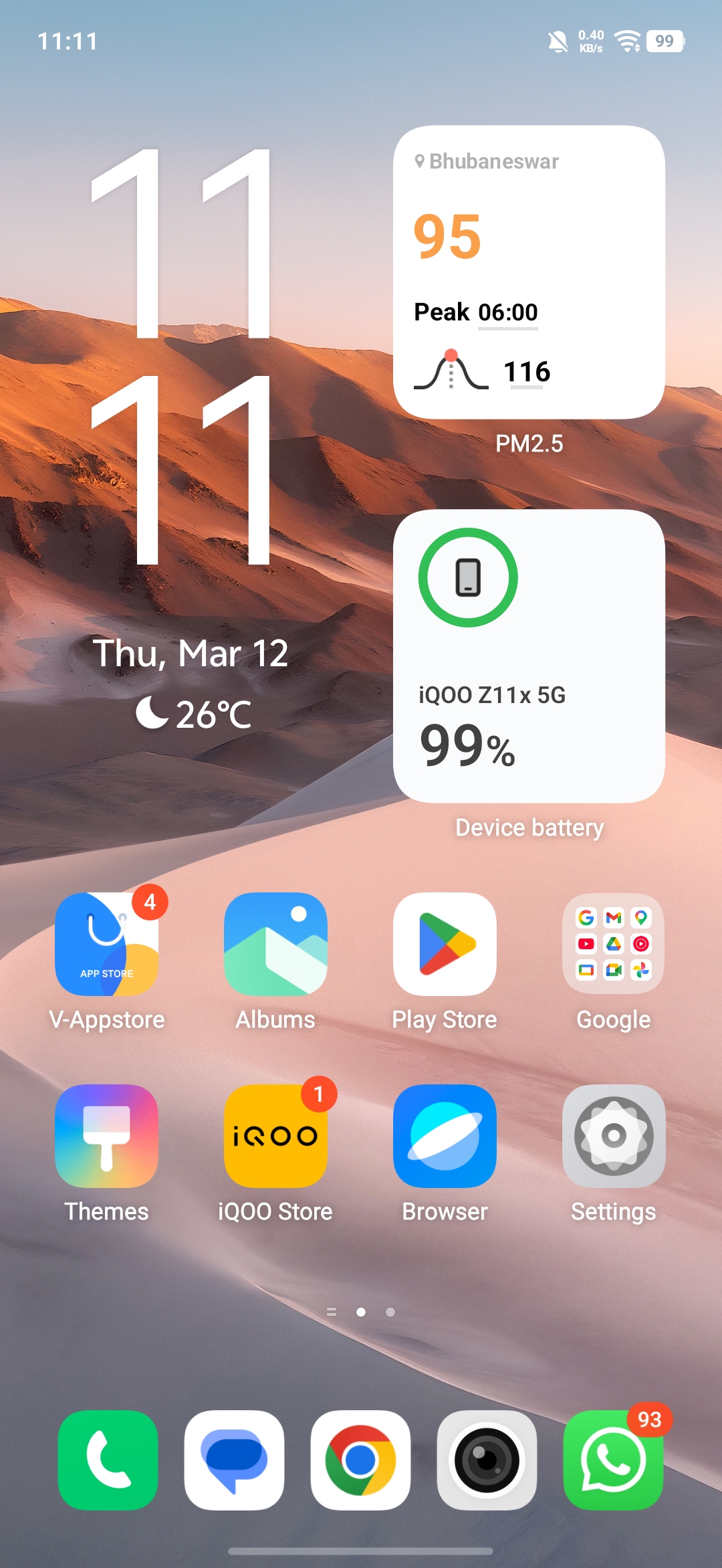
🎛️ All-New Control Panel Design
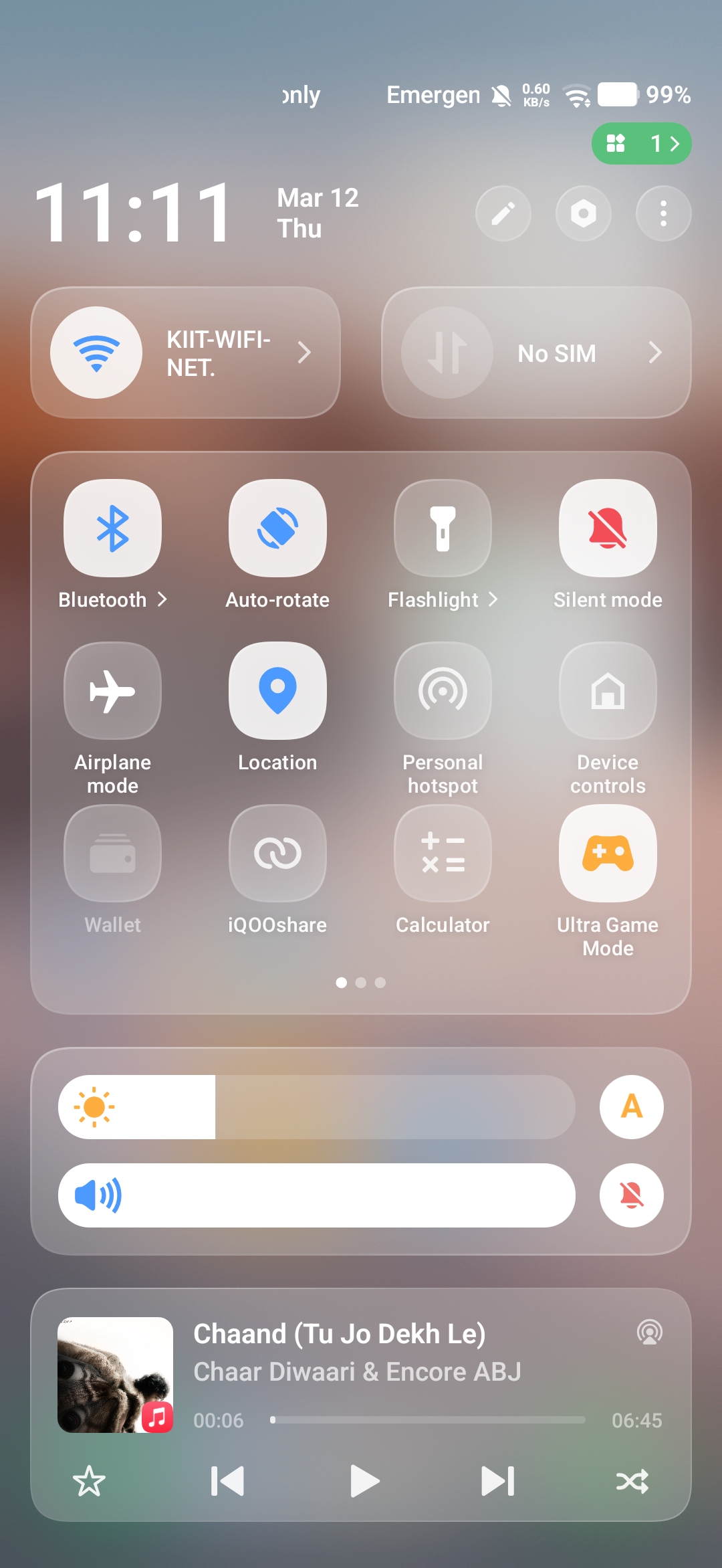
Another thing that stood out to me is the new control panel design.
The control panel now looks much more refined and modern, giving the phone a fresh and niche look compared to what we usually see on many devices. The layout feels cleaner, and accessing quick settings feels more intuitive.
It definitely gives the entire UI a new visual identity.
🧩 Useful Widgets for Daily Use
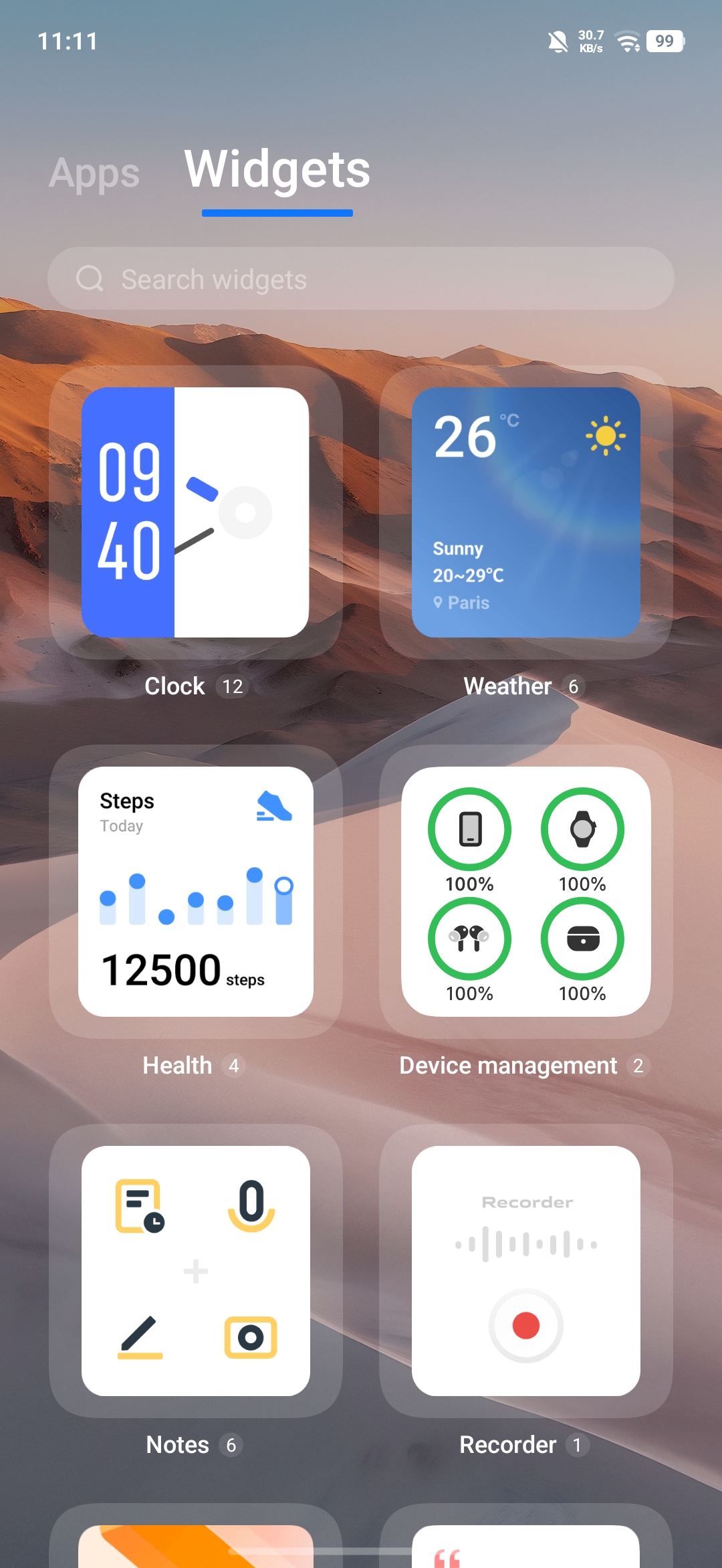
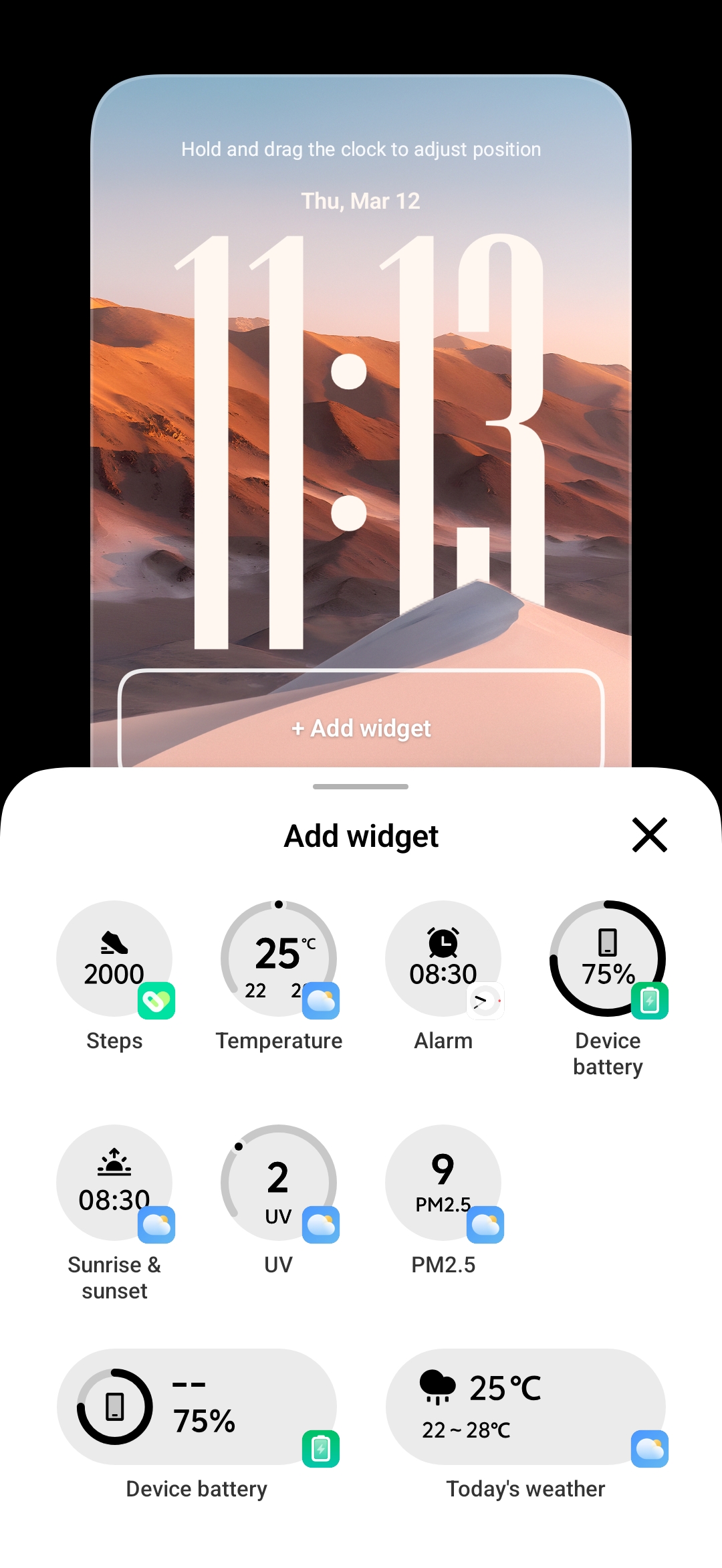
OriginOS 6 also introduces a variety of useful widgets that can be placed on the home screen.
These widgets are not just visually appealing but also practical for everyday use. Whether it's quick access to apps, system information, or shortcuts, the widgets make the home screen feel both functional and customizable.
🎨 Improved Customization
One of the biggest highlights of OriginOS 6 is the level of customization it offers.
You can now customize several elements of the phone including:
- Home screen layouts
- Widget arrangements
- Themes and visual styles
The overall makeover of the UI with OriginOS gives the phone a fresh and personalized feel, which many users will definitely appreciate.
🔒 Lock Screen Customization
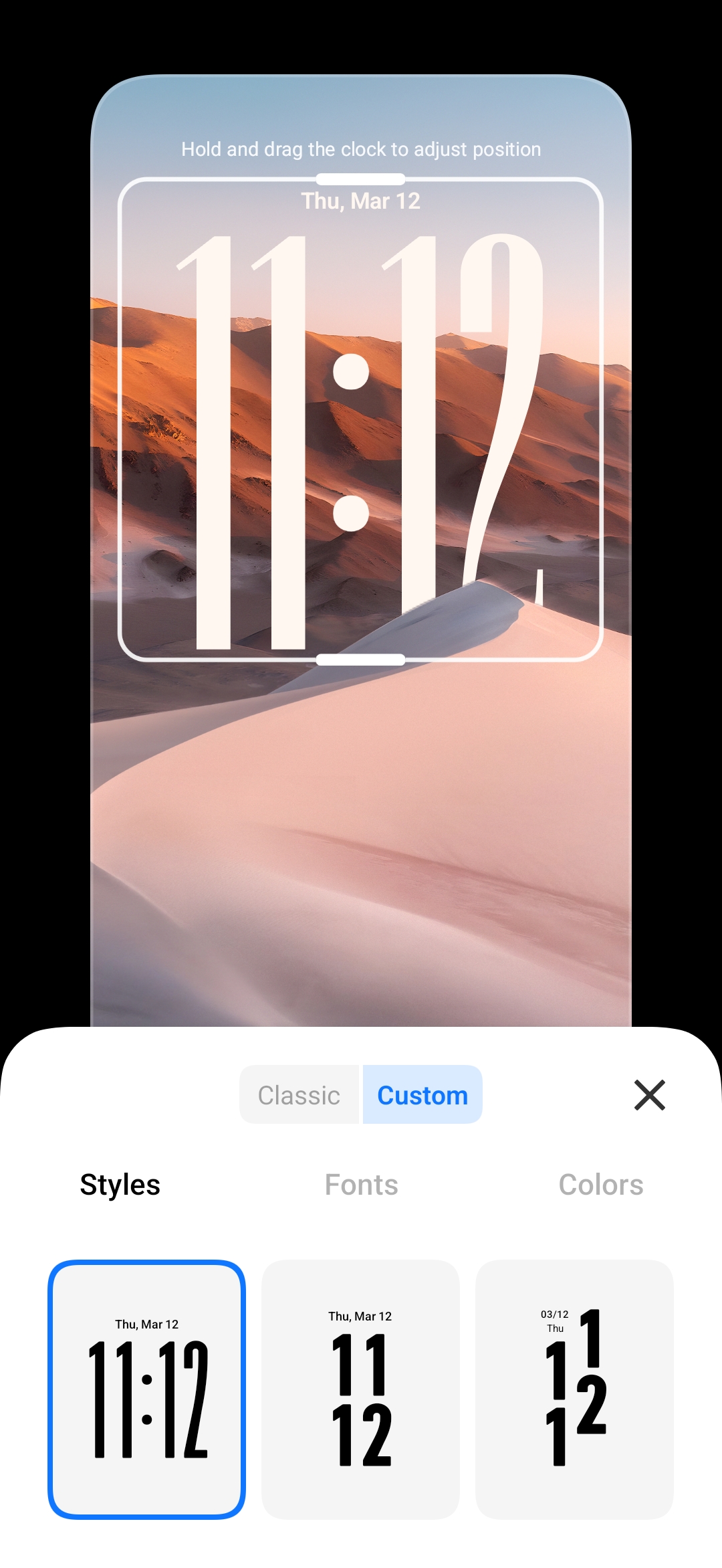
The lock screen customization is something that really stood out to me.
OriginOS 6 allows you to personalize the lock screen with:
- Different themes
- Custom clocks
- Widgets directly on the lock screen
You can adjust the layout, experiment with different styles, and create a lock screen that feels unique to your setup.
Some of the themes look really well designed and give the phone a completely new vibe every time you change them.
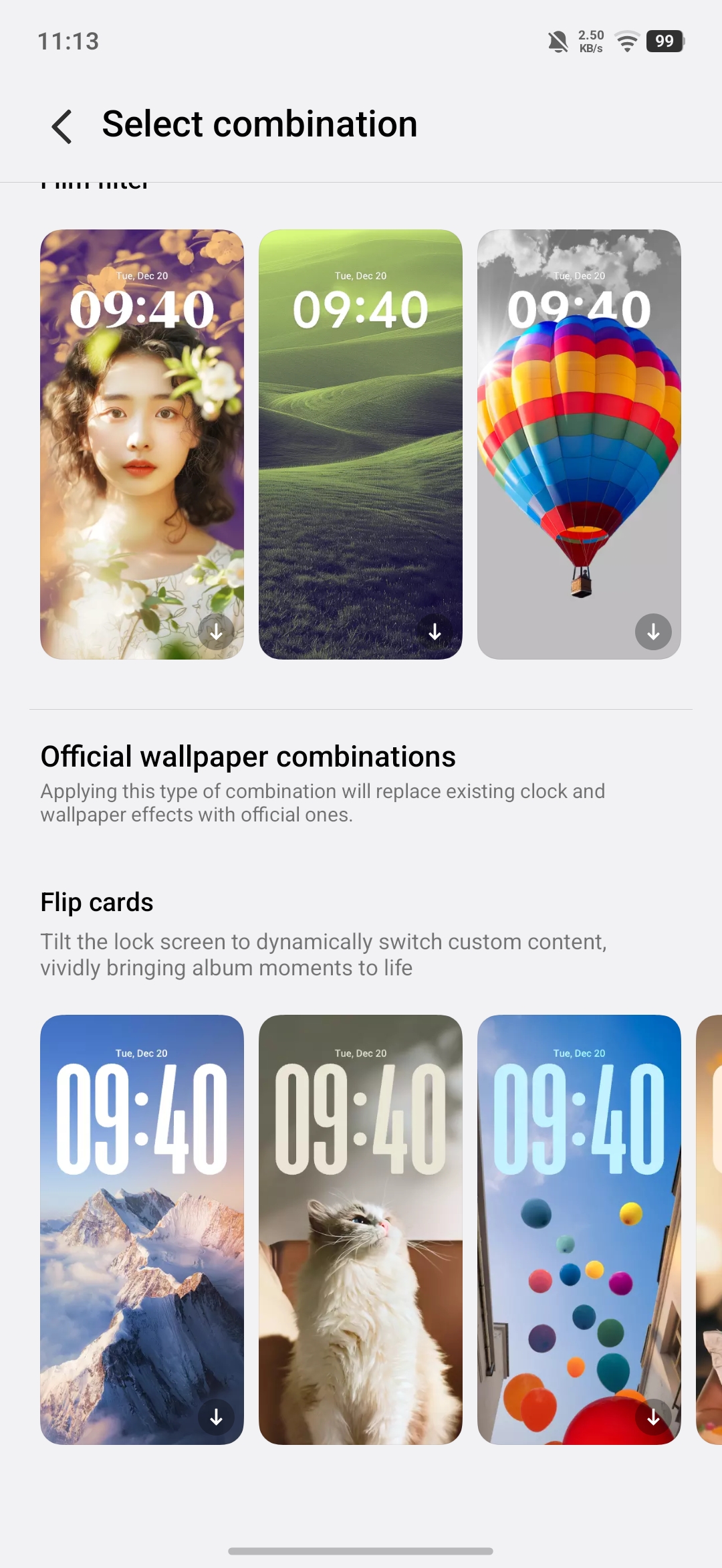
🔄 Flip Card Style Interface
Another interesting element that OriginOS is known for is the flip-card style interface, and it's nice to see it here as well.
This design style makes certain widgets and information panels feel interactive and dynamic, adding a unique touch to the overall user experience.
First Experience with OriginOS on the Z Series
Since this is my first time using OriginOS on a Z Series device, the experience so far has been quite refreshing.
The UI feels:
- smooth
- customizable
- visually modern
The new design changes, control panel layout, and improved customization options definitely make the software experience more enjoyable for users who like to personalize their device.
I'll continue exploring more features of the iQOO Z11X, and soon I'll be sharing posts about performance, camera samples, and real-world usage.
Stay tuned!
Thank You for reading
Please sign in
Login and share