



























iQOO 15R Connectivity Features: One-Tap Sharing & Cross Device Experience

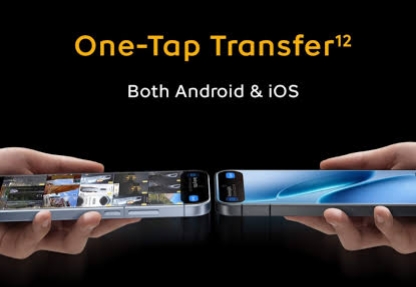
The iQOO 15R focuses heavily on seamless connectivity. With OriginOS 6, the phone is designed to work smoothly across phones, PCs, and even Apple devices. The goal is simple: faster sharing and effortless multi-device workflows.
🔄 One-Tap Transfer
Switching phones or sharing files is now extremely simple. One-Tap Transfer lets you move photos, videos, apps, contacts, and documents between devices almost instantly.
What makes it special is cross-platform support.
You can transfer data between:
• Android phones
• iPhones & iPads
• Windows PCs
• Mac computers
No cables. No cloud upload. Just direct transfer.
⚡ Fast Local Transfers
The system uses high-speed local network technology instead of traditional Bluetooth. This means large files like videos or folders move quickly without consuming mobile data.
📱➡️💻 Cross-Device File Transfer
With OriginOS 6, your phone can easily exchange files with a computer.
You can send documents, photos, or folders across screens and keep working without interruption.
🖥 Screen Mirroring
Mirror your phone screen directly to your PC and control it there.
You can even drag and drop files between devices, turning your phone into part of your desktop workflow.
📡 Stronger Network Connectivity
The phone also includes a dedicated network enhancement chip and improved antenna architecture to keep connections stable in crowded areas like malls, stadiums, or metro stations.
📶 Modern wireless support
The device supports:
• Wi-Fi 7
• Bluetooth 6.0
• NFC
• IR Blaster
So whether it’s sharing files, connecting accessories, or controlling devices, the connectivity stack is future-ready.
The iQOO 15R isn’t just about performance. Its connectivity ecosystem makes file sharing, device switching, and cross-platform productivity far smoother than traditional smartphone setups.
Signing off
Please sign in
Login and share