



























🛡️ Attention iQOO Users: Your Security Needs an Update!

Did you know there are two types of security updates on your iQOO device? While OriginOS handles the main system patches, Google sends out separate Google Play System Updates that often get missed.
1️⃣ Why does this matter?
Unlike the big Funtouch OS updates, these "hidden" Google Play updates patch critical vulnerabilities in:
- Google Play Protect(malware scanning)
- Device Connectivity (Bluetooth/Wi-Fi security)
- Privacy Controls
- System Management (battery and storage optimizations)
2️⃣ How to Update (The Step-by-Step)
Don't wait for a notification sometimes they don't show up!
1. Open Settings on your iQOO phone.
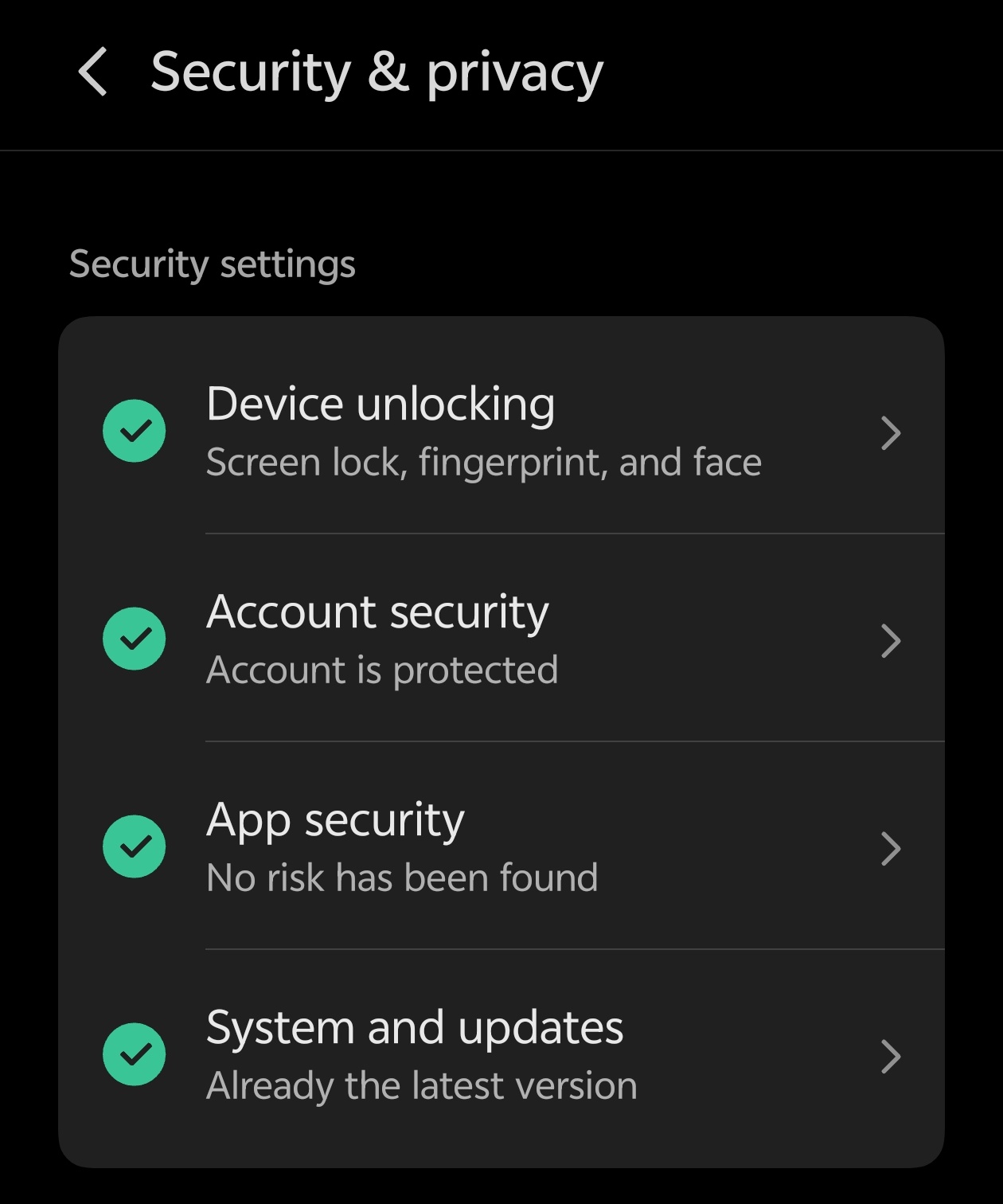
2. Scroll down and tap Security & Privacy
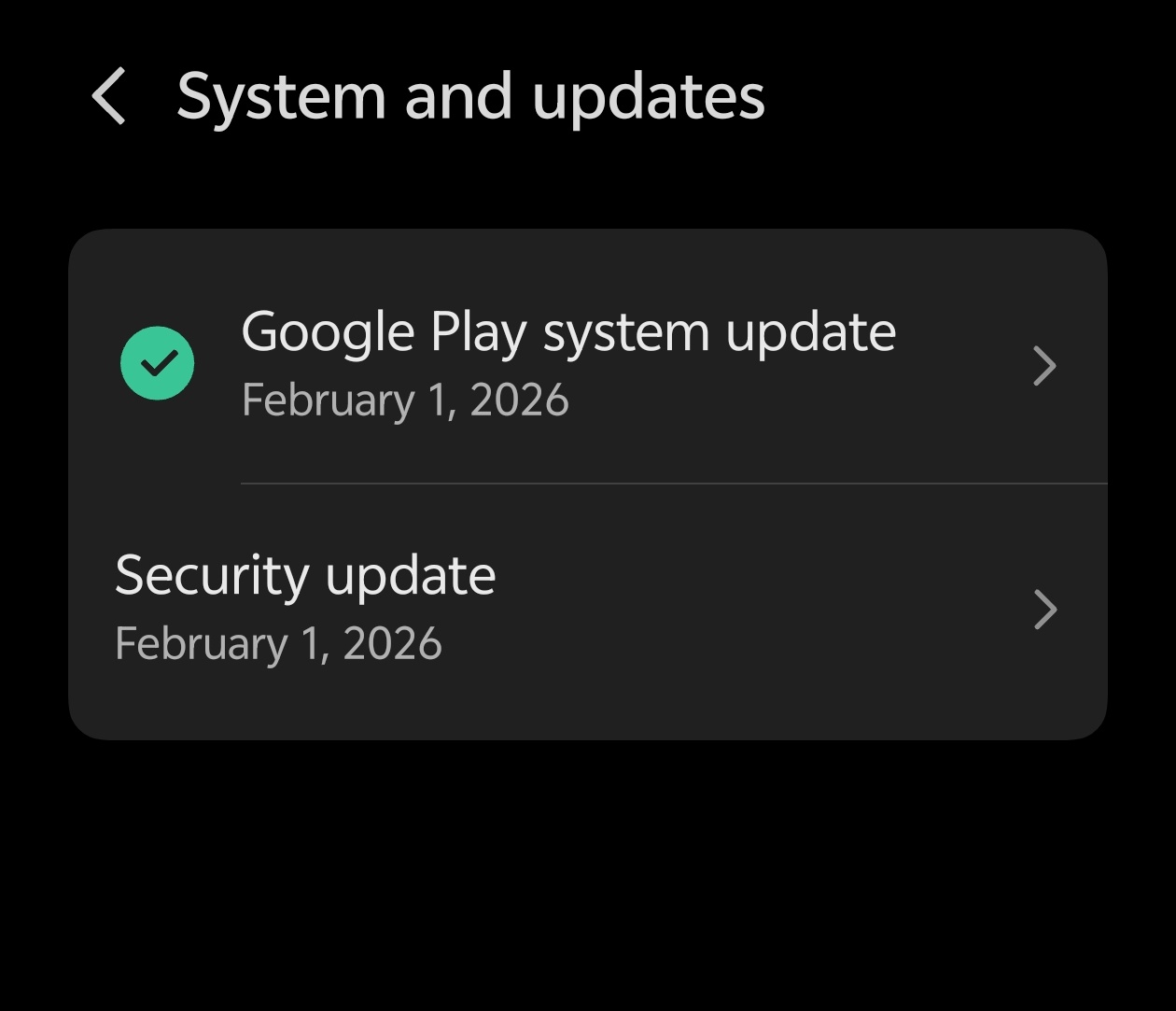
3. Tap on System &Updates
4. Tap Google Play System Update.
5. Hit Check for Update.
Next Step:
3️⃣ Pro-Tip: The "Double Check"
Often, these updates are small and require a quick restart. If you install one,
check again immediately after the reboot. It's common to have 2 or 3 updates queued up if you haven't checked in a while!
4️⃣ Troubleshooting "Stuck" Updates
Is it showing an old date (like 2024 or 2025) and saying "up to date"?
Clear Cache: Go to Settings > Apps > Google Play Services > Storage > Clear Cache
Wi-Fi is Key: These updates prefer a stable Wi-Fi connection and at least 30% battery.
🚀 Stay Safe, Questers!
Keeping these updated ensures your iQOO device remains fast, secure, and compatible with the latest Google features.
What is your current Play System update date? Let us know in the replies! 👇
Please sign in
Login and share