




















NVIDIA Brings RTX-Acceleration To ComfyUI For Faster AI Video Gen

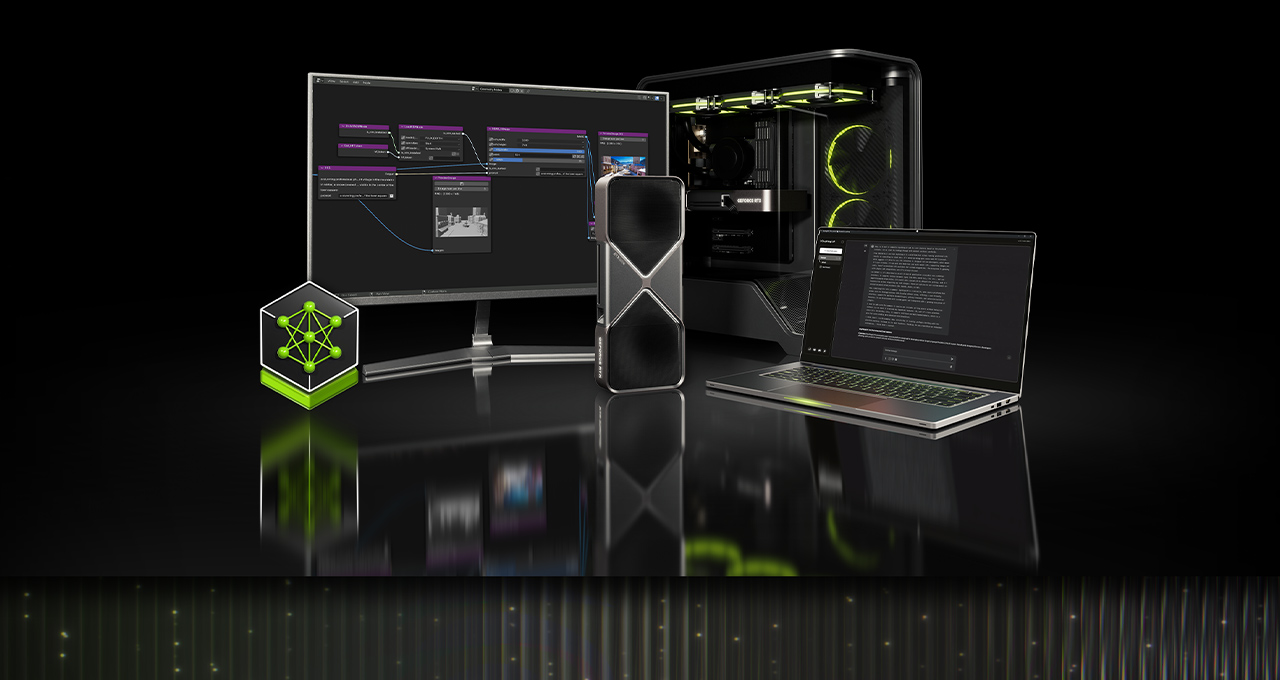
NVIDIA accelerates AI Video Gen in ComfyUI with a new App View feature, alongside FP4 & RTX Video Super Resolution support.
NVIDIA Adds App View, FP4 & RTX Video Super Resolution Support To Comfy UI's AI Video Gen
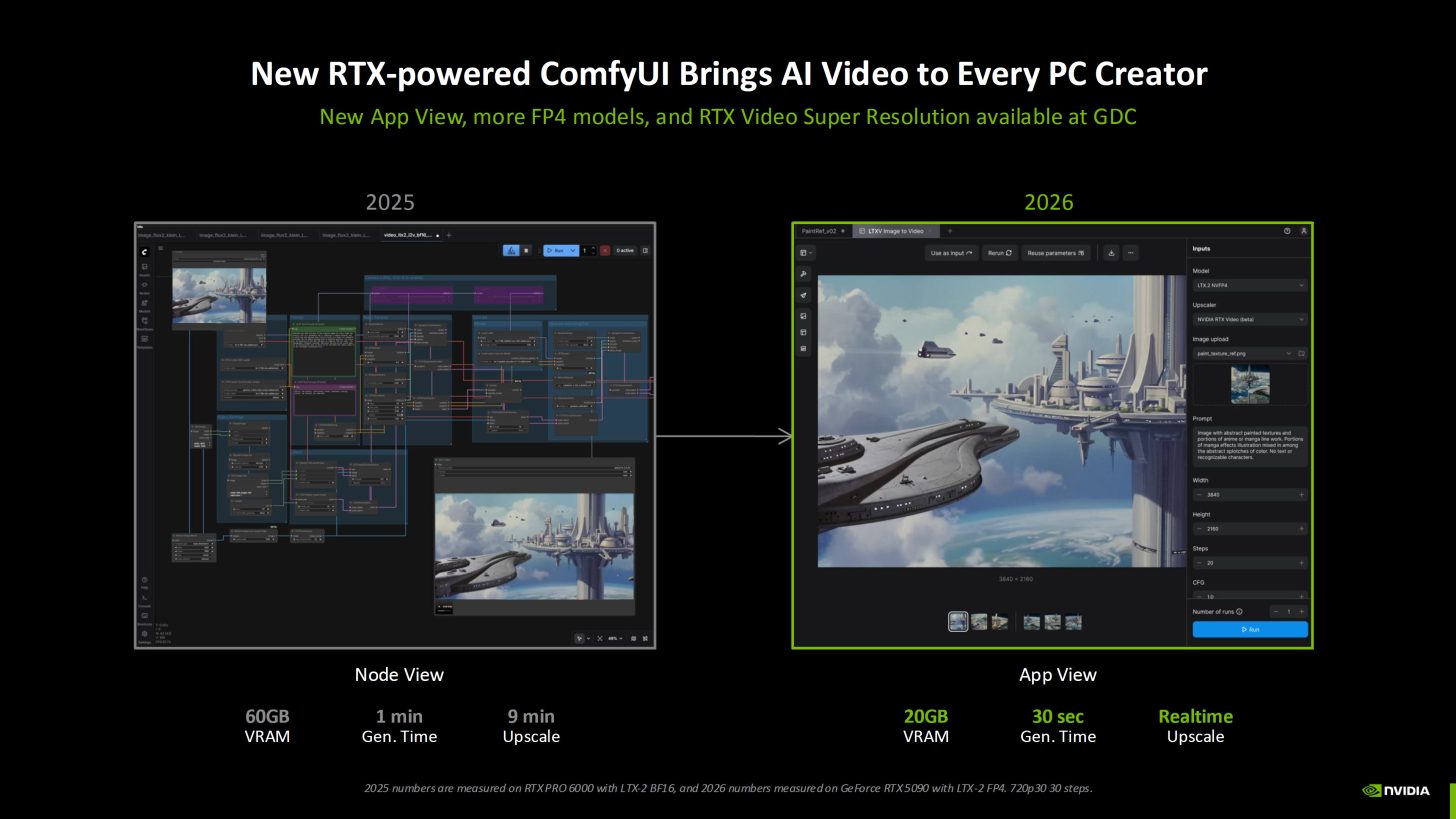
NVIDIA is announcing a new app view in Comfy UI. It's a simplified panel-based interface designed to make advanced AI workflows accessible to more creators. Traditionally, Comfy UI relies on these complex graph node graphs. They're extremely powerful but intimidating for many users who are just getting started. App view hides that complexity. Creators can pick a model, set their prompts, hit run, and collaborate more easily.
And if they need advanced control, they can switch back to node view at any time. Under the hood of Comfy UI, NVIDIA is also advancing performance. We have added native NVFP4, NVFP8, and RTX Video Super Resolution support. With these features, RTX GPUs can now run up to 2.5x faster, and also reduce VRAM requirements by up to 60%, allowing faster and crisper 4K videos to be generated within seconds.
Frictionless Local AI: Collaborate, Optimize, Customize
Many of today’s popular AI applications are making it easier for beginners to try state-of-the-art models directly on their laptops or desktops. For artists unfamiliar with node graphs, ComfyUI’s new App View presents workflows in a simplified interface. Users only need to enter a prompt, adjust simple parameters, and hit generate. The full node-based experience remains available as Node View, and users can seamlessly switch between the two modes.
App View is compatible with the RTX optimizations in ComfyUI. Performance for RTX GPUs is 40% faster since September, and ComfyUI now supports NVFP4 and FP8 data formats natively. All combined, performance is 2.5x faster, and VRAM is reduced by 60% with NVIDIA GeForce RTX 50 Series GPUs’ NVFP4 format, and performance is 1.7x faster, and VRAM is reduced by 40% with FP8.
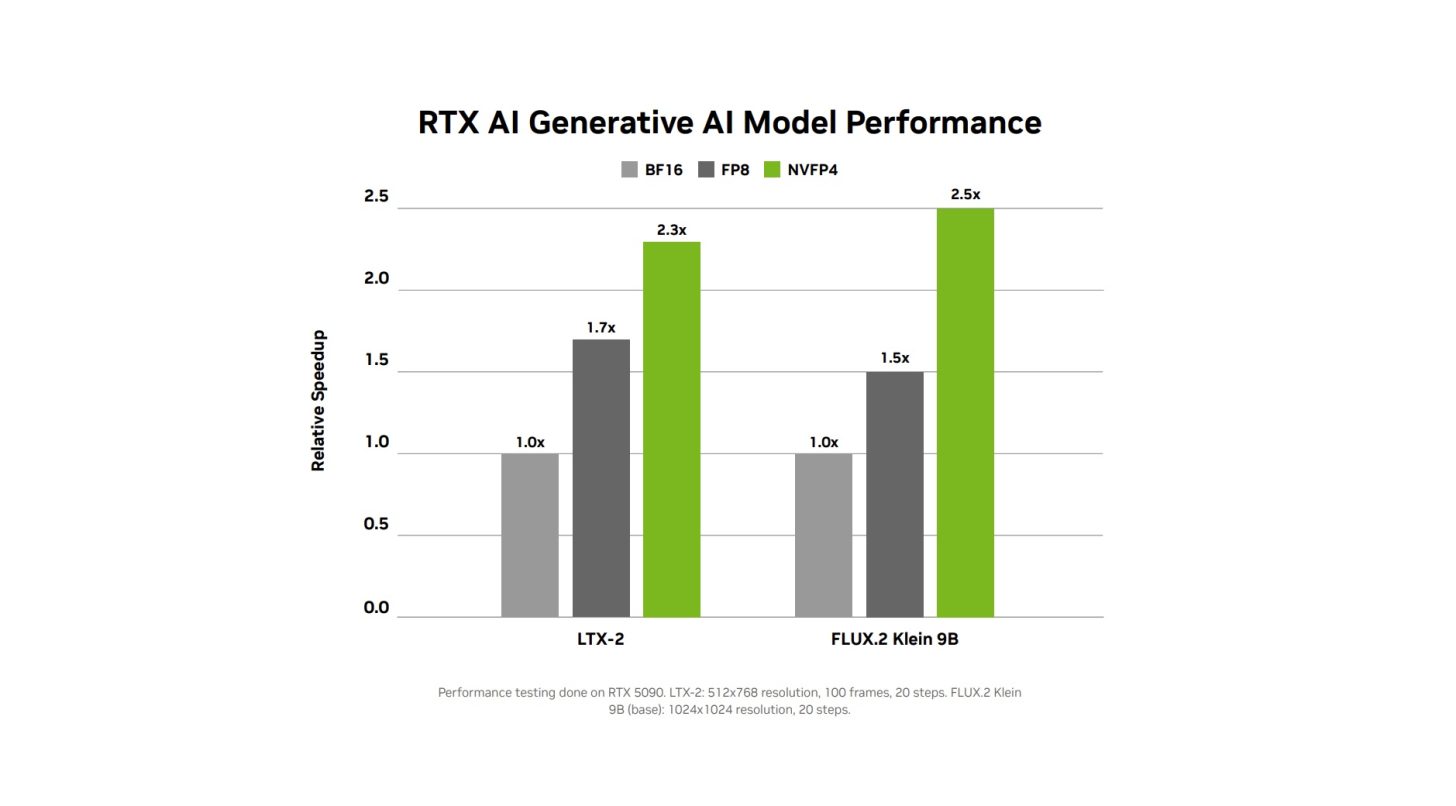
At CES in January, NVIDIA announced several models released with NVFP4 and FP8 support. And now more NVFP4 and FP8 models are available — LTX-2.3, FLUX.2 Klein 4B and FLUX.2 Klein 9B — directly in ComfyUI. To get started, download the NVFP4 and FP8 checkpoints directly from Hugging Face, load the default workflows in ComfyUI via the Template Browser, and replace the default model checkpoint with the newly downloaded checkpoint.
Faster 4K Video Generation
Getting high-quality video outputs often means juggling three constraints: speed, VRAM, and control. While many artists ultimately want 4K quality, most prefer to generate smaller, faster previews first, and then upscale them. Today’s upscalers take minutes to upscale a 10‑second clip into 4K resolution.
Now, users can quickly upscale generated video to 4K with NVIDIA RTX Video Super Resolution, available as a node for ComfyUI. RTX Video can be accessed as a standalone node for building video workflows from scratch.

Please sign in
Login and share