



























OriginOS features on iQOO Z11x you should know

Hello iQOO Fam! 👋
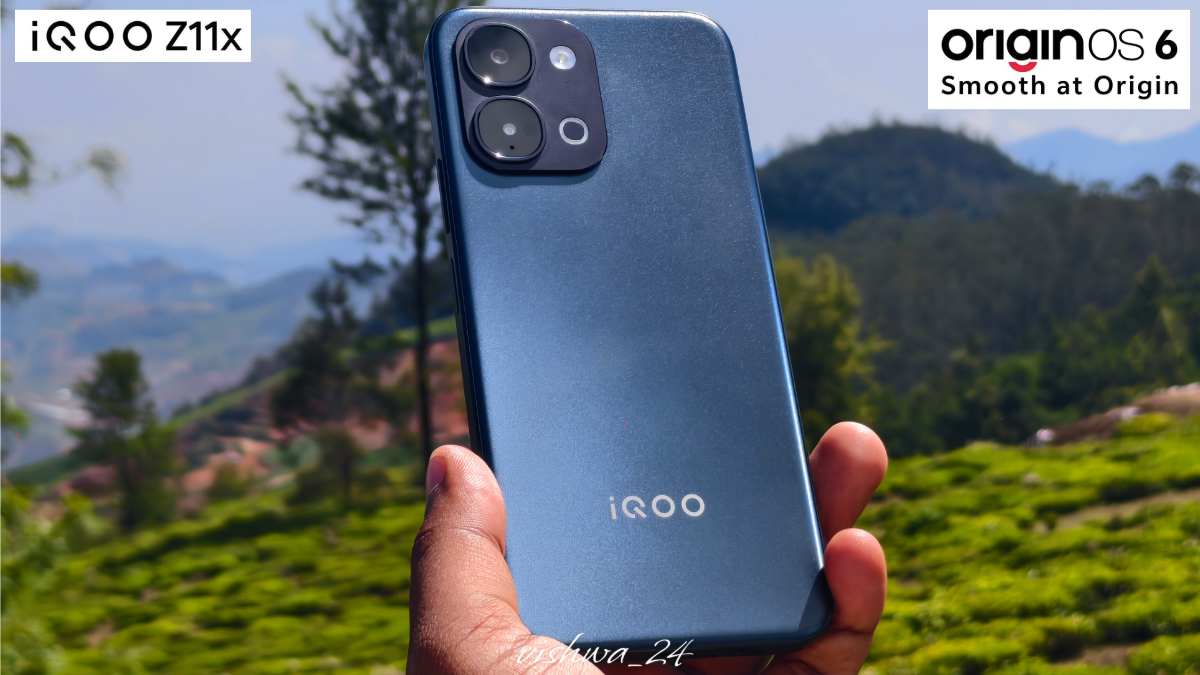
Most of us buy a phone for its specs — the chip, the battery, the cameras. But what really shapes your daily experience is the software. And with OriginOS 6 on the iQOO Z11x, there's a lot more going on under the hood than most people realise.
Here are some OriginOS 6 features on the Z11x that genuinely deserve your attention.
Origin Island — Your Smartest Shortcut
Origin Island is that little floating pill you see near the top of your screen, and it's far more useful than it looks. Two features make it shine:

Drag & Go — Tap and hold any image or text, and Origin Island instantly reads the content and suggests the best app to send it to. Dragging a photo? It'll suggest Instagram, Maps, or Notes. No switching apps, no copy-pasting. Just drag and it's done.
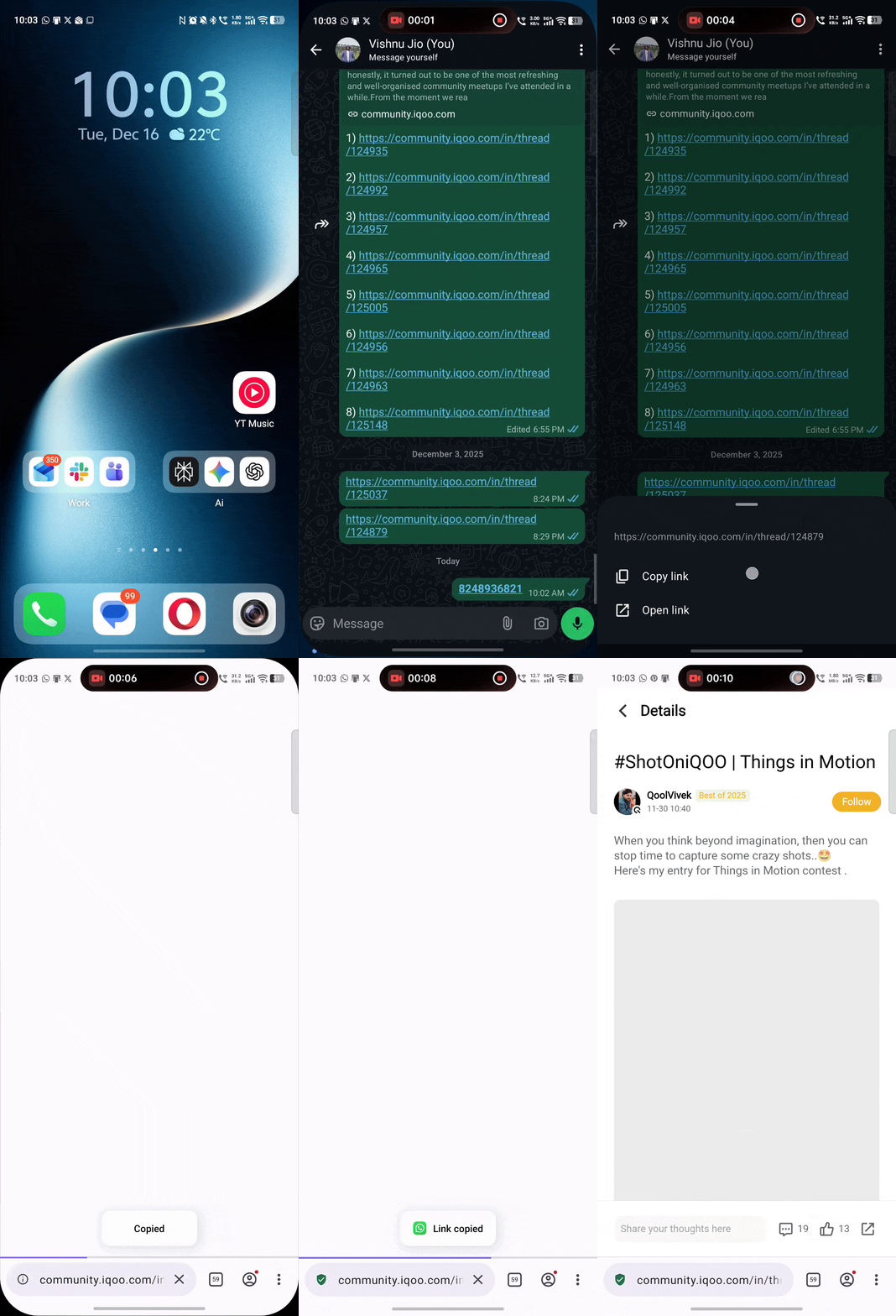
Copy & Go — Copy a phone number, a URL, or even meeting details, and Origin Island immediately pops up with a relevant action — call, open in browser, or add to calendar. It connects the dots so you don't have to.
Circle to Search

This one is a game-changer for everyday curiosity. Draw a circle around anything on your screen — a product, a word, an image — and Google Search opens instantly without leaving the app you're in.
Watching a reel and spot something you like? Circle it. Reading an article and come across an unfamiliar term? Circle it. No more switching to Chrome, searching, then coming back. It just flows.
But here's how I personally use it the most — and this is something not many people talk about. Ever come across a number on screen that just won't let you copy it? A number in an image, or text in an app that doesn't offer a copy option? I just long press the home bar to trigger Circle to Search, circle that text or number, and instantly copy it.

Done. No screenshots, no manual typing. It's one of those small things that saves you more time than you'd expect once you get into the habit.
Personalised Lock Screen — OriginOS 6's Glow Up
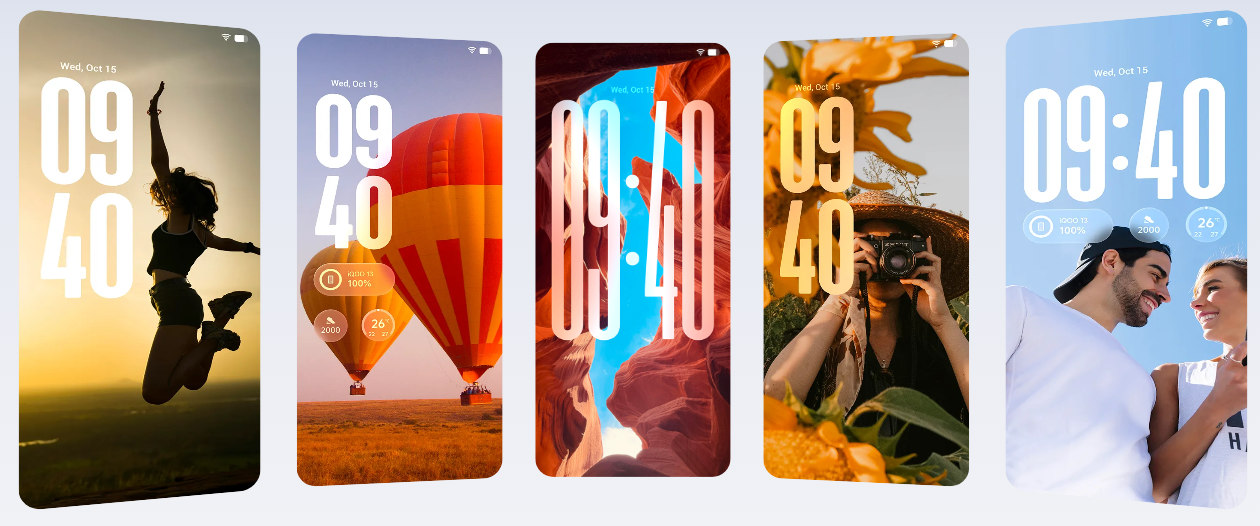
OriginOS 6 gives the lock screen a serious upgrade. You get richer clock styles, mixable elements, and depth effects that shift with parallax as you tilt the phone — giving a premium 3D feel that genuinely surprises people the first time they see it.

Spend a few minutes customising it and you'll have something that feels entirely yours. It's one of those small touches that makes picking up your phone feel a little more personal every time.
Private Space — Hidden, Encrypted, Yours
This is one of those features you don't know you need until you do. Private Space creates a completely separate environment on your phone — its own apps, photos, and files — protected by a unique PIN or fingerprint, fully encrypted and hidden from your main profile.
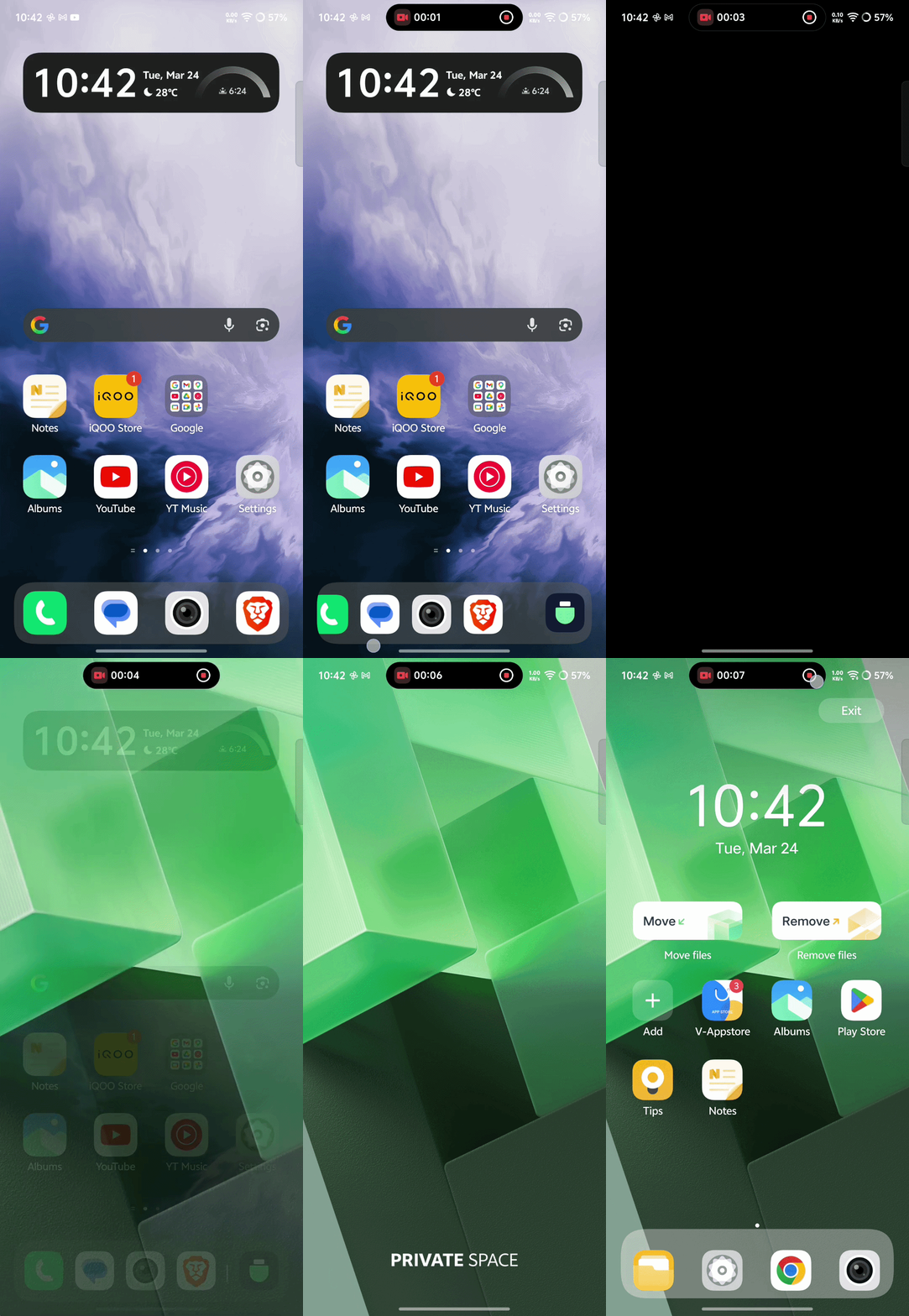
Think of it as a second phone within your phone. Great for keeping work and personal life separate, or simply for things you'd rather keep away from prying eyes when handing your phone to someone.
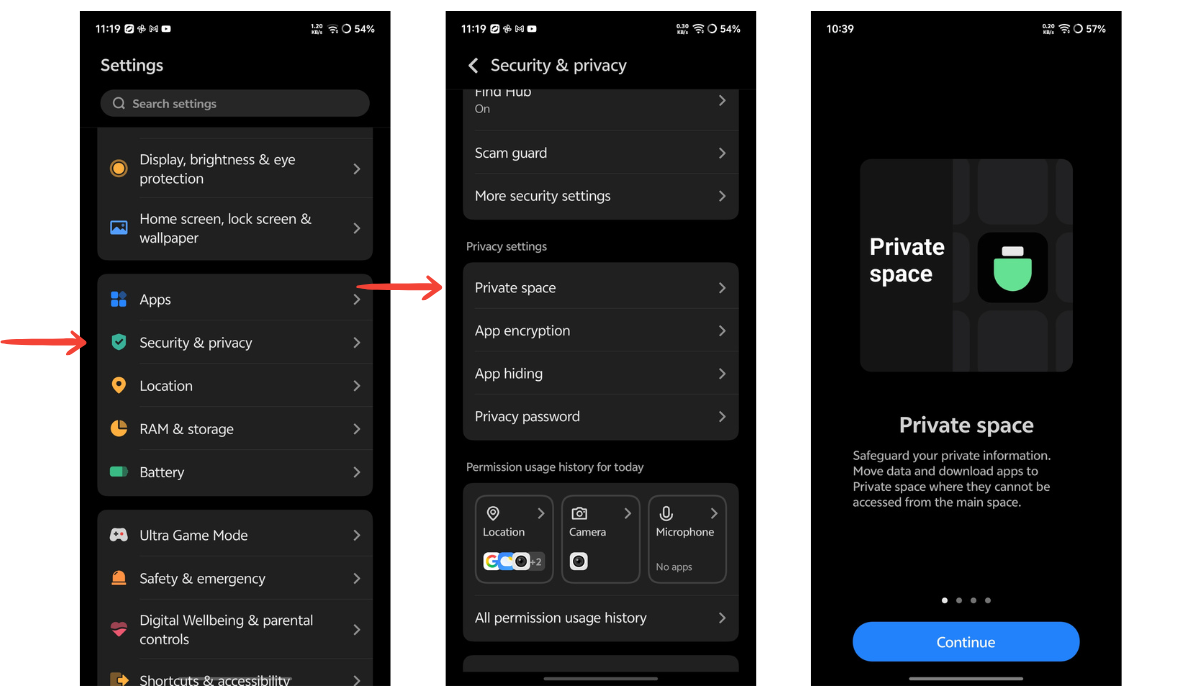
To set it up: Settings > Privacy & Security > Private Space
Document Scanning + AI Erase — Two Practical AI Tools

Document Scanning is built right into the camera. Point it at any paper document, receipt, or handwritten note — OriginOS 6 automatically detects, crops, and cleans it up. Handwriting gets sharpened, shadows are removed, and you get a clean digital copy in seconds. No third-party app needed.

AI Erase works in your gallery — open any photo, tap on an unwanted object or person in the background, and AI removes it and fills in naturally. It's not perfect every time, but for quick cleanups it's surprisingly good.
Final Thoughts
OriginOS 6 on the iQOO Z11x is genuinely packed — and most of these features sit quietly in the background waiting to be discovered. The ones above are my personal picks that I think add real value to daily use.
Give them a try and let me know what you think in the comments! 👇
Signing off,
iQOO Connect Ranger, Coimbatore
Please sign in
Login and share