



























iQOO 15R – 30 Day Detailed Review & Honest Impressions (by Rahul S)

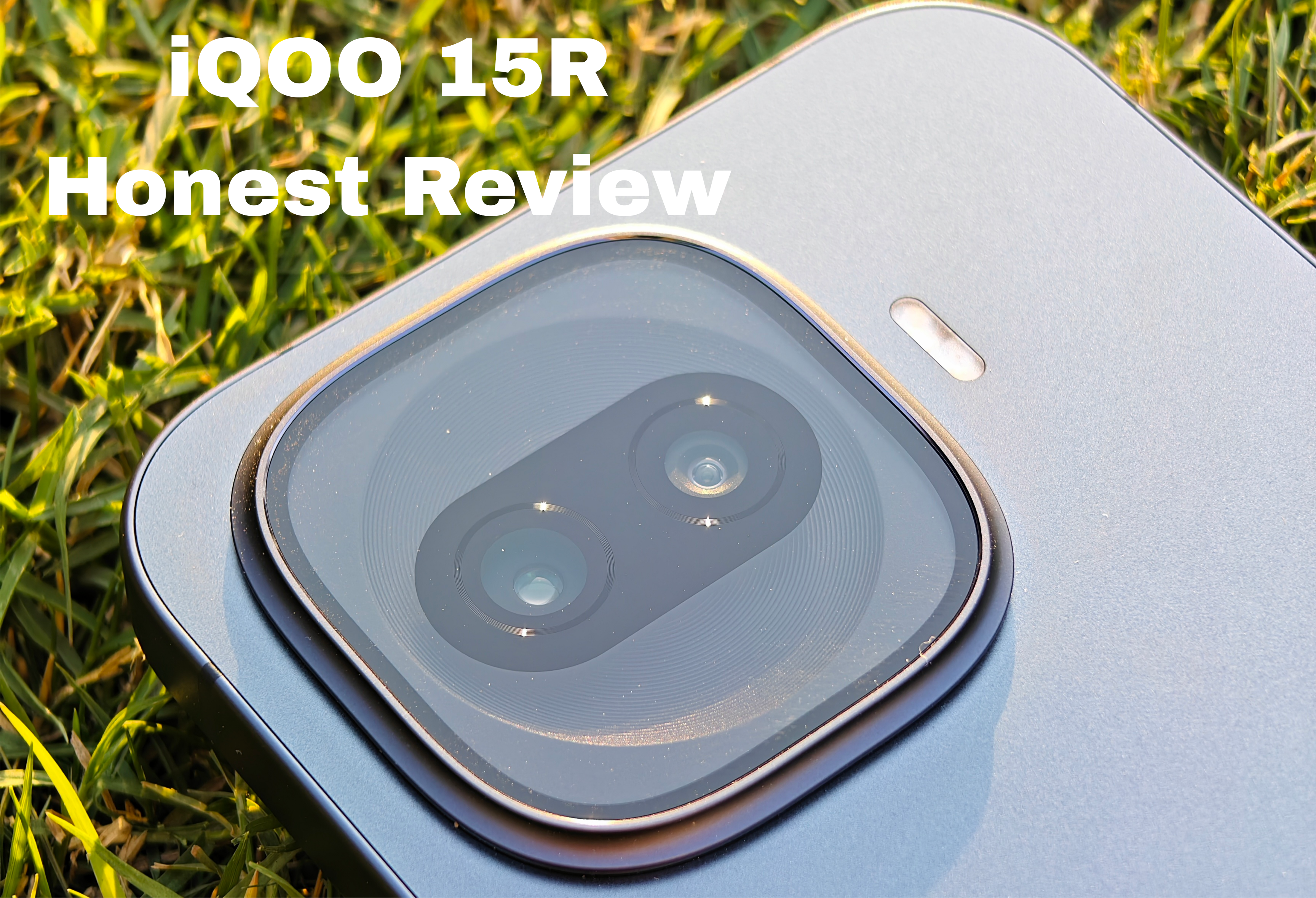
- Disclaimer - This is a Review Unit provided by iQOO under Questers Review program.
- All opinions are completely personal and based on my 30 day testing of the 15R.
- This will be an honest review and i appreciate iQOO for giving me creative freedom to openly share my thoughts ✌️
My unit
- Dark knight (12GB / 512GB)
- Software version during writing of this review

📦 Unboxing Experience
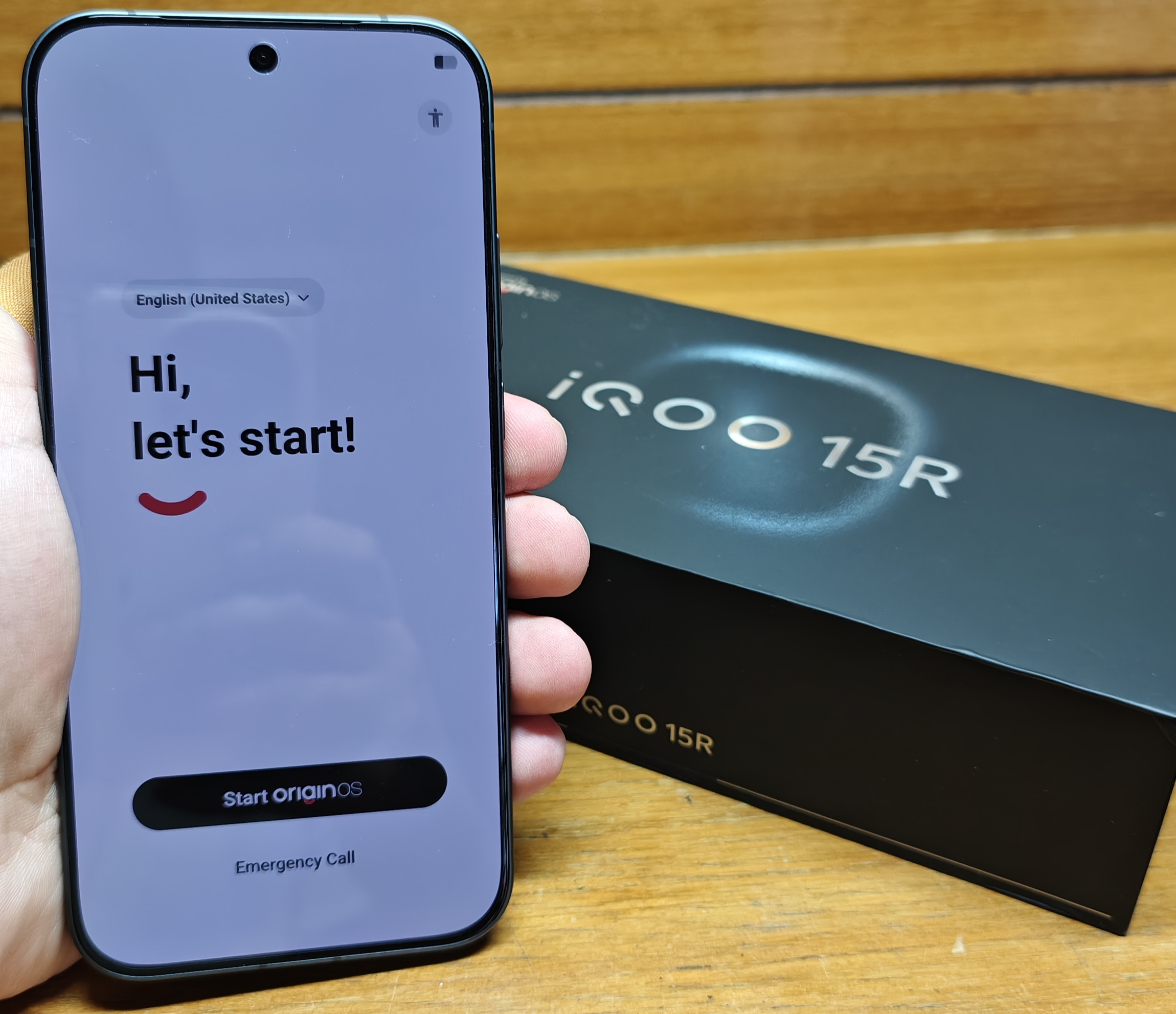
📦 In the Box :
- ⚡ Charger – 100 Watt Flash Charger (Supports PD charging )
- 🔌 Cable – Type C to C ( only regular data transfer speeds )
- 🔧 SIM ejector pin
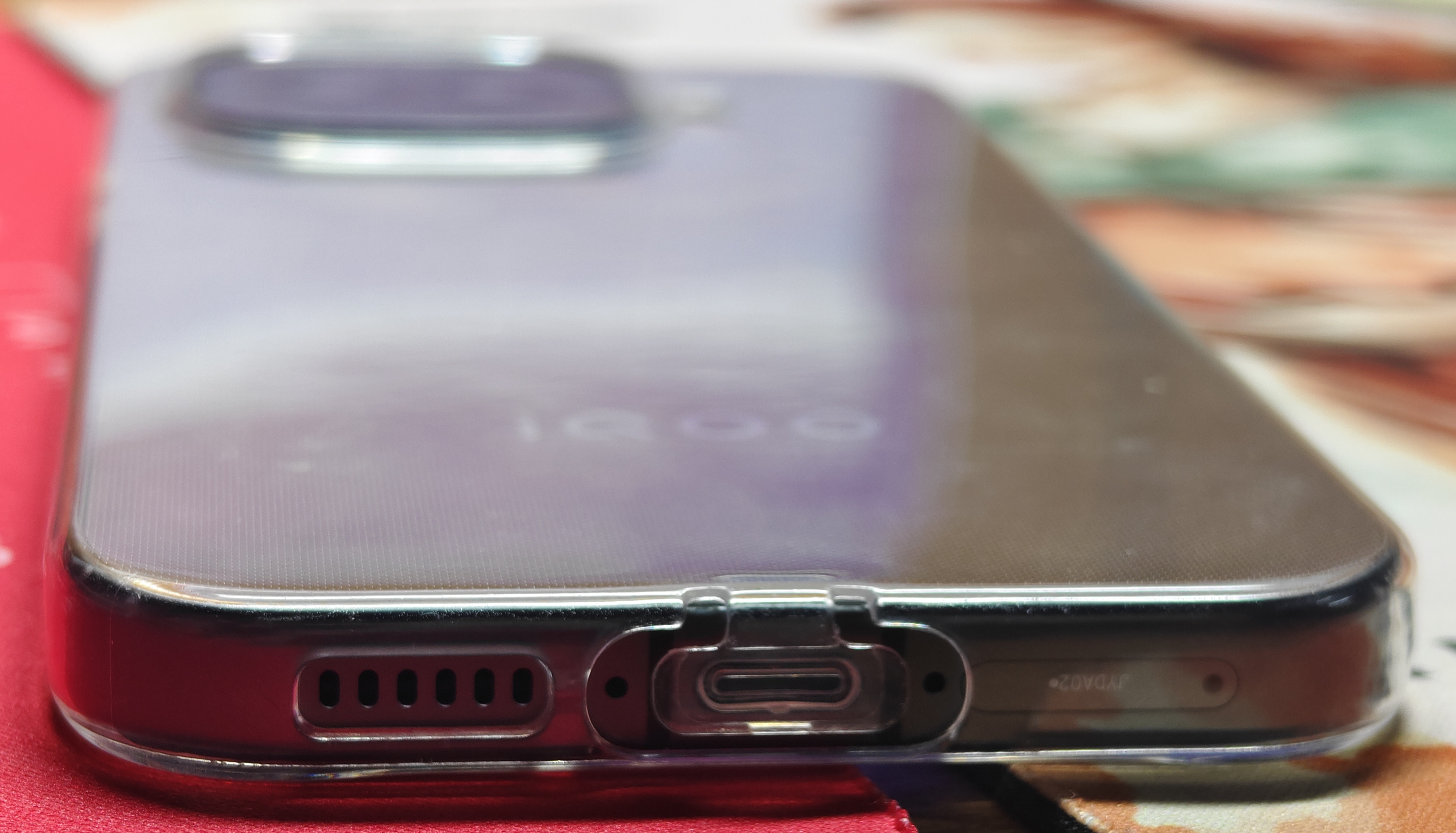
- 🛡 Case – Silcon based Transparent Case
Design Overview
- Button feedback – Clicky
- Pre-applied screen protector – Present ( plastic based )
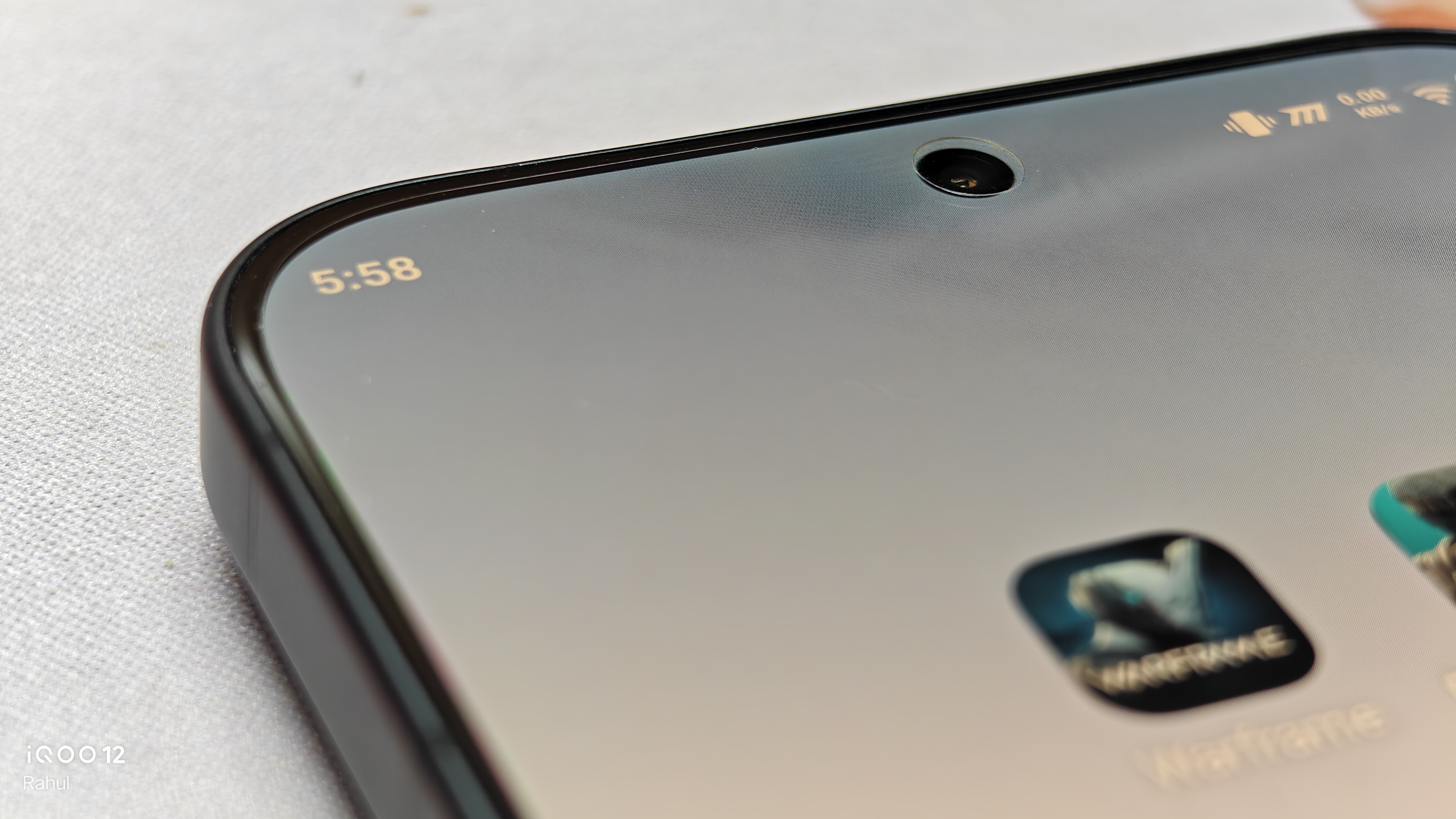
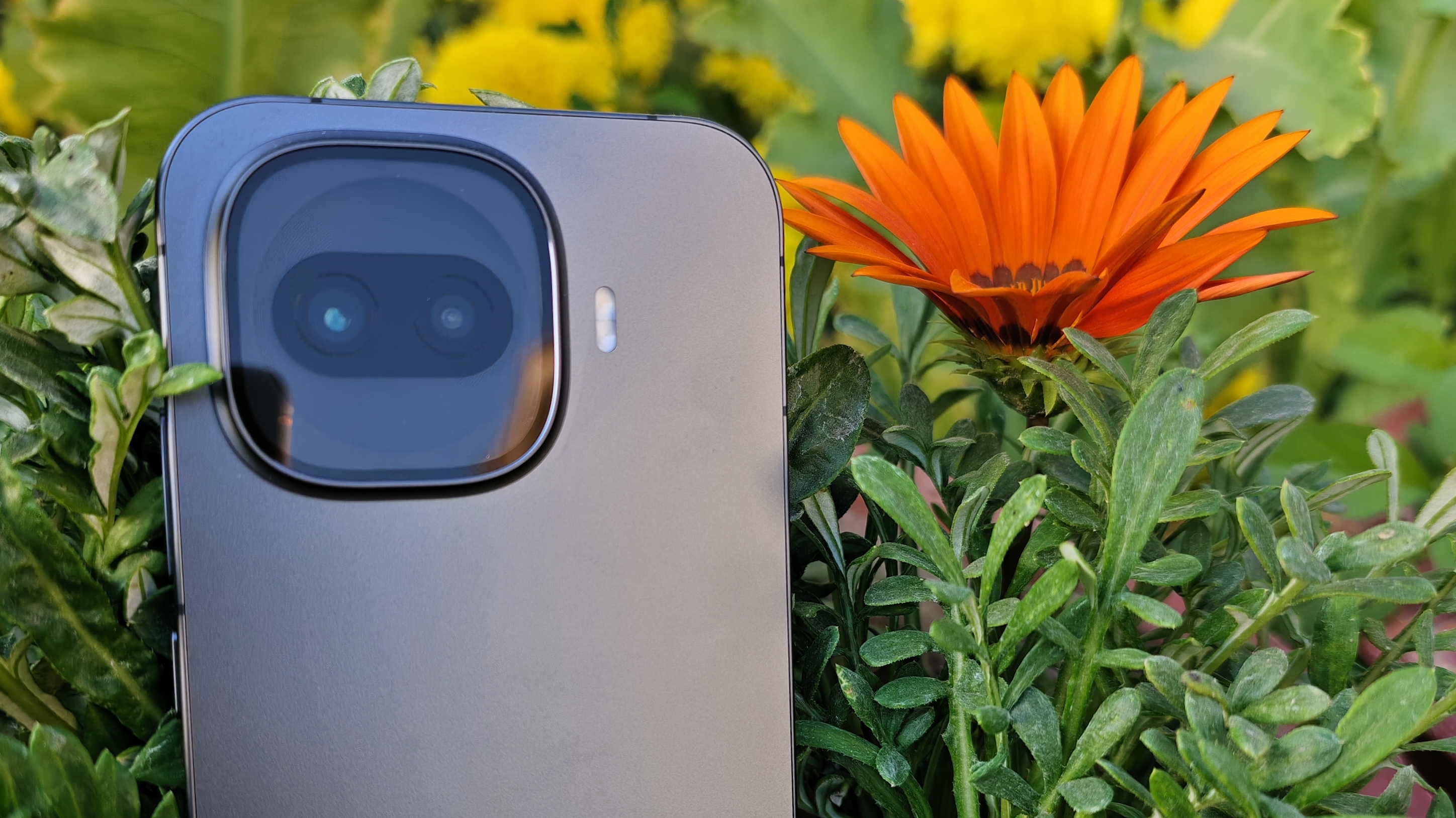
- Camera Module – Similar Shape to iQOO 15 but design reminds me of another phone ( take a guess in the comments )
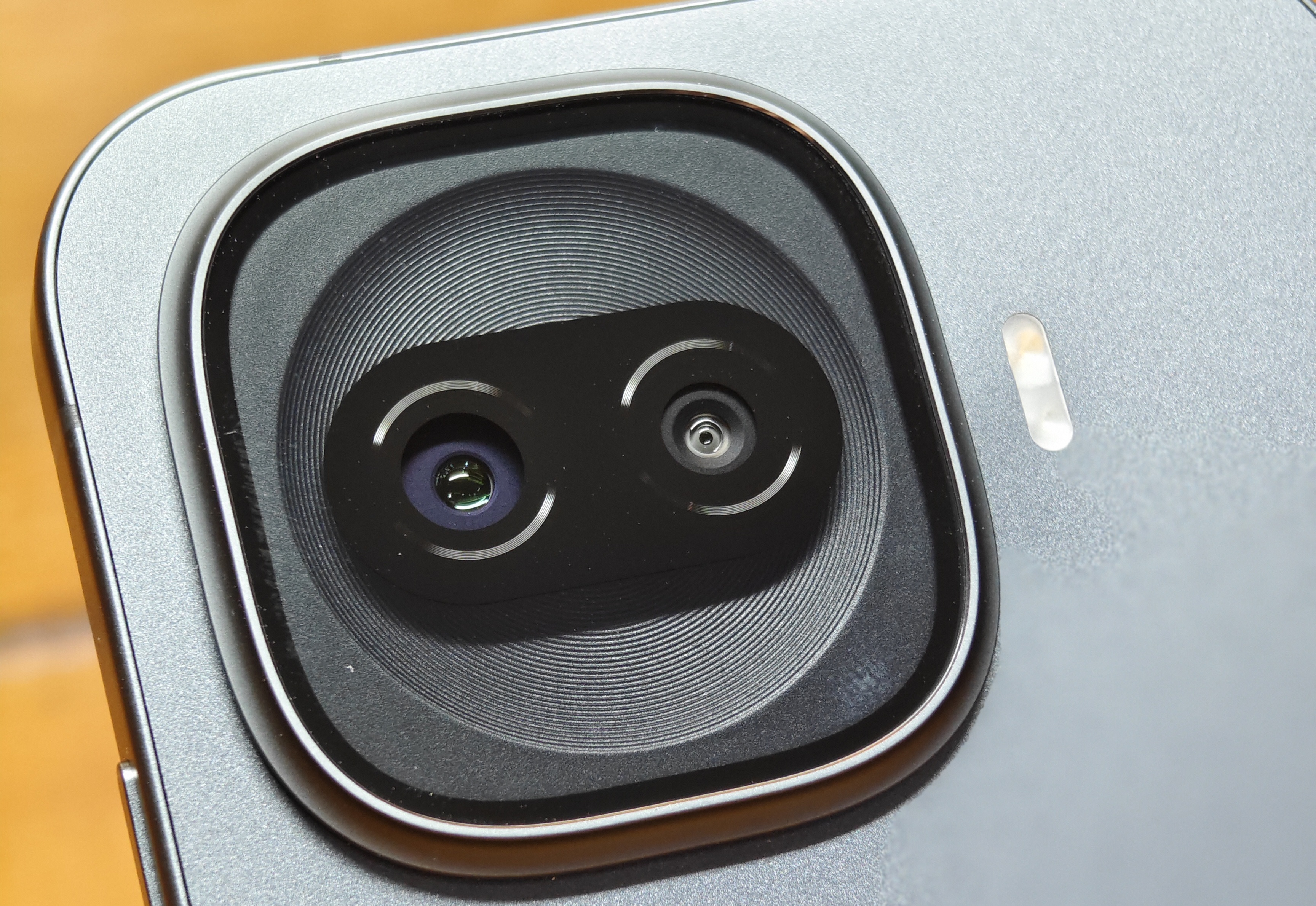
🧱 Design & Build Quality
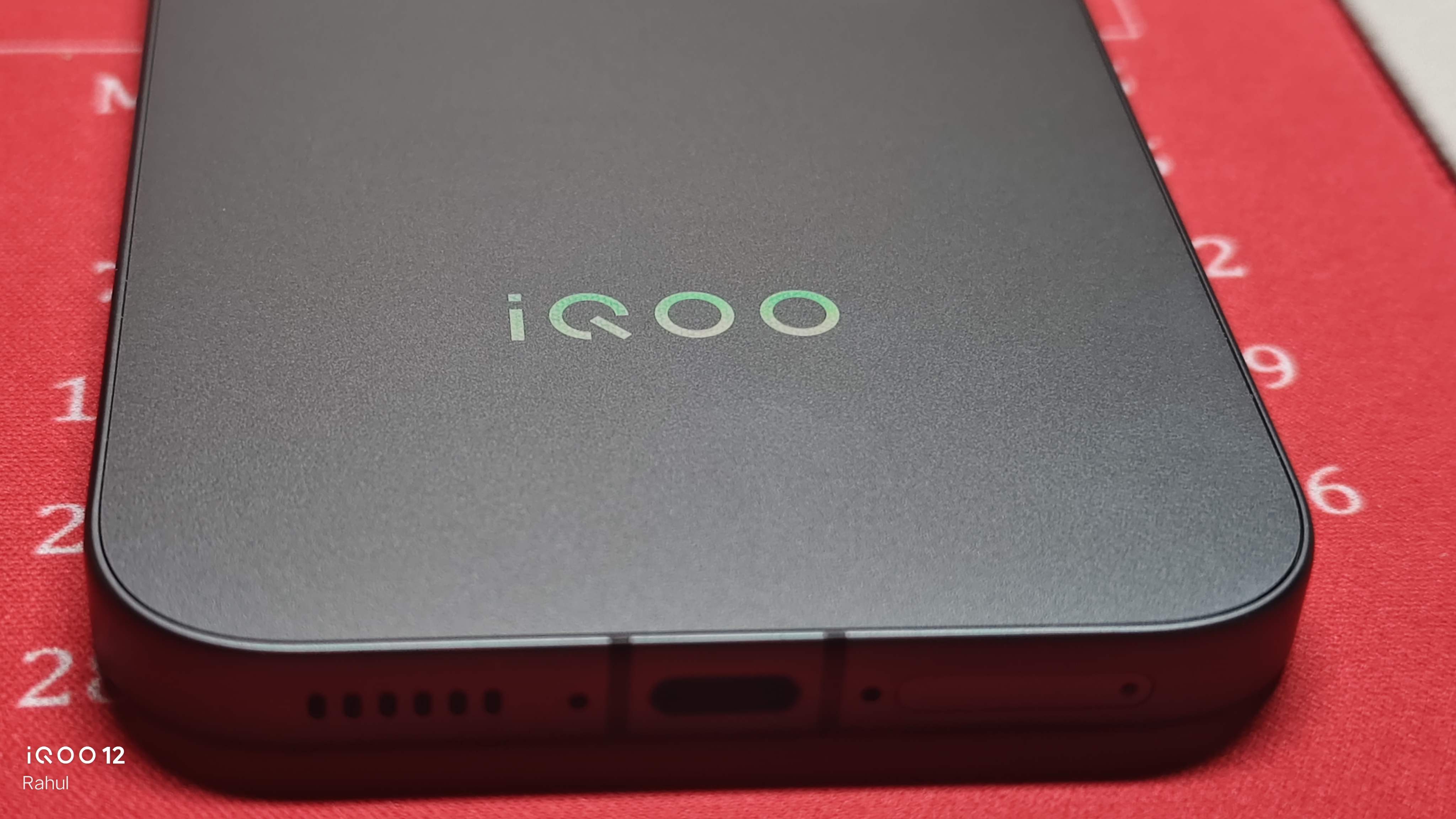
- Back – Fiberglass/Plastic in the Dark knight variant ( to be honest this feels like a Downgrade compared to the glass back in Silver variant as Fiberglass is mostly plastic resin with glass fibers and it's 3 times worse than Glass for Heat dissipation 💀 , just buy the silver variant)
- Frame – Anodized Alluminium ( Matte )
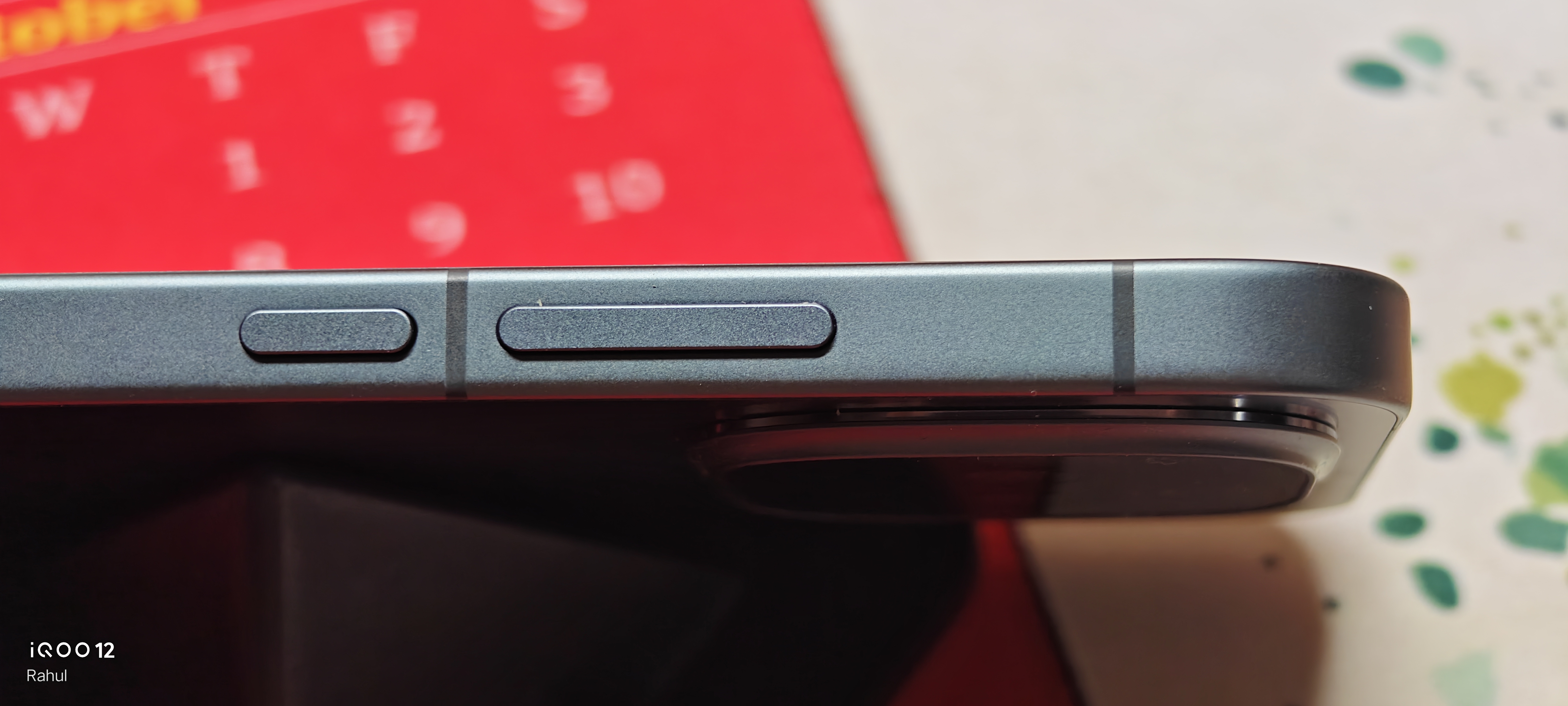
- Front protection – Schotta Xensation Alpha (Drop test not attempted 😭)
- Weight – 202g for Dark knight variant ( silver is 206 gram due to glass back )
- ⚖ Balance – Camera Heavy
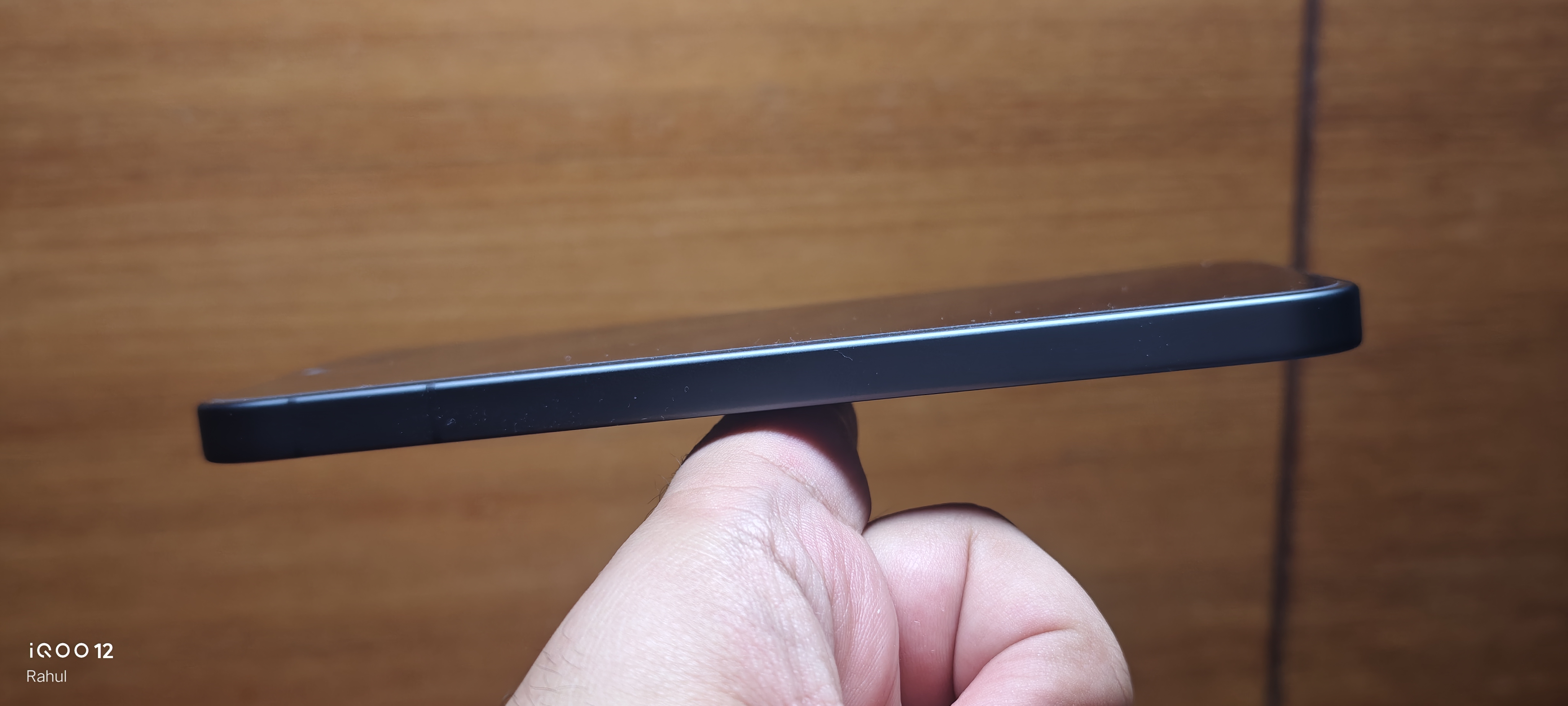
- One-hand usability – Good due to Small screen size
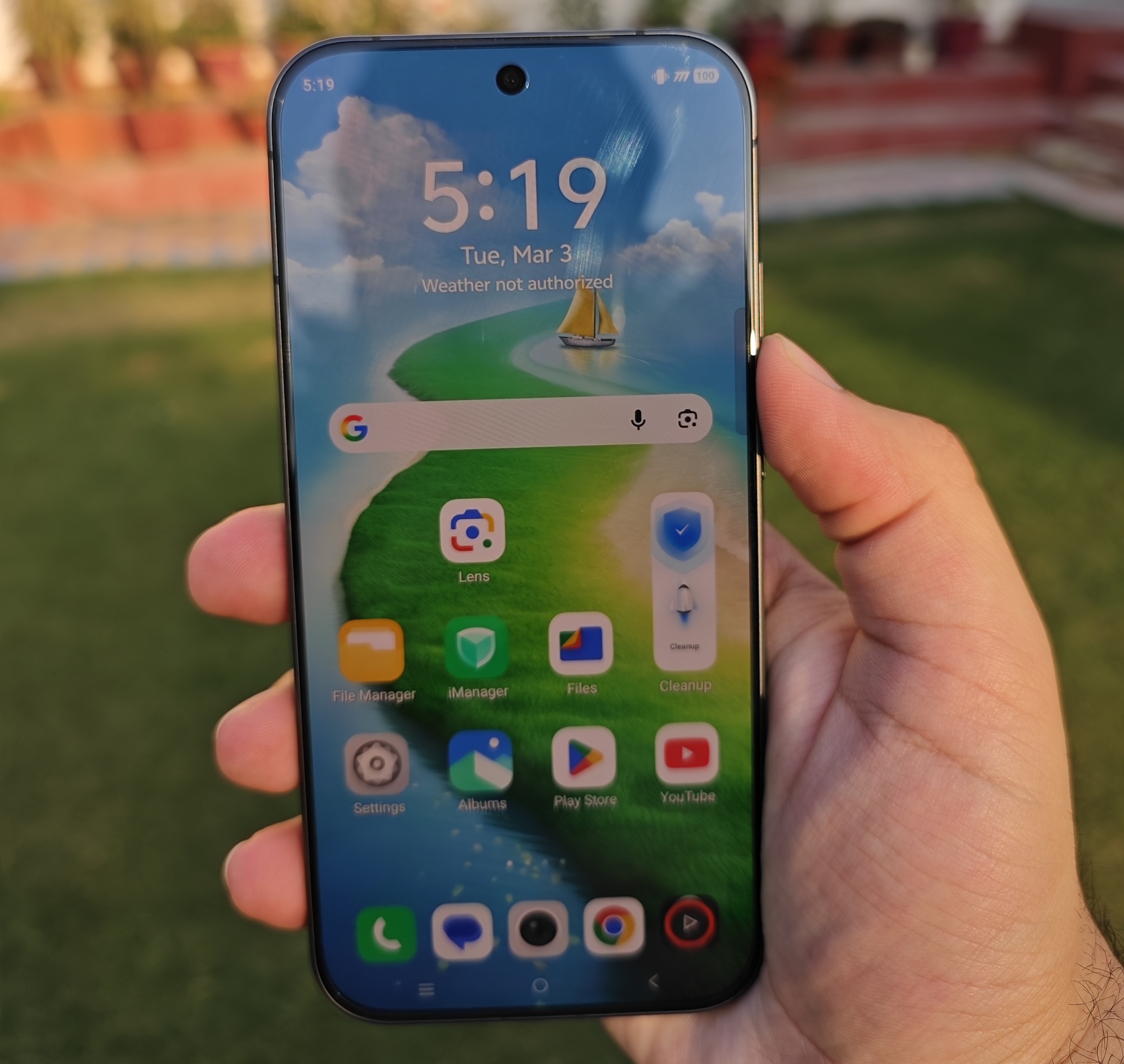
📏 Thickness & Ergonomics :
- Thickness – 7.9mm for dark knight ( 8.1mm for silver variant )
- Grip – Curved ( good for social media and one hand usage but worse for gaming as curved edges hide icons in corners )
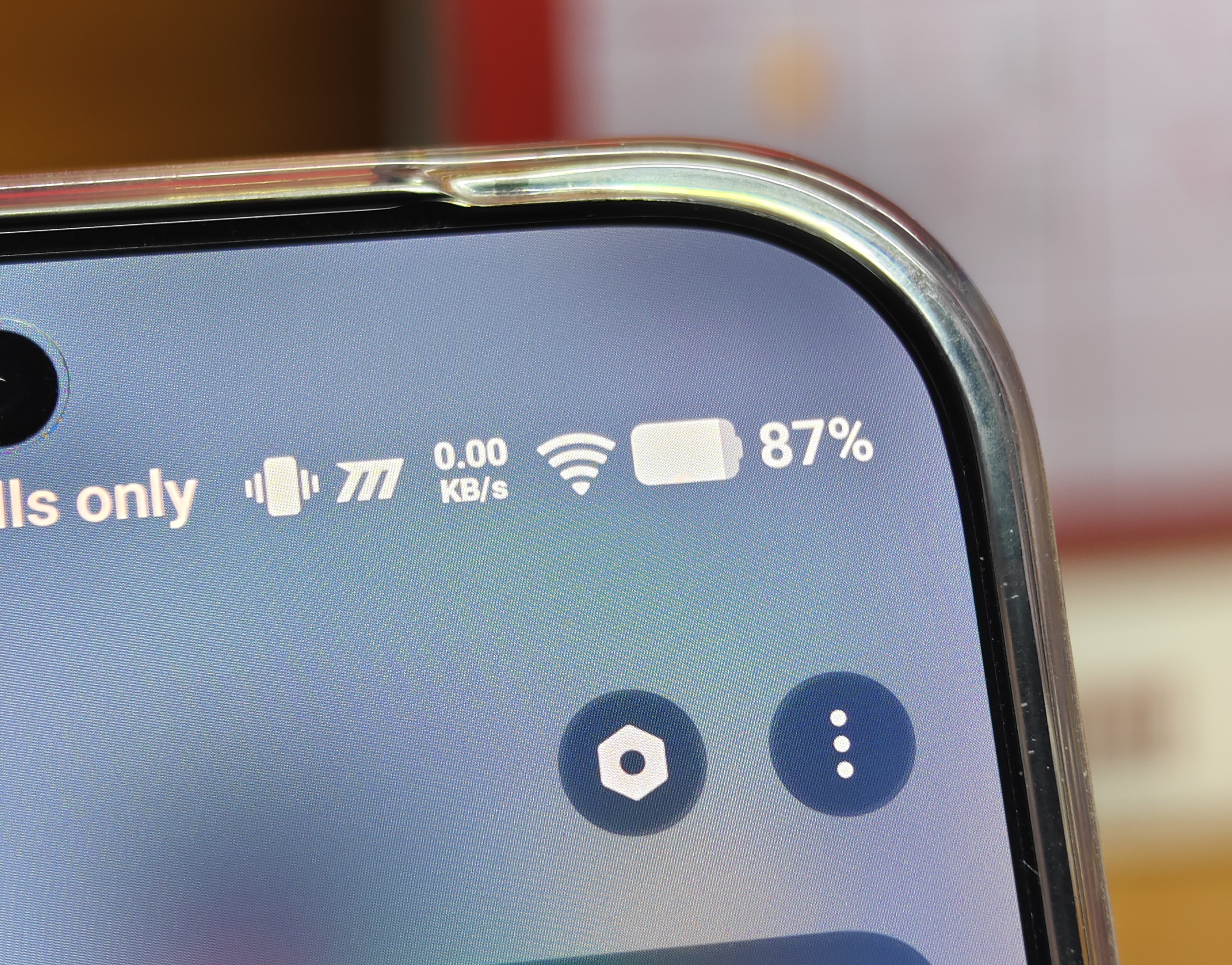
- Structural rigidity – Good due to Metal frame but don't sit on it 🫠
- Flex resistance – Minimal Flex
- IP rating – IP 68 , IP 69 ( no IP69K )
📱 Display
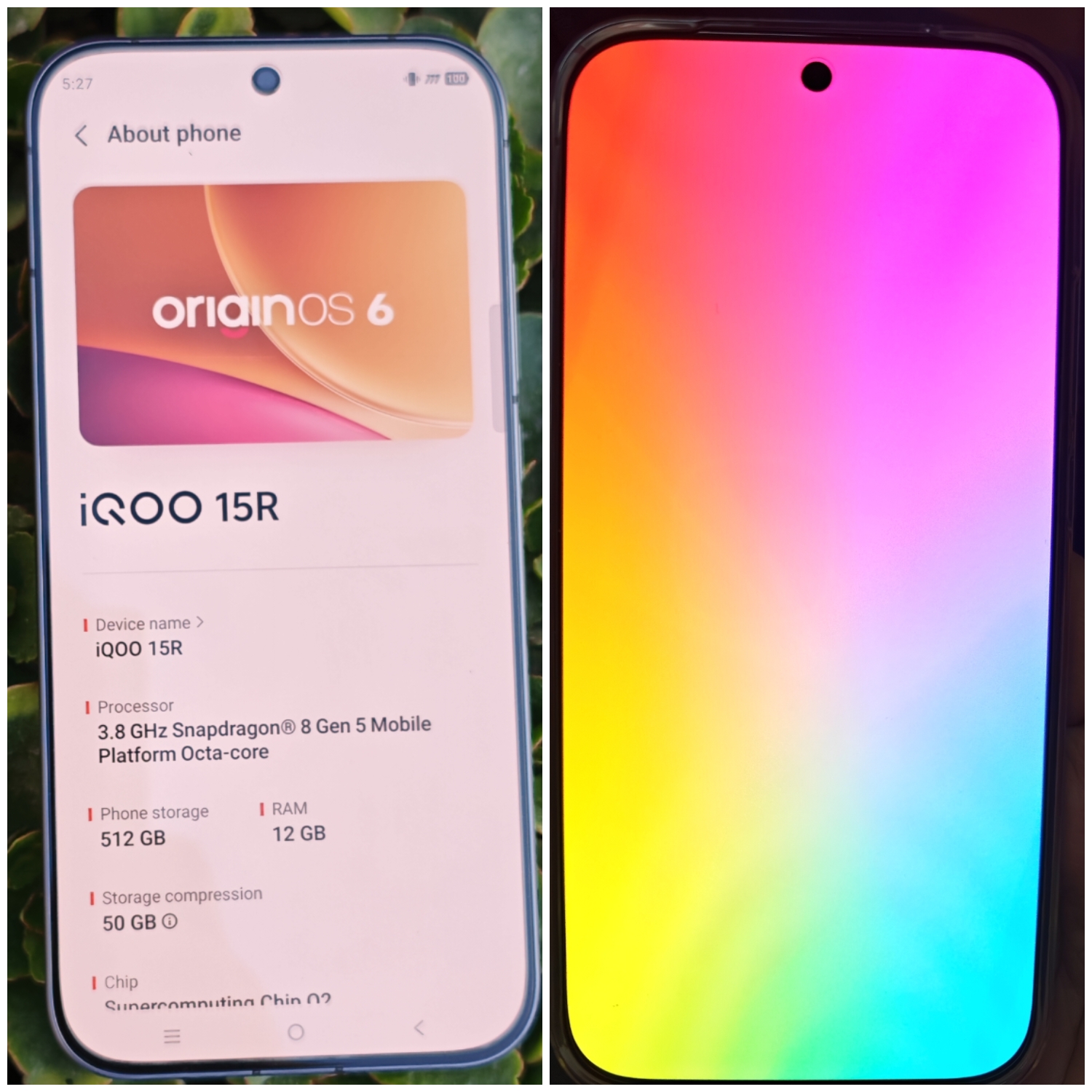
- 📐 Size - 6.59 Inches
- Resolution – 1.5k ( 2750 x 1260 )
- 🖥️ Panel – OLED TCL CSOT (using C9+ luminescent material)
- 📈 Refresh rate – 120 Hz maximum for UI ( iQOO says there's 144hz but it's only for few games during Interpolation so for all practical purposes it's 120hz , hopefully iQOO can enable native 144hz for UI as well 🤞)
- ☀️PWM dimming – iQOO Advertises 4320Hz pwm dimming but it's locked behind developer options and enabling it turns off HDR so better not turn it on. I tried to capture the difference didn't feel any advantage so better keep the Full PWM off.

- HDR – HDR10+ present
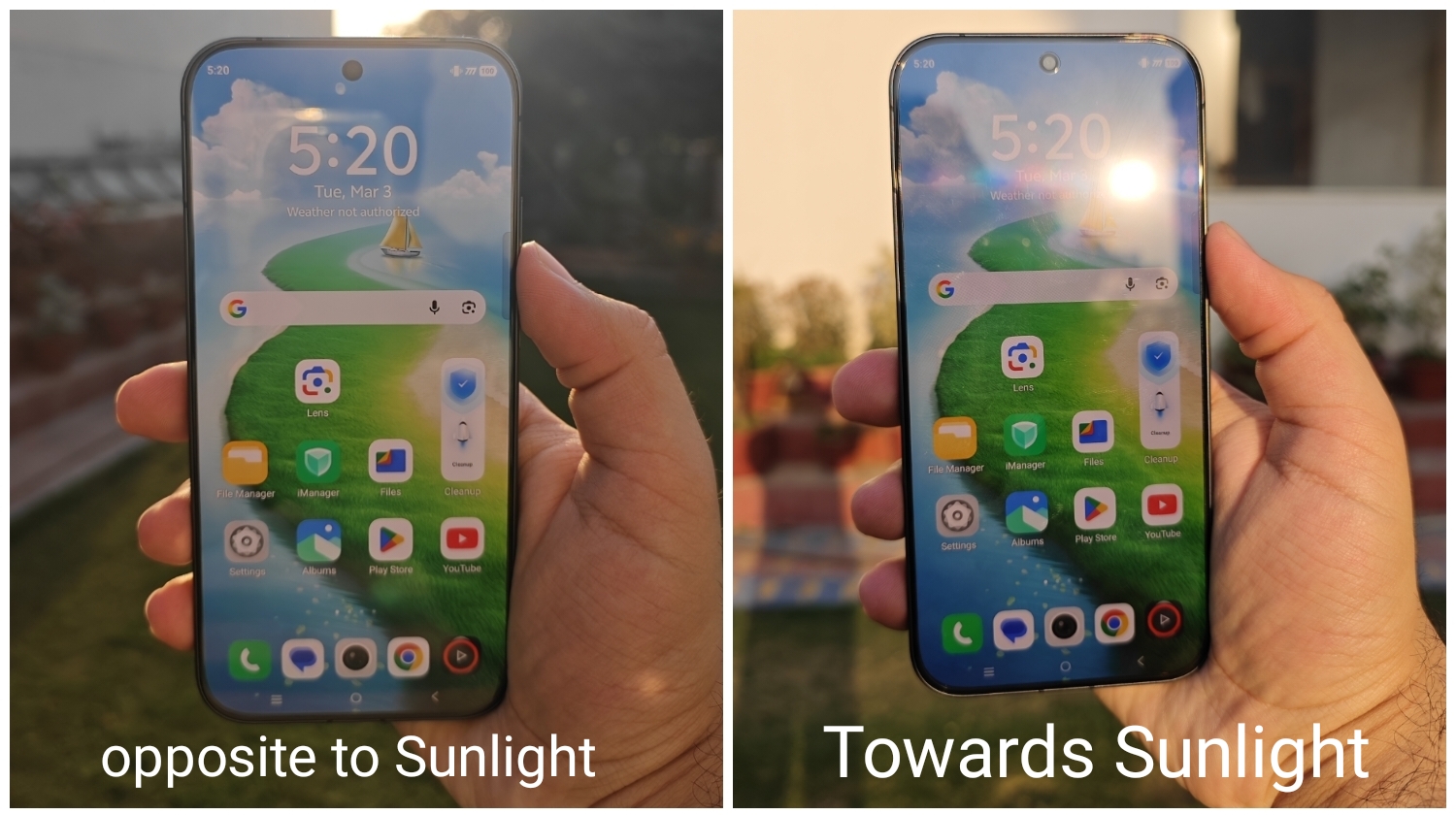
- Brightness – iQOO claims 1800 nits HBM brightness and 5000 nits local peak brightness . It's very good for indoor and outdoor usage and iQOO 15R does not drop brightness during gaming unless temperature exceeds 46° 🔥
- LTPO / Variable refresh rate– No ❌ only switches between 60hz and 120hz ( this feels like a missed opportunity LTPS display in 15R will not be as efficient as LTPO display in older iQOO phones when it comes to battery life )
- ☀ Outdoor Visibility : Direct sunlight usability is very Good
- Dolby Vision - No ❌
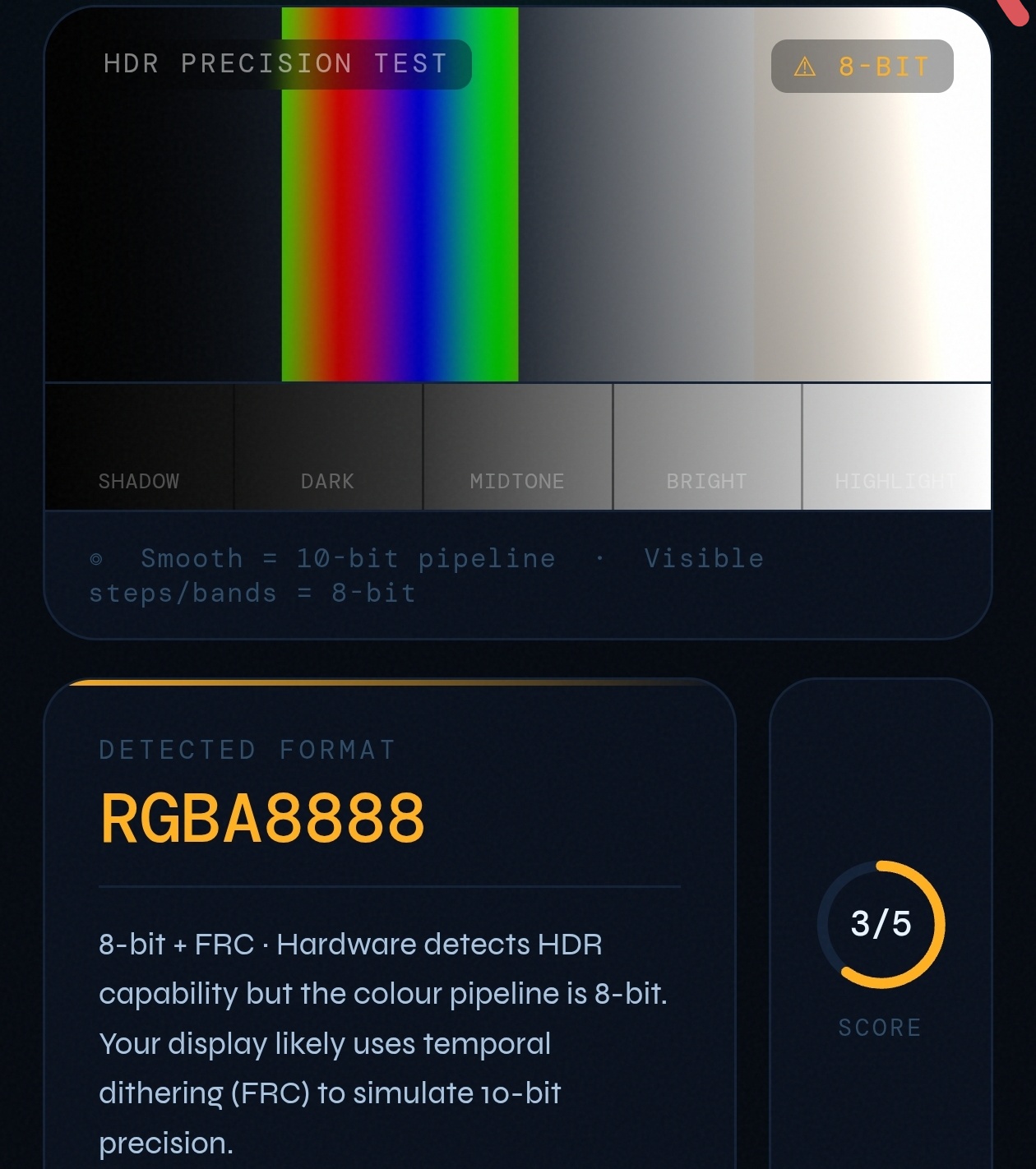
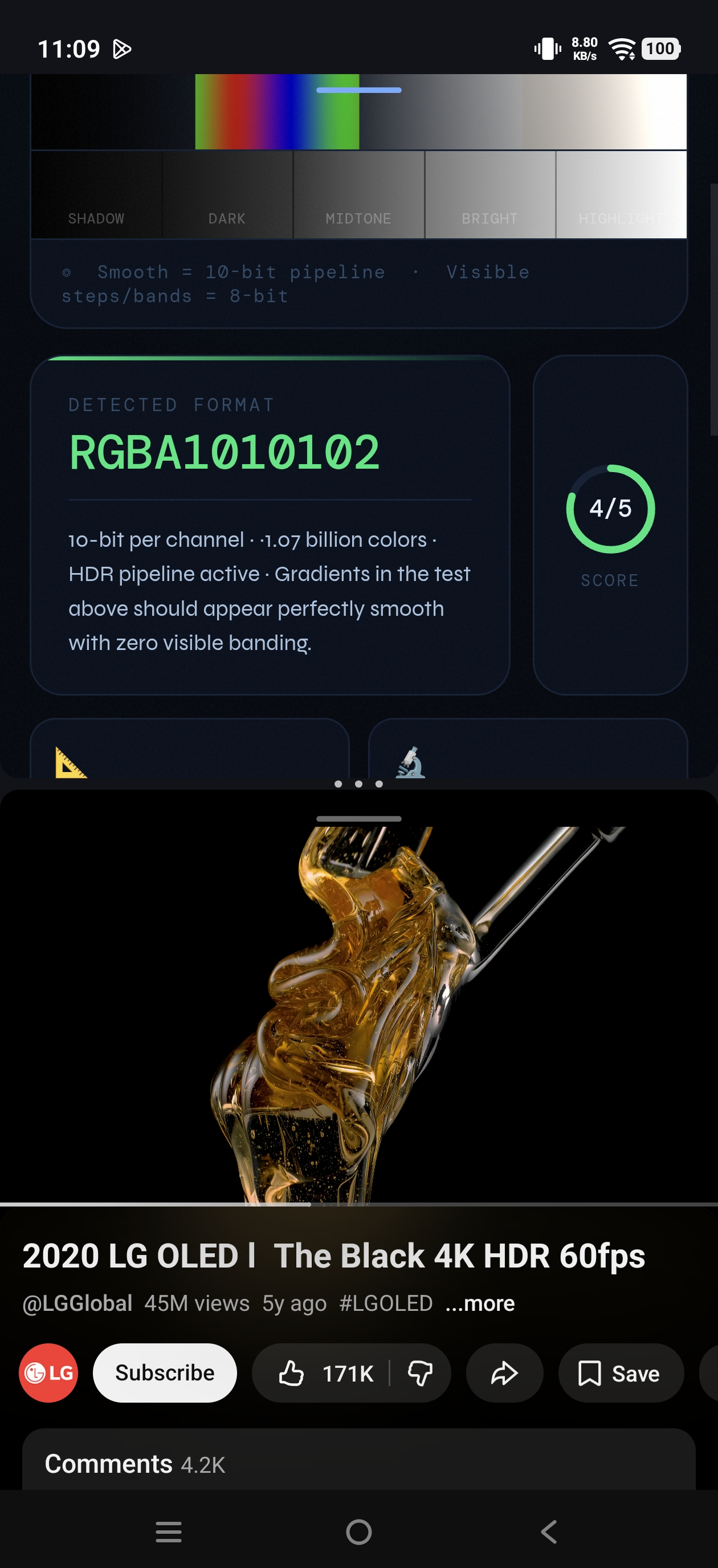
- 🌈 Color depth – 10 Bit ( i tested this in detail in normal usage the display uses 8 bit + FRC but when you play HDR content it immediately switches to 10 bit colour )
- ⚡ Touch sampling – maximum touch sampling rate i could get was 186Hz both during UI and Gaming
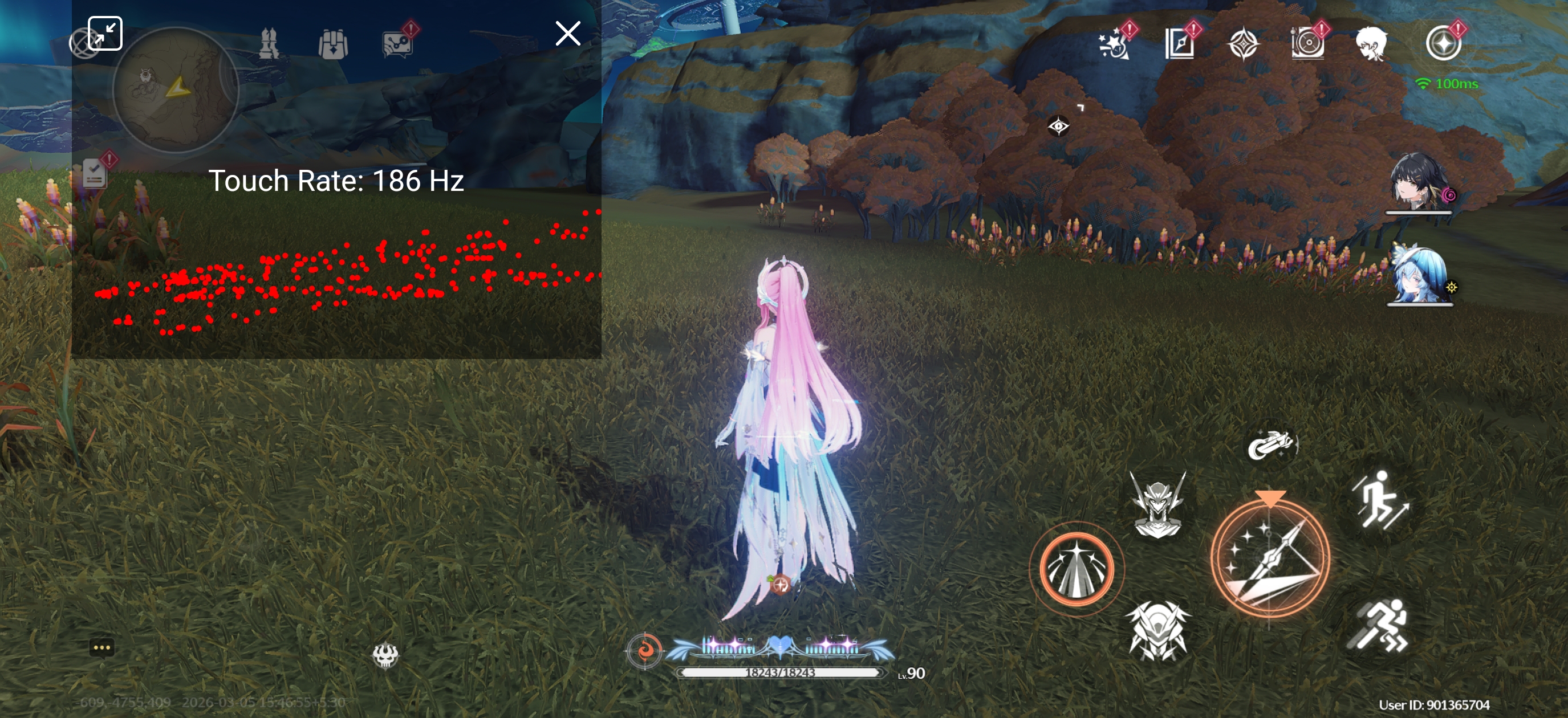
- Gaming response – no issues in normal conditions but touch response becomes laggy when temperature crosses 47°C
🖼 Bezels
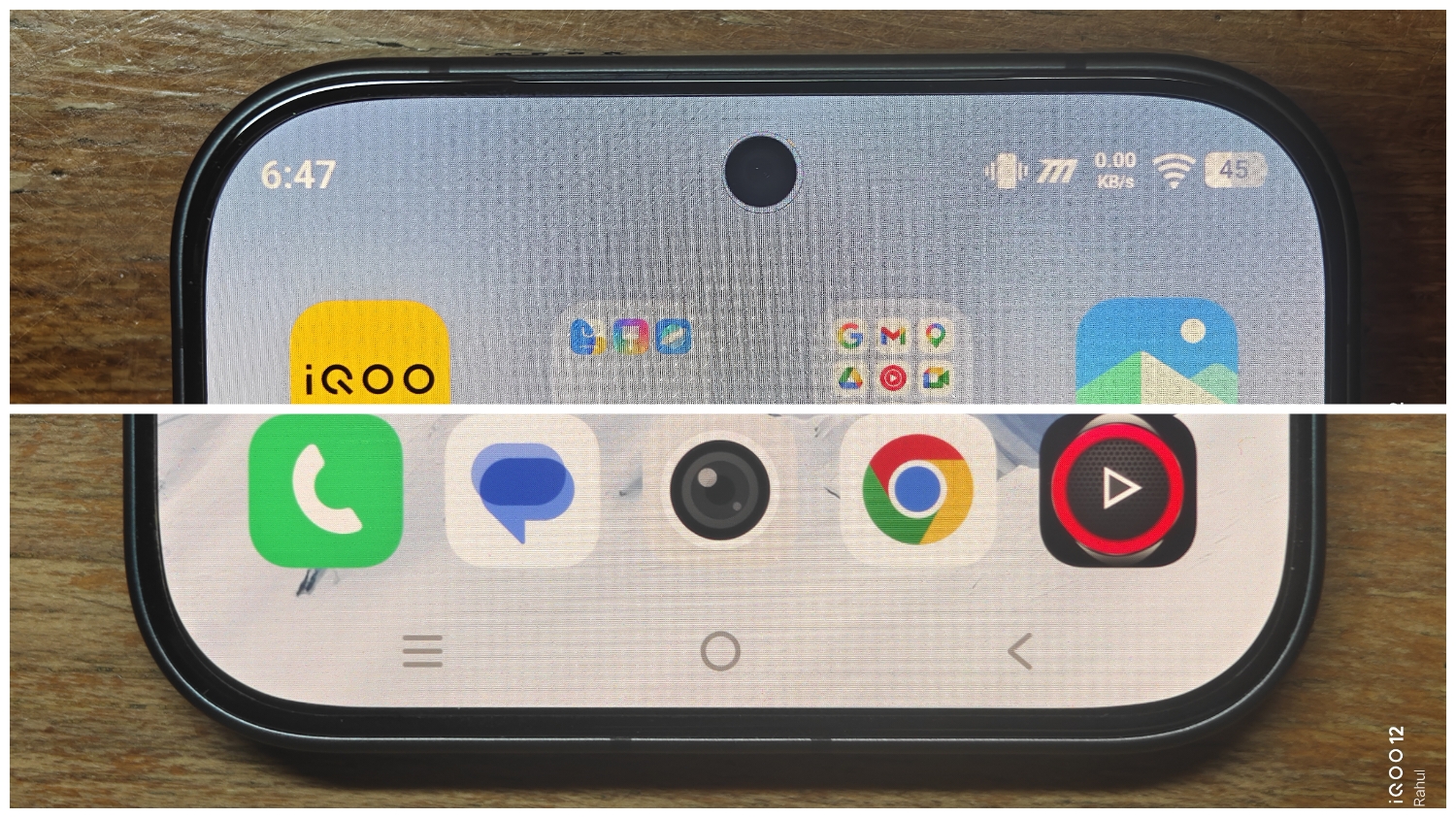
- Screen-to-body ratio – 90.5%
- Bezels – Almost symmetrical ✅
- Always-On Display – Full AOD present
🌀 Fingerprint Sensor :
- Type – Ultrasonic ( manufacturer - Goodix )
- Placement – comfortable unlike some older iQOO phones with very low placed fingerprint scanner.
- Response - very fast with default screen protector but may cause issues with tempered glass
⚙ Performance
This is where things get interesting, this is a performance focused device so the testing will be very detailed
- Processor – Snapdragon 8 Gen 5
- GPU – Adreno 829
- 💾 RAM – LPPDR5X Ultra ✅
- Storage – UFS 4.1 ✅
- USB port - USB 2.0 ❌ ( this is really a bummer for me as USB 3.1 should be the standard at this price segment it would allow faster data transfer and Display output )
📊 Benchmarks : (Room temp 24°C)
- Antutu - everyone knows Antutu is whitelisted by every brand so I'll run back to back 3 rounds of Antutu without breaks to see how the scores and temperatures are for sustainable performance .
- Pretty good results to be honest scores didn't drop a lot and phone is pushing hard. ✅
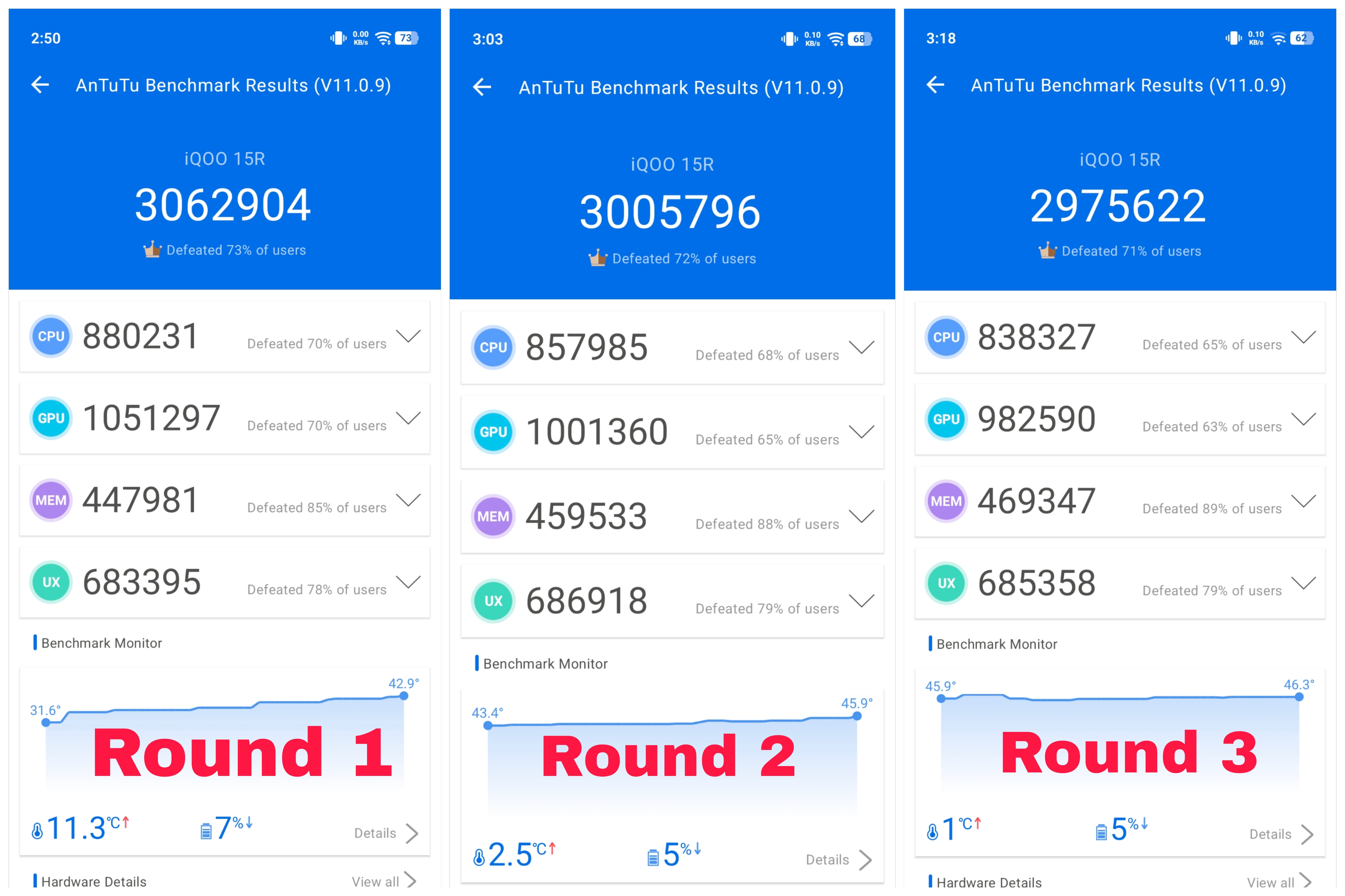
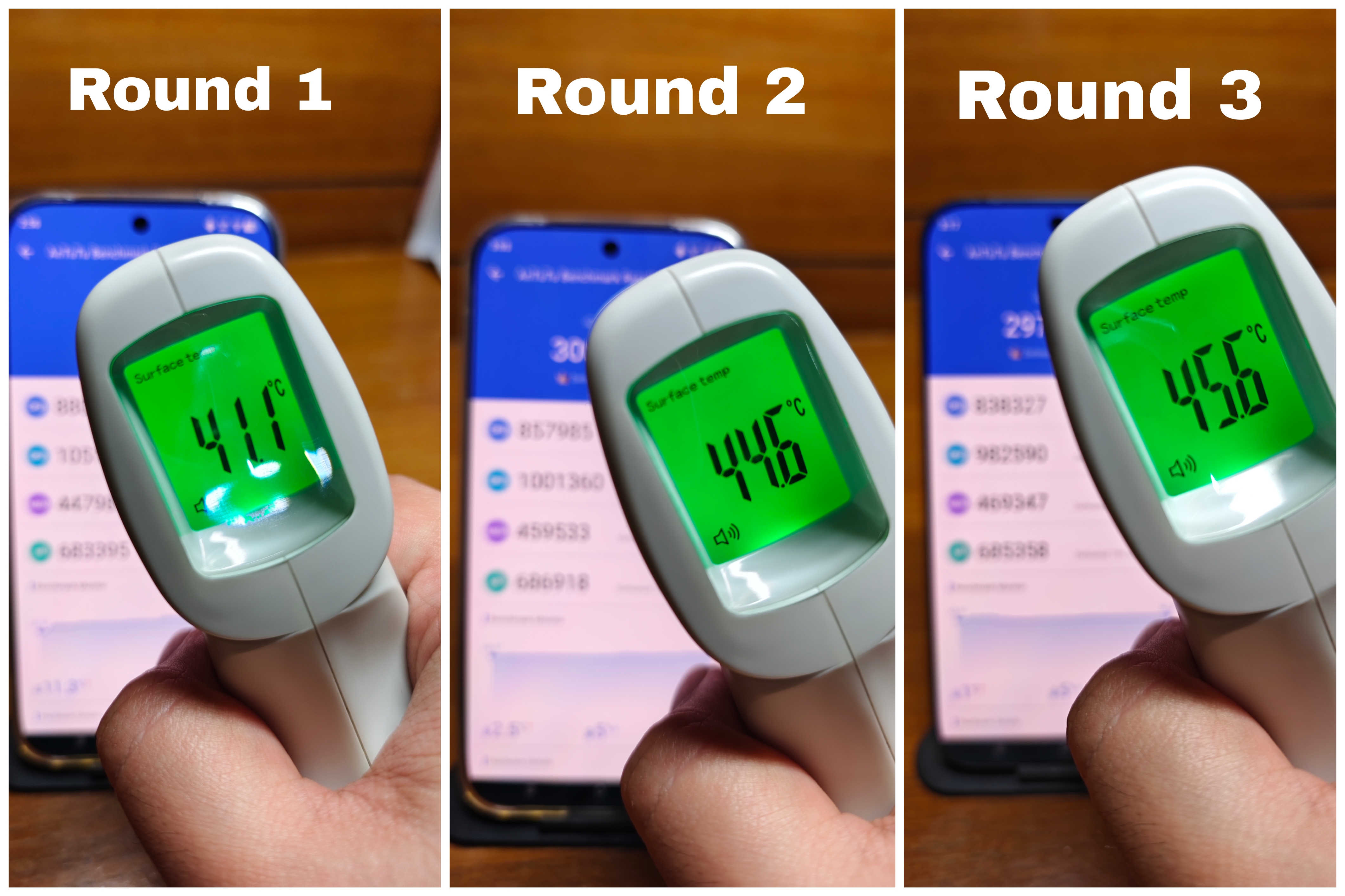
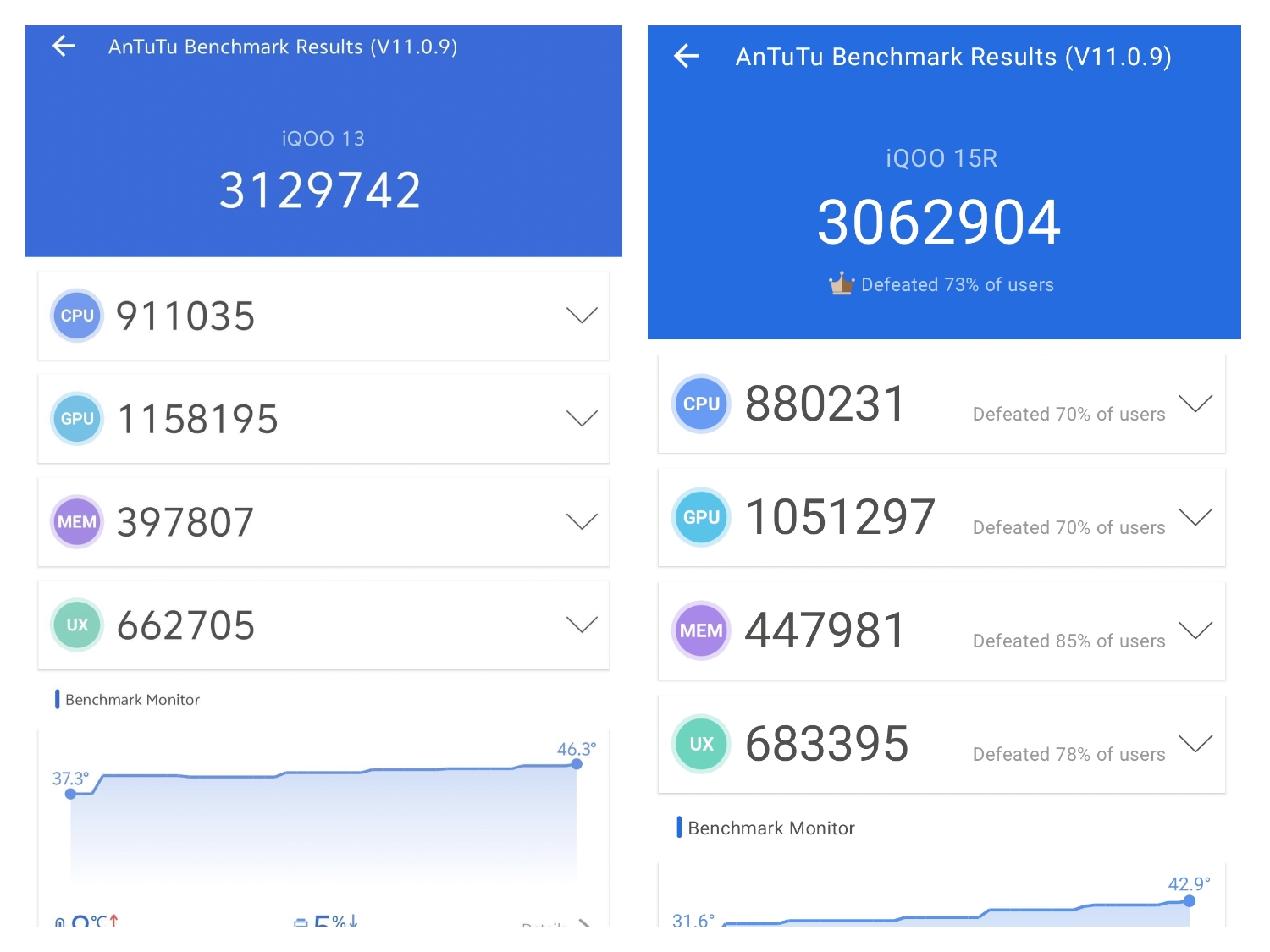
I wish the iQOO 15R had Snapdragon 8 Elite instead of 8 Gen 5. As 8 Gen 5 is weaker than 8 Elite.
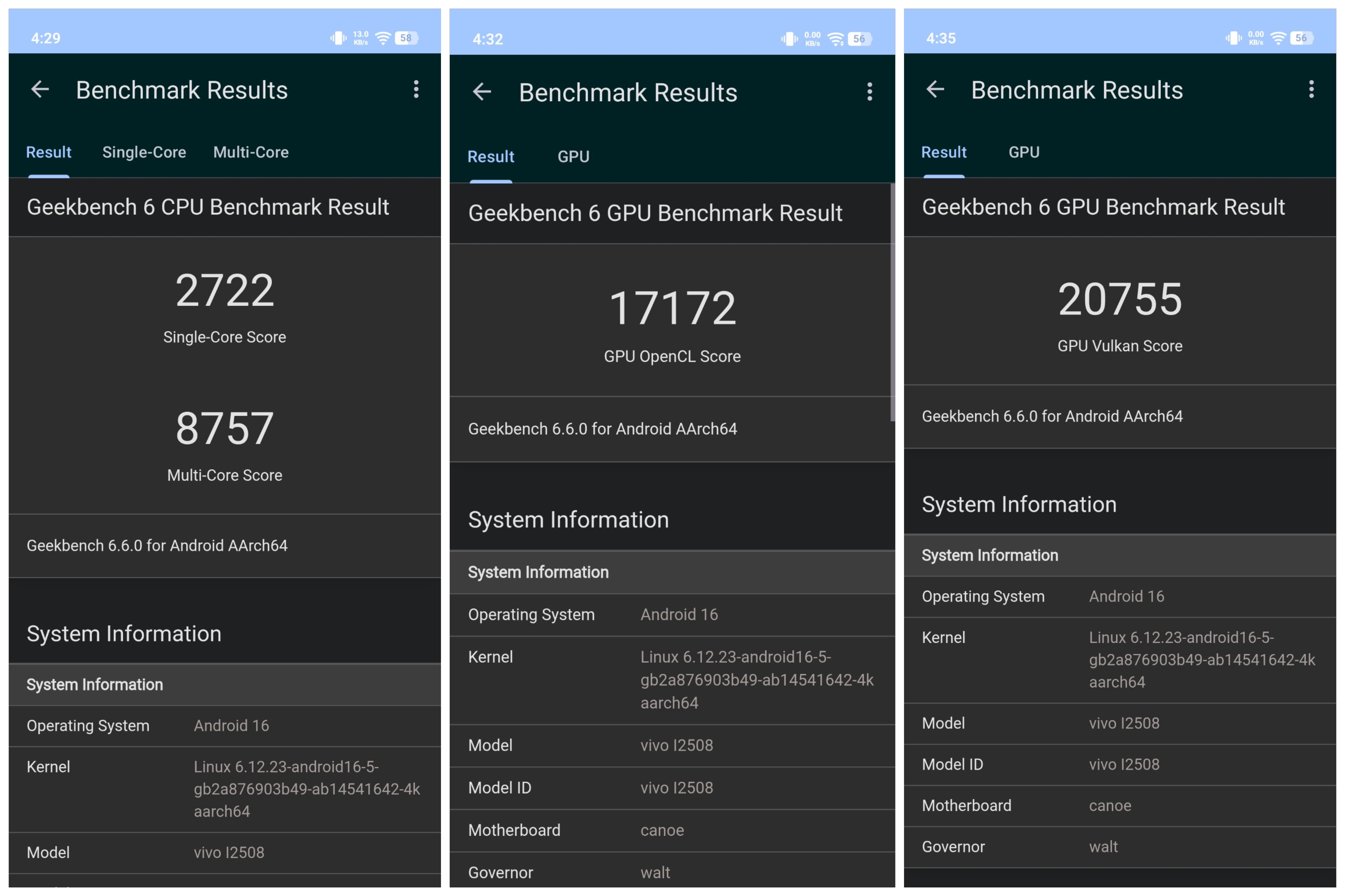
- Geekbench 6
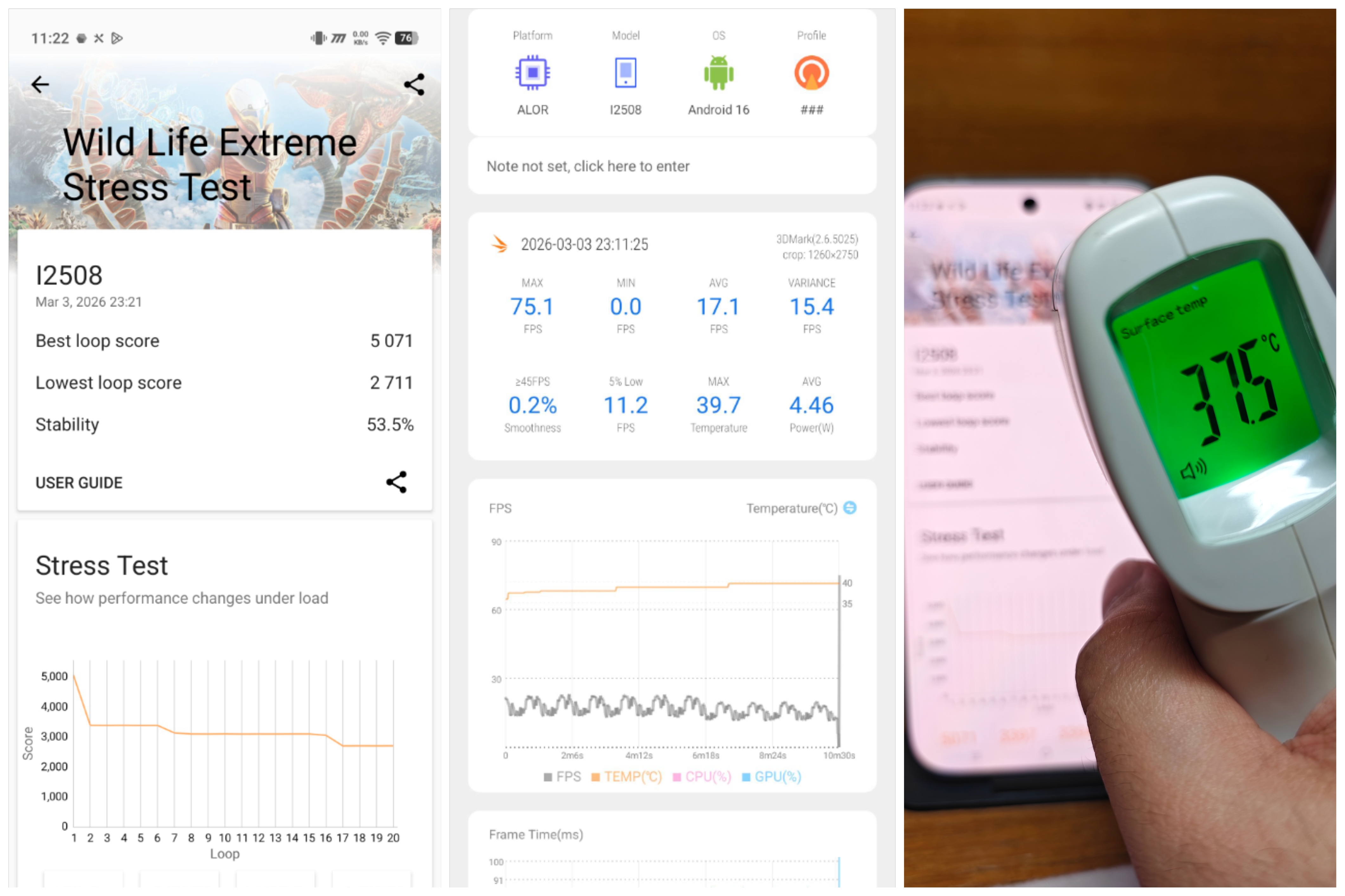
- 3DMark – Wildlife Extreme Stress Test - Seems like iQOO 15R goes into lazy mode when 3D mark is on probably because 3D mark is not whitelisted, it's not even trying barely 4 watts of power draw and minimal temperature increase whereas in flagships 3d mark is known to push devices upto 50°C. Hence the scores are pretty poor. ❌ ( Tested 3D mark again after new March update still same results )
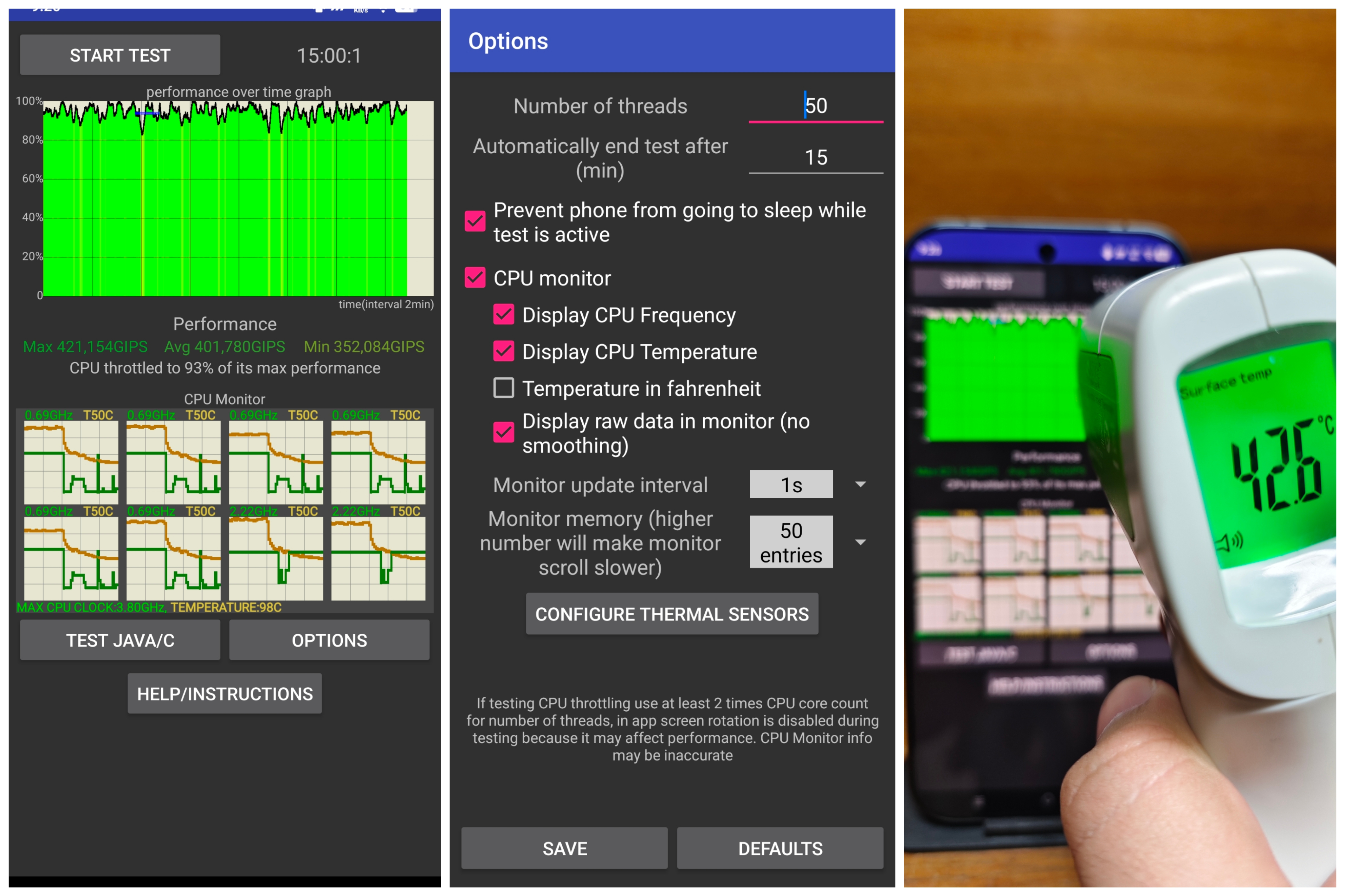
- CPU Throttle – 50 threads 15 Mins ( 8 Gen 5 is a stable chip so this is a very good result ✅)
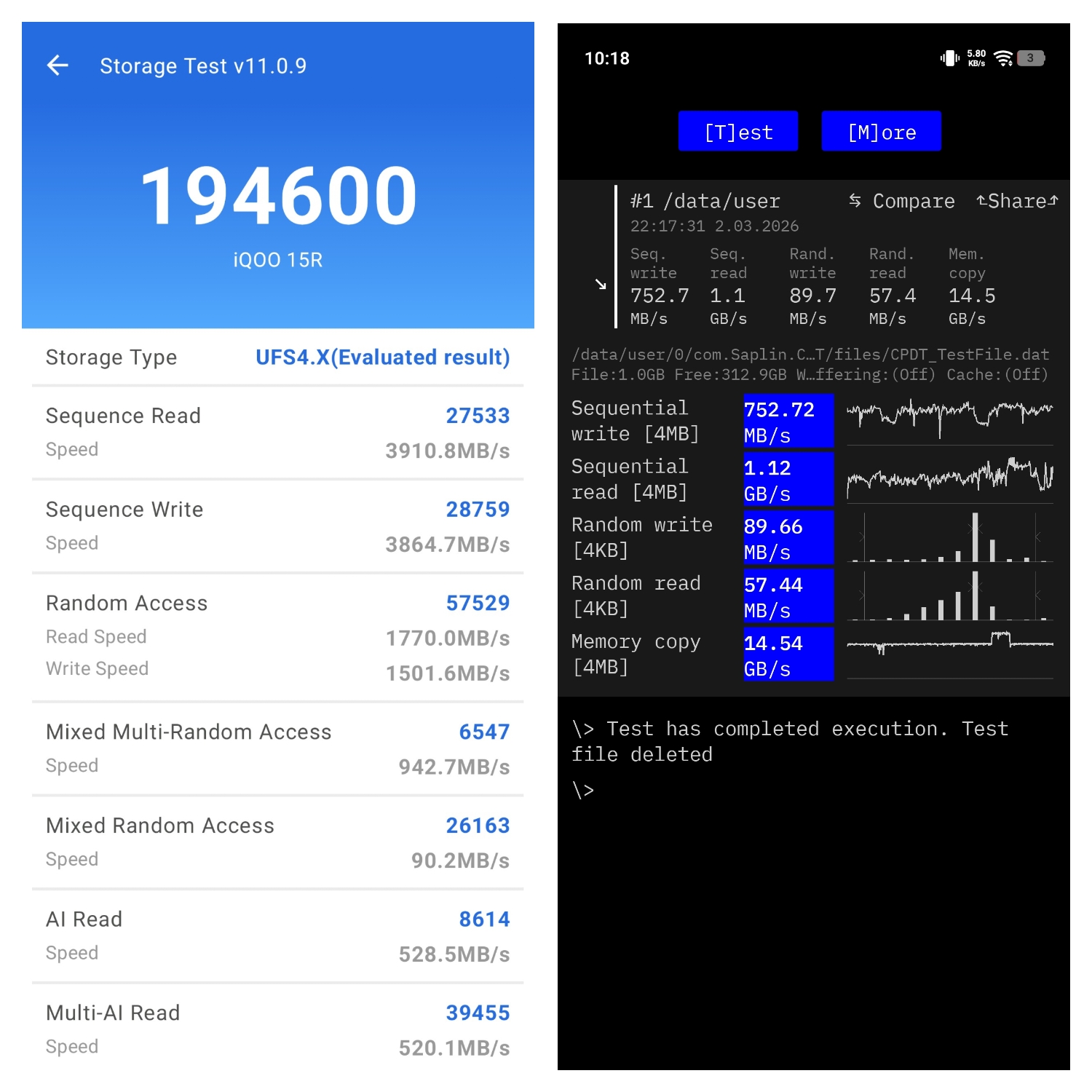
- UFS Storage Test - ( no complaints here )
🎮 Gaming Performance
This is a Flagship device so I'll be testing the most heavy games possible at max settings and I'll add the youtube links to the gameplays under each game.
For my dedicated Gameplay Test in iQOO Thread click this link - iQOO 15R Gaming Test
Games Tested :
- GTA 5 ( PC Emulation )
- NFS Payback ( PC Emulation )
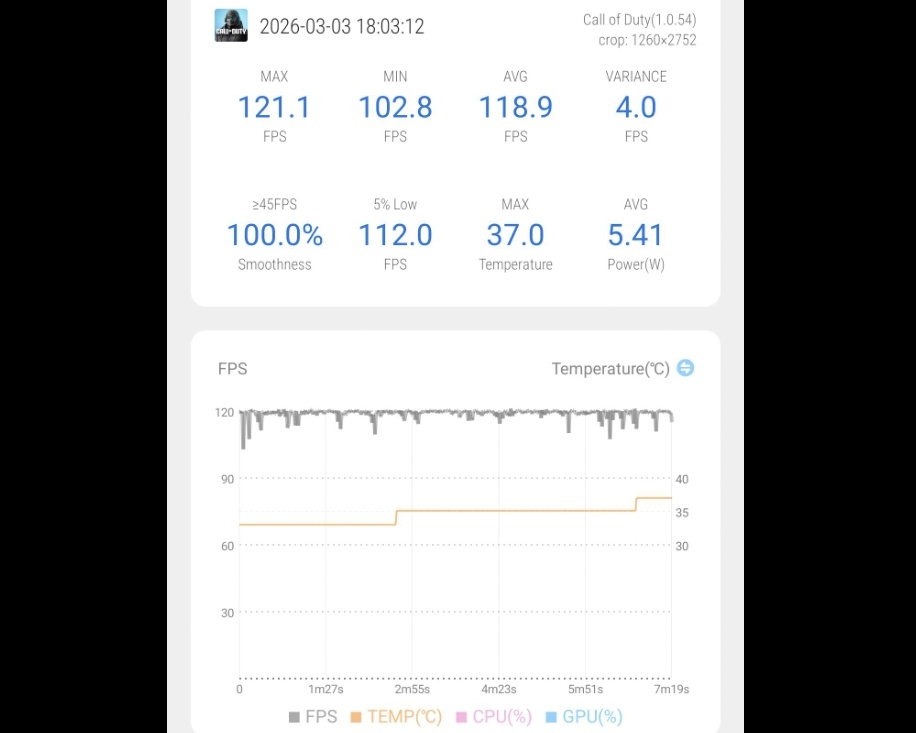
- COD Mobile
- Genshin Impact
- Wuthering Waves
- Zenless Zone Zero
- Warframe
- WreckFest
- Rainbow Six Mobile
🎯 Gaming Observations :
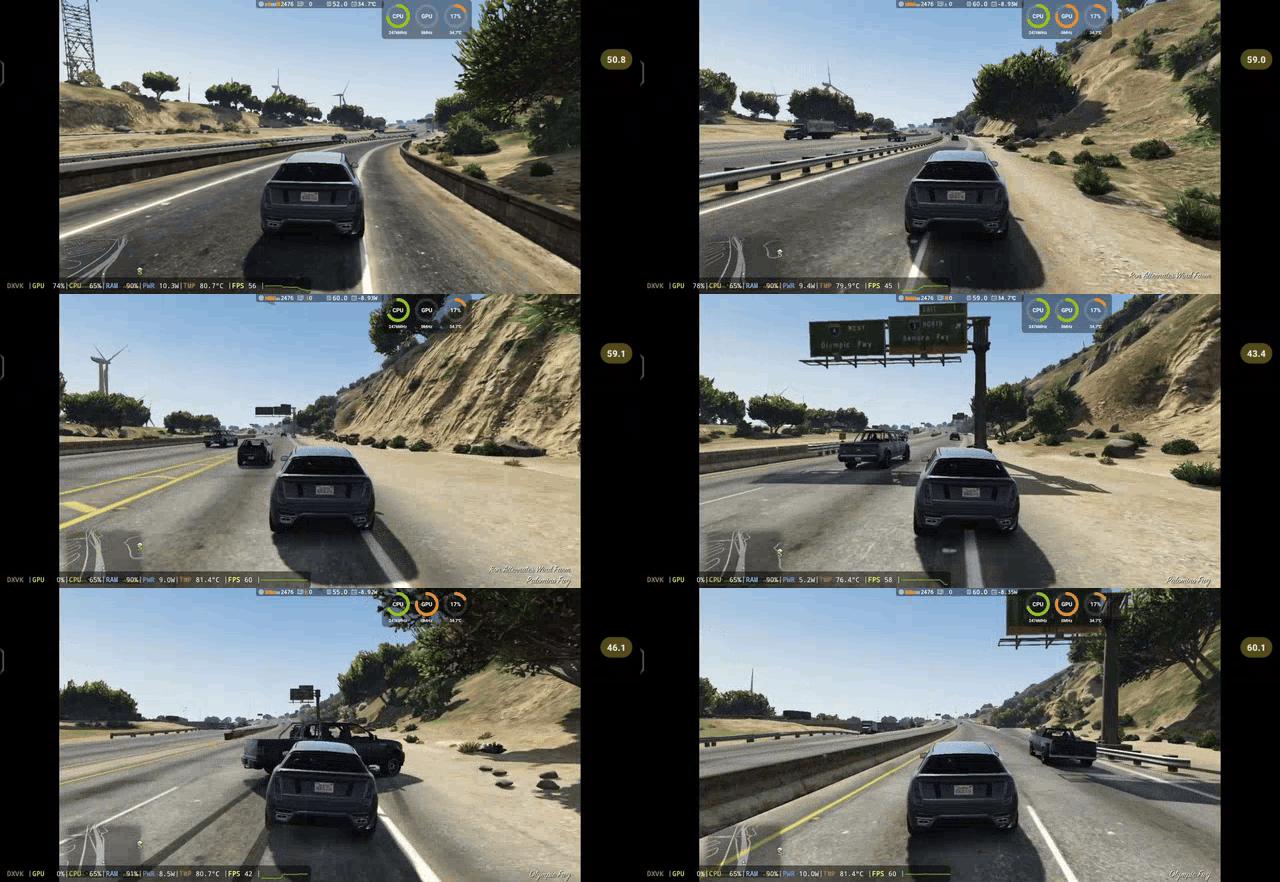
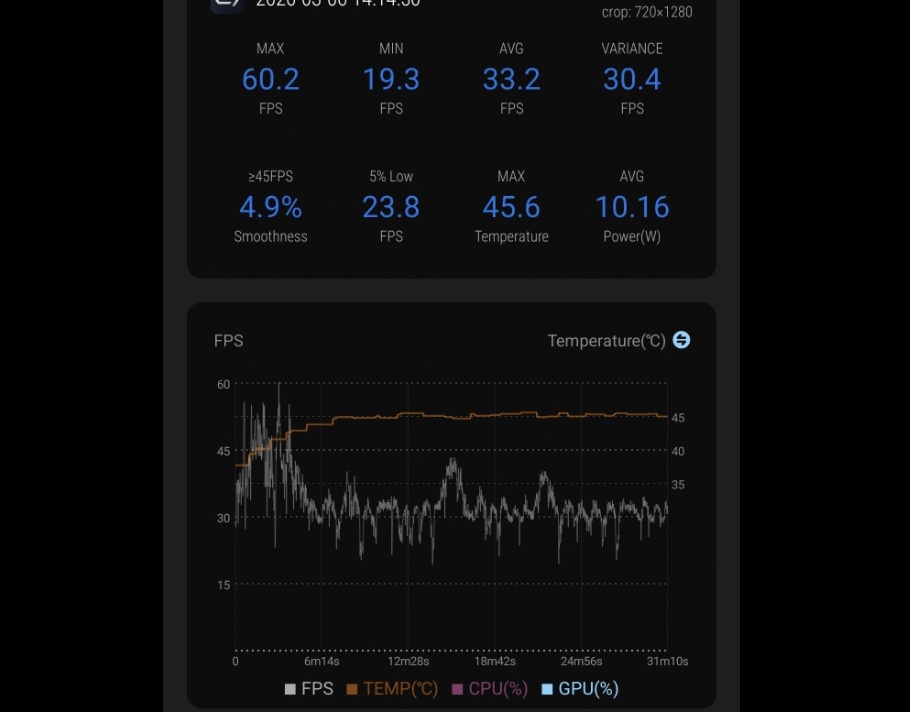
1) GTA 5 - PC Emulation - if iQOO and Snapdragon want they can easily optimize Adreno Drivers to make GTA 5 run at a stable 45 fps. The processor is capable it just needs optimization. iQOO cooler used with both PC Emulation tests as without it phone won't survive.
2) NFS Payback ( PC Emulation)
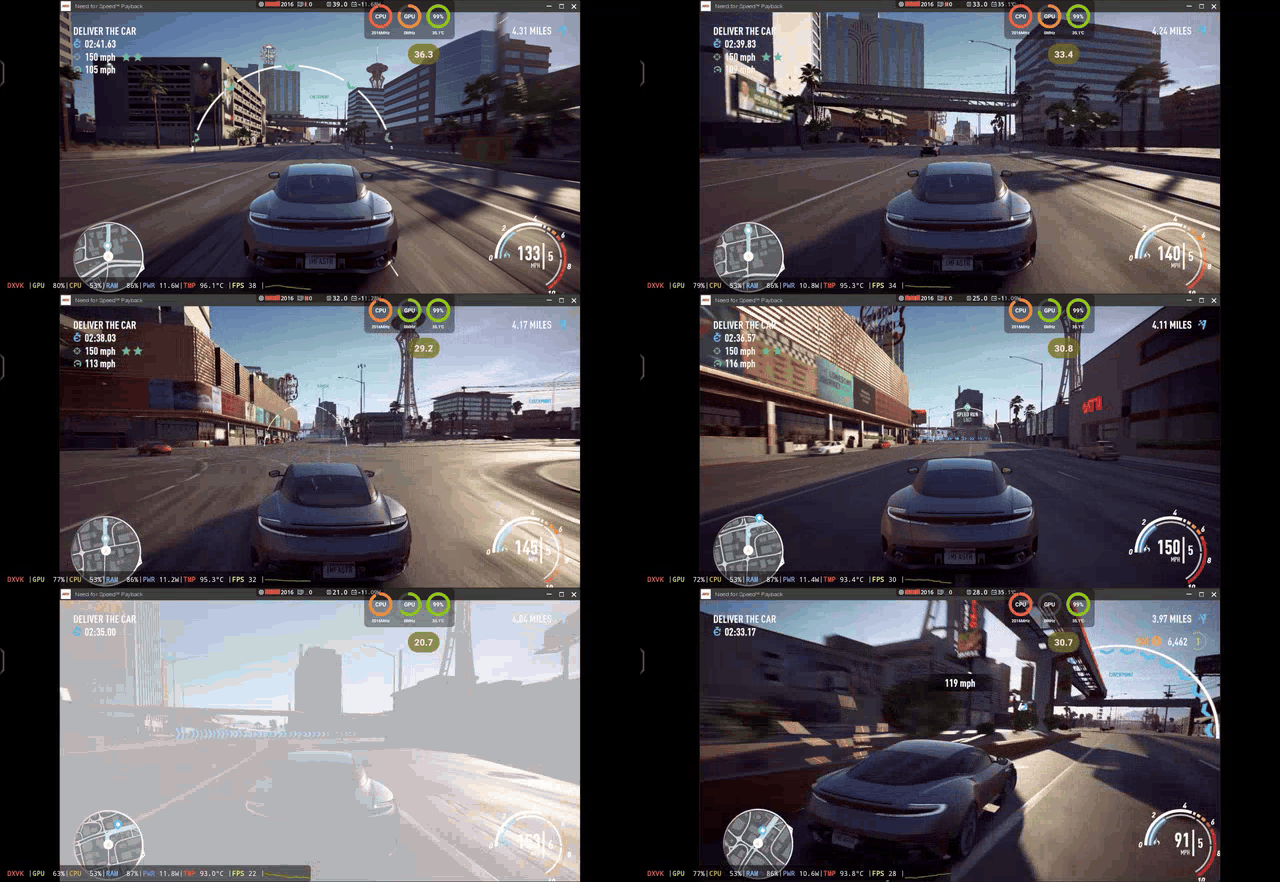
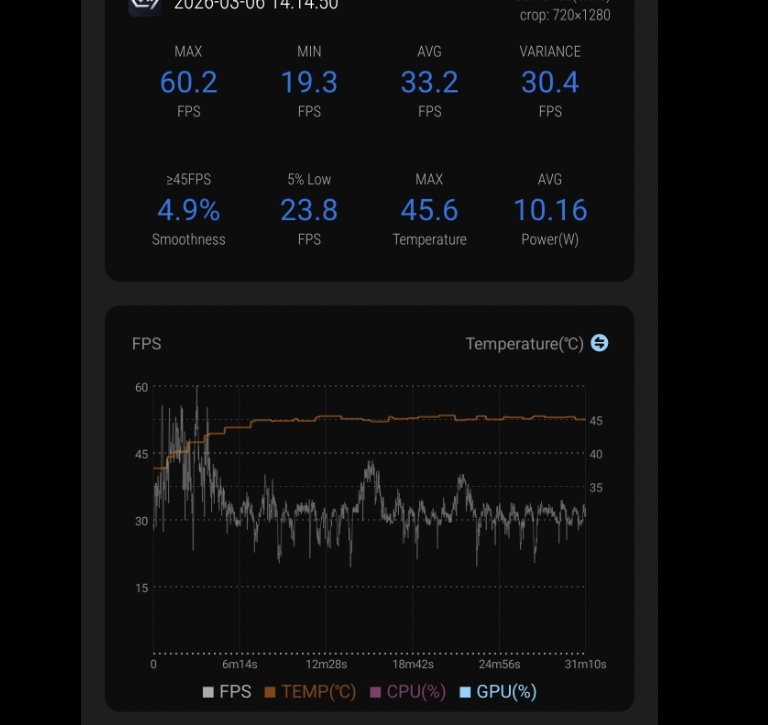
NFS Payback is too heavy for 8 Gen 5 to give stable FPS and for a compact device with plastic back this is a nightmare. Silver variant with glass back will perform better when paired up with an external cooler.
Even with iQOO Cooler Dark knight 15R couldn't handle this game for more than 20 minutes although i don't blame iQOO 15R it tried it's best by pushing 10 watts power draw even on a 3nm chip
3) Wuthering Waves
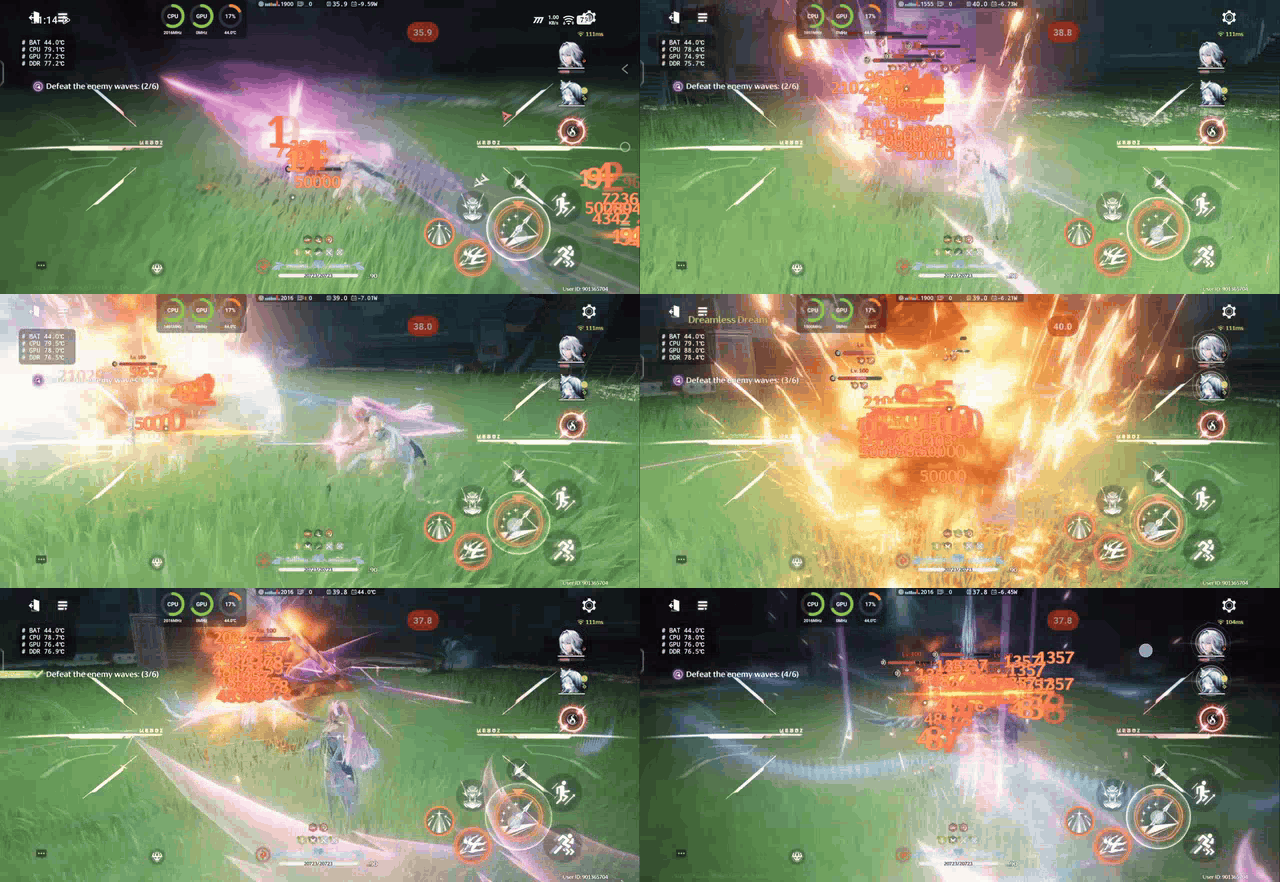
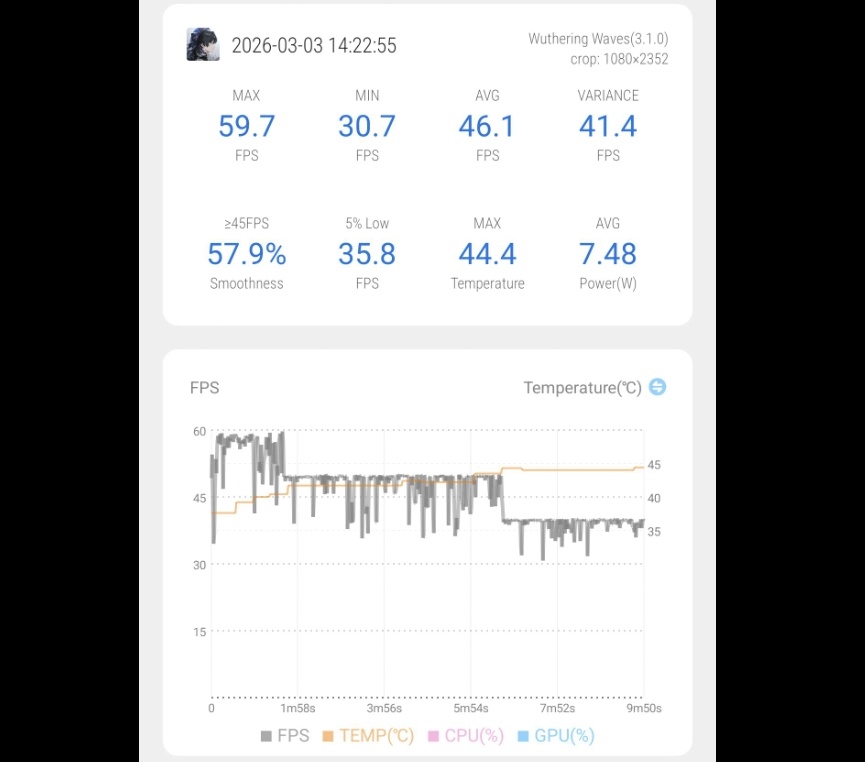
Wuthering waves is a GPU dependent game it's too much for 8 Gen 5 to handle at Max settings. Even pushing 10 watts of power draw Stable 60 fps is impossible and max temperature increases upto 46°C within 10 minutes. Average fps can drop as low as 30fps during combat or in the new Lahai Roi map.
Add to that plastic back & compact form factor and heat dissipation becomes a challenge for the 15R.
4) Genshin Impact
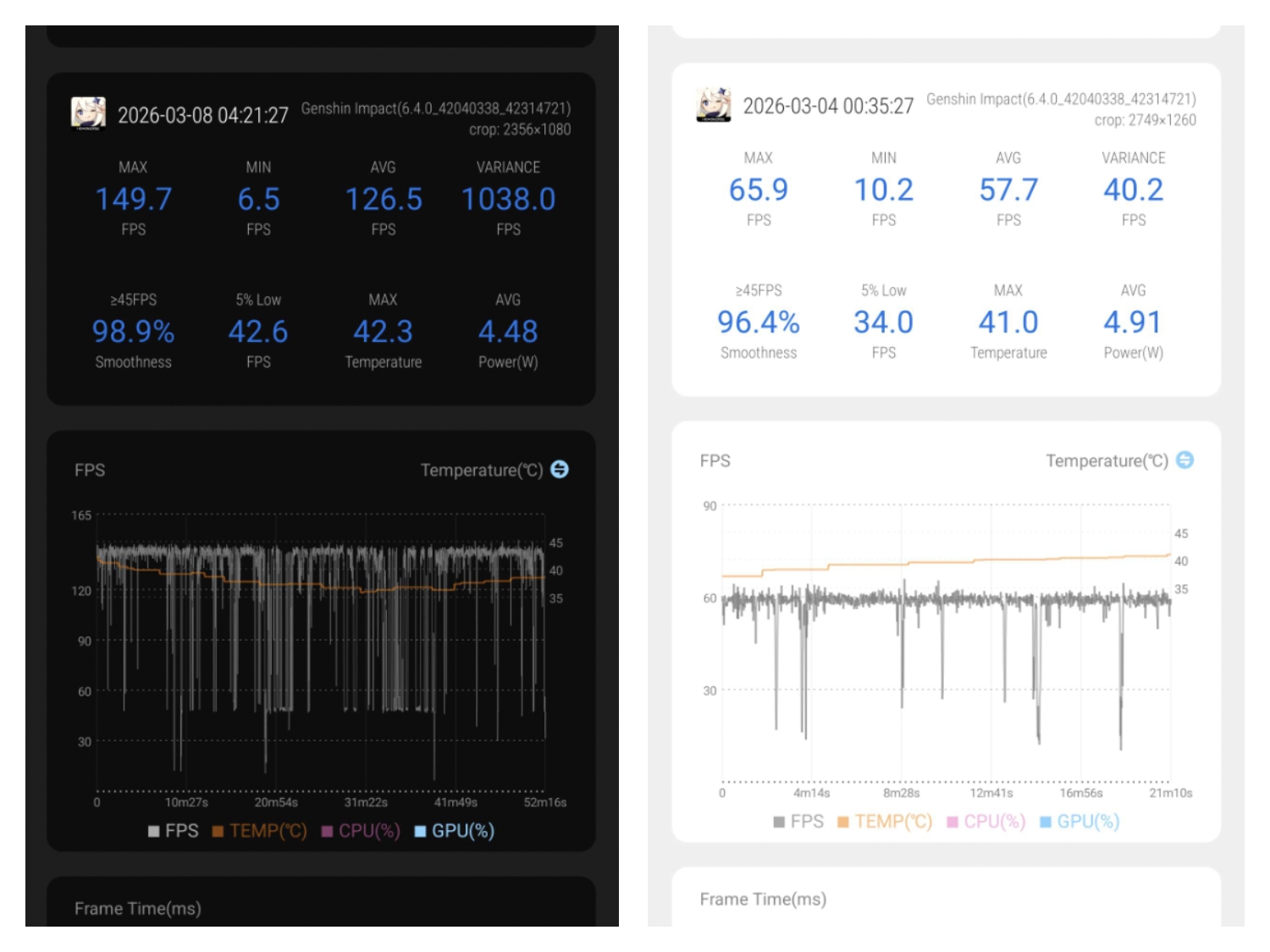
Genshin Impact runs pretty stable if you don't use Super Resolution at extreme mode. I tested it on both Native 60 fps with Extreme super Resolution and 144hz interpolation with Ultra High super Resolution. Fps drops as low as 40 during combat and GPU intensive Area
Gameplay video - Youtube

5) Warframe
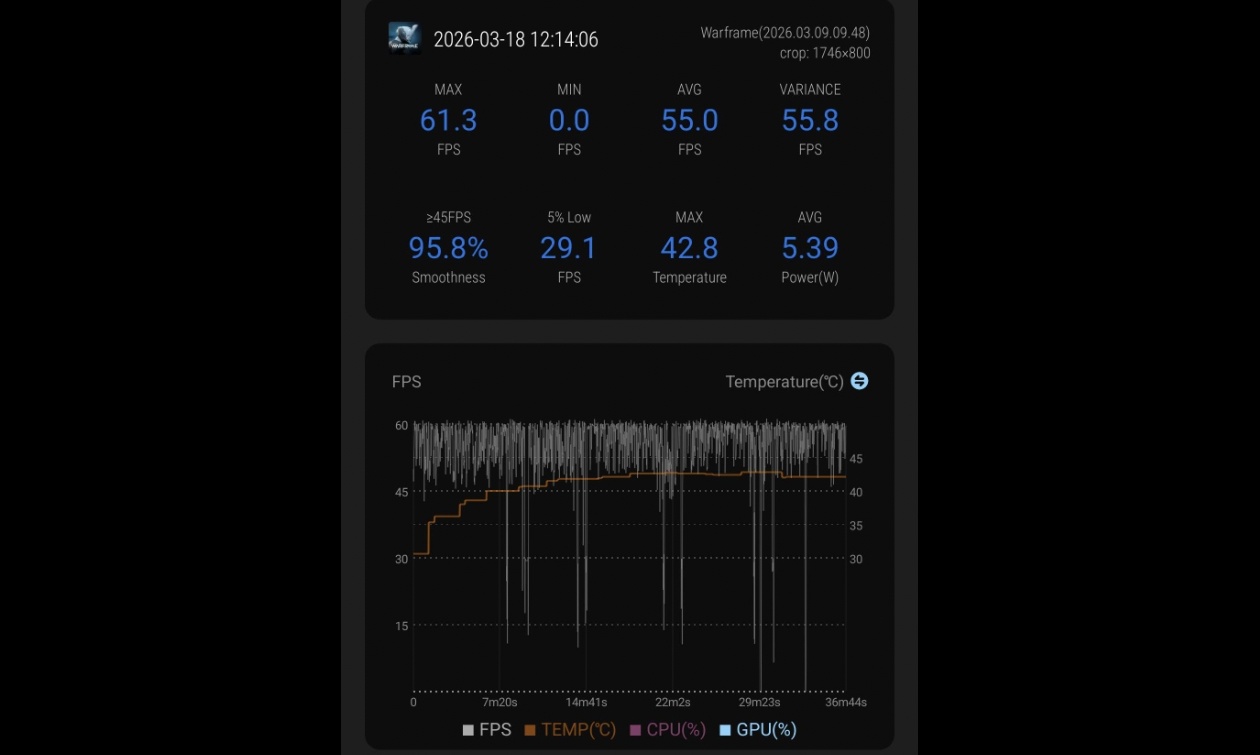
This game is GPU heavy and 8 Gen 5 struggles at max graphics to maintain 60 FPS. Power draw limit for warframe should be slightly increased upto 7 watts for stable 60 fps i hope iQOO considers this.
Gameplay video - Youtube

6) Zenless Zone Zero
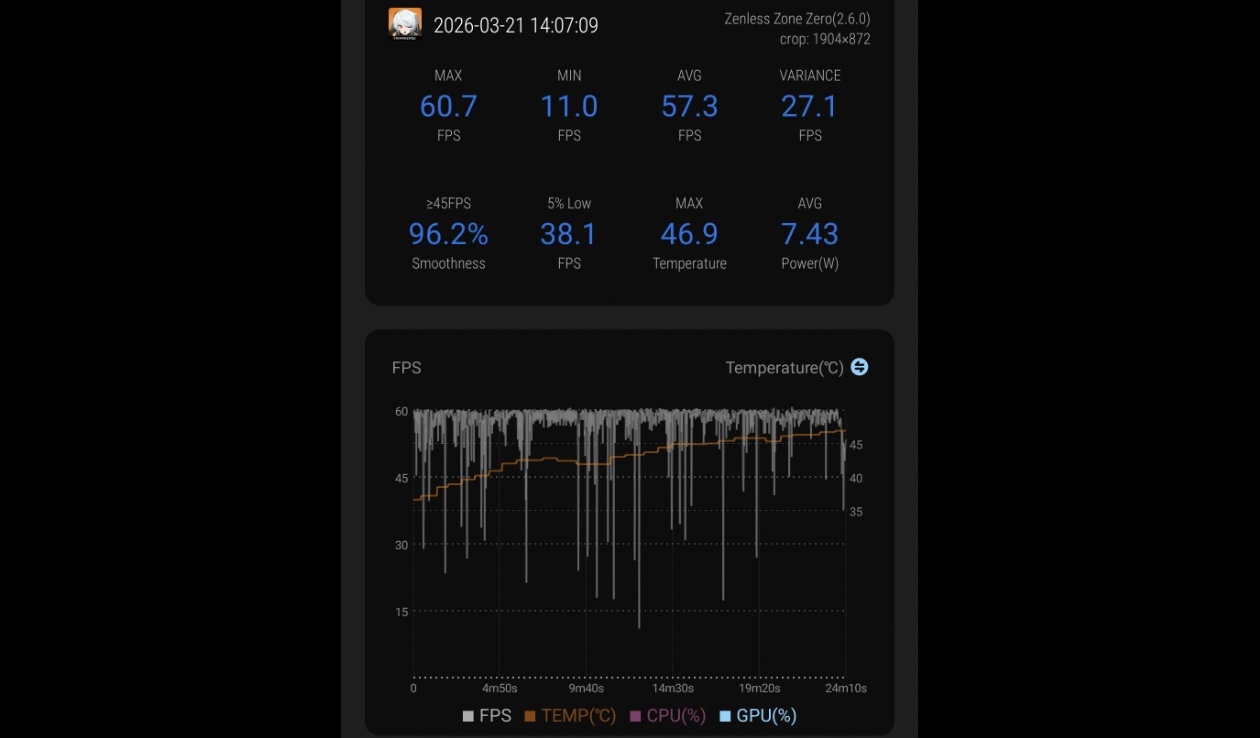
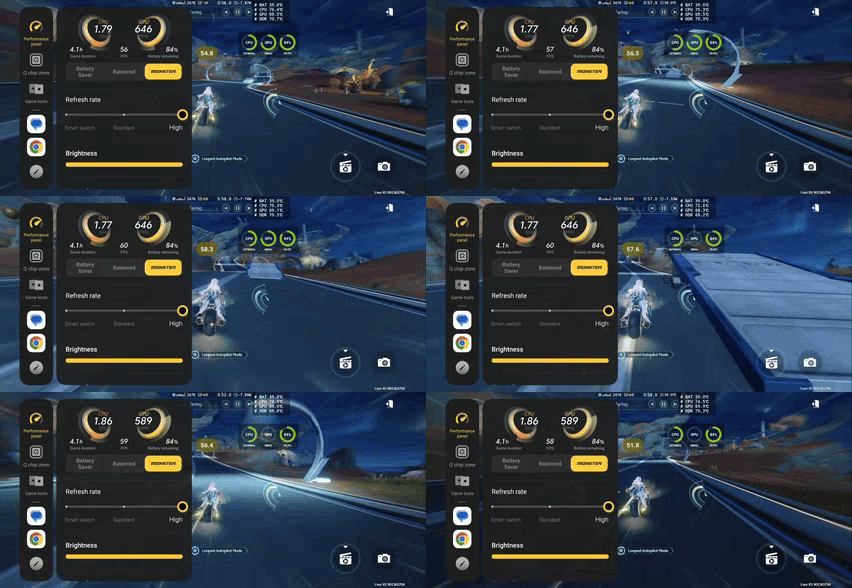
Zenless zero is a very combat heavy game and pushes 8 Gen 5 to the limit. 20 mins pushes 15R to 47°C and even Q chip shuts down but 15R tries hard to maintain High power draw
Gameplay video - Youtube


8) Wreckfest
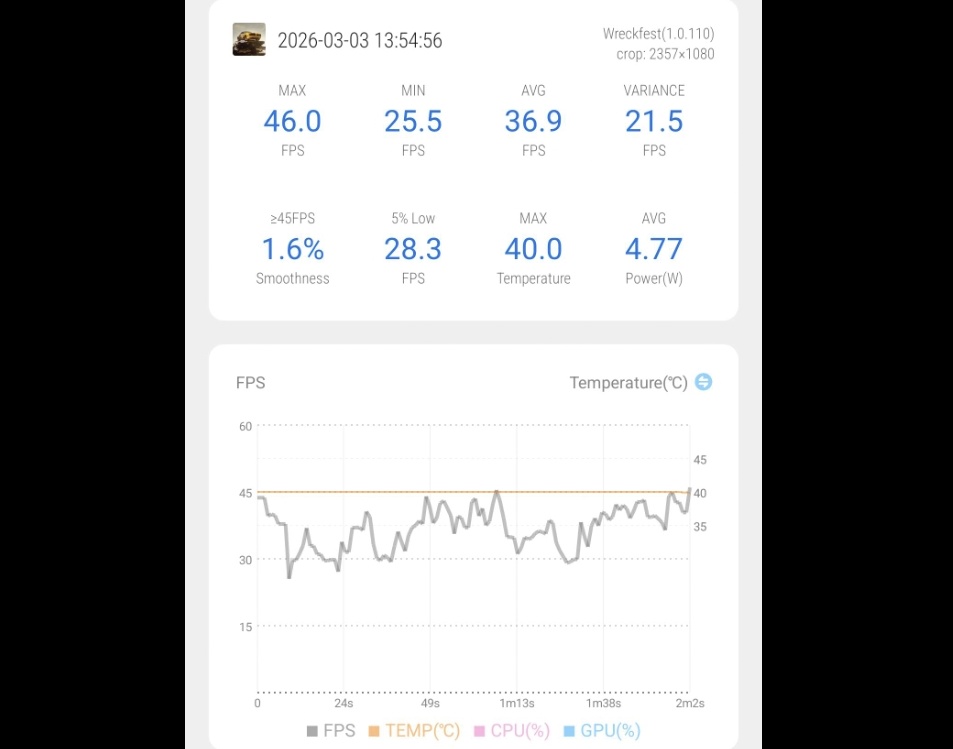
8 Gen 5 cannot handle this game at Max Graphics when 20 or more opponents are being rendered.
Gameplay link - Youtube

9) Rainbow Six Mobile
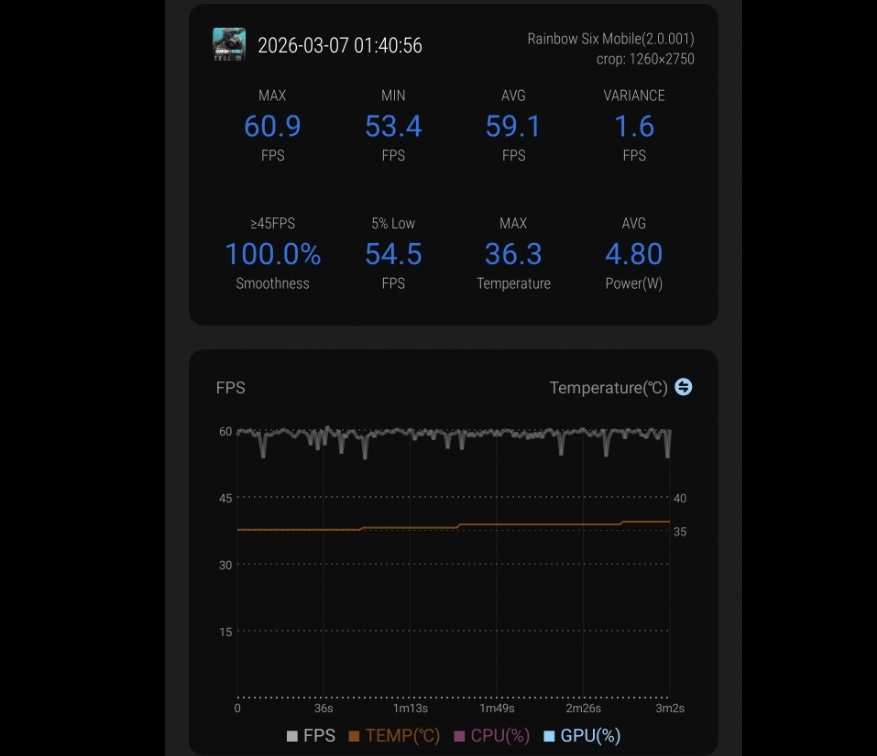
Average match duration in Rainbow six is very short so device gets plenty time to cool down no issues with this game
Gameplay Link - Youtube
🎮 iQOO Gaming Tools :
- FPS meter - iQOO needs to fix the fps meter to update in real time and show real fps that can be pinned to the top. Scrolling to see fps everytime is distracting.❌
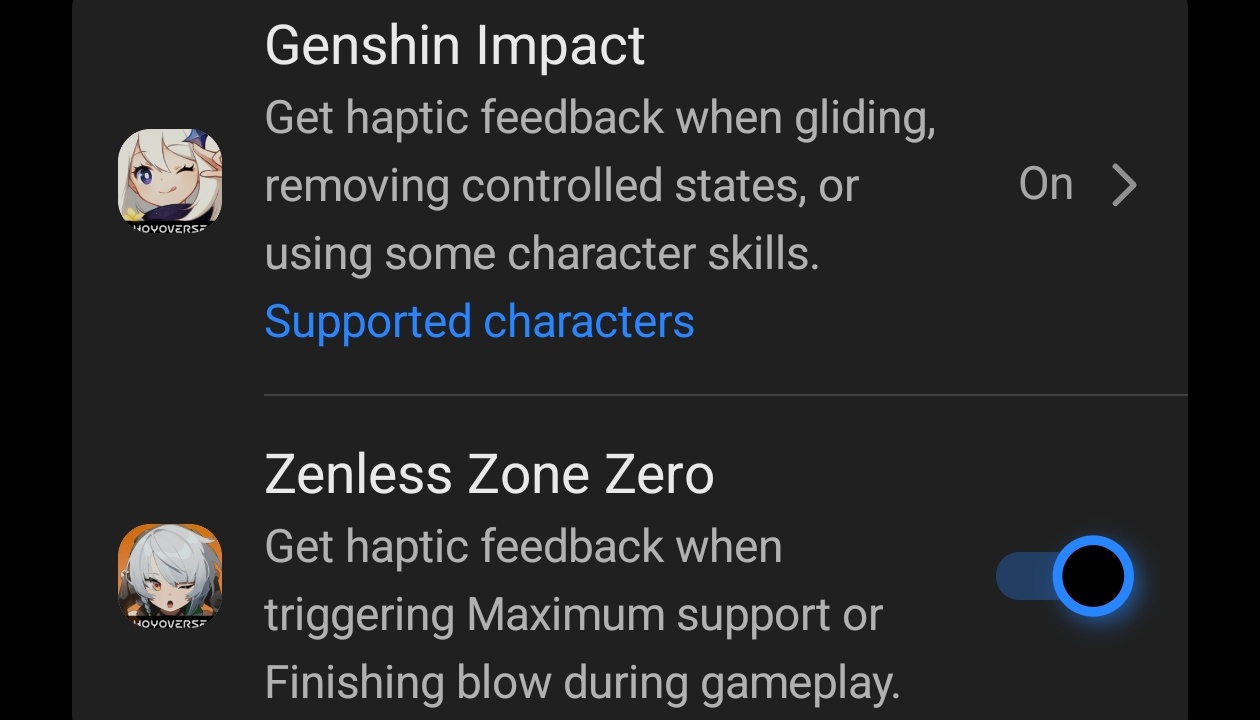
- 4D Game Vibration – Feels very weak as the Haptic motor is not strong enough for this price segment ❌. Although I like the fact that iQOO has updated the list to support newest Nod Krai characters in Genshin Impact and also added Haptic feedbacks while gliding which was not present in older iQOO phones ✅
- Game View enhancement – set it Auto and it works very well making the games more vibrant and colourful ✅
- Game Highlights - this feature is very Similar to Xbox Game Bar recap feature that allows you to capture game moments without having regular screen recording on all the time. Constantly records game in low power so you never miss moments from 30 seconds ago. Great job iQOO ✅
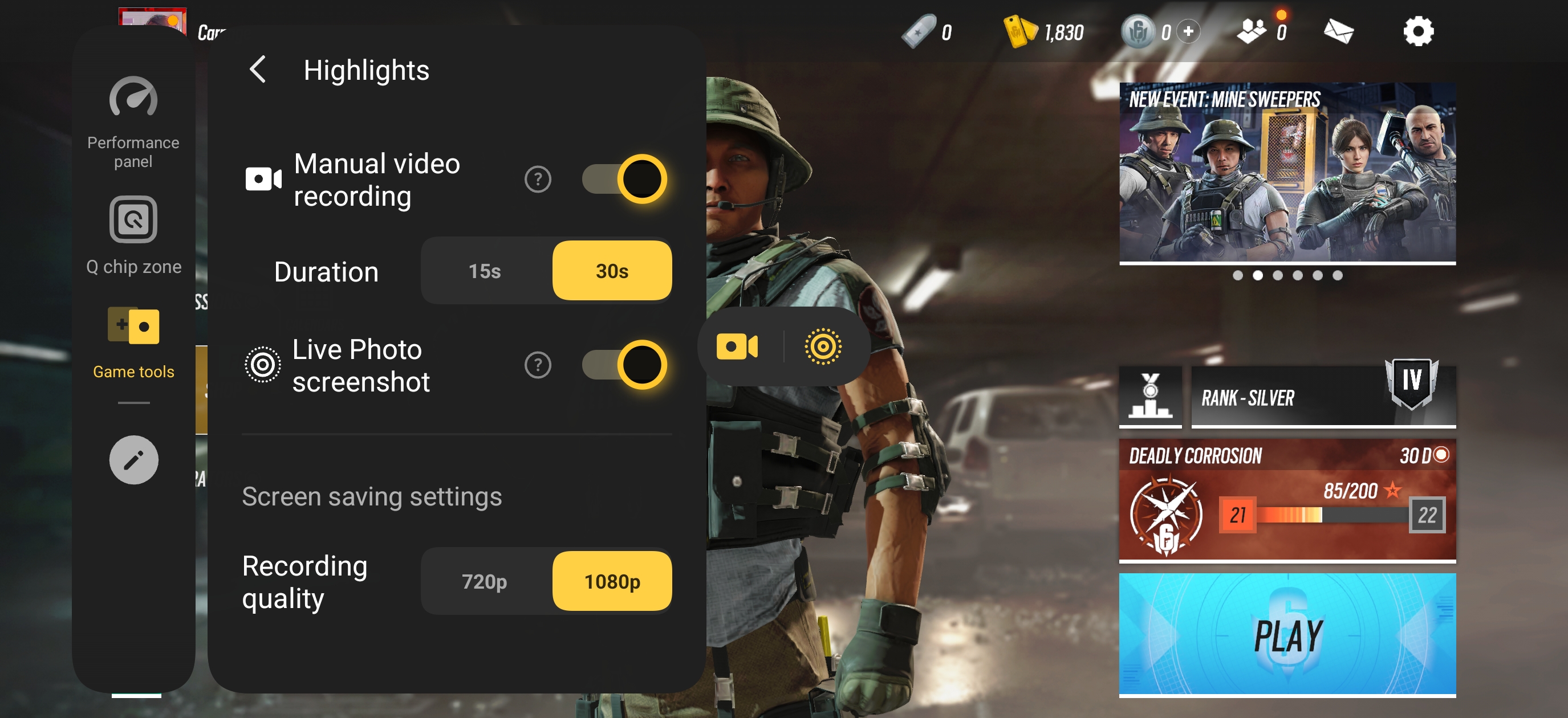
- New Screen recorder - For me this is biggest upgrade new screen recording interface now allows you to pause the screen recording and also switch between system and mic audio while recording for your gaming sessions. Truly impressive ✅

- Bypass Charging – This is misconception among people that phones have true bypass charging like gaming laptops or PC. iQOO s Bypass charging is just a slow charging that limits the CPU power Draw ❌. Not letting the processor perform to it's full potential hence cooling it down but battery heat increases when bypass is enabled
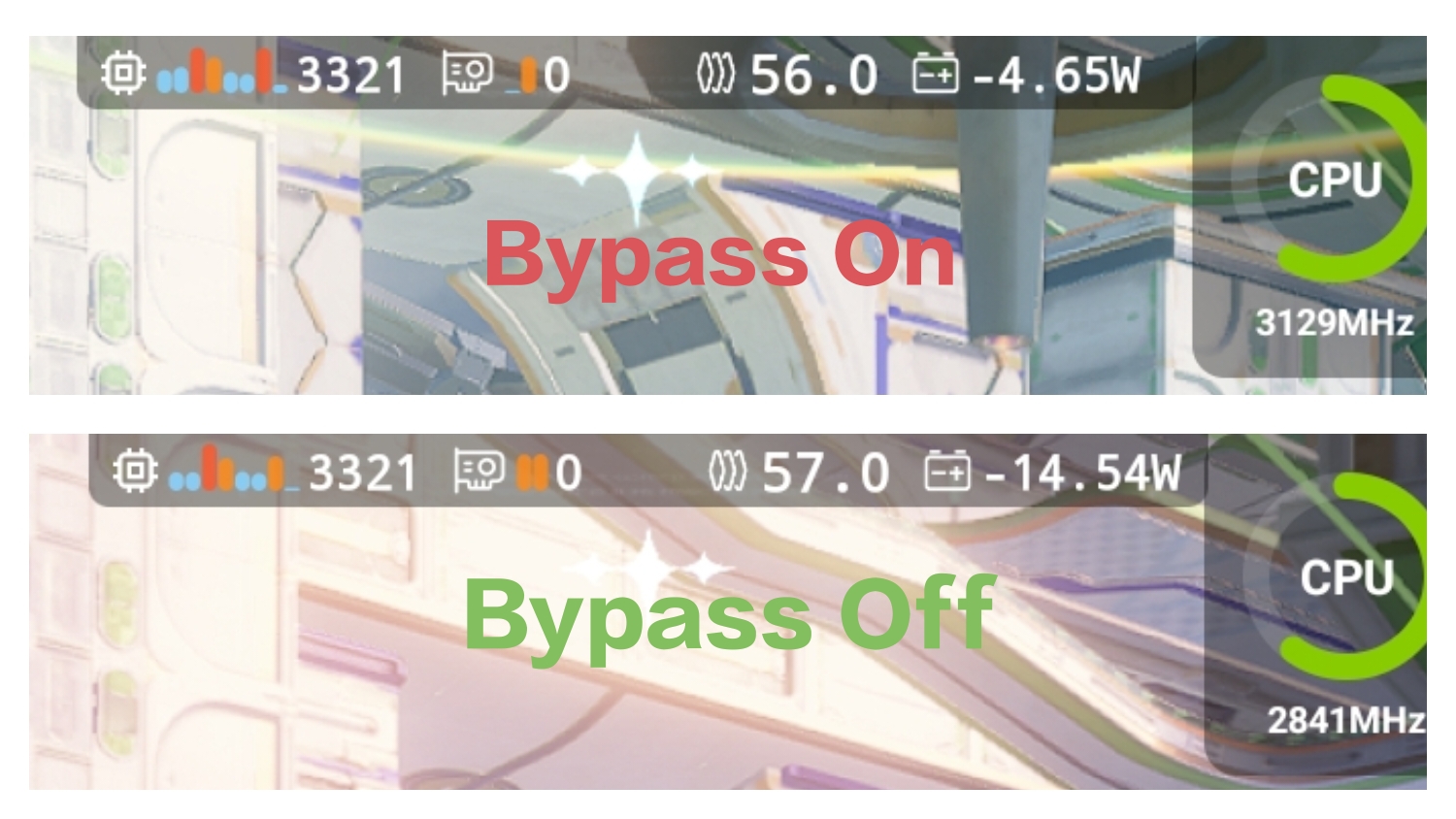
• Unless your Game needs less than 4 to 5 watts of power like COD mobile or Rainbow Six Mobile , Donot use Bypass charging in heavy games like Wuthering Waves or PC Emulation or it will lower game performance not letting processor use full power draw wattage.
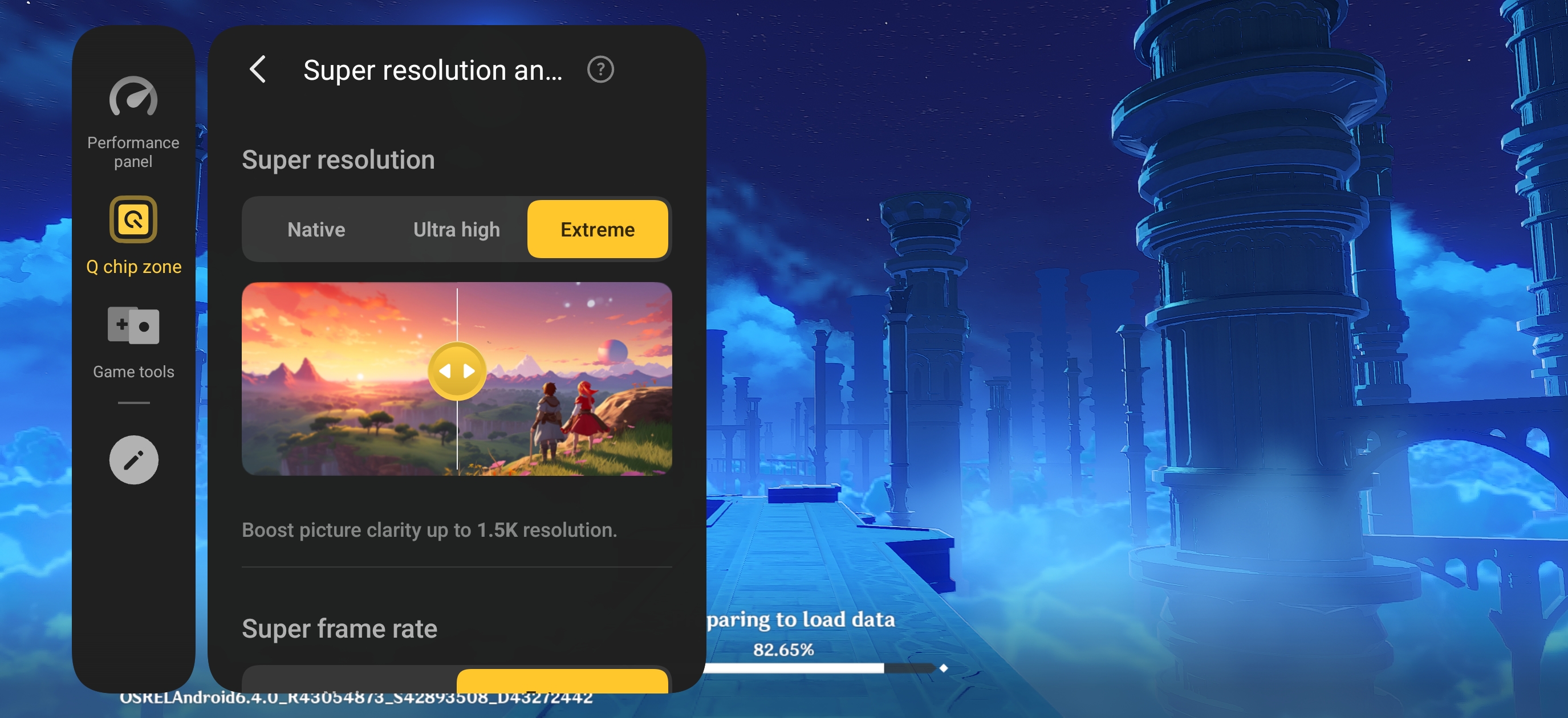
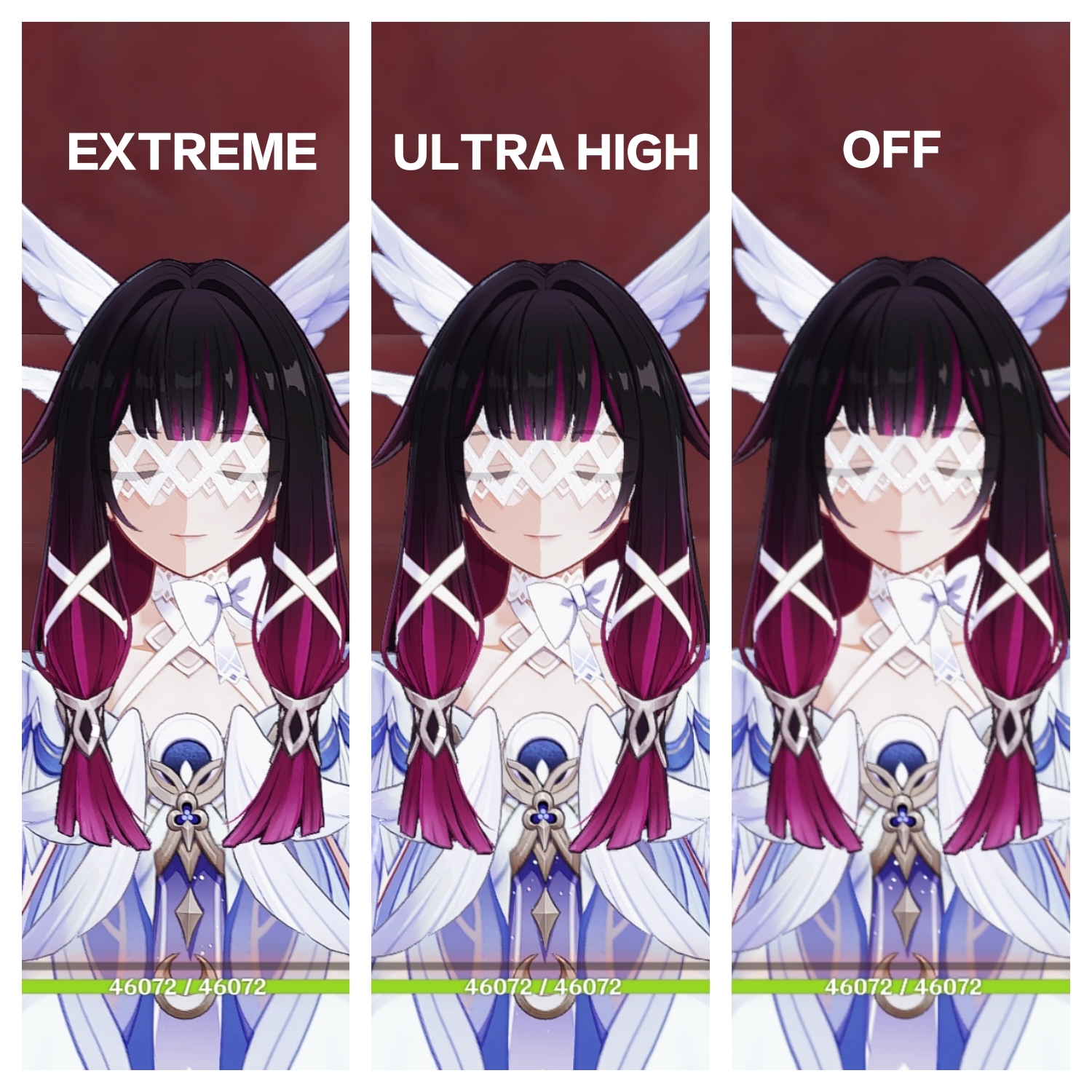
Super Resolution - does it work ? Yes✅ but for limited Games and the effect is very Minimal.
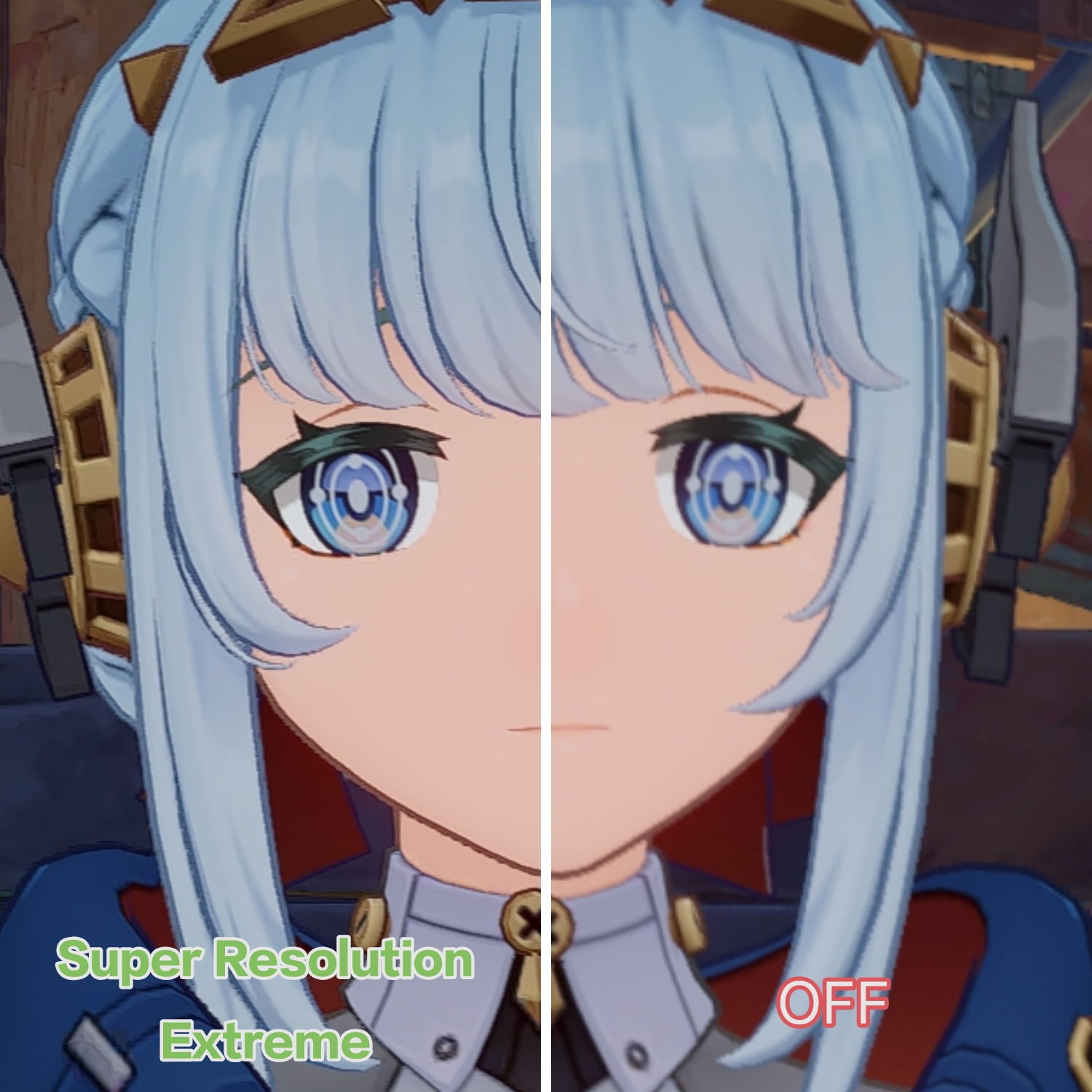
When it comes to Genshin Impact Super Resolution at Extreme Mode is a massive improvement over default resolution. But the FPS is locked to 30 and even turning on interpolation doesn't affect FPS unless Extreme Mode is turned off or lowered to Ultra High Settings.
- Extreme - Resolution boosted to 1.5K but drops fps to 30fps ❌
- Ultra High - boosts resolution to 900p and no fps drops ( best option ) ✅
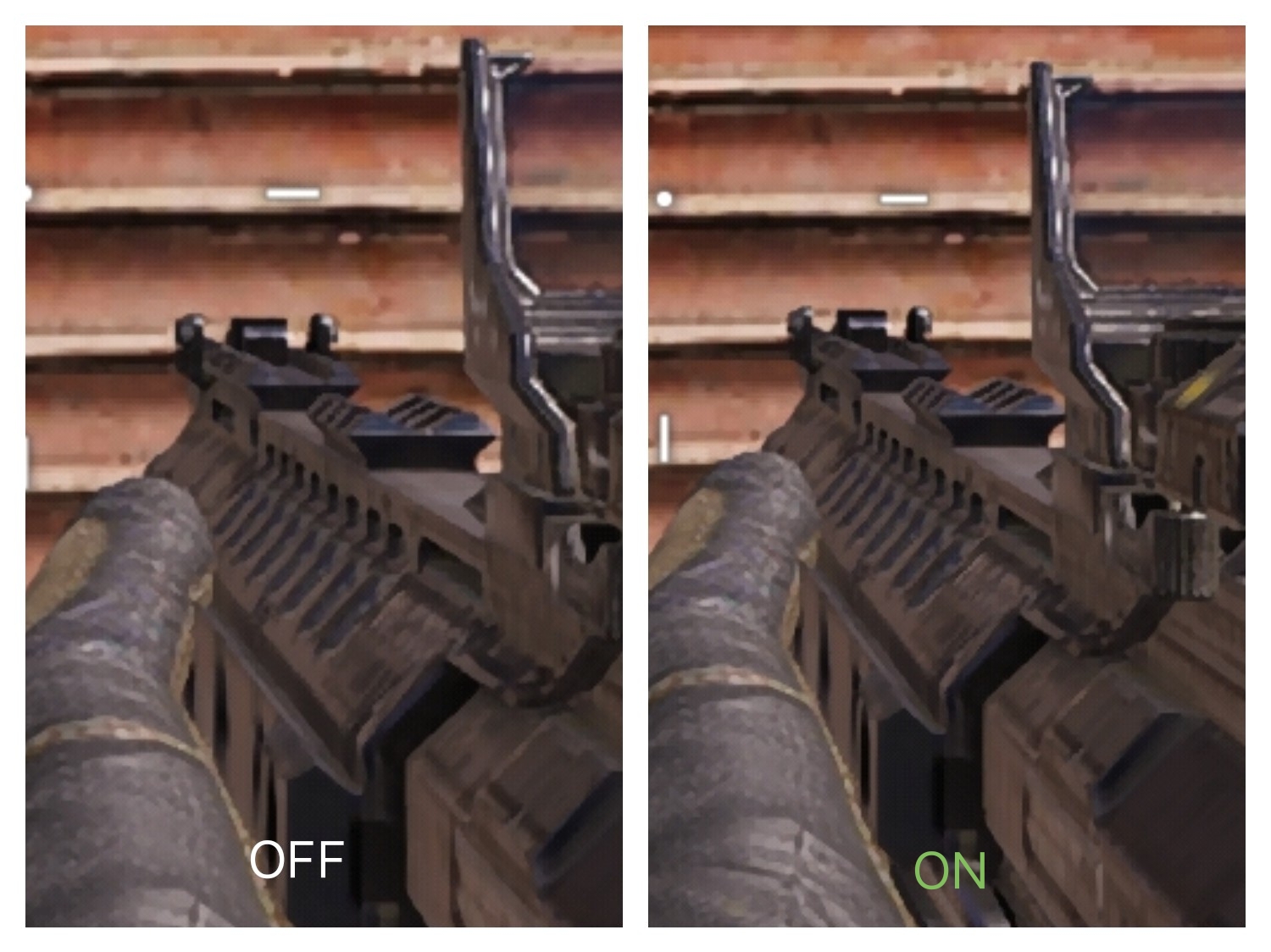
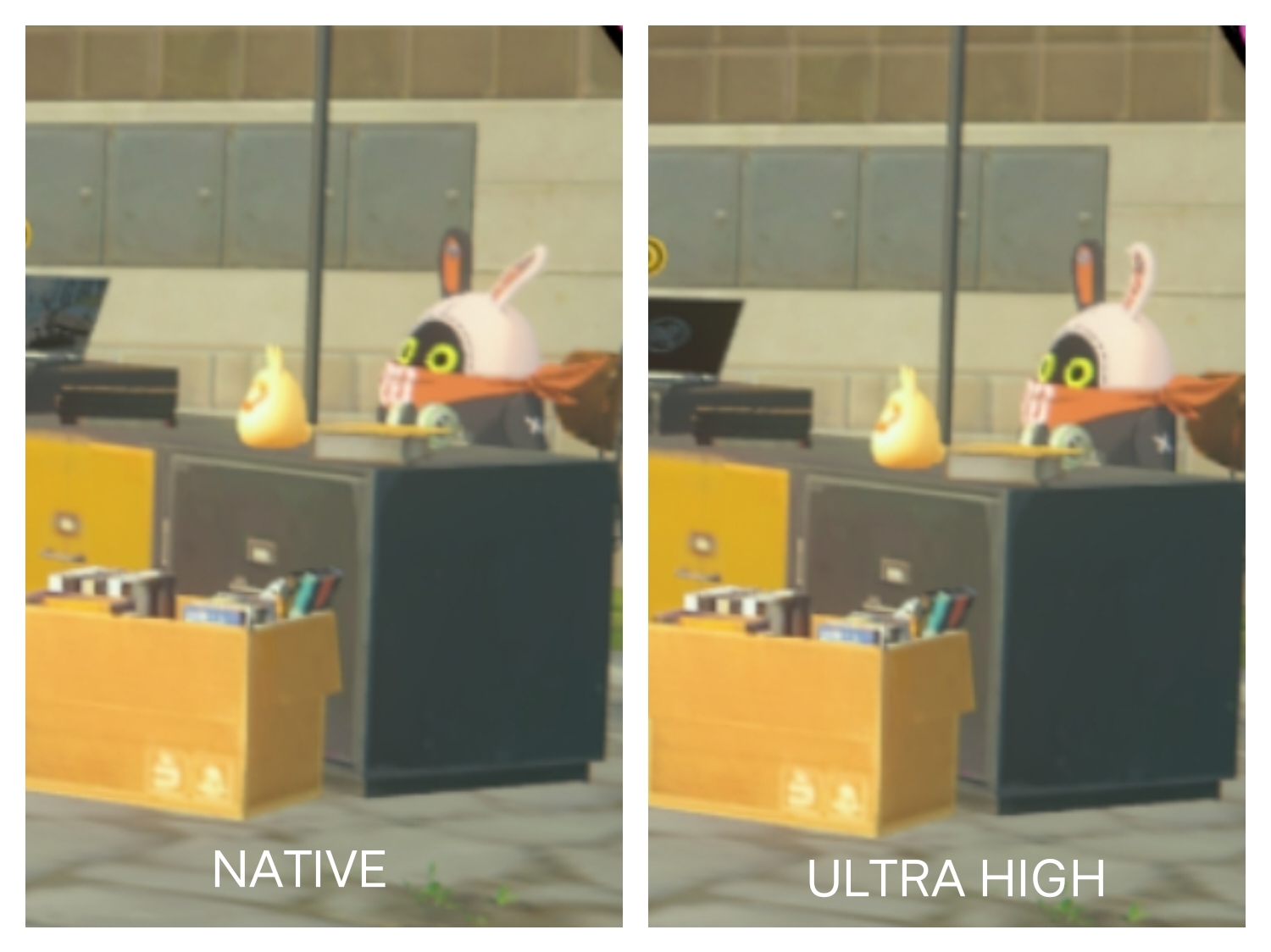
- Frame Interpolation - Only works best for Genshin Impact ✅ and makes the game very enjoyable but for shooter games like COD or BGMI it slows down touch response and increases latency❌. ( Only use it for single player story games )
- Gyro / Motion control – Available but I prefer to play with touch instead.
🧠 Software & UI Experience
- 📱 OS & UI : Origin OS 6 based on Android 16
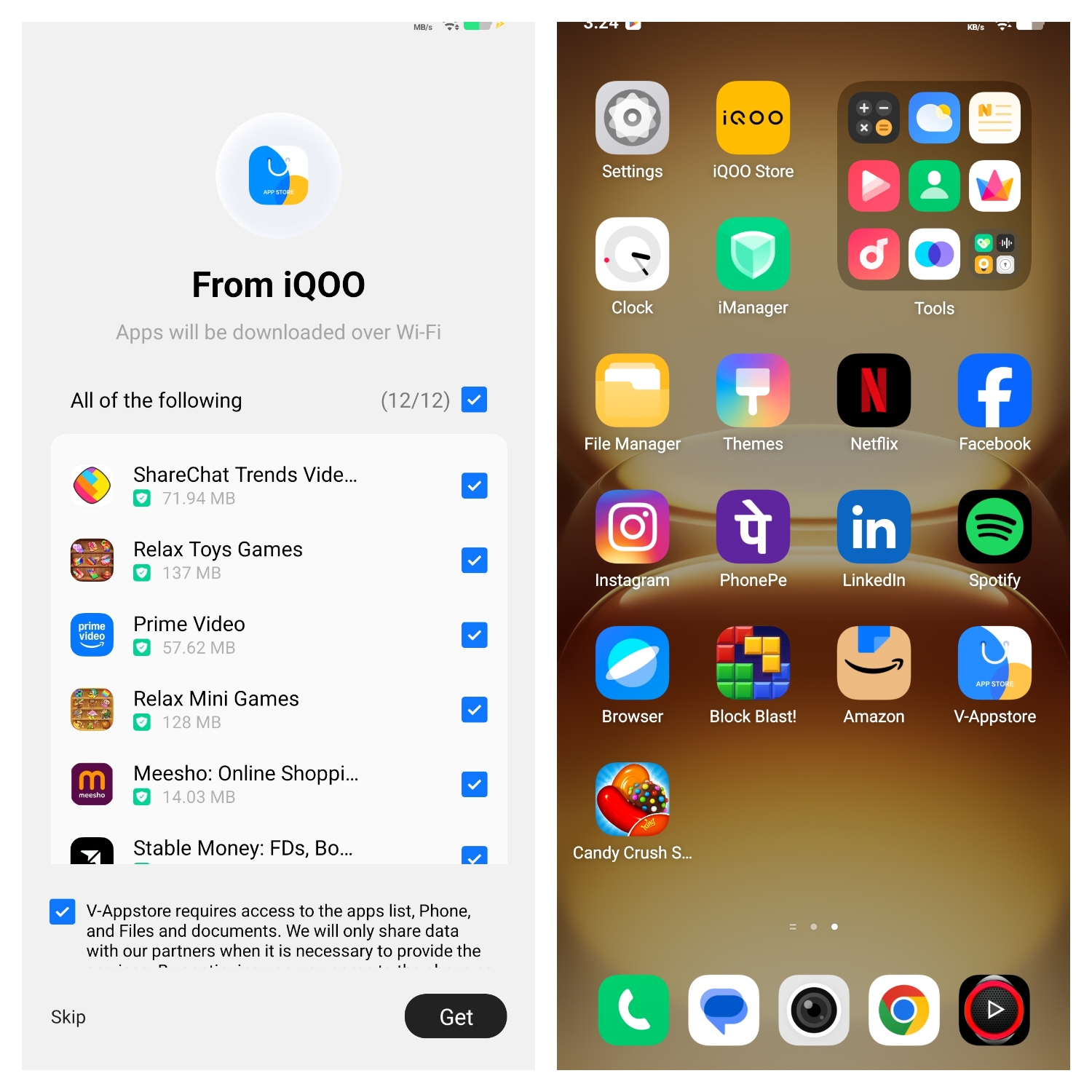
🎯 Bloatware Status : Heavy ❌
For a phone costing Almost 50k pushing this much bloatware makes the first boot experience unpleasant. Hopefully future devices can reduce bloatware.
- 🔄 Update Policy : 4 years of major Android OS updates and 6 years of security patches ✅
🧩 UI Smoothness :
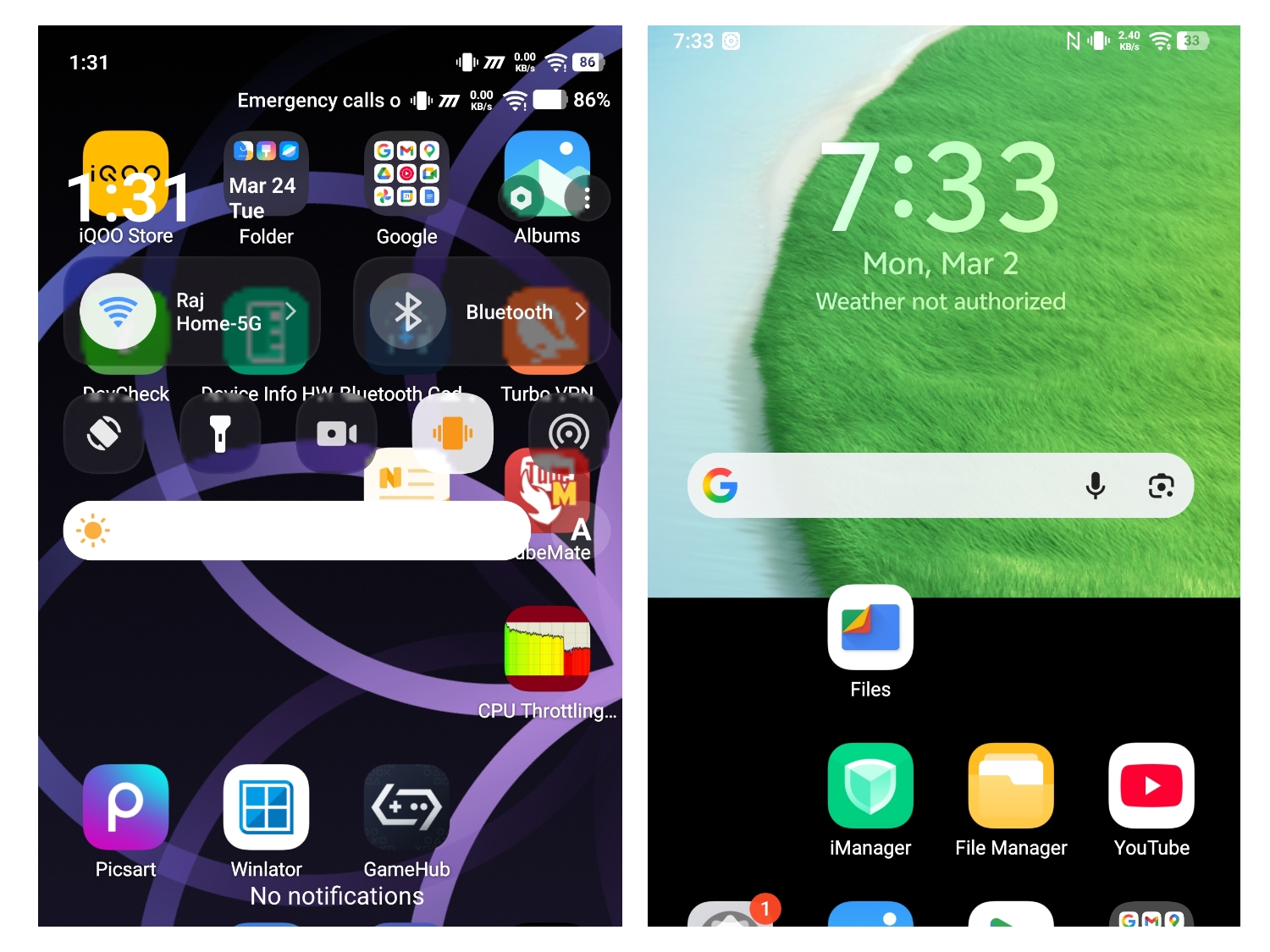
- Animations – All Flagship level animation effects available ✅
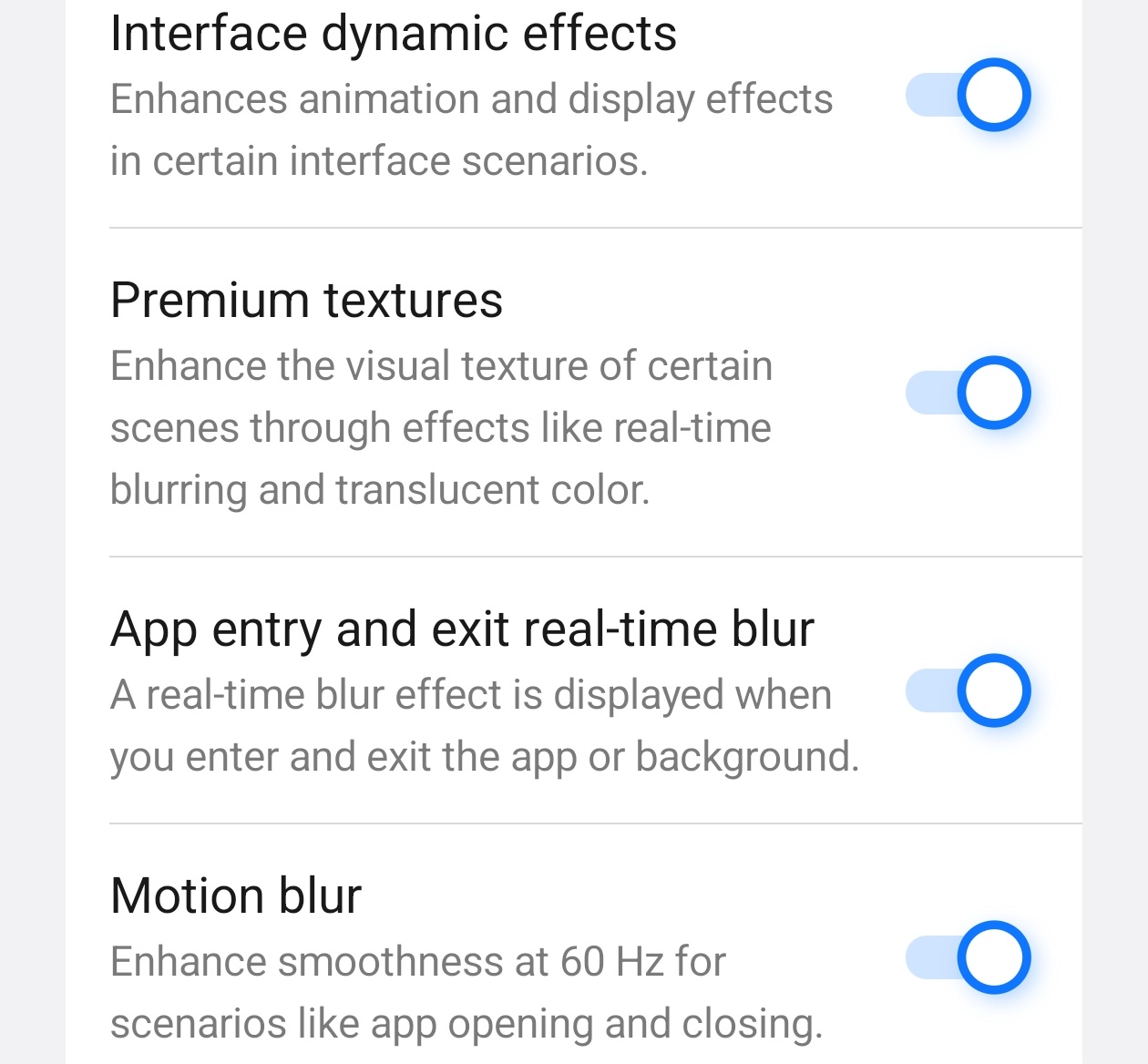
- 🤖 Bugs ? - origin OS is definitely a step forward from Funtouch OS but there are sometimes glitches after exiting heavy apps. Sometimes control panel merges or sometimes half the wallpaper disappears
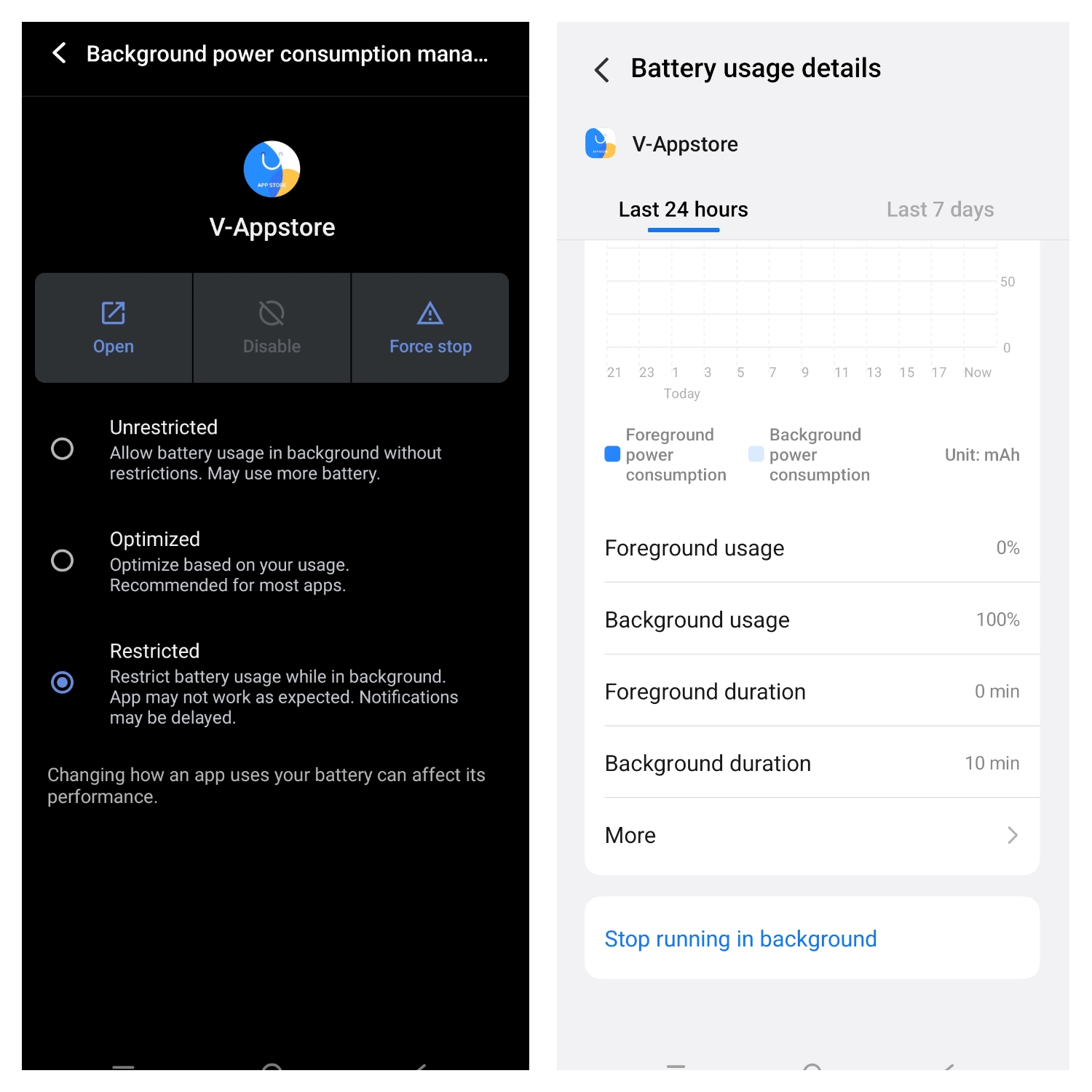
- Permission Limitations - For some reason iQOO has completely removed the option to limit background battery usage for bloatware and preinstalled apps in Origin OS 6 🤔. This feature was present in Funtouch OS 14,15
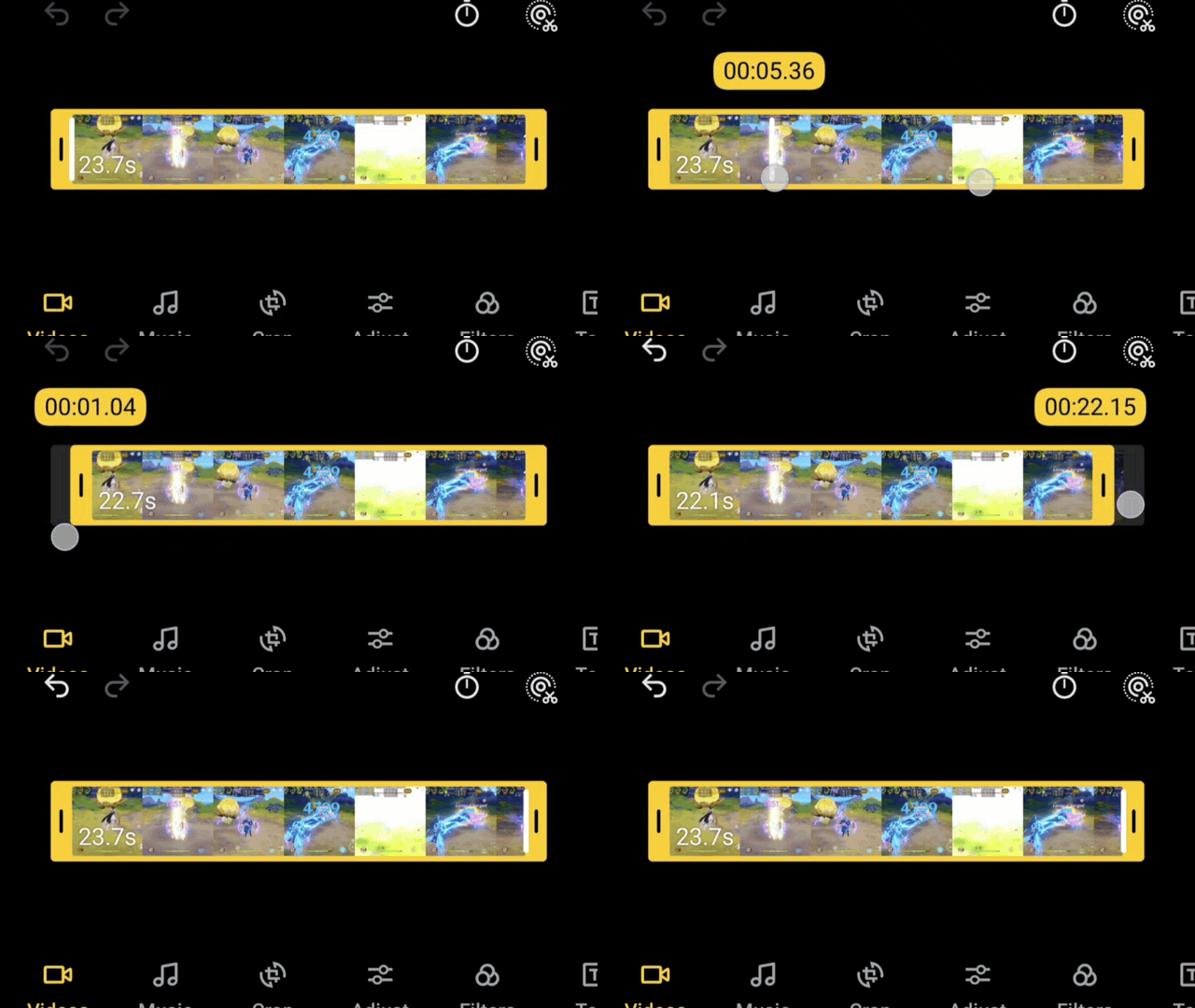
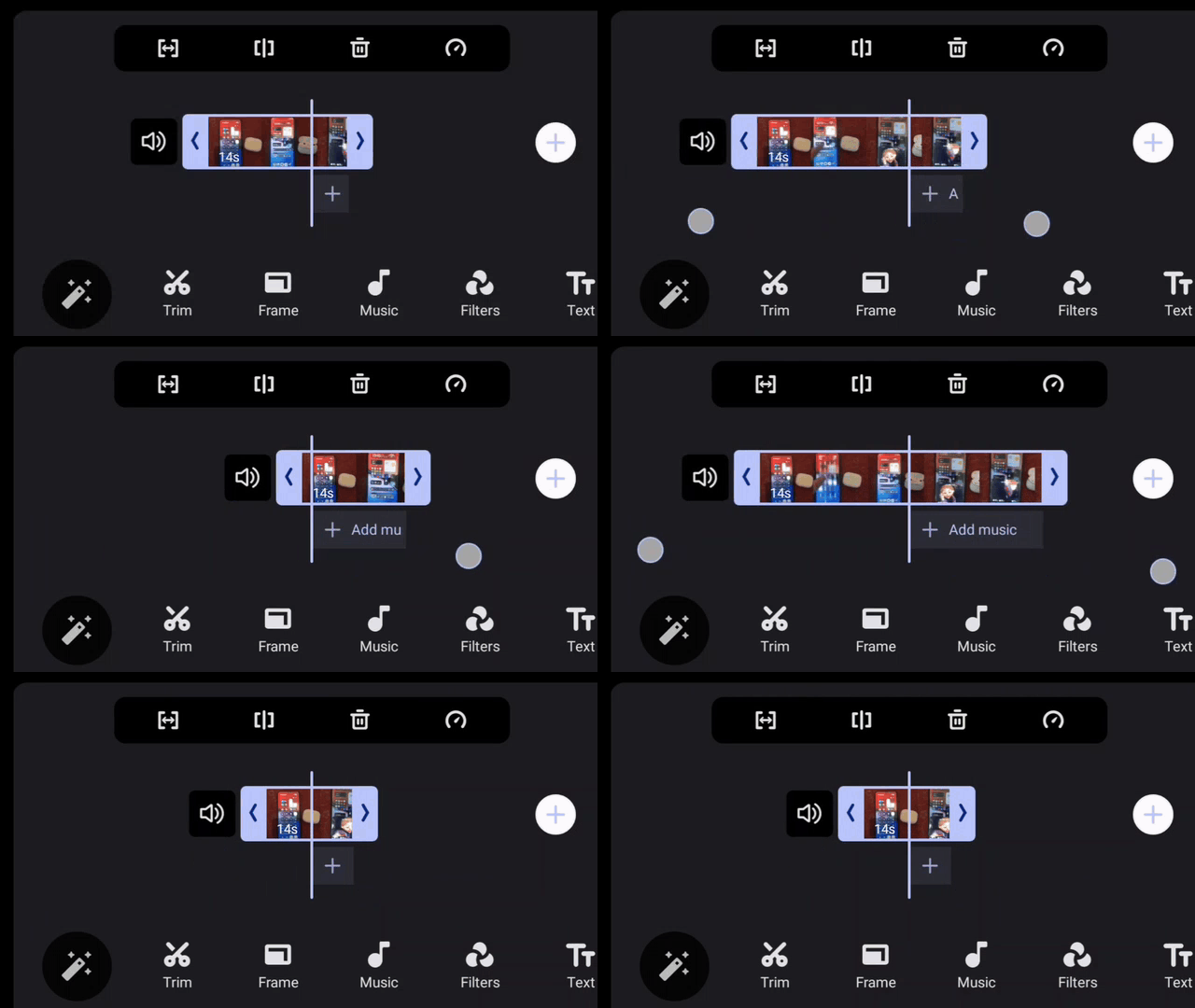
- Gallery App experience - i love the new gallery in Origin OS having more features than Funtouch OS but the overall UI is now impractical and focused on form over function especially video playback and video editing . I will be frank the gallery app feels like an IOS Clone.
The Video timeline in origin OS is rigid and cannot be zoomed in or stretched which is a big issue for video editing unlike Funtouch OS which was flexible in editing.
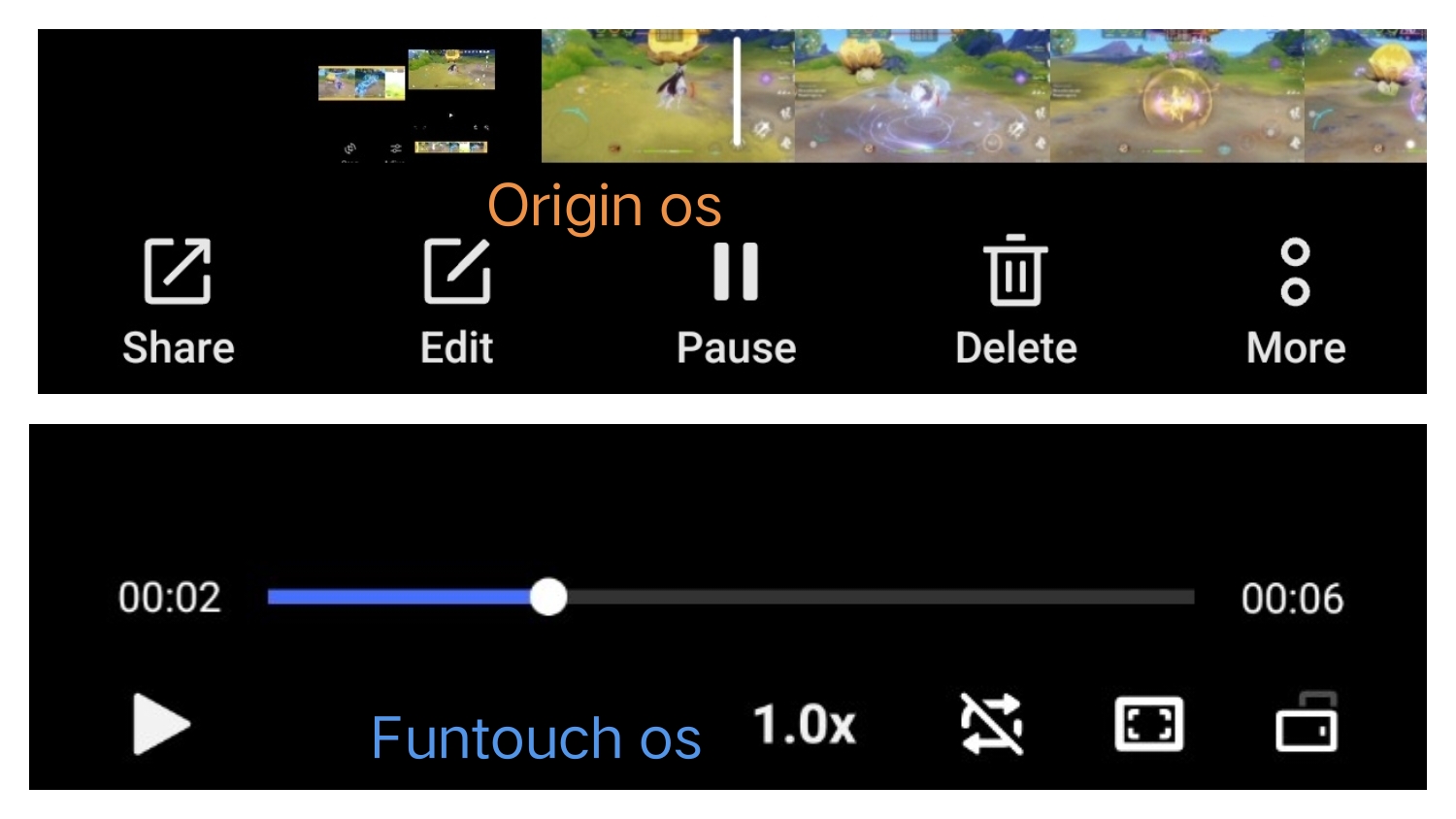
Even video playback interface has lost features in Origin OS 6 in vertical orientation. To get these features in Origin OS you need to tilt the device to horizontal then back to vertical again while the video is playing.
I hope iQOO reverts the gallery app back to Funtouch Style or atleast restore the features.
Overall i like Origin OS 6 ,the animations are good, the ram management is excellent and lag is minimal it just needs a little polish like Improving UI Haptic effects and fixing the issues i mentioned above.
📷 Camera Performance
📷 Rear Cameras :
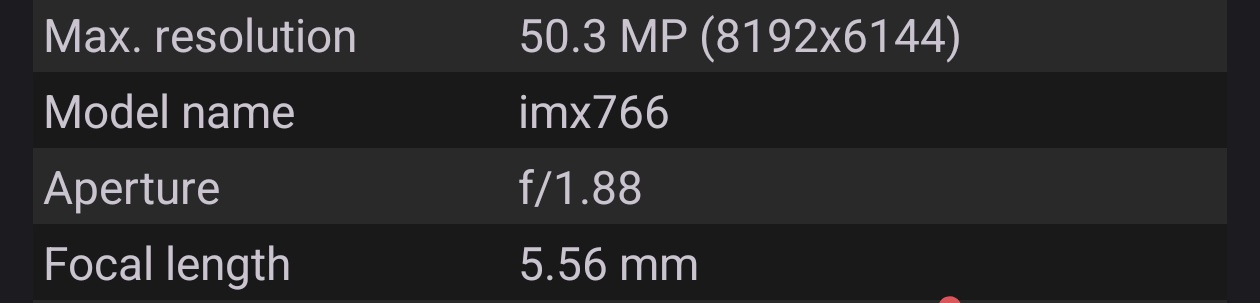
- Main – IMX 766 ( not sure why a 5 year old sensor is being marketed as LYT 700V , iQOO should have given atleast IMX 906 or IMX 921 would be even better )
- Secondary –8MP ultra wide ( Omni vision OV08F ) , iQOO could have given a better ultra wide than just 8MP as a 16MP or better ultra wide can even double down as a close range macro camera . My old phone had a 13MP ultra wide which also worked as a close range macro lens. This was a missed opportunity.
- 🤳 Front Camera : 32MP Galaxycore GC32E
🌞 Photography :
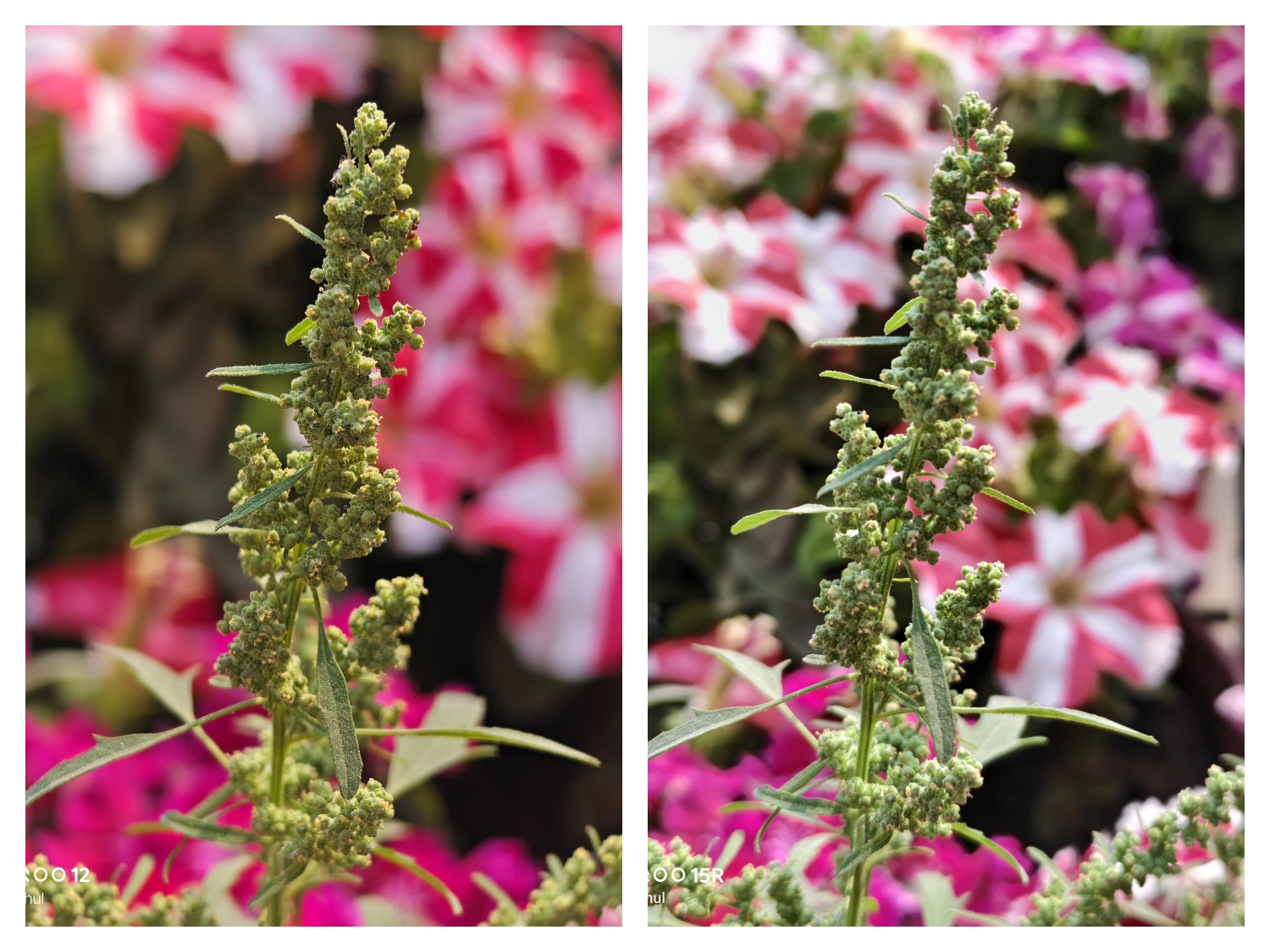
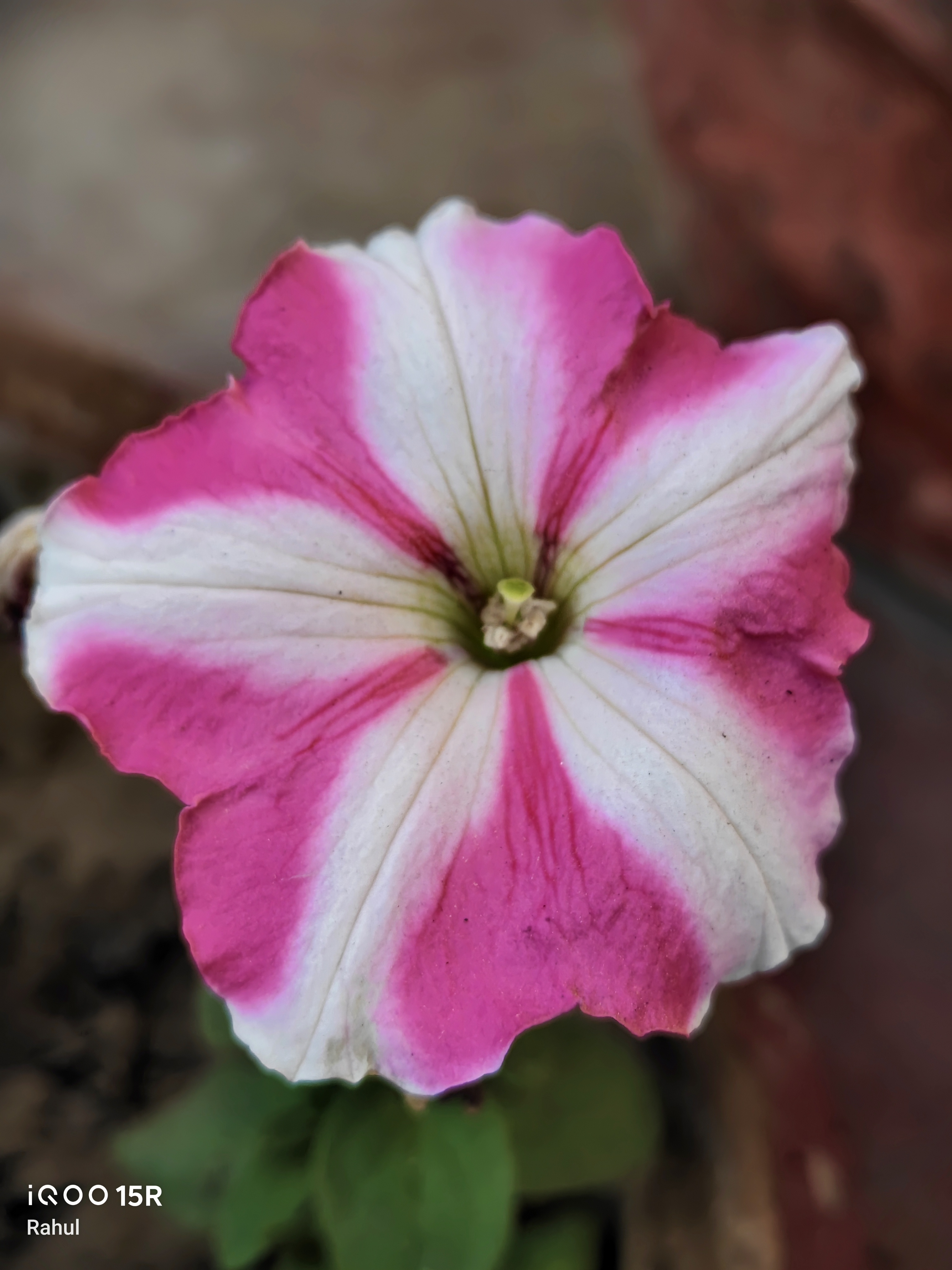
- Daylight – As long as there is bright lighting conditions and direct light source 15R delivers impressive photography.
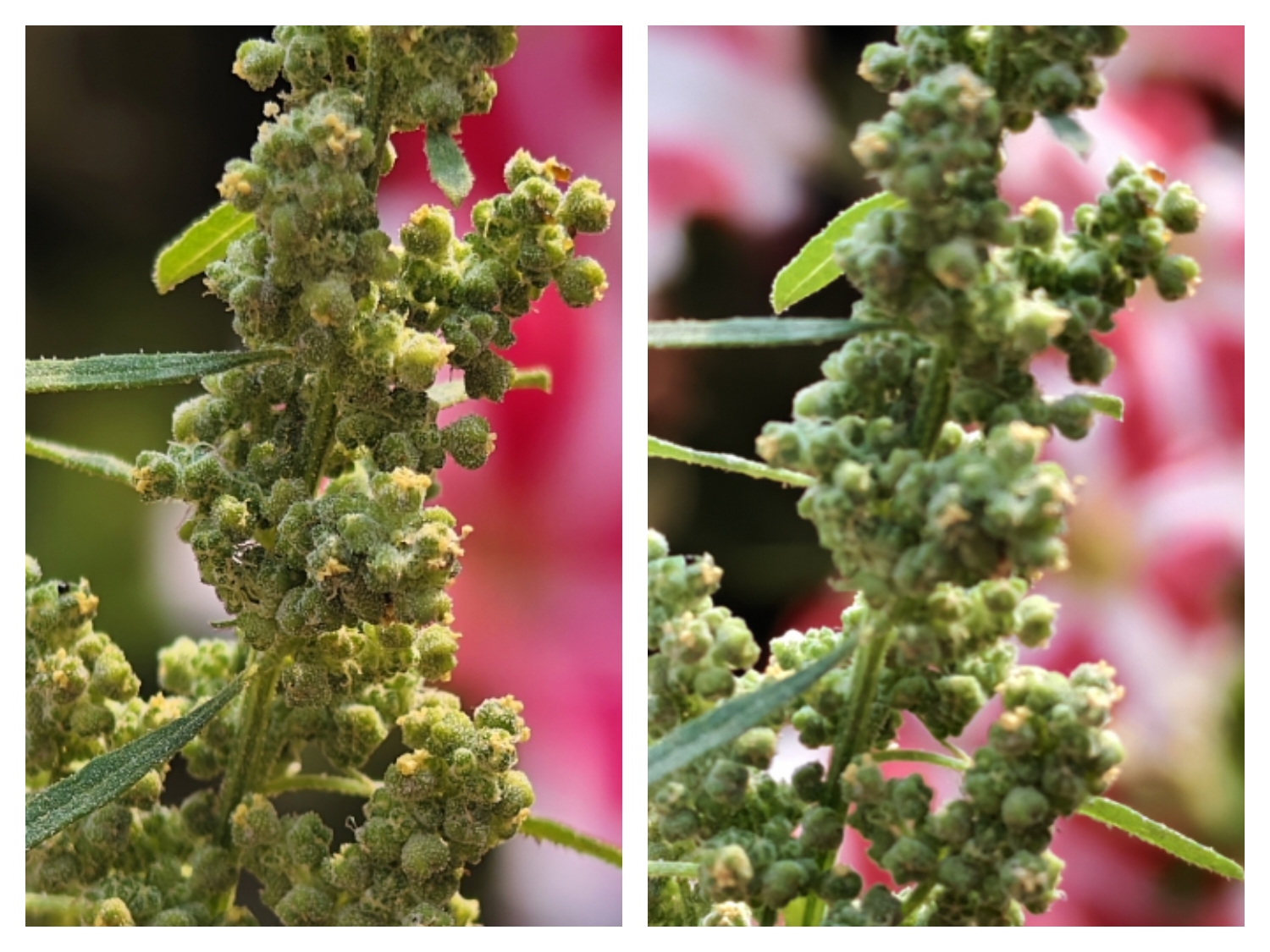
Even though there is no telephoto even 2x digital zoom looks sharp in Daylight.

Due to a lack of telephoto lens the portrait blur in 15R is fully digital unlike real blur in iQOO 12.
- Low light – Good results in low light if there is direct light source but it struggles with soft images when light source is absent
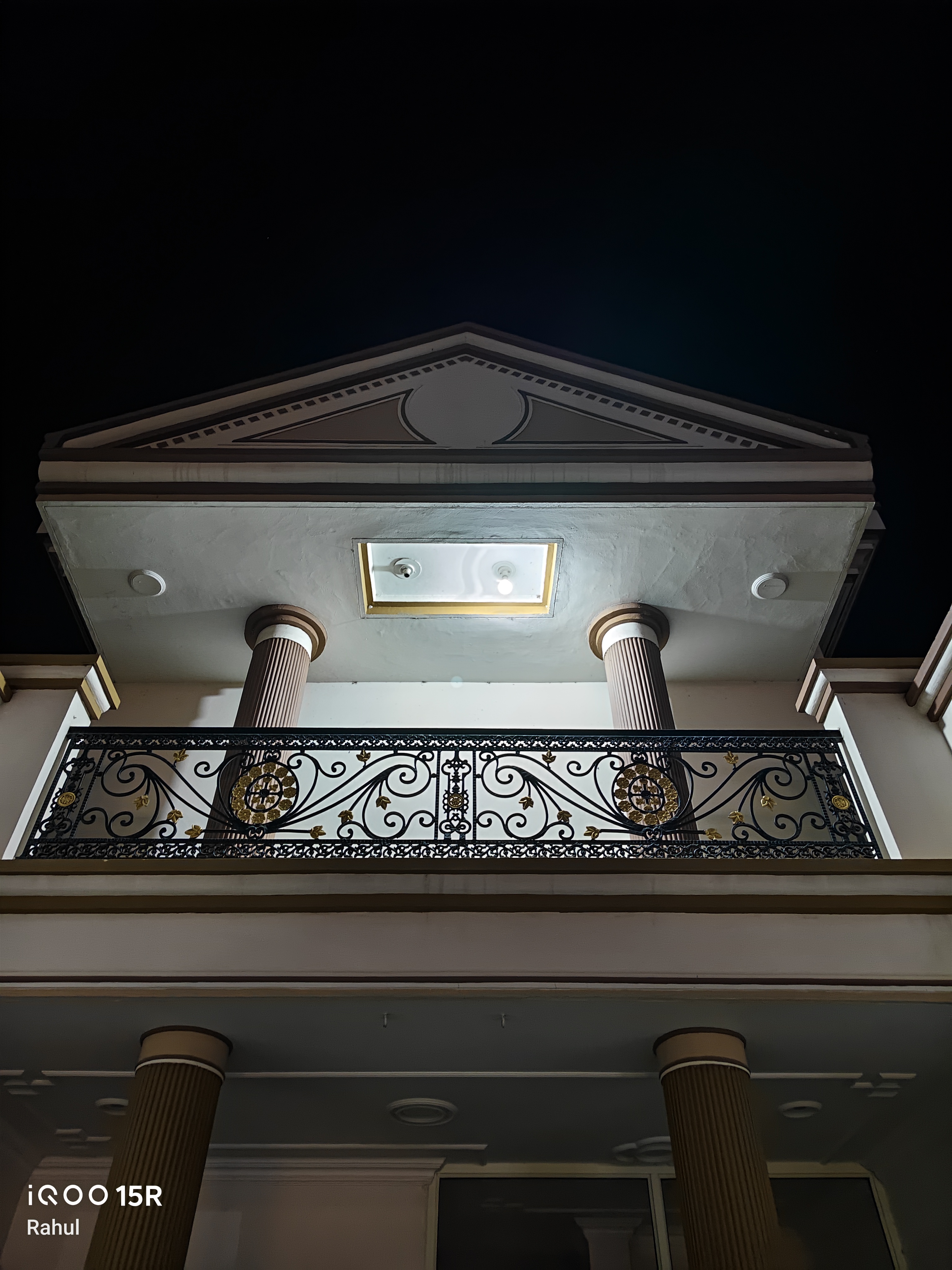
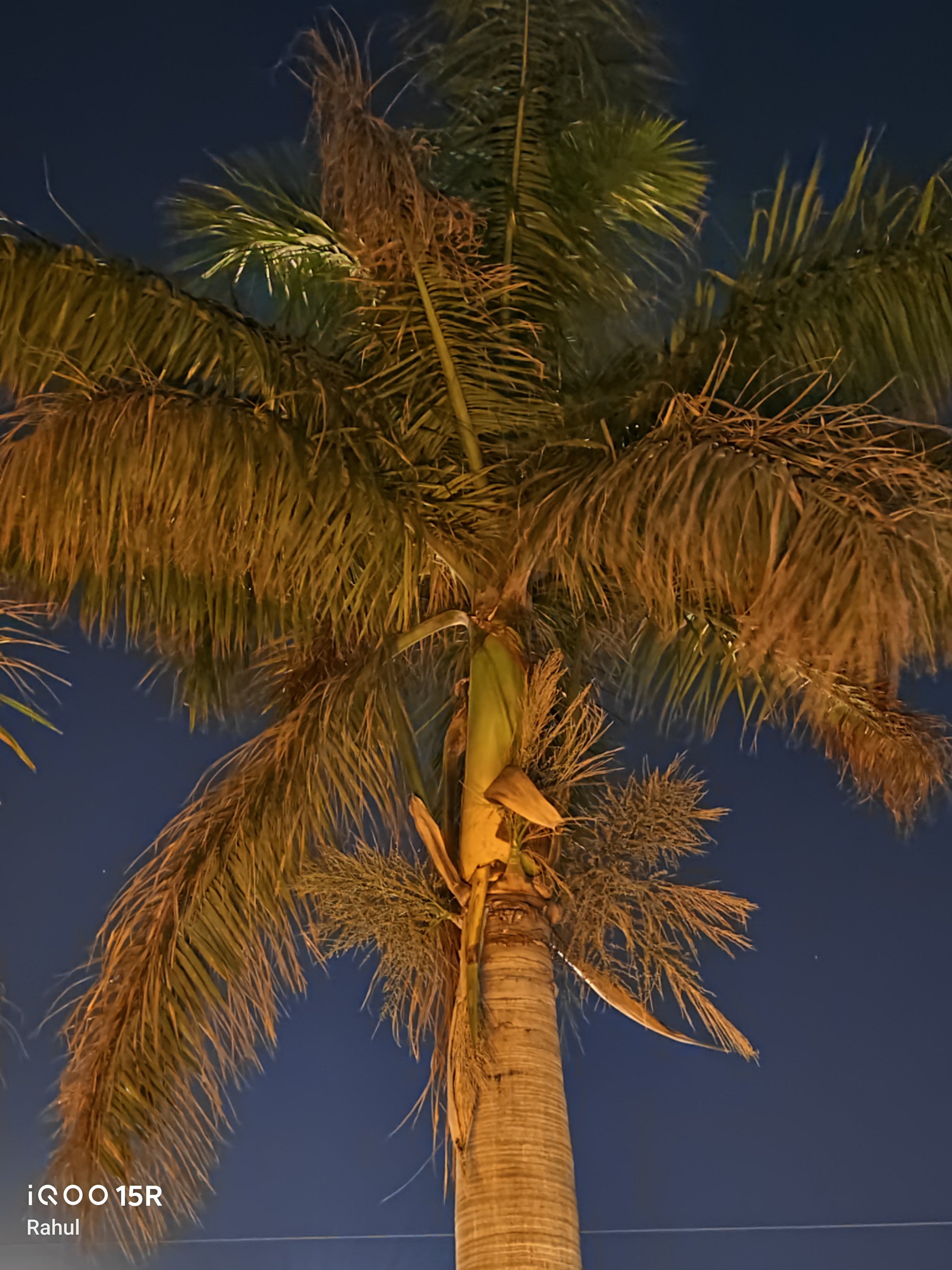
- 🎥 Video : both main and selfie sensors support 4k 60 Fps recording. Ultrawide is only limited to 1080p 30fps ( i hope iQOO can unlock 4K 120fps on the main sensor through a software update as hardware is already capable and some competitors have enabled 4K 120 Fps )
- Digital Zoom at 4K 60fps supports 10x Zoom on the Rear Main Sensor and 2x zoom on the selfie sensor.
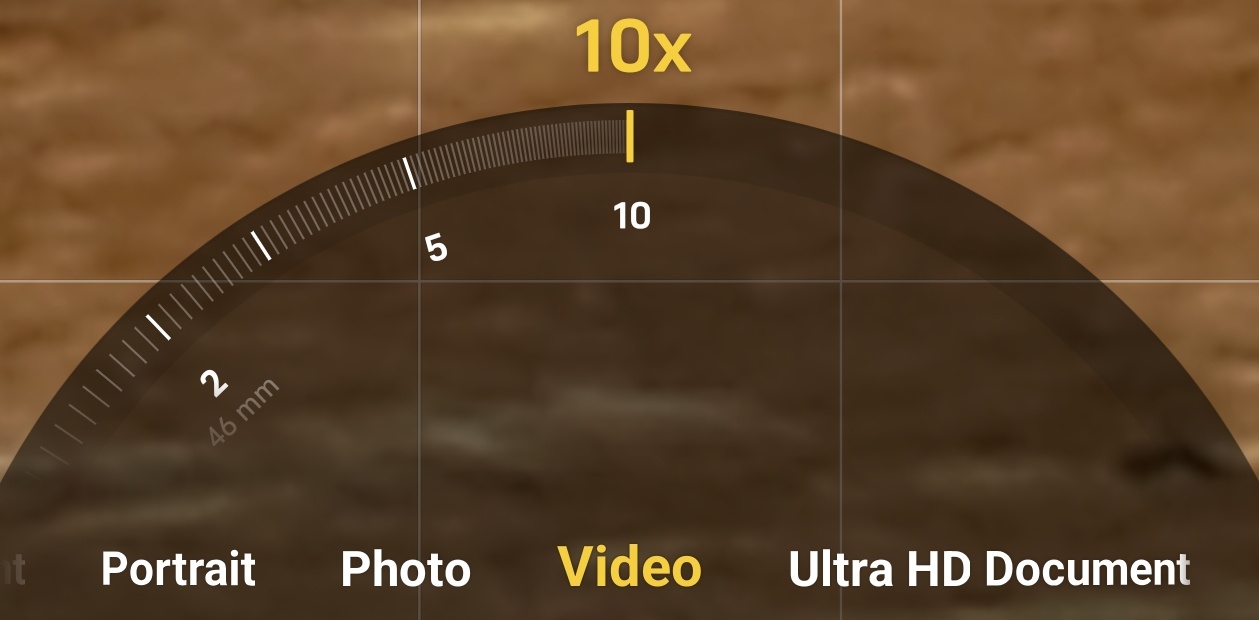
- Stabilization – only rear main sensor has stabilization ( OIS )

📸 Camera Features :
- Portrait - Available at 23mm , 45mm & 50mm ( all Digital )
- Portrait mode in 15R has added new Filters which resembles Zeiss Biotar from the Vivo X series. This is impressive hopefully more can be added through updates ✅
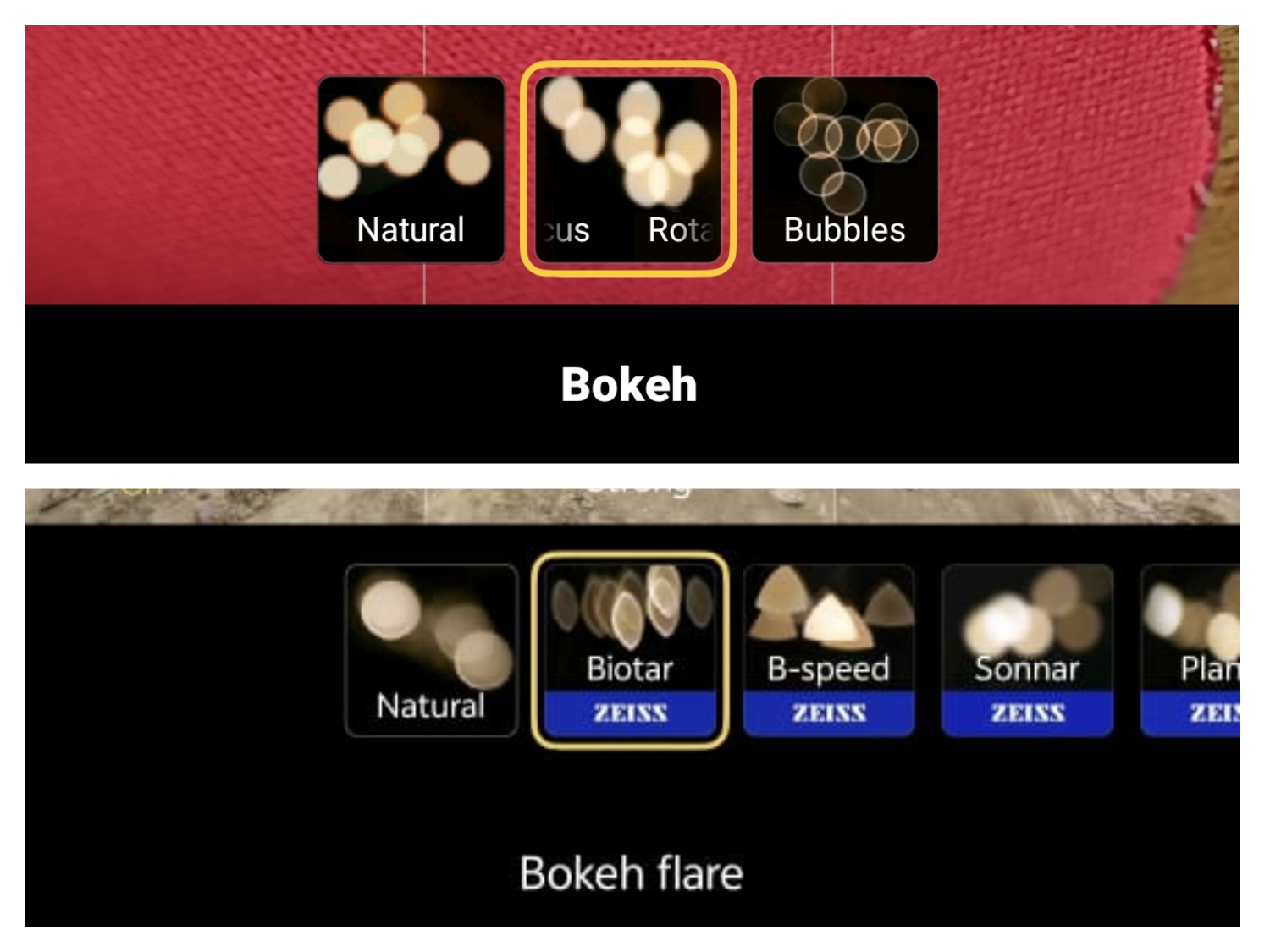
- Overall Shutter lag – 0.5 seconds ( higher during low light conditions)
🔋 Battery & Charging
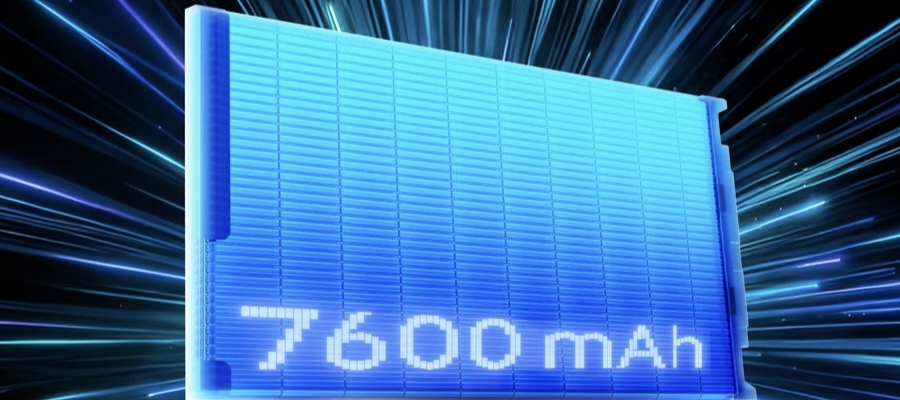
- 🔋 Capacity : 7600Mah ( Single Cell Silicon Carbon battery )
- ⏳ Battery Life : (Real SOT will be lower as I'm using the device without SIM card). 7 hours on heavy gaming and PC Emulation and 12 hours on casual gaming like CODM or Rainbow Six Mobile. ( Device resolution set to 1.5k and Max frame rate forced for all Apps )
- For regular users the battery will last much longer than it did for me since most people don't play PC games on their phones or all the heavy games i tested.
⚡ Charging :
- Wattage – 100 watts supported
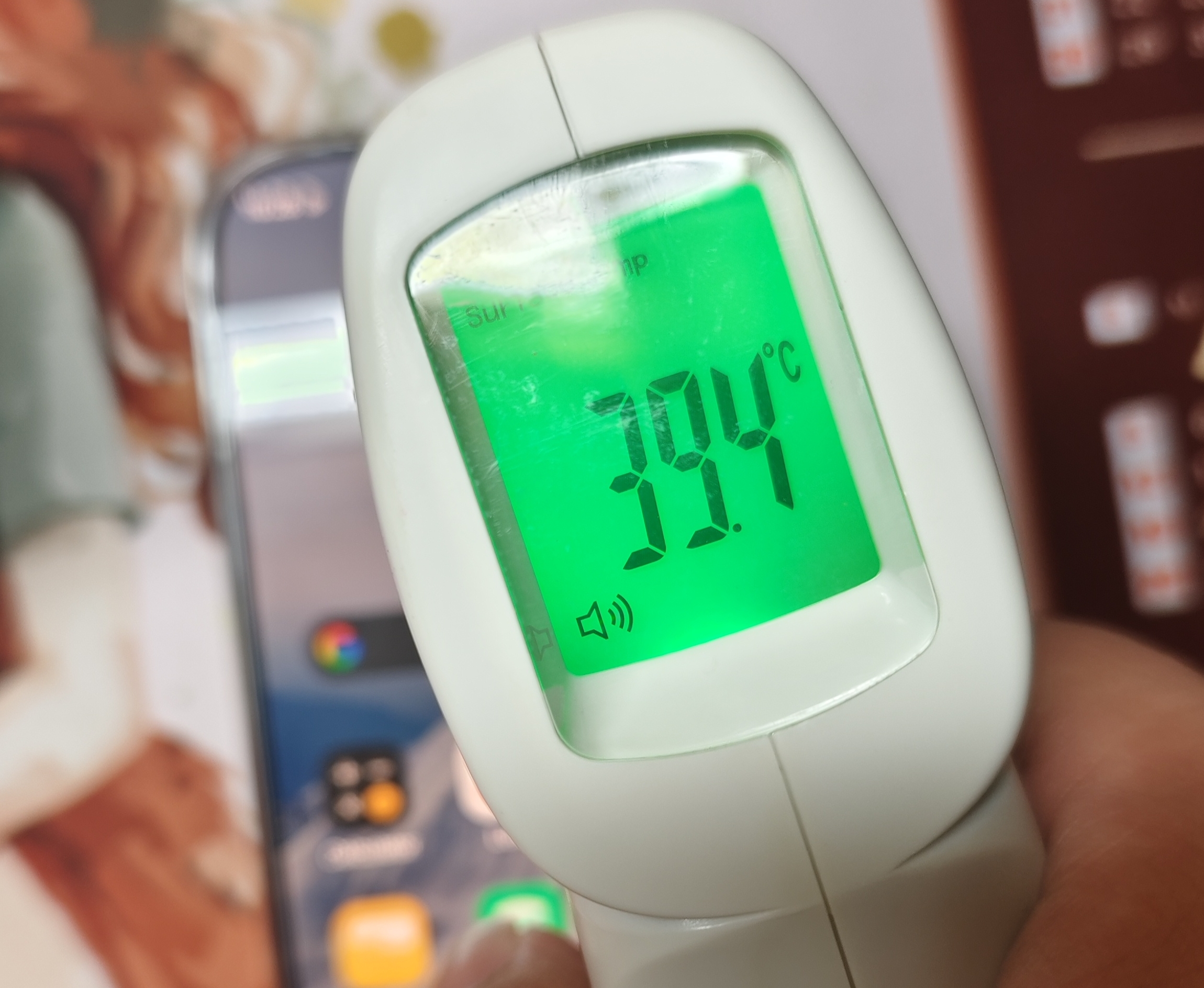
- Heat during charge – High when fast charging enabled ( varies from 38 to 40 degrees )
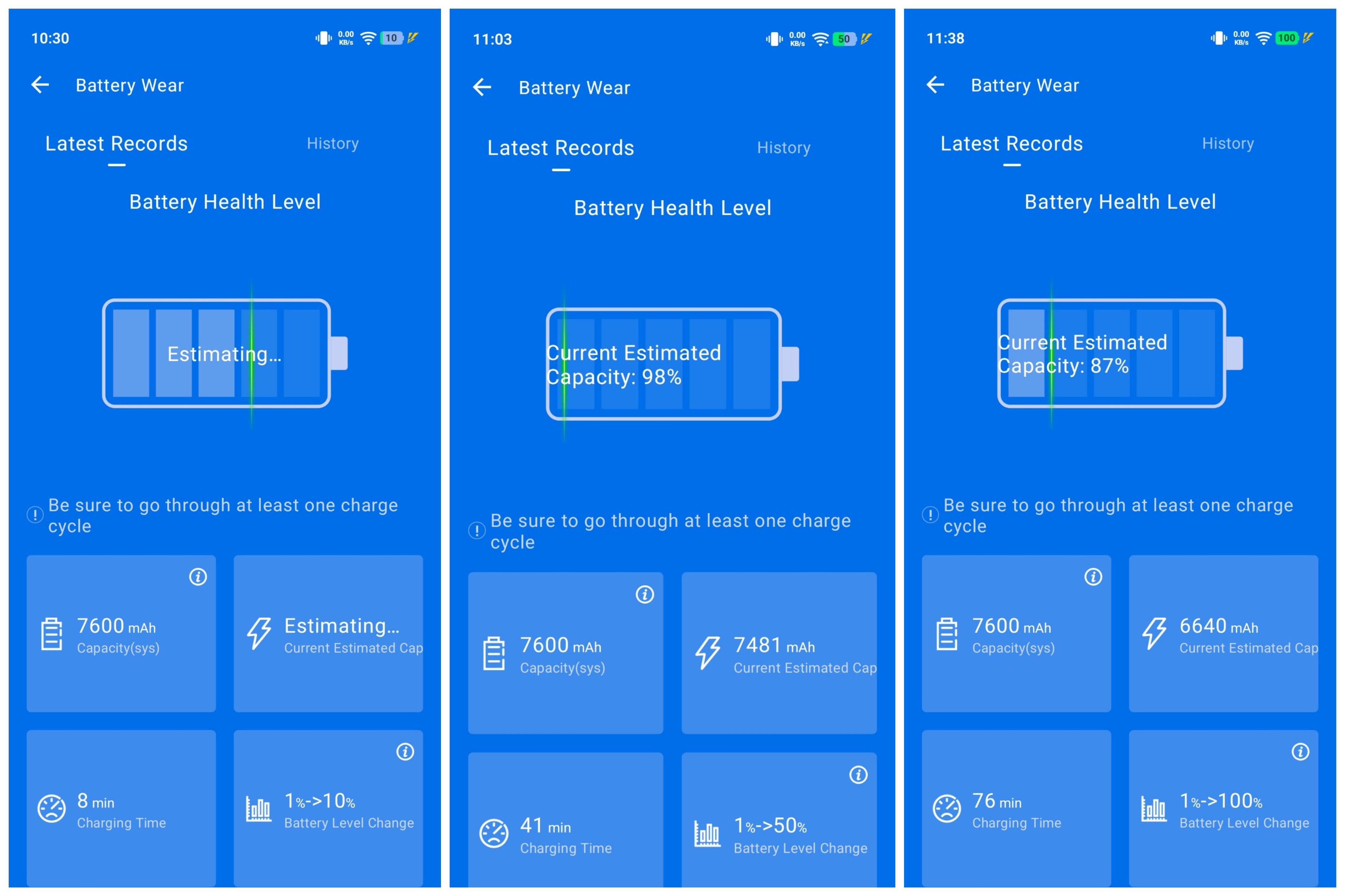
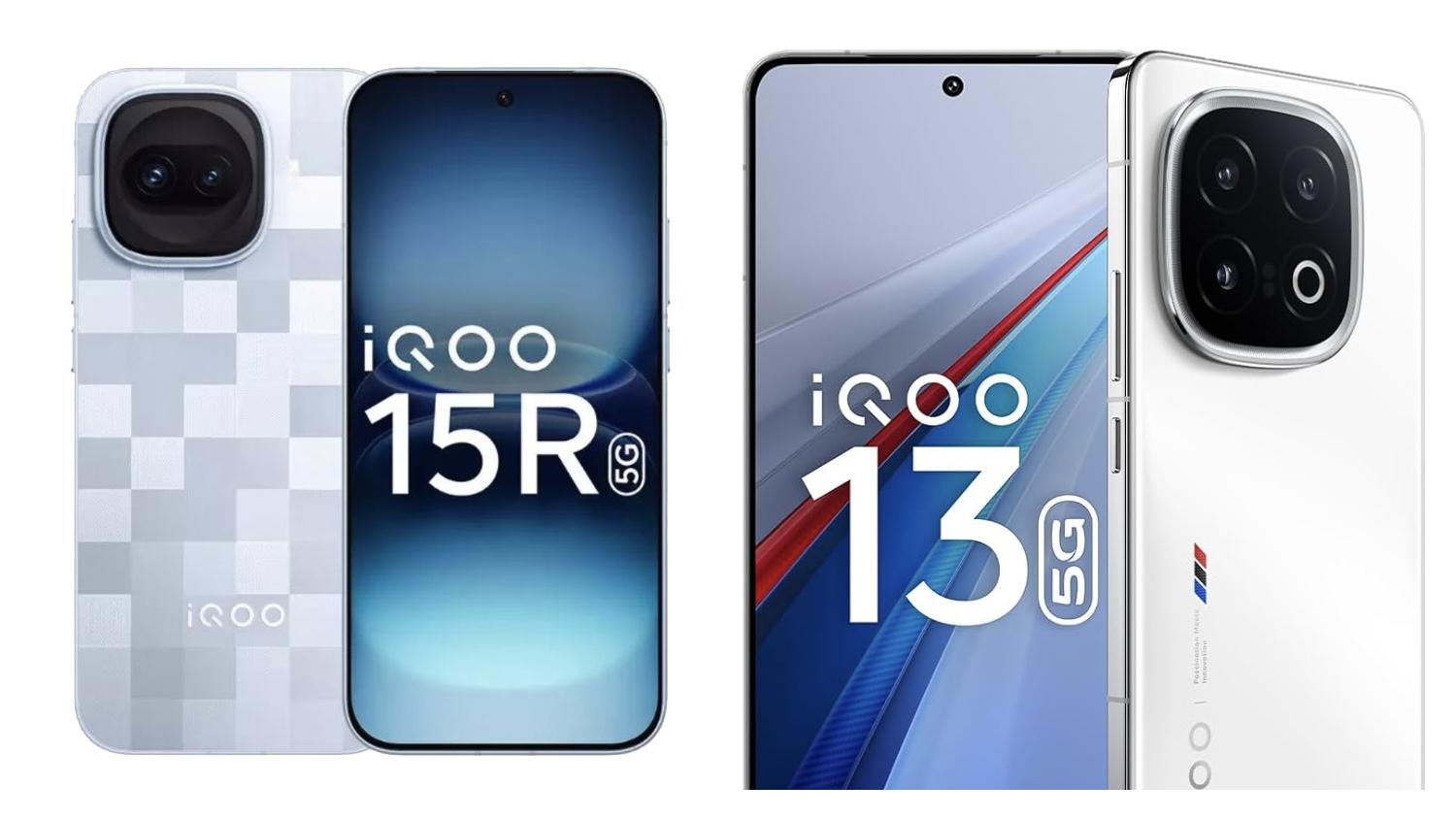
- 0-100 Charging time - 76 Mins ( feels slow even though it's 100 watts because iQOO 15R has a single cell battery while iQOO 13 had a dual Cell battery )
🔋 Battery Features :
Super Battery Saver – Available. Turns off most of the features and lets you access a few apps of choice in emergency situations ✅
📶 Connectivity
- 5G bands – 1, 3, 5, 7, 8, 18, 20, 26, 28, 38, 40, 41, 48, 75, 71, 77, 78 SA/NSA
- eSim support - No ❌
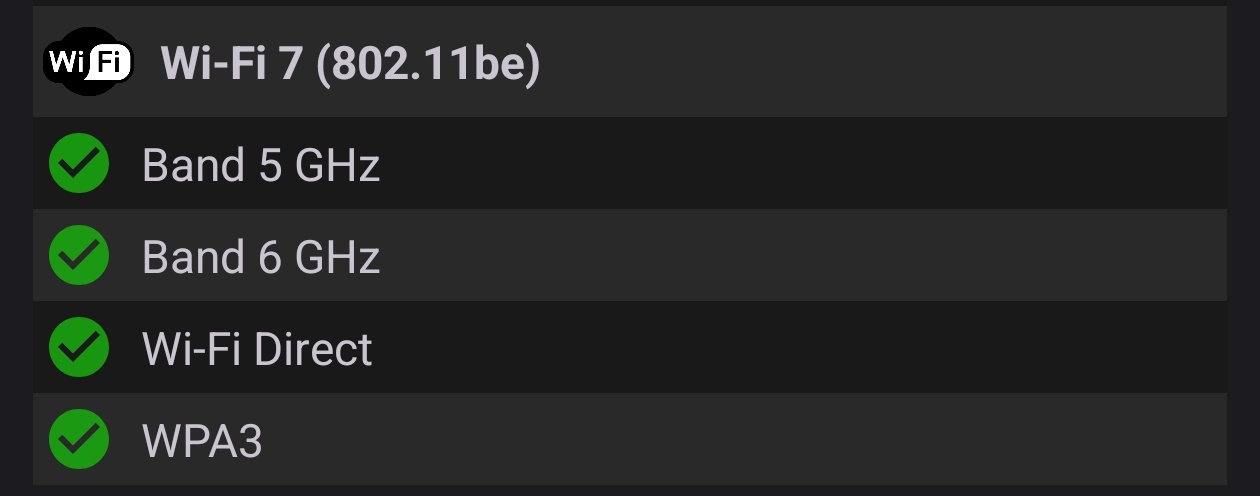
- Wi-Fi – Wifi 7 Supported ✅
- Bluetooth – 6.0
- Audio Codecs – both LDAC and LHDC supported ✅
🎧 Audio :
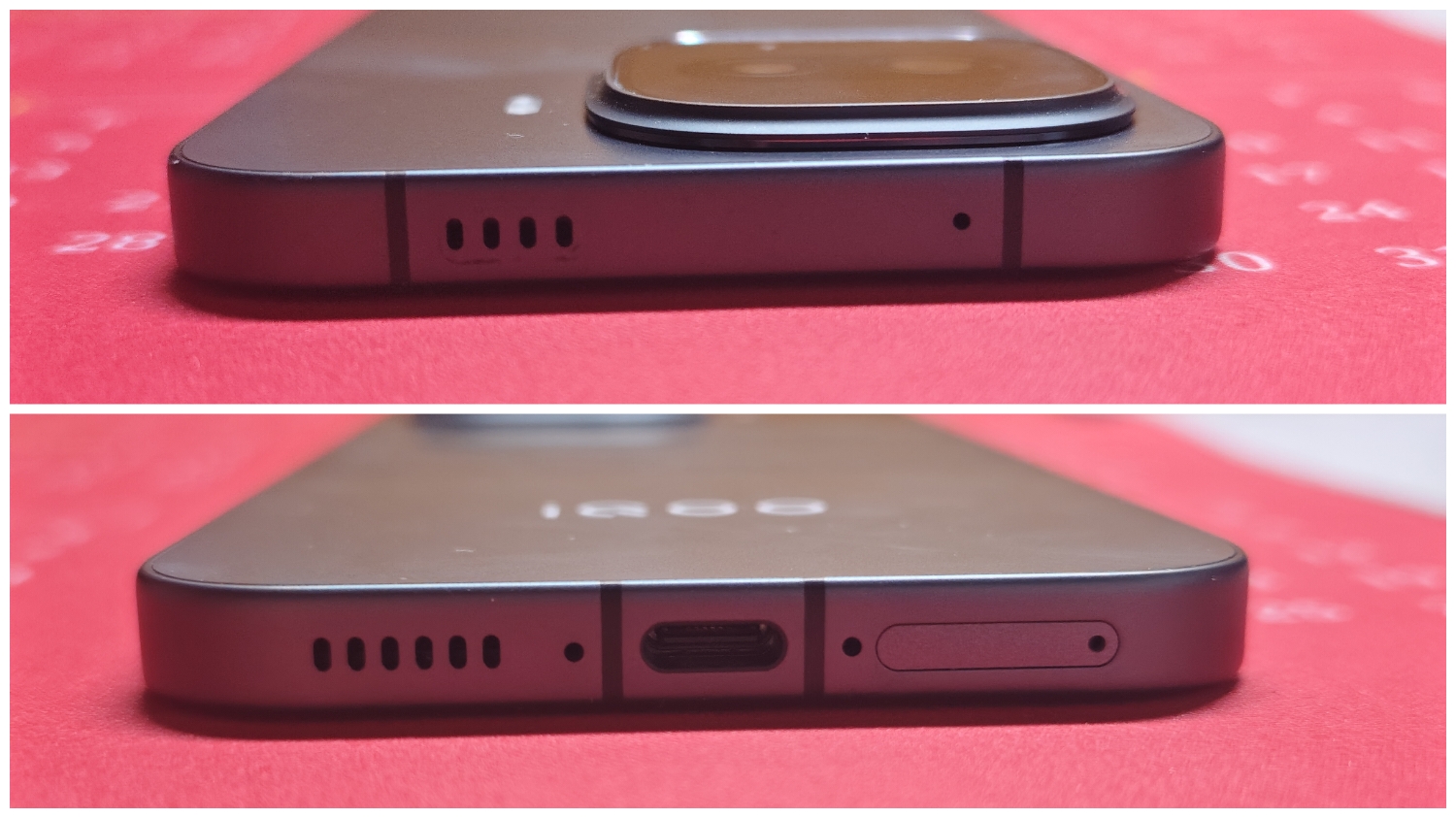
- Speakers – Stereo ( Bottom speaker slightly louder, top speaker is the same as earpiece no separate top speaker even though it has a dedicated top speaker grill )
- Loudness – Excellent ✅
- Bass & Quality– Weak for this price segment❌
- Dolby Audio - Absent ❌ ( i hope both wireless audio and speaker output will have dolby audio in future devices )
🧭 Extras :
- NFC – Yes ✅
- IR Blaster – Remote function present but I'm unable to find where the sensor is physically located 🫠
🌡 Thermals & Heating
🧊 Cooling System :
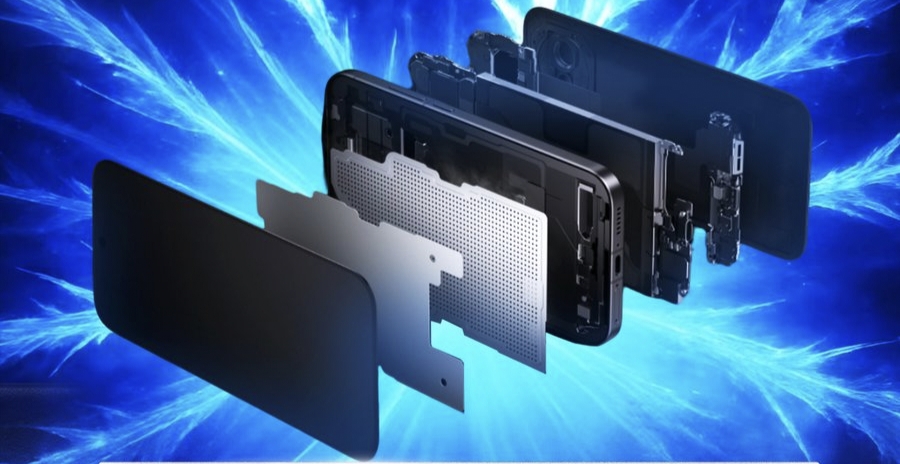
- Vapour chamber – 6500 mm² VC chamber
- Although vapour chamber is present the plastic back in the dark knight variant ruins heat Dissipation i tried using iQOO cooler on it during Emulator it was ineffective as plastic is an insulator.
- Having Aluminium body somewhat improves Heat dissipation ( Aluminium is far superior to Stainless Steel or Titanium alloy when it comes to thermal conductivity )
🌡 Temperature Rise :
- Idle – 28°C
- Gaming – upto 47°C ( depends on the game )
- Charging – Upto 40°C ( Fast charging enabled )
🛠 Thermal Behavior :
Throttling – unless the temperature crosses 46C or 47°C the iQOO 15R tries hard to push as much power as possible which is the mark of a true gaming Flagship. Although 15R is a compact device it will always be at a slight disadvantage when it comes to heat dissipation compared to larger devices with the same chipset.
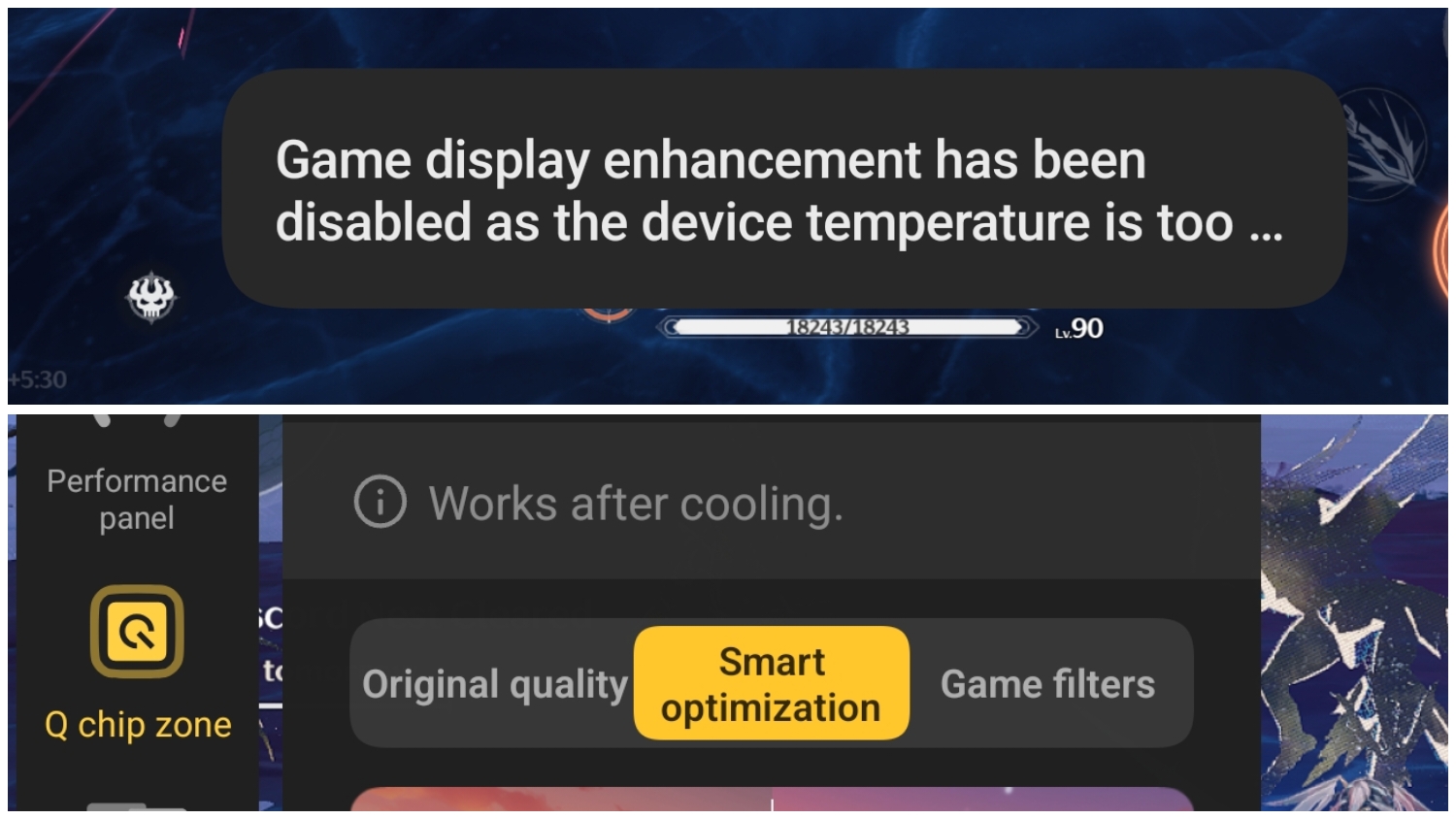
The performance should always be a priority for every gaming device irrespective of Heat. Although some games are too Heavy for 8 Gen 5 but it utilizes the high power draw for most games even though it's a compact device. I hope iQOO doesn't change the performance tuning of 15R as reducing power draw to control heat will only lower peak game performance 🤷.
⚖️ Pros & Cons
✅ Pros :
- Insane performance for a Compact Flagship
- Great Battery Life
- Good UI smoothness
❌ Cons :
- Weak Camera hardware
- Sub-par Haptics and Speakers
- Plastic back in Dark knight variant ( just buy silver variant problem solved )
🏁 Final Verdict
Gaming – 4/5
Camera – 2/5
Software experience - 4/5
Hardware Quality & Value - 3/5
Battery - 5/5
Is the Price justified ?
I'm sure it's common knowledge now that Ram and Storage prices have more than tripled ( 3x ) in the last 6 months. If you compare 2025 devices to 2026 devices , all brands have to deal with rising manufacturing costs. What felt Flagship at 50k like iQOO 13 is now becoming mid range because of AI datacenters creating a Ram shortage.
We can't fully blame iQOO for the price of 15R. This device would have probably cost 35k if the global Ram shortage didn't happen. Although components that are not related to ram must be pushed like bigger batteries and better camera sensors which I mentioned in my review. So keep this in mind that this is the new normal and avoid comparing last year's devices to 2026.
🎯 Who Should Buy :
This device is only for you if you need a compact device and you only care about Gaming and Battery life. If Camera or clean software experience is a priority you may look elsewhere.
🏆 My Rating : 7/10
Signing off
@iQOO Connect @parakram_h @NipunMarya @ShankarSingh @Mandeep Sharma

Please sign in
Login and share