



























Gemini could soon let you organize chats into 'Projects,' ChatGPT-style

Gemini is replicating ChatGPT's folders with the new feature.
AI chatbots, such as Gemini, Claude, and ChatGPT, have become hugely dependable for a variety of tasks. But for those who use them multiple times a day, and for multiple unrelated pursuits, you would know how unimaginably difficult it can seem to find the right chat. OpenAI already offers folders within ChatGPT, letting you stash chats in different sections based on their utility or similarity. And Google is working to bring something on the same lines.
Back in December, we noticed that Google was testing a new feature called “Projects” in Gemini to help organize individual chats. Similar to ChatGPT’s folders, you can add chats with Gemini to different project folders. At the time, we were able to trigger the interface by reverse engineering the Google app on Android.
It looks like Projects in Gemini are starting to roll out to a small set of users. User @BartokGabi17 on X recently shared a screenshot showing the option to add a chat to a project.
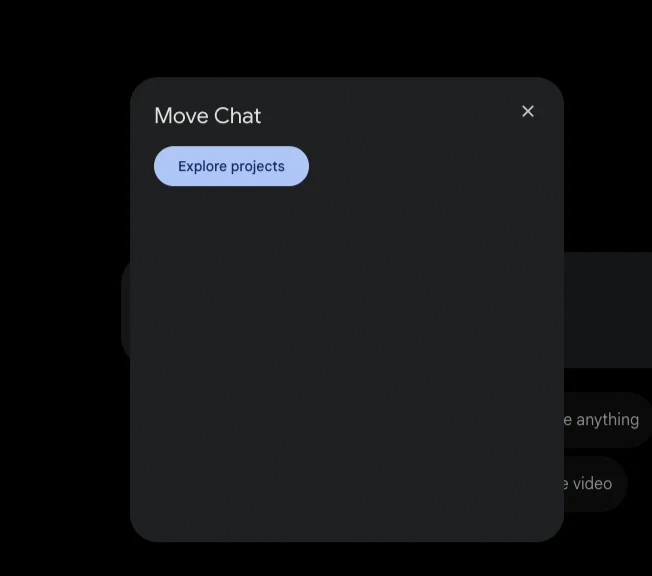
When you hover the mouse cursor over a specific chat in Gemini’s web interface, you will see a three-dot button to open a menu. Once you click on the button, you will see options such as “Share Conversation,” “Pin,” “Rename,” and “Delete.” The new option, “Add to project,” as highlighted by the user above, appears on the same menu.
Clicking the option leads to a pop-up where you can select existing projects. However, we don’t see the option to add a new project here, which suggests it may not be functional at the moment.
Currently, there’s no update regarding the rollout of Projects in Gemini. However, we found references in code last month suggesting Projects may be renamed to “Notebooks,” in line with Google’s NotebookLM. Now that the feature has started to appear for some users, we hope Google expands it to a broader set soon.
Please sign in
Login and share