



























How to recover texts you already deleted, with Google Messages' 'Trash' feature


Suppose you've accidentally deleted an important text message and were desperate to get it back. You might then have had to reach out to the sender to say, "Can you send me that text again?" Or, worse, the sender isn't in your contact list, so you don't even know who sent the message.
Well, if you have an updated version of Android, you're in luck because Google finally added a feature to its messaging app that solves this problem.
The solution comes in the form of Trash. That's right, Google added a Trash option for its messaging app. Now, when you delete an SMS message, it no longer vanishes into the ether. Instead, those deleted texts go to the new Trash folder, where they'll be automatically deleted after 30 days. Or, you can opt to restore those deleted chats.
The feature is easy to use and doesn't have to be enabled.
SMS Trash (which sounds like it should be the name of a renegade "Star Trek" vessel) was added via the latest update (April 5, 2026), so make sure your phone is up to date; otherwise, you cannot beam those unwanted messages into space.
Remember, to get your deleted messages back, don't use Swiping method for deletion. Just select the messages you want to delete, then press delete button.
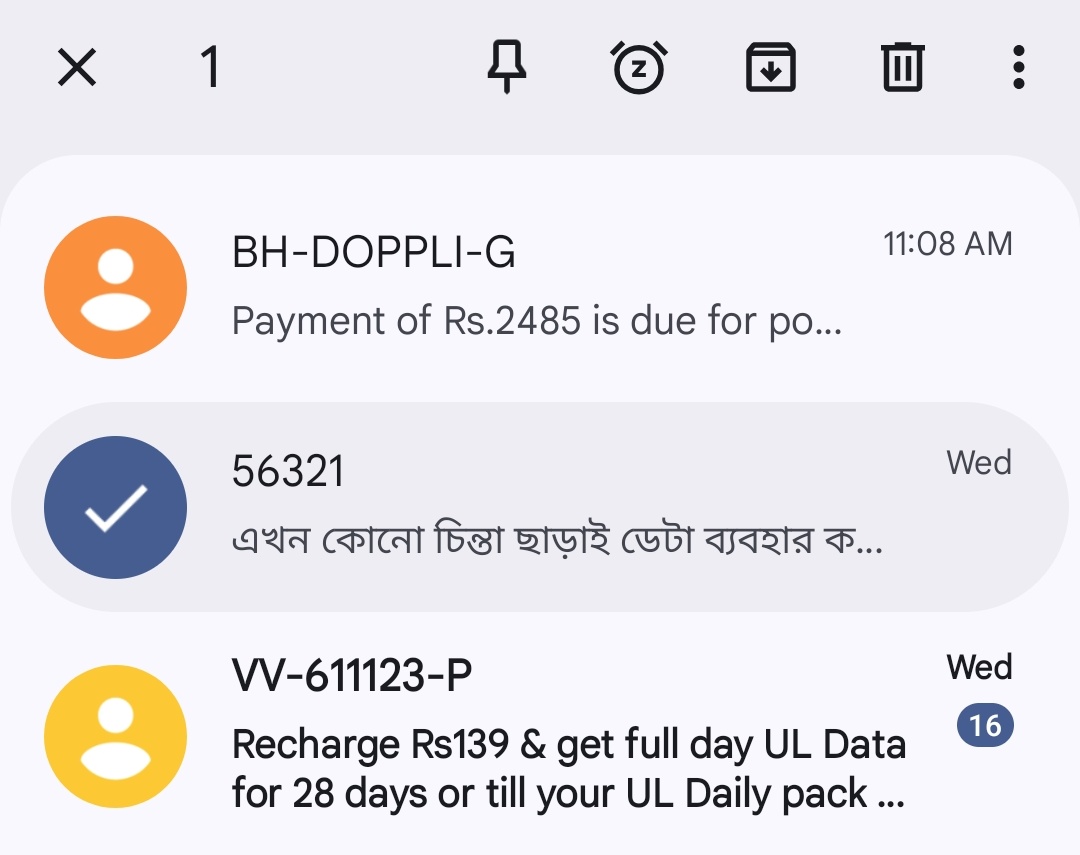
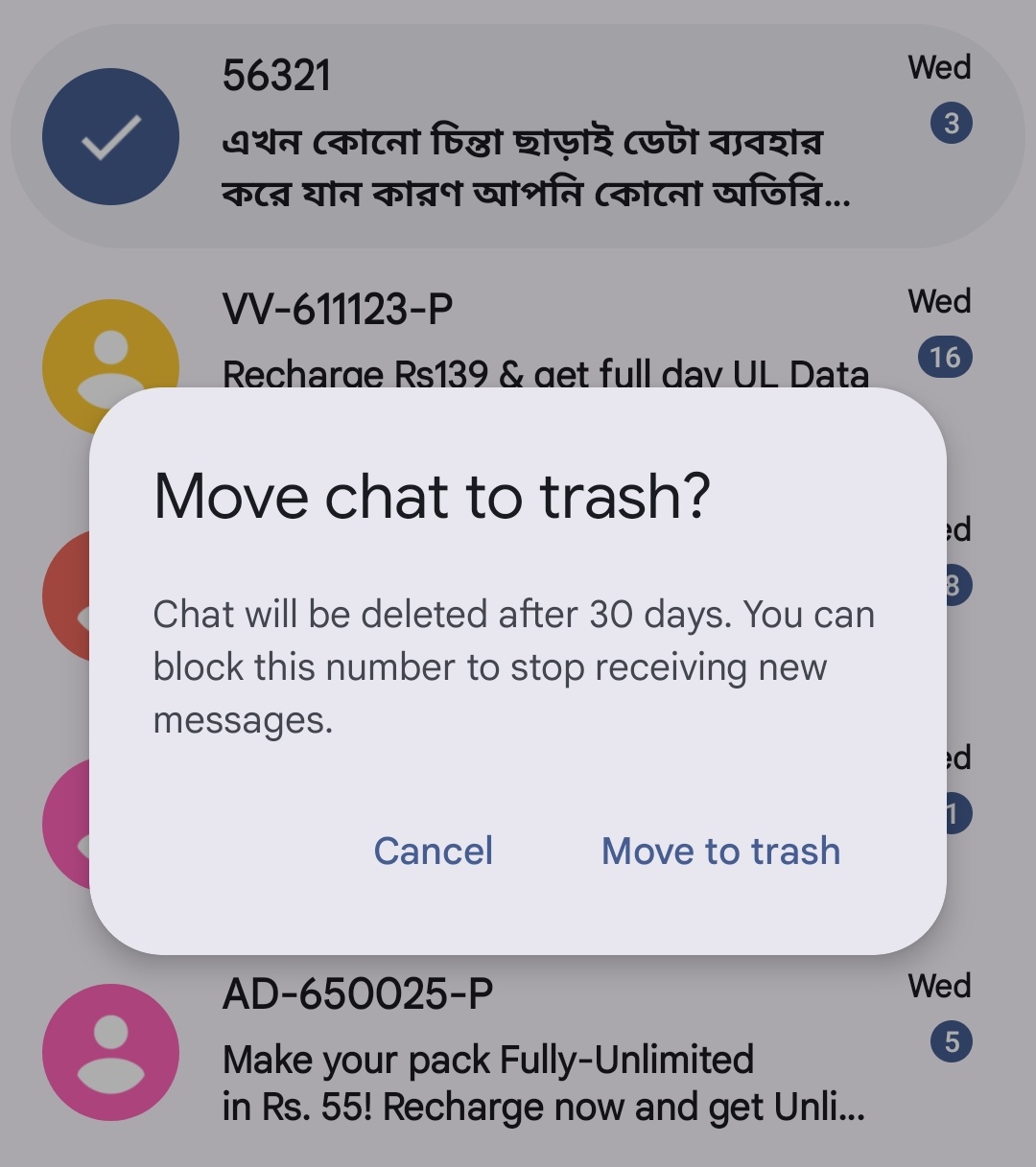
A pop-up appears, asking if you want to move the message to the Trash or cancel the action. Tap "Move to trash," and you're done.
If you then tap your profile picture (in the upper right-hand corner of the messaging app), you'll now see the Trash option. Tap that entry, and you'll find yourself in the Trash (metaphorically speaking), where the deleted message awaits.
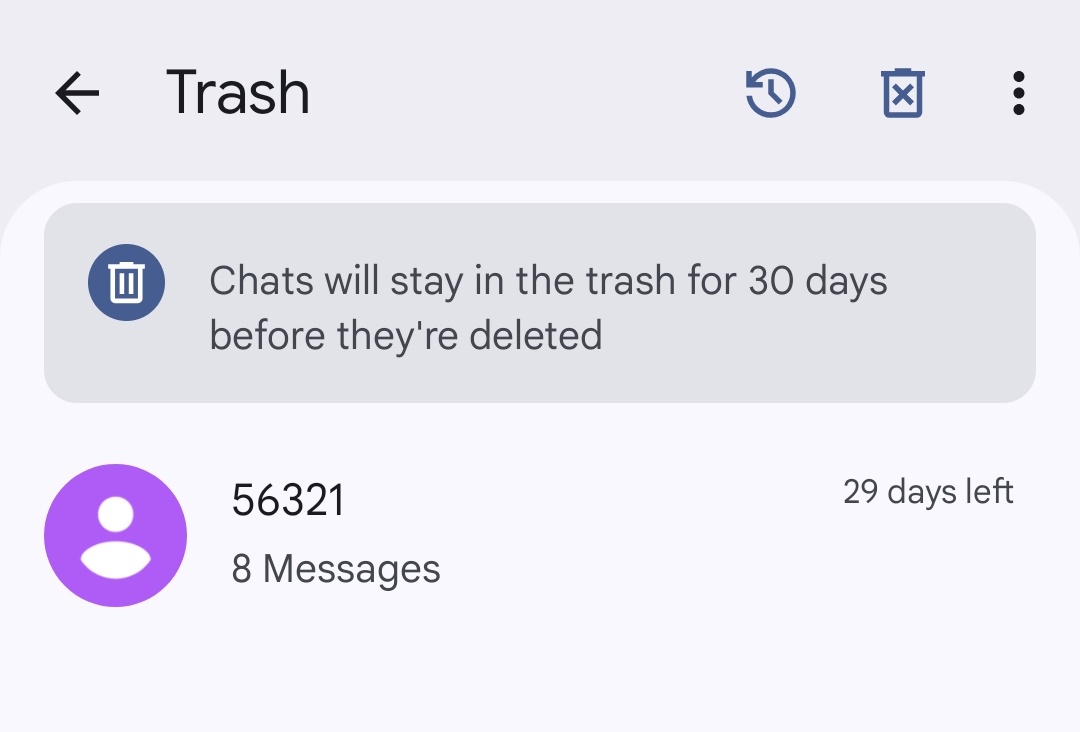
Here's one thing to consider: you cannot read those messages from within Trash. You can either leave them there (to be auto-deleted after 30 days) or restore them.
To restore a message, tap to select it, and then tap the clock icon directly to the left of the Trash icon near the top right of the window.
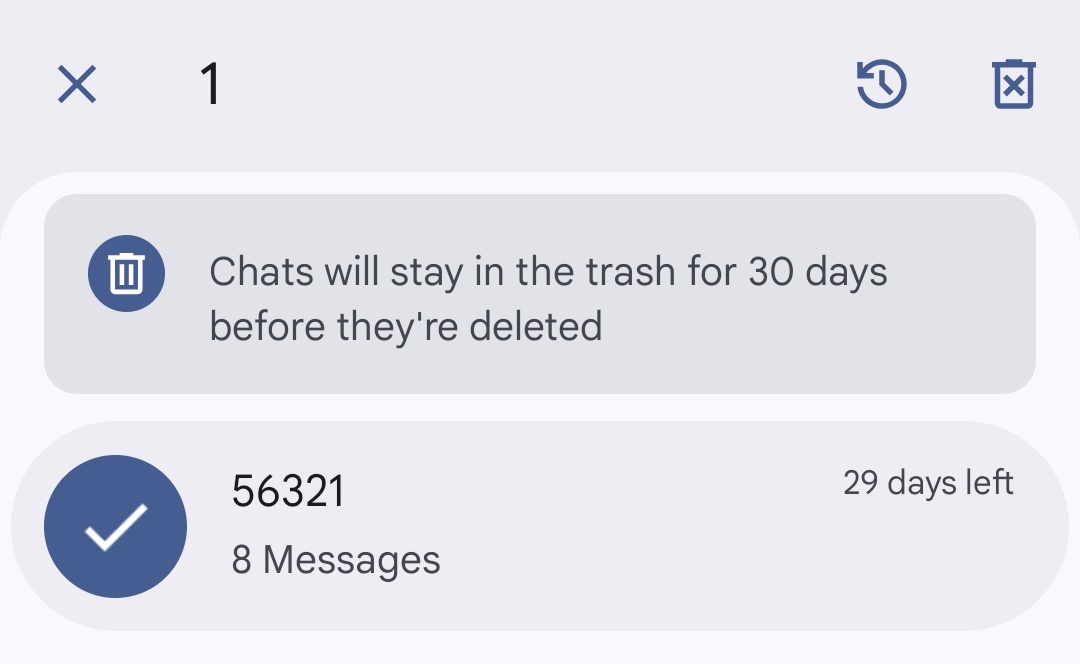
You can also select a message and manually delete it by tapping the Trash icon.
This feature is long overdue, and I'm thankful that it's finally arrived. Now, I don't have to worry about accidentally deleting a message and never seeing it again.
Quester,
Please sign in
Login and share