



























Unlock Pro-Level Gaming – iQOO Esports Mode Deep Dive

🎮 What is Esports Mode?
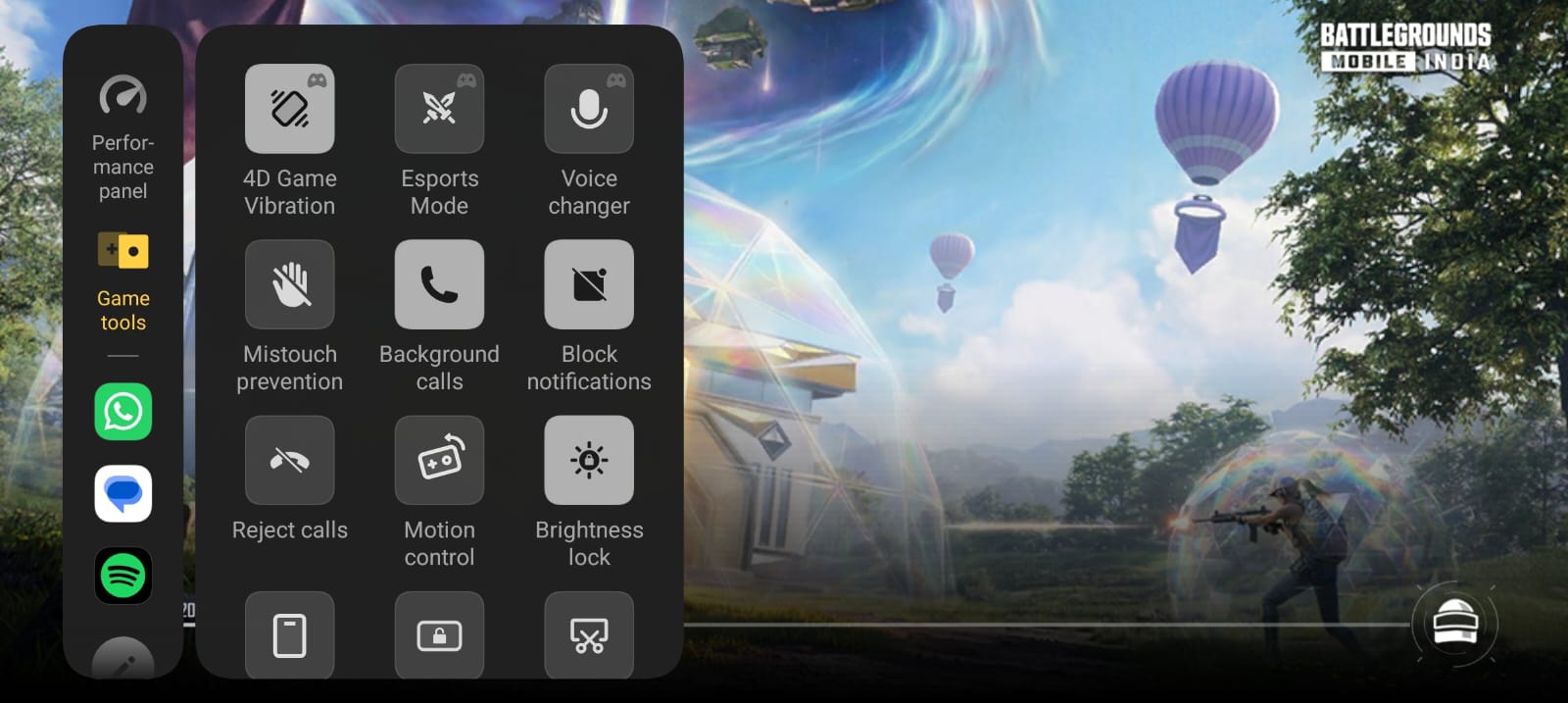
Esports Mode on iQOO is a dedicated high-performance gaming mode built for players who want the smoothest gameplay, lowest distractions, and best competitive experience.
It combines system optimization, notification blocking, touch precision, and intelligent performance tuning to help you focus only on winning.
👉 Designed for serious players.
👉 Useful for ranked matches, scrims, and tournaments.
What Happens When You Enable Esports Mode?
Once enabled, the phone automatically shifts into a gaming-first setup.
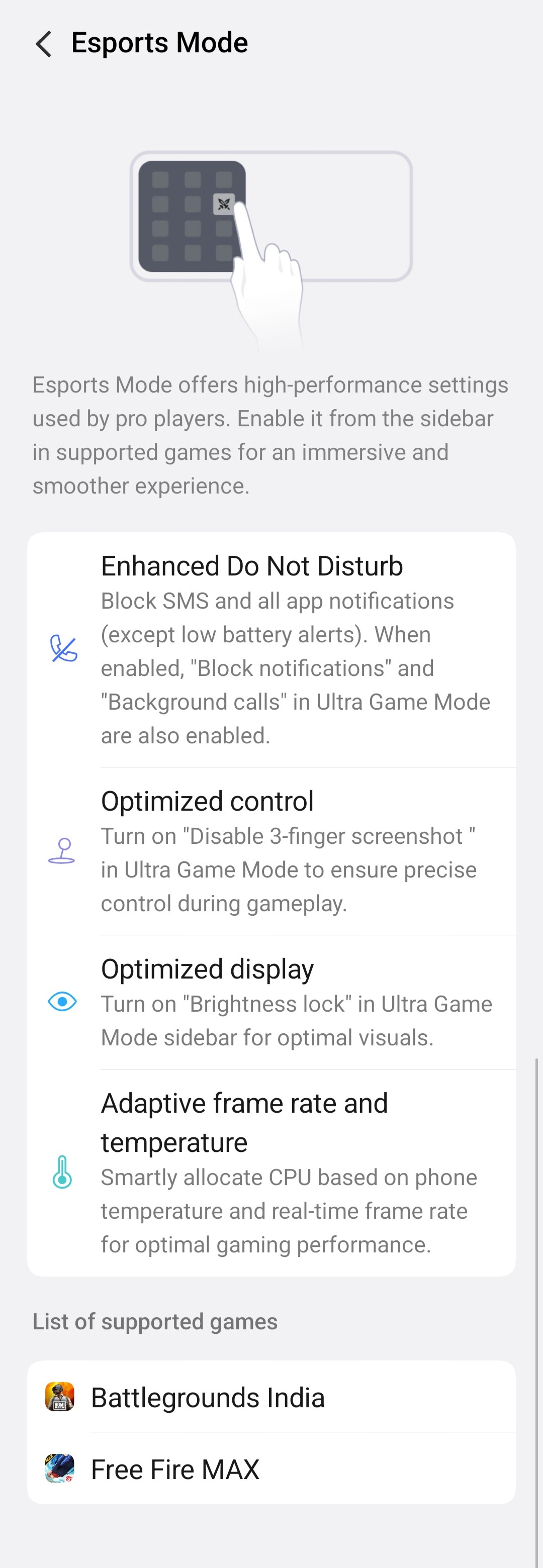
1. Enhanced Do Not Disturb
- Blocks SMS notifications
- Blocks app popups
- Reduces interruptions during gameplay
- Only important alerts like low battery remain active
🎯 Perfect for clutch moments where distractions can cost the match.
2. Optimized Controls
- Helps prevent accidental gestures
- Can disable 3-finger screenshot gestures
- Improves touch precision during intense gameplay
👉 Especially useful in games like BGMI where quick finger movement matters.
3. Optimized Display
- Works with Brightness Lock
- Keeps screen brightness stable during matches
- Prevents auto brightness changes while gaming
🎮 Useful when moving between dark and bright in-game environments.
4. Adaptive Frame Rate & Temperature Control
One of the smartest features.
The phone dynamically manages:
- CPU allocation
- Temperature levels
- Real-time frame rate stability
This helps maintain:
✔ Smooth gameplay
✔ Stable FPS
✔ Controlled heating
✔ Better battery efficiency
How to Enable Esports Mode
- Open your supported game
- Swipe Game Sidebar / Ultra Game Mode panel
- Tap Esports Mode
- Let the phone optimize instantly
Simple and fast.
Real Benefits in Competitive Gaming
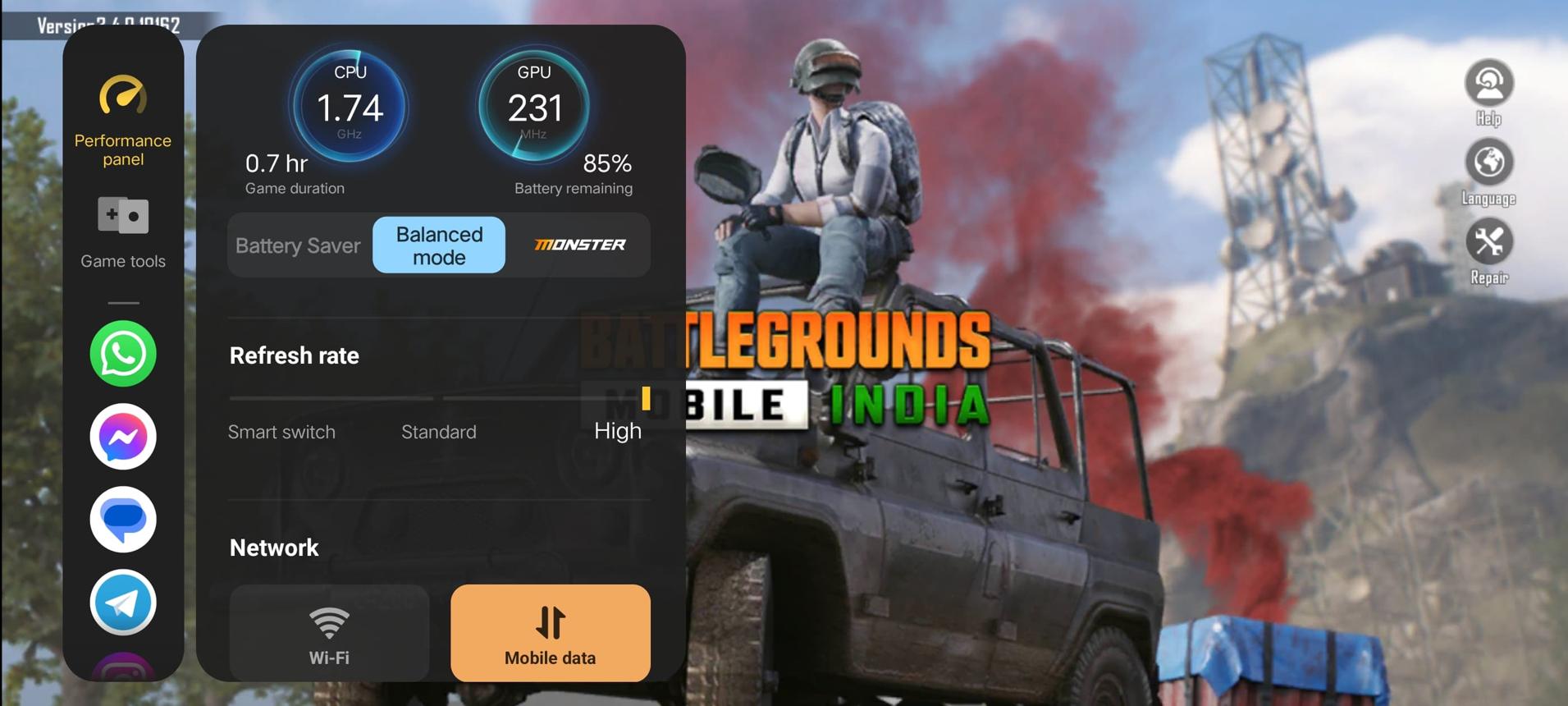
In BGMI
- Stable FPS in gunfights
- Better touch response
- Fewer interruptions during ranked push
In Free Fire MAX
- Smoother close-range fights
- Better movement control
- Stable performance in long sessions
Should You Use It Always?
✔ Use It When:
- Playing ranked matches
- Tournament games
- Long gaming sessions
- Need maximum performance
❌ Turn Off If:
- Casual gaming only
- Want extra battery backup
- Doing multitasking in background
iQOO Esports Mode is not just a fancy toggle it's a serious tool for mobile gamers who want every advantage possible.
From smoother FPS to distraction-free gaming, it helps turn your phone into a proper gaming machine.

Please sign in
Login and share