


















7 Google Maps Gestures Every Driver Should Know

Google Maps is one of the most useful apps for drivers, but many users only scratch the surface of what it can do.
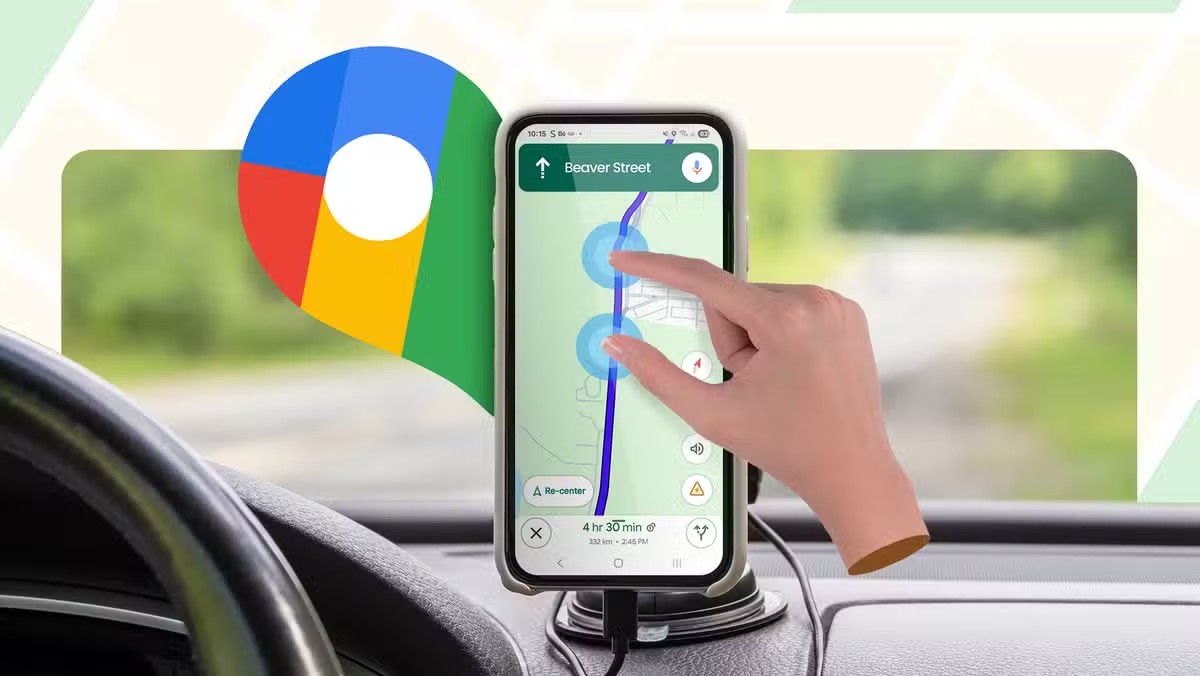
Beyond navigation and traffic updates, Google Maps includes several hidden gestures that make driving and route planning much faster and easier.
Here are some of the most useful Google Maps gestures every driver should know.
🚗 1. Zoom with One Finger
Using two fingers to zoom isn't always convenient.
Simply double-tap the map and keep your finger on the screen, then slide up or down to zoom in and out with one hand.
🗺️ 2. Quickly Rotate the Map
Place two fingers on the screen and twist them to rotate the map view.
This helps when exploring unfamiliar areas or checking road directions more naturally.
👀 3. Instantly Switch to 3D View
Use two fingers and swipe upward on the map to enter a 3D perspective view.
It's especially useful in cities where buildings and landmarks help with navigation.
🔍 4. Explore Areas Faster
Long-press anywhere on the map to instantly drop a pin.
From there, you can view details, save locations, share places, or start navigation in seconds.
📍 5. Check Nearby Places Quickly
Tap and hold on any location to instantly discover nearby restaurants, fuel stations, cafes, parking spots, and attractions.
Perfect when you're traveling in a new city.
🚦 6. Preview Routes Before Starting
Before beginning navigation, pinch and zoom around the route to identify toll roads, traffic hotspots, fuel stations, or alternate paths.
A few seconds of planning can save a lot of time later.
🧭 7. Use Compass Reset
If your map becomes rotated, simply tap the compass icon to instantly return to the standard north-up view.
It's a small feature that makes navigation much easier.
Final Thoughts
Google Maps is much more powerful than most people realize.
Learning a few simple gestures can help you navigate faster, explore more efficiently, and get the most out of one of the world's most popular navigation apps.
💬 Which Google Maps feature do you use the most? Let us know below!
Happy Questing

Please sign in
Login and share