



























WhatsApp Usernames Are Finally Here Here's How to Claim Yours

WhatsApp Usernames Are Here! Reserve Yours Before Someone Else Does 🚀
Hello iQOO Community 👋
WhatsApp has officially started rolling out one of its biggest privacy-focused updates yet — Usernames. Soon, you'll be able to connect with others without sharing your phone number, making conversations more private and secure.
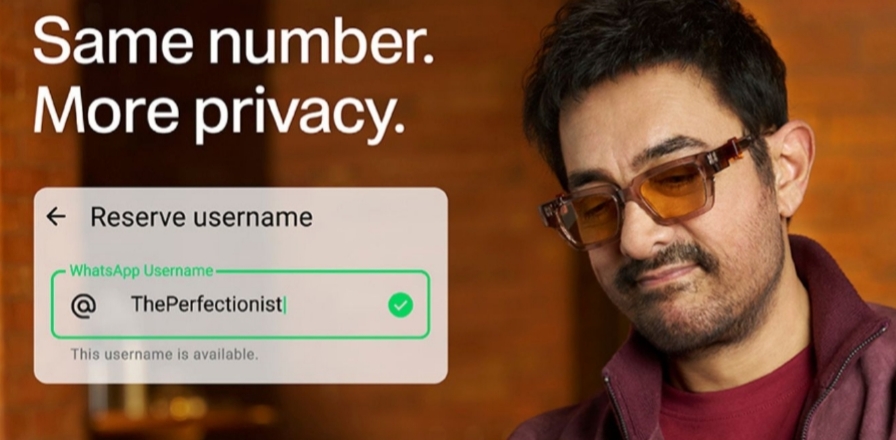
🔥 What's New?
Instead of giving out your mobile number, you'll be able to share a unique WhatsApp username. This is especially useful when chatting with new people, joining communities, or contacting businesses. Your phone number can remain hidden if you choose to use this feature.
📌 How to Reserve Your Username
1. Update WhatsApp to the latest version.
2. Open Settings.
3. Go to Account → Username (or Profile on iPhone when available).
4. Choose your preferred username.
5. Save it before someone else claims it!
✨ Key Highlights
• Better privacy by hiding your phone number from new contacts.
• Usernames are completely optional.
• No public username search or directory.
• An optional Username Key adds an extra layer of security.
• Businesses and creators can reserve usernames matching their existing Meta accounts where eligible.
💡 Why You Should Reserve It Early
With billions of WhatsApp users worldwide, popular usernames will be claimed quickly. Reserving your preferred username now helps you secure your identity before the global rollout is complete.
💬 Final Thoughts
This update is a major step toward improving user privacy while making it easier to connect with others. If the feature is available on your device, it's a good idea to reserve your preferred username as soon as possible.
What username are you planning to claim? Let us know in the comments! 👇
Please sign in
Login and share