

























🎮 iQOO Z11 Lite × Genshin Impact Gameplay Test

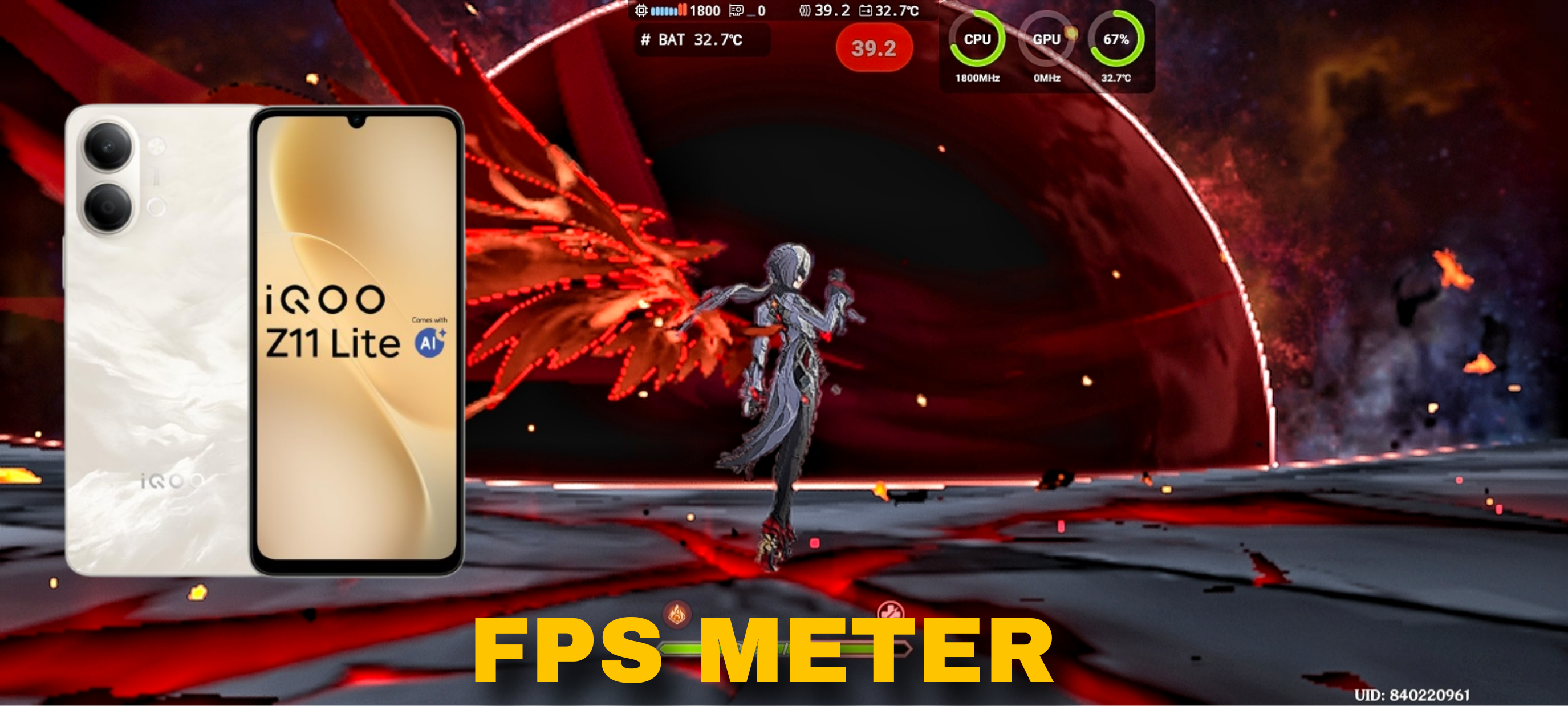
The Dimensity 6300 isn't exactly designed for demanding open-world games like Genshin Impact, but I still wanted to see just how far I could push it. 👀
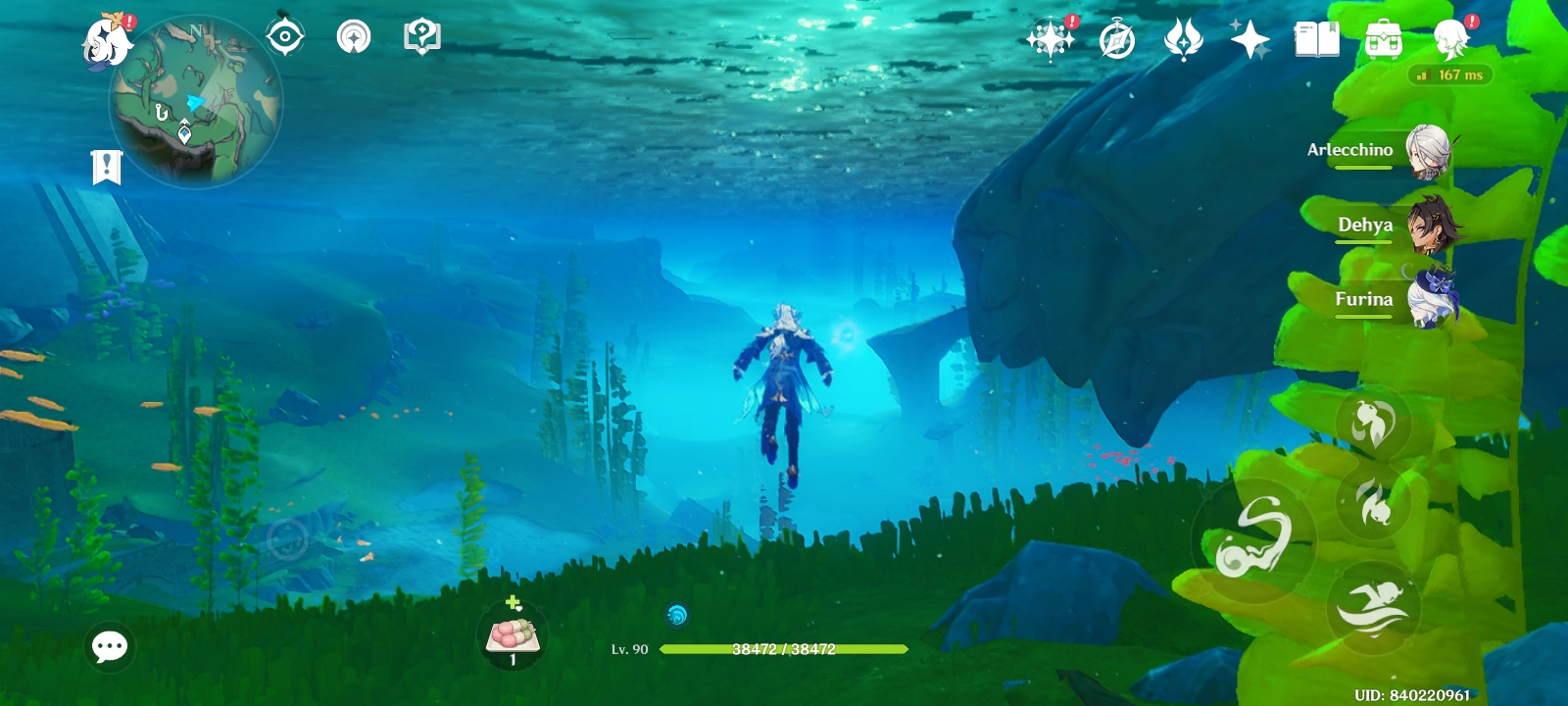
Since Genshin runs on the Unity engine, there's some room to tune the settings and make the game surprisingly playable without completely destroying the image quality.
🎮 Gameplay Performance

After testing different combinations of settings, I found a setup that gives the best balance between playability and visual quality.
The game averages around 30 FPS, which is about what I'd expect from the Dimensity 6300 in a game this demanding.
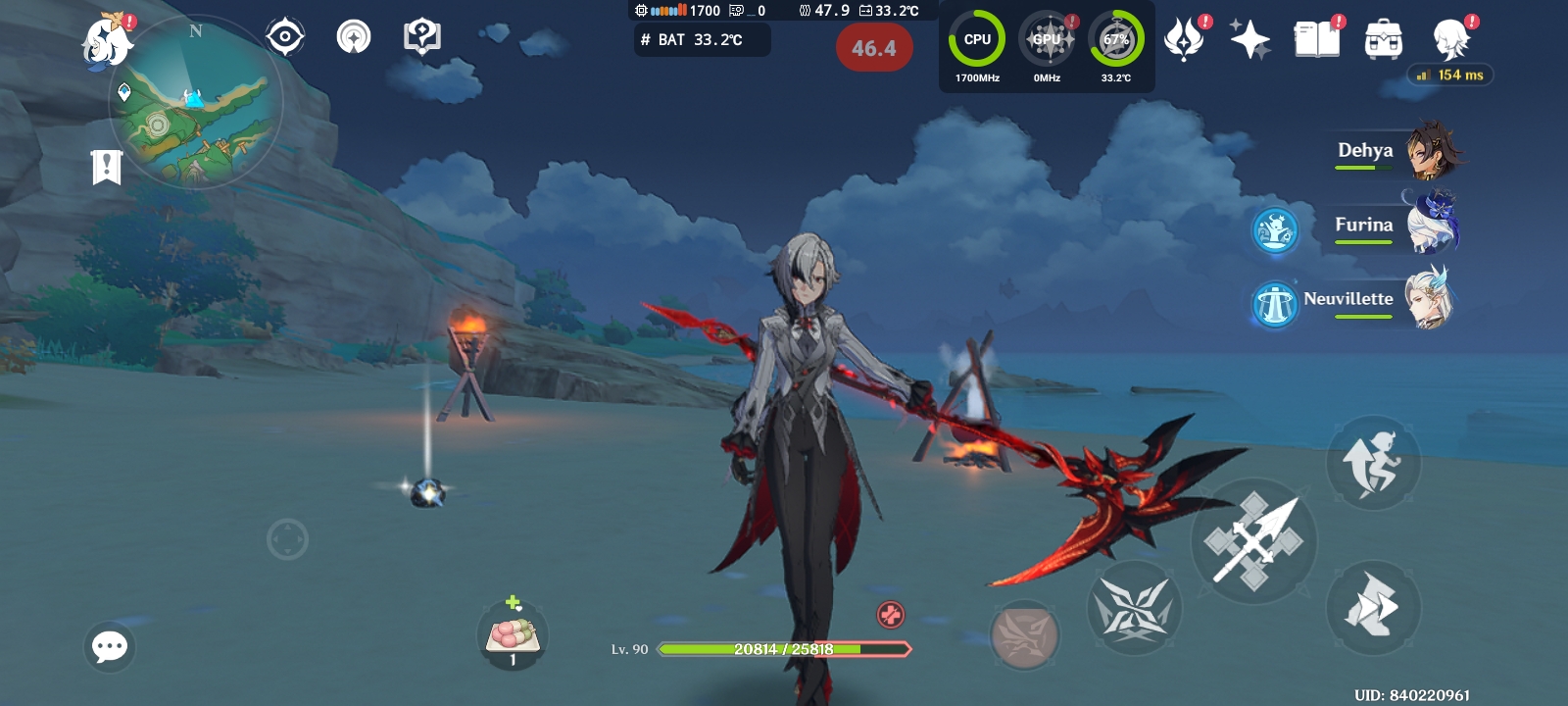
However, performance can vary significantly depending on what's happening on screen.
✅ Around 30 FPS average
✅ Playable with carefully tuned settings
✅ Open-world exploration remains playable
✅ Lower settings can be used for more stable FPS
❌ Power Draw is not stable
📊 Real FPS Data
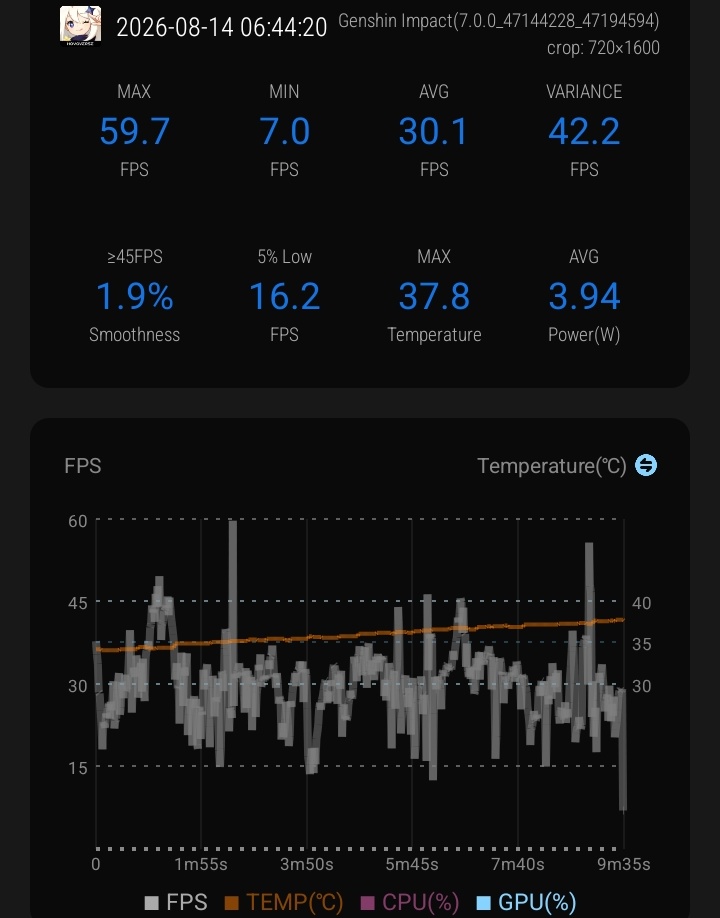
The average FPS during the test was around 30 FPS. However, this isn't a locked 30 FPS experience.

In graphically intensive areas or during heavier combat sequences, the frame rate can occasionally drop as low as 16 FPS.
⚙️ Optimal Settings
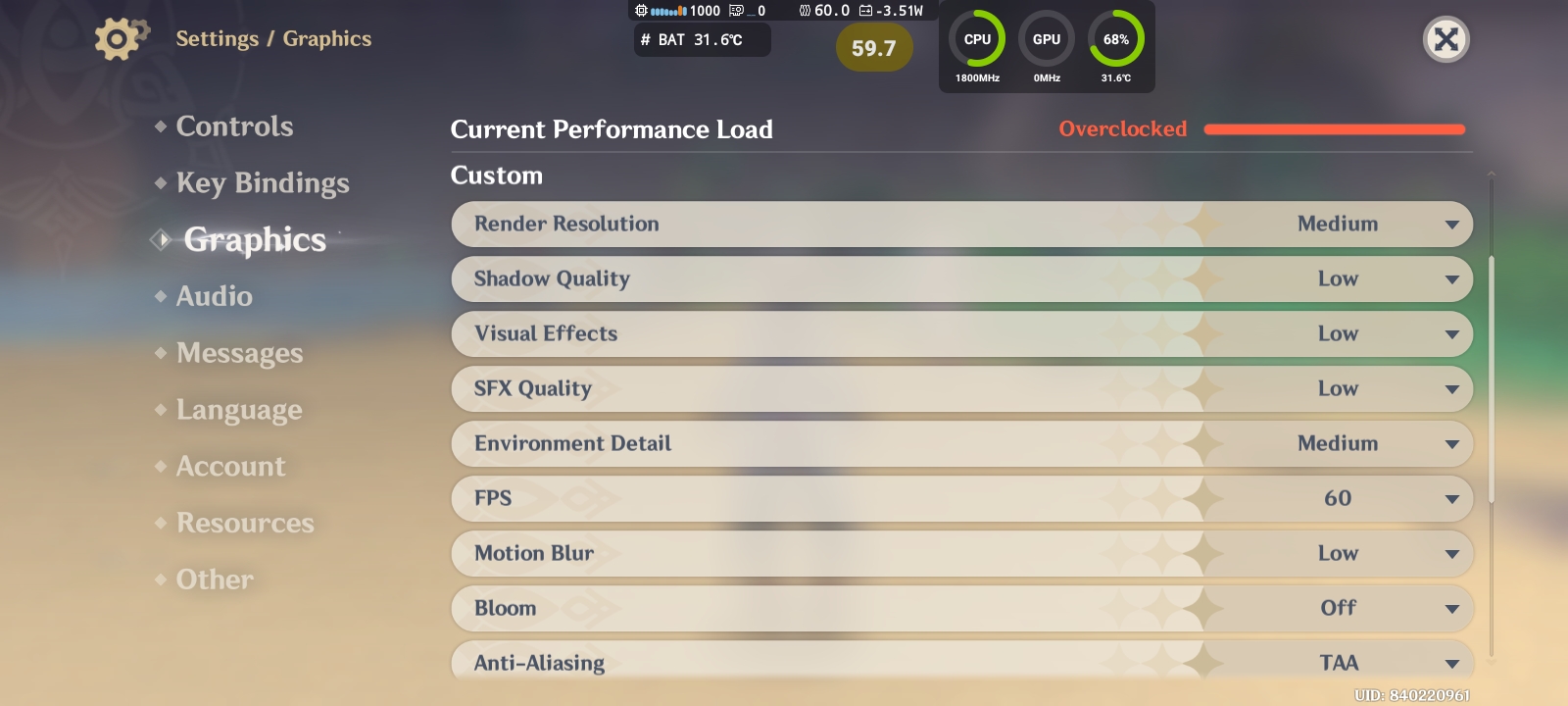
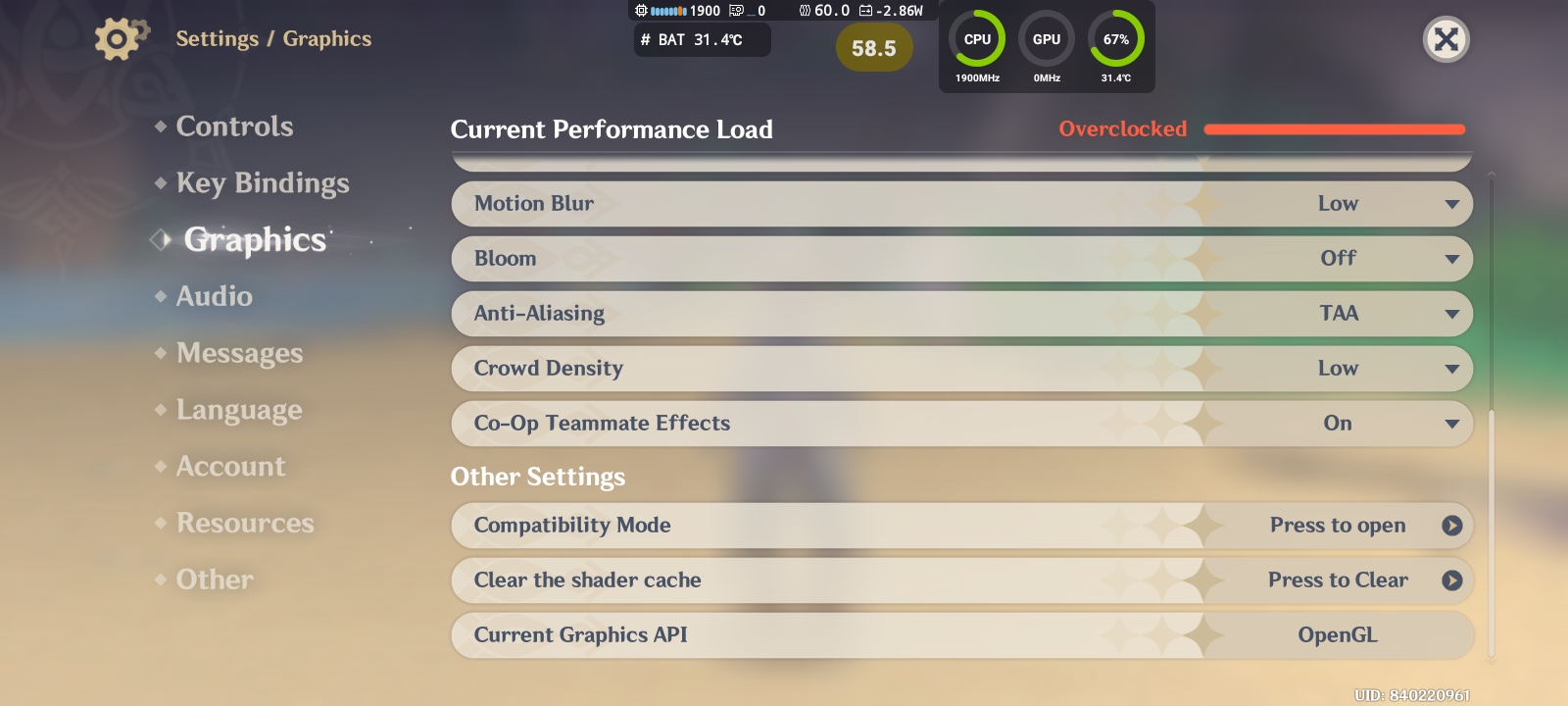
Genshin is extremely demanding, so finding the right settings makes a huge difference on hardware like this.
I tuned the graphics specifically around what the Dimensity 6300 can realistically handle, rather than simply turning everything down to the absolute minimum.
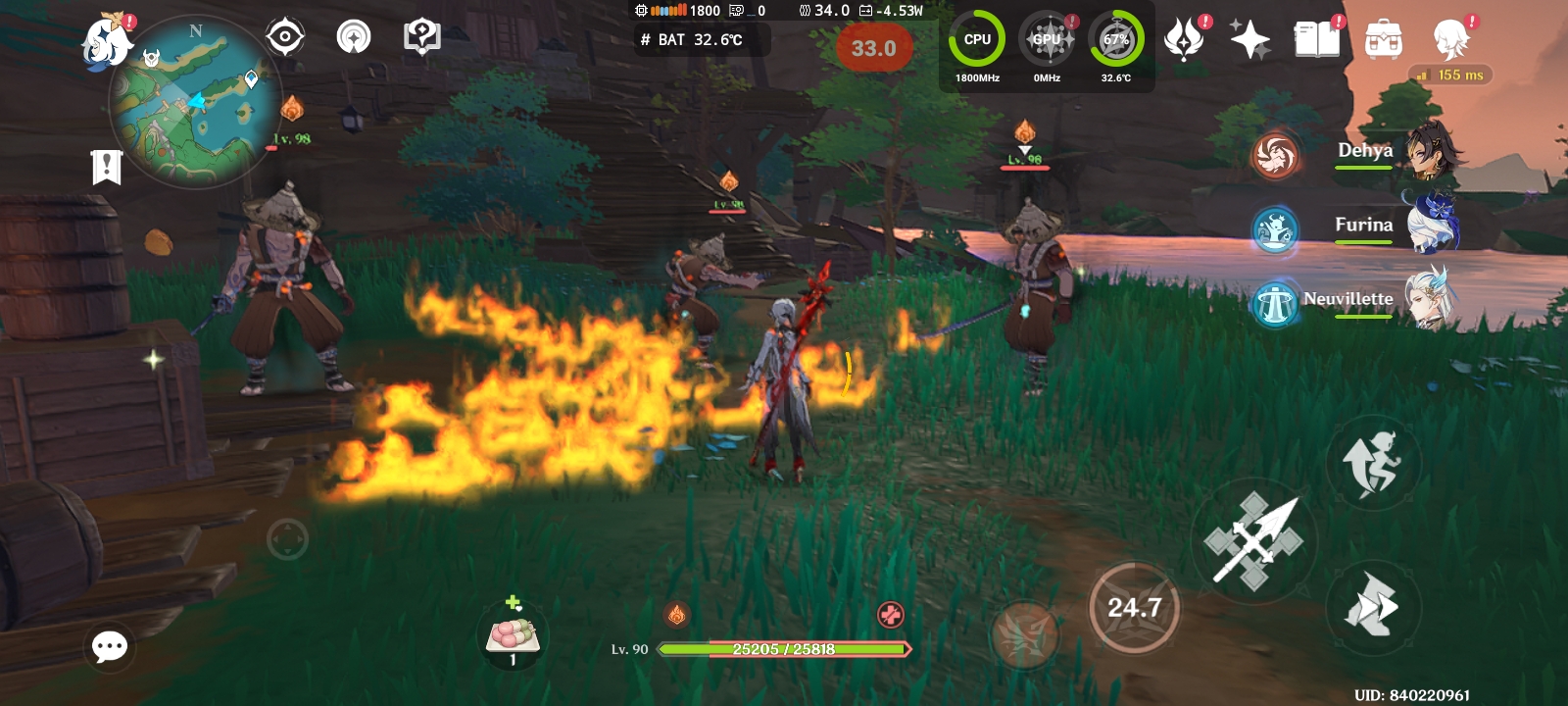
The result isn't going to compete with a flagship gaming phone, but it makes the game playable enough to actually explore the world and experience the gameplay.
🔋 Power Consumption
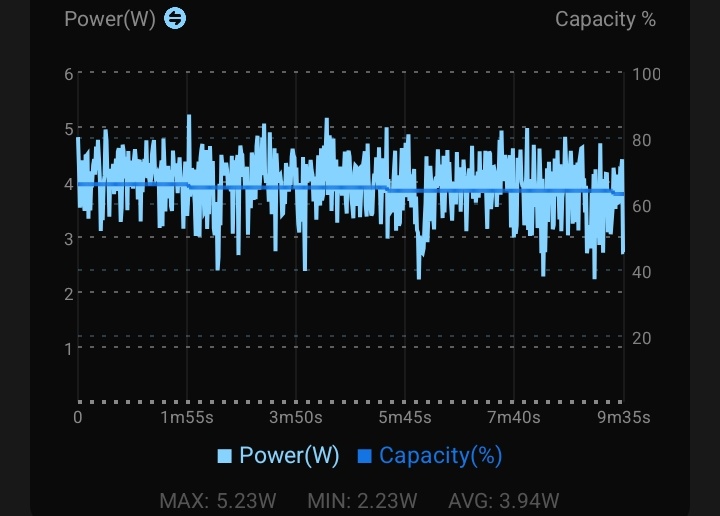
Despite running a demanding open-world game, the phone averaged around 4W of power draw during gameplay.
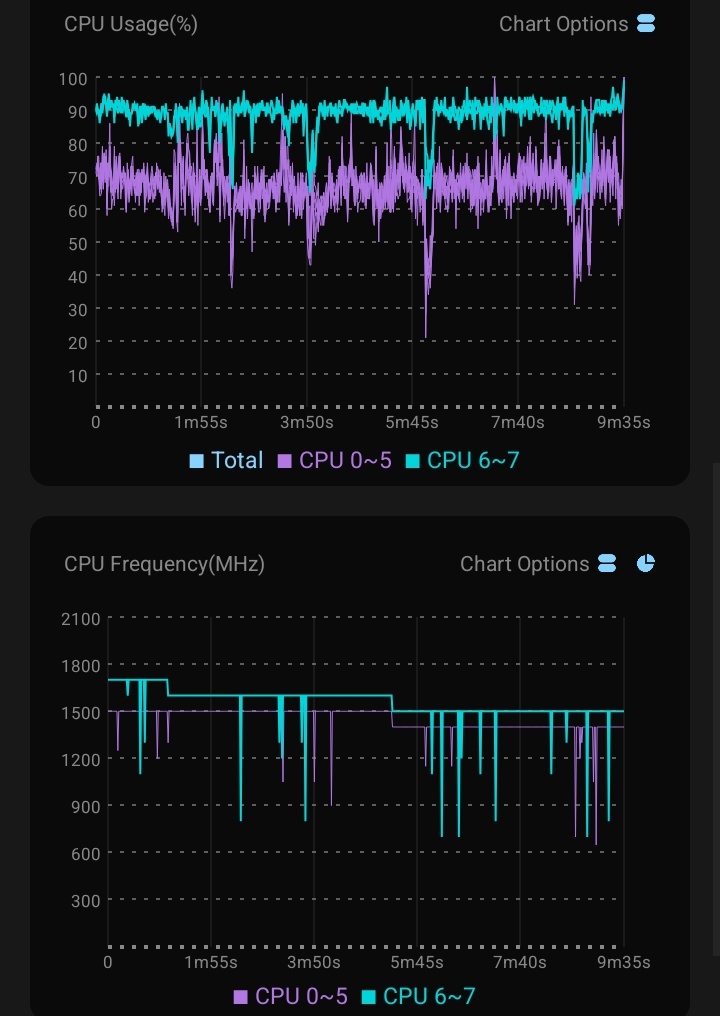
The Dimensity 6300 simply doesn't have enough performance headroom to push extremely high power consumption in a workload this heavy.
🏁 Final Thoughts

The Dimensity 6300 was never meant to be a heavy open-world gaming chipset, and Genshin Impact definitely pushes it beyond its comfort zone.
But that's exactly why I wanted to test it.
With carefully tuned settings, the iQOO Z11 Lite can still make Genshin playable at around 30 FPS, although intensive scenes can cause significant drops.

If you want a more stable experience, lowering the graphics further is definitely an option. Genshin also has a compatibility mode for lower end chipsets but render distance and resolution will sharply drop
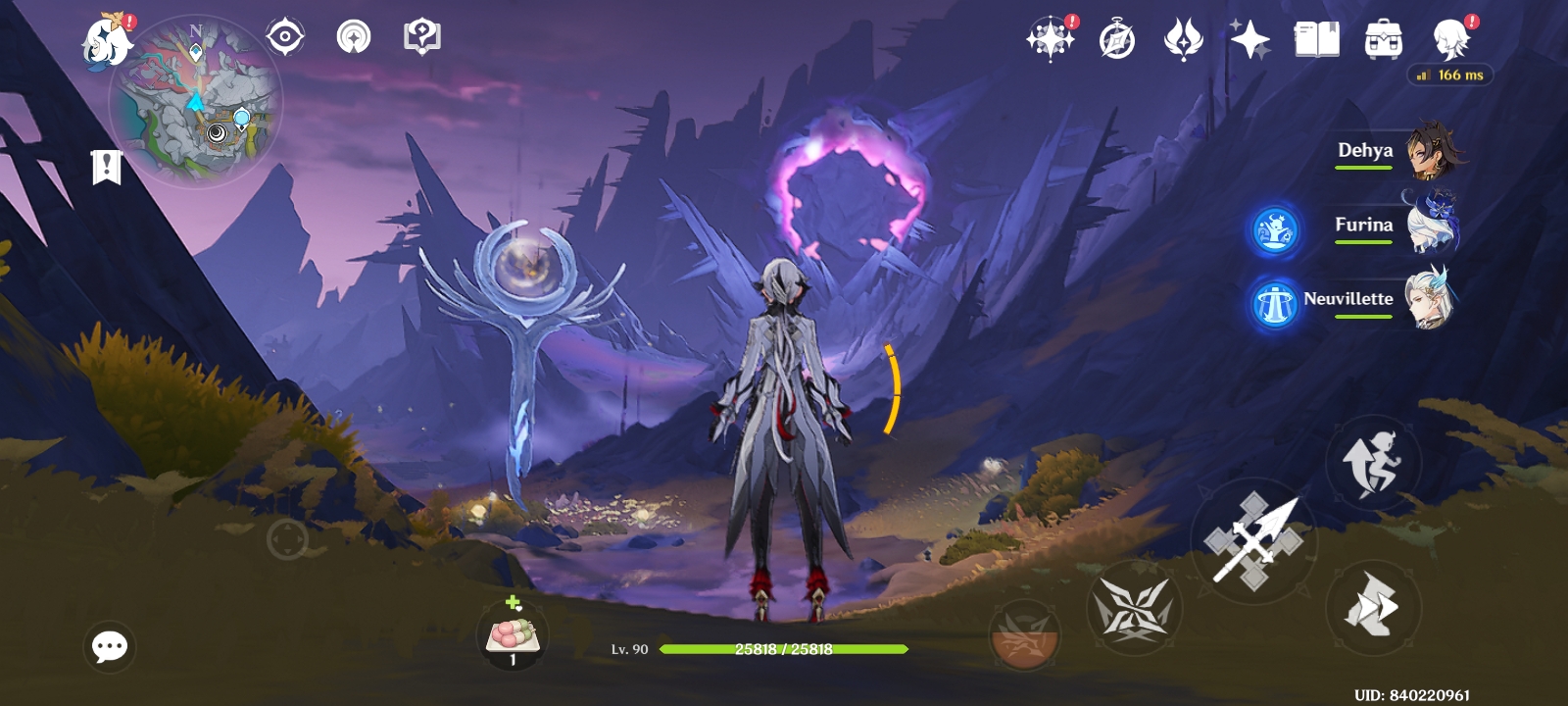
It may not be the ideal hardware for Genshin Impact, but it's interesting to see how far you can push an entry-level chipset with the right settings. 🎮

Please sign in
Login and share