

























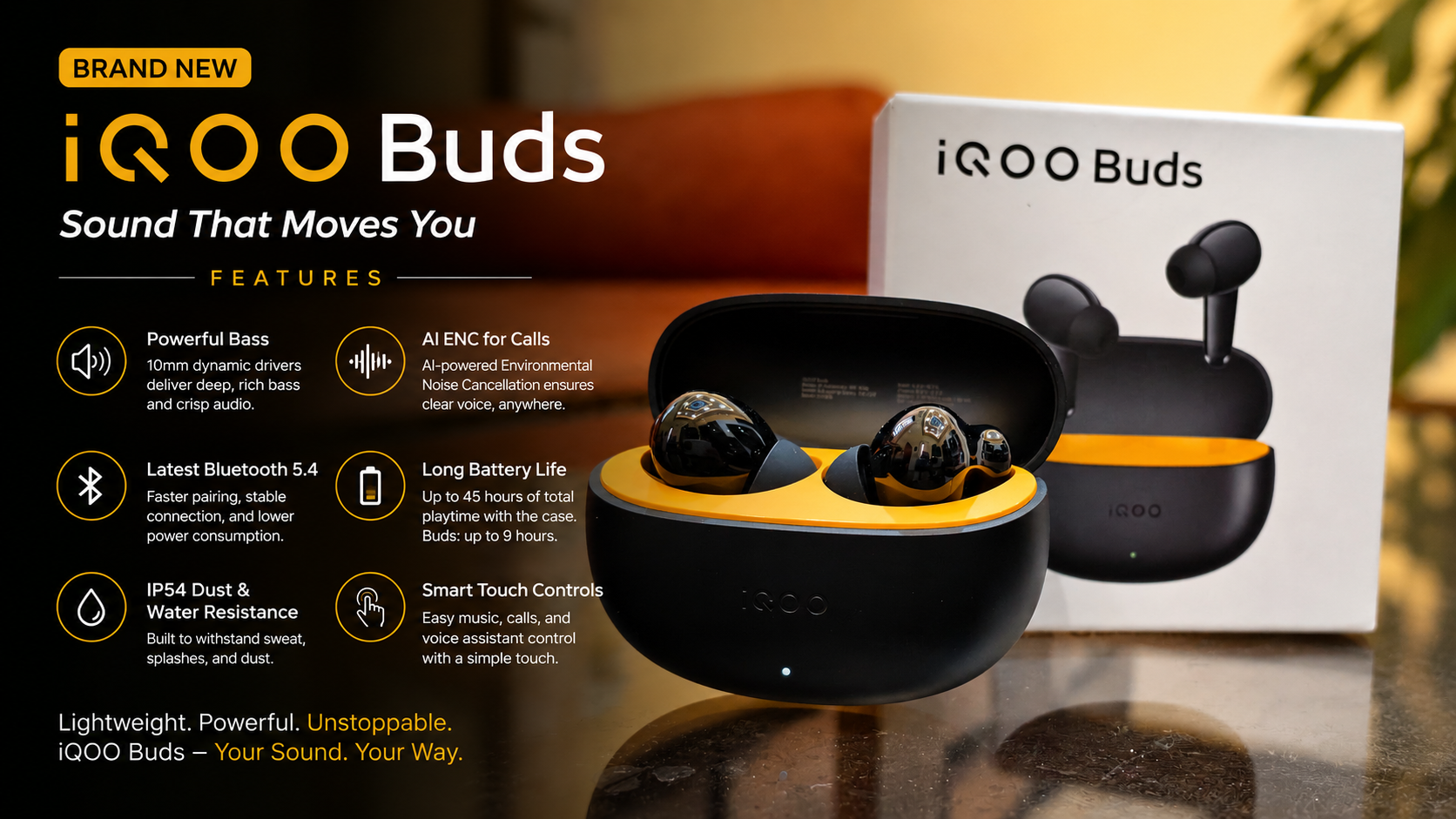
iQOO Buds – Features and Functions

The settings in iQOO Buds aren't just basic Bluetooth controls. They turn the iQOO Buds into a fairly configurable accessory, with sound customization, dual-device connectivity, gesture controls, personalization, device finding, firmware management and smart features.
1. General Configuration
General Configuration is the main section for managing the basic behaviour of your iQOO Buds.
Depending on the phone and firmware, it can include settings related to:
* Earbud connection and pairing
* Wearing/ear detection
* Touch controls
* Battery information
* Automatic connection
* Other basic earphone preferences
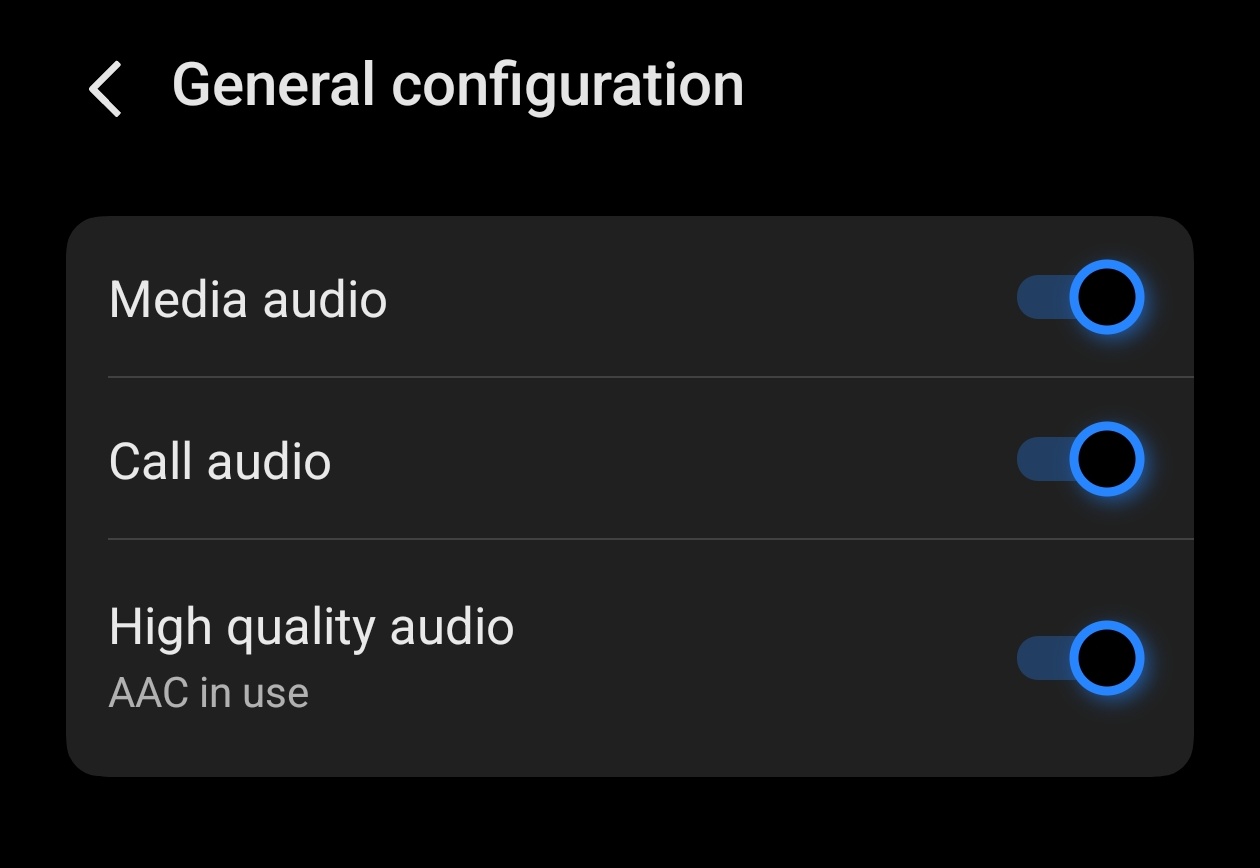
It is essentially the place to configure how the earbuds behave during everyday use.
2. DeepX Stereo Effect
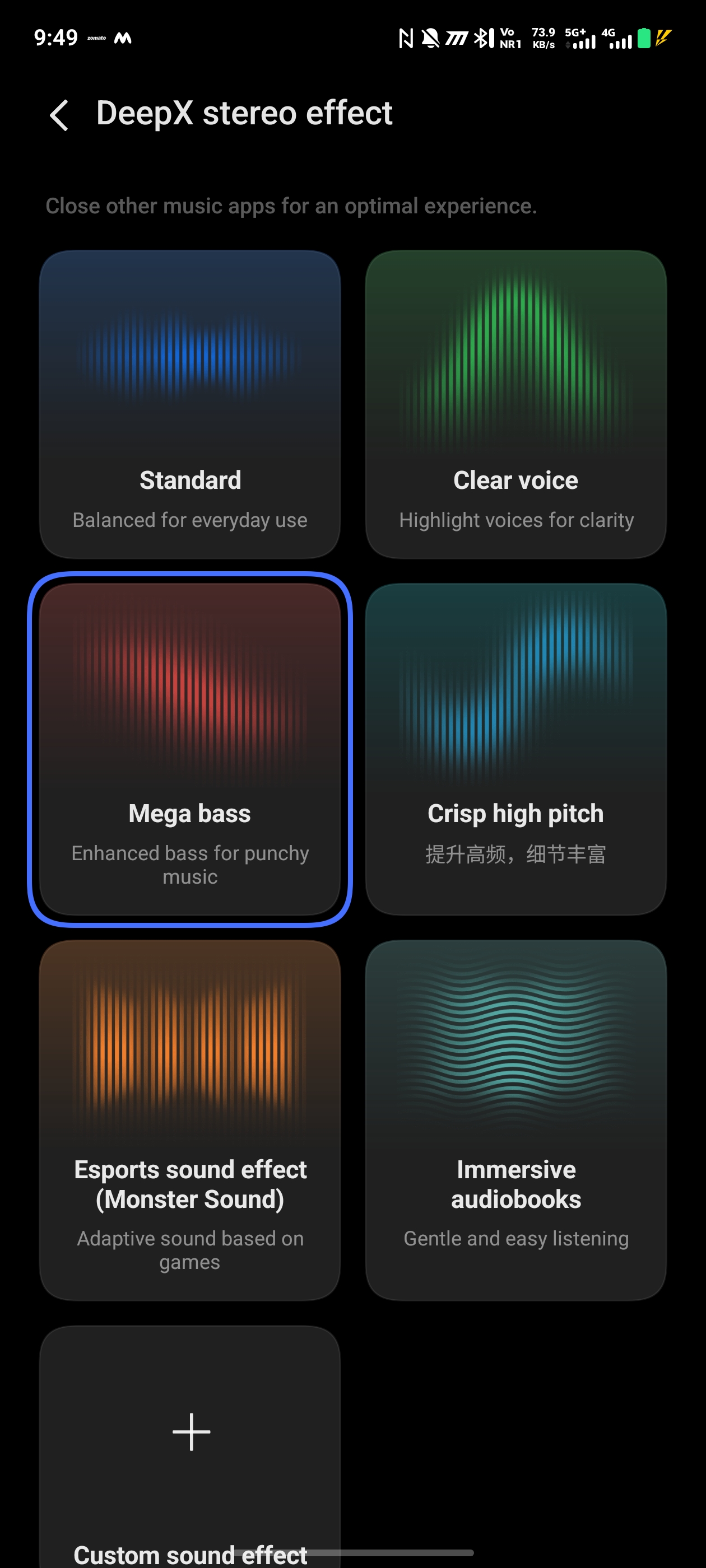
**DeepX Stereo Effect** changes the sound profile of the earbuds according to your preference.
In the screenshot, it is currently set to **Mega Bass**.
The iQOO Buds support different DeepX sound styles designed for different listening experiences. iQOO describes these profiles as including options such as **Mega Bass, Clear Voice, Crisp High Pitch and Immersive Audiobooks.
Mega Bass : Boosts the low-frequency portion of the audio.
Best for -
* EDM
* Hip-hop
* Bollywood music
* Bass-heavy songs
* Action games
Clear Voice: Makes vocals and spoken dialogue more prominent.
Best for -
* Podcasts
* YouTube
* Movies and dialogue
* Voice-heavy music
Crisp High Pitch
Emphasizes high-frequency details.
Best for:
* Instrumental music
* Detailed vocals
* High-frequency instruments
* Users who prefer a brighter sound
Immersive Audiobooks
Designed to make spoken content comfortable and easy to follow.
Best for -
* Audiobooks
* Long podcasts
* Lectures
* Spoken-word content
The exact available profiles can depend on the connected iQOO/vivo device or the vEarphones app.
3. Dual-Connection Management
This is one of the most useful features in the screenshot.
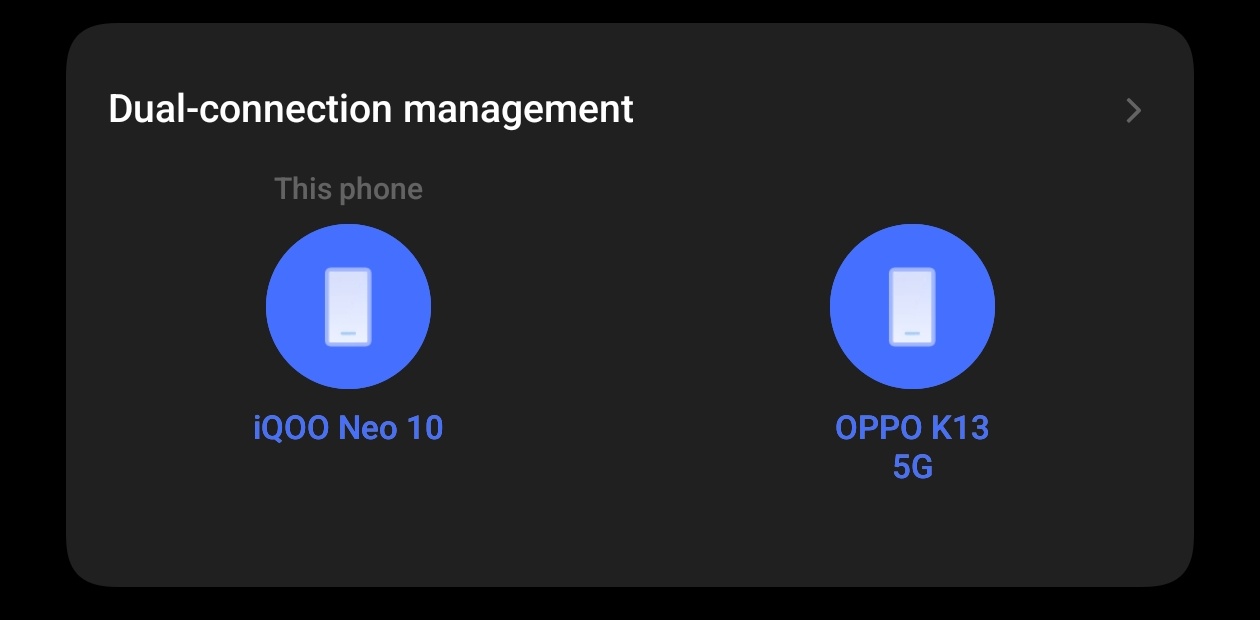
Dual Connection/Multi-point Connection allows the iQOO Buds to remain connected to two devices at the same time. iQOO states that the Buds can connect to two devices such as phones, tablets and PCs and switch between them.
For example:
Phone + Laptop
You can:
1. Listen to music on your laptop.
2. Receive a call on your phone.
3. Switch to the phone for the call.
4. Return to the laptop afterward.
The blue device represents the currently active/primary connection.
This is particularly useful if you use your earbuds with both a smartphone and a computer.
4. Shortcut Actions
Shortcut Actions allows you to decide what different touch gestures on the earbuds should do.
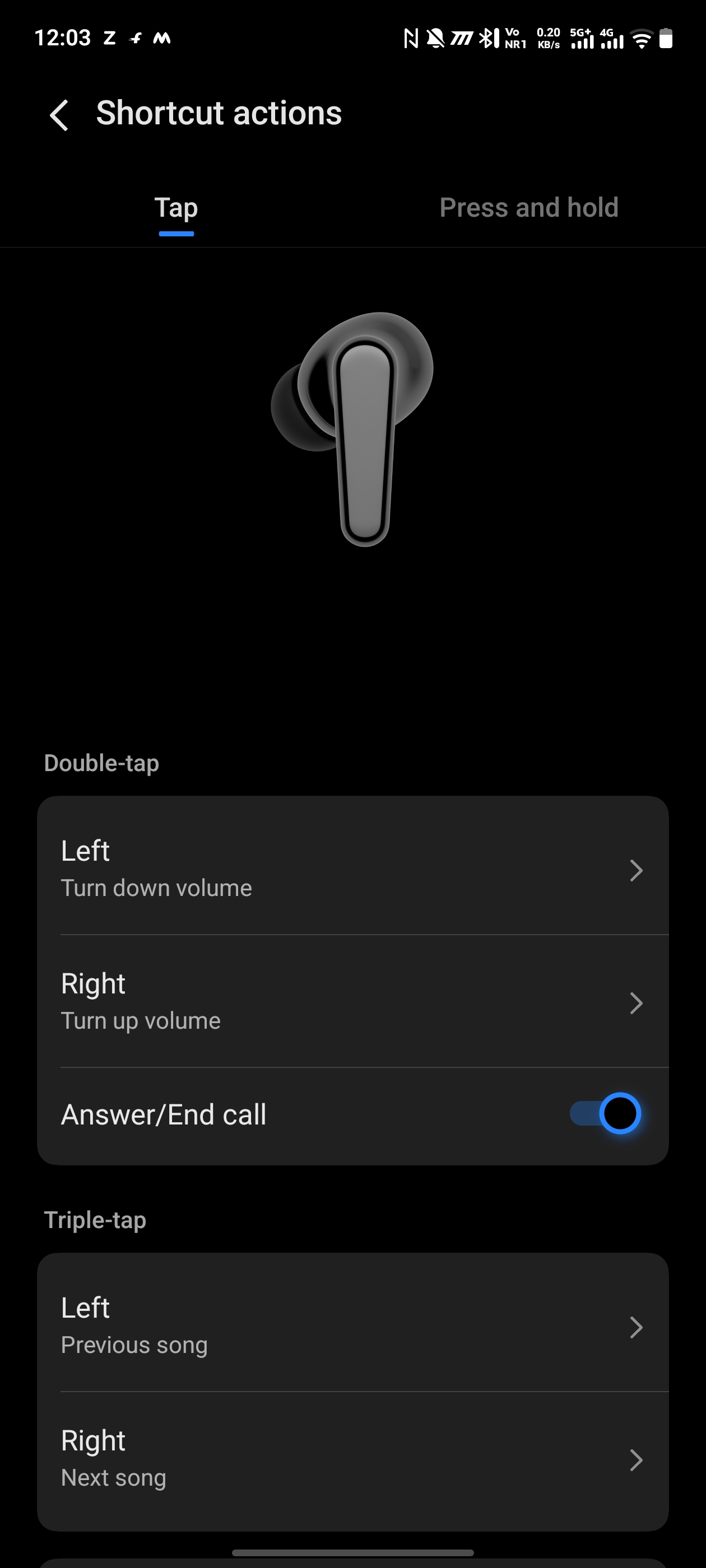
For example, touch gestures can be assigned to functions such as:
* Play/Pause
* Next track
* Previous track
* Answer a call
* End a call
* Reject a call
* Activate the voice assistant
* Other supported shortcuts
The exact available actions depend on the phone, firmware and configuration.
The iQOO Buds also support touch interactions such as double-tap, triple-tap and touch-and-hold. iQOO lists double-tap for play/pause or answering/ending calls, triple-tap for the next track, and touch-and-hold for rejecting a call under its default controls.
Why it is useful?
You can control music and calls without taking your phone out of your pocket.
5. Personalized Themes
Personalized Themes changes the visual appearance associated with your iQOO Buds.
On compatible iQOO/vivo phones, this can provide a customized earphone interface/pop-up experience when you connect or open the charging case.
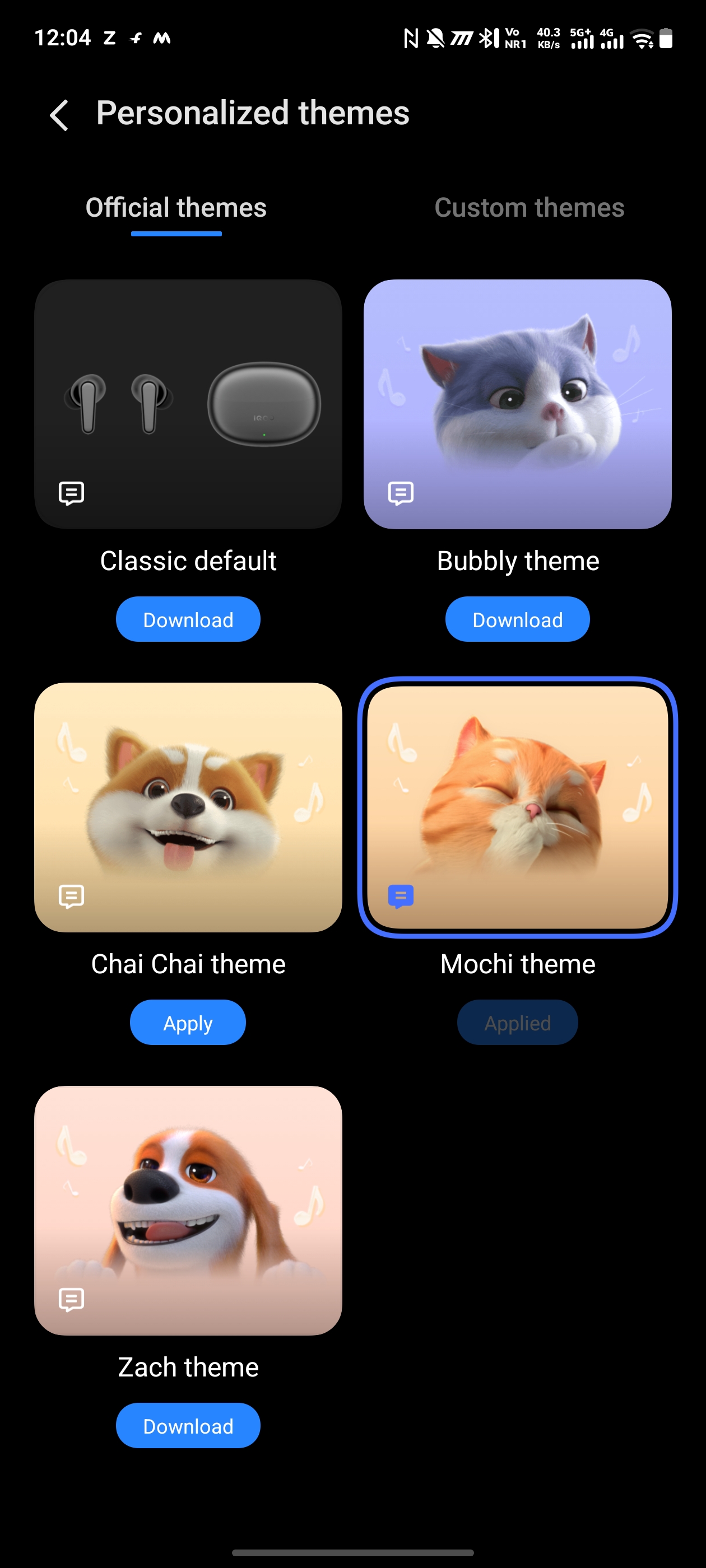
The current iQOO Buds also support a **personalized pet-themed pop-up interface**, with animated graphics appearing when the case is opened on compatible devices.
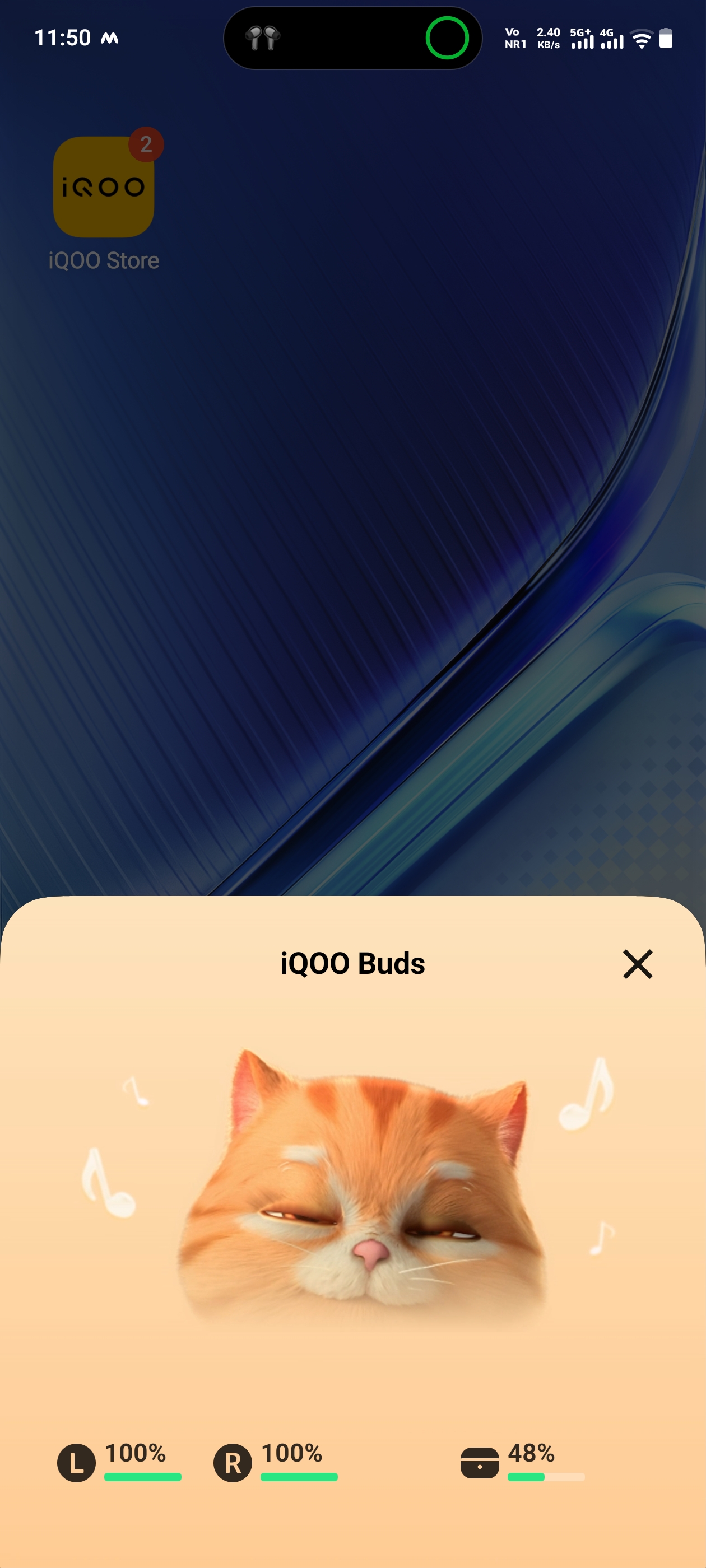
So this feature is mainly about **customization and visual personalization**, rather than changing the actual sound quality.
6. More Earphones Settings
This is the advanced settings section
It acts as a central place for additional Buds controls that aren't shown directly on the main screen.
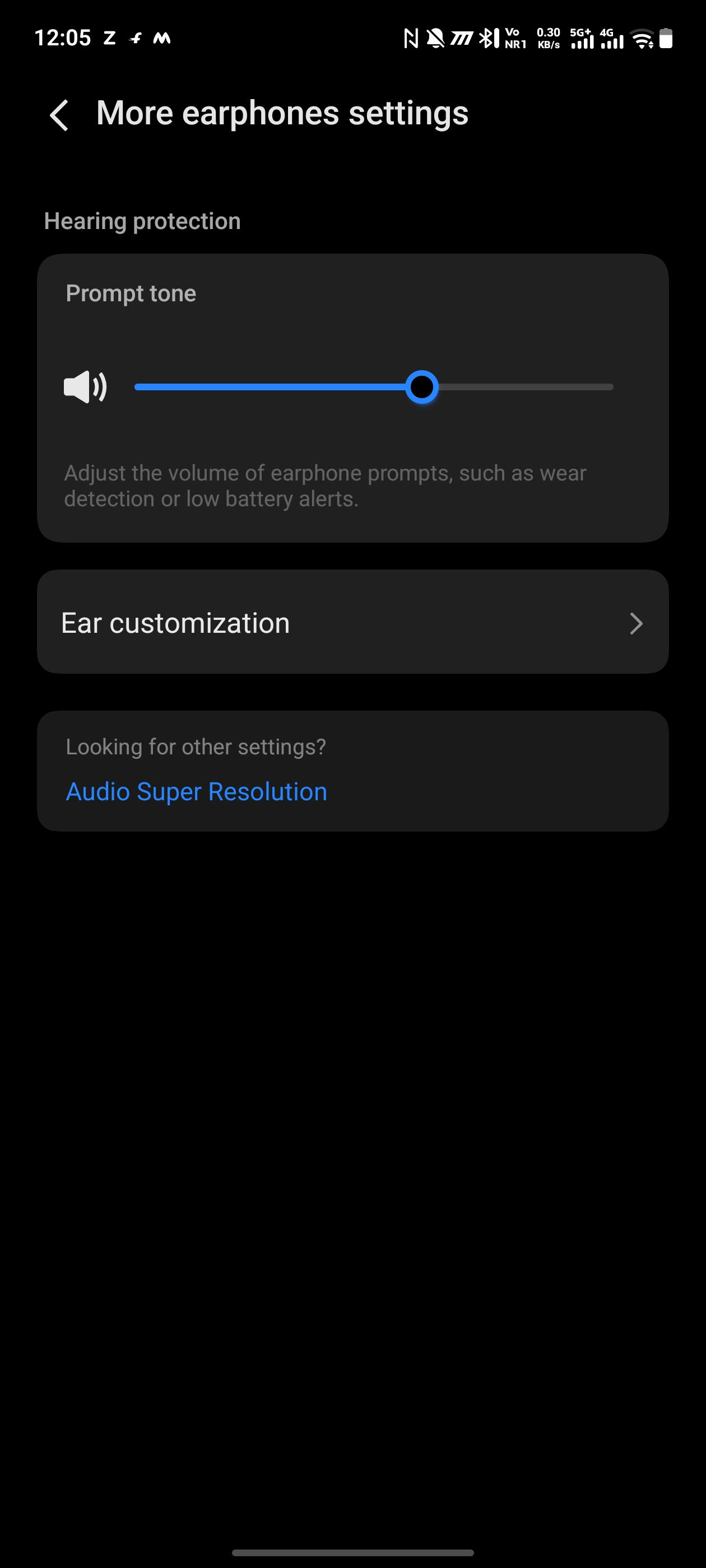
Depending on your phone and firmware, this area may contain options related to:
* Ear detection
* Audio behaviour
* Call settings
* Touch controls
* Voice assistant
* Connectivity
* Other earphone-specific functions
Think of **More earphones settings** as the place to look when you want to fine-tune the Buds beyond the basic controls.
7. Find Earphones
Find Earphones helps you locate your iQOO Buds if you misplace them.
On compatible iQOO/vivo devices, the feature can make the earbuds **ring** so that you can locate them nearby. It can also show information about where they were last successfully used/connected.
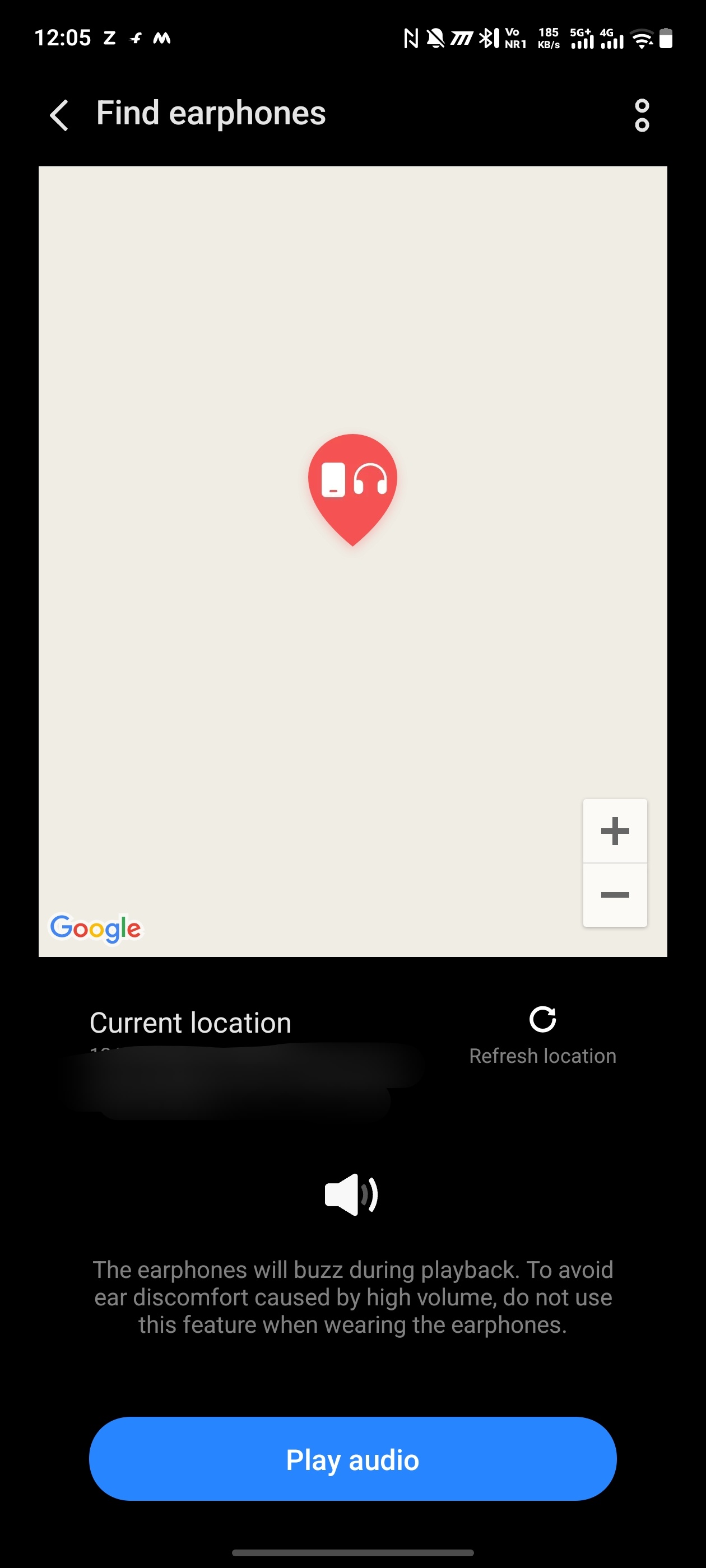
Example
You can't find your earbuds at home.
Open:
Find Earphones → select the Buds → make them ring
You can then follow the sound to locate them.
There are limitations: locating depends on factors such as Bluetooth connectivity and the earbuds' remaining battery, so it isn't a guaranteed GPS-style tracking system.
8. Feature Overview
Feature Overview is basically a quick guide to the capabilities of your iQOO Buds.
It helps you understand what the earbuds can do and how to use their major features.
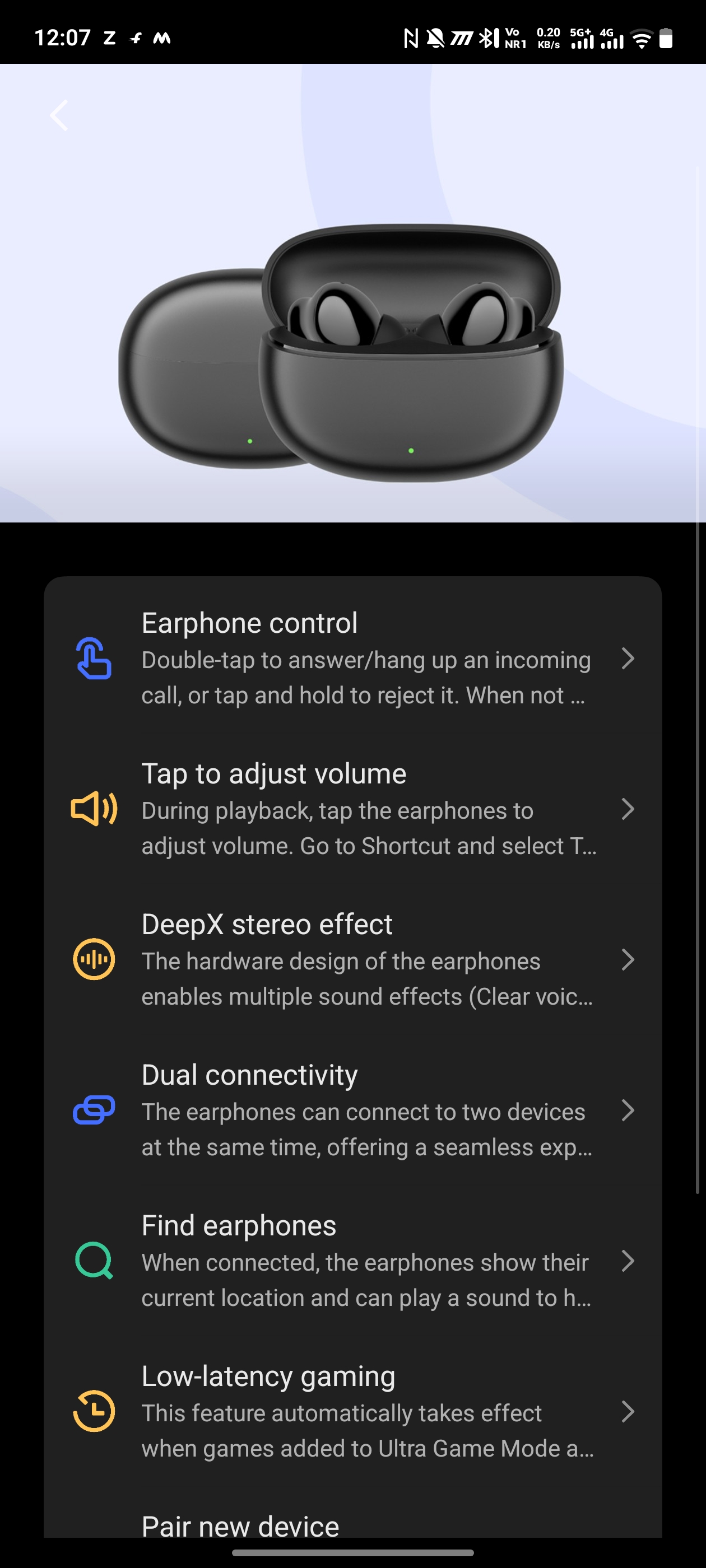
It can be useful when you first purchase the Buds because you don't have to manually discover every function.
Depending on the product/software version, features may include:
* Sound effects
* Touch controls
* Dual-device connection
* Gaming features
* Find Earphones
* Voice assistant
* Camera control
* Other smart functions
For the current iQOO Buds, iQOO also advertises features such as 42 ms gaming latency, Bluetooth 6.1 multipoint connection, spatial audio and AI call noise reduction.
9. Earphone Firmware Upgrade
This option is used to update the software/firmware inside your earbuds.
Your screenshot shows:
Earphone firmware upgrade — V2.1.8
Firmware is the internal software that controls how the earbuds operate.
A firmware update can potentially provide:
* Bug fixes
* Improved connection stability
* Better audio processing
* Improved compatibility
* Performance improvements
* New features or feature improvements
Why you should keep it updated??
If iQOO releases a newer firmware version, updating can help ensure that the Buds are running the latest available software.
However, you should keep the earbuds and charging case sufficiently charged during an update and avoid interrupting the process.
Other Important iQOO Buds Features
Apart from the options visible in your screenshot, the current iQOO Buds have several hardware-level features worth knowing.
10. 42 ms Gaming Latency
The Buds can achieve up to 42 ms earphone-side gaming latency under supported conditions.
Lower latency means the sound reaches your ears closer to the moment the action happens on screen.
Useful for:
* BGMI
* Free Fire
* Call of Duty Mobile
* Other competitive games
iQOO notes that the lowest latency depends on the phone, chipset, codec and other factors.
11. Bluetooth 6.1 Multipoint
The Buds use Bluetooth 6.1 Multipoint and can connect to up to two devices simultaneously.
This is what makes the Dual-Connection Management feature possible.
12. 10 mm High-Resolution Driver
The iQOO Buds use a 10 mm speaker driver designed to produce stronger bass while maintaining clarity across the frequency range.
This works together with the DeepX sound effects to customize the listening experience.
13. AI Call Noise Reduction
The Buds use AI-based processing to reduce unwanted background noise during calls.
The system is designed to reduce disturbances such as:
* Wind
* Environmental noise
* Other background sounds
while keeping your voice clearer for the person on the other end.
14. Spatial Audio
On compatible iQOO/vivo phones, Spatial Audio creates a more immersive, surround-like listening experience.
iQOO provides modes such as:
* Theater
* Concert Hall
* Studio
* Concert
The goal is to make audio feel more spacious and immersive rather than simply coming from the left and right earbuds.
Signing Off
Please sign in
Login and share