

























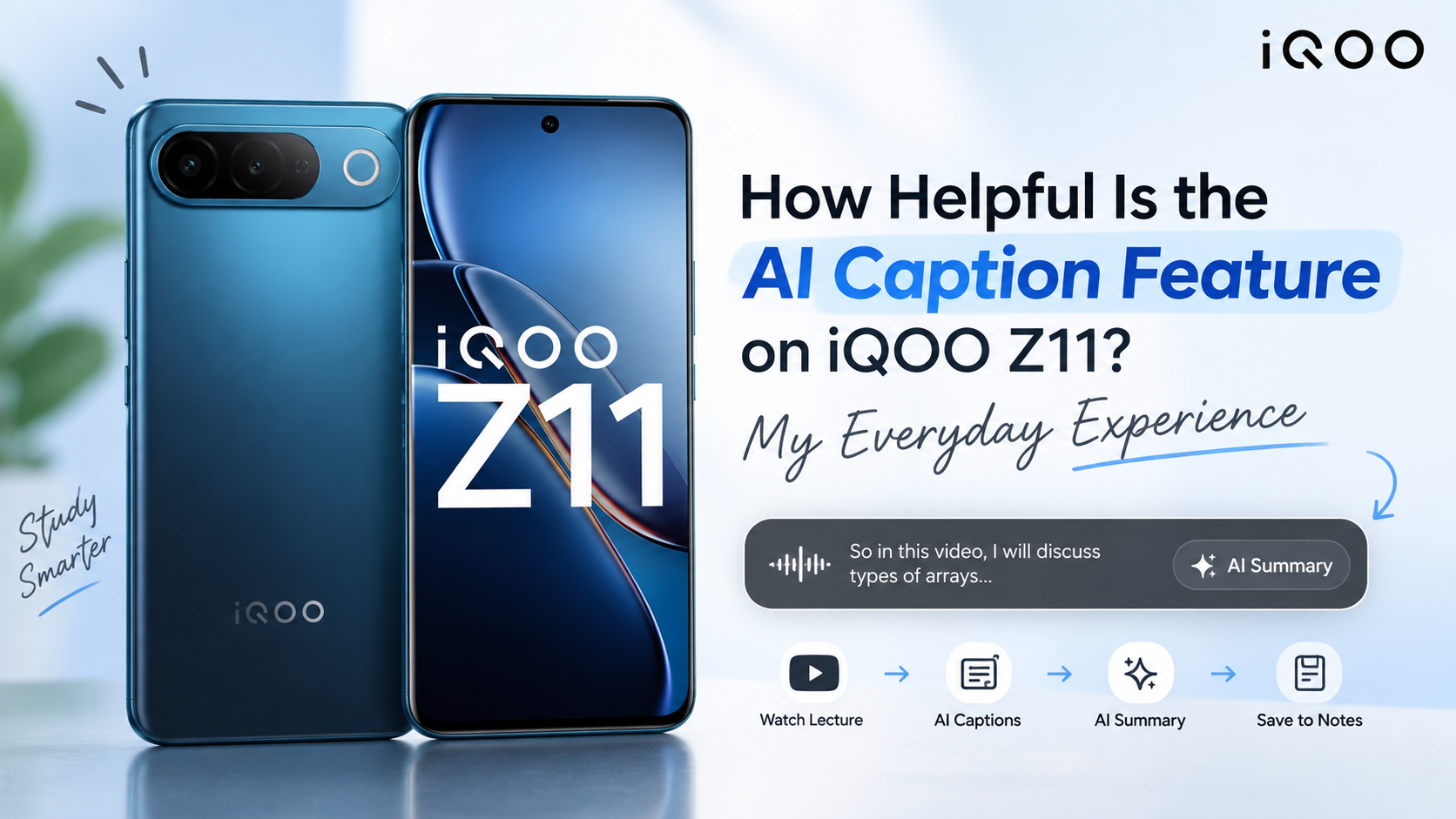
How Helpful Is the AI Caption Feature on iQOO Z11? My Everyday Experience

As a college student, one thing I do quite often is watch YouTube lectures and tutorials.
Especially for CSE, there are times when I have to watch a 30–60 minute lecture just to understand one particular topic.
But there's always a problem:
How do I actually listen to the lecture properly while also making notes?
If I keep pausing the video to write everything How Helpful Is the AI Caption Feature on iQOO Z11? My Everyday Experiencedown, a 30-minute lecture can easily turn into an hour .
Recently, I tried the AI Captions feature on my iQOO Z11, and this is where I found it surprisingly useful.
Step 1: I simply started watching my lecture
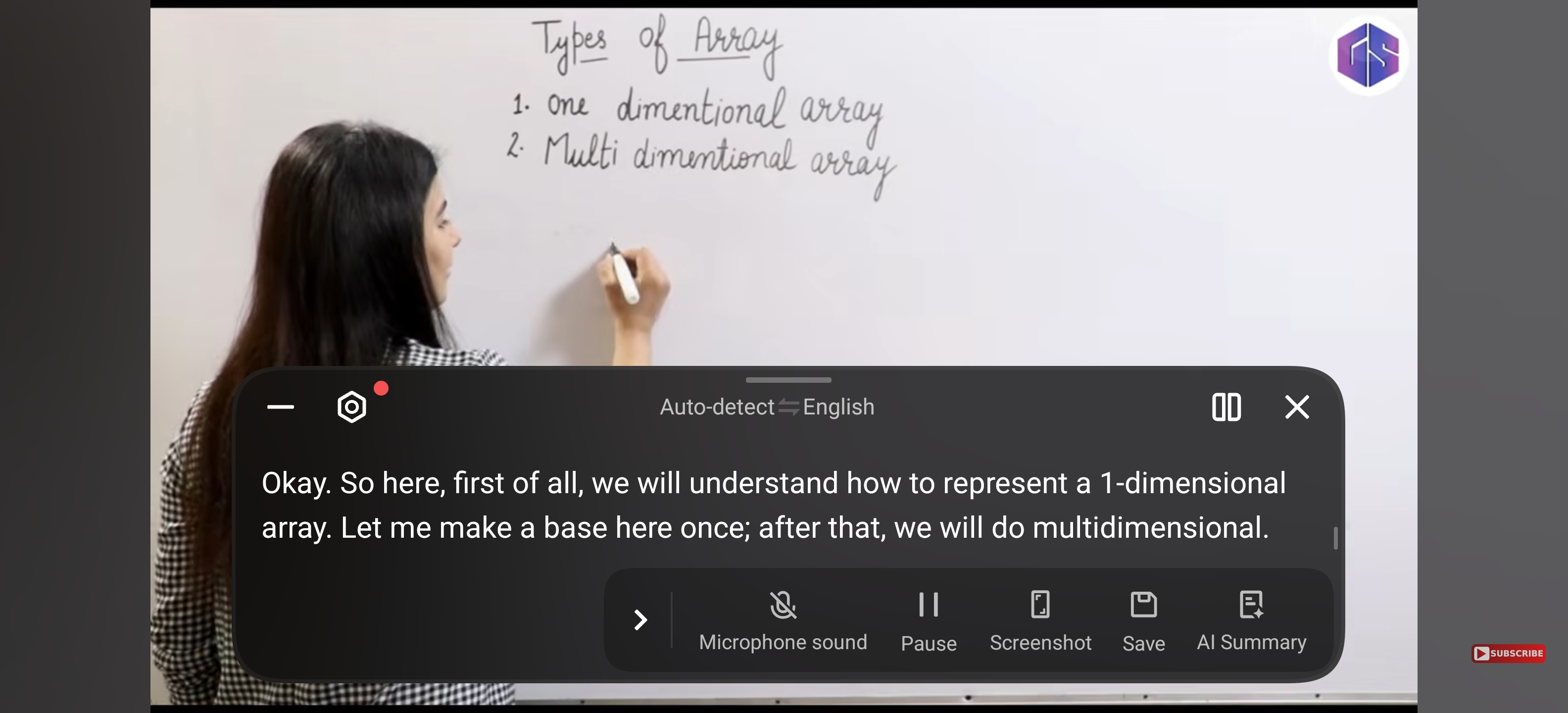
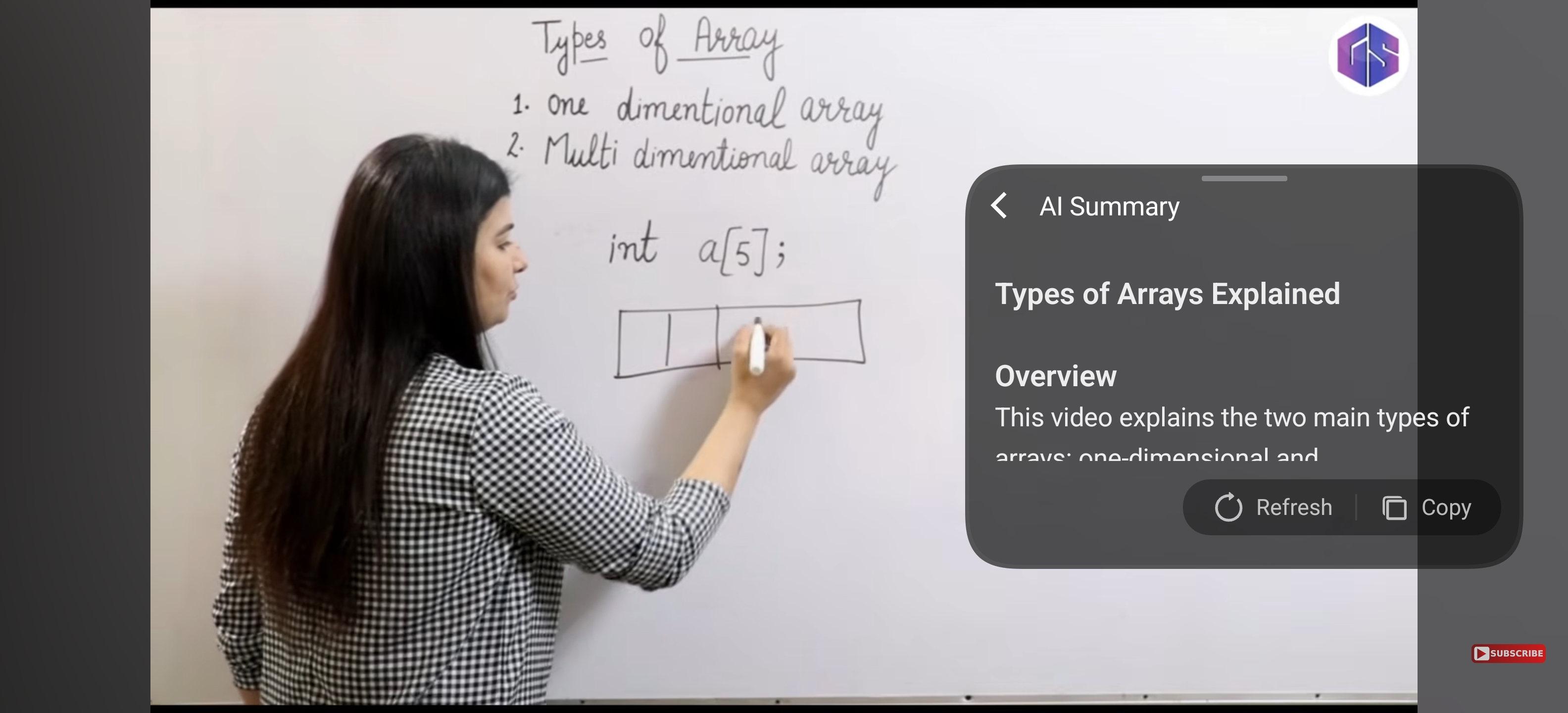
For testing, I opened a YouTube lecture explaining Types of Arrays.
I turned on AI Captions, and the Z11 started converting what the teacher was saying into text in real time.
So while the lecture was playing, I didn't have to constantly switch between:
Watch → Pause → Write → Play → Pause → Write
Instead, I could actually focus on listening and understanding what was being explained.
The captions were being generated while the video continued playing.
Step 2: The entire lecture gets captured as text
This is where it became much more interesting for me.
Once the lecture is being captioned, I can save the generated captions.
The transcript then becomes something I can actually revisit later instead of having to go back and watch the entire YouTube video again.
For a student, I think this is particularly useful when a professor or YouTube educator explains something verbally that isn't completely written on the screen.
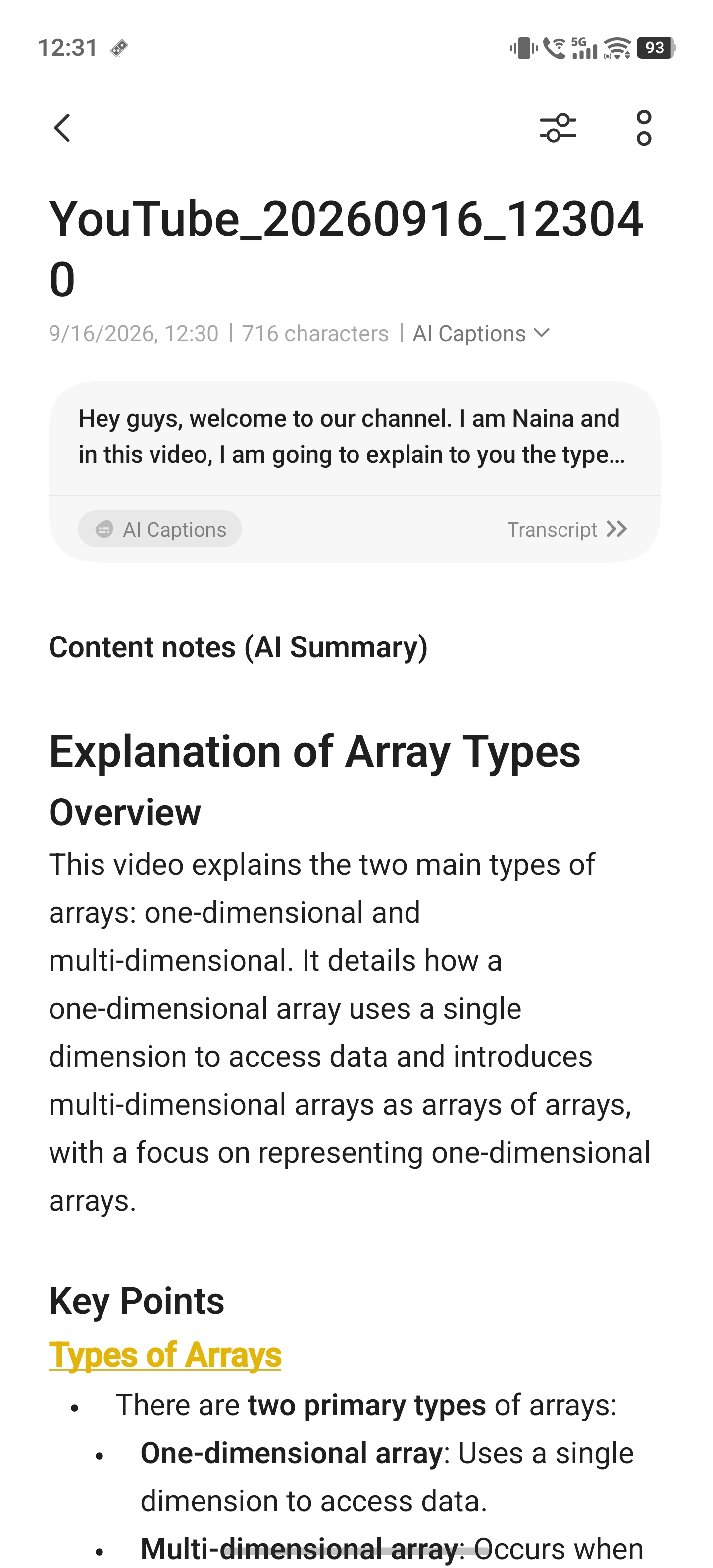
For example, in my Arrays lecture, the teacher was explaining the difference between one-dimensional and multi-dimensional arrays.
Instead of manually writing every explanation, I could let the phone capture the spoken content.
🤖 Then I found the feature I actually wanted — AI Summary
This is probably my favourite part of AI Captions.
While using AI Captions, there's an “AI Summary” option.
So I don't necessarily have to sit and read the entire transcript after finishing the lecture.
I can simply tap AI Summary, and the Z11 processes the captured content and creates a summary of the lecture with the important information. iQOO specifically lists AI Captions as supporting summarisation alongside real-time transcription and translation.
And I actually tested this myself.
My lecture was about Types of Arrays, and instead of giving me just the raw transcript, the AI Summary turned the lecture into a much more organised explanation, including the main topic and important points.
📱 And I can take that summary wherever I want
This is another thing I really liked.
Once the summary is generated, I can copy the content and use it wherever I need.
For me, the easiest option is Notes.
So I can take that AI-generated summary and keep it with my other study material.
That means a YouTube lecture doesn't just remain a video that I watched once.
It can become text → summary → revision material.
The Z11 also supports saving AI Caption transcripts into the Notes app for later review.
🎓 Why I think this is actually useful for students
The biggest benefit for me isn't simply “AI can make a summary.”
There are plenty of AI tools that can do that.
What I like here is the whole process happening from the content I'm already watching.
I don't have to manually:
❌ Type the lecture
❌ Copy everything
❌ Find another AI tool
❌ Paste the transcript
❌ Ask it to summarise
❌ Copy the result into my notes
Instead, my process can be much simpler:
Watch → Caption → AI Summary → Save → Revise
That's the part that makes the feature feel practical to me.
📚 Imagine this during exam preparation
Suppose I have a 45-minute lecture on Data Structures.
Normally, I might watch the entire thing and then have to make notes separately.
With AI Captions, I can let the lecture run while the spoken content is transcribed.
Afterwards, I can tap AI Summary, get the important points from the lecture, and save that information for revision.
So when exams are approaching, instead of thinking:
> “I need to watch that entire lecture again.”
I already have a text version and a summary that I can quickly go through.
Thank You for reading
Follow me for more amazing content...
Please sign in
Login and share