







5 Features to Look Out for in The New OriginOS 7

The next time you find yourself editing a presentation while pulling references from another app, sharing a file across operating systems, saving a screenshot, switching between screens, or revisiting a recording to find one detail, OriginOS 7 is designed to make every step feel smoother, smarter and more seamlessly connected. From smoother performance and more fluid interactions to a new Origin Design to AI-powered assistance and cross-device connectivity, the experience is designed to keep you moving without unnecessary interruptions.
Now that OriginOS 7 has officially launched on October 6, we have a closer look at how vivo is rethinking everyday multitasking—bringing together smarter ways to manage apps, information, devices, and AI. Together, these experiences make everyday smartphone use feel noticeably more intuitive, effortless, and connected.
The real magic, however, is in the details.
Here are the top five OriginOS 7 features worth checking out.
1.New Origin Design – More Expressive by Design
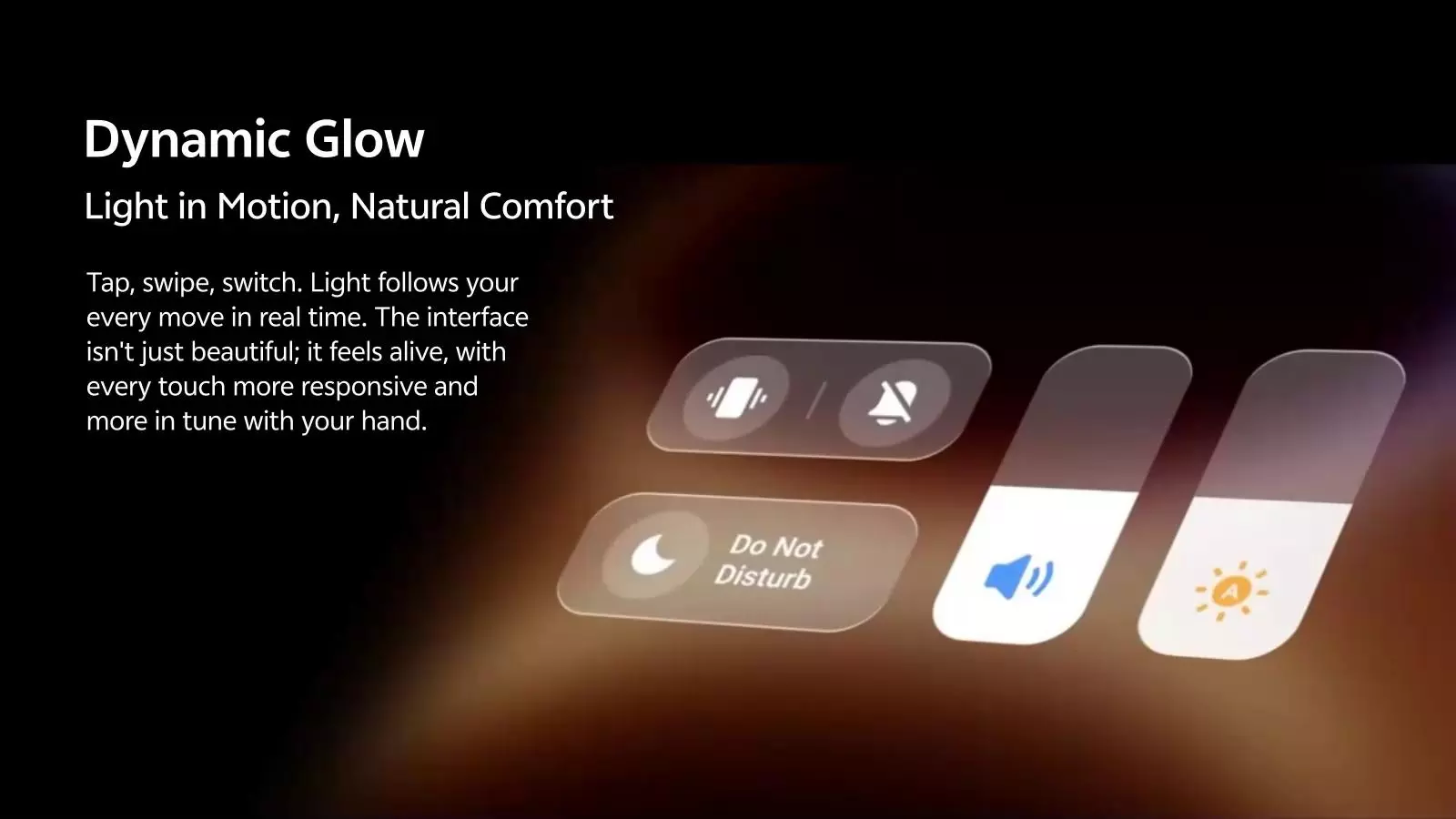
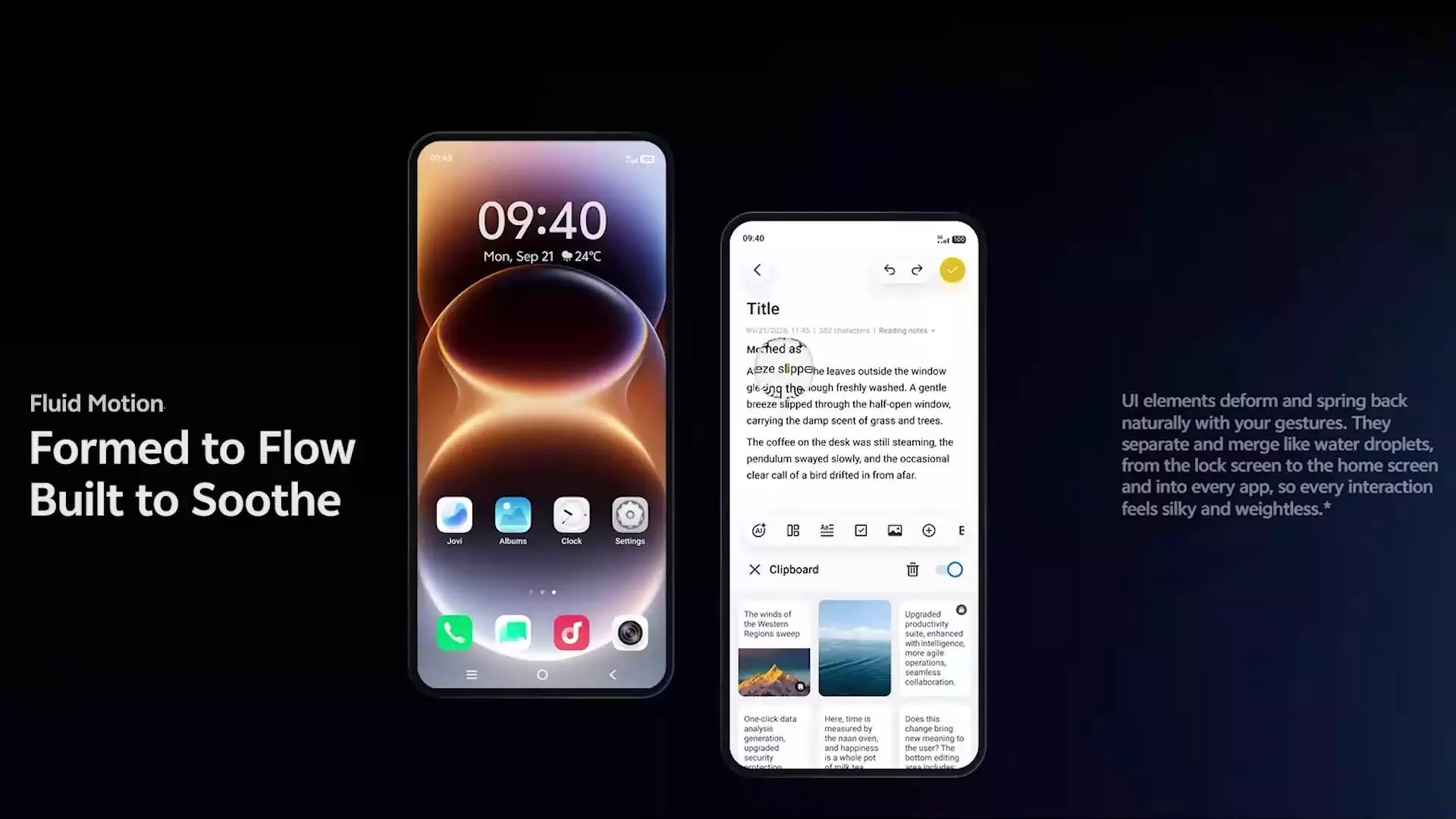
OriginOS 7 will introduce Fluid Motion to make every interaction silky and weightless
The new Origin Design introduces Dynamic Translucent Material, which adapts naturally to its background, creating a sense of translucent, layered depth across the interface.

Wiggle and Glint Theme will add movement to your lock screen. Tilting or shaking the phone will trigger natural light and liquid-like effects, bringing even static wallpapers to life.
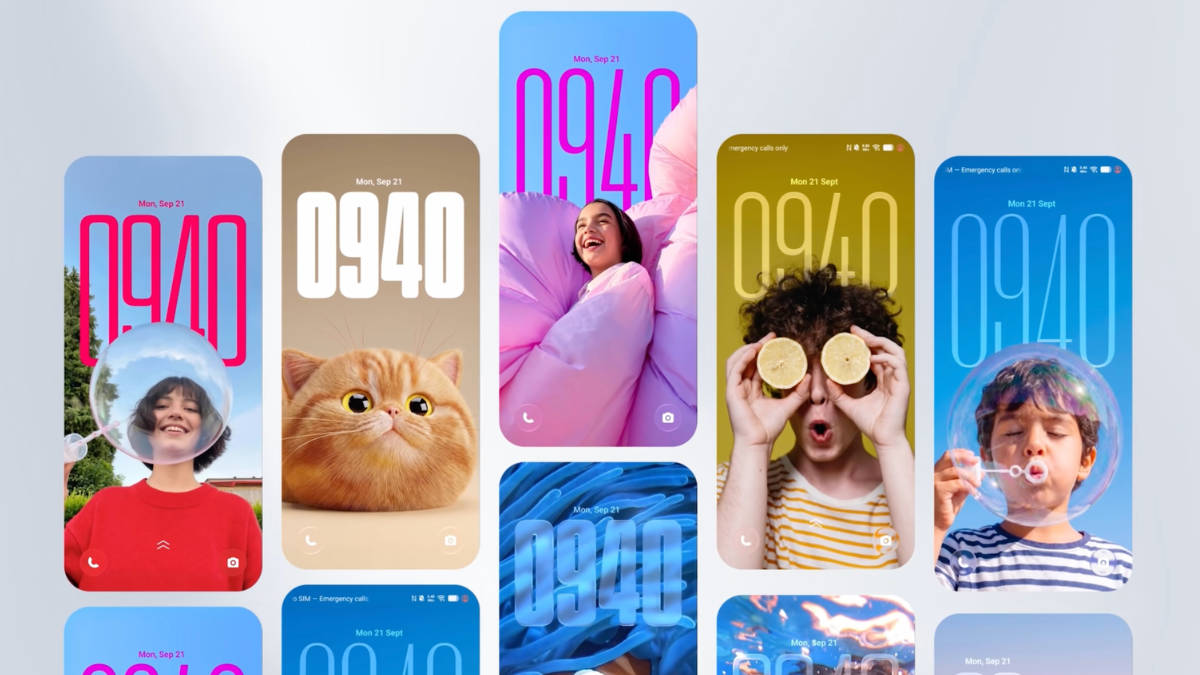
AI Pet Pals Theme, brings a pet to the lock display that reacts to the user's actions and daily activities. Tap or shake your phone to play with it, while it responds to moments like walking up, charging, listening to music, or having a low battery.
2.Origin Workbench | AI Cross-App Drag – A Smarter Way to Multitask
When working on a presentation, you may need to refer to a webpage, pick an image from your gallery and check a document at the same time. Constantly switching between apps can interrupt your flow.
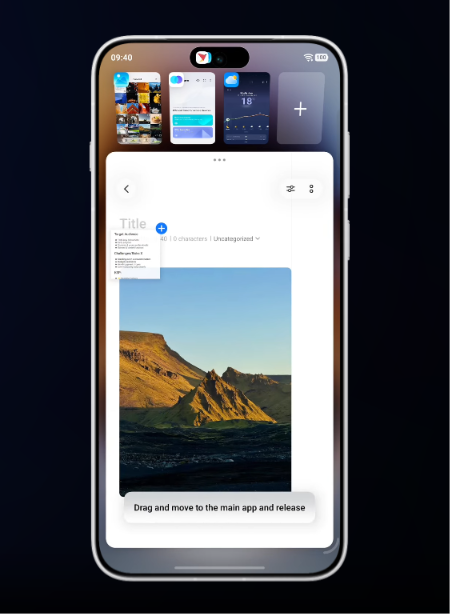
Origin Workbench will let you manage up to five apps simultaneously, resize the main window and choose between horizontal and vertical layouts. With apps running live in the background, you can move between tasks without losing your place, making multitasking feel smoother and more seamless.
AI Cross-App Drag, will let you drag text and images across apps into the input area. Through the intent wheel, you can complete actions such as text extraction, translation, and contact creation with a single drag. Instead of copying and pasting between screens, you can move content directly where you need it.
3.Origin Island | Snap & Go – From Screenshot to Action
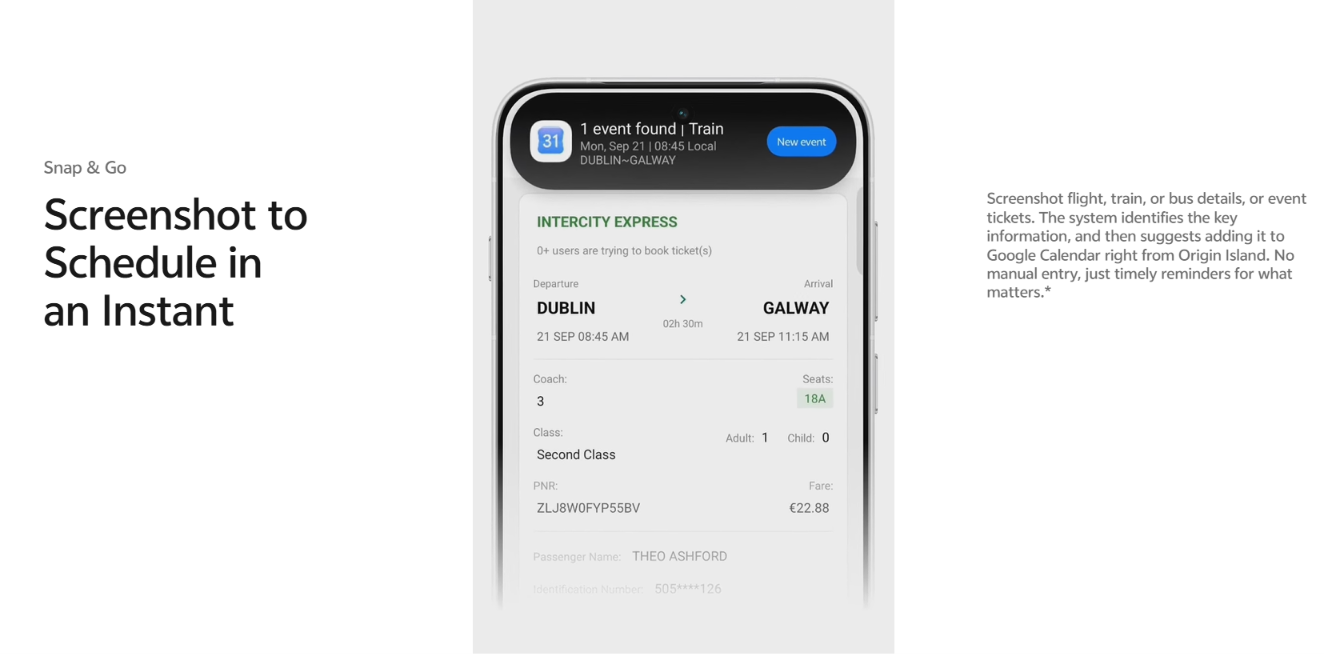
A screenshot is often more than something you want to save. It could be a flight booking you need to remember, a movie ticket you don’t want to miss, or an event you plan to attend.
With Snap & Go on Origin Island, OriginOS 7 will recognize key details and use AI to identify relevant information, creating a calendar event or reminder in your calendar. This means you won’t have to manually enter the details yourself.
4.AI WorkSuite | Jovi, AI Call Answering and Call Overview – AI that Takes Care of the Busywork
AI productivity features in OriginOS 7 will bring together Jovi, AI Call Answering and Call Overview to make some of the everyday tasks on your smartphone easier.
With support from vivo Office Kit Jovi will work as a work and life assistant on PCs, helping users issue tasks across vivo-connected devices. From finding files and understanding their content to extracting key insights and summaries, Jovi will help keep the right information and assistance within reach across your phone and PC.
When you are unable to answer a call, AI Call Answering and Call Overview will be able to step in, answering the call while listening, transcribing, summarizing the conversation, and understanding the caller’s intent in real time.
And when you need to revisit an important meeting, lecture or conversation, Call Overview will transcribe and summarize recordings, making key information easier to find and revisit.
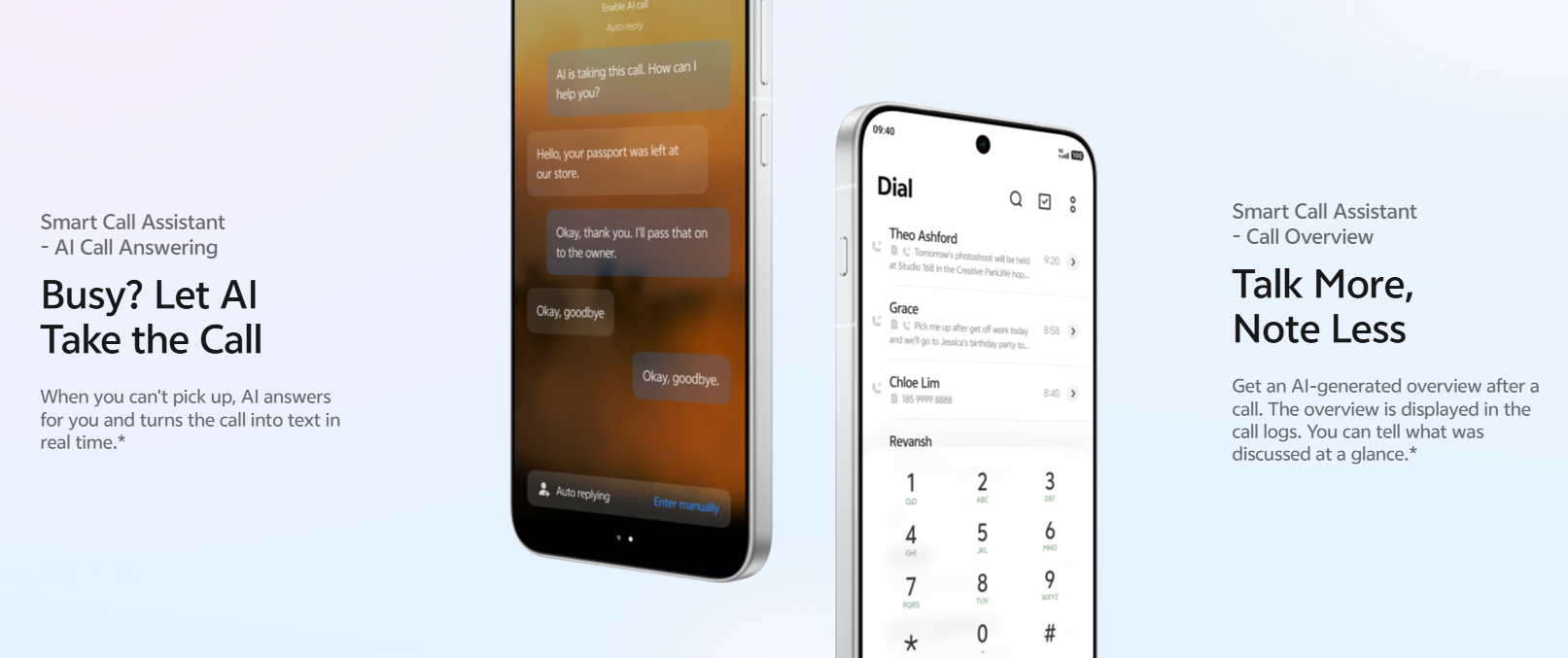
When you are unable to answer a call, AI Call Answering and Call Overview will be able to step in, answering the call while listening, transcribing, summarizing the conversation, and understanding the caller’s intent in real time.
And when you need to revisit an important meeting, lecture or conversation, Call Overview will transcribe and summarize recordings, making key information easier to find and revisit.
5.Cross-Ecosystem Connectivity – Stay Connected Across Devices
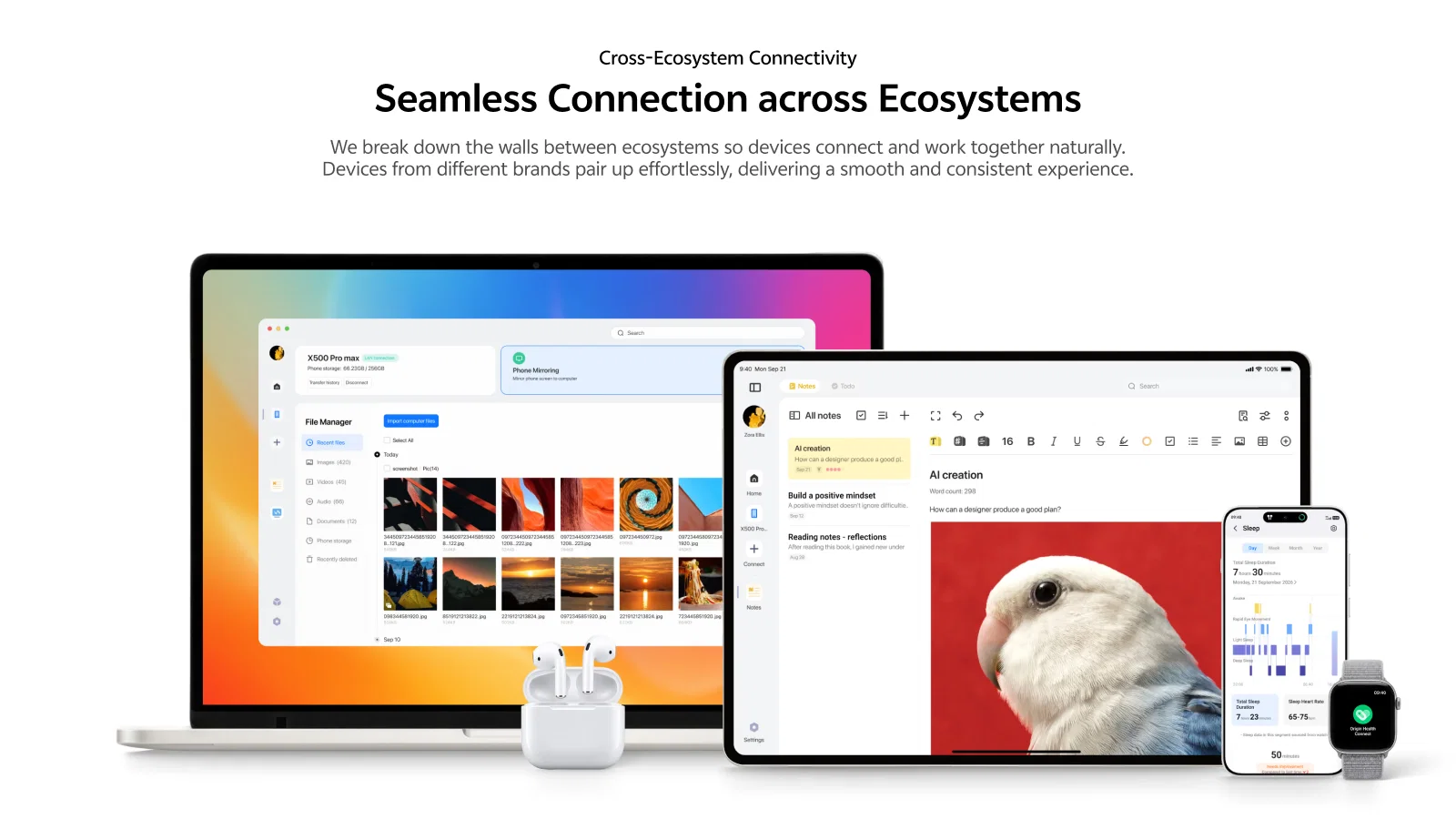
Most of us use multiple devices every day, from smartphones and PCs to a range of compatible connected devices. OriginOS 7 will bring them closer together, making it easier to stay connected across your everyday workflow.
Office Kit enables users to connect compatible devices and work across their smartphone and PC, helping create a more seamless multi-device experience.
With compatible connected devices, users will be able to access notifications and other relevant information, while Origin Health can help bring supported health and fitness data together. Compatible audio devices connected through Bluetooth settings can also display battery and connection status on Origin Island, while vivo Spatial Audio will enable a more immersive listening experience.
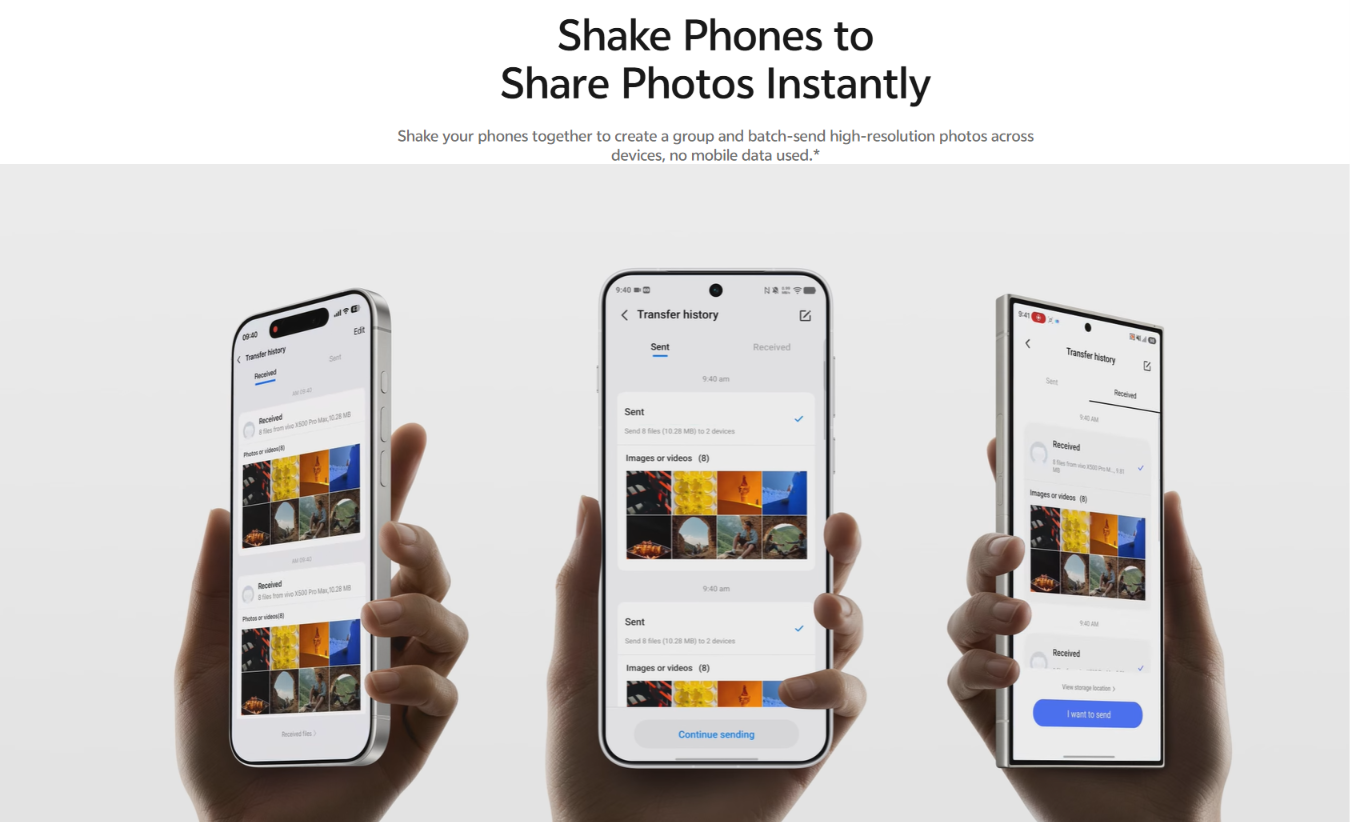
When sharing a large batch of photos or videos, Shake & Share will let users send them to multiple people with a simple shake.
- Building on the foundation of OriginOS 6, OriginOS 7 pushes boundaries even further—anticipating user behavior and future demands to redefine what a smartphone can do.
Disclaimer
- Origin Workbench: This feature is currently available on specific models with 12 GB of RAM or more. Multitasking, cross-app drag-and-drop, and the like are subject to app compatibility. Cross-app drag-and-drop availability varies by device and region. The actual experience shall prevail.
- Snap & Go: This feature is available only on select devices and in select countries or regions, and supports select third-party apps. The actual experience shall prevail. vivo India disclaims all warranty for accuracy and shall not be responsible for the results and results may vary basis experience and usage.
- Cross-Ecosystem Connectivity: This feature is available only on select devices, in select countries or regions. The availability of these features may vary depending on the device model, system version, third-party services, and other factors.. The actual experience shall prevail.
- Shake & Share: This feature is available only on select devices and in select app scenarios, and requires Origin Island support. The actual experience shall prevail. vivo India disclaims all warranty for accuracy and shall not be responsible for the results and results may vary basis experience and usage.
- Jovi: This feature is available only on select devices and in select countries or regions. AI-generated content is for reference only. The actual experience shall prevail. vivo India disclaims all warranty for accuracy and shall not be responsible for the results and results may vary basis experience and usage.
- Dynamic Translucent Material: This feature is currently available on select models. Actual display performance may vary depending on background content, the selected material, and other factors. Wiggle Theme and Glint Theme: These features are currently available on select models. The actual experience shall prevail.
- Pet Pals Theme: The glass clock and depth effect are available on select models. Features and dynamic effects may vary by device model. The actual experience shall prevail.
- Dynamic Translucent Material: This feature is currently available on select models. Actual display performance may vary depending on background content, the selected material, and other factors. The actual experience shall prevail.
- Fluid Motion: This feature is currently available on select models. Actual performance may vary depending on the device model, system version, and usage scenario.
- AI Call Answering and Call Overview: This feature is available only on select devices, in select countries or regions, Actual results may vary depending on call quality, language, and other factors. vvo India disclaims all warranty for accuracy and shall not be responsible for the results and results may vary basis experience and usage
- The availability of AI features may vary depending on the apps, device settings, country and region, language, etc. vivo disclaims all warranty for accuracy and shall not be responsible for the results and results may vary basis experience and usage.
- Office Kit is available through brand licensor’s application and subject to respective terms and conditions. vivo Mobile India Private Limited disclaims all warranty for accuracy and shall not be responsible for the results and results may vary basis experience and usage.
For More Such Content Follow @AritraRakshit
Please sign in
Login and share