




























Cometin | QOOL Apps #2

Ever wondered what using Instagram in Landscape mode looks like??
Here's an app that will let you do that and much more. Let me tell you all about it.
About the App:
Cometin is an app which provides some really useful tweaks to the functionality of your smartphone without rooting your phone at all, without any harm. It brings out some hidden potentials of your smartphone.
It is based on the concept of Dynamic Modules which Google announced at IO 2019, which can split an app into several parts.
In the app, you can explore the modules each of which are there to enhance/add a new function in your smartphone. Currently, there are 13 Modules:
- Available modules (with some small descriptions)
1. Ambient display - Bring a customized Ambient display, Always-on-display and wave to wake to your device.
2. App locker - Lock apps behind a passcode or pattern
3. Better rotation - Forces every app to be compatible with every orientation including 180 degrees
4. Caffeine - Keep your screen on for a certain amount of tim
5. Cometin Sync - Sync notifications, and notes between phones and desktop
6. Darker brightness - Go below the minimum brightness by applying a dark overlay on top of your screen
7. Flip to shhh (Cometin 2.0 and up) - Flip your phone face down to silent notifications (except alarms)
8. Heads-up - Hide head-up notifications
9. Immersive - Hide statusbar, navigationbar or both
10. Parallel - Create a work profile to seperate personal and work.
11. Pocket Mode - Prevent accidental touches when the device is in your pocket.
12. Remap Assistant - Execute a different action when opening the assistant.
13. Shake actions (Cometin 2.0 and up) - Execute a different action when shaking the device.
Note for MIUI users:
MIUI is known for breaking core functionalities in Android. If you want to use Cometin on a MIUI or Xiaomi device please read this: Here
Size : 8MB
Developer : Stjin
Download Here
How to use:
You can enhance the functionality of your phone by following these easy steps:
- Download and install the app.
- Tap on Browse all modules
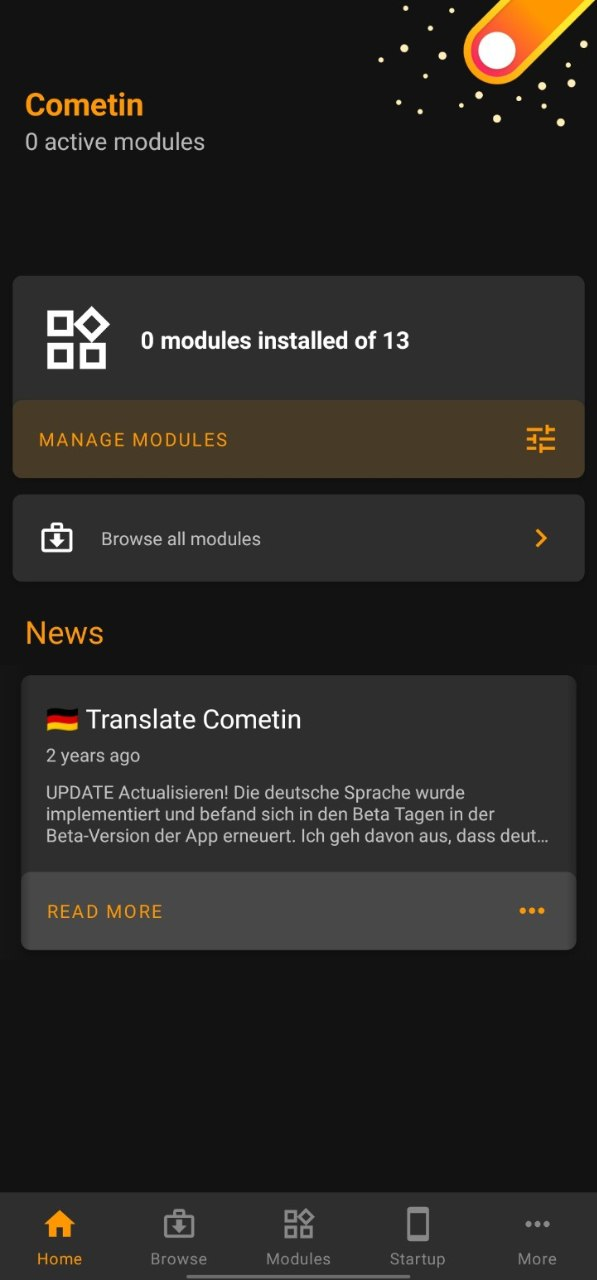
3. Install the module you want to install After reading the description by Tapping on Install below that module.
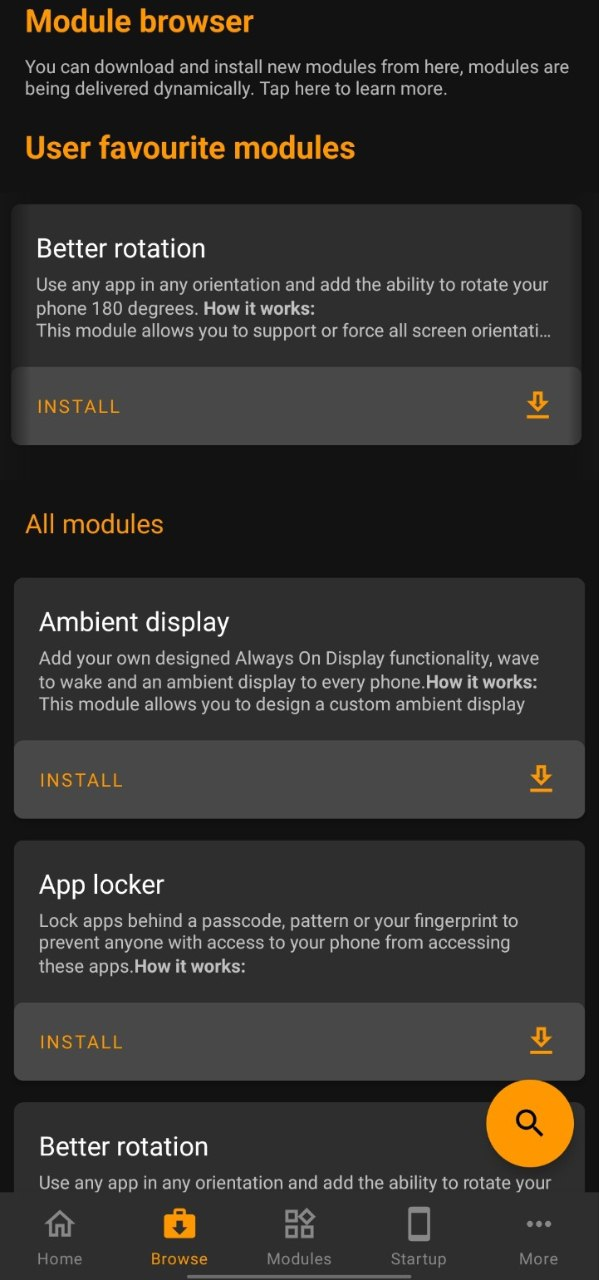
4. After Installing, On the home page, no. of modules installed will be shown,
and you can manage the installed modules by tapping on Manage Modules.
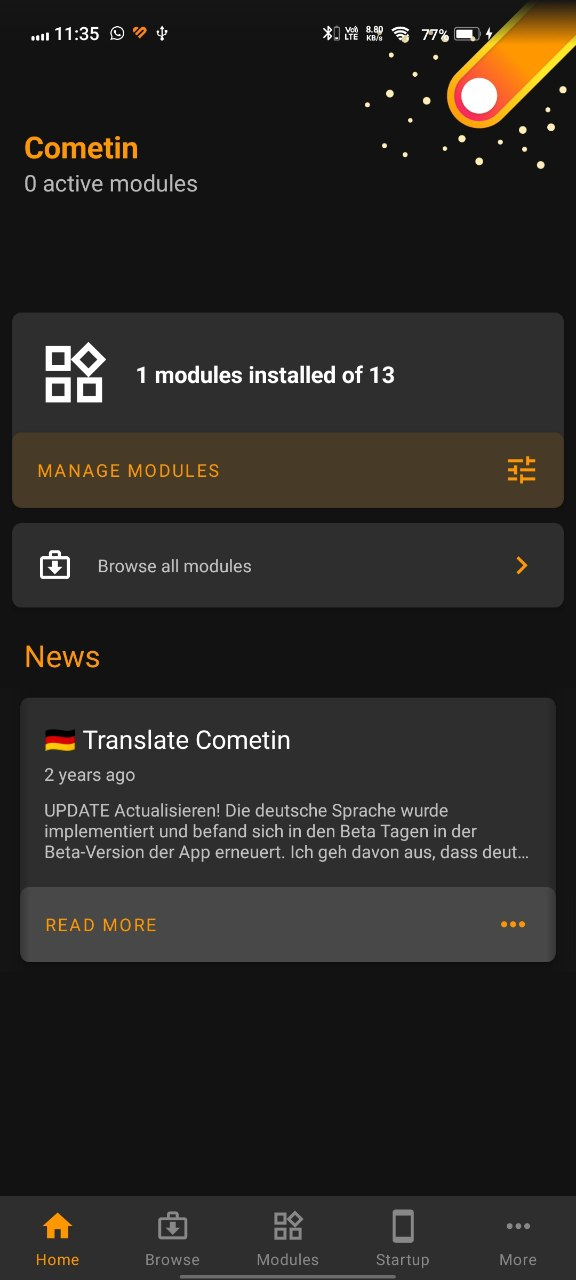
5. Tapping on Manage Modules opens Module manager where you can quickly see, enable/disable or remove from the installed modules
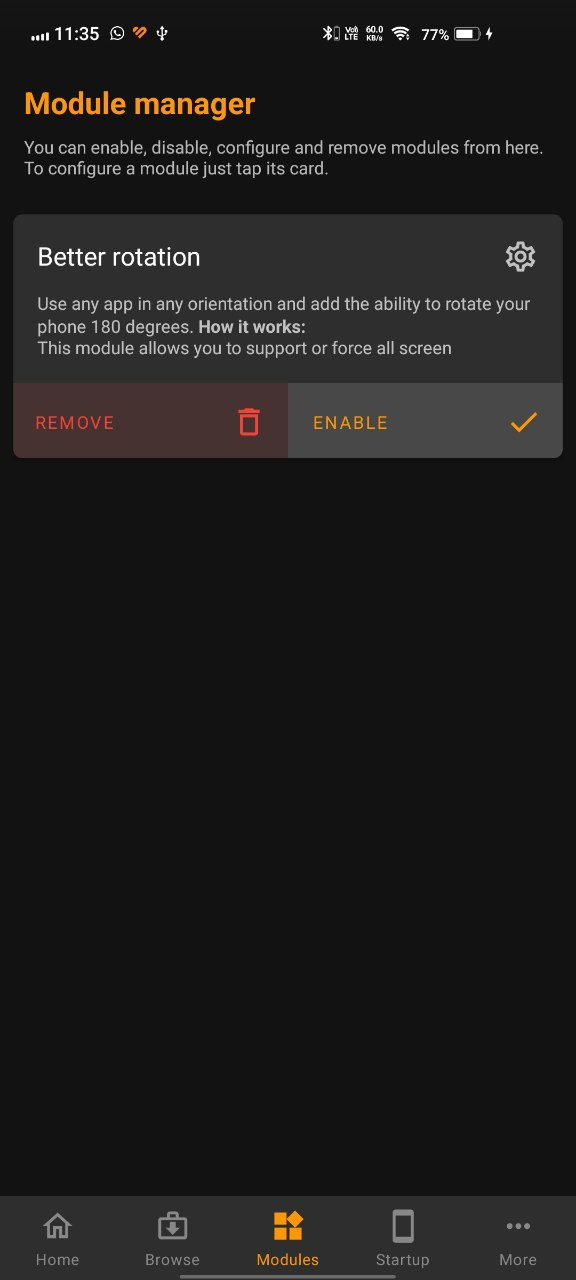
6. Tapping on the module's name opens the module specific settings, where you can customise the functionality according to your needs.
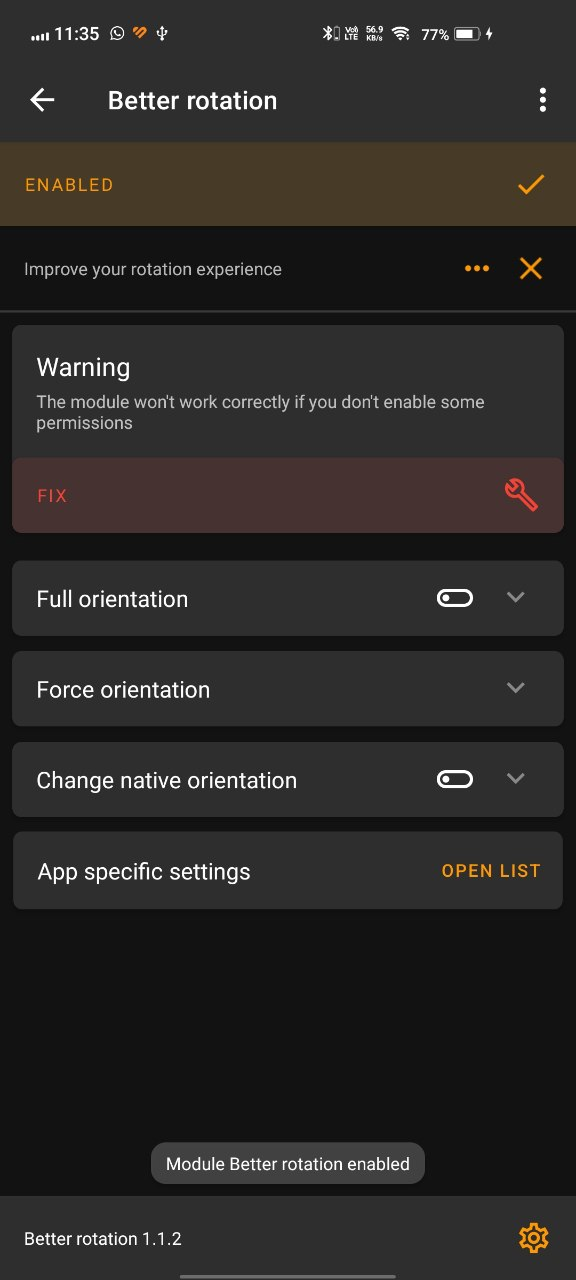
Permissions:
This app by itself does not need many permissions, but each module needs some specific permissions for them to run. Some of them are:
1. Accessibility
2. Notifications
3. Manage Files
4. Drawing over other apps
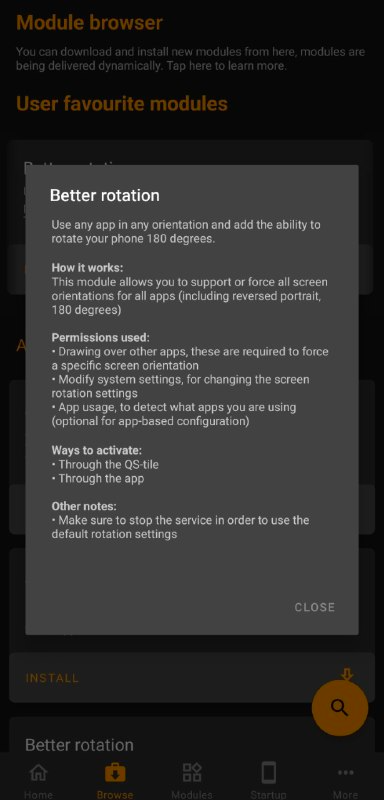
Also, tapping on each module opens their description which includes the permissions required as shown in the image below:
My Thoughts:
I have been using this app for about 2 weeks now, and being honest, it has helped me a lot. The darker brightness feature was really useful when working at night on my phone, as sometimes, the lowest brightness can also be too bright.
My personal favourite was the Flip to Shhh module, I did not expect it to work so flawlessly. It is really handy when you can put your phone in DnD mode just by placing it face down on the table and not worry about any distractions, that it has become a part of my life now and I don't think I will ever be able to stop using this.
I suggest you to try this app for yourself atleast once, and I assure you that you will not be disappointed.
Source: PlayStore
Thank you for taking the time to read my post. I hope you found it informative and helpful.
Feel free to discuss your queries or share your experience with the app in comments.
Share the apps which you think are useful or should be featured in QOOL Apps in this Form or Down in the comments.
Till next time.
Signing off,
#Moderator - @iQOO Connect
Please sign in
Login and share