



























How do you add the iQOO watermark to your photos?

Hey there, iQOO shutterbugs!
We know how much you love taking stunning photographs on your iQOO phone, and we want to help you take your photography game to the next level. ✅📸

One of the ways to make your photos stand out is by adding a watermark to them. Watermarks not only give your photos a professional touch but also protect them from being stolen or misused.
But did you know that you can add a watermark to your photos while clicking them on your iQOO phone?
That's right! It's super easy to do, and we're here to show you how.
Here's how to add a watermark to your photos on your iQOO phone:
1. Open the camera app on your iQOO phone.
2. Tap on the settings icon in the top-right corner of the screen to access the camera settings.
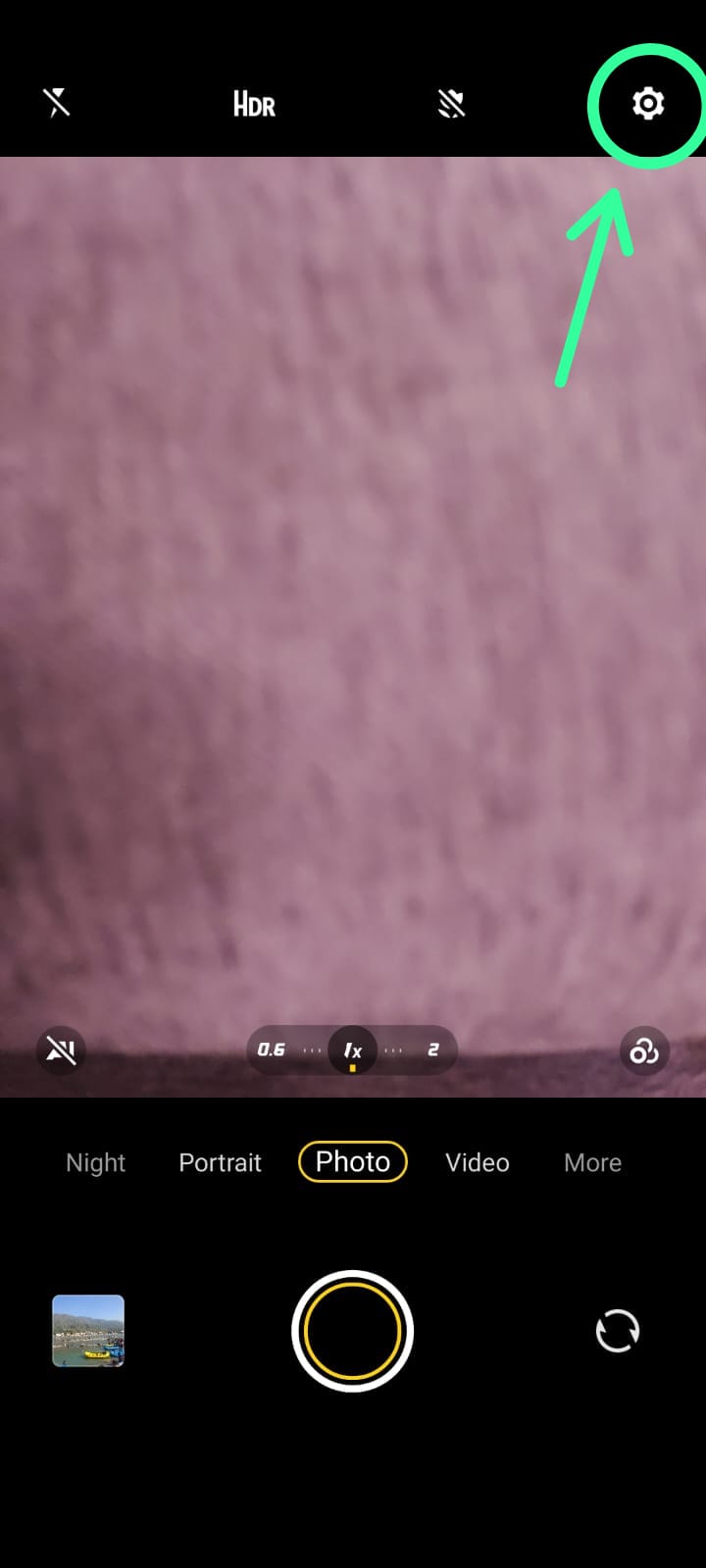
3. Click on the "Watermark" option, or click on "More Settings" and scroll down to find the "Watermark" option.
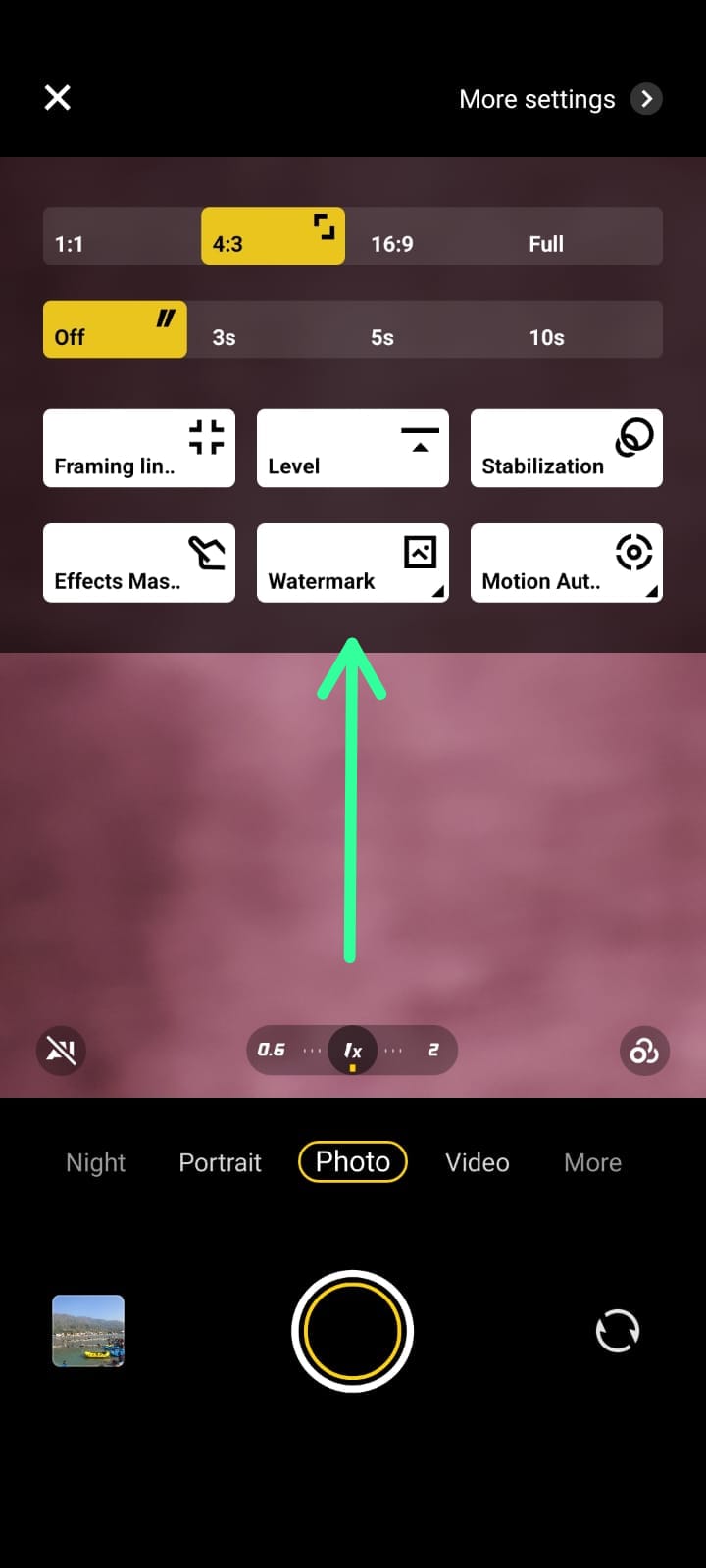
OR
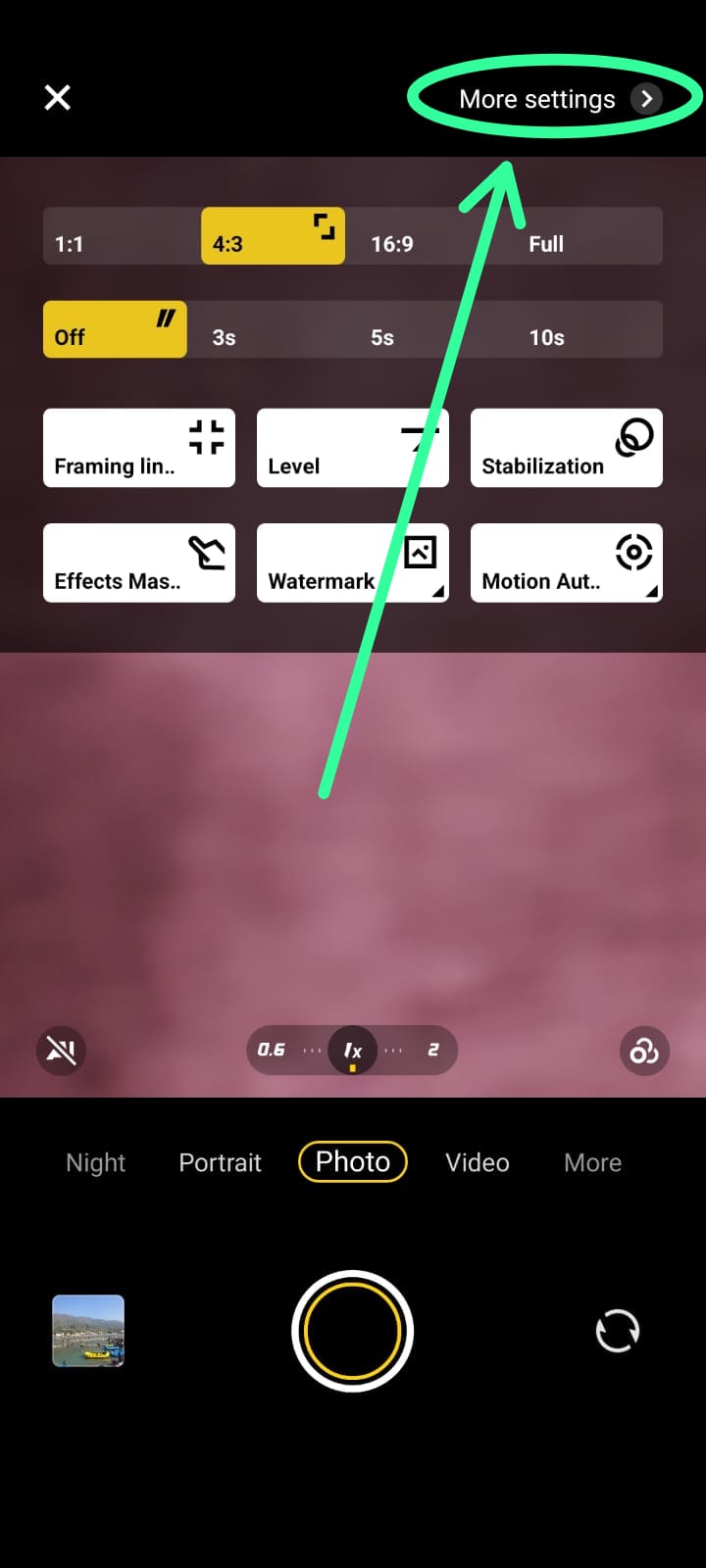
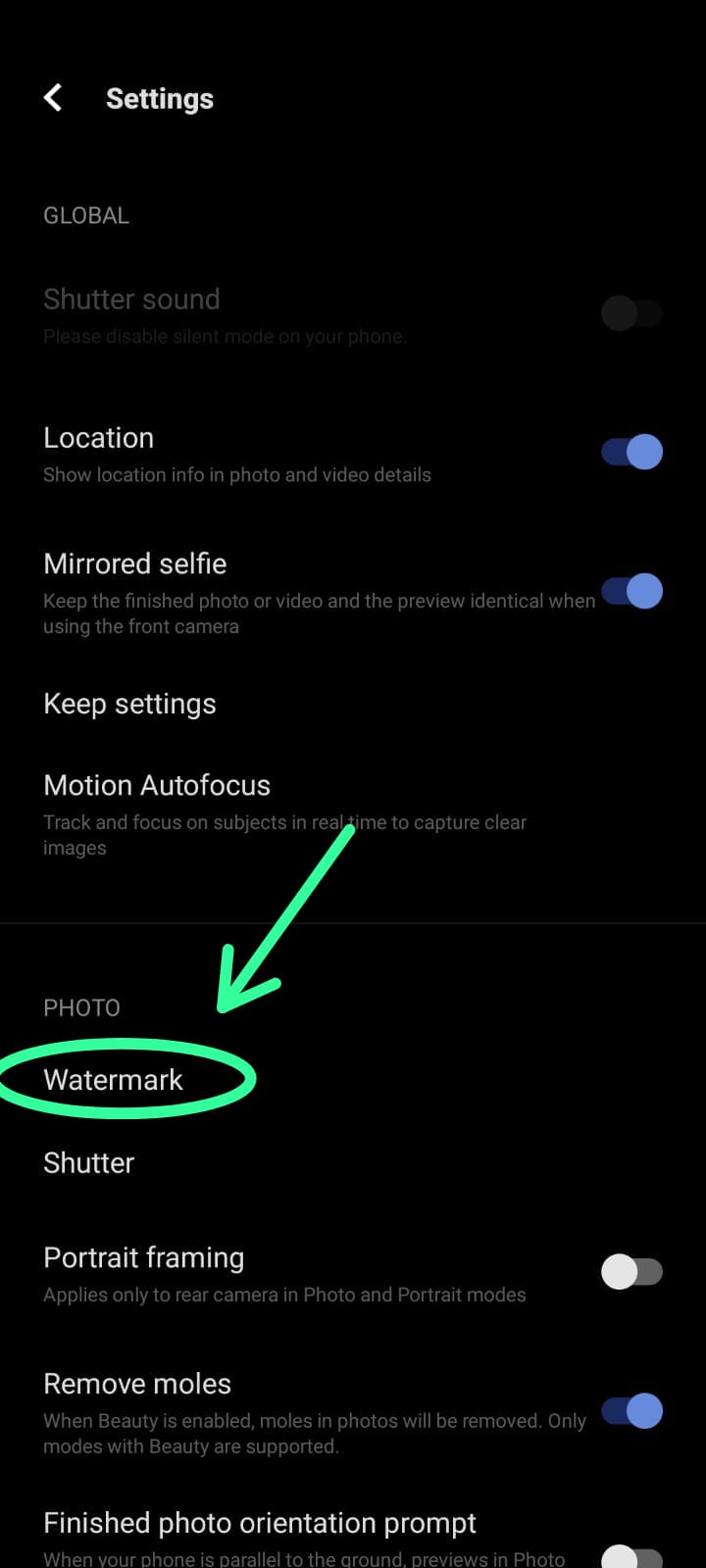
4. Tap on it and select the type of watermark you want to add (Date & Time, Model Name, Customise).

5. Customise your watermark by adding your name or any text you would like.
That's it! Now every photo you take will have your customised watermark.
It's that simple! So, what are you waiting for? Start adding watermarks to your photos and making them stand out from the crowd.
P.S. The next time you participate in the #ShotOniQOO contest and need to add the watermark, you know the trick! 😉
Happy Clicking,
iQOO Connect
Please sign in
Login and share