



























Smart Routing: Why And How You Can Have Multiple UPI IDs On Google Pay

Over the last many years, UPI or Unified Payment Interface has changed the way we make payments. Linked to bank accounts, UPI has become one of the most-important mode of transaction. However, payment failures or slow payments can be a dampener while making these payments. Smart Routing is a way these payment failures can be avoided. Here’s what Smart Routing is and how to enable it:
What is Smart Routing
UPI IDs are associated with your bank account. These payments are facilitated through bank servers. Many times there are chances that UPI payments may fail due to server glitch, overload or some other issue.
This is where the Smart Routing comes into the picture. Getting an additional UPI ID improves the chances of payment success rate because it routes the transaction through the available servers (different UPI IDs) for your account.
Consider this scenario: Imagine you're commuting from home to the office in your car, and you typically have four routes to choose from. Unfortunately, your usual route is impassable due to heavy traffic. In a similar fashion, having multiple UPI IDs with various banks serves as alternative routes for conducting transactions. If one UPI ID route is unavailable for a payment, the UPI app will automatically select an alternate route, ensuring a seamless and uninterrupted payment experience for users.
How many UPI IDs you can have
Users can add up to four UPI IDs to their bank account. It is also possible to have multiple UPI IDs for the same bank account to reduce payment delays or failure while making UPI transactions.
How to to create extra UPI IDs
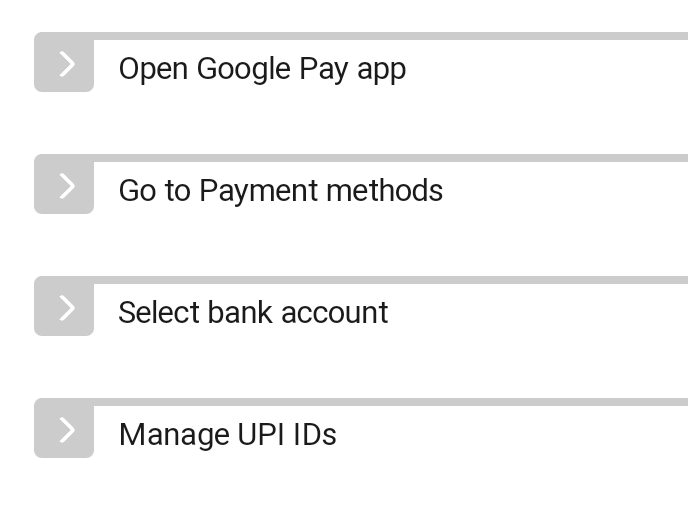
While setting up a new account, it is possible to create additional UPI IDs. The process can also be done after the account setup. Google Pay prompts users to add additional UPI IDs in case some payment gets stuck or fails. Here’s how to create additional UPI IDs:
Note: To activate UPI IDs, Google Pay sends an SMS on your behalf to partner banks. Standard SMS charges apply.
Please sign in
Login and share