




























WallpaperExport | QOOL Apps #33

Ever come across the perfect wallpaper for your phone, only to have trouble finding it again later? If you're tired of endlessly scrolling through images, WallpaperExport is a simple app that can help.
About the App (Download Size: 2 MB)

This lightweight app serves a singular purpose: backing up your current phone wallpaper. It's perfect for those who want to save their favorites or easily switch between them without having to search through menus or file folders.
How to Set Up and Use WallpaperExport (Step-by-Step)
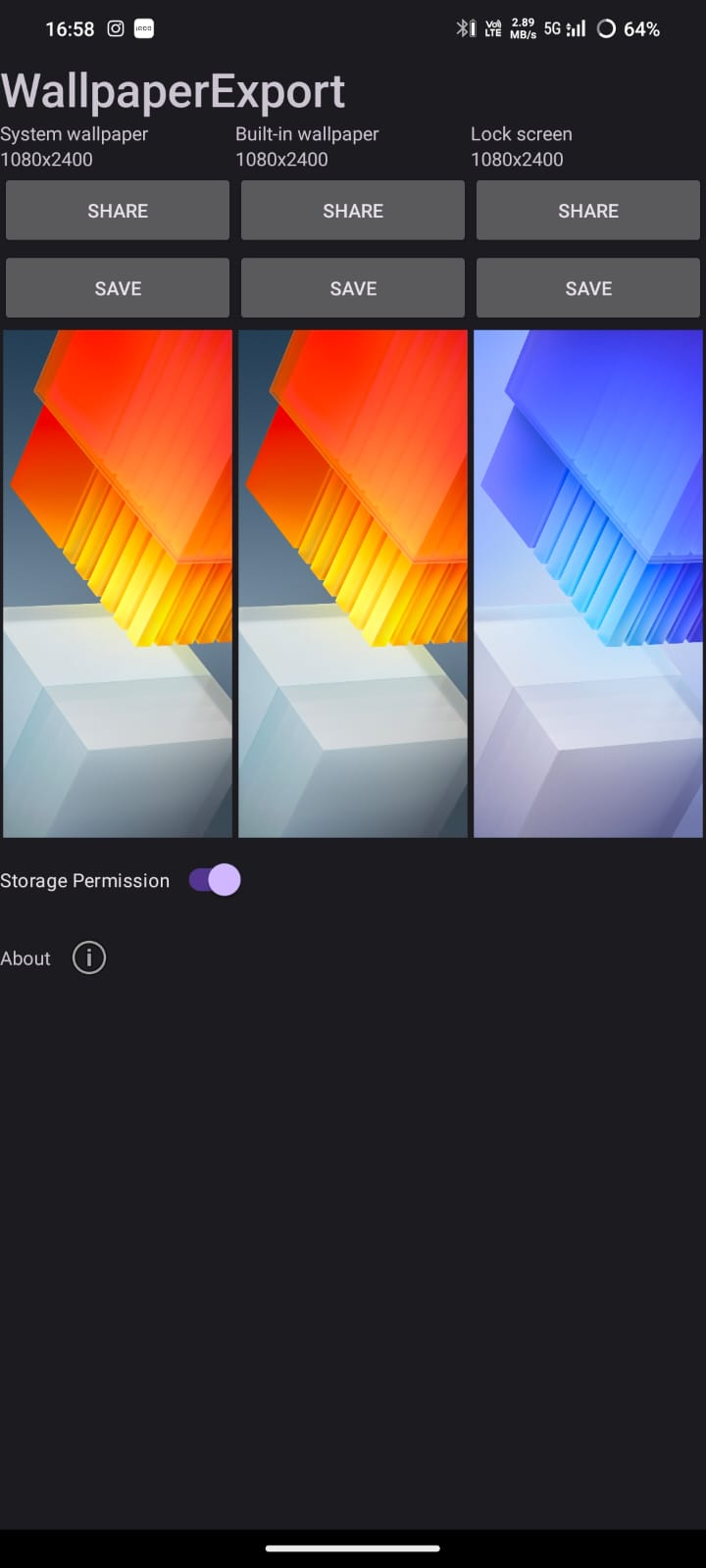
- Download and install WallpaperExport from the Google Play Store.
- Open the app. A straightforward interface will display your current wallpaper.
- Tap the "Export Wallpaper" button.
- Choose a location to save your wallpaper on your device.
- That's it! Your wallpaper is now saved for future use.
Permissions Required by the App
It's important to note that WallpaperExport requires different permissions depending on your Android version.
- Android 12 and below: The app requires the "READ_EXTERNAL_STORAGE" permission to access your current wallpaper.
- Android 13 and above: Due to changes in Android's permission system, WallpaperExport needs the "MANAGE_EXTERNAL_STORAGE" permission. This permission grants broader access to your device's files, but the developer assures that the app only uses it to access the wallpaper and doesn't touch any other files.
My Thoughts on WallpaperExport
WallpaperExport is a great little app for anyone who wants a simple way to save their favorite wallpapers. It's easy to use, takes up minimal space on your device, and gets the job done quickly. While the broader permission requirement on Android 13 might give some pause, it's important to consider the developer's explanation and the app's singular function.
If you're looking for a no-frills solution to backing up your wallpapers, WallpaperExport is definitely worth checking out.
Source: PlayStore
Thank you for taking the time to read my post.
I hope you found it informative and helpful.
Share the apps which you think are useful or should be featured in QOOL Apps in this Form or Down in the comments.
That's all for now.
Signing off,
#Moderator - @iQOO Connect
Don't Forget to Follow me for more such apps : @Tilak
Please sign in
Login and share