



























Enhance Your Typing with Gboard: 5 Easy Tips and Trick

Gboard, also known as Google Keyboard, offers a range of features to improve your typing experience on mobile devices.
Here are five simple tips and tricks to get the most out of it:
1.One-Handed Mode:
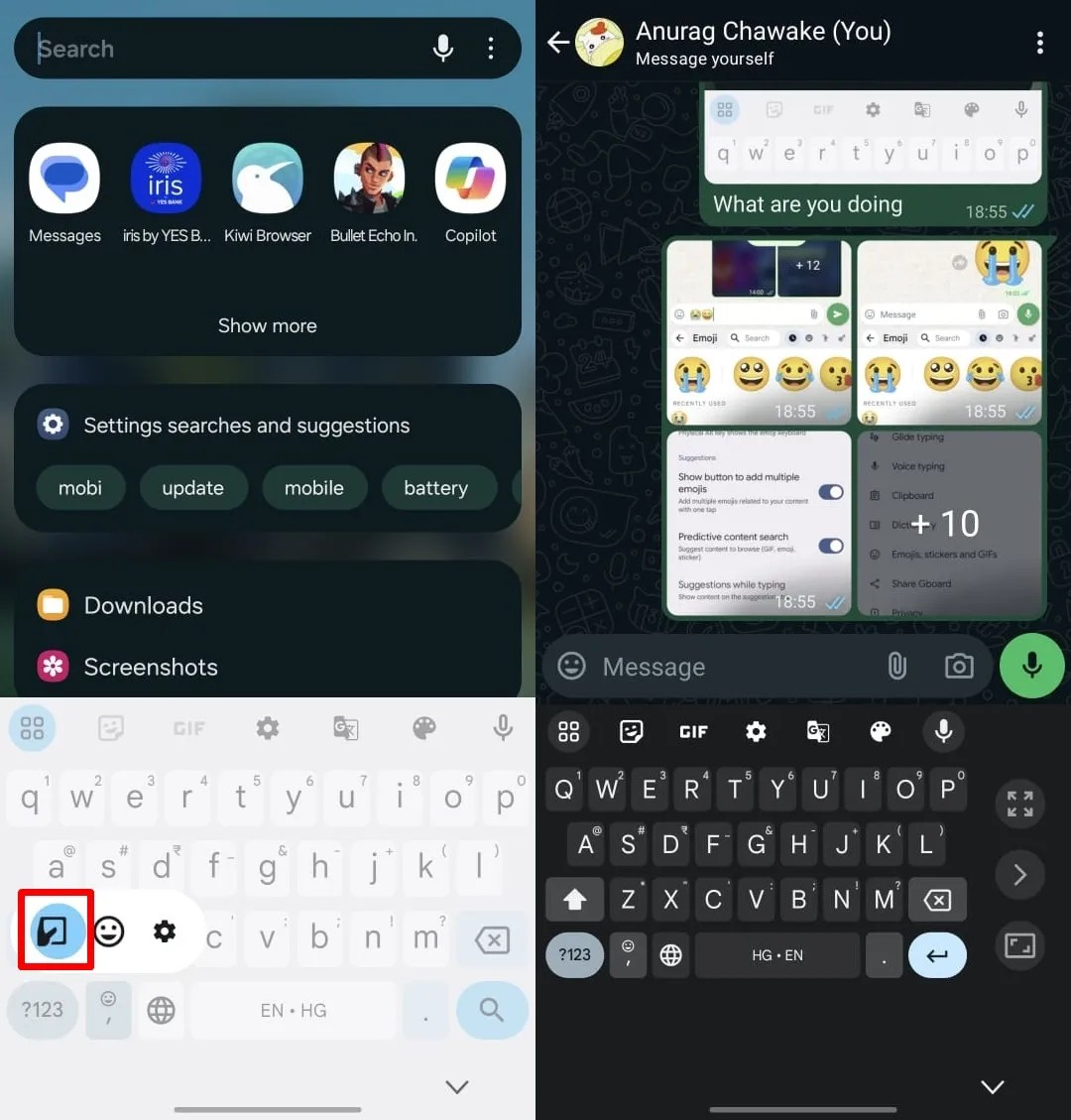
Easily type with one hand by shrinking the keyboard. Long-press the comma button and choose the one-handed mode option from the menu that appears. Adjust the size as needed for comfortable typing.
2.Mix and Match Emojis:
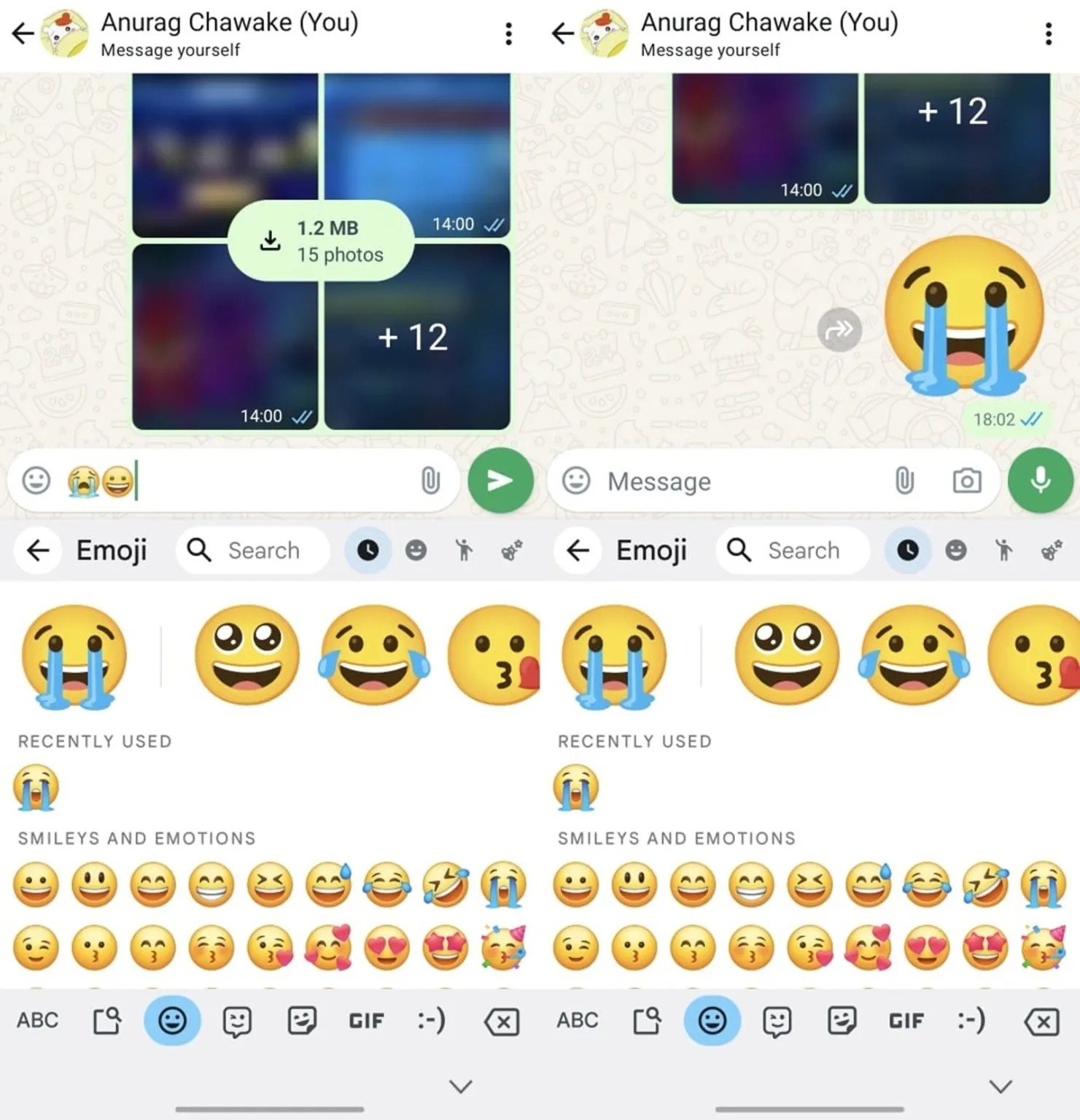
Use Emoji Kitchen to combine two emojis and create unique stickers. Ensure the Emoji stickers toggle is on in the app settings, then insert two emojis to generate a new sticker.
3. Use Spacebar as a Cursor:
Editing text is easier with this feature. Long-press the spacebar while typing, then swipe left or right to move the cursor quickly to the desired position.
4. Enable Floating Keyboard:
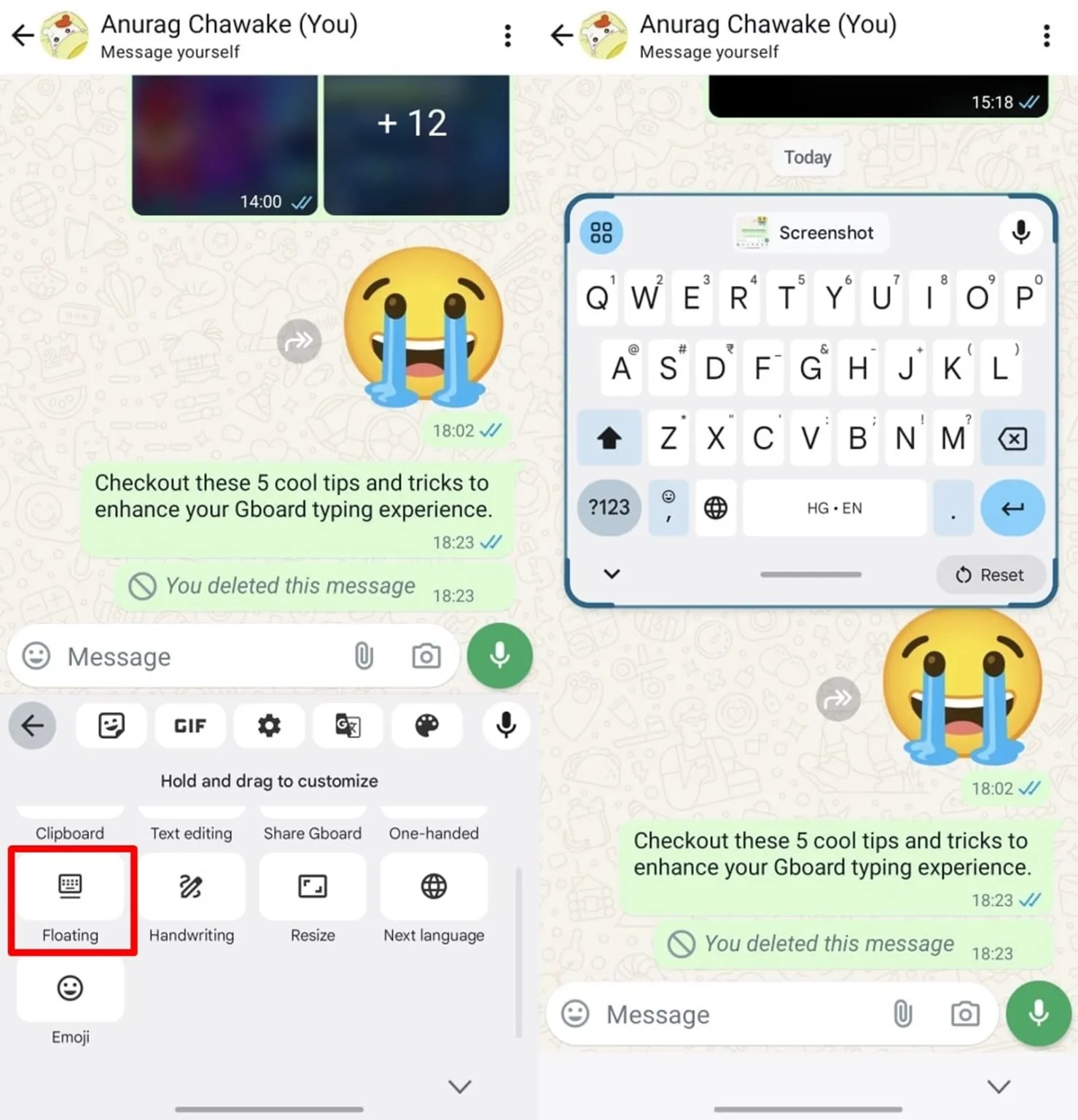
On large-screen devices like tablets, typing can be cumbersome. Try Gboard's floating mode for a more comfortable typing experience. Tap the leftmost button on the Gboard top row and select "Floating" to enable it.
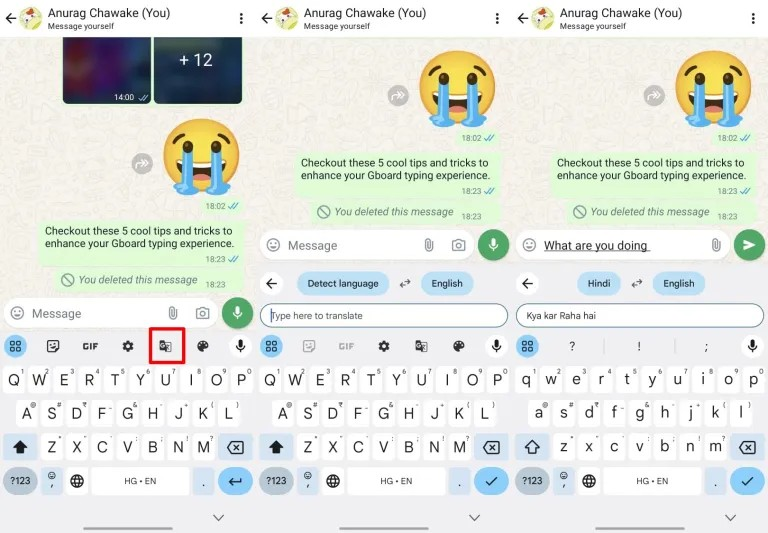
5.Translate Messages in Real-Time:
Communicate with people in different languages effortlessly using Gboard's live translation feature. No need to switch apps – translate your text as you type.
With these handy tips, you can enhance your typing efficiency and enjoy a smoother mobile typing experience with Gboard.
Happy Questing
Please sign in
Login and share