



























iQOO Introduces New Notification Style in Official App

iQOO has released a new feature in thapp that brings a fresh notification style. Users will now see a more organized and user-friendly notification system.
New Notification Options
The updated notification system includes three new options:
1. System Notifications: Alerts about system and important messages from iQOO.
2. Order Notifications: Updates about your orders, including shipping and delivery information.
3. Community Notifications: Notifications from the iQOO community, including news, events, and discussions.
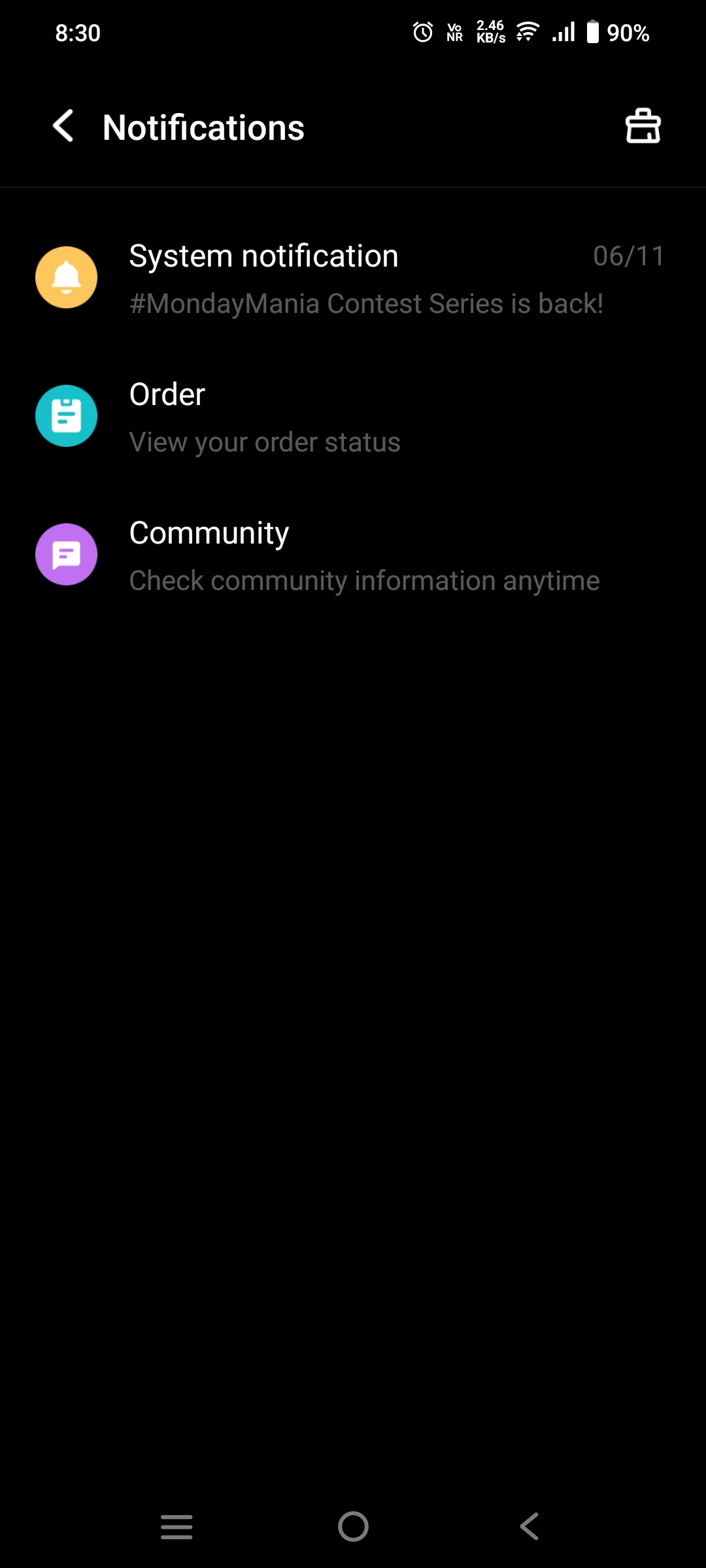
Easy Access
You can find these new notification options in the top right corner of the iQOO app. This new layout makes it easier to keep track of important updates and stay connected with the iQOO community.
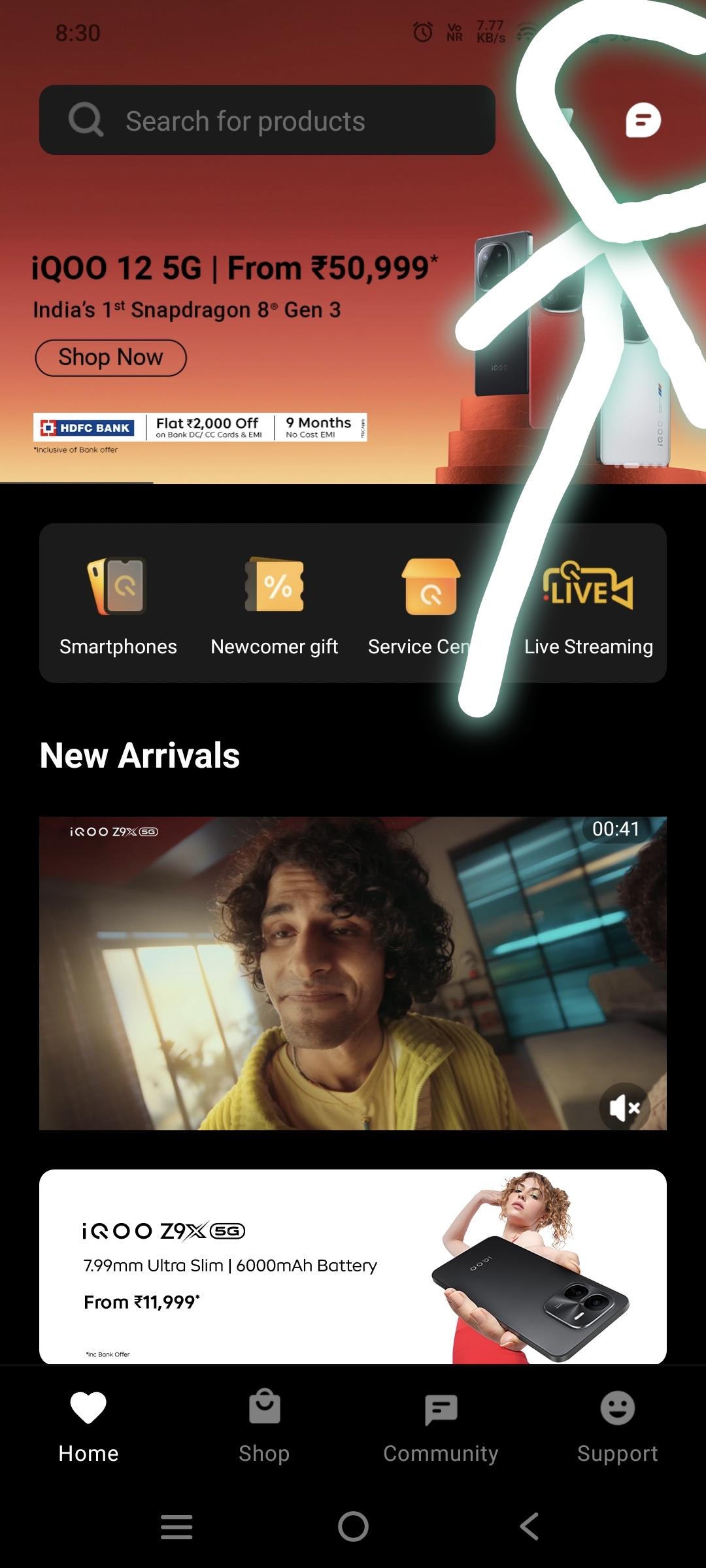
Community Section Enhancements
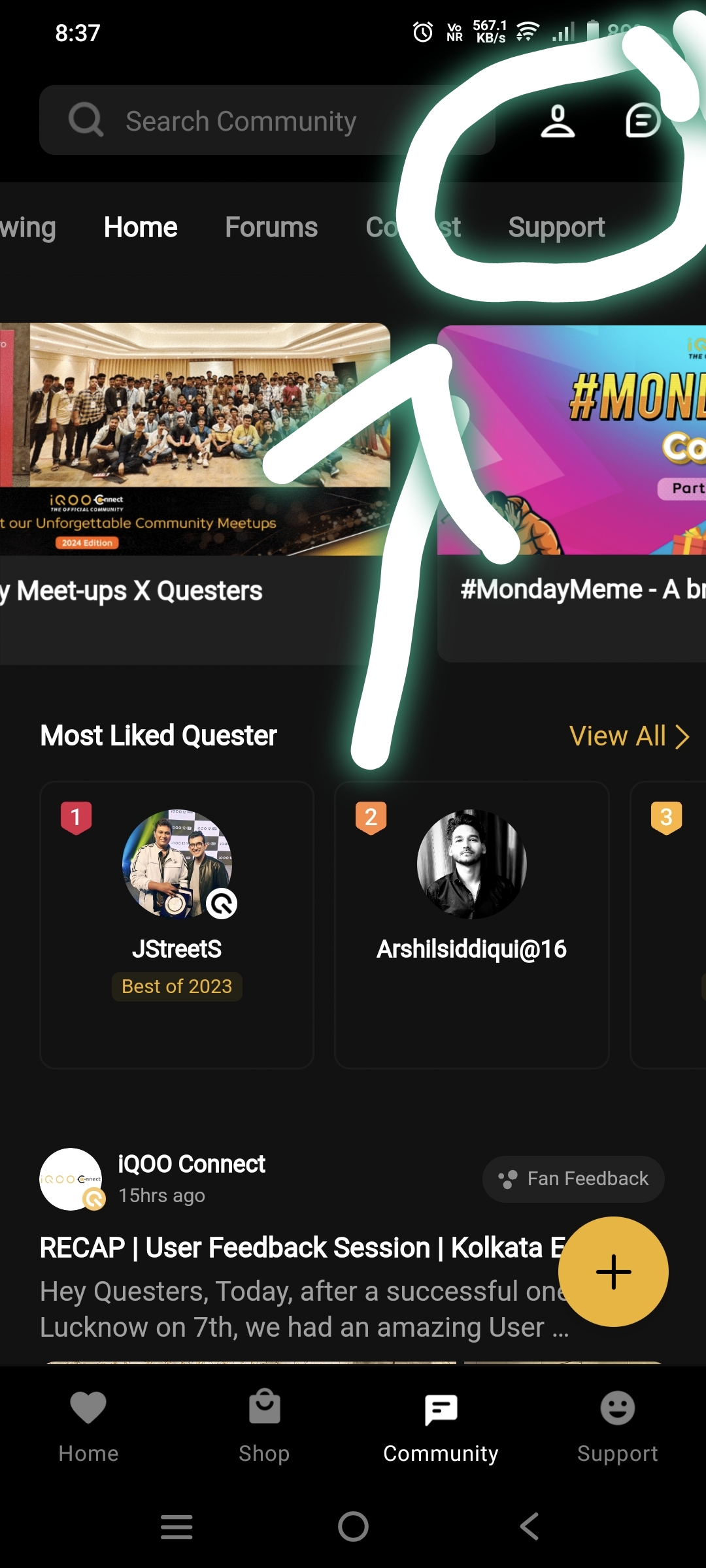
In addition to the new notification style, iQoo has also enhanced the community section of the app.
Two new options have been added:
Profile Home: This option takes you to the main page of your profile , where you can see your latest posts.
Notifications: This option shows you all the notifications related to community activities, such as replies to your posts or new comments in discussions you follow.
With this update, iQoo aims to improve user experience by making notifications more accessible and organized. If you haven’t updated your app yet, make sure to do so to enjoy these new features.
Happy Questing
Please sign in
Login and share