



























How-to Hacks | #5 | Level Up Your Mobile Gaming Experience with iQOO!

iQOO devices are known for delivering top-tier gaming experiences with powerful processors and advanced cooling systems. But to fully tap into the gaming potential of your iQOO phone, there are a few key strategies to optimize performance. In this post, we'll share essential tips, tricks, and accessories that will help you get the most out of your iQOO gaming experience.
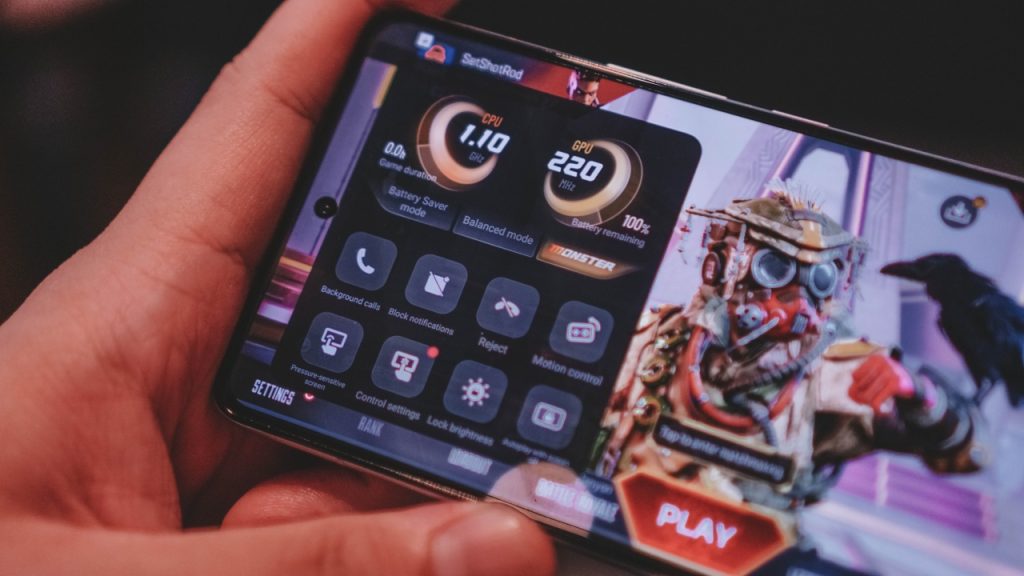
Optimizing Performance on iQOO Devices
To maximize your iQOO’s potential and enjoy smooth gameplay, follow these tips:
- Regularly update your OS and games for better performance.
- Disable power-saving modes while gaming to keep performance at its peak.
- Enable 4x MSAA (Multisample Anti-Aliasing) in developer settings for sharper graphics.
- Use iQOO’s Ultra Game Mode to prioritize performance over other processes.
- Clear cache and data for smoother gaming and to prevent lag.
Controller and Gesture Tips for iQOO
Unlock even better control and gameplay precision with these tips:
- Pair your iQOO device with a Bluetooth controller for a console-like experience.
- Customize the Game Assistant to tweak gesture controls for improved accuracy.
- Use swipe gestures in Game Space for quick navigation during gameplay.
- Turn on haptic feedback for a more immersive and responsive gaming experience.
- Adjust sensitivity settings in Game Mode for more precise control during intense matches.
Battery Life Hacks for iQOO Devices
Don't let battery life limit your gaming sessions on your iQOO phone. Try these tips:
- Keep your phone plugged in while gaming, but make sure to use a cooler to prevent overheating.
- Lower your screen brightness to reduce battery drain.
- Disable unnecessary features like Bluetooth and Wi-Fi when not in use.
- Utilize iQOO’s AI Power Saving mode during breaks to conserve energy.
- Always close games fully when you’re done to prevent background battery usage.
Additional Tips and Accessories for iQOO
Enhance your iQOO gaming experience further with these suggestions:
- Record your gameplay using built-in screen recording features.
- Join gaming communities to pick up tips and strategies from other players.
- Explore Game Space settings for hidden features to optimize performance.
- Use a phone stand or holder for more comfort during extended gaming sessions.
- Invest in gaming headsets, controllers, and cooling accessories to boost your gaming experience.
Recommended Gaming Accessories for iQOO
- Controllers (Razer Raiju, SteelSeries Stratus)
- Gaming headsets (HyperX Cloud, Razer Kraken)
- Phone coolers (iQOO Cooler, Cooler Master, Anker)
- Gaming keyboards (Razer Serval, Logitech G)
- Screen protectors (Zagg, OtterBox)
Best iQOO Gaming Phones
- iQOO 12: Features the powerful SuperComputing Q1 Chip for high performance and frame rates.
- iQOO Neo 9: Equipped with advanced cooling and top-tier graphics processing.
- iQOO 11 Pro: Ideal for competitive gaming with its high refresh rate display and fast processing.
With the right tips, tricks, and accessories, your iQOO device can become a powerhouse for mobile gaming. From optimizing performance to enhancing controls, iQOO phones offer features designed to take your gameplay to the next level. Before diving into demanding games, always check your device’s specifications to ensure smooth play. Happy gaming!
@iQOO Connect @NipunMarya @RZ Nitin @Jabir007 @TechieGuy @Aojesh @NITIN @Andybitts @KrishnaQ @TESVIPER10 @MKJEDI @JStreetS
Please sign in
Login and share