



























Ways to take screenshots on your phone!

Greetings of the day Questers!!
Today i want to show different ways to take a screenshot in your phone.
1st method
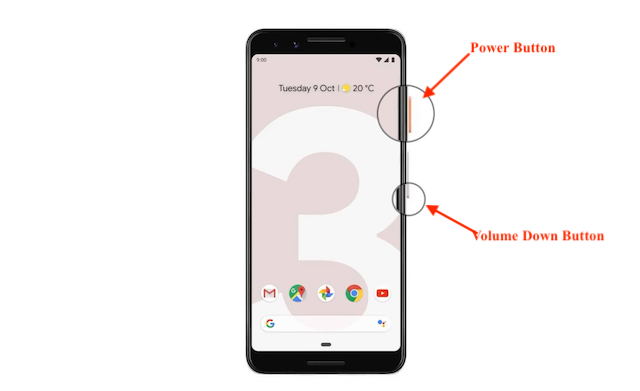
Press Power and Volume down button simultaneously to take a screenshot.
Then there will be a preview of your screenshot will appear at the bottom left of your screen.
2nd method
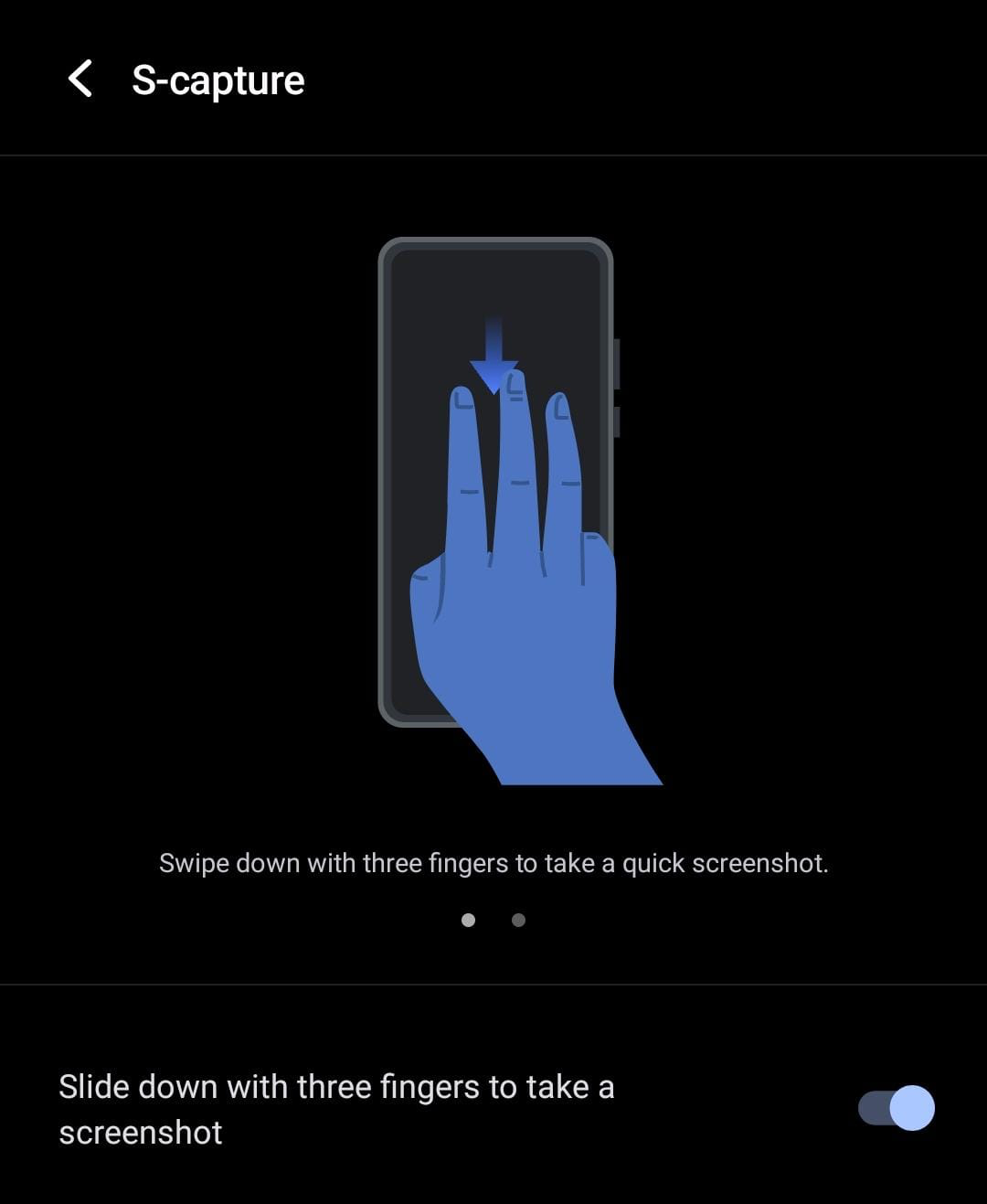
Swipe the screen from top to bottom with three fingers to take a screenshot.
3rd method
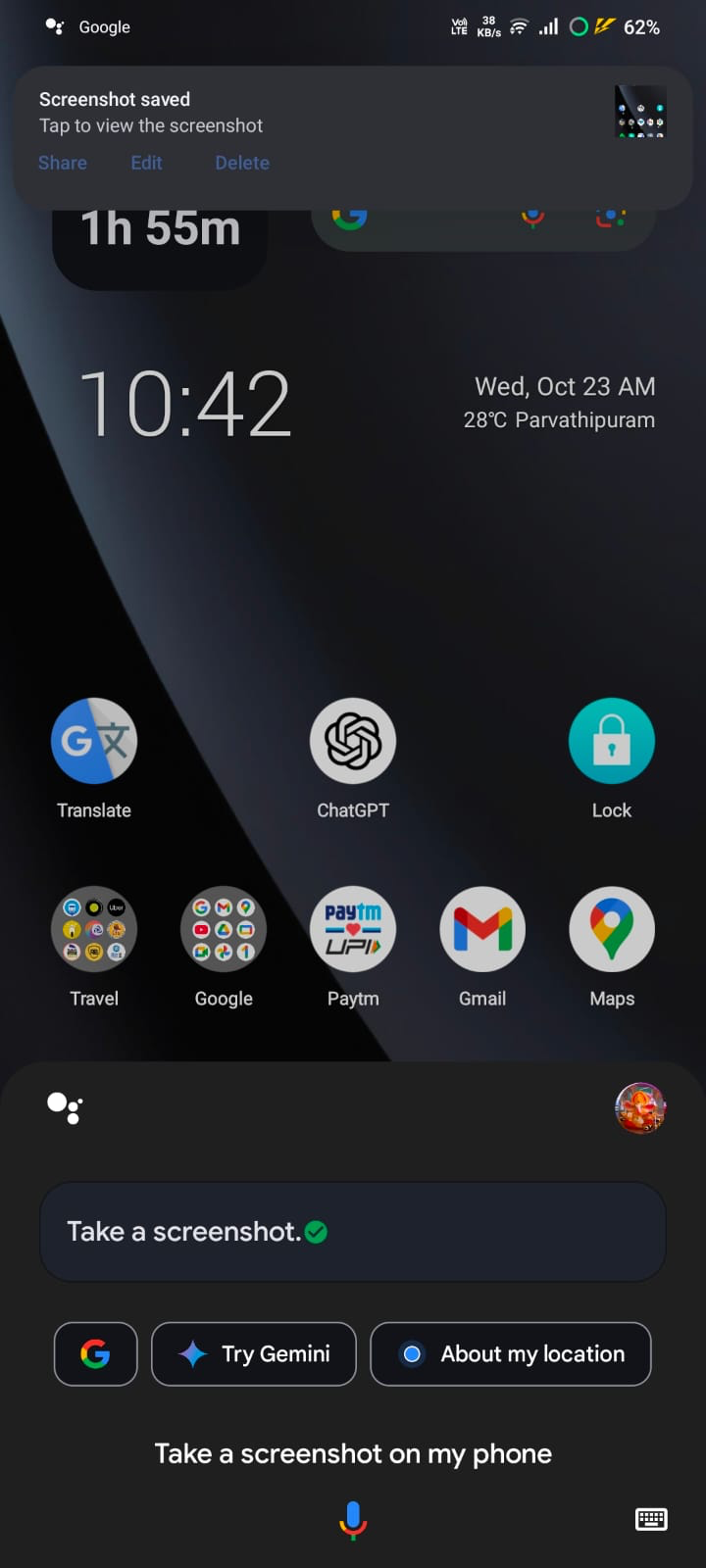
You can ask Google Assistant to take screenshot by saying "Okay Google take a screenshot on my phone."
4th method
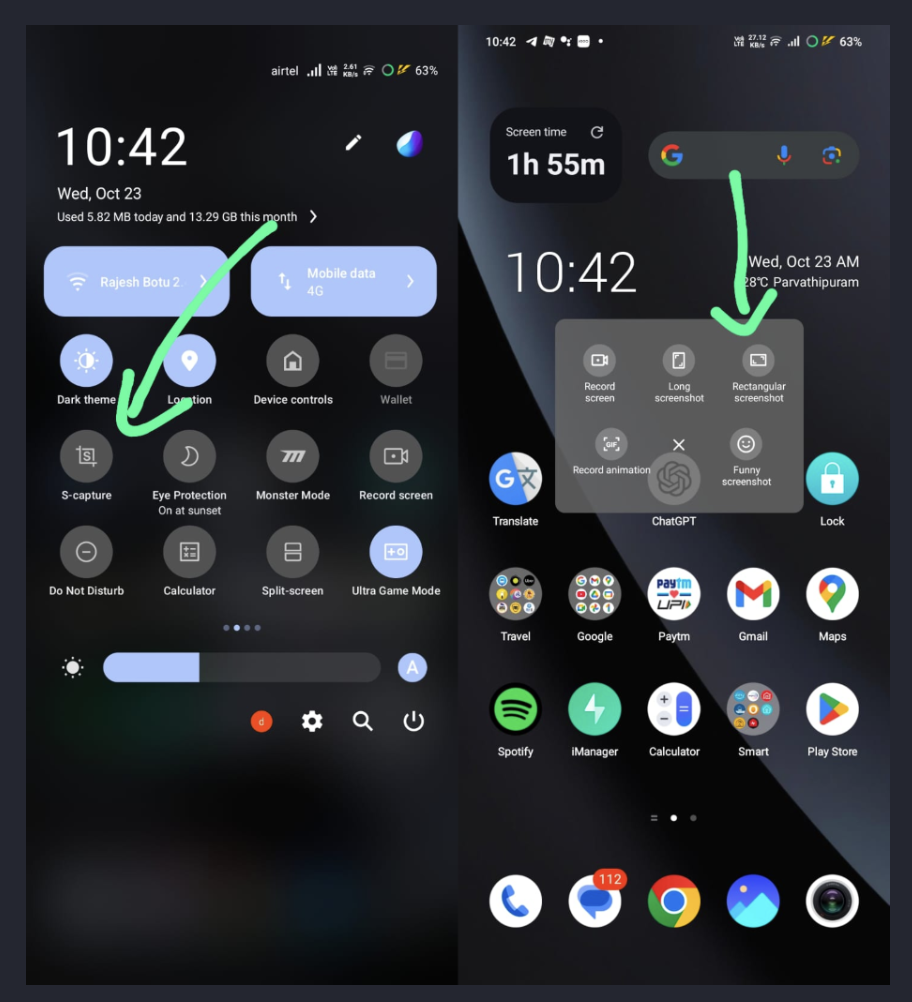
In the pull-down menu, you can find an option S-capture, click on that and then you'll get a popup. In the pop-up up press rectangular screenshot.
And that's it for this thread guys!
I hope this thread would be useful.
Hope you like the thread. 😊
Dont forget to drop a like and comment. It definitely appreciates me to make more informative threads like these. 🤩
Please share your thoughts in the comment section below 👇🏻
#iqoocommunity #iqooconnect #iqooindia
Follow me @DeepakBotu
Connect with me on Instagram @deepakbotu
Please sign in
Login and share