




























How to Turn On Android's Theft Protection Feature For Your iQOO Smartphone

It's a matter of puzzle and disappointment when you suddenly discover your favourite iQOO device is missing from your pocket. Maybe it slipped out of your pocket, or worse, got snatched by someone.
In a world where losing your phone can mean more than just the cost of replacing it, Theft Protection offers some peace of mind by automatically locking your phone if it detects suspicious activity. If you're like me and want to keep your data safe, here’s how this feature works and how to turn it on.
What is Theft Protection on Android?
Theft Protection is a smart security feature that uses artificial intelligence and motion sensors to lock your phone if it thinks someone has taken off with it. Imagine you’re standing in line at a café, your phone in hand, and someone grabs it and runs. Theft Protection detects sudden movement and locks your device automatically. Sounds pretty clever, right?
But it doesn’t stop there. Theft Protection is more than just a lock. It has a suite of additional security tools like Remote Lock and Offline Device Lock to ensure that your phone stays protected, even if it’s disconnected from the internet.
However, it's important to know a few limitations of the Theft Detection Lock feature:
- The feature won’t be active if your device's screen is already locked.
- To prevent unnecessary interruptions, Theft Detection Lock may not trigger when your device has a stable Wi-Fi or Bluetooth connection or if it has experienced multiple locks in a short period of time.
How to Enable 'Theft Protection'
Setting up Theft Protection on your iQOO device is pretty straightforward, and it’s worth the few minutes it takes. Here’s how to get started:
👉1. Open the Settings app on your phone.
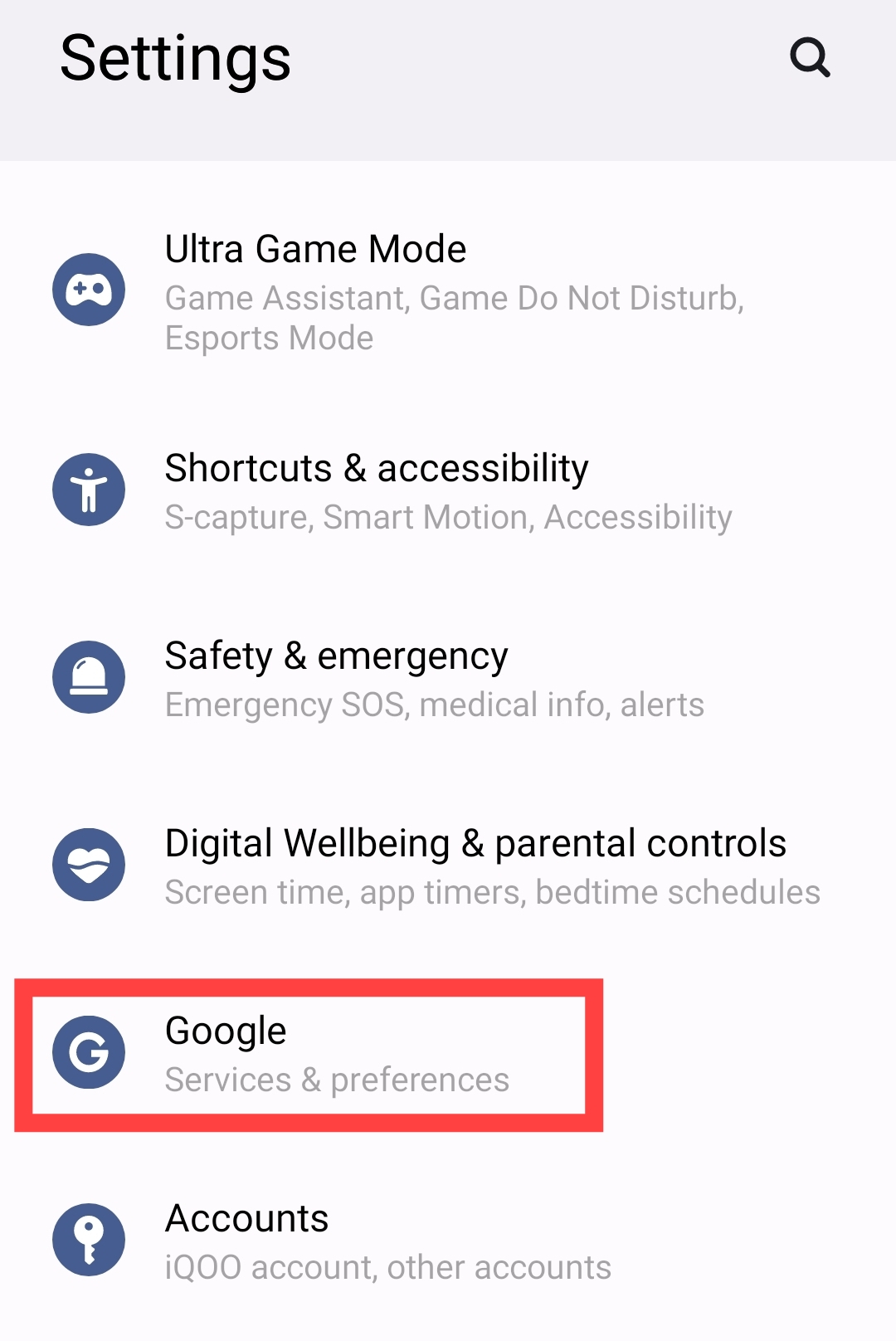
👉2. Scroll down and tap on “Google.”
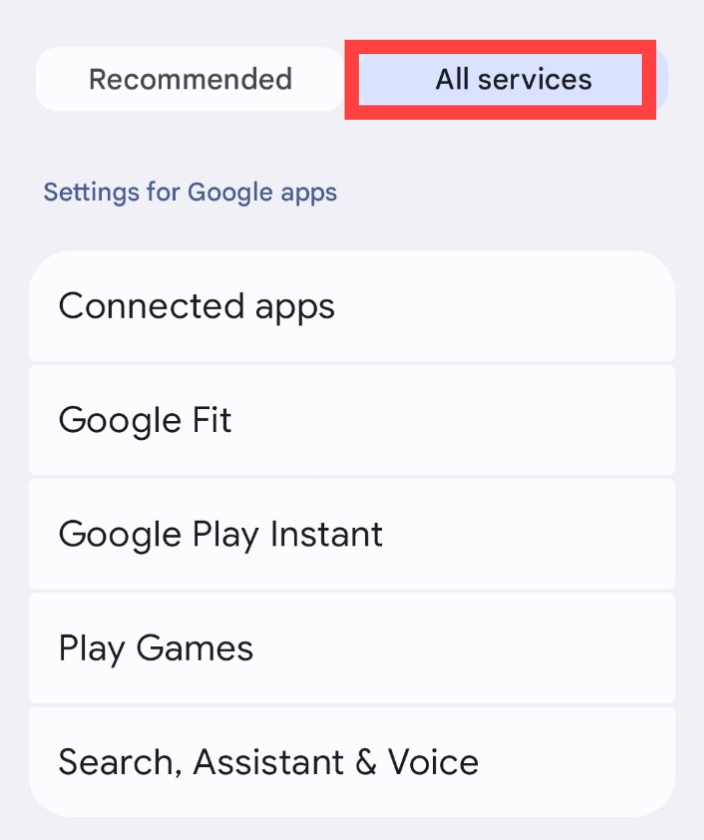
👉3. Tap on the “All services” tab.
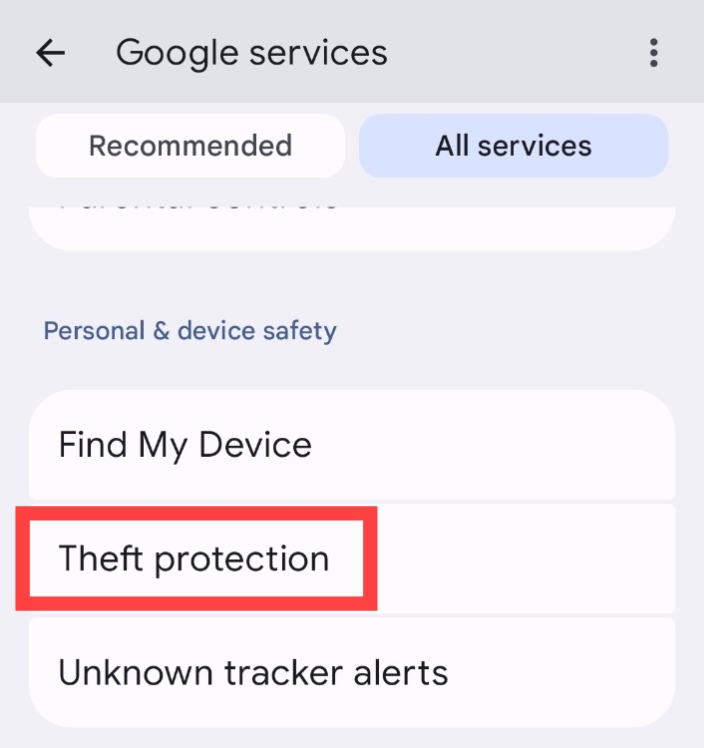
👉4. Scroll down and tap on “Theft protection.”
👉5. Confirm your choice by toggling “Theft Detection Lock.”
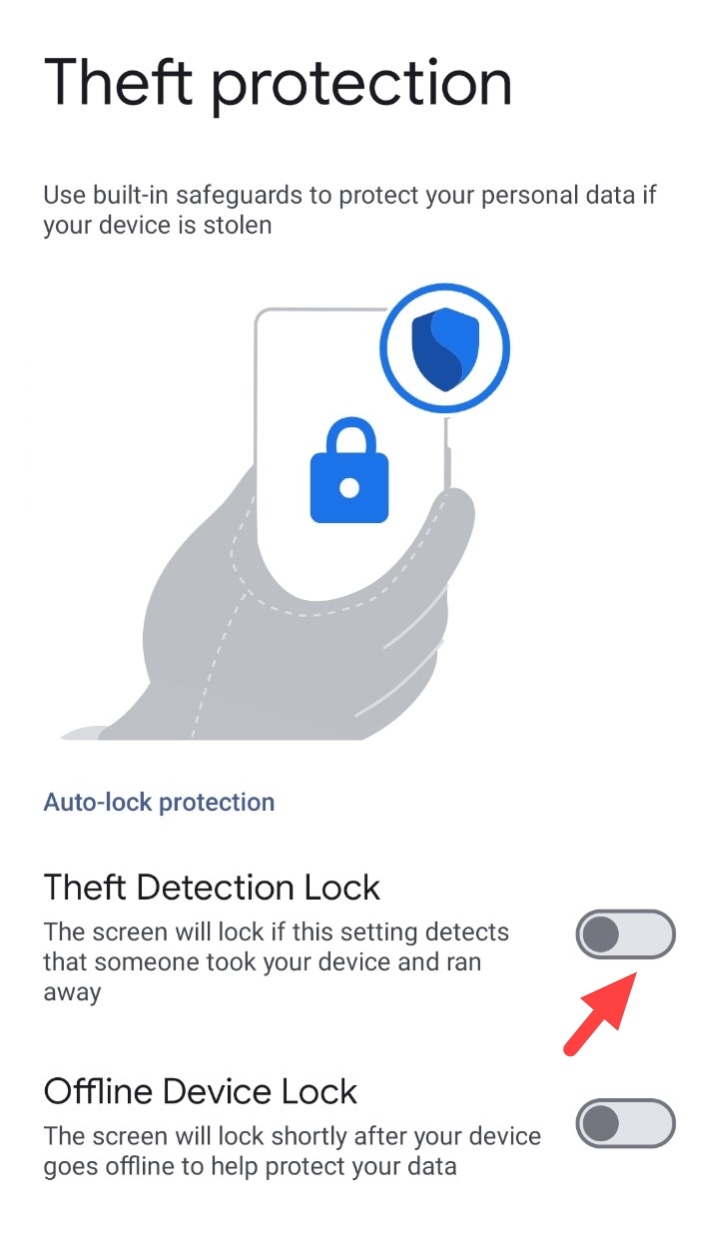
Your phone will now automatically lock itself if it senses any suspicious activity, like being snatched from your hand.
Offline Device Lock: Protecting Your Phone Without Internet
Now suppose, a thief tries to outsmart you by disabling your phone’s internet or putting it in Airplane Mode. That’s where Offline Device Lock comes in. This feature will automatically lock your phone after a short period of being used offline.
👉1. Open the Theft Protection settings.
👉2. Toggle on “Offline Device Lock.”
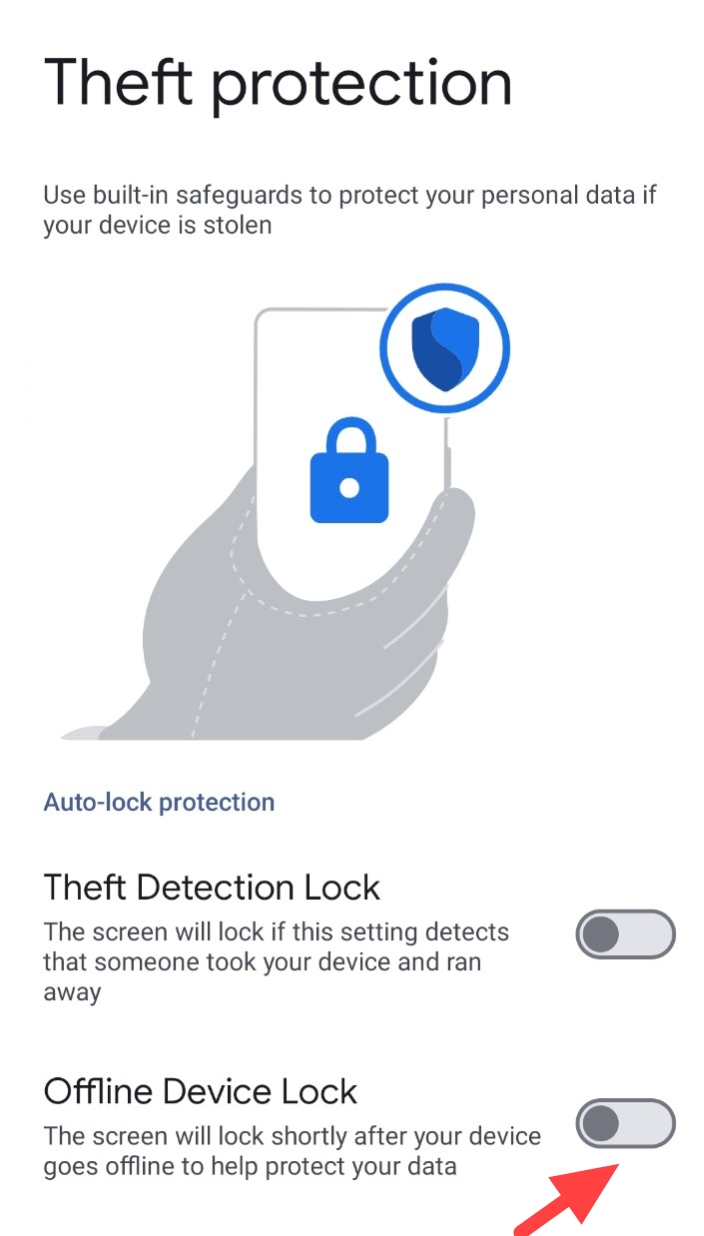
Now, even if your phone is taken offline, it will still lock itself after a few minutes of use, protecting your data.
Why You Should Enable Theft Protection On Your iQOO Phone
Welcome never think we will lose our favourite iQOO phone or have it stolen—until it happens. And when it does, it’s not just about replacing the device. It’s about protecting your personal information, photos, and accounts. With Theft Detection Lock, Remote Lock, and Offline Device Lock, Android’s Theft Protection offers a complete safety net to keep your phone and data secure. Though Remote Lock is available for Android 15 OS.
Take a few minutes to turn it on now. Trust me, you’ll feel a lot better knowing your data is safe, no matter what happens to your phone.
Quester
Please sign in
Login and share