



























How to check how many phone numbers are linked to your Aadhaar 👇🏻

Greetings of the day Questers!!
After taking a very longgggg break 😌, here I am back with an informative thread!
Many people doesn't even know how many phone numbers are linked with their Aadhaar! Taking this as an advantage, scammers try to use a inactive phone number which was linked to your Aadhaar, and do illegal activities. This is very risky and you need to take an immediate action.
I am going to show some steps how to check how many phone numbers are linked with your Aadhaar Number.
Step 1
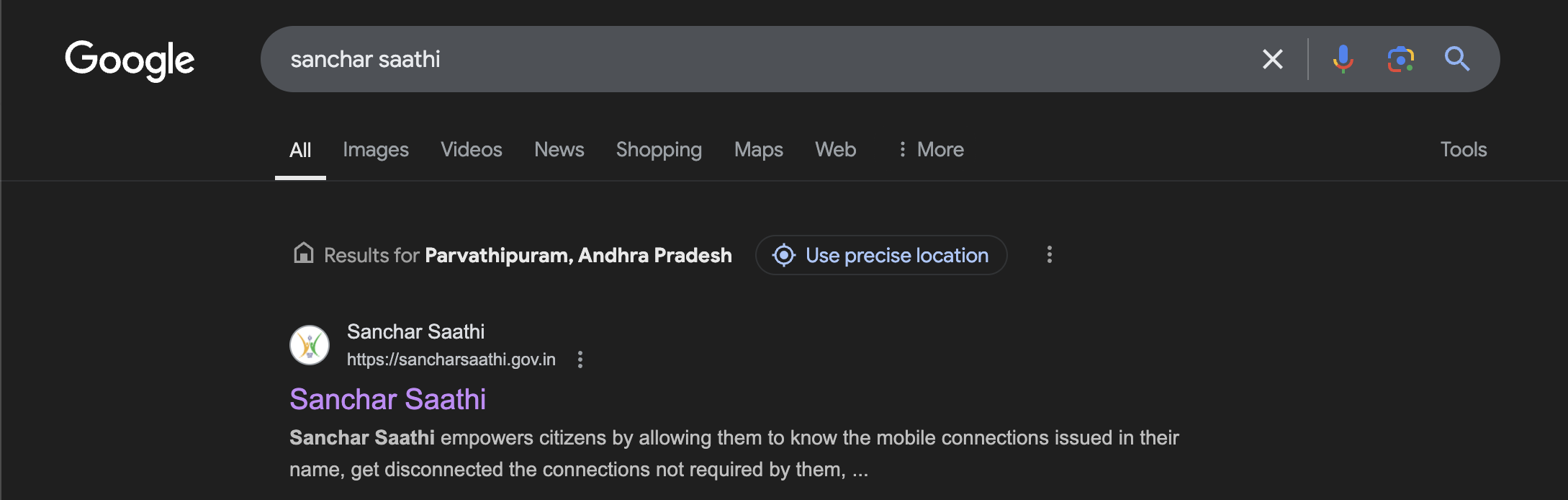
Go to any browser on your device and search for "Sanchar Saathi".
Then select the first website from the search results.
(or)
Open any browser and open this link: "https://sancharsaathi.gov.in/ "
Step 2
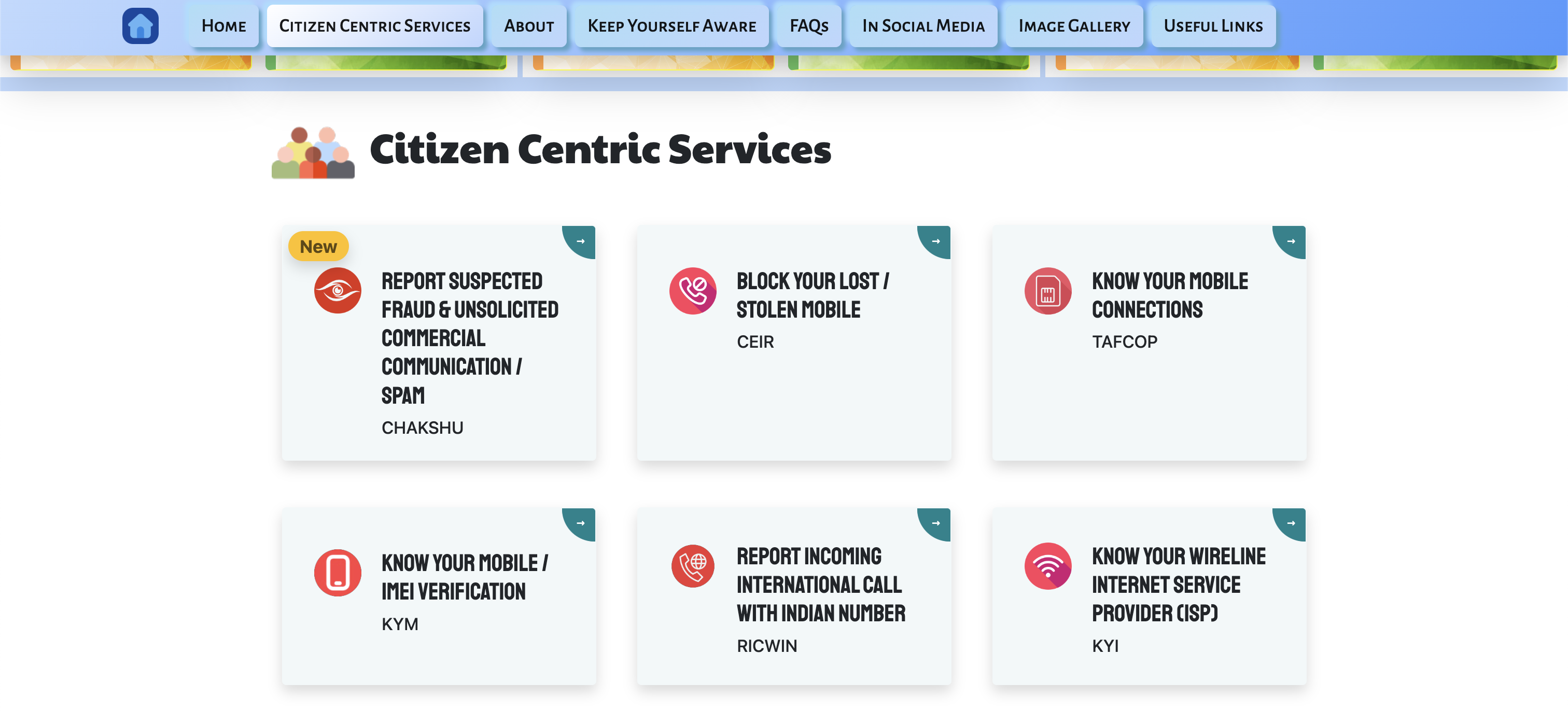
After opening the website, scroll down and find "Know Your Mobile Connections"
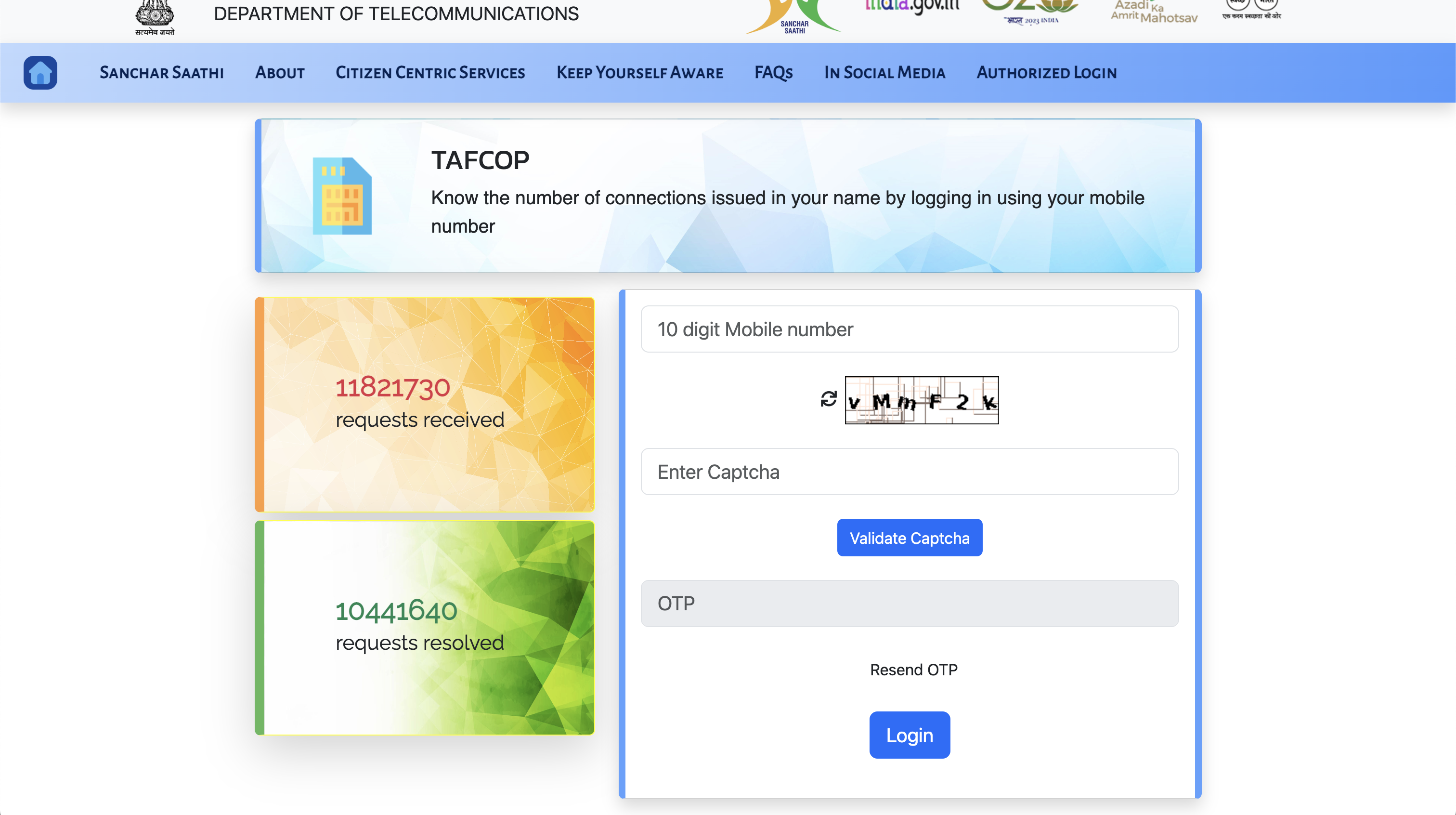
Open it and enter your Phone number, captcha. After validating the captcha, an OTP will be sent to your phone number and then enter the received OTP.
Step 3
After logging in, you can see how many numbers and which numbers are registered on you Aadhaar number.
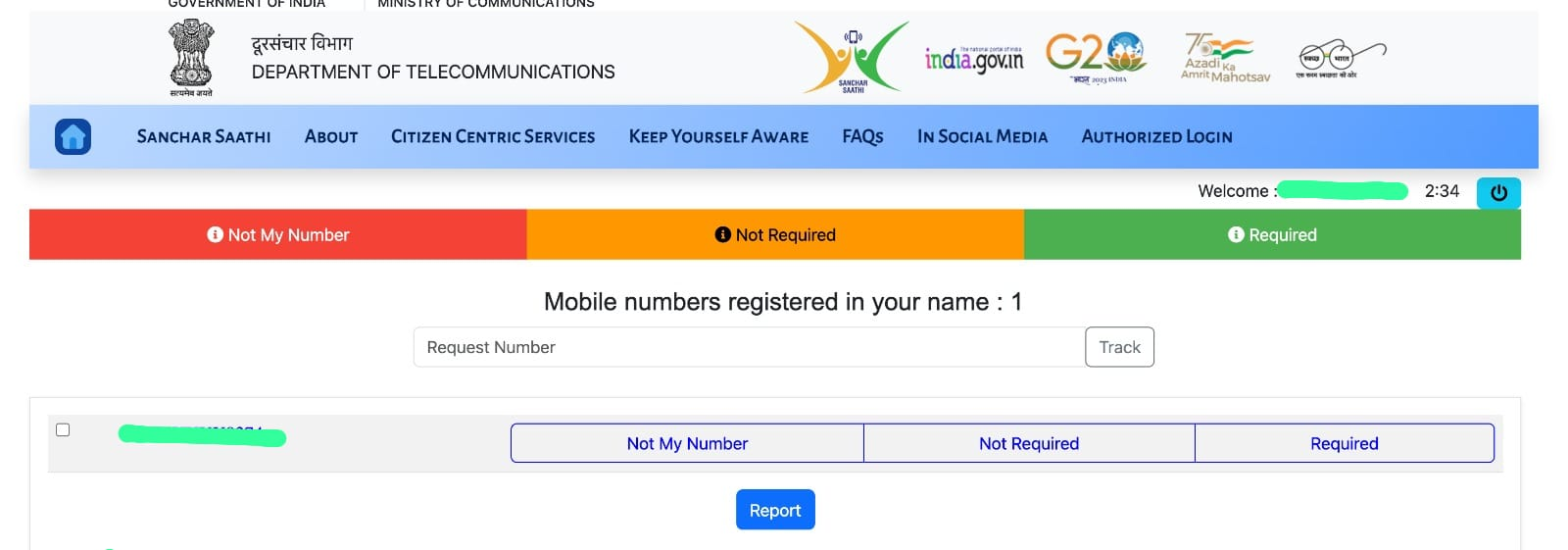
If there are multiple numbers and you find that the other numbers are not yours, simply click "Not My Number" and report it. That's it! You are safe now.
Tip
Dont get sim cards from road side people whether they are even giving for free. Those people may misuse you Aadhaar card for unwanted things and may take multiple phone number on your Aadhaar.
Without knowing this, many innocent people are unknowingly getting involved in the scams which they don't even know.
So its better to get sim cards from the Network company's offices and official vendors.
And that's it for this thread guys!
I hope this thread would be useful.
Hope you like the thread. 😊
Dont forget to drop a like and comment. It definitely appreciates me to make more informative threads like these. 🤩
Please share your thoughts in the comment section below 👇🏻
#iqoocommunity #iqooconnect #iqooconnect #iqooindia #iqoo
Follow me @DeepakBotu
Connect with me on Instagram @deepakbotu

Please sign in
Login and share