



























Find My Device | Secure & Find your Lost Phone | How it works ?

Introduction
Hello Questers ! I hope you all are doing great 🙌.
Today I'm sharing the information related to Find My Device which is an amazing feature by Google to find your Lost Phone easily in your fingertips.
Find My Device
The find my Device can be accessed via Web or simply install the app from Play Store. This app is safe & secure . It can be used easily & enabled easily to protect your privacy & help in finding your device if it is lost.
Basic Step to Secure Your Phone
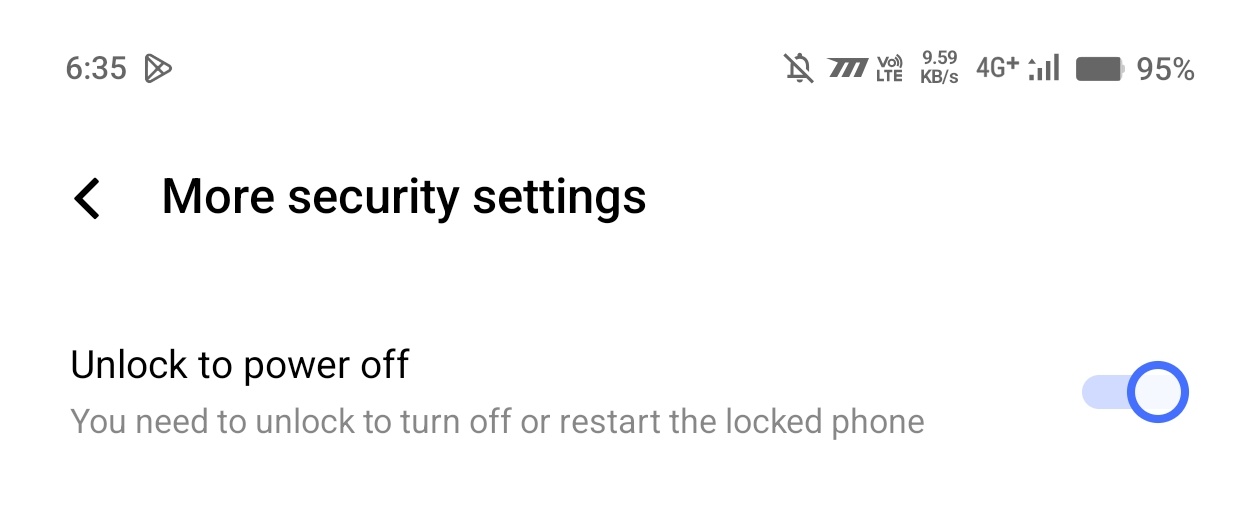
• Find My Device needs the device to be turned on to find the location of the device ! Hence there is a challenge , what if the person who has stolen your device turned off your device ! Here iQOO come in role with its "Unlock to Power Off" feature ! Which enables your device needs to unlock it before turning it off ! It will ask your password to open your device to proceed for next step of turning off etc.
• Always use hard passwords which cannot be guessed by any ! Try to use Passcode / text passwords for more security as patterns can be guessed easily in comparison to them !
Points to Be taken care
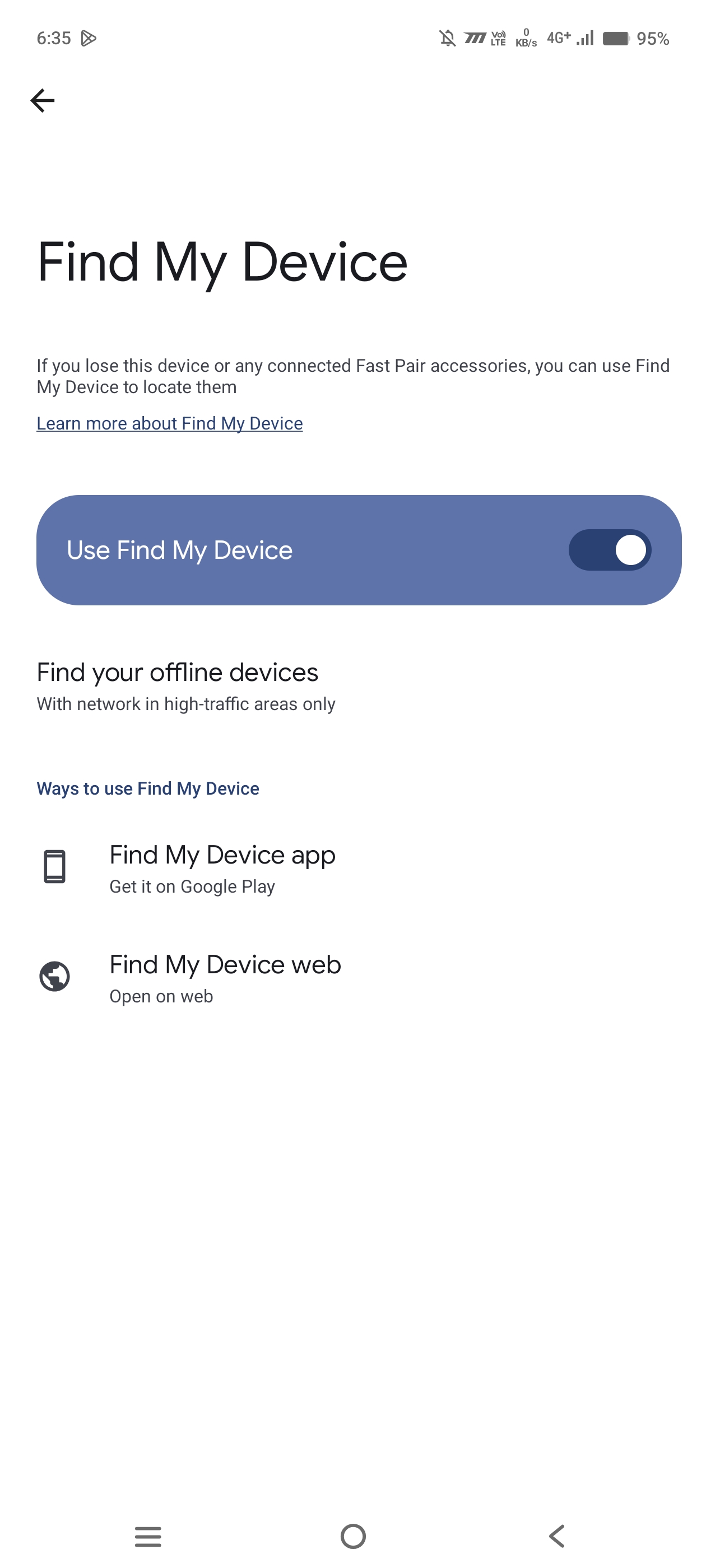
• Always turn On " Find My Device" option of your device because you never know , what happens at next stage ! It will turn on the traceability of your device so that you can easily track it on that scenario.
• Make sure your device is protected with tough passwords .
• Don't install third party applications because they may stop the work of Find My Device & eliminate the use of VPN when you are outside because they can show different locations of your device at the same time .
How to Find My Lost Phone ?
• Click on Find My Device ( you can download it from Play Store or enter the FindMyDevice on Google to jump on the website.)
• Enter your email ID which is linked in your lost Phone.
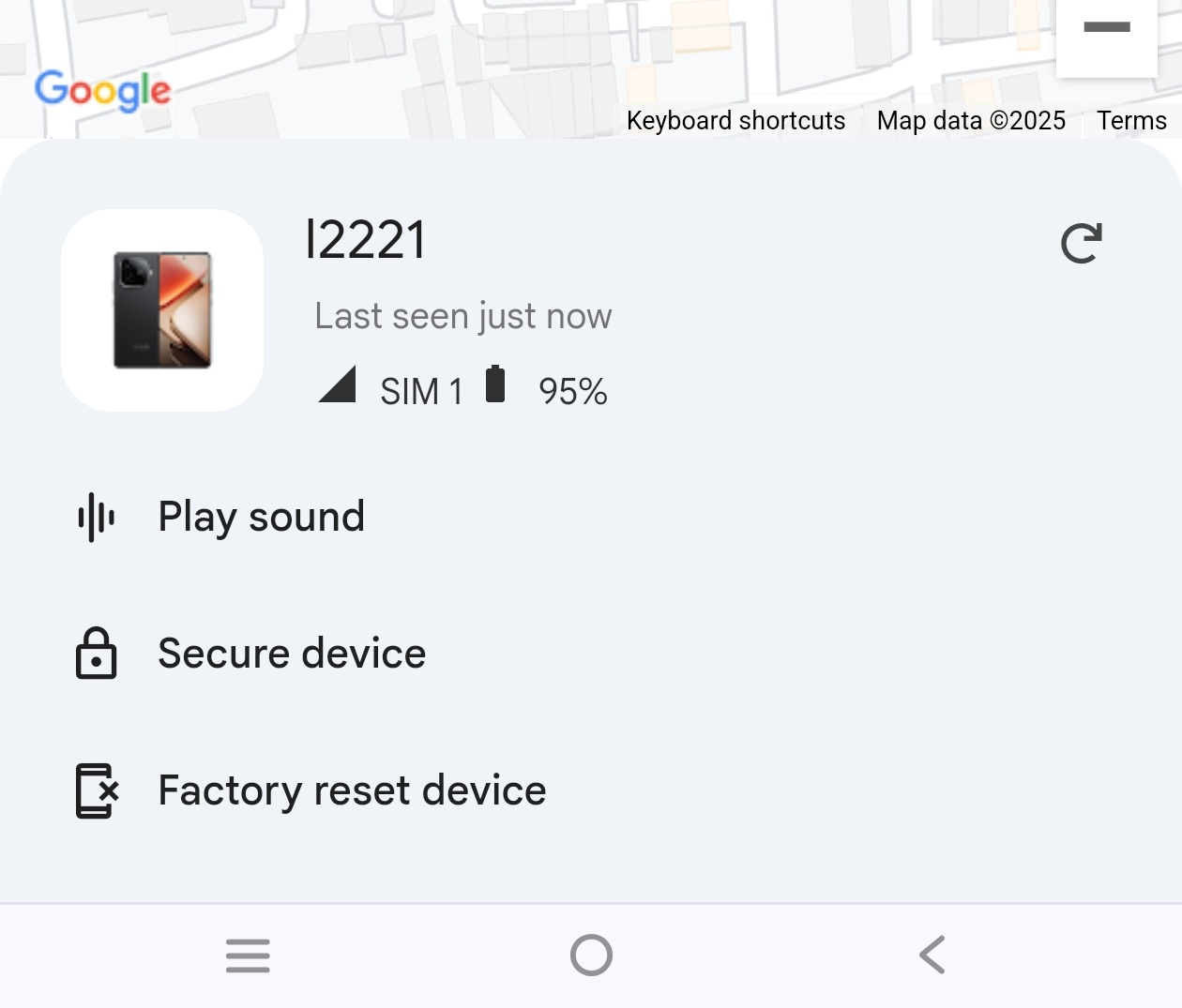
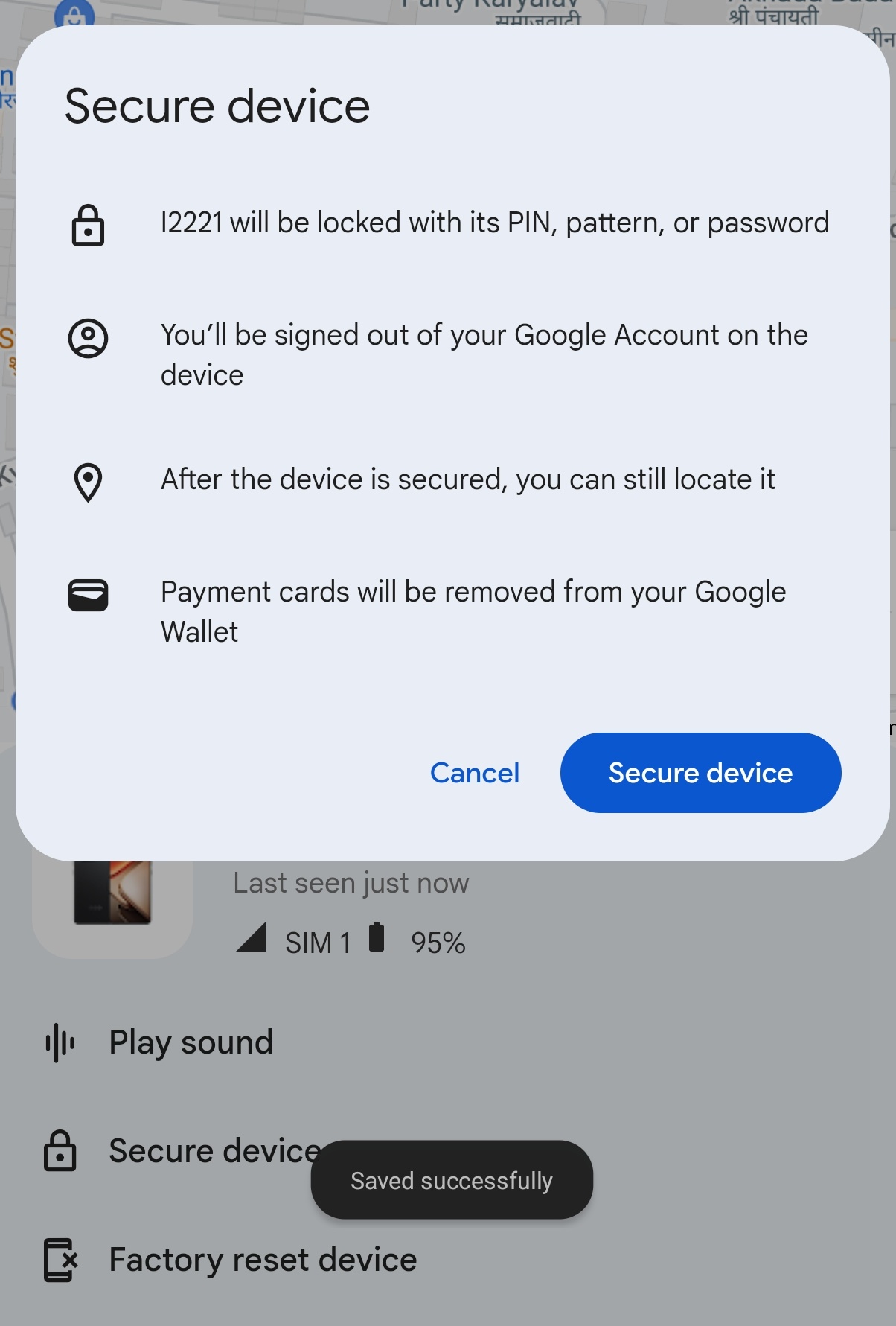
• You can see a Google map which will display the current location of your device & 3 options will be there which are very useful during those times.
Option are -
1- Play Sound - this option plays an audio on your device with highest sound so that you can hear the ring if the device is very near from your location.
2- Secure My Device - This feature will lock your device so that it can't be opened without password.
3- Factory Reset Device - If the device is not traceable then you can use this feature to complete format all the files of your device so that the data cannot be misused anywhere.
Conclusion -
The find my device plays an important role in security & safety of your device from physical theft. Also the Unlock to Power Off option on your iQOO phone also plays a major role on that ! Always turn on these options for the safety of your device & take care of yourself & your device too !
I hope you guys find this thread helpful!
Signing off
Your Moderator
Anil Yadav
Please sign in
Login and share