



























Advanced Protection rolls out to Android 16 and 16 QPR1 betas

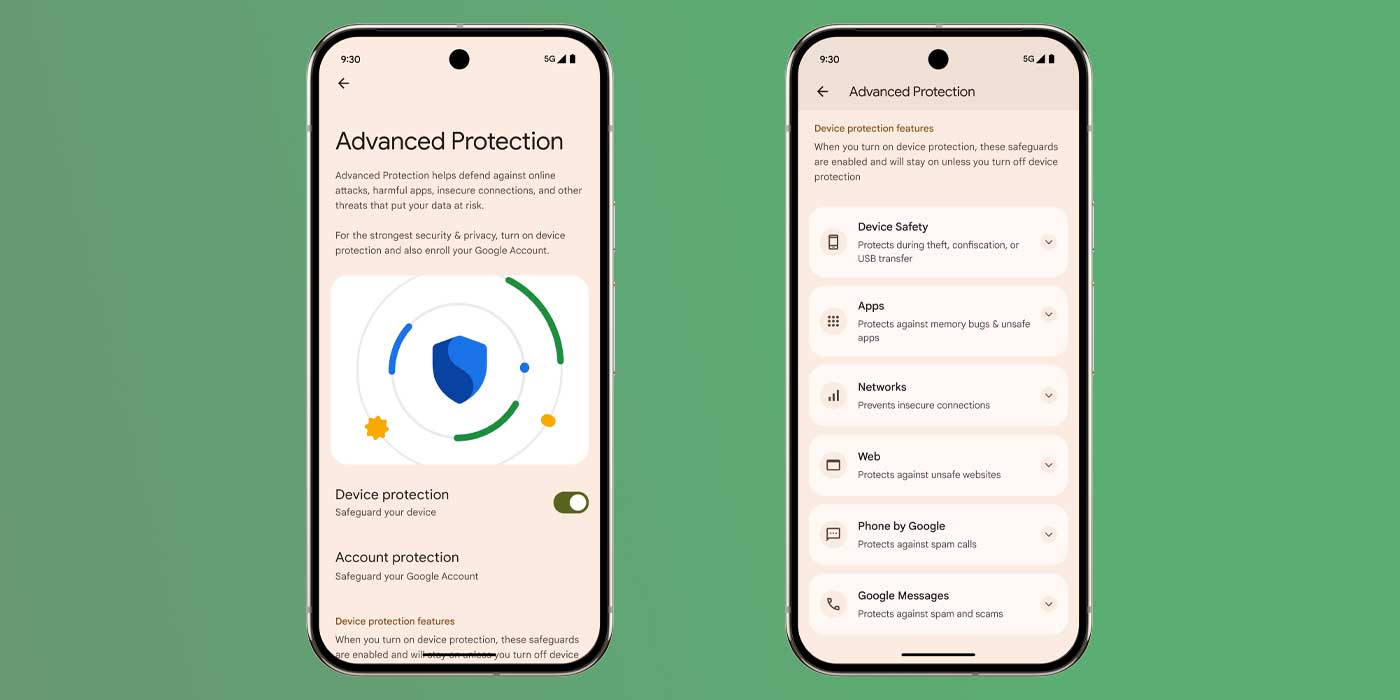
Following the Android Show announcement, Google is rolling out Advanced Protection to Android 16 Beta 4.1 and 16 QPR1 Beta 1 on Pixel devices.
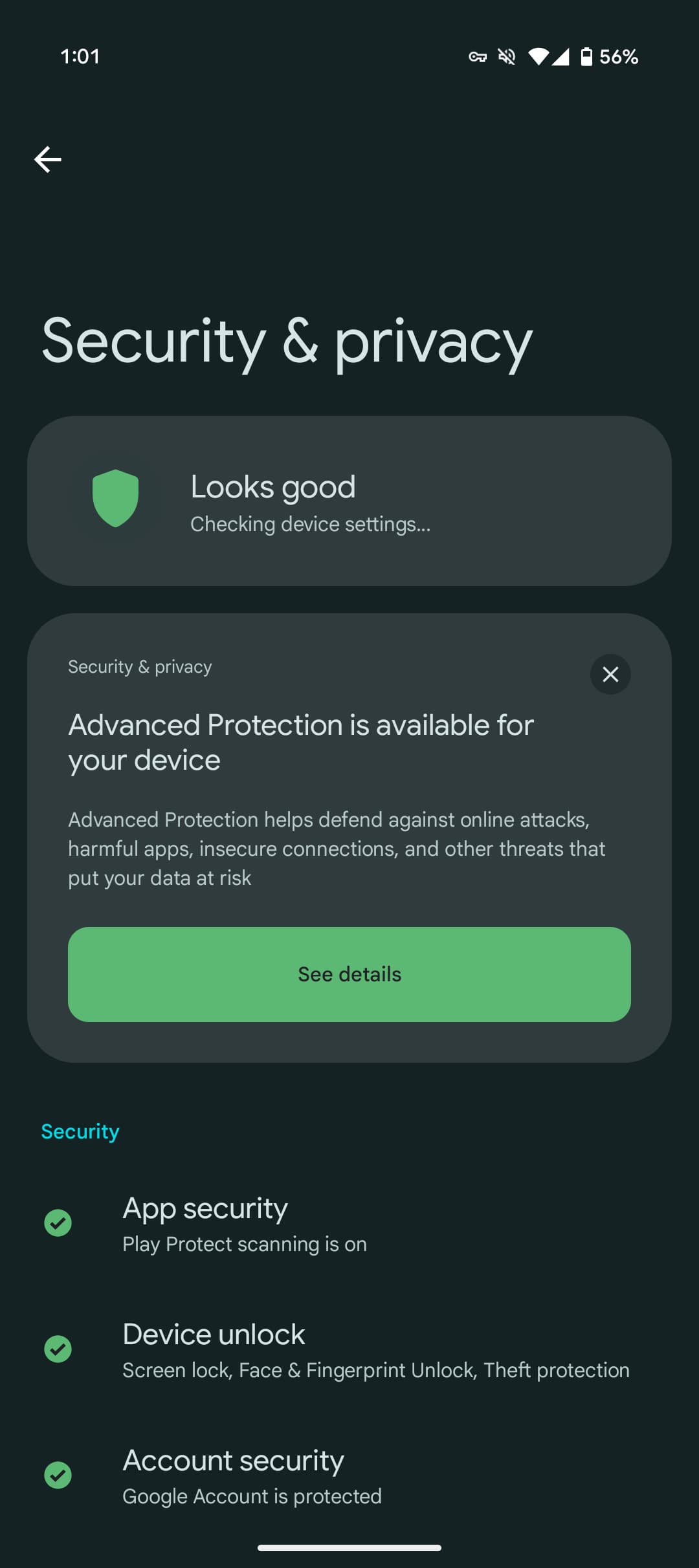
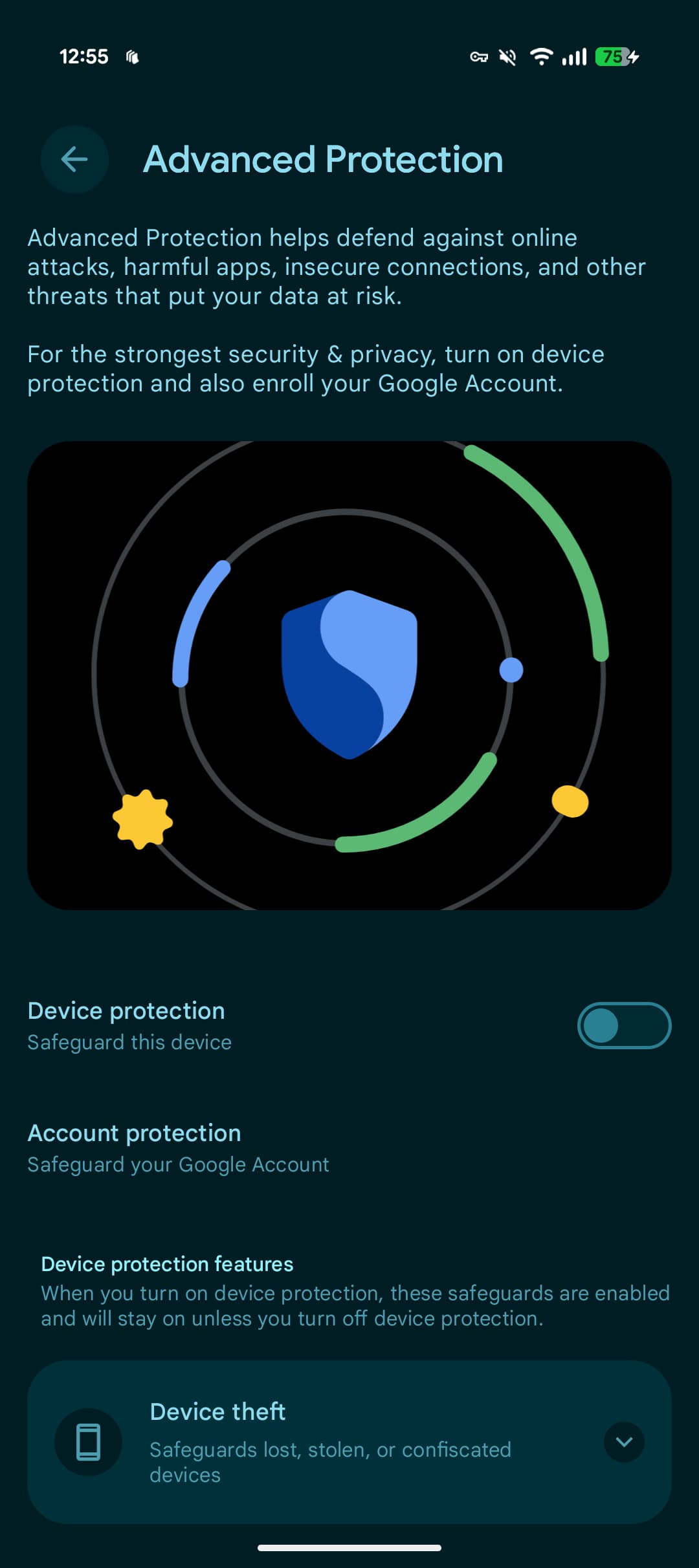
Go to Android 16 Settings > Security & privacy for an “Advanced Protection is available for your device” card: “helps defend against online attacks, harmful apps, insecure connections, and other threats that put your data at risk.”
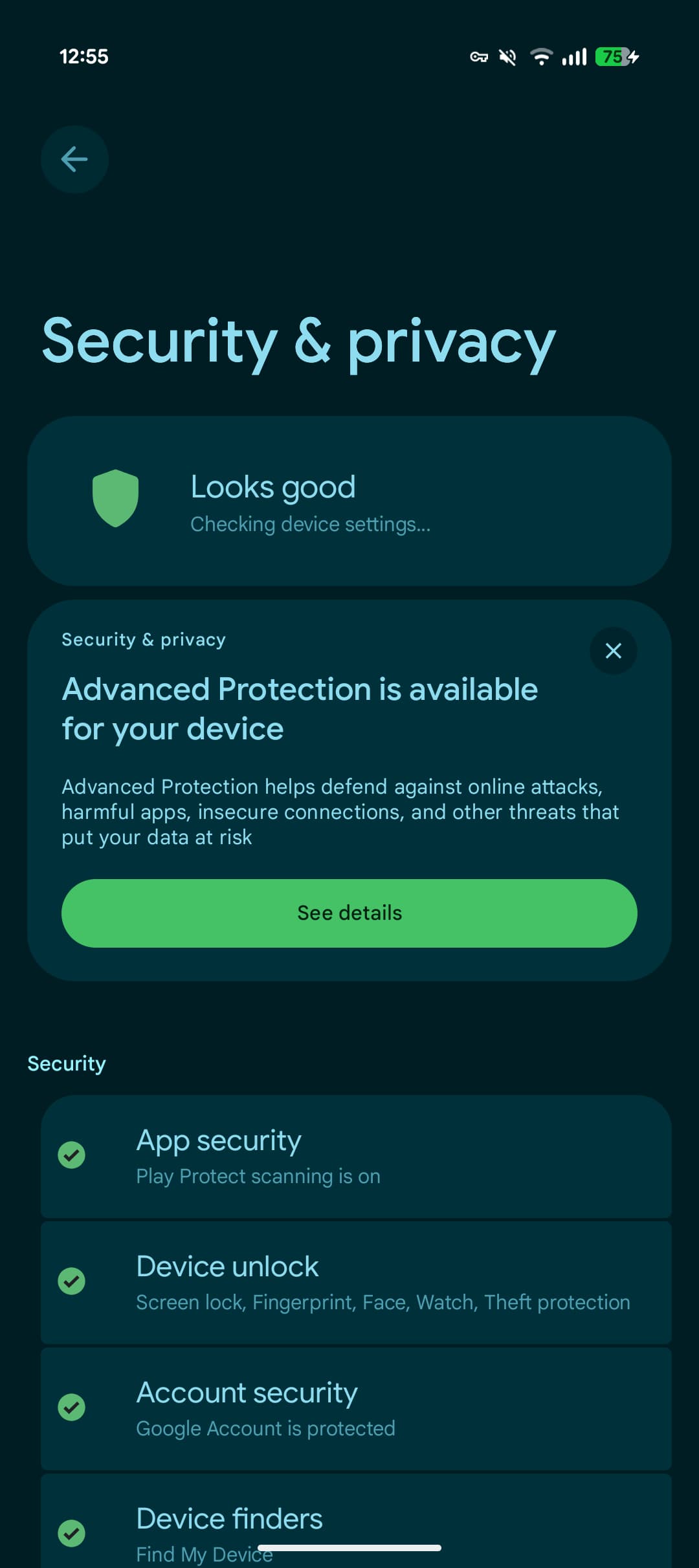
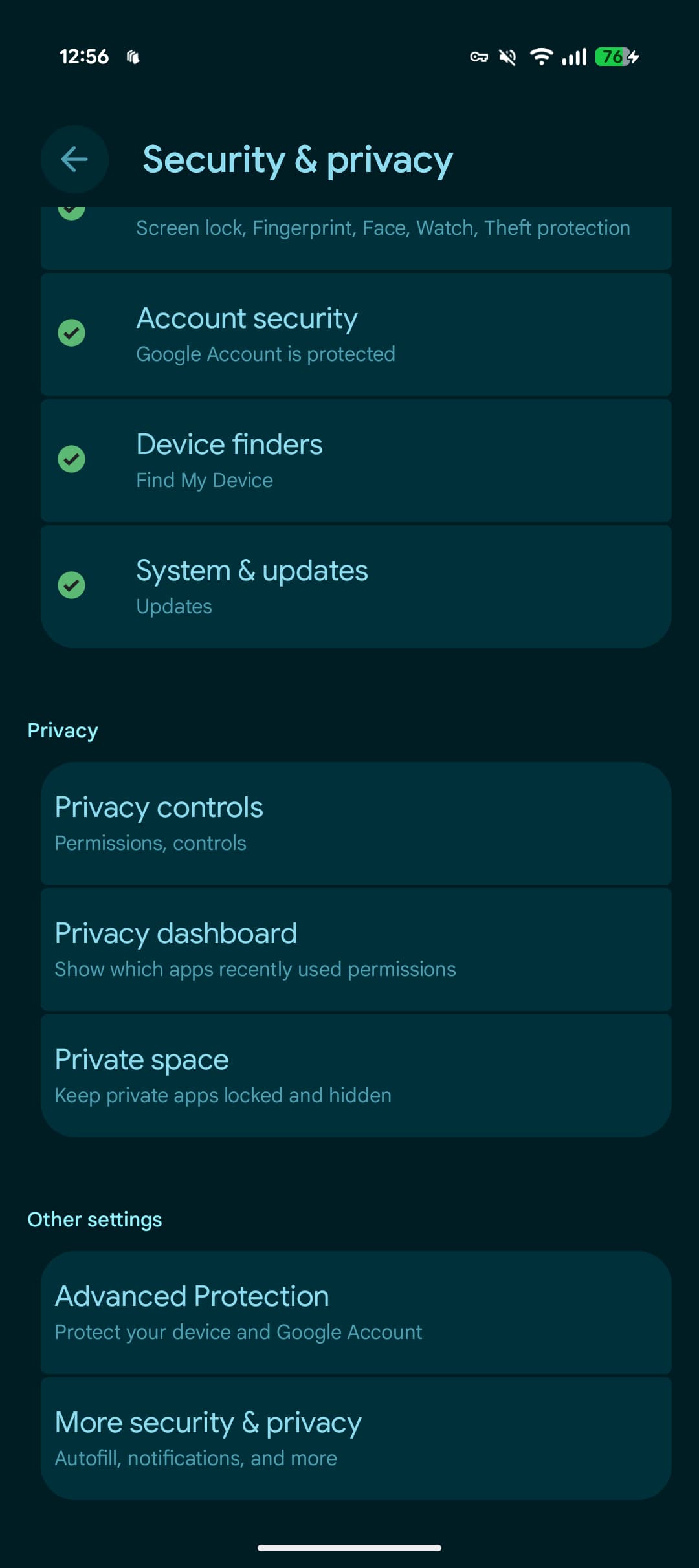
If you miss the card, scroll down to the very end for “Advanced Protection” under “Other settings.” The page has a “Device protection” toggle to enable. The page also has a link to the “Advanced Protection Program” that you can enable on your Google Account.
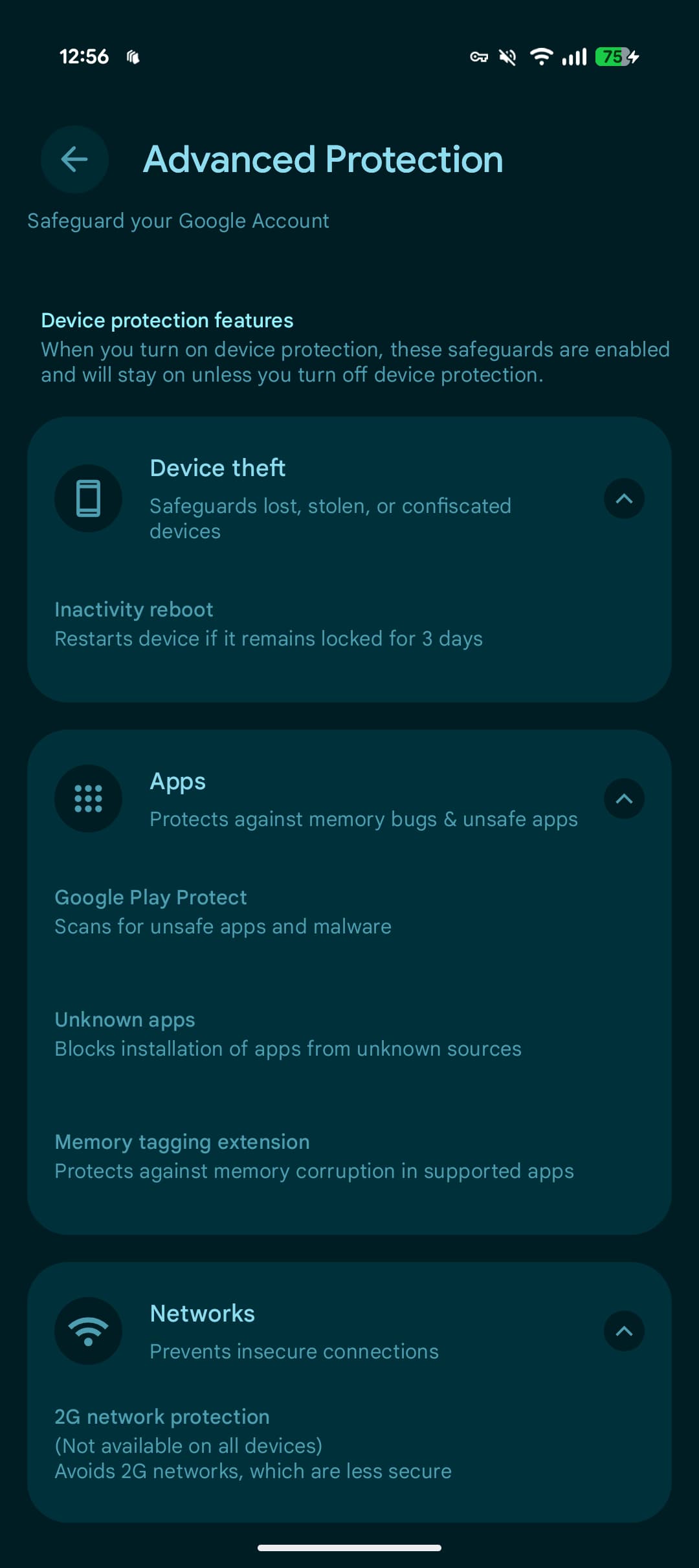
This is the initial set of capabilities you get on Pixel with Android 16 QPR1:
Device theft: Safeguards lost, stolen, or confiscated devices
- Inactivity reboot Restarts device if it remains locked for 3 days
Apps: Protects against memory bugs & unsafe apps
- Google Play Protect: Scans for unsafe apps and malware
- Unknown apps: Blocks installation of apps from unknown sources
- Memory tagging extension: Protects against memory corruption in supported apps
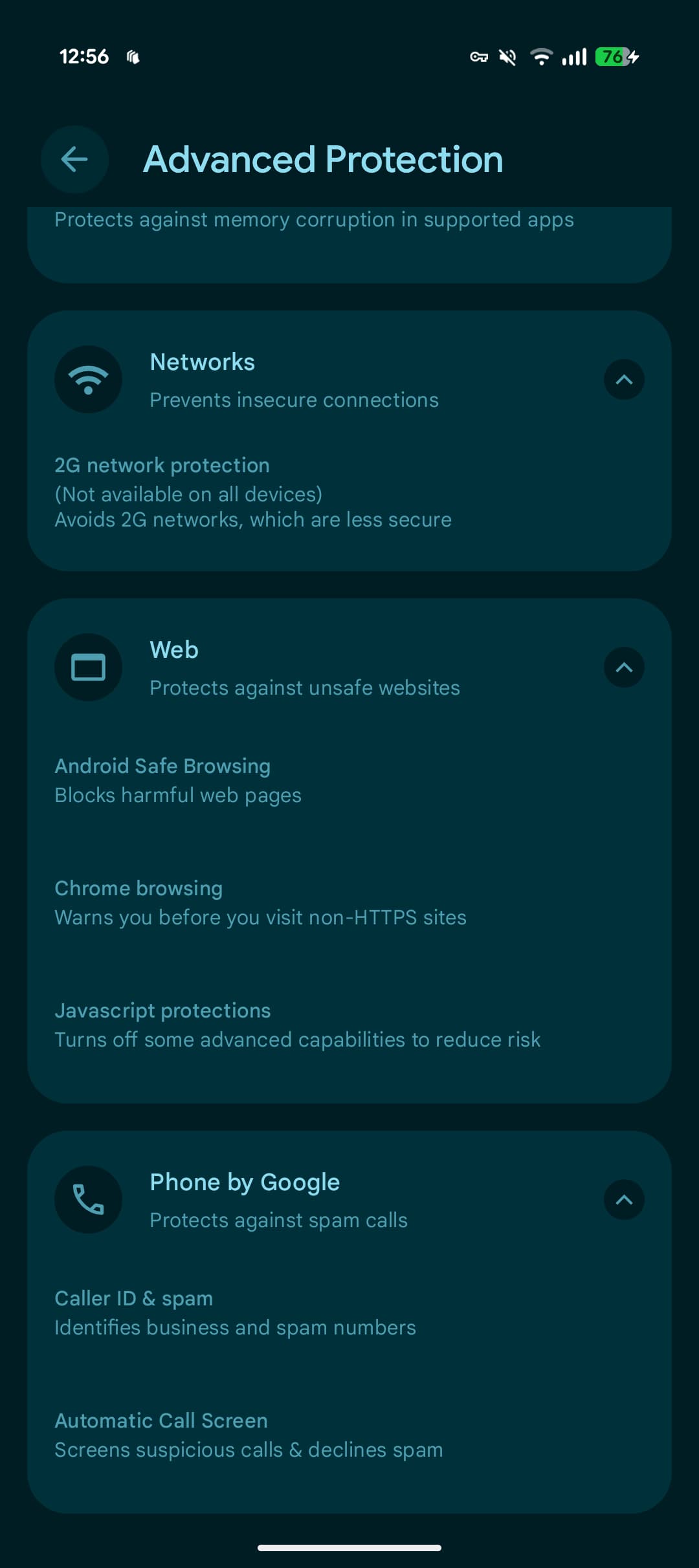
Networks: Prevents insecure connections
- 2G network protection (Not available on all devices): Avoids 2G networks, which are less secure
Web: Protects against unsafe websites
- Android Safe Browsing: Blocks harmful web pages
- Chrome browsing: Warns you before you visit non-HTTPS sites
- Javascript protections: Turns off some advanced capabilities to reduce risk
Phone by Google: Protects against spam calls
- Caller ID & spam: Identifies business and spam numbers
- Automatic Call Screen: Screens suspicious calls & declines spam
If you’re not seeing this page yet, restart your Android 16 device.
More features will be available “later this year,” with capabilities varying by manufacturer and device. That includes: Intrusion Logging, USB protection, the option to disable auto-reconnect to insecure networks, and integration with Scam Detection for Phone by Google.
Please sign in
Login and share