




























#8 Decoding Smartphone Components | Sensors | #KYP Know Your Phone

Hey Questers!
Welcome to the eighth post of the #KYP (Know Your Phone) series!
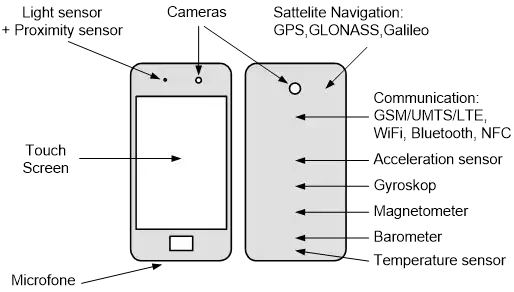
Today we're decoding Sensors — the tiny, smart components in your smartphone that detect your movements, actions, surroundings, and make your device more responsive and interactive.
📦 What Are Smartphone Sensors?
Sensors are microelectronic components that detect environmental or physical changes and send that data to the processor.
They make your smartphone aware of the real world.
From turning off the screen during calls to measuring steps and enabling gaming motions — sensors silently do the magic.
🧠 A Short History
- Early smartphones had just 1–2 sensors (proximity, accelerometer)
- 2010s brought gyroscopes, light sensors, compass
- Now we have in-display fingerprint, under-display camera, heart rate, and even LiDAR in some flagships!
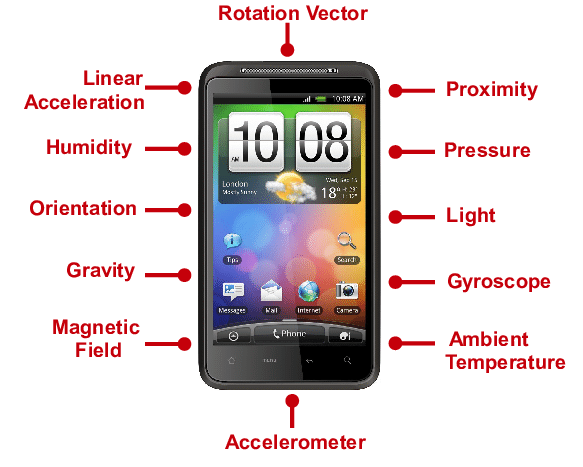
📋 Common Smartphone Sensors & Their Roles
SensorFunctionExample
AccelerometerDetects phone orientationAuto-rotate screen
GyroscopeSenses rotation & tiltGaming, AR apps
ProximityDetects face near screenTurns off display during call
Ambient LightAdjusts screen brightnessAuto-brightness
Compass (Magnetometer)NavigationGoogle Maps direction
Fingerprint (Capacitive/Optical)Security unlockIn-display or rear sensor
BarometerMeasures altitudeWeather apps, fitness tracking
Step Counter (Pedometer)Counts stepsHealth tracking
Hall SensorDetects magnetic cover flipFlip cover auto on/off
Color Spectrum SensorAccurate color balanceCamera & display tuning
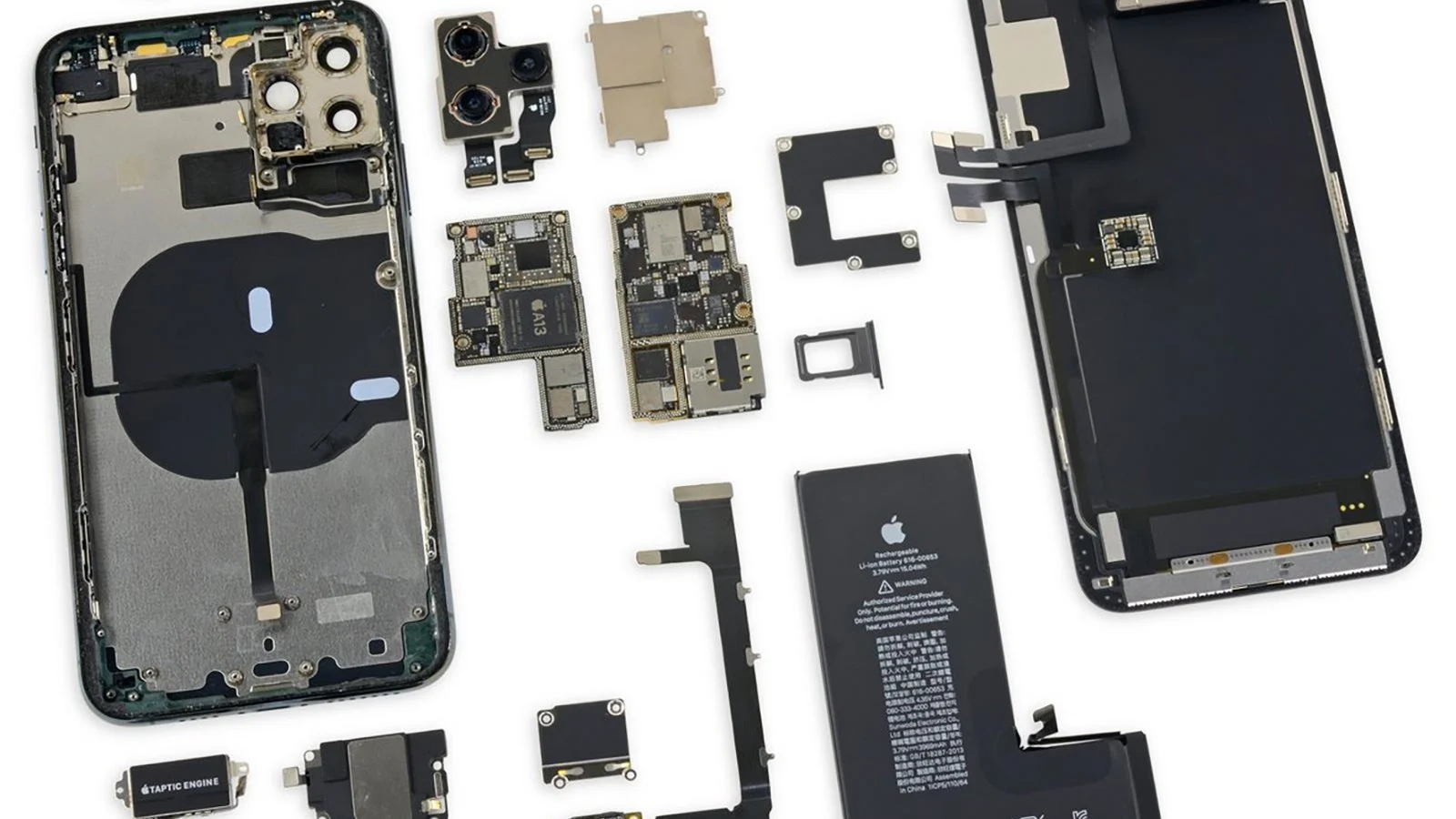
🔍 Advanced & Rare Sensors
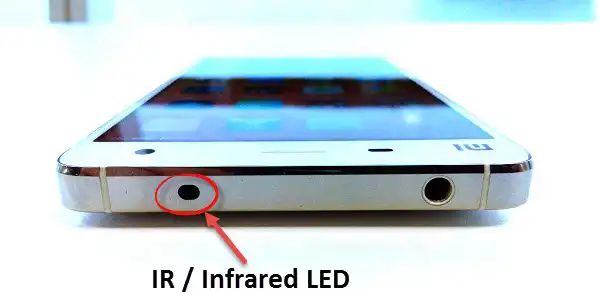
- IR Blaster – Turn your phone into a remote
- ToF / LiDAR (3D sensing) – Found in premium devices for depth mapping
- Heart rate / Blood oxygen sensor – Fitness-centric phones
- Temperature sensor – In gaming/flagship phones to monitor heat
- Ultrasonic fingerprint – Found in high-end phones like Galaxy S series
🛠 iQOO & Sensor Experience
- Most iQOO phones come equipped with gyroscope, compass, ambient light, proximity, and in-display fingerprint
- Gaming phones like iQOO Neo series offer highly responsive motion sensors for FPS & racing games
- iQOO 12 has advanced AI for motion and light sensing
🧠 Why Are Sensors Important?
✅ Improve usability (auto screen off/on, brightness control)
✅ Boost gaming (gyro aiming, tilt steering)
✅ Enhance security (biometrics)
✅ Enable health & fitness tracking
✅ Power AR & VR apps
💡 Pro Tips
- You can test your phone’s sensors using apps like Sensor Box, CPU-Z, or Device Info HW
- Calibrate compass/gyro before using navigation
- Avoid magnetic interference near your phone — it can affect sensors
That’s all for today’s #KYP breakdown!
Next up in the series: #9 Decoding the Cooling System (also known as Thermal Management).📱
💬 Comment below:
Which sensor do you use the most? For me, it's Gyro + Fingerprint every day!
#iQOOCommunity #SmartphoneSensors #KnowYourPhone #KYP #TechExplained #iQOOZ9 #iQOONeo9Pro
@iQOO Connect @HasanRazaKhan @Inzamam @Sameer Shaikh @Hasratsingh @KETAN @Rohan6383
Please sign in
Login and share