
























#13 Decoding Smartphone Components | Connectivity Ports | #KYP Know Your Phone

Hey Questers!
Welcome to the 13th post of the #KYP (Know Your Phone) series.
Today we’re decoding a literal connection between your smartphone and the outside world — the Connectivity Ports.
Whether it’s for charging, data transfer, audio, or accessories — ports are essential to how we use our phones daily. Let’s plug into the details! ⚡🔌
🔌 What are Smartphone Ports?
Smartphone ports are physical interfaces that allow you to connect your phone to other devices, accessories, or power sources.
They are crucial for:
✔ Charging 🔋
✔ Data transfer 💾
✔ Connecting earphones 🎧
✔ Using USB peripherals (OTG) 🖱
✔ Display output (on supported models) 🖥
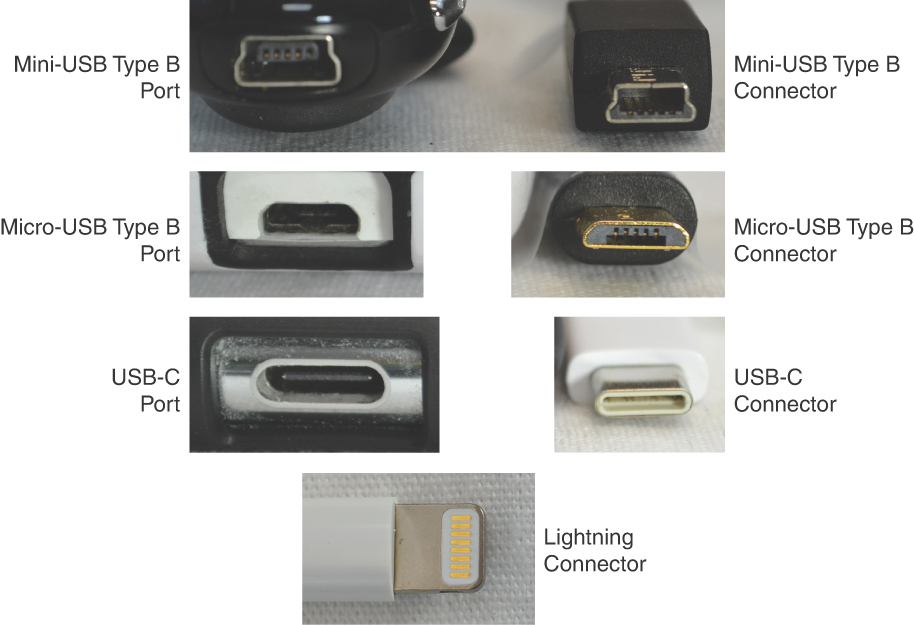
📋 Common Types of Ports
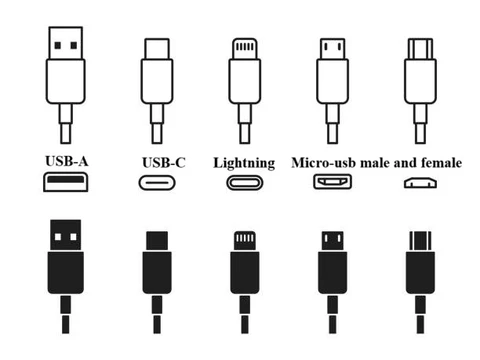
Port TypeUseStatus
- Micro-USBCharging & data transferMostly outdated
- USB Type-CCharging, data, audio, OTGCurrent standard
- 3.5mm Audio JackHeadphones & micsRare in modern phones
- SIM Tray SlotSIM cards + microSD (on hybrid trays)Still present
- Smart Connect PinsFor modular phones (rare)Experimental
Most iQOO phones now feature USB Type-C for fast charging, data, OTG, and audio (TWS pairing).
🧠 Understanding USB Type-C
✅ Reversible design — plug either side
✅ Supports fast charging — up to 120W on some iQOO phones
✅ High-speed data transfer
✅ OTG support — connect pen drives, keyboards, etc.
✅ Can carry video signals (on supported phones)
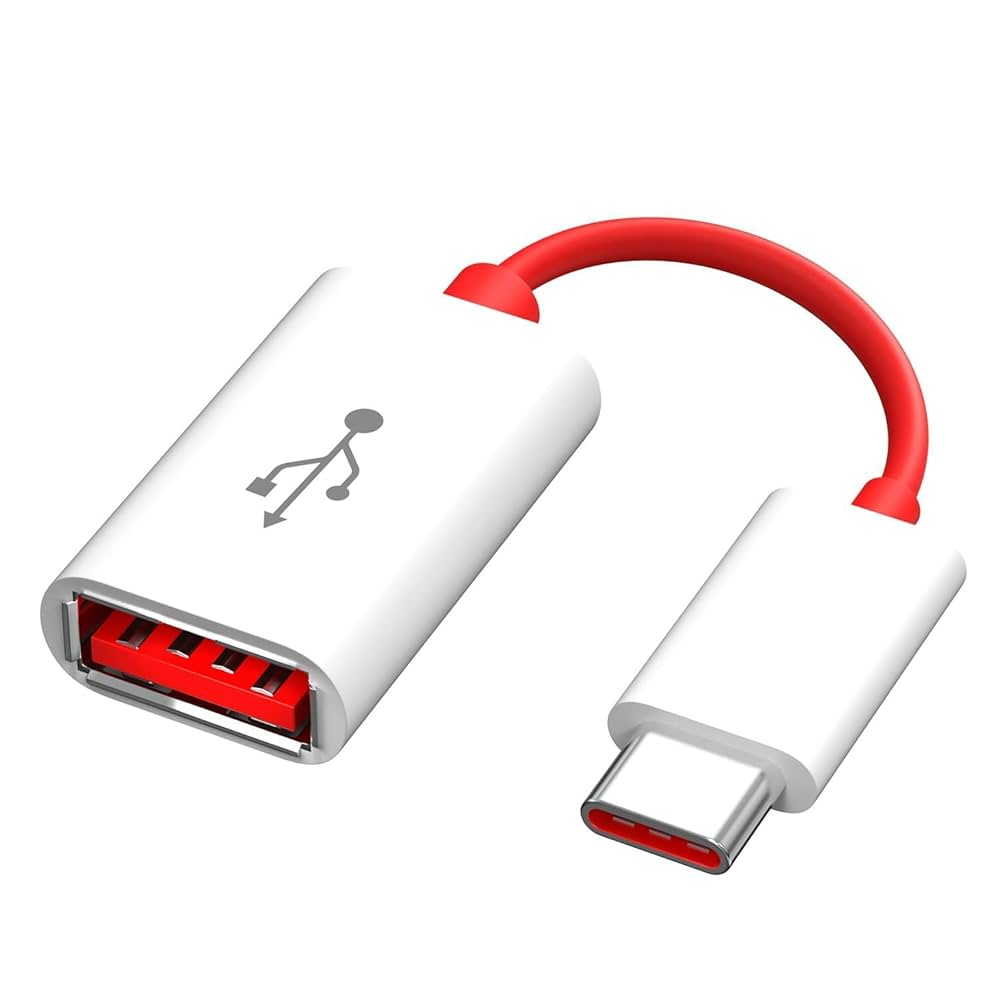
🔌 OTG (On-the-Go) Support
With OTG, your phone can act as a host device. You can plug in:
📷 DSLR cameras
🎮 Game controllers
🖱️ Mice and keyboards
💽 Pen drives
🖨️ Printers (with apps)
You can enable OTG in Settings > System > OTG on iQOO phones.
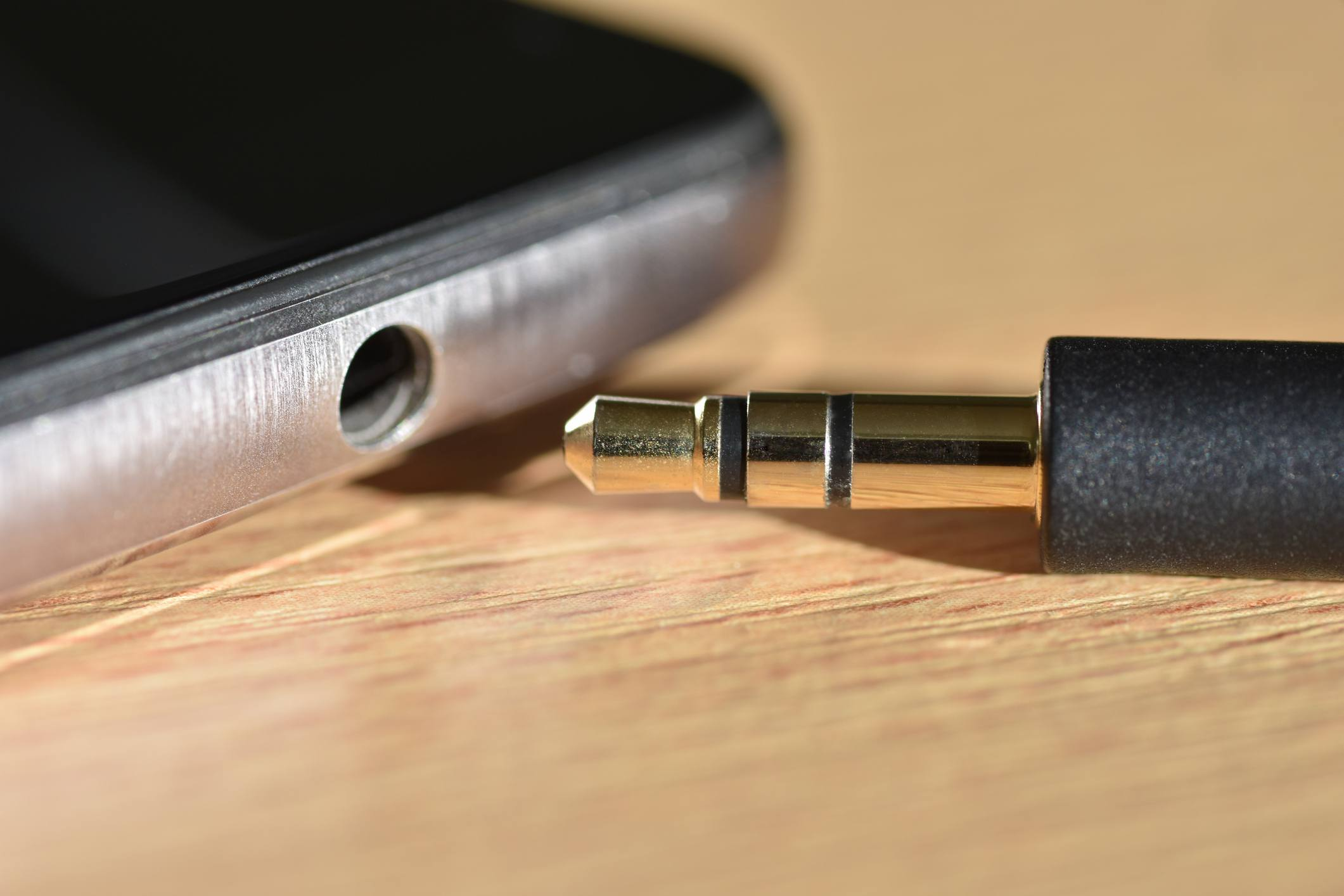
🎧 What About the 3.5mm Jack?
- Once a must-have for music lovers 🎧
- Now replaced by Bluetooth earbuds and Type-C audio
- Some iQOO models still include it in budget/mid-range devices
- TWS like iQOO TWS 1e are now the go-to wireless solution
🧰 Future Trends
🔋 Port-less phones (relying only on wireless charging/data)
⚡ Magnetic charging (MagSafe-style for Android)
📱 Integrated eSIMs — removing physical SIM tray altogether
💡 USB 4.0 & Thunderbolt support for high-speed media transfers
💡 Pro Tips
✔ Keep ports clean to avoid connection issues (use a soft brush)
✔ Use high-quality charging cables to avoid overheating
✔ Don’t yank cables roughly — it can damage internal soldering
✔ For OTG, use a certified OTG adapter only
📖 Fun Fact
The USB Type-C connector was finalized in 2014, but took several years to become standard across smartphones. It’s now even used in laptops, tablets, and cameras!
Up next in the series:
#14 Decoding Build Material & Frame🧊🔥
💬 Question for you:
Do you still prefer phones with a headphone jack, or have you fully gone wireless?
@iQOO Connect @Ashu._.pandit__ @sukrit @Jabir007 @Jash13 @SagarMedda66
Please sign in
Login and share