



























Multitasking Ready: iQOO Z11X Performance Preview

Hello iQOO Fam! 👋
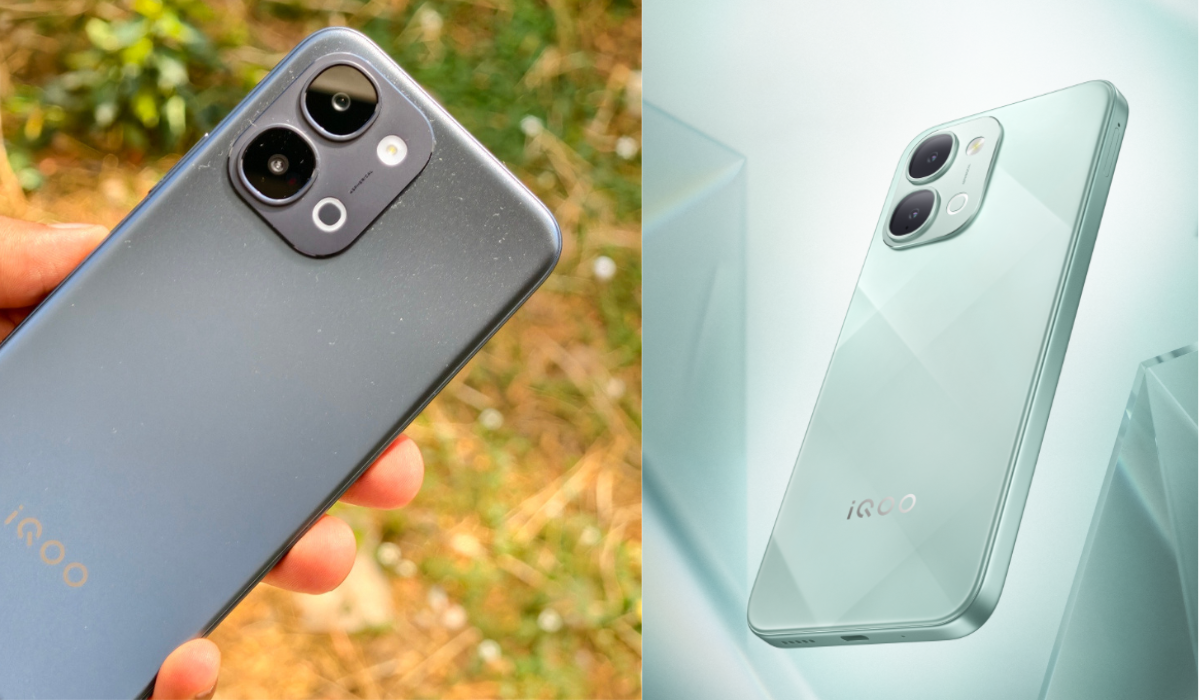
If you caught my iQOO Z11x Unboxing & First Impressions thread, you know I've been eager to go deeper. This time, I'm focusing on something we all deal with daily: multitasking.
Does Your Phone Keep Up With You?
Picture this. I had YouTube playing in the background, Brave open for a quick Google search, WhatsApp pinging every few seconds, and then switched to YouTube Music mid-way. On most budget phones, that's when things start to get ugly — apps reload, animations stutter, and you lose your train of thought.
With the iQOO Z11x in my hand, I wanted to specifically test how it handles this kind of real-world multitasking pressure. Spoiler: it didn't flinch. Here's why.
The Engine Behind It All
Before we talk features, let's appreciate what's under the hood — because multitasking isn't just about software, it starts with the hardware.

The iQOO Z11x is powered by the MediaTek Dimensity 7400 Turbo, built on a 4nm process with an octa-core architecture featuring Arm Cortex-A78 cores clocked up to 2.6GHz. What that translates to in real life — faster app launches, smooth multitasking, and responsive performance without the phone breaking a sweat. iQOO claims over 1 Million AnTuTu score
Paired with the chipset is UFS 3.1 storage — and this is worth calling out. Phones like the Realme Narzo 90 5G and Redmi 15 5G, which sit in a similar price range, ship with UFS 2.2 storage.
UFS 3.1 means faster app installs, quicker file reads, and smoother app switching — you feel it in daily use even if the spec sheet doesn't shout about it.
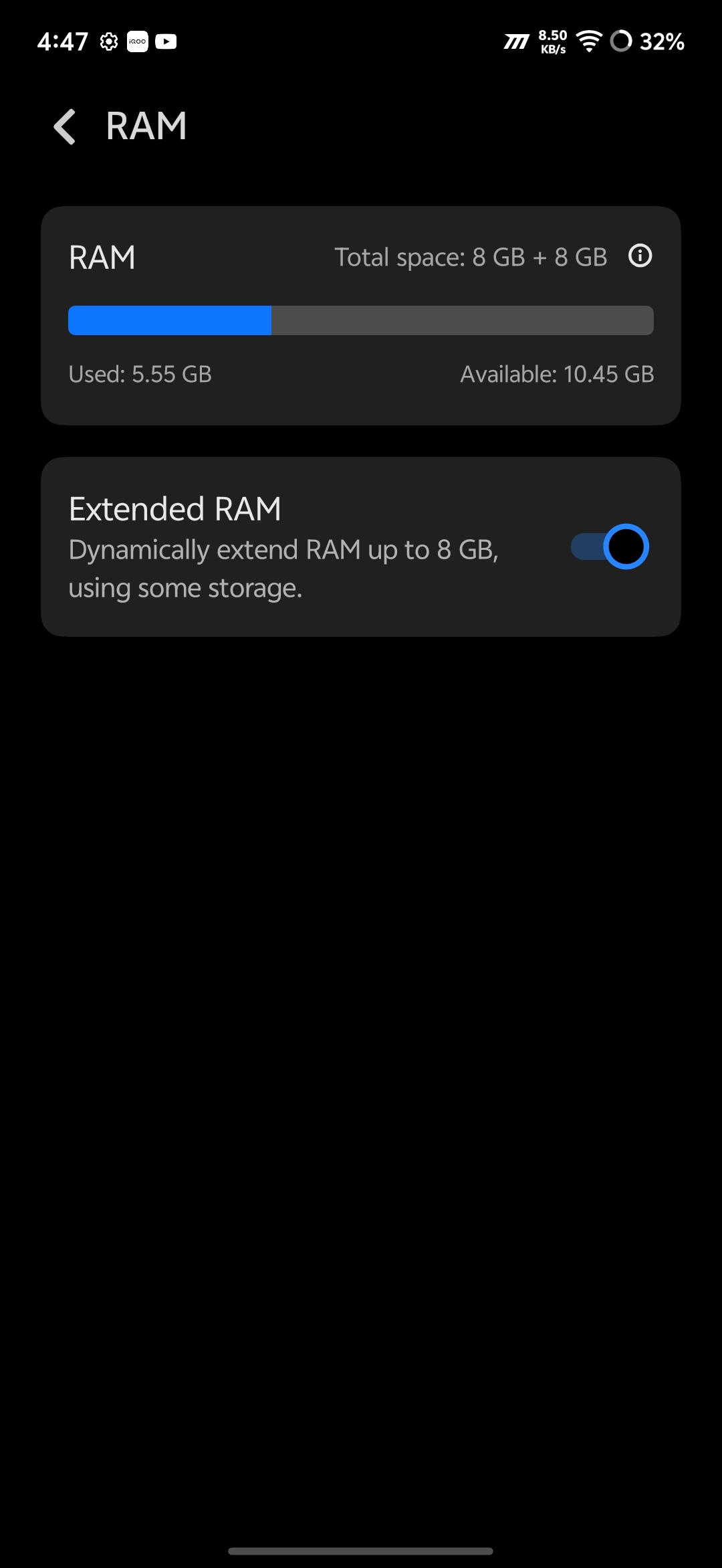
On RAM, my unit packs 8GB LPDDR4X RAM, and I've expanded it with an additional 8GB Dynamic RAM — giving me an effective 16GB to work with. Head to Settings > RAM & Storage > Extended RAM to enable this on your unit too.
And completing the engine room are two software features that work silently in the background:
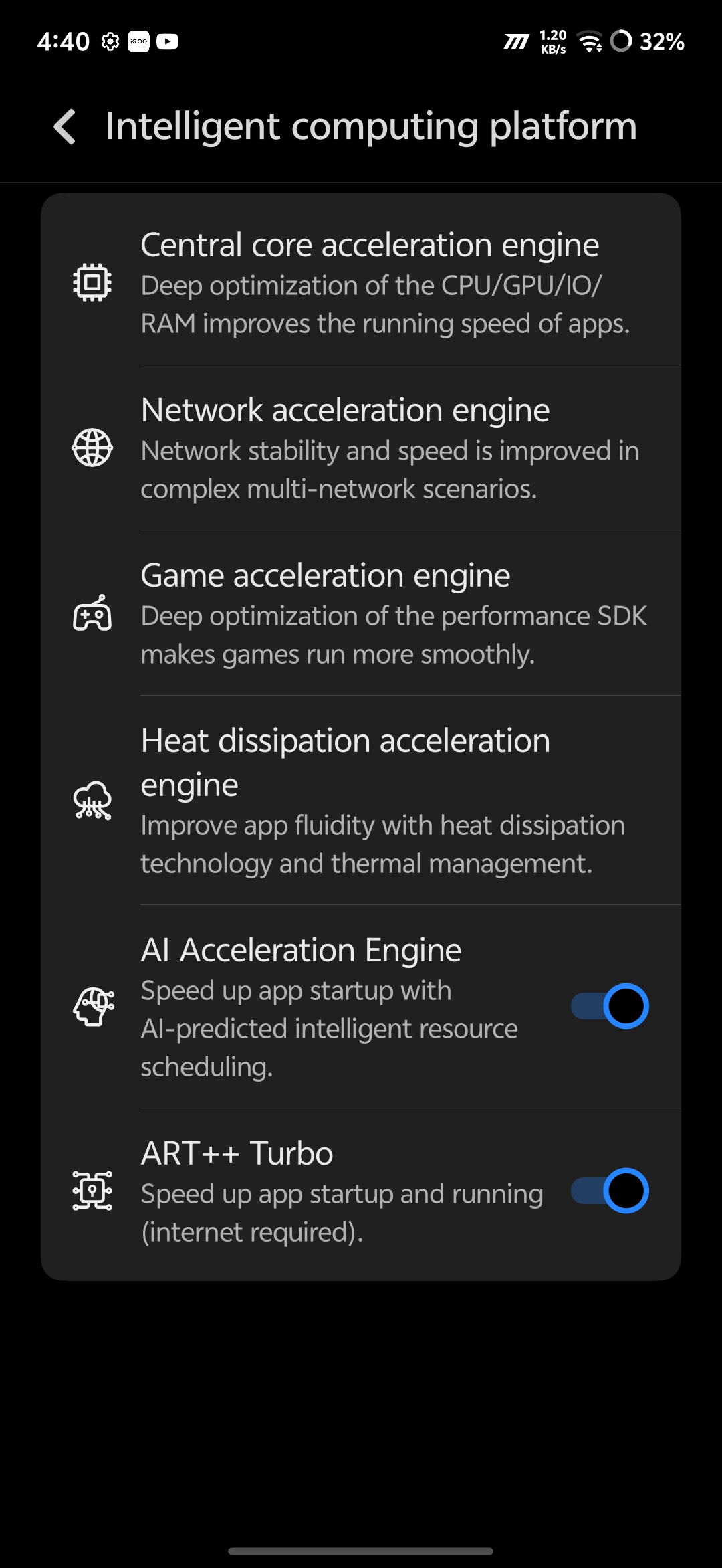
- AI Acceleration Engine — Predicts which apps you'll open next and pre-loads resources intelligently
- ART++ Turbo — Speeds up app startup and runtime performance at the system level
Both are ON by default under Settings > System Management > Intelligent Computing Platform > Multi-Turbo. Keep them on.
Together, the chip, storage, RAM, and these software layers ensure the phone reacts the moment you do. You don't wait for the phone. The phone waits for you.
Multitasking Features on iQOO Z11x
Before exploring the multitasking features on the device, I first tried opening 5+ apps and kept them running in the background while switching between them. YouTube Music was playing music, there was a 4K video export task running in the Album app, and other apps like YouTube and Amazon were also open. Even during such heavy tasks, the iQOO Z11x kept all the apps in memory without reloading them from the beginning.
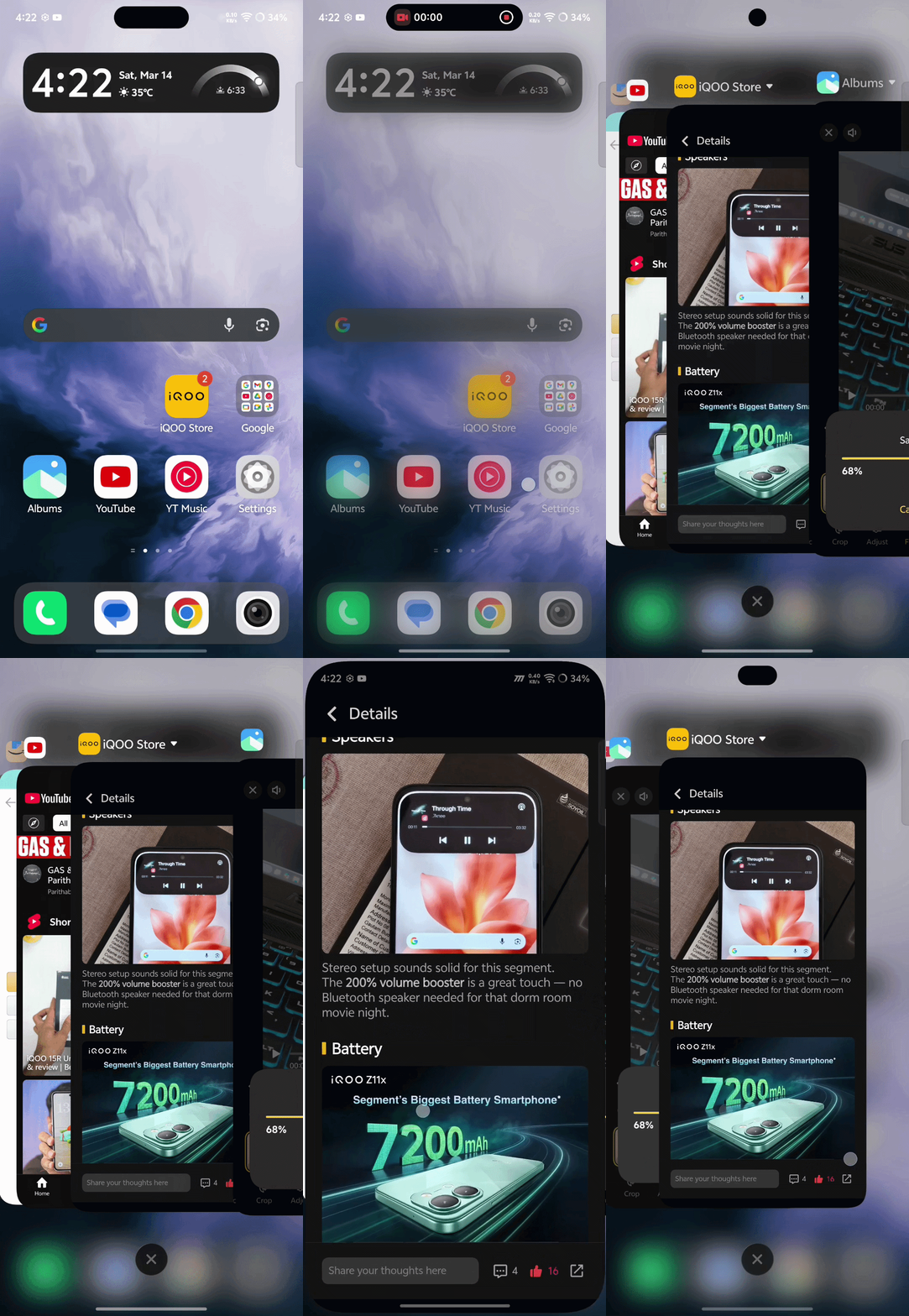
And then, I moved on to OriginOS 6 features that made multitasking on iQOO Z11x smooth and intuitive.
Sidebar — Floating Mini Window

Swipe in from the edge to open a second app in a floating window on top of whatever you're doing. I've used a Calculator floating over YouTube. Works with WhatsApp while browsing Brave too. Once you use it, you can't go back.
Split Screen — Two Apps, One Screen

A three-finger swipe down splits the screen between two apps simultaneously—one on top, one below. You can also enable this feature by pulling the app of your choice to the left end of the recent app window, which opens the app in split-screen view.
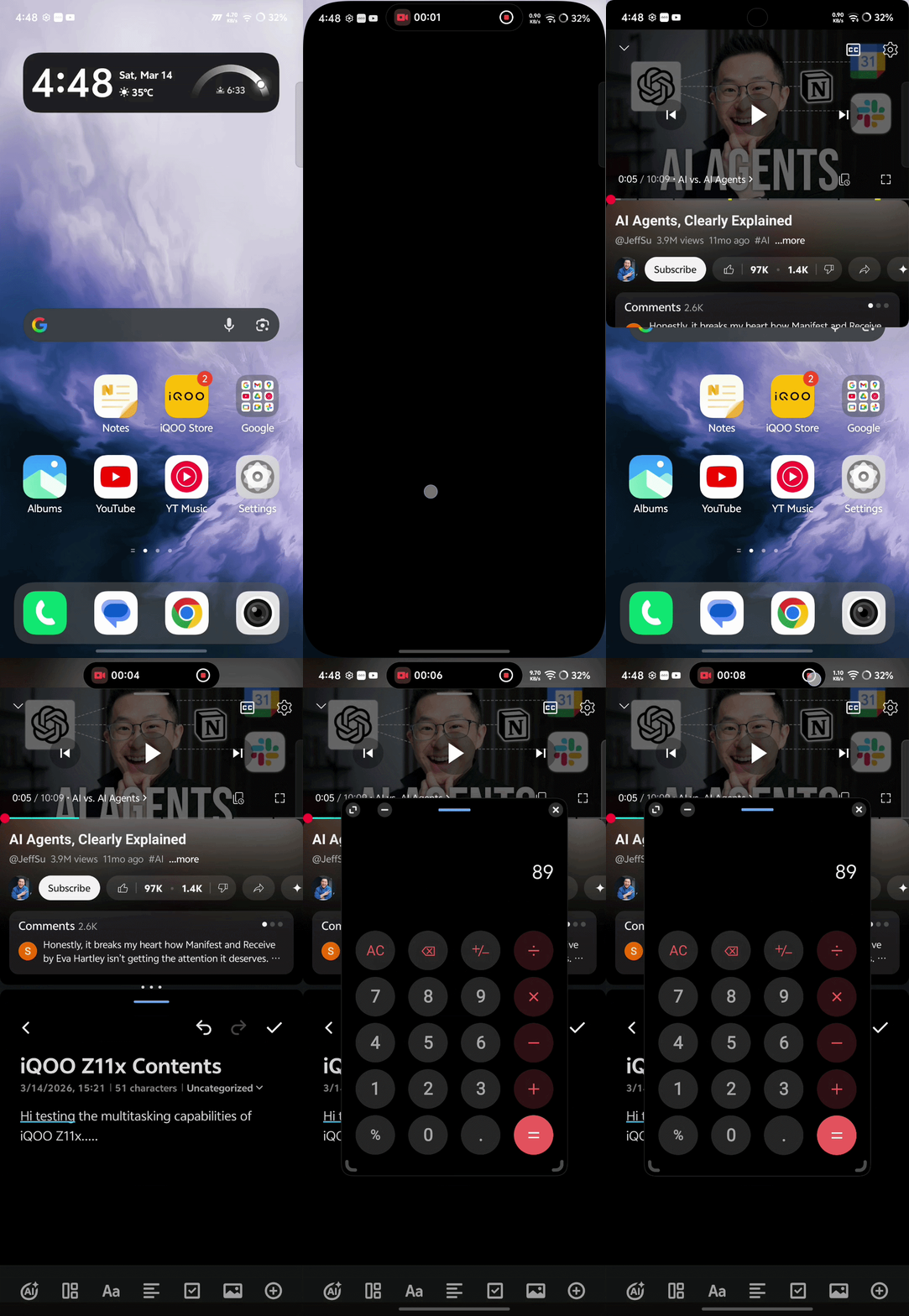
And here's the real trick — you can use both together. Keep Split Screen running two apps and pull in a third via Sidebar. Three apps, one screen, zero lag. That's the Z11x doing exactly what it's built for.
Battery — The Unsung Hero of Multitasking
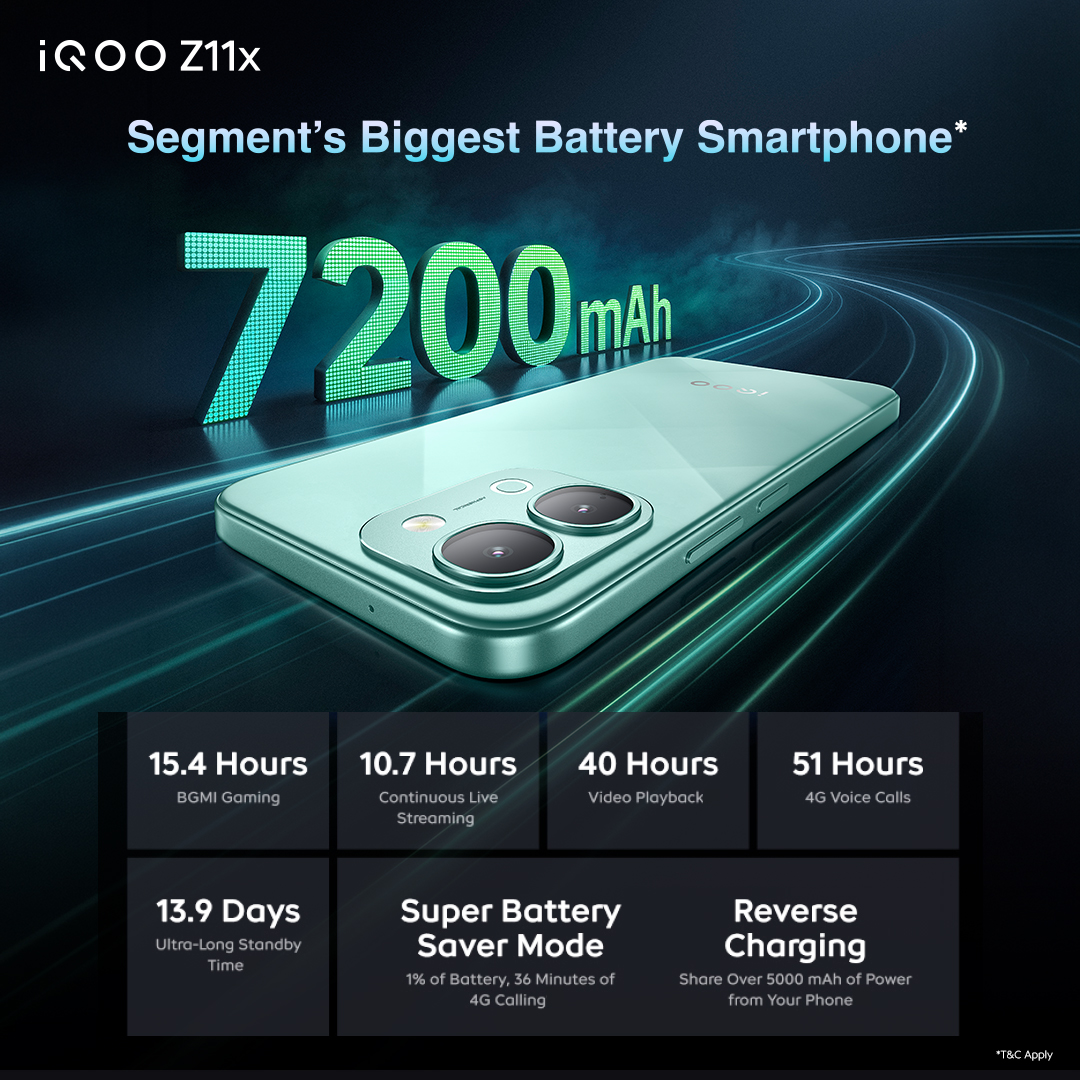
All this multitasking is meaningless if your phone dies by 4 PM. The iQOO Z11x packs a 7200mAh battery — the biggest in its segment — and it genuinely changes how freely you use the phone. I stopped thinking about battery life. And when you do need to top up, 44W charging gets you back in action fast.
Final Thoughts

The iQOO Z11x isn't just fast on paper. The combination of Dimensity 7400 Turbo, UFS 3.1 storage, a smart RAM setup, well-tuned Multi-Turbo settings, and OriginOS 6's multitasking tools makes it genuinely ready for the way we actually use our phones today — and all of this starts at just ₹18,999.
iQOO Z11x Pricing and Availability
The iQOO Z11X 5G comes in Titan Black and Prismatic Green colors. Pricing is as follows:
- 6GB + 128GB model - Rs. 18,999
- 8GB + 128GB model - Rs. 20,999
- 8GB + 256GB model - Rs. 22,999
It will be available through Amazon.in and iQOO India eStore starting from March 16th.
iQOO Z11x Launch offers
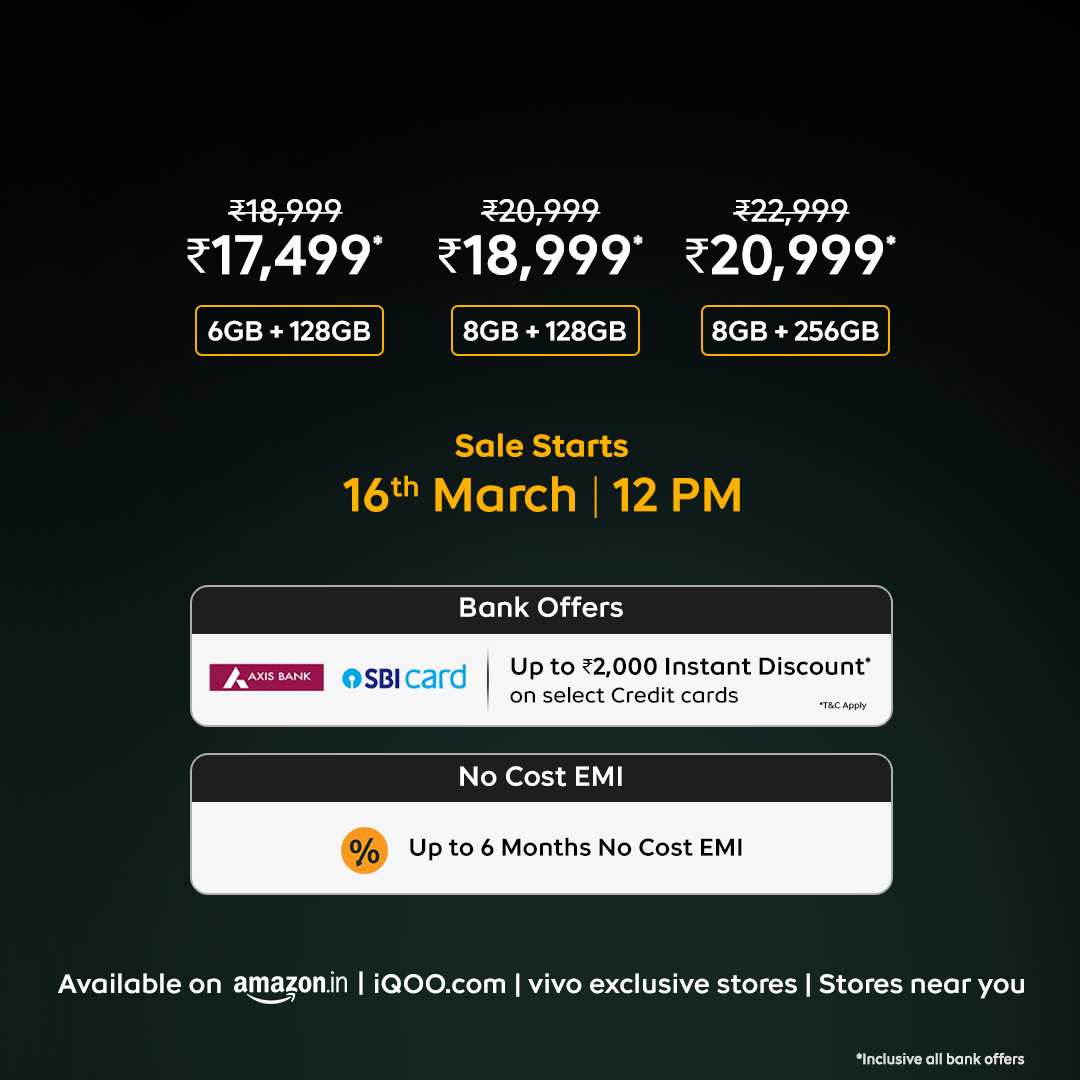
- Up to Rs. 2000 instant discount with Axis Bank and SBI credit cards
- Up to 6 months no-cost EMI
I'll keep testing and share more in the coming threads. If there's something specific you want me to try on the Z11x, drop it in the comments below! 👇
Signing off,
@Vishwa_24, @iQOO Connect Ranger!
Please sign in
Login and share