

























I Tested the OriginOS 6's AI Creation Suite on the iQOO Z11 Lite | Part 2

 Hello again, iQOO Fam!
I'm continuing my 2 part series on incredible Notes app and DocMaster capabilities, available on the latest iQOO Z11 Lite 5G.
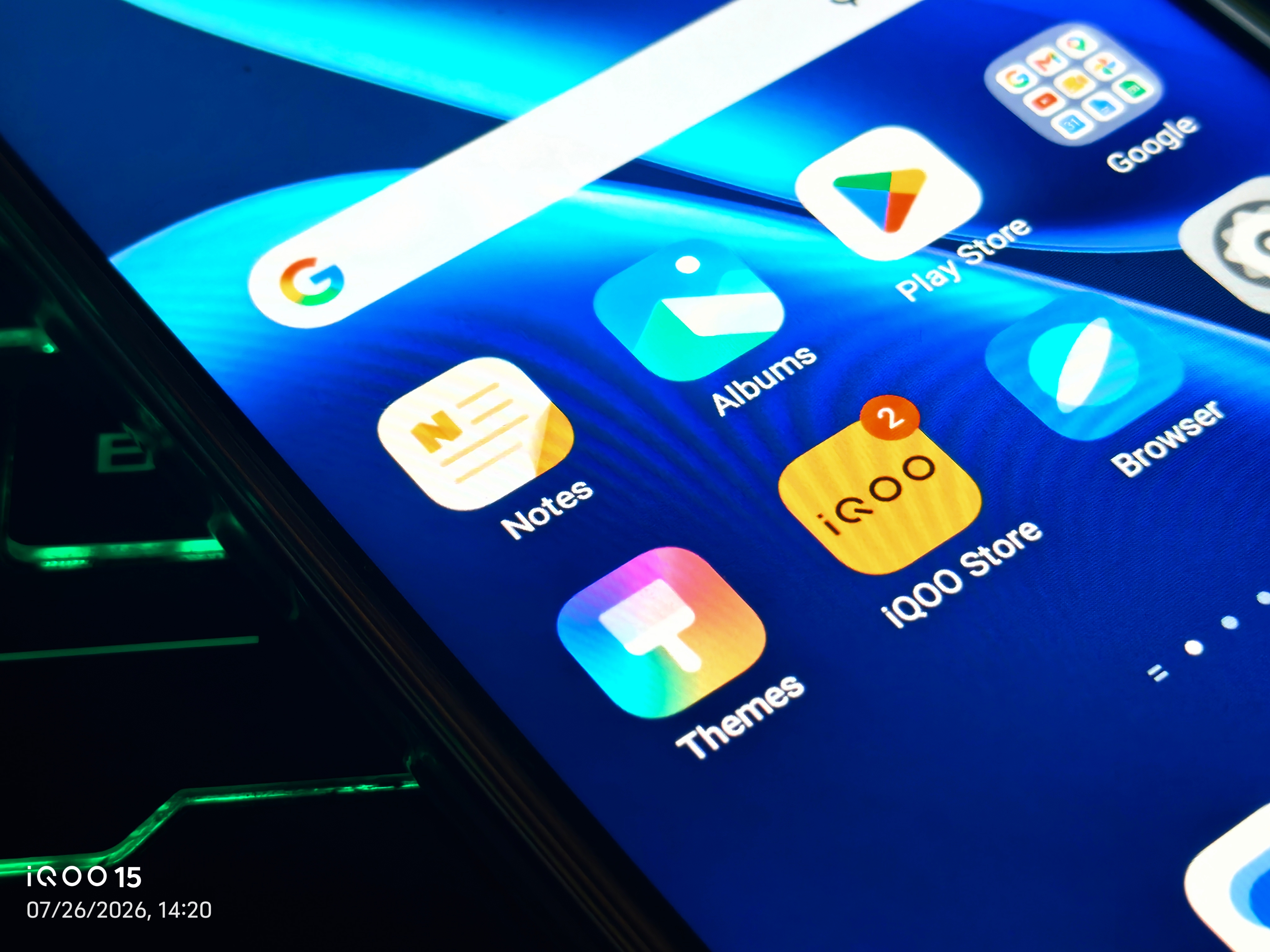
In Part 1, I covered the revamped UI, categories, the "To-do" tab, and cross-device sync in the Notes app on the iQOO Z11 Lite. Now let's get into the part I found genuinely surprising: the built-in AI Creation suite.
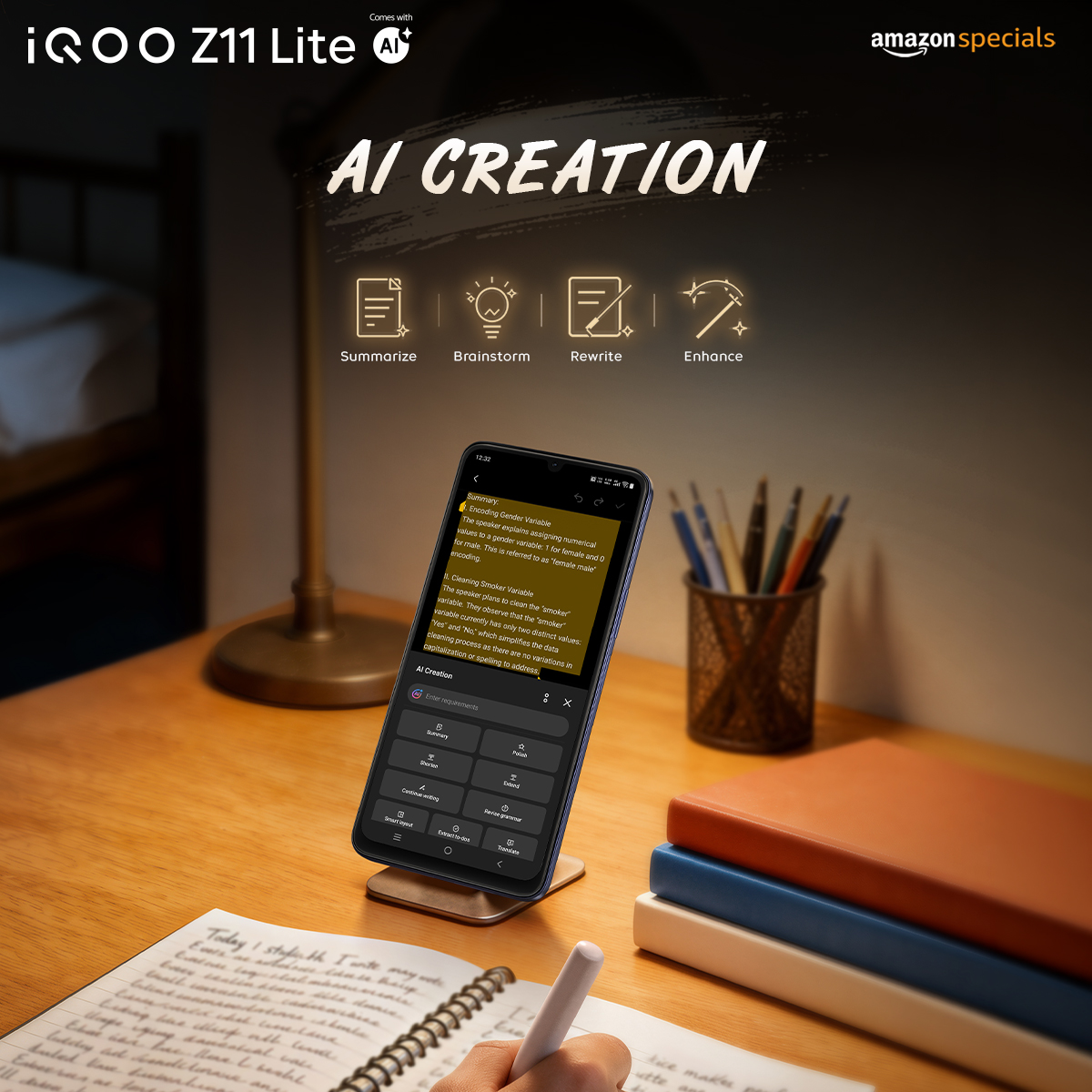
iQOO isn't shy about this either — the official Z11 Lite product page specifically calls out DocMaster and Notes as supporting AI Creation, with tools for rewriting, content generation, summarization, and grammar correction. I put it to the test to see what that actually looks like in practice.
What's in the AI Creation toolbox?
Tap into AI Creation from a note, and you get a full panel of tools:
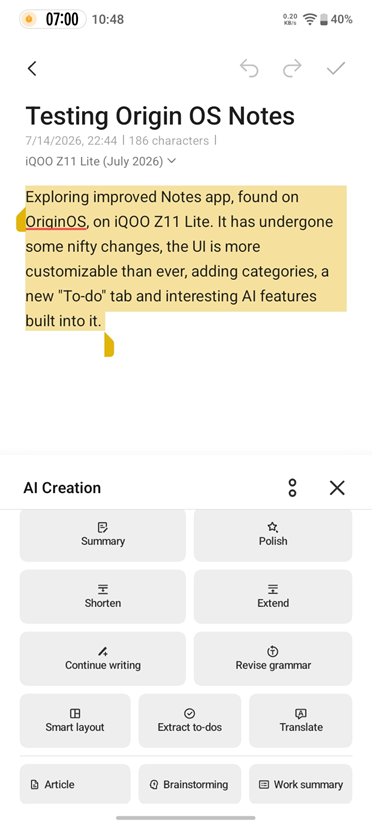
- Summarize whole article — condenses long text into key points
- Polish — cleans up phrasing
- Shorten / Extend — trims or expands your text to fit
- Continue writing — picks up where you left off
- Revise grammar — catches grammar slips
- Smart layout — auto-formats your note
- Extract to-dos — pulls action items straight out of messy notes
- Translate — quick language conversion
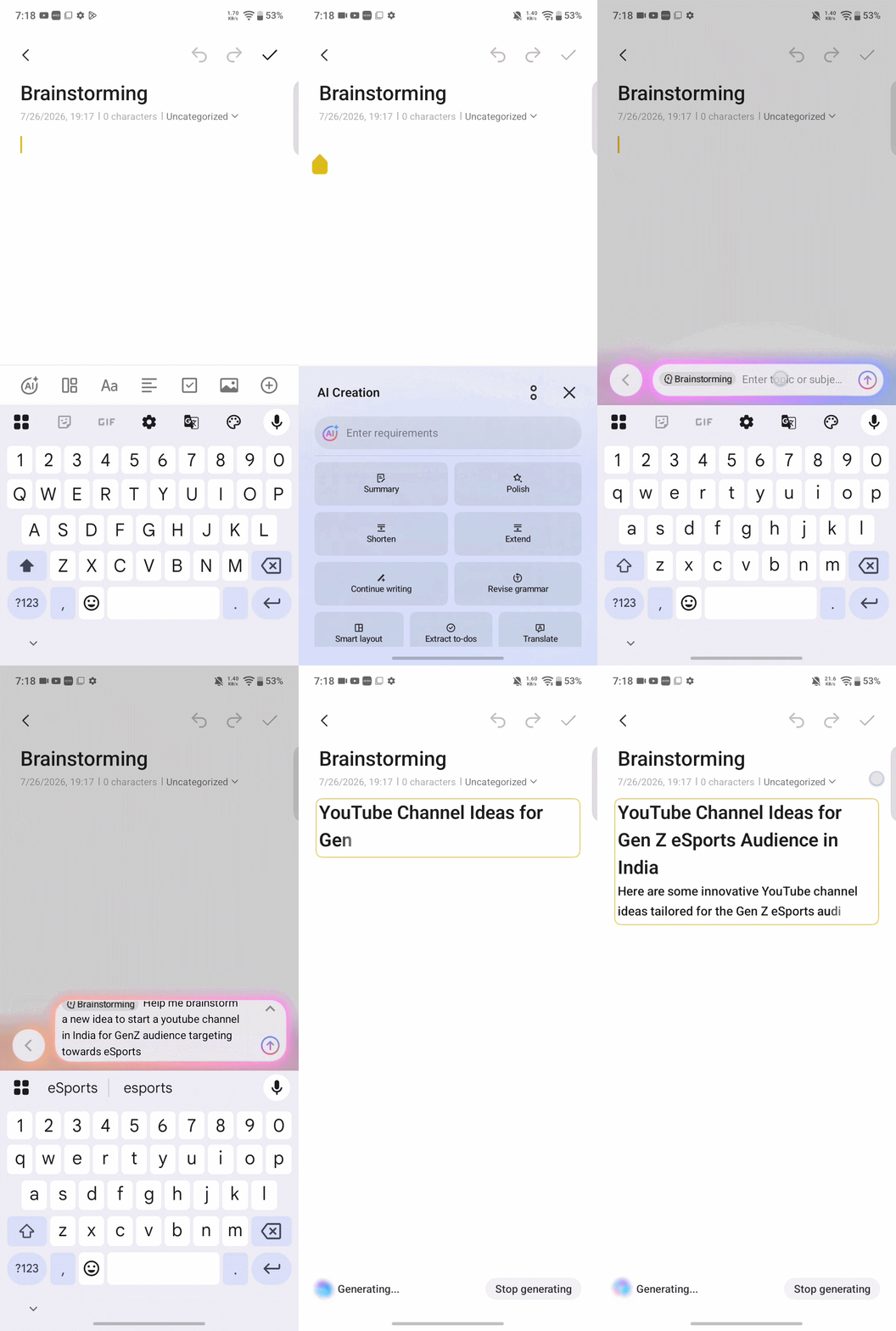
- Templates — ready-made starting points for Article, Brainstorming, and Work summary notes
Out of all of these, Extract to-dos was the standout for me — dump a messy meeting note in, and it pulls out the actual action items without you manually combing through it.
DocMaster gets it AI Creation too
Here's the part I didn't expect. I exported a note as a Word doc, and it opened straight into the DocMaster app — which turns out to carry its own AI Creation toolkit as well.
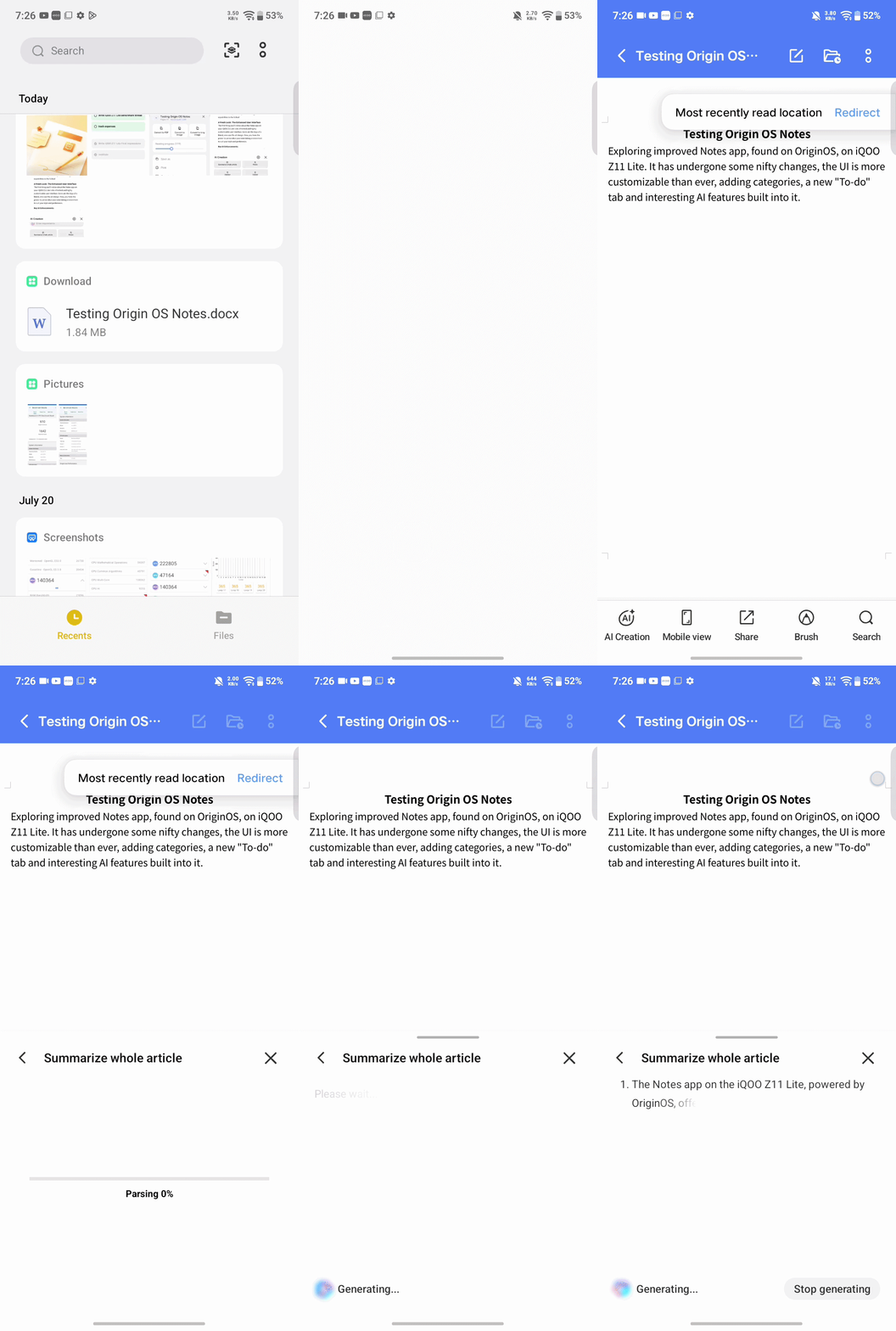
That's a bigger deal than it sounds. You're not limited to AI help inside Notes only — the same rewriting, summarizing, and grammar toolkit follows you into your documents.
If you regularly deal with PDFs or Word files on your phone, this AI creation tools, quietly extends a lot further than "just a notes app feature."
Try it yourself
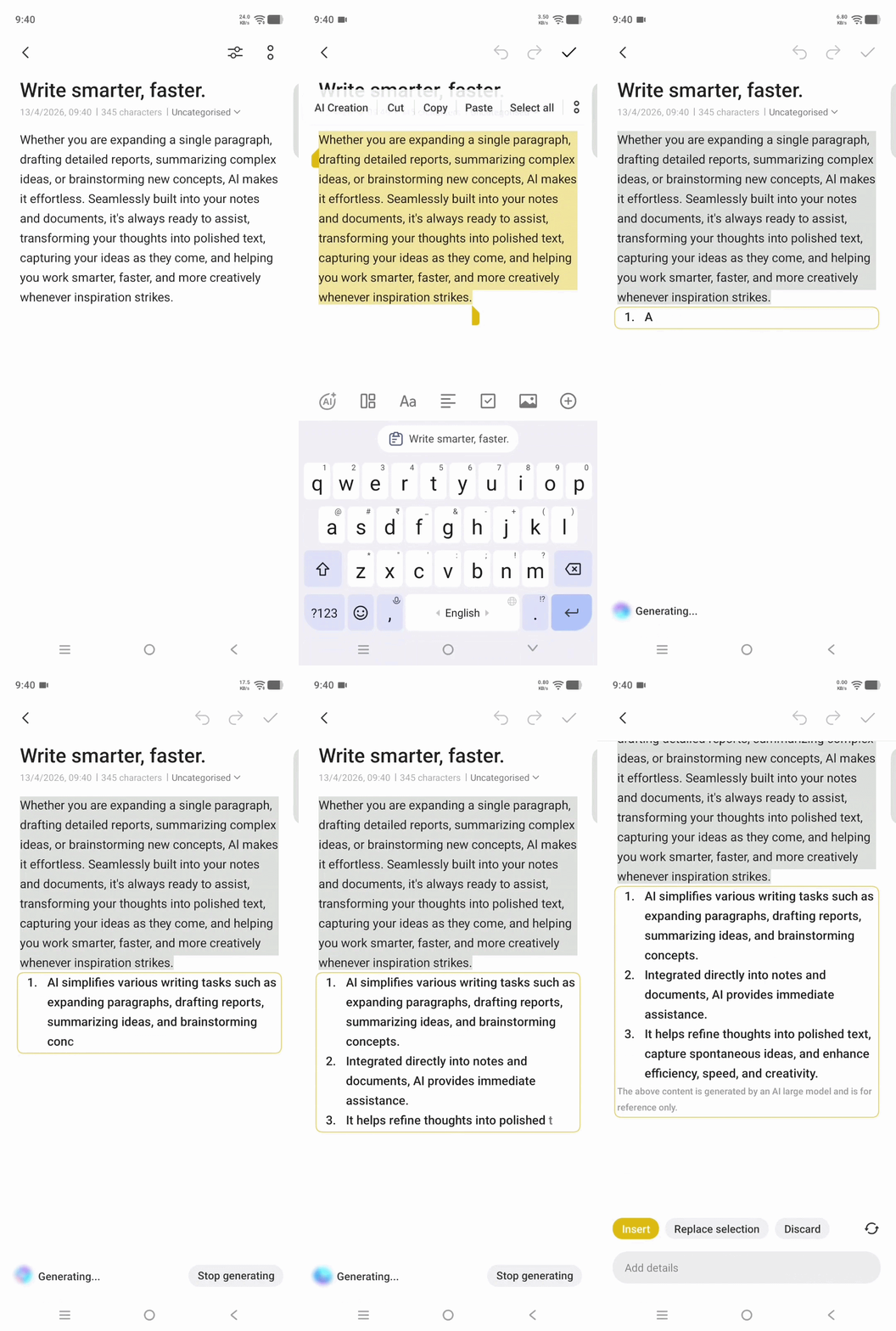
- Open a note (or paste in some longer text) and tap the AI Creation icon.
- Try Summarize whole article on something long-winded.
- Try Extract to-dos on a messy note and see what it pulls out.
- Export a note as a Word doc and check out DocMaster's AI toolkit for yourself.
AI Creation isn't just a bolt-on feature in one app — it's a proper suite spanning at least two apps on the Z11 Lite, and it holds up in actual use, not just on a spec sheet.
Have you tried AI Creation yet — in Notes, DocMaster, or elsewhere on your device? Drop what you found below 👇
(Missed Part 1? Catch up on the UI, organization, and sync features [here] .)
Signing Off,
@iQOO Connect RANGER
Please sign in
Login and share